MOTOSHARE 🚗🏍️
Rent Bikes & Cars Directly from Owners
Motoshare connects vehicle owners with people who need bikes and cars on rent. Owners earn from idle vehicles, and renters get flexible ride options.
Visit Motoshare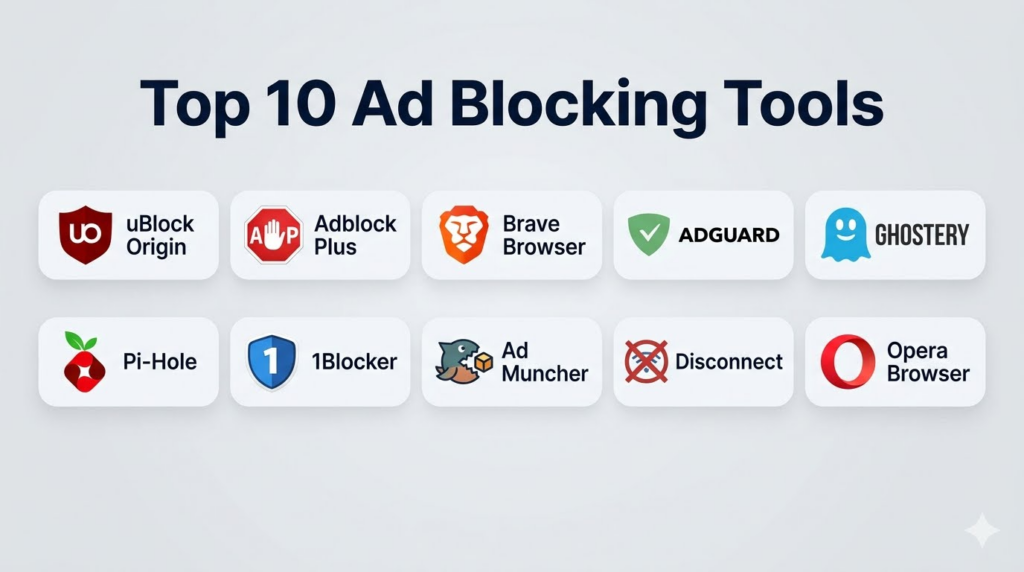
Introduction
Ad blocking tools are software applications or extensions designed to prevent unwanted advertisements from appearing across websites, apps, and streaming platforms. They enhance digital experiences by eliminating intrusive ads, speeding up page load times, reducing data usage, and improving privacy by blocking ad trackers and third‑party scripts. In an era where ads are increasingly personalized, cross‑site, and data‑heavy, ad blockers help users reclaim control over their browsing experience — whether for productivity, privacy, or performance reasons.In ad blocking tools continue to evolve beyond simple banner and pop‑up blocking. They now incorporate privacy protections, tracker blocking, anti‑fingerprinting techniques, customizable filter lists, and AI‑assisted content detection. Users across desktops, mobile devices, and connected TVs benefit from lightweight ad suppression that also reduces bandwidth and mitigates security risks such as malvertising.
Real‑world use cases:
- A commuter using an ad blocker on mobile browsers to save data and avoid disruptive ads.
- A professional enabling ad blocking in the workplace to keep web sessions focused and distraction‑free.
- A privacy‑conscious user blocking trackers that follow activity across sites.
- A streamer reducing pre‑roll video ads in certain video players.
- A gamer minimizing in‑game ads and pop‑ups on web‑based titles.
What buyers should evaluate:
- Effectiveness at blocking display, video, and pop‑up ads
- Impact on page load speed and data usage
- Privacy protections (tracker blocking, fingerprinting resistance)
- Cross‑platform compatibility (desktop, mobile, browsers, apps)
- Customizable filter lists and whitelist controls
- Ease of use and update frequency
- Resource usage and performance overhead
- Compatibility with modern web standards
- Security protections against malvertising and deceptive redirects
- Support and update cadence
Best for: Internet users who want cleaner browsing experiences, reduced data use, fewer distractions, improved privacy, and faster page loads.
Not ideal for: Users who prefer to support content creators by allowing all ads, environments where ad blocking is restricted by policy, or workflows relying on ad‑funded data analytics.
Key Trends in Ad Blocking Tools
- Privacy integration: Tools now combine ad blocking with tracker blocking and anti‑fingerprinting protections.
- AI‑assisted pattern detection: Machine learning models help identify new ad formats and obfuscation techniques.
- Cross‑platform support: Extensions and apps that work on desktops, mobile browsers, and even smart TVs.
- Custom filter lists: Users and communities create tailored lists for specific regions, languages, and platforms.
- Browser‑level integration: Some browsers now include built‑in ad and tracker blockers natively.
- Reduced resource overhead: Efficient ad blockers focus on speed and minimal memory usage.
- Family and kid‑friendly modes: Simplified protection modes for younger users.
- Whitelist options for preferred sites: Ability to allow ads on selected sites.
- Combined security suites: Ad blockers integrated into broader privacy/security packages.
- Performance analytics: Tools reporting on bandwidth saved, ads blocked, and privacy threats blocked.
How We Selected These Tools (Methodology)
- Blocking effectiveness: Ability to block multiple ad formats — banners, pop‑ups, video ads, in‑content ads.
- Privacy protection: Inclusion of tracker blocking, fingerprinting resistance, and cookie controls.
- Cross‑platform support: Compatibility across browsers, OSes, and device types.
- Customization: Filter list flexibility, whitelists, and user‑defined rules.
- Performance impact: Low memory and CPU overhead, faster page loads, reduced data usage.
- Security protections: Malvertising prevention and script blocking capabilities.
- Update cadence: Frequency of filter list and detection updates.
- Ease of use: Intuitive interfaces and simple onboarding.
- Community support: Active filter communities and support channels.
- Value: Free and premium tiers weighed against capabilities delivered.
Top 10 Ad Blocking Tools
#1 — uBlock Origin
Short description: uBlock Origin is a free, open‑source ad and tracker blocker widely regarded for its performance efficiency, extensive filter support, and minimal resource usage.
Key Features
- Lightweight ad blocker with multi‑filter support
- Customizable filter lists and user rules
- Tracker and malware domain blocking
- Supports static and dynamic filtering
- Open‑source transparency
- Low memory footprint
Pros
- Free and open‑source
- Highly customizable
- Extremely efficient resource usage
Cons
- Requires user knowledge for advanced filter customization
- No official mobile app (browser extensions only)
- Not designed for native app ad blocking
Platforms / Deployment
- Browser extensions (Chrome, Firefox, Edge, Safari via ports)
- Cloud sync through browser profiles
Security & Compliance
- Blocks malicious domains
- Doesn’t collect user data
- Privacy‑first design
Integrations & Ecosystem
- Works with community filter lists (EasyList, EasyPrivacy)
- Custom filter import
- Browser settings support
Support & Community
- Active open‑source community
- Public forums and documentation
- GitHub issue tracking
#2 — Adblock Plus
Short description: Adblock Plus (ABP) is one of the most recognized ad blockers, featuring easy setup, customizable filters, and support for acceptable ads and whitelisting.
Key Features
- Ad and pop‑up blocking
- Acceptable Ads program and whitelists
- Custom filter lists
- Tracker and malware blocking
- Browser integration
Pros
- Easy onboarding for beginners
- Acceptable Ads helps support publishers
- Wide browser support
Cons
- Acceptable Ads enabled by default (can be turned off)
- Heavier than minimalist blockers
- Premium tiers required for some platforms
Platforms / Deployment
- Browser extensions (Chrome, Firefox, Edge, Safari)
- Apps for some mobile platforms
Security & Compliance
- Blocks trackers and malicious domains
- Ad filtering privacy
- Configurable permissions
Integrations & Ecosystem
- Filter lists (EasyList, user filters)
- Whitelist tools
- Sync via browser profiles
Support & Community
- Knowledge base
- Forums and support articles
#3 — Brave Browser (Built‑In Shield)
Short description: Brave is a privacy‑focused web browser with a built‑in ad and tracker blocking shield, eliminating the need for separate extensions.
Key Features
- Built‑in ad blocking and tracker prevention
- HTTPS upgrading and fingerprinting resistance
- Script blocking and cookie controls
- Rewards program (optional)
- Brave Search integration
Pros
- No extension required
- Fast, privacy‑oriented browsing
- Fingerprinting and tracker resistance
Cons
- Users must migrate to Brave for full benefits
- Some sites detect ad blocking and require overriding
- Rewards model optional
Platforms / Deployment
- Windows, macOS, Linux, iOS, Android
- Native browser
Security & Compliance
- HTTPS‑first policies
- Anti‑tracking and fingerprinting
- Private browsing modes
Integrations & Ecosystem
- Brave Rewards and wallet integration
- Extensions via Chrome Web Store
- Shields configuration per site
Support & Community
- Documentation
- Community forums
- GitHub and help resources
#4 — AdGuard
Short description: AdGuard is a comprehensive ad‑blocking suite with browser extensions, desktop apps, and mobile support that blocks ads, trackers, phishing attempts, and malicious scripts.
Key Features
- Ad blocking across browsers and apps
- Tracker and privacy protection
- Phishing and malware script blocking
- Stealth mode with anti‑fingerprinting
- DNS‑level filtering (where supported)
Pros
- Multi‑platform coverage
- Deep privacy controls
- App‑level blocking on supported OS
Cons
- Premium license required for full app features
- Desktop/mobile app complexity for beginners
- Windows/macOS installation required
Platforms / Deployment
- Windows, macOS, iOS, Android
- Browser extensions
Security & Compliance
- Blocks malicious domains and scripts
- Privacy‑focused settings
- Anti‑fingerprinting
Integrations & Ecosystem
- Custom filter support
- DNS‑level filter services
- Parental control options
Support & Community
- Help center
- Support channels
- Knowledge articles
#5 — Ghostery
Short description: Ghostery blends ad and tracker blocking with analytics and privacy tools, empowering users to visualize and control trackers across sites and manage privacy preferences.
Key Features
- Tracker blocking dashboard
- Ad blocking and script control
- Privacy settings and cookie management
- Visual tracker insights
- Browser extension support
Pros
- Clarity on trackers and privacy
- Simple UI for privacy controls
- Tracker insights per site
Cons
- Ad blocking less aggressive than some rivals
- Browser‑only extension
- Some privacy dashboards can feel technical
Platforms / Deployment
- Chrome, Firefox, Edge, Safari extensions
- Limited mobile support via browsers
Security & Compliance
- Blocks trackers and cookies
- Visual privacy metrics
- No logging of browsing data
Integrations & Ecosystem
- Tracker visualizations
- Custom filter rules
- Browser sync
Support & Community
- Help articles
- FAQs and support center
#6 — Pi‑Hole
Short description: Pi‑Hole is a network‑level ad and tracker blocking solution that runs on a local appliance (e.g., Raspberry Pi), filtering DNS resolution to block ads and malicious domains across all devices on a network.
Key Features
- DNS‑level ad/tracker blocking
- Network‑wide coverage
- Custom block/allow lists
- Query logs and analytics
- Local network deployment
Pros
- Blocks ads for all connected devices
- No browser extension required
- Highly customizable and transparent
Cons
- Requires hardware and technical setup
- Does not block ads in encrypted DNS by default without configuration
- Not ideal for roaming devices outside network
Platforms / Deployment
- Local (Raspberry Pi, Linux)
- Network DNS filtering
Security & Compliance
- Blocks malicious domains
- Local control and privacy
- Customizable security lists
Integrations & Ecosystem
- Custom DNS lists
- Third‑party block lists
- Router DNS settings
Support & Community
- Open‑source community
- Documentation and forums
#7 — 1Blocker (iOS/macOS)
Short description: 1Blocker is a content blocking app optimized for Apple devices, offering powerful filtering of ads, scripts, trackers, and social widgets with low battery and performance impact.
Key Features
- Ad and tracker blocking for Safari
- Custom filter sets and rules
- iCloud sync for lists and settings
- Inline element blocking
- Low resource footprint
Pros
- Excellent for Apple ecosystem users
- Customizable block rules
- Efficient and battery friendly
Cons
- Limited to Safari on iOS/macOS
- Not system‑wide blocking
- Premium subscription required
Platforms / Deployment
- iOS, macOS (Safari)
- iCloud sync
Security & Compliance
- Blocks trackers and scripts
- Safari content policy compliance
Integrations & Ecosystem
- Custom blocking rules
- iCloud sync
Support & Community
- Help articles
- Support resources
#8 — Ad Muncher
Short description: Ad Muncher is a long‑standing ad blocker for Windows that filters ads in browsers and some desktop apps, focusing on simplicity and compatibility with legacy systems.
Key Features
- System‑wide ad blocking for Windows
- Browser and app ad suppression
- Custom filter lists
- Lightweight filtering engine
Pros
- Works across browsers and some apps
- Effective for older Windows systems
- Low footprint
Cons
- Less modern update cadence
- Limited advanced privacy protections
- Windows only
Platforms / Deployment
- Windows
- System‑wide filtering
Security & Compliance
- Blocks ads and certain scripts
- No advanced privacy features
Integrations & Ecosystem
- Custom filters
- Basic logging
Support & Community
- Legacy documentation
#9 — Disconnect
Short description: Disconnect focuses on privacy‑centric tracking and ad blocking, blocking trackers and third‑party requests to protect user privacy and reduce ad load.
Key Features
- Tracker blocking lists
- Third‑party script suppression
- Ad blocking support
- Privacy dashboards
- HTTPS privacy focus
Pros
- Strong tracker protection
- Simple interface
- Privacy dashboards
Cons
- Ad blocking less aggressive
- Browser‑only extension
- Some lists behind subscription
Platforms / Deployment
- Browser extensions
- Limited mobile integration
Security & Compliance
- Blocks third‑party trackers
- HTTPS privacy focus
Integrations & Ecosystem
- Privacy insights
- Custom rules
Support & Community
- Support articles
#10 — Opera Browser (Built‑In Ad Block)
Short description: Opera is a mainstream web browser with a built‑in ad blocker enabled by default, providing ad suppression without extensions alongside native VPN features.
Key Features
- Built‑in ad blocking in browser
- Tracker blocking
- Integrated VPN
- Easy toggle for on/off
Pros
- No extensions needed
- Integrated privacy tools
- Good performance in many workflows
Cons
- Browser‑only benefits
- Not as configurable as standalone blockers
- VPN may affect speed
Platforms / Deployment
- Windows, macOS, Linux, iOS, Android
- Native browser
Security & Compliance
- Tracker blocking
- HTTPS privacy protections
Integrations & Ecosystem
- Built‑in VPN and browser tools
Support & Community
- Opera support resources
Comparison Table (Top 10)
| Tool Name | Best For | Platforms Supported | Deployment | Standout Feature | Public Rating |
|---|---|---|---|---|---|
| uBlock Origin | Lightweight, customizable | Browser extensions | Cloud/extension | Performance + custom filters | N/A |
| Adblock Plus | Beginner‑friendly blocking | Browser extensions, some mobile | Cloud/extension | Acceptable Ads + whitelists | N/A |
| Brave Browser | Built‑in broader privacy | Web/Desktop/Mobile | Native browser | Integrated ad & tracker blocking | N/A |
| AdGuard | Cross‑platform comprehensive | Windows, macOS, iOS, Android, extensions | App + extensions | App‑level blocking + privacy | N/A |
| Ghostery | Tracker visibility + privacy | Browser extensions | Extension | Visual tracker insights | N/A |
| Pi‑Hole | Network‑wide blocking | Local DNS filter | On‑premises | Network‑wide ad/tracker block | N/A |
| 1Blocker | Apple device optimized | iOS, macOS (Safari) | App/extension | Safari content blocking | N/A |
| Ad Muncher | Legacy Windows | Windows | App | System‑wide ad suppression | N/A |
| Disconnect | Privacy‑centric tracker block | Browser extensions | Extension | Tracker blocking focus | N/A |
| Opera Browser | Integrated ad block in browser | Web/Mobile browsers | Native browser | Built‑in ad blocking + VPN | N/A |
Evaluation & Scoring of Ad Blocking Tools
| Tool Name | Core (25%) | Ease (15%) | Integrations (15%) | Security (10%) | Performance (10%) | Support (10%) | Value (15%) | Weighted Total (0–10) |
|---|---|---|---|---|---|---|---|---|
| uBlock Origin | 9 | 7 | 8 | 8 | 9 | 7 | 9 | 8.5 |
| Adblock Plus | 8 | 9 | 7 | 8 | 8 | 7 | 8 | 8.1 |
| Brave Browser | 8 | 8 | 7 | 9 | 8 | 8 | 8 | 8.1 |
| AdGuard | 9 | 8 | 8 | 9 | 8 | 8 | 7 | 8.2 |
| Ghostery | 7 | 8 | 7 | 9 | 7 | 7 | 7 | 7.6 |
| Pi‑Hole | 9 | 6 | 7 | 8 | 8 | 6 | 9 | 7.85 |
| 1Blocker | 8 | 8 | 6 | 8 | 8 | 7 | 8 | 7.65 |
| Ad Muncher | 6 | 7 | 5 | 6 | 7 | 5 | 7 | 6.4 |
| Disconnect | 7 | 8 | 6 | 9 | 7 | 6 | 7 | 7.3 |
| Opera Browser | 7 | 9 | 6 | 8 | 7 | 7 | 7 | 7.5 |
Interpretation: Higher weighted totals indicate effective ad blocking, good ease of use, balanced privacy protections, performance, and value. Scores are relative to each other and should guide shortlist decisions based on priorities.
Which Ad Blocking Tool Is Right for You?
Lightweight & Customizable
uBlock Origin is ideal for users wanting effective, efficient ad blocking with minimal resource overhead and deep customization via filter lists.
Beginner‑Friendly Blocking
Adblock Plus provides easy setup, whitelisting, and a familiar interface, perfect for users new to ad blocking.
All‑in‑One Privacy Browser
Brave Browser offers built‑in blocking plus tracking resistance and privacy enhancements without needing extensions.
Multi‑Platform Ad & Privacy Suite
AdGuard works for users who want app‑level blocking beyond browsers across desktop and mobile devices.
Privacy Insights & Tracker Control
Ghostery gives users visibility into trackers in addition to blocking ads and scripts.
Network‑Wide Blocking
Pi‑Hole is great for households or offices wanting ad blocking at the network DNS level for all connected devices.
Apple Ecosystem
Users deeply embedded in iOS/macOS benefit from 1Blocker’s Safari‑optimized performance.
Legacy Windows Systems
Ad Muncher continues to serve Windows users seeking system‑wide ad suppression for older environments.
Privacy‑Centric Tracker Focus
Disconnect emphasizes tracker blocking as well as ad suppression for privacy‑minded users.
Built‑In Browser Protection
Opera Browser offers optional ad blocking and privacy tools with no additional extensions required.
Frequently Asked Questions (FAQs)
1. Do ad blockers reduce page load times?
Yes — by blocking ads and third‑party trackers, fewer resources load, resulting in faster page rendering and reduced data usage.
2. Are ad blockers legal?
In most regions, ad blocking is legal; however, some publishers may detect ad blockers and request disabling for content access.
3. Do ad blockers improve privacy?
Many ad blockers include tracker blocking and fingerprinting defenses, which reduce cross‑site tracking and protect user data.
4. Will ad blockers block all ads?
Effectiveness varies by tool and platform. Some block most display ads, while video ads or server‑side ads may require additional rules or tools.
5. Can I whitelist sites?
Yes — most ad blockers allow users to permit ads on selected domains to support content creators.
6. Do ad blockers work on mobile apps?
Some tools like AdGuard support app‑level blocking on mobile, but many browser extensions only affect in‑browser ads.
7. Do ad blockers interfere with web functionality?
Occasionally — dynamic scripts or essential site functions may be blocked; most tools allow disabling filters per site to fix misbehavior.
8. Are there performance impacts?
Lightweight blockers (like uBlock Origin) have minimal impact; deep inspection tools may affect page load if misconfigured.
9. Do ad blockers block trackers too?
Yes — many modern tools block third‑party trackers and scripts in addition to visual ads.
10. How do I choose an ad blocker?
Define priorities — browser extensions vs system‑wide tools, privacy protection vs simple ad suppression — then trial a few to find the right balance.
Conclusion
Ad blocking tools remain essential for users seeking cleaner browsing experiences, fewer distractions, faster page loads, and enhanced privacy protections. Whether you want a lightweight browser extension like uBlock Origin, a full‑featured suite like AdGuard, or a privacy‑first browsing experience via Brave, there’s an option to match your priorities across desktops, mobiles, and network‑wide environments. Start by identifying your core needs — efficiency, customization, cross‑platform support, or privacy — and test tools that align with your workflow. A well‑chosen ad blocker can significantly improve performance, privacy, and focus in your everyday internet use.
