MOTOSHARE 🚗🏍️
Rent Bikes & Cars Directly from Owners
Motoshare connects vehicle owners with people who need bikes and cars on rent. Owners earn from idle vehicles, and renters get flexible ride options.
Visit Motoshare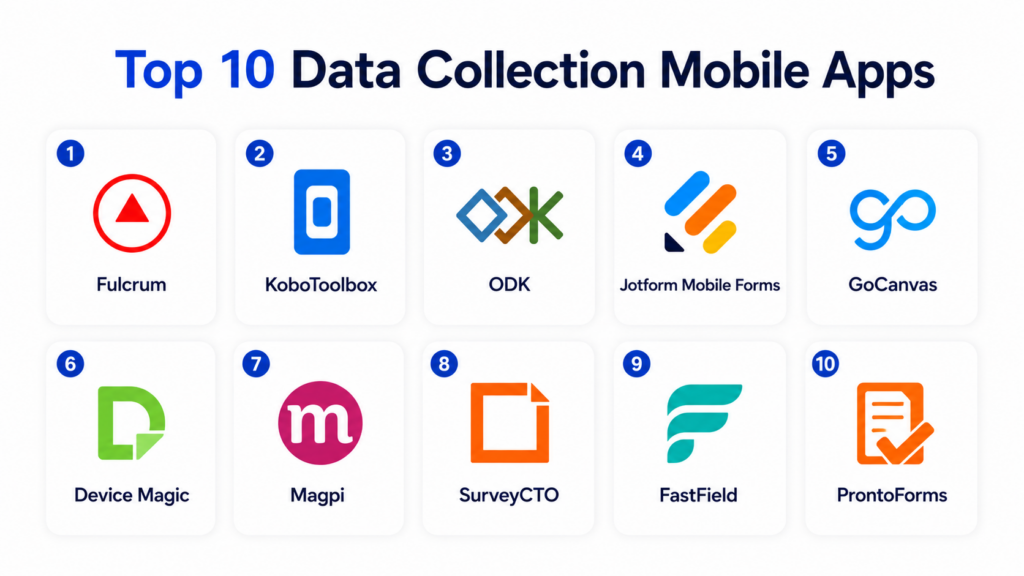
Introduction
Data Collection Mobile Apps help teams collect, validate, store, and submit field data using smartphones or tablets. These apps replace paper forms, spreadsheets, and manual reporting with mobile-friendly workflows that support photos, GPS, signatures, barcode scanning, offline access, conditional questions, and real-time submissions.They matter because many organizations collect data outside the office: inspections, audits, surveys, field service reports, research, healthcare intake, construction updates, asset checks, safety observations, and customer visits. Mobile data collection improves accuracy, reduces duplicate entry, speeds up reporting, and gives managers better visibility into field operations.
Real-world use cases include:
- Field inspections and audits
- Survey and research data collection
- Safety and compliance reporting
- Asset and inventory checks
- Customer intake and service reports
Key evaluation criteria buyers should consider:
- Offline data collection
- Mobile form builder quality
- GPS, photo, barcode, and signature support
- Conditional logic and validation rules
- Workflow automation
- Reporting and dashboards
- Integrations and API support
- Security and permissions
- Ease of use for field teams
- Pricing and scalability
Best for: Field service teams, NGOs, researchers, construction teams, healthcare workers, auditors, inspectors, government teams, logistics teams, and enterprises collecting data away from desks.
Not ideal for: Teams that only need simple office-based forms, organizations with very low submission volume, or businesses requiring fully custom mobile apps with complex backend logic.
Key Trends in Data Collection Mobile Apps
- Offline-first mobile data collection is becoming a must-have for field teams.
- GPS tagging, photo capture, and barcode scanning are now standard in field workflows.
- AI-assisted form creation is reducing setup time for operations teams.
- Real-time dashboards are improving visibility into field activities.
- No-code app builders are replacing paper-based inspection and audit workflows.
- Mobile data validation is reducing errors at the point of capture.
- Integration with CRMs, GIS tools, spreadsheets, and databases is becoming more important.
- Role-based access and secure data sync are key enterprise requirements.
- Field teams increasingly expect multilingual and mobile-friendly forms.
- Analytics and workflow automation are turning data collection into operational intelligence.
How We Selected These Tools
The following data collection mobile apps were selected using practical field operations, usability, and workflow automation criteria.
- Evaluated market adoption and product maturity
- Reviewed mobile form-building capabilities
- Assessed offline data collection support
- Considered GPS, image, barcode, and signature functionality
- Evaluated workflow automation and reporting features
- Reviewed integrations with business systems
- Assessed ease of use for non-technical field users
- Considered scalability across teams and locations
- Evaluated security and admin controls
- Balanced lightweight apps with enterprise-grade field platforms
Top 10 Data Collection Mobile Apps
1- Fulcrum
Short description: Fulcrum is a mobile data collection platform designed for field teams that need reliable offline forms, location data, inspections, and operational reporting. It helps organizations collect structured field data with GPS, photos, signatures, barcodes, and custom validation rules. Fulcrum is especially useful for utilities, environmental teams, construction, government, engineering, and field service operations. The platform supports field-to-office visibility with dashboards, maps, and integrations.
Key Features
- Offline mobile data collection
- GPS and map-based workflows
- Photo and signature capture
- Barcode scanning
- Custom form builder
- Field inspection workflows
- Reporting and integrations
Pros
- Strong field operations focus
- Reliable offline functionality
- Good location-based data capture
Cons
- May be more advanced than simple survey needs
- Setup requires form planning
- Enterprise features may increase cost
Platforms / Deployment
- Web / iOS / Android
- Cloud
Security & Compliance
Supports user permissions, secure data sync, access controls, and admin management. Additional certifications are not publicly stated.
Integrations & Ecosystem
Fulcrum integrates with mapping, analytics, storage, and enterprise workflow systems.
- GIS systems
- APIs
- Webhooks
- Cloud storage
- Business intelligence tools
- Field operations systems
Support & Community
Provides documentation, onboarding resources, customer support, and field operations guidance.
2- KoboToolbox
Short description: KoboToolbox is a data collection platform widely used by humanitarian organizations, researchers, NGOs, public sector teams, and field survey projects. It supports mobile and web-based forms, offline data capture, survey logic, media collection, and structured reporting. KoboToolbox is especially useful for teams working in low-connectivity environments or collecting field research data at scale. It is a strong option for social impact, academic, and development-sector projects.
Key Features
- Offline survey collection
- Mobile and web forms
- Skip logic and validation
- Media uploads
- GPS capture
- Data exports
- Multi-language support
Pros
- Strong NGO and research fit
- Good offline collection support
- Practical for low-connectivity environments
Cons
- Interface may feel technical for beginners
- Enterprise workflow automation is limited
- Advanced reporting may require external tools
Platforms / Deployment
- Web / Android / Mobile browser
- Cloud / Self-hosted options
Security & Compliance
Supports account controls and secure data collection workflows. Additional security depends on deployment and configuration.
Integrations & Ecosystem
KoboToolbox supports research, survey, and humanitarian data workflows.
- XLSForm workflows
- CSV exports
- API access
- Research tools
- GIS workflows
- Data analysis platforms
Support & Community
Strong global community, documentation, learning resources, and NGO-focused adoption.
3- ODK
Short description: ODK is an open-source mobile data collection ecosystem used for surveys, research, monitoring, evaluation, field reporting, and public health data collection. It supports offline data collection, complex form logic, GPS capture, media uploads, and secure data submission. ODK is especially useful for technical teams, NGOs, researchers, and public sector projects that need flexible and customizable mobile data workflows. It is widely used where connectivity is unreliable and field data quality matters.
Key Features
- Offline mobile data collection
- XLSForm support
- GPS and media capture
- Complex skip logic
- Secure submissions
- Open-source flexibility
- Data export and integration support
Pros
- Strong open-source foundation
- Excellent offline field collection
- Highly flexible for research workflows
Cons
- Requires technical setup for advanced use
- User interface may be less polished than commercial apps
- Support depends on deployment model
Platforms / Deployment
- Android / Web / Server components
- Self-hosted / Cloud options
Security & Compliance
Security depends on deployment, hosting, permissions, and server configuration.
Integrations & Ecosystem
ODK integrates with research, survey, and data analysis workflows.
- XLSForm
- APIs
- Data exports
- GIS tools
- Research databases
- Custom servers
Support & Community
Large open-source community, documentation, forums, and professional support options through service providers.
4- Jotform Mobile Forms
Short description: Jotform Mobile Forms helps teams collect form submissions through mobile devices with offline access, signatures, photos, payments, and workflow automation. It is useful for inspections, registrations, customer intake, field reports, HR forms, and service requests. Jotform is especially practical for SMBs and operations teams that want easy no-code mobile forms without building custom mobile apps. Its large template library makes setup faster for common workflows.
Key Features
- Mobile form collection
- Offline forms
- E-signatures
- Photo and file uploads
- Payment collection
- Conditional logic
- Workflow automation
Pros
- Easy no-code setup
- Large template library
- Good for broad business workflows
Cons
- Less specialized for complex field operations
- Advanced governance may require higher plans
- Large workflows can become harder to manage
Platforms / Deployment
- Web / iOS / Android
- Cloud
Security & Compliance
Supports encryption, permissions, access controls, and secure form workflows. Additional compliance details vary by plan.
Integrations & Ecosystem
Jotform integrates with productivity, CRM, payments, and workflow automation tools.
- Google Workspace
- Microsoft 365
- Salesforce
- HubSpot
- Stripe
- Zapier
Support & Community
Provides extensive templates, documentation, onboarding resources, and business support options.
5- GoCanvas
Short description: GoCanvas is a mobile form and workflow automation platform built for field teams that need inspections, checklists, work orders, safety forms, and compliance reports. It replaces paper-based workflows with mobile forms that support offline capture, photos, signatures, dispatch, and reporting. GoCanvas is especially useful for construction, field service, logistics, manufacturing, and inspection-heavy businesses. It helps teams reduce paperwork and standardize field reporting.
Key Features
- Mobile field forms
- Offline data collection
- Photos and signatures
- Dispatch workflows
- PDF report generation
- Inspection checklists
- Workflow automation
Pros
- Strong field service workflow support
- Good paper-to-digital conversion
- Useful reporting and PDF output
Cons
- Template setup requires planning
- May be more field-service focused than survey-focused
- Pricing can scale with users
Platforms / Deployment
- Web / iOS / Android
- Cloud
Security & Compliance
Supports secure data collection, permissions, admin controls, and access management.
Integrations & Ecosystem
GoCanvas integrates with field service, storage, analytics, and business systems.
- QuickBooks
- Salesforce
- Zapier
- Cloud storage
- APIs
- Reporting tools
Support & Community
Provides onboarding, form-building assistance, templates, and customer success support.
6- Device Magic
Short description: Device Magic is a mobile forms and data collection platform for teams that need to replace paper forms with digital workflows. It supports offline forms, image capture, signatures, barcode scanning, conditional logic, and automated submission routing. Device Magic is useful for inspections, audits, field service reports, safety checklists, and operational data collection. It is especially practical for teams that need flexible mobile workflows without heavy development.
Key Features
- Mobile form builder
- Offline data capture
- Conditional logic
- Barcode scanning
- Photo and signature capture
- Submission routing
- Data exports and integrations
Pros
- Flexible mobile form workflows
- Good offline support
- Useful operational data routing
Cons
- Interface may feel utilitarian
- Advanced analytics may require external tools
- Enterprise setup may need planning
Platforms / Deployment
- Web / iOS / Android
- Cloud
Security & Compliance
Supports permissions, secure data transmission, and account controls.
Integrations & Ecosystem
Device Magic integrates with databases, storage platforms, and workflow tools.
- Google Drive
- Dropbox
- Zapier
- APIs
- Email workflows
- Business systems
Support & Community
Provides documentation, support resources, and customer assistance for mobile workflow setup.
7- Magpi
Short description: Magpi is a mobile data collection and messaging platform used for surveys, health programs, field research, agriculture, logistics, and monitoring projects. It supports offline forms, SMS workflows, mobile submissions, media capture, and data exports. Magpi is especially useful for organizations collecting field data in challenging environments where mobile connectivity may vary. It has strong relevance for public health, international development, and field research programs.
Key Features
- Mobile data collection
- Offline forms
- SMS-based workflows
- GPS capture
- Photo collection
- Survey logic
- Data exports
Pros
- Good field research fit
- Useful SMS and mobile workflows
- Practical for low-resource environments
Cons
- Interface may feel less modern than newer tools
- Advanced enterprise automation is limited
- Setup may require project planning
Platforms / Deployment
- Web / Mobile
- Cloud
Security & Compliance
Supports account controls and secure data workflows. Additional certifications are not publicly stated.
Integrations & Ecosystem
Magpi supports field research, healthcare, and mobile survey workflows.
- SMS workflows
- Data exports
- Research systems
- GIS workflows
- Mobile devices
- Reporting tools
Support & Community
Provides documentation, project support resources, and experience in field data collection use cases.
8- SurveyCTO
Short description: SurveyCTO is a mobile data collection platform designed for high-quality survey research, monitoring, evaluation, and field data collection. It is widely used by researchers, NGOs, public policy teams, and social impact organizations that need rigorous data validation and offline collection. SurveyCTO supports complex survey logic, case management, quality control, and secure field data workflows. It is especially strong for research programs where data quality and field oversight are critical.
Key Features
- Offline mobile surveys
- Complex skip logic
- Data validation rules
- Case management
- GPS and media capture
- Quality control tools
- Secure data collection
Pros
- Strong research-grade data quality
- Good field monitoring capabilities
- Useful for complex surveys
Cons
- Learning curve for advanced survey design
- Less general-purpose than business form tools
- Pricing may not suit casual users
Platforms / Deployment
- Web / Android
- Cloud / Server-based options
Security & Compliance
Supports secure data transmission, permissions, encryption, and project-level controls.
Integrations & Ecosystem
SurveyCTO integrates with research, analysis, and field monitoring workflows.
- Data exports
- Statistical tools
- APIs
- GIS workflows
- Survey systems
- Monitoring platforms
Support & Community
Provides strong documentation, training resources, customer support, and research-focused guidance.
9- FastField
Short description: FastField is a mobile forms platform designed for inspections, audits, checklists, field reports, and operational data collection. It allows teams to build mobile forms, collect offline submissions, capture photos and signatures, and generate reports automatically. FastField is especially useful for construction, safety, quality control, field service, and compliance teams that need structured mobile reporting with quick deployment.
Key Features
- Mobile forms
- Offline submission support
- Conditional logic
- Photo and signature capture
- Report generation
- Dispatch workflows
- Workflow automation
Pros
- Strong inspection and audit workflows
- Good automated reporting
- Easy mobile form deployment
Cons
- Less research-focused than survey platforms
- Advanced integrations may require setup
- Custom workflows need planning
Platforms / Deployment
- Web / iOS / Android
- Cloud
Security & Compliance
Supports user permissions, secure data sync, and access controls.
Integrations & Ecosystem
FastField integrates with reporting, storage, and business workflow platforms.
- Cloud storage
- APIs
- Email workflows
- PDF reporting
- Business systems
- Automation tools
Support & Community
Provides templates, onboarding resources, support documentation, and customer assistance.
10- ProntoForms
Short description: ProntoForms is an enterprise mobile forms and field workflow platform designed for field service, inspections, asset management, compliance, and enterprise operations. It helps organizations collect structured field data, automate workflows, guide technicians, and connect mobile submissions to backend systems. ProntoForms is especially useful for large field teams that need scalable mobile workflows, repeatable processes, and integration with enterprise systems.
Key Features
- Enterprise mobile forms
- Offline data collection
- Conditional workflows
- Asset and inspection forms
- Photo and signature capture
- Data routing
- Enterprise integrations
Pros
- Strong enterprise field workflow support
- Good for complex field operations
- Useful backend integration capabilities
Cons
- More complex than lightweight form apps
- Enterprise pricing may apply
- Implementation requires planning
Platforms / Deployment
- Web / iOS / Android
- Cloud
Security & Compliance
Supports user permissions, encryption, admin controls, and enterprise access management.
Integrations & Ecosystem
ProntoForms integrates with enterprise field service, storage, and business systems.
- Salesforce
- ServiceNow
- Box
- SharePoint
- APIs
- Enterprise databases
Support & Community
Provides enterprise onboarding, implementation support, documentation, and customer success guidance.
Comparison Table
| Tool Name | Best For | Platform(s) Supported | Deployment | Standout Feature | Public Rating |
|---|---|---|---|---|---|
| Fulcrum | Field operations and inspections | Web, iOS, Android | Cloud | GPS-based field data collection | N/A |
| KoboToolbox | NGO and research data collection | Web, Android, Mobile browser | Cloud, Self-hosted | Offline humanitarian surveys | N/A |
| ODK | Open-source field research | Android, Web, Server | Self-hosted, Cloud options | Flexible open-source data collection | N/A |
| Jotform Mobile Forms | General business mobile forms | Web, iOS, Android | Cloud | No-code mobile forms | N/A |
| GoCanvas | Field service workflows | Web, iOS, Android | Cloud | Paper-to-digital field reporting | N/A |
| Device Magic | Operational mobile forms | Web, iOS, Android | Cloud | Flexible submission routing | N/A |
| Magpi | Public health and field programs | Web, Mobile | Cloud | Mobile and SMS field workflows | N/A |
| SurveyCTO | Research-grade surveys | Web, Android | Cloud, Server options | Strong data quality controls | N/A |
| FastField | Inspections and audits | Web, iOS, Android | Cloud | Automated field reports | N/A |
| ProntoForms | Enterprise field workflows | Web, iOS, Android | Cloud | Enterprise mobile workflow automation | N/A |
Evaluation & Scoring of Data Collection Mobile Apps
| Tool Name | Core 25% | Ease 15% | Integrations 15% | Security 10% | Performance 10% | Support 10% | Value 15% | Weighted Total |
|---|---|---|---|---|---|---|---|---|
| Fulcrum | 9.0 | 8.0 | 8.5 | 8.0 | 8.5 | 8.0 | 8.0 | 8.4 |
| KoboToolbox | 8.5 | 7.5 | 8.0 | 7.5 | 8.0 | 8.5 | 9.0 | 8.2 |
| ODK | 8.5 | 6.5 | 8.0 | 7.5 | 8.0 | 8.5 | 9.5 | 8.0 |
| Jotform Mobile Forms | 8.0 | 9.0 | 8.5 | 8.0 | 8.0 | 8.5 | 8.5 | 8.4 |
| GoCanvas | 8.5 | 8.0 | 8.0 | 8.0 | 8.5 | 8.5 | 7.5 | 8.2 |
| Device Magic | 8.0 | 8.0 | 8.0 | 7.5 | 8.0 | 8.0 | 8.0 | 7.9 |
| Magpi | 7.5 | 7.5 | 7.0 | 7.5 | 7.5 | 8.0 | 8.0 | 7.6 |
| SurveyCTO | 9.0 | 7.0 | 8.0 | 8.5 | 8.5 | 8.5 | 7.5 | 8.3 |
| FastField | 8.0 | 8.0 | 7.5 | 7.5 | 8.0 | 8.0 | 8.0 | 7.9 |
| ProntoForms | 9.0 | 7.5 | 9.0 | 8.5 | 8.5 | 8.5 | 7.0 | 8.4 |
These scores are comparative and intended to help buyers evaluate mobile data collection apps by workflow type. Fulcrum, GoCanvas, FastField, and ProntoForms are strong for field operations and inspections. KoboToolbox, ODK, Magpi, and SurveyCTO are better for research, public health, and NGO data collection. Jotform Mobile Forms and Device Magic are practical for general business workflows.
Which Data Collection Mobile App Is Right for You?
Solo / Freelancer
Solo users usually need simple mobile forms, offline access, and easy exports. Jotform Mobile Forms, FastField, or Device Magic can work well for small-scale inspections, surveys, or client intake.
SMB
SMBs should prioritize ease of setup, mobile usability, reporting, and integrations. Jotform Mobile Forms, GoCanvas, FastField, Fulcrum, and Device Magic are practical choices depending on whether the workflow is inspection-based, service-based, or general form-based.
Mid-Market
Mid-market organizations often need stronger workflow automation, team permissions, dashboards, and integrations. Fulcrum, GoCanvas, ProntoForms, SurveyCTO, and Jotform Mobile Forms can support more structured field operations.
Enterprise
Enterprises should prioritize scalability, security, backend integrations, admin controls, offline reliability, and workflow governance. ProntoForms, Fulcrum, SurveyCTO, GoCanvas, and ODK-based deployments are strong candidates depending on technical maturity.
Budget vs Premium
Budget-conscious teams may prefer KoboToolbox, ODK, or lightweight mobile form platforms. Premium platforms are better when organizations need enterprise integrations, dispatch workflows, automated reporting, and advanced governance.
Feature Depth vs Ease of Use
Jotform Mobile Forms is easier for broad business users, while ODK and SurveyCTO provide deeper survey and research control. ProntoForms and Fulcrum offer stronger enterprise field workflow depth but require more setup.
Integrations & Scalability
Organizations should prioritize integrations with GIS tools, CRM systems, databases, cloud storage, BI platforms, and workflow automation tools. Field data becomes more valuable when it flows directly into operational systems.
Security & Compliance Needs
Healthcare, government, research, infrastructure, and enterprise field teams should evaluate secure sync, encryption, user permissions, auditability, device access, and data retention controls before deployment.
Frequently Asked Questions
1. What are data collection mobile apps?
Data collection mobile apps help teams collect field data using smartphones or tablets. They replace paper forms and spreadsheets with digital workflows that support text fields, photos, signatures, GPS, barcodes, and offline submissions. These apps are widely used for inspections, surveys, audits, research, field service, and compliance reporting. They improve accuracy by validating data at the point of capture. Many platforms also provide dashboards, exports, and integrations.
2. Why do businesses use mobile data collection apps?
Businesses use mobile data collection apps to reduce paperwork, improve field visibility, and speed up reporting. Field teams can submit accurate data directly from job sites, customer locations, facilities, or remote areas. Managers can monitor submissions in real time instead of waiting for manual reports. These tools also reduce duplicate entry and transcription errors. They are especially valuable when teams work away from office systems.
3. Do mobile data collection apps work offline?
Many leading mobile data collection apps support offline data collection. Field users can fill out forms, capture photos, record GPS, scan barcodes, and save submissions without internet access. Once connectivity returns, the app syncs data to the cloud or server. Offline support is critical for remote fieldwork, rural surveys, construction sites, disaster response, and infrastructure inspections. Buyers should test offline reliability before rollout.
4. What features matter most in mobile data collection?
Important features include offline access, GPS capture, photo uploads, barcode scanning, signatures, conditional logic, validation rules, mobile usability, reporting, and integrations. For field operations, dispatch and automated reports may also matter. For research, survey logic and data quality controls are critical. The right features depend on the type of data being collected and the environment where teams work.
5. Are mobile data collection apps secure?
Mobile data collection apps can be secure when they support encryption, user permissions, secure sync, access controls, device management, and administrative controls. Security is especially important when collecting healthcare, government, research, financial, or personal data. Organizations should evaluate how data is stored on devices and transmitted to servers. Role-based permissions and secure authentication are important for larger deployments.
6. Can these apps capture GPS and photos?
Yes, most modern data collection mobile apps support GPS coordinates, photo capture, image uploads, signatures, timestamps, and sometimes barcode or QR scanning. These features are especially useful for inspections, audits, asset tracking, construction reporting, and field verification. GPS and photo evidence improve accountability and reduce disputes. Buyers should confirm whether metadata and image quality meet their operational needs.
7. What is the difference between survey tools and field data apps?
Survey tools focus on questionnaires, research, feedback, and structured responses. Field data apps often include broader operational features such as inspections, dispatch, asset tracking, GPS mapping, signatures, barcode scanning, and automated reporting. Some platforms support both use cases. Research teams may prefer KoboToolbox, ODK, or SurveyCTO, while operations teams may prefer Fulcrum, GoCanvas, FastField, or ProntoForms.
8. How long does implementation take?
Implementation time depends on form complexity, workflows, integrations, training needs, and field conditions. Simple mobile forms can be deployed quickly using templates. More complex workflows may require form design, validation rules, permissions, reporting dashboards, offline testing, and user training. Field pilots are important because real-world conditions can reveal usability and sync issues. A phased rollout usually works best.
9. What mistakes should buyers avoid?
A common mistake is digitizing a paper form without improving the workflow. Buyers should also avoid ignoring offline needs, field usability, device compatibility, and data validation. Another mistake is choosing a tool without testing it with actual field users. Long or confusing forms reduce data quality. Organizations should pilot forms in real field conditions before full deployment.
10. What are the best alternatives to data collection mobile apps?
Alternatives include paper forms, spreadsheets, email reports, basic survey tools, custom mobile apps, or CRM-native forms. These may work for simple workflows but become inefficient as field volume increases. Dedicated mobile data collection apps are better when teams need offline access, GPS, photos, validation, reporting, and secure data sync. The best choice depends on field complexity, data sensitivity, and operational scale.
Conclusion
Data collection mobile apps help organizations replace paper-based fieldwork with structured, accurate, and real-time digital workflows. The best platform depends on whether the primary need is field inspections, humanitarian surveys, research-grade data collection, business forms, or enterprise field operations. Fulcrum, GoCanvas, FastField, Device Magic, and ProntoForms are strong for inspections and operational field teams, while KoboToolbox, ODK, Magpi, and SurveyCTO are better for research, NGO, public health, and monitoring programs. Jotform Mobile Forms is practical for general business users who need easy mobile forms with broad integrations. Organizations should shortlist tools based on offline reliability, mobile usability, GPS and media capture, security, integrations, reporting, and scalability.
