MOTOSHARE 🚗🏍️
Rent Bikes & Cars Directly from Owners
Motoshare connects vehicle owners with people who need bikes and cars on rent. Owners earn from idle vehicles, and renters get flexible ride options.
Visit Motoshare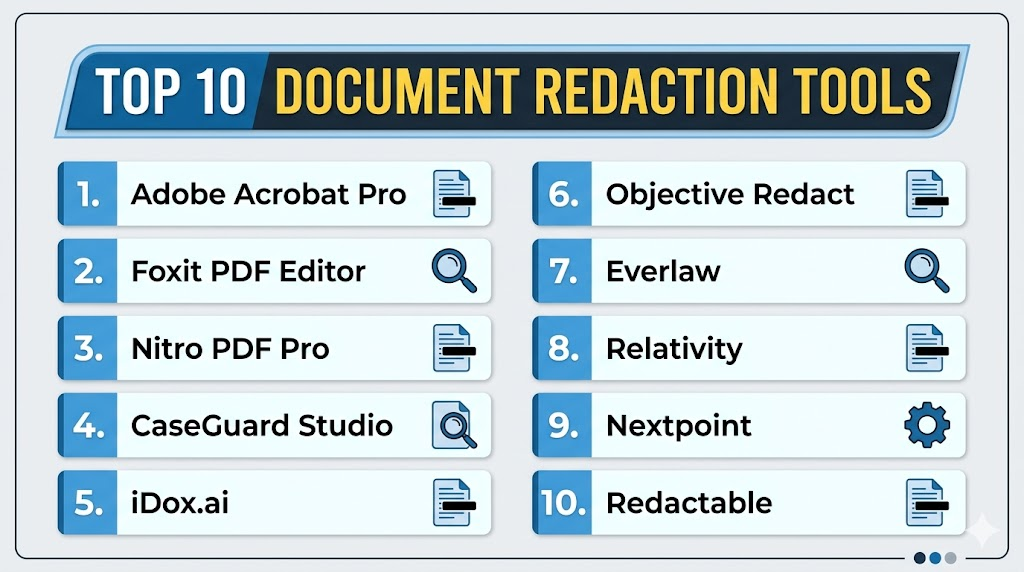
Introduction
Document Redaction Tools help organizations permanently remove or hide sensitive information from documents before sharing, publishing, storing, or submitting them. These tools are commonly used to redact personal data, financial records, legal details, health information, security information, confidential business content, and regulated data from PDFs, scanned files, contracts, reports, emails, and case files.Document redaction matters because simply covering text visually is not enough. Sensitive data must be removed securely so it cannot be copied, searched, recovered, or exposed through hidden metadata. Modern redaction tools now combine OCR, AI-assisted detection, batch processing, pattern recognition, audit logs, and workflow controls to reduce manual errors and improve compliance.
Real-world use cases include:
- Redacting legal case files before disclosure
- Removing personal data from HR documents
- Protecting financial records and tax documents
- Sanitizing healthcare and insurance files
- Preparing government or public records releases
Key evaluation criteria buyers should consider:
- True permanent redaction
- OCR support for scanned documents
- Batch redaction capabilities
- Pattern detection for PII and sensitive data
- Metadata removal
- Audit logs and compliance reporting
- PDF and Office file support
- Collaboration and review workflows
- Security and access controls
- Ease of use for non-technical users
Best for: Legal teams, government agencies, healthcare organizations, financial institutions, insurance companies, HR departments, compliance teams, law firms, auditors, and enterprises handling confidential documents.
Not ideal for: Very small teams that only redact occasional low-risk documents, users who only need basic PDF editing, or organizations that do not handle sensitive or regulated information.
Key Trends in Document Redaction Tools
- AI-assisted sensitive data detection is becoming more common.
- OCR-based redaction is increasingly important for scanned PDFs and images.
- Batch redaction is now essential for legal, compliance, and public records teams.
- Metadata removal is becoming a standard part of secure document sanitization.
- Cloud-based redaction workflows are gaining adoption for distributed teams.
- On-premise and offline redaction remain important for highly sensitive environments.
- Role-based review workflows are improving redaction accuracy and accountability.
- Pattern recognition for emails, phone numbers, IDs, and financial data is expanding.
- Audit trails are becoming more important for compliance and legal defensibility.
- Integration with document management and eDiscovery systems is becoming a key buyer requirement.
How We Selected These Tools
The following document redaction tools were selected using practical legal, compliance, security, and enterprise document management criteria.
- Evaluated market adoption and product maturity
- Reviewed true permanent redaction capabilities
- Assessed OCR and scanned document support
- Considered batch processing and automation
- Evaluated metadata removal features
- Reviewed legal and compliance workflow support
- Assessed ease of use for business and legal users
- Considered deployment flexibility across cloud and desktop environments
- Evaluated integrations with document management ecosystems
- Balanced enterprise-grade and SMB-friendly tools
Top 10 Document Redaction Tools
1- Adobe Acrobat Pro
Short description: Adobe Acrobat Pro is one of the most widely used PDF editing and redaction tools for businesses, legal teams, government users, and professionals. It provides built-in redaction features that permanently remove visible text, images, and hidden information from PDF files. Users can search for specific words, patterns, or sensitive data and apply redactions across documents. Adobe Acrobat Pro is especially useful for organizations that need a familiar PDF workflow with editing, review, signing, and redaction in one platform.
Key Features
- Permanent PDF redaction
- Search-and-redact functionality
- Metadata and hidden information removal
- OCR support for scanned PDFs
- PDF editing and commenting
- Document comparison
- Digital signature workflows
Pros
- Widely recognized PDF platform
- Strong all-in-one PDF editing capabilities
- Good fit for legal and business users
Cons
- Can be expensive for large teams
- Advanced automation is limited compared with specialist tools
- Redaction quality depends on correct user workflow
Platforms / Deployment
- Web / Windows / macOS / iOS / Android
- Cloud / Desktop
Security & Compliance
Supports encryption, password protection, permissions, and enterprise admin controls. Additional compliance details vary by plan and deployment.
Integrations & Ecosystem
Adobe Acrobat Pro integrates with business productivity, storage, and document collaboration workflows.
- Microsoft 365
- Google Workspace
- Adobe Document Cloud
- Cloud storage platforms
- E-signature workflows
- PDF collaboration tools
Support & Community
Adobe provides extensive documentation, enterprise support, training resources, and a large global user community.
2- Foxit PDF Editor
Short description: Foxit PDF Editor is a PDF productivity and redaction platform designed for businesses that need secure PDF editing, collaboration, and document protection. It includes redaction tools for permanently removing sensitive text and images from PDF files. Foxit is often used by legal, finance, education, healthcare, and enterprise teams looking for a cost-effective Adobe alternative. The platform supports OCR, document review, form creation, signing, and security controls.
Key Features
- PDF text and image redaction
- Search-based redaction
- OCR support
- Metadata removal
- PDF editing and annotation
- Document protection
- Form and signature tools
Pros
- Strong PDF editing feature set
- Often cost-effective for teams
- Good OCR and collaboration support
Cons
- Interface may feel complex for new users
- Enterprise deployment requires planning
- Advanced AI redaction is limited
Platforms / Deployment
- Web / Windows / macOS / iOS / Android
- Cloud / Desktop
Security & Compliance
Supports encryption, password protection, permissions, redaction, and admin controls. Additional certifications vary by deployment.
Integrations & Ecosystem
Foxit integrates with document storage, productivity, and enterprise content workflows.
- Microsoft 365
- Google Workspace
- Cloud storage tools
- PDF collaboration workflows
- E-signature tools
- Enterprise document systems
Support & Community
Foxit provides documentation, customer support, deployment resources, and business onboarding assistance.
3- Nitro PDF Pro
Short description: Nitro PDF Pro is a PDF editing and document productivity platform that supports redaction, editing, conversion, signing, and collaboration workflows. It helps organizations securely remove sensitive information from PDFs while managing broader document processes. Nitro is commonly used by business teams, legal departments, financial services, and administrative teams that want PDF productivity with easier licensing and enterprise controls. It is useful for organizations needing redaction as part of everyday PDF handling.
Key Features
- Permanent PDF redaction
- PDF editing and conversion
- OCR support
- Document review tools
- E-signature workflows
- Batch processing support
- PDF security controls
Pros
- Good business PDF workflow support
- Useful alternative to larger PDF suites
- Strong document productivity features
Cons
- Advanced redaction automation is limited
- Some enterprise features may require higher plans
- Not as specialized as legal redaction platforms
Platforms / Deployment
- Windows / macOS / Web
- Cloud / Desktop
Security & Compliance
Supports encryption, password protection, permissions, and document security controls. Additional compliance details vary by plan.
Integrations & Ecosystem
Nitro integrates with business document workflows and productivity environments.
- Microsoft 365
- Cloud storage systems
- E-signature workflows
- PDF conversion tools
- Document collaboration systems
Support & Community
Nitro provides customer support, business documentation, onboarding resources, and enterprise deployment assistance.
4- CaseGuard Studio
Short description: CaseGuard Studio is a professional redaction platform designed for video, audio, image, and document redaction workflows. It is especially popular among law enforcement, government agencies, legal teams, and compliance-heavy organizations that need advanced redaction across multiple media types. For documents, CaseGuard supports automated detection and redaction of sensitive information using OCR and AI-assisted workflows. It is particularly useful when organizations need more than basic PDF redaction.
Key Features
- Document redaction
- OCR-based detection
- Batch redaction
- AI-assisted sensitive data detection
- Audio and video redaction
- Image redaction
- Audit and review workflows
Pros
- Strong multi-format redaction capabilities
- Useful for government and legal teams
- Advanced automation support
Cons
- More complex than basic PDF tools
- May be excessive for simple document-only workflows
- Premium pricing may apply for advanced use cases
Platforms / Deployment
- Windows
- Desktop / Enterprise deployment
Security & Compliance
Supports secure processing workflows, audit-friendly redaction, and access controls. Additional compliance details are not publicly stated.
Integrations & Ecosystem
CaseGuard supports redaction workflows across document, media, and investigative environments.
- PDF files
- Scanned documents
- Images
- Audio files
- Video files
- Case management workflows
Support & Community
Provides professional support, onboarding, training resources, and specialized implementation assistance.
5- iDox.ai
Short description: iDox.ai is an AI-powered document redaction tool focused on detecting and removing sensitive information from documents automatically. It helps organizations redact personally identifiable information, confidential business data, and regulated content from PDFs and document files. The platform is useful for legal, HR, finance, healthcare, and compliance teams that need faster redaction with less manual review. Its AI-driven approach helps reduce repetitive redaction work and improve consistency across document sets.
Key Features
- AI-assisted redaction
- PII detection
- Batch document processing
- OCR support
- Pattern-based redaction
- Review and approval workflows
- Secure document handling
Pros
- Strong automation potential
- Useful for high-volume redaction
- Good fit for compliance workflows
Cons
- AI output still requires review
- Accuracy depends on document quality
- Enterprise details may vary by plan
Platforms / Deployment
- Web
- Cloud
Security & Compliance
Supports secure document processing and access controls. Additional certifications are not publicly stated.
Integrations & Ecosystem
iDox.ai supports document redaction workflows for teams handling sensitive records and compliance documents.
- PDF documents
- Scanned files
- OCR workflows
- Batch processing
- Compliance review workflows
Support & Community
Provides onboarding resources and customer support for document redaction workflows.
6- Objective Redact
Short description: Objective Redact is a document redaction tool designed for organizations that need secure and defensible redaction of sensitive content. It is commonly used by legal, government, public records, and enterprise teams managing confidential information disclosure. The platform supports permanent redaction, search-based redaction, pattern matching, review workflows, and audit-friendly processes. It is especially useful when redaction accuracy and repeatable compliance workflows are critical.
Key Features
- Permanent redaction
- Search and pattern redaction
- Batch redaction
- OCR support
- Review workflows
- Audit trail support
- Metadata removal
Pros
- Strong legal and compliance fit
- Useful batch redaction support
- Good defensible workflow structure
Cons
- More specialized than general PDF editors
- Learning curve for new users
- Pricing may vary by enterprise need
Platforms / Deployment
- Windows / Web depending on deployment
- Desktop / Cloud / Enterprise deployment
Security & Compliance
Supports secure redaction workflows, access controls, and audit-friendly documentation. Additional certifications are not publicly stated.
Integrations & Ecosystem
Objective Redact supports legal, compliance, and public records redaction workflows.
- PDF files
- Scanned documents
- OCR workflows
- Document review processes
- Public records workflows
Support & Community
Provides implementation guidance, documentation, and support for professional redaction teams.
7- Everlaw
Short description: Everlaw is a cloud-based eDiscovery and litigation platform that includes document review, redaction, legal analytics, and collaboration workflows. It is designed for law firms, corporate legal teams, government agencies, and litigation professionals managing large volumes of legal documents. Everlaw’s redaction capabilities are part of a broader eDiscovery workflow, making it valuable for legal teams that need review, search, coding, production, and redaction in one platform.
Key Features
- Legal document redaction
- eDiscovery review workflows
- Batch document review
- Search and analytics
- Collaboration tools
- Production management
- Audit-friendly workflows
Pros
- Strong litigation workflow support
- Good collaboration and review tools
- Useful for high-volume legal documents
Cons
- Not ideal for simple PDF-only redaction
- Enterprise legal focus may be costly
- Requires eDiscovery workflow knowledge
Platforms / Deployment
- Web
- Cloud
Security & Compliance
Supports enterprise security controls, encryption, permissions, audit logging, and legal workflow governance.
Integrations & Ecosystem
Everlaw supports legal document review, litigation, and discovery workflows.
- Legal document collections
- Cloud storage imports
- Review workflows
- Production workflows
- Litigation collaboration systems
Support & Community
Provides legal workflow support, training resources, onboarding, and customer success assistance.
8- Relativity
Short description: Relativity is an enterprise eDiscovery and legal data platform used by law firms, corporations, and government organizations for large-scale document review and litigation workflows. Its redaction capabilities are part of broader document review, analytics, search, and production processes. Relativity is especially useful for organizations handling complex legal matters, investigations, regulatory requests, and high-volume document productions where redaction must be defensible and auditable.
Key Features
- Legal document redaction
- eDiscovery review workflows
- Advanced search and analytics
- Batch review support
- Production management
- Audit logs
- Large-scale data handling
Pros
- Strong enterprise legal workflow support
- Excellent for high-volume document review
- Mature eDiscovery ecosystem
Cons
- Too complex for simple redaction needs
- Requires trained administrators
- Enterprise pricing and setup may be significant
Platforms / Deployment
- Web
- Cloud / Hybrid depending on deployment
Security & Compliance
Supports enterprise access controls, encryption, audit logs, RBAC, and legal governance workflows.
Integrations & Ecosystem
Relativity integrates deeply with legal review, investigation, and eDiscovery workflows.
- Legal data sources
- Review workflows
- Production systems
- Investigation workflows
- Legal analytics
- Enterprise document repositories
Support & Community
Strong enterprise support, implementation partners, training programs, and a mature legal technology community.
9- Nextpoint
Short description: Nextpoint is a cloud-based litigation and eDiscovery platform that includes document review, redaction, production, and case preparation features. It is commonly used by law firms and legal teams that need a more accessible eDiscovery platform with secure document handling. Nextpoint’s redaction tools help legal professionals prepare document productions while managing review workflows and collaboration. It is a practical choice for small to mid-sized legal teams seeking redaction inside a broader litigation workflow.
Key Features
- Document redaction
- Legal review workflows
- eDiscovery tools
- Production preparation
- Search and filtering
- Collaboration features
- Case document management
Pros
- Good fit for legal teams
- More accessible than some enterprise eDiscovery tools
- Useful document production workflows
Cons
- Less suited for non-legal business redaction
- Advanced analytics may be limited compared with larger platforms
- Requires legal workflow familiarity
Platforms / Deployment
- Web
- Cloud
Security & Compliance
Supports encryption, permissions, secure document handling, and audit-friendly workflows.
Integrations & Ecosystem
Nextpoint supports litigation, review, and document production workflows.
- Legal document collections
- Case preparation workflows
- Production tools
- Review teams
- Cloud document imports
Support & Community
Provides legal-focused onboarding, customer support, documentation, and workflow guidance.
10- Redactable
Short description: Redactable is an AI-powered document redaction platform focused on automating sensitive data detection and permanent redaction. It helps teams remove personal data, financial information, legal details, and confidential business content from documents faster than manual redaction workflows. Redactable is useful for organizations that want a dedicated redaction platform rather than a general PDF editor. Its workflow is designed to improve speed, consistency, and security in document sanitization.
Key Features
- AI-powered document redaction
- PII detection
- OCR support
- Batch processing
- Permanent redaction
- Workflow review tools
- Secure document processing
Pros
- Strong automation focus
- Useful for high-volume sensitive documents
- Dedicated redaction workflow
Cons
- AI results require human review
- Smaller ecosystem than broad PDF platforms
- Enterprise features may vary by plan
Platforms / Deployment
- Web
- Cloud
Security & Compliance
Supports secure document processing, encryption, and access controls. Additional certifications are not publicly stated.
Integrations & Ecosystem
Redactable supports dedicated document redaction workflows for business, compliance, and legal teams.
- PDF files
- OCR workflows
- Batch redaction
- Sensitive data detection
- Review workflows
Support & Community
Provides onboarding resources, documentation, and customer support for redaction workflows.
Comparison Table
| Tool Name | Best For | Platform(s) Supported | Deployment | Standout Feature | Public Rating |
|---|---|---|---|---|---|
| Adobe Acrobat Pro | General PDF redaction | Web, Desktop, Mobile | Cloud, Desktop | Widely used PDF redaction | N/A |
| Foxit PDF Editor | Business PDF editing | Web, Desktop, Mobile | Cloud, Desktop | Cost-effective PDF redaction | N/A |
| Nitro PDF Pro | Business document workflows | Windows, macOS, Web | Cloud, Desktop | PDF productivity and redaction | N/A |
| CaseGuard Studio | Multi-format redaction | Windows | Desktop, Enterprise | Video, audio, image, and document redaction | N/A |
| iDox.ai | AI document redaction | Web | Cloud | AI-assisted PII detection | N/A |
| Objective Redact | Legal and public records | Windows, Web | Desktop, Cloud, Enterprise | Defensible redaction workflows | N/A |
| Everlaw | Litigation teams | Web | Cloud | eDiscovery redaction workflows | N/A |
| Relativity | Enterprise legal review | Web | Cloud, Hybrid | Large-scale eDiscovery redaction | N/A |
| Nextpoint | Small and mid-sized legal teams | Web | Cloud | Legal review and production redaction | N/A |
| Redactable | Automated sensitive data redaction | Web | Cloud | AI-powered permanent redaction | N/A |
Evaluation & Scoring of Document Redaction Tools
| Tool Name | Core 25% | Ease 15% | Integrations 15% | Security 10% | Performance 10% | Support 10% | Value 15% | Weighted Total |
|---|---|---|---|---|---|---|---|---|
| Adobe Acrobat Pro | 8.5 | 8.5 | 9.0 | 8.5 | 8.5 | 8.5 | 8.0 | 8.5 |
| Foxit PDF Editor | 8.0 | 8.0 | 8.0 | 8.0 | 8.5 | 8.0 | 8.5 | 8.2 |
| Nitro PDF Pro | 8.0 | 8.0 | 8.0 | 8.0 | 8.0 | 8.0 | 8.0 | 8.0 |
| CaseGuard Studio | 9.0 | 7.0 | 7.5 | 8.5 | 8.5 | 8.5 | 7.5 | 8.1 |
| iDox.ai | 8.5 | 8.0 | 7.5 | 8.0 | 8.0 | 7.5 | 8.0 | 8.0 |
| Objective Redact | 8.5 | 7.5 | 7.5 | 8.5 | 8.0 | 8.0 | 7.5 | 8.0 |
| Everlaw | 8.5 | 7.5 | 8.5 | 9.0 | 8.5 | 8.5 | 7.0 | 8.2 |
| Relativity | 9.0 | 7.0 | 9.0 | 9.0 | 9.0 | 8.5 | 6.5 | 8.3 |
| Nextpoint | 8.0 | 8.0 | 8.0 | 8.5 | 8.0 | 8.0 | 7.5 | 8.0 |
| Redactable | 8.5 | 8.0 | 7.5 | 8.0 | 8.0 | 7.5 | 8.0 | 8.0 |
These scores are comparative and intended to help buyers evaluate document redaction tools based on workflow needs. Adobe Acrobat Pro, Foxit PDF Editor, and Nitro PDF Pro are strong for general PDF redaction. CaseGuard Studio is better for multi-format redaction. Everlaw, Relativity, and Nextpoint are stronger for legal review and eDiscovery workflows. AI-focused tools such as iDox.ai and Redactable are useful when teams need faster sensitive data detection and batch redaction.
Which Document Redaction Tool Is Right for You?
Solo / Freelancer
Solo professionals usually need simple and reliable PDF redaction without enterprise complexity. Adobe Acrobat Pro, Foxit PDF Editor, or Nitro PDF Pro are practical choices because they combine redaction with everyday PDF editing and document workflows.
SMB
SMBs should prioritize ease of use, pricing, PDF support, OCR, and metadata removal. Foxit PDF Editor, Nitro PDF Pro, Adobe Acrobat Pro, and Redactable can be practical choices depending on whether the team needs manual or AI-assisted redaction.
Mid-Market
Mid-market organizations often need repeatable workflows, team collaboration, review processes, and batch processing. Adobe Acrobat Pro for teams, Objective Redact, iDox.ai, Redactable, and Nextpoint can support growing document security needs.
Enterprise
Enterprises should prioritize audit trails, role-based access, large-scale processing, security, legal defensibility, and integration with document repositories. Relativity, Everlaw, CaseGuard Studio, Objective Redact, and Adobe Acrobat enterprise deployments are strong options.
Budget vs Premium
Budget-conscious users may prefer general PDF editors with redaction features. Premium platforms are better suited for large document volumes, legal productions, AI-assisted detection, audit trails, and regulated workflows where mistakes can create serious risk.
Feature Depth vs Ease of Use
Adobe Acrobat Pro, Foxit PDF Editor, and Nitro PDF Pro are easier for general users. Relativity and Everlaw provide deeper legal workflow functionality but require more expertise. AI-first platforms reduce manual work but still require human review.
Integrations & Scalability
Organizations should prioritize tools that integrate with existing document management, legal review, cloud storage, eDiscovery, or compliance systems. High-volume teams should evaluate batch redaction, automation, review queues, and export workflows.
Security & Compliance Needs
Legal, healthcare, finance, government, and HR teams should carefully evaluate permanent redaction, metadata removal, access controls, audit logs, encryption, user permissions, and review workflows before deployment.
Frequently Asked Questions
1. What are document redaction tools?
Document redaction tools are software applications that permanently remove sensitive information from documents before they are shared, published, or submitted. They are commonly used for PDFs, scanned files, legal documents, HR records, financial documents, medical records, and government files. Unlike simple highlighting or black boxes, proper redaction removes the underlying text and metadata. This helps prevent sensitive information from being copied, searched, or recovered. Redaction tools are especially important for legal, compliance, and privacy workflows.
2. Why is proper redaction important?
Proper redaction is important because visual covering alone does not always remove sensitive data. If information is only hidden visually, it may still exist in the document layer, metadata, search index, or copied text. This can expose confidential data even after the document appears redacted. True redaction permanently removes the sensitive content from the file. Organizations handling personal, legal, financial, or regulated data should use secure redaction workflows to avoid privacy breaches and compliance issues.
3. What types of information can be redacted?
Organizations commonly redact names, addresses, phone numbers, email addresses, account numbers, Social Security numbers, tax IDs, medical information, legal details, financial records, signatures, images, and confidential business content. Redaction can also apply to metadata, comments, hidden layers, attachments, and revision history. Advanced tools can search for patterns such as ID numbers or payment data. AI-powered tools may also detect sensitive information automatically. Human review is still important to confirm accuracy.
4. Can document redaction tools handle scanned documents?
Yes, many redaction tools support OCR, which allows scanned documents and image-based PDFs to be converted into searchable text. Once OCR is applied, users can search, detect, and redact sensitive information more efficiently. OCR quality depends on scan clarity, image resolution, handwriting, document layout, and language support. Poor scans may require manual review. For legal and compliance workflows, OCR-based redaction should always be validated before final production.
5. Are AI redaction tools reliable?
AI redaction tools can significantly reduce manual effort by detecting sensitive information such as names, emails, phone numbers, IDs, and financial data. However, AI should not be treated as perfect. It may miss context-specific confidential information or incorrectly flag harmless content. Human review remains important, especially for legal, healthcare, finance, and government use cases. AI redaction works best when combined with clear review workflows and quality checks.
6. What is metadata redaction?
Metadata redaction removes hidden information from a document, such as author names, editing history, comments, hidden text, embedded files, location data, and document properties. Metadata can expose sensitive information even when visible content has been redacted properly. Many secure redaction tools include metadata removal or document sanitization features. This is especially important before sharing legal documents, contracts, public records, or confidential business files externally.
7. What is the difference between PDF redaction and document redaction?
PDF redaction usually refers to removing sensitive content from PDF files. Document redaction is broader and may include Word files, scanned images, emails, spreadsheets, audio, video, and legal document collections. Some tools focus only on PDF redaction, while others support multi-format or eDiscovery workflows. The right choice depends on document types and workflow complexity. Organizations handling mixed file formats should choose platforms with broader redaction capabilities.
8. How long does implementation take?
Implementation time depends on document volume, workflow complexity, security requirements, and deployment type. Individual users can start quickly with tools like Adobe Acrobat Pro or Foxit PDF Editor. Enterprise deployments may require access controls, training, workflow design, audit requirements, and integration with document repositories. Legal and compliance teams may also need review protocols and approval steps. Pilot testing with real documents is recommended before scaling.
9. What mistakes should buyers avoid?
A common mistake is assuming that drawing a black box over text is secure redaction. Buyers should also avoid choosing tools without testing metadata removal, OCR accuracy, and batch redaction workflows. Another mistake is relying fully on AI detection without human review. Organizations should also avoid using tools that do not create audit trails when legal defensibility matters. Testing the final redacted file by searching, copying, and inspecting metadata is essential.
10. What are the best alternatives to document redaction tools?
Alternatives include manual document editing, printing and scanning, basic PDF editors, or outsourcing redaction to legal support providers. However, these alternatives can be slower, less consistent, and riskier for sensitive data. Manual methods often fail to remove hidden metadata or underlying text properly. Dedicated redaction tools are better when security, compliance, auditability, or high document volume matters. The best alternative depends on sensitivity, volume, and risk level.
Conclusion
Document redaction tools are essential for organizations that need to protect sensitive information, comply with privacy obligations, and share documents safely without exposing hidden or recoverable data. The best tool depends on document type, workflow complexity, sensitivity level, and team size. Adobe Acrobat Pro, Foxit PDF Editor, and Nitro PDF Pro are strong choices for general PDF redaction, while CaseGuard Studio is valuable for multi-format redaction across documents, images, audio, and video. Legal teams handling litigation and eDiscovery workflows may prefer Everlaw, Relativity, or Nextpoint, while AI-focused tools such as iDox.ai and Redactable can help reduce manual review time for high-volume sensitive documents. Organizations should shortlist tools based on real redaction workflows, test OCR and metadata removal carefully, validate permanent redaction quality, review access controls, and run pilot projects before adopting a platform at scale.
