MOTOSHARE 🚗🏍️
Rent Bikes & Cars Directly from Owners
Motoshare connects vehicle owners with people who need bikes and cars on rent. Owners earn from idle vehicles, and renters get flexible ride options.
Visit Motoshare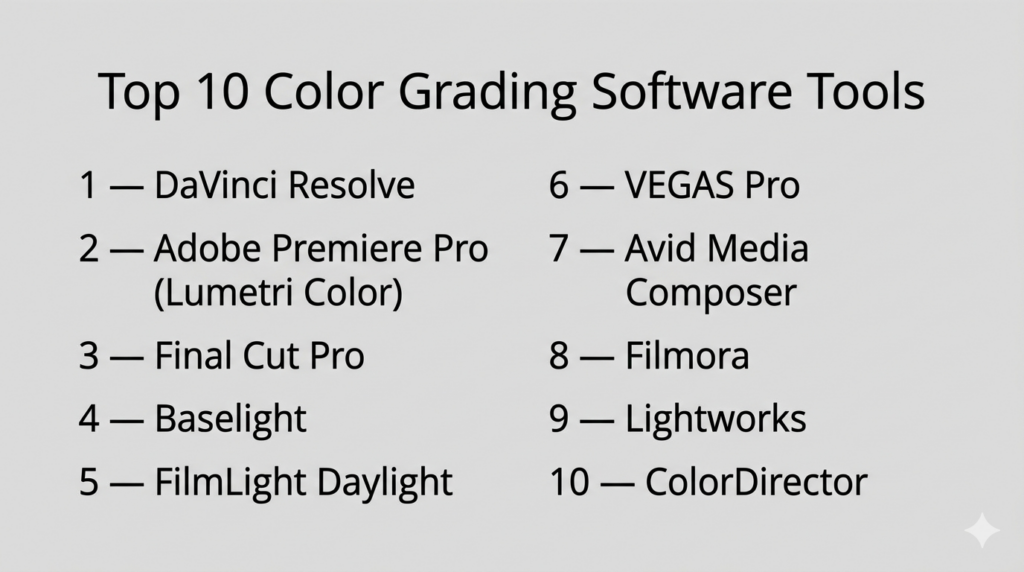
Introduction
Color grading software is used to adjust and enhance the colors of video footage to achieve a specific visual tone, mood, or cinematic style. In simple terms, it transforms raw, flat footage into polished, visually compelling content by controlling exposure, contrast, color balance, and tonal range.
Today, color grading is no longer limited to high-end film studios. With advancements in GPU acceleration, AI-assisted grading, HDR workflows, and real-time processing, creators across industries—from YouTube to Hollywood—can produce professional-grade visuals. Tools now support complex workflows such as RAW processing, LUT-based grading, and deep color management systems.
Common use cases include:
- Film and TV post-production
- YouTube and social media content creation
- Commercial advertising and brand videos
- Documentary filmmaking
- Game cinematics and virtual production
Key evaluation criteria buyers should consider:
- Color grading depth (wheels, curves, LUTs)
- HDR and wide color gamut support
- Real-time playback and rendering performance
- Node-based vs layer-based workflow
- Integration with editing and VFX tools
- AI-assisted grading features
- Hardware optimization (GPU/CPU usage)
- Ease of use vs professional complexity
- Collaboration and pipeline support
- Pricing and licensing flexibility
Best for: Filmmakers, video editors, content creators, colorists, and production studios seeking cinematic-quality visuals.
Not ideal for: Basic video trimming tasks, static image editing, or users who do not require advanced color control.
Key Trends in Color Grading Software
- AI-powered grading tools: Automatic scene balancing, object tracking, and color matching
- HDR and wide color gamut workflows: Growing demand for cinematic and streaming content
- Node-based systems adoption: Greater flexibility for complex grading pipelines
- Cloud collaboration: Teams working on shared timelines remotely
- Real-time rendering: Faster creative iteration and preview
- Integration with editing suites: Unified workflows across editing, VFX, and grading
- Mobile and lightweight grading tools: Increasing accessibility for creators
- LUT ecosystems expanding: Prebuilt and custom grading styles
- GPU acceleration improvements: Handling high-resolution footage efficiently
- Automation and scripting: Reducing repetitive manual adjustments
How We Selected These Tools (Methodology)
- Evaluated industry adoption in film, TV, and digital media
- Assessed depth of color grading tools and precision controls
- Reviewed performance and real-time capabilities
- Considered integration with editing and VFX pipelines
- Analyzed ease of use vs advanced functionality
- Evaluated AI-assisted features and automation
- Considered platform compatibility and deployment models
- Reviewed community support and learning resources
- Assessed scalability for different team sizes
- Ensured a mix of enterprise, mid-market, and beginner-friendly tools
Top 10 Color Grading Software Tools
#1 — DaVinci Resolve
Short description: A professional-grade color grading and post-production suite widely considered the industry standard for high-end workflows.
Key Features
- Node-based color grading system
- Advanced color wheels and curves
- HDR grading tools
- RAW image processing
- AI-powered features (face detection, object tracking)
- Wide format and codec support
- Integrated editing, VFX, and audio tools
Pros
- Industry-leading grading capabilities
- Free version available
- All-in-one production suite
Cons
- Steep learning curve
- Requires powerful hardware
Platforms / Deployment
Windows / macOS / Linux / iPadOS — Self-hosted
Security & Compliance
Not publicly stated
Integrations & Ecosystem
DaVinci Resolve integrates deeply into professional production workflows.
- Editing and VFX pipelines
- Color management systems
- Collaboration tools
- Plugin support
Support & Community
Large global community with extensive tutorials and training resources.
#2 — Adobe Premiere Pro (Lumetri Color)
Short description: A widely used video editing software with integrated color grading tools via the Lumetri panel.
Key Features
- Lumetri color panel
- LUT support
- Real-time grading
- Color wheels and curves
- Integration with creative tools
- GPU acceleration
Pros
- Easy integration with editing workflows
- Beginner-friendly interface
- Strong ecosystem
Cons
- Less powerful than dedicated grading tools
- Subscription-based pricing
Platforms / Deployment
Windows / macOS — Self-hosted
Security & Compliance
Not publicly stated
Integrations & Ecosystem
- Motion graphics tools
- Creative pipelines
- Plugin ecosystem
Support & Community
Extensive global community and learning resources.
#3 — Final Cut Pro
Short description: A Mac-optimized video editing and color grading tool known for performance and ease of use.
Key Features
- Advanced color wheels and curves
- Real-time playback
- HDR support
- Magnetic timeline
- Optimized performance for Apple hardware
Pros
- Fast performance
- Intuitive interface
- Efficient workflow
Cons
- macOS only
- Limited compared to high-end grading tools
Platforms / Deployment
macOS — Self-hosted
Security & Compliance
Not publicly stated
Integrations & Ecosystem
- Apple ecosystem tools
- Plugin support
Support & Community
Strong professional and creator community.
#4 — Baselight
Short description: A high-end color grading system used in feature films and high-end productions.
Key Features
- Advanced color management
- High dynamic range grading
- Scene-referred workflows
- Precision grading tools
- Real-time processing
Pros
- Extremely powerful
- Used in high-end studios
Cons
- Very expensive
- Requires specialized setup
Platforms / Deployment
Linux / macOS — Self-hosted
Security & Compliance
Not publicly stated
Integrations & Ecosystem
- Film production pipelines
- Studio workflows
Support & Community
Enterprise-level support.
#5 — FilmLight Daylight
Short description: A simplified version of Baselight designed for dailies and on-set color grading.
Key Features
- Real-time grading
- LUT support
- HDR workflows
- On-set color processing
Pros
- Optimized for on-set workflows
- Reliable performance
Cons
- Limited compared to full Baselight
- Niche use case
Platforms / Deployment
Linux / macOS — Self-hosted
Security & Compliance
Not publicly stated
Integrations & Ecosystem
- Production pipelines
- Studio tools
Support & Community
Professional support environment.
#6 — VEGAS Pro
Short description: A video editing and color grading tool offering a balance of usability and advanced features.
Key Features
- Color correction tools
- LUT support
- Real-time preview
- GPU acceleration
- Integrated editing
Pros
- Easy to use
- Good performance
Cons
- Limited advanced grading tools
- Smaller ecosystem
Platforms / Deployment
Windows — Self-hosted
Security & Compliance
Not publicly stated
Integrations & Ecosystem
- Editing workflows
- Plugin support
Support & Community
Moderate community support.
#7 — Avid Media Composer
Short description: A professional editing platform with integrated color grading capabilities for film and TV production.
Key Features
- Color correction tools
- HDR support
- Integration with production workflows
- Real-time editing
Pros
- Industry-standard editing platform
- Reliable for large projects
Cons
- Complex interface
- Not a dedicated grading tool
Platforms / Deployment
Windows / macOS — Self-hosted
Security & Compliance
Not publicly stated
Integrations & Ecosystem
- Production pipelines
- Collaboration tools
Support & Community
Strong enterprise and professional community.
#8 — Filmora
Short description: A beginner-friendly video editor with basic color grading tools for content creators.
Key Features
- Preset filters
- Basic color adjustments
- LUT support
- Easy interface
Pros
- Very easy to use
- Affordable
Cons
- Limited professional features
- Not suitable for complex grading
Platforms / Deployment
Windows / macOS — Self-hosted
Security & Compliance
Not publicly stated
Integrations & Ecosystem
- Content creation tools
- Plugin support
Support & Community
Large beginner-focused community.
#9 — Lightworks
Short description: A professional editing tool with built-in color grading capabilities.
Key Features
- Real-time effects
- Color correction tools
- Multi-format support
- Editing integration
Pros
- Professional-grade editing
- Flexible workflows
Cons
- Limited grading depth
- Interface complexity
Platforms / Deployment
Windows / macOS / Linux — Self-hosted
Security & Compliance
Not publicly stated
Integrations & Ecosystem
- Editing pipelines
- Plugin ecosystem
Support & Community
Moderate community support.
#10 — ColorDirector
Short description: A dedicated color grading tool designed for video enhancement and quick workflows.
Key Features
- Color matching tools
- Motion tracking
- Preset styles
- LUT support
Pros
- Easy to use
- Fast workflows
Cons
- Limited advanced features
- Smaller ecosystem
Platforms / Deployment
Windows — Self-hosted
Security & Compliance
Not publicly stated
Integrations & Ecosystem
- Video editing tools
- Plugin support
Support & Community
Moderate support and tutorials.
Comparison Table (Top 10)
| Tool Name | Best For | Platform(s) Supported | Deployment | Standout Feature | Public Rating |
|---|---|---|---|---|---|
| DaVinci Resolve | Professional grading | Win/macOS/Linux | Self-hosted | Node-based grading | N/A |
| Premiere Pro | Editing + grading | Win/macOS | Self-hosted | Lumetri panel | N/A |
| Final Cut Pro | Mac users | macOS | Self-hosted | Performance | N/A |
| Baselight | High-end film | Linux/macOS | Self-hosted | Advanced color science | N/A |
| Daylight | On-set grading | Linux/macOS | Self-hosted | Real-time dailies | N/A |
| VEGAS Pro | General editing | Windows | Self-hosted | Ease of use | N/A |
| Media Composer | Film editing | Win/macOS | Self-hosted | Pipeline integration | N/A |
| Filmora | Beginners | Win/macOS | Self-hosted | Simple interface | N/A |
| Lightworks | Flexible editing | Win/macOS/Linux | Self-hosted | Real-time editing | N/A |
| ColorDirector | Quick grading | Windows | Self-hosted | Fast workflows | N/A |
Evaluation & Scoring of Color Grading Software
| Tool Name | Core | Ease | Integrations | Security | Performance | Support | Value | Weighted Total |
|---|---|---|---|---|---|---|---|---|
| DaVinci Resolve | 10 | 7 | 10 | 6 | 10 | 10 | 9 | 9.2 |
| Premiere Pro | 9 | 9 | 10 | 6 | 8 | 10 | 8 | 8.9 |
| Final Cut Pro | 8 | 9 | 8 | 6 | 9 | 8 | 8 | 8.3 |
| Baselight | 10 | 6 | 9 | 6 | 10 | 9 | 6 | 8.7 |
| Daylight | 8 | 7 | 8 | 6 | 9 | 8 | 7 | 7.9 |
| VEGAS Pro | 7 | 8 | 7 | 6 | 8 | 7 | 8 | 7.6 |
| Media Composer | 8 | 6 | 9 | 6 | 9 | 9 | 7 | 8.0 |
| Filmora | 6 | 10 | 6 | 6 | 7 | 7 | 9 | 7.4 |
| Lightworks | 7 | 7 | 7 | 6 | 8 | 7 | 8 | 7.5 |
| ColorDirector | 6 | 9 | 6 | 6 | 7 | 7 | 8 | 7.3 |
How to interpret these scores:
- Scores are comparative within this category
- Core features have the highest impact
- Higher scores indicate stronger overall performance
- Security reflects publicly available information only
- Value measures cost relative to capabilities
Which Color Grading Software Is Right for You?
Solo / Freelancer
- Best: DaVinci Resolve, Filmora
- Focus on affordability and flexibility
SMB
- Best: Premiere Pro, Final Cut Pro
- Balance of usability and capability
Mid-Market
- Best: DaVinci Resolve, VEGAS Pro
- Scalable workflows with strong features
Enterprise
- Best: Baselight, DaVinci Resolve
- High-end production pipelines
Budget vs Premium
- Budget: DaVinci Resolve (free), Filmora
- Premium: Baselight
Feature Depth vs Ease of Use
- Easy: Filmora, Premiere Pro
- Advanced: DaVinci Resolve, Baselight
Integrations & Scalability
- Strongest: DaVinci Resolve, Premiere Pro
Security & Compliance Needs
- Most tools do not publicly state certifications; enterprise validation required
Frequently Asked Questions (FAQs)
What is color grading software?
It enhances and adjusts colors in video to create a cinematic look.
Which software is best for professionals?
DaVinci Resolve is widely considered the industry standard.
Is there free color grading software?
Yes, DaVinci Resolve offers a powerful free version.
What is HDR grading?
It allows working with high dynamic range for better contrast and realism.
Do I need a powerful PC?
Yes, especially for high-resolution and complex grading.
What are LUTs?
Predefined color presets used to apply a specific look.
Can beginners use color grading tools?
Yes, beginner-friendly tools like Filmora make it easier.
Is real-time grading possible?
Many modern tools support real-time previews.
What is node-based grading?
A flexible system for complex color workflows.
Can I use color grading for YouTube?
Yes, it is widely used for content creation.
Conclusion
Color grading software has become an essential tool for modern video production, enabling creators to transform raw footage into visually compelling content. From beginner-friendly tools to high-end cinematic systems, there is a solution for every level of expertise and budget.

One topic that often gets overlooked in color grading discussions is consistency across different viewing environments. A grade that looks perfect on a calibrated studio monitor can appear completely different on consumer TVs, mobile devices, or streaming platforms with aggressive compression. For production teams, display calibration, color-managed workflows, and delivery validation across multiple platforms can be just as critical as the grading tools themselves. Maintaining visual consistency from edit suite to final audience experience is often one of the biggest real-world challenges in post-production.