MOTOSHARE 🚗🏍️
Rent Bikes & Cars Directly from Owners
Motoshare connects vehicle owners with people who need bikes and cars on rent. Owners earn from idle vehicles, and renters get flexible ride options.
Visit Motoshare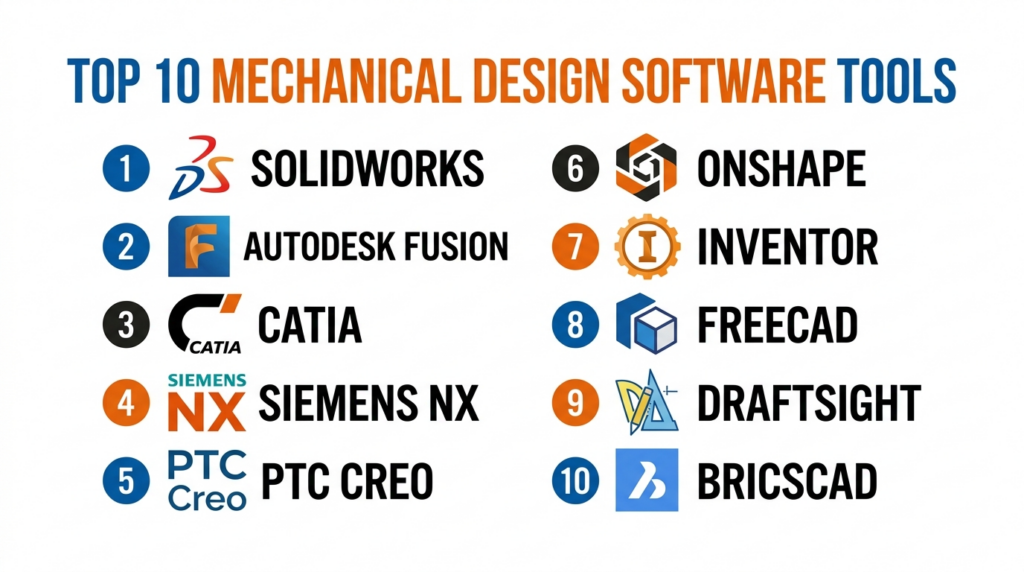
Introduction
Mechanical Design Software refers to digital tools used by engineers and designers to create, analyze, and optimize mechanical components and systems. These tools typically include 2D drafting, 3D modeling, simulation, and product lifecycle capabilities, enabling teams to design everything from simple parts to complex machinery.
In today’s engineering environment, mechanical design software is essential for reducing product development time, improving accuracy, and enabling collaboration across distributed teams. With advancements in cloud computing, AI-assisted modeling, and integrated simulation, modern tools are evolving into full product development platforms rather than standalone design applications.
Common use cases include:
- 3D modeling of mechanical components and assemblies
- Product design and prototyping
- Simulation and stress analysis
- Manufacturing-ready design (CAM integration)
- Sheet metal and industrial equipment design
What buyers should evaluate:
- Ease of use and learning curve
- Parametric vs direct modeling capabilities
- Integration with CAD/CAM/CAE tools
- Cloud vs desktop deployment
- Collaboration and version control features
- Simulation and analysis capabilities
- File compatibility and interoperability
- Performance with large assemblies
- Security and data management features
- Pricing and licensing flexibility
Best for: Mechanical engineers, product designers, manufacturing teams, startups building hardware products, and enterprises managing complex product lifecycles.
Not ideal for: Users who only need simple drafting or basic visualization tools. Lightweight CAD or drawing software may be sufficient in those cases.
Key Trends in Mechanical Design Software
- AI-assisted design suggestions improving productivity and reducing manual effort
- Cloud-based CAD platforms enabling real-time collaboration
- Generative design capabilities for optimized structures
- Integration with simulation tools for design validation within the same environment
- Low-code automation and scripting for repetitive design tasks
- Improved interoperability across CAD, CAM, and PLM systems
- Subscription-based licensing models replacing perpetual licenses
- Real-time rendering and visualization enhancements
- Mobile and web-based access for design review and collaboration
- Security-first architectures with role-based access and data control
How We Selected These Tools (Methodology)
- Evaluated market adoption and industry presence
- Assessed feature completeness and design capabilities
- Considered performance with complex assemblies
- Reviewed integration with manufacturing and simulation tools
- Analyzed security posture and enterprise readiness
- Included a mix of enterprise, SMB, and cloud-native tools
- Evaluated ease of onboarding and learning resources
- Considered deployment flexibility and scalability
- Prioritized tools with active development and strong ecosystems
Top 10 Mechanical Design Software Tools
#1 — SolidWorks
Short description (2–3 lines): A widely used 3D CAD software for mechanical design, ideal for engineers working on product development and manufacturing-ready designs.
Key Features
- Parametric 3D modeling
- Assembly design and simulation
- Integrated CAM and rendering tools
- Sheet metal and weldment design
- Extensive component libraries
- Design automation tools
Pros
- User-friendly interface
- Strong ecosystem and community
Cons
- Requires powerful hardware
- Licensing cost can be high
Platforms / Deployment
Windows; Self-hosted
Security & Compliance
Not publicly stated
Integrations & Ecosystem
Strong integration with engineering tools and extensions.
- Simulation tools
- CAM software
- PLM systems
Support & Community
Large global community with extensive tutorials and enterprise support.
#2 — Autodesk Fusion
Short description (2–3 lines): A cloud-enabled CAD platform combining design, simulation, and manufacturing tools in a single environment.
Key Features
- Cloud-based 3D modeling
- Generative design tools
- Integrated simulation
- CAM capabilities
- Real-time collaboration
- Version control
Pros
- All-in-one platform
- Accessible and collaborative
Cons
- Internet dependency
- Limited advanced features compared to high-end tools
Platforms / Deployment
Web / Windows / macOS; Cloud
Security & Compliance
Not publicly stated
Integrations & Ecosystem
Part of Autodesk ecosystem.
- Cloud collaboration tools
- APIs
- CAD integrations
Support & Community
Strong documentation and growing user community.
#3 — CATIA
Short description (2–3 lines): An enterprise-grade CAD software used for complex mechanical design in aerospace, automotive, and industrial sectors.
Key Features
- Advanced surface modeling
- Assembly design at scale
- Product lifecycle integration
- Multidisciplinary design support
- Simulation integration
- High-performance modeling
Pros
- Highly powerful for complex designs
- Strong enterprise capabilities
Cons
- Expensive
- Steep learning curve
Platforms / Deployment
Windows; Self-hosted / Hybrid
Security & Compliance
Not publicly stated
Integrations & Ecosystem
Part of Dassault ecosystem.
- PLM tools
- Simulation software
- APIs
Support & Community
Enterprise-level support with professional training resources.
#4 — Siemens NX
Short description (2–3 lines): A high-end CAD solution offering integrated design, simulation, and manufacturing capabilities.
Key Features
- Advanced parametric and direct modeling
- Integrated CAE and CAM
- Complex assembly management
- Design automation
- High-performance computing support
- Multidisciplinary workflows
Pros
- Comprehensive toolset
- Strong integration with PLM
Cons
- High cost
- Complex interface
Platforms / Deployment
Windows / Linux; Self-hosted / Hybrid
Security & Compliance
Not publicly stated
Integrations & Ecosystem
Part of Siemens ecosystem.
- Teamcenter
- Simulation tools
- APIs
Support & Community
Strong enterprise support and documentation.
#5 — PTC Creo
Short description (2–3 lines): A robust CAD software focused on parametric modeling and product innovation.
Key Features
- Parametric and direct modeling
- Simulation and analysis tools
- AR design capabilities
- Additive manufacturing support
- Design automation
- Assembly management
Pros
- Strong parametric capabilities
- Scalable for complex designs
Cons
- Learning curve
- Cost considerations
Platforms / Deployment
Windows; Self-hosted
Security & Compliance
Not publicly stated
Integrations & Ecosystem
Supports enterprise workflows.
- PLM tools
- CAD integrations
- APIs
Support & Community
Good documentation and enterprise support.
#6 — Onshape
Short description (2–3 lines): A fully cloud-based CAD platform designed for collaboration and modern product development workflows.
Key Features
- Browser-based CAD
- Real-time collaboration
- Version control
- Parametric modeling
- Cloud storage
- API access
Pros
- No installation required
- Excellent collaboration features
Cons
- Requires internet
- Limited offline functionality
Platforms / Deployment
Web / iOS / Android; Cloud
Security & Compliance
Not publicly stated
Integrations & Ecosystem
Modern API-driven ecosystem.
- Cloud integrations
- Third-party apps
- CAD tools
Support & Community
Growing community and strong onboarding resources.
#7 — Inventor
Short description (2–3 lines): Autodesk’s mechanical design software focused on product design and engineering workflows.
Key Features
- Parametric 3D modeling
- Assembly design
- Simulation tools
- Sheet metal design
- Automated workflows
- CAD integration
Pros
- Strong Autodesk integration
- User-friendly
Cons
- Limited advanced features
- Windows-only
Platforms / Deployment
Windows; Self-hosted
Security & Compliance
Not publicly stated
Integrations & Ecosystem
Part of Autodesk ecosystem.
- AutoCAD
- Fusion
- APIs
Support & Community
Good support and documentation.
#8 — FreeCAD
Short description (2–3 lines): An open-source parametric CAD tool suitable for hobbyists and engineers seeking flexibility.
Key Features
- Open-source platform
- Parametric modeling
- Modular architecture
- Custom scripting
- 3D modeling tools
- Cross-platform support
Pros
- Free to use
- Highly customizable
Cons
- Limited polish
- Smaller ecosystem
Platforms / Deployment
Windows / macOS / Linux; Self-hosted
Security & Compliance
Not publicly stated
Integrations & Ecosystem
Open ecosystem.
- Python scripting
- Plugins
- Custom workflows
Support & Community
Community-driven support.
#9 — DraftSight
Short description (2–3 lines): A CAD tool focused on 2D drafting and basic 3D design for professionals.
Key Features
- 2D drafting tools
- DWG compatibility
- Basic 3D modeling
- Annotation tools
- File management
- Customization options
Pros
- Affordable
- Easy to learn
Cons
- Limited 3D capabilities
- Not suitable for complex design
Platforms / Deployment
Windows / macOS / Linux; Self-hosted
Security & Compliance
Not publicly stated
Integrations & Ecosystem
Supports CAD workflows.
- DWG compatibility
- APIs
- Extensions
Support & Community
Moderate support and user base.
#10 — BricsCAD
Short description (2–3 lines): A CAD platform offering 2D drafting and 3D modeling with strong interoperability.
Key Features
- 2D and 3D CAD tools
- Parametric modeling
- AI-assisted commands
- DWG compatibility
- Sheet metal tools
- Custom scripting
Pros
- Cost-effective
- Strong DWG compatibility
Cons
- Smaller ecosystem
- Limited enterprise adoption
Platforms / Deployment
Windows / macOS / Linux; Self-hosted
Security & Compliance
Not publicly stated
Integrations & Ecosystem
Supports extensibility and integrations.
- APIs
- CAD plugins
- Custom tools
Support & Community
Growing community and documentation.
Comparison Table (Top 10)
| Tool Name | Best For | Platform(s) Supported | Deployment | Standout Feature | Public Rating |
|---|---|---|---|---|---|
| SolidWorks | Product design | Windows | Self-hosted | Parametric modeling | N/A |
| Autodesk Fusion | Cloud workflows | Web/Win/macOS | Cloud | All-in-one platform | N/A |
| CATIA | Enterprise design | Windows | Hybrid | Advanced surface modeling | N/A |
| Siemens NX | Large-scale design | Win/Linux | Hybrid | Integrated CAD/CAE/CAM | N/A |
| PTC Creo | Parametric modeling | Windows | Self-hosted | Advanced parametrics | N/A |
| Onshape | Collaboration | Web/iOS/Android | Cloud | Real-time editing | N/A |
| Inventor | Autodesk users | Windows | Self-hosted | CAD integration | N/A |
| FreeCAD | Open-source | Win/macOS/Linux | Self-hosted | Free customization | N/A |
| DraftSight | 2D drafting | Win/macOS/Linux | Self-hosted | DWG support | N/A |
| BricsCAD | Cost-effective CAD | Win/macOS/Linux | Self-hosted | AI commands | N/A |
Evaluation & Scoring of Mechanical Design Software
| Tool Name | Core (25%) | Ease (15%) | Integrations (15%) | Security (10%) | Performance (10%) | Support (10%) | Value (15%) | Weighted Total |
|---|---|---|---|---|---|---|---|---|
| SolidWorks | 9 | 8 | 9 | 6 | 9 | 9 | 7 | 8.3 |
| Fusion | 8 | 9 | 8 | 6 | 8 | 8 | 8 | 8.1 |
| CATIA | 10 | 6 | 9 | 7 | 10 | 9 | 6 | 8.4 |
| NX | 10 | 6 | 9 | 7 | 10 | 9 | 6 | 8.4 |
| Creo | 9 | 7 | 8 | 6 | 9 | 8 | 7 | 8.0 |
| Onshape | 8 | 9 | 8 | 6 | 8 | 8 | 8 | 8.1 |
| Inventor | 8 | 8 | 8 | 6 | 8 | 8 | 7 | 7.9 |
| FreeCAD | 7 | 6 | 7 | 5 | 7 | 6 | 10 | 7.2 |
| DraftSight | 6 | 9 | 7 | 5 | 7 | 7 | 8 | 7.2 |
| BricsCAD | 7 | 8 | 7 | 5 | 7 | 7 | 8 | 7.4 |
How to interpret scores:
- Scores are relative comparisons across tools
- Higher scores indicate balanced strengths
- Enterprise tools excel in performance but may lack ease
- Open-source tools provide value but require effort
- Use scores for shortlisting, not final decisions
Which Mechanical Design Software Tool Is Right for You?
Solo / Freelancer
- Best: FreeCAD, Onshape
- Affordable and flexible options
SMB
- Best: Fusion, Inventor
- Balanced features and usability
Mid-Market
- Best: SolidWorks, Creo
- Strong performance and scalability
Enterprise
- Best: CATIA, Siemens NX
- Advanced capabilities and integrations
Budget vs Premium
- Budget: FreeCAD, DraftSight
- Premium: CATIA, NX
Feature Depth vs Ease of Use
- Deep: CATIA, NX
- Easy: Fusion, Onshape
Integrations & Scalability
- Strong: Siemens, Dassault
- Flexible: Open-source tools
Security & Compliance Needs
- Enterprise: NX, CATIA
- Basic: FreeCAD
Frequently Asked Questions (FAQs)
What is mechanical design software?
It is used to create, analyze, and optimize mechanical components and systems digitally.
How much does it cost?
Pricing varies from free open-source tools to premium enterprise licenses.
Is it hard to learn?
Some tools are beginner-friendly, while others require training.
Can it run in the cloud?
Yes, some modern tools are fully cloud-based.
What industries use it?
Manufacturing, automotive, aerospace, and engineering.
Do I need powerful hardware?
Desktop tools require strong hardware; cloud tools reduce this need.
Can it integrate with other tools?
Yes, most tools integrate with CAD, CAM, and PLM systems.
What are common mistakes?
Poor modeling practices and ignoring design constraints.
Is open-source software reliable?
Yes, but may require customization.
Can I switch tools easily?
Switching is possible but may require retraining.
Conclusion
Mechanical design software is a foundational part of modern engineering workflows, enabling faster product development, improved accuracy, and better collaboration. From powerful enterprise tools to flexible cloud-based and open-source platforms, each solution offers unique strengths depending on your needs.
There is no single “best” tool for everyone. The right choice depends on your workflow, team size, budget, and technical requirements

One practical area I would add is the change-management process around CAD data once a product moves beyond the initial design stage. In real engineering teams, a small change to a part can affect assemblies, drawings, BOMs, tooling, simulation results, and manufacturing instructions. Without strong revision control, dependency tracking, and ECO workflows, it is easy for an outdated model or drawing to reach a supplier or production floor. I would therefore evaluate mechanical design tools not only on modeling capabilities, but also on how reliably they support controlled design releases, traceability, and collaboration with manufacturing and suppliers. These workflow issues often become more expensive than the software license itself as products and teams scale.