MOTOSHARE 🚗🏍️
Rent Bikes & Cars Directly from Owners
Motoshare connects vehicle owners with people who need bikes and cars on rent. Owners earn from idle vehicles, and renters get flexible ride options.
Visit Motoshare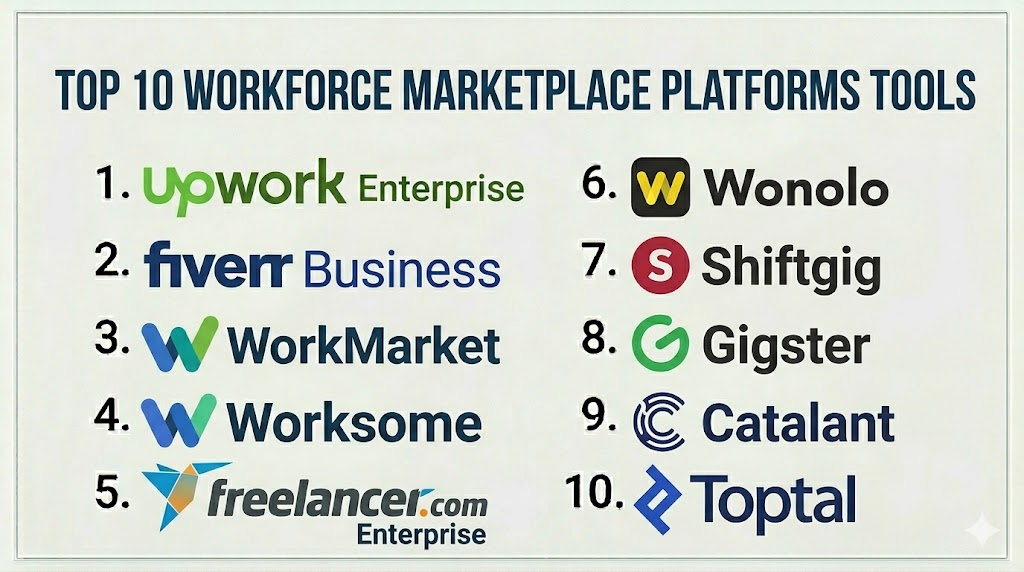
Introduction
Workforce Marketplace Platforms are digital ecosystems that connect organizations with on-demand talent, freelance workers, and service providers. These platforms streamline the hiring, engagement, and payment processes for temporary, project-based, or specialized workforces. They allow companies to access skilled professionals quickly, track performance, and ensure compliance with contracts and labor laws.In the current business landscape, organizations face pressures to scale talent dynamically, reduce overhead, and improve workforce agility. Workforce marketplaces are increasingly important as remote and hybrid work models expand, and businesses look to optimize costs while maintaining operational efficiency.
Real-world use cases include:
- Enterprises sourcing specialized consultants for short-term projects.
- SMBs needing temporary staffing during peak periods.
- Agencies coordinating multiple freelancers across campaigns or client projects.
- Corporations managing seasonal or gig-based workforce efficiently.
- Organizations seeking to ensure legal, tax, and compliance standards for contingent workers.
Evaluation criteria for buyers typically include:
- Talent sourcing and verification capabilities.
- Workflow and task assignment efficiency.
- Time tracking, productivity, and performance monitoring.
- Payment automation, invoicing, and global payout support.
- Compliance and contract management.
- Platform usability and mobile accessibility.
- Reporting, analytics, and insights on workforce utilization.
- Integration with HRIS, ERP, and finance systems.
- Security and data privacy features.
Best for: Companies leveraging contingent, freelance, or project-based workforces at scale, staffing agencies, and enterprises requiring structured workforce management.
Not ideal for: Organizations with minimal temporary staffing needs, those that can manage freelancers manually, or businesses with highly specialized hiring that doesn’t require platform matchmaking.
Key Trends in Workforce Marketplace Platforms
- Increased use of AI for skill matching, predictive talent allocation, and performance analytics.
- Integration with financial and payroll systems for automated payments and expense management.
- Embedded compliance and legal verification for cross-border workforce management.
- Cloud-native platforms offering mobile-first experiences for remote and distributed talent.
- Advanced analytics dashboards for workforce planning and productivity measurement.
- API-first architecture enabling seamless integration with HRIS, ERP, and collaboration tools.
- Subscription and usage-based pricing models catering to SMBs and large enterprises.
- Enhanced security frameworks including encryption, MFA, and access controls.
- Focus on worker experience including onboarding, engagement, and transparent payment schedules.
- Platform consolidation trends: marketplaces expanding into workforce management and vice versa.
How We Selected These Tools (Methodology)
- Evaluated market adoption and reputation within workforce management and contingent staffing sectors.
- Reviewed feature completeness, including sourcing, onboarding, compliance, payments, and reporting.
- Assessed platform reliability, performance, and uptime indicators.
- Analyzed security and compliance posture for GDPR, SOC 2, and enterprise-level standards.
- Reviewed ecosystem integrations with HR, ERP, accounting, and productivity tools.
- Considered scalability and suitability for small, mid-market, and enterprise organizations.
- Evaluated AI and automation capabilities for talent matching and task management.
- Factored in support resources, community engagement, and onboarding assistance.
- Examined pricing structures for flexibility and value relative to features.
Top 10 Workforce Marketplace Platforms Tools
1 — Upwork Enterprise
Short description: Upwork Enterprise provides a scalable platform to manage on-demand talent, freelancers, and consultants globally. It supports project posting, talent matching, time tracking, and secure payments, ideal for enterprises and agencies managing large freelance teams.
Key Features
- Centralized freelance sourcing and vetting.
- Time tracking and productivity monitoring.
- Automated invoicing and global payment management.
- Compliance and contract management tools.
- Reporting dashboards for workforce analytics.
Pros
- Access to a large, verified talent pool.
- Streamlined payment and compliance workflows.
Cons
- Higher cost for smaller teams.
- Limited offline collaboration tools.
Platforms / Deployment
- Web / iOS / Android
- Cloud
Security & Compliance
- Not publicly stated
Integrations & Ecosystem
Supports HR, accounting, and project management integrations.
- API for custom workflows
- Payroll connectivity
- ERP integration
Support & Community
Varies / Not publicly stated
2 — Fiverr Business
Short description: Fiverr Business is designed for SMBs and agencies to quickly engage freelancers for specific projects. It provides dashboards, milestone tracking, and streamlined payment processing, emphasizing speed and simplicity.
Key Features
- Team dashboards for collaboration and progress tracking.
- Verified talent with skill ratings.
- Time tracking and milestone-based payment management.
- Contract and invoice support.
- Integration with productivity and collaboration tools.
Pros
- Quick onboarding and user-friendly interface.
- Access to vetted global freelancers.
Cons
- Limited enterprise-level features.
- Basic analytics functionality.
Platforms / Deployment
- Web / iOS / Android
- Cloud
Security & Compliance
- Not publicly stated
Integrations & Ecosystem
- Collaboration tools
- Accounting platforms
- API for workflow automation
Support & Community
Varies / Not publicly stated
3 — WorkMarket
Short description: WorkMarket enables enterprises to manage freelancers and contingent workers with tools for onboarding, assignment, compliance, and automated payments. Ideal for organizations with structured workforce programs.
Key Features
- Automated onboarding and verification.
- Talent assignment and project tracking.
- Contract management and compliance tools.
- Payment automation and global invoicing.
- Reporting and analytics dashboards.
Pros
- Enterprise-grade compliance management.
- Centralized project and talent oversight.
Cons
- Steeper learning curve for smaller teams.
- Premium pricing may be restrictive.
Platforms / Deployment
- Web / iOS / Android
- Cloud
Security & Compliance
- Not publicly stated
Integrations & Ecosystem
- ERP and accounting software integrations
- Collaboration tool connectors
- API for custom workflows
Support & Community
Varies / Not publicly stated
4 — Worksome
Short description: Worksome helps organizations manage high-quality freelancers with automated onboarding, compliance verification, and AI-assisted talent matching. Suitable for SMBs and mid-market teams.
Key Features
- AI-assisted talent matching.
- Digital contract and compliance automation.
- Time tracking and invoicing tools.
- Reporting dashboards for insights.
- Collaboration and document sharing.
Pros
- Fast onboarding and quality matching.
- Intuitive platform for mid-market teams.
Cons
- Fewer integrations than large enterprise platforms.
- Limited global compliance tracking.
Platforms / Deployment
- Web / iOS / Android
- Cloud
Security & Compliance
- Not publicly stated
Integrations & Ecosystem
- Accounting software
- Collaboration platforms
- API connectivity
Support & Community
Varies / Not publicly stated
5 — Freelancer Enterprise
Short description: Freelancer Enterprise focuses on large-scale projects with features for global compliance, milestone tracking, and secure payments. Suitable for enterprises managing extensive freelance networks.
Key Features
- Global talent sourcing and verification.
- Project milestone and progress tracking.
- Contract management and automated payments.
- Compliance across multiple countries.
- Workforce analytics and reporting.
Pros
- Comprehensive global compliance tools.
- Extensive freelancer network.
Cons
- Complexity for small or mid-sized teams.
- Learning curve for new users.
Platforms / Deployment
- Web / iOS / Android
- Cloud
Security & Compliance
- Not publicly stated
Integrations & Ecosystem
- ERP and accounting system connectors
- API for custom integrations
- Collaboration tool support
Support & Community
Varies / Not publicly stated
6 — Wonolo
Short description: Wonolo connects businesses with on-demand workers for short-term projects, emphasizing rapid deployment and simple workforce management.
Key Features
- Instant worker sourcing.
- Shift and task assignment.
- Payment and invoicing support.
- Reporting dashboards.
- Mobile-friendly worker interface.
Pros
- Quick engagement for urgent staffing needs.
- Mobile-first experience for workers.
Cons
- Limited advanced analytics.
- Primarily suited for short-term or local staffing.
Platforms / Deployment
- Web / iOS / Android
- Cloud
Security & Compliance
- Not publicly stated
Integrations & Ecosystem
- Payroll systems
- Workforce management tools
- Basic API support
Support & Community
Varies / Not publicly stated
7 — Shiftgig
Short description: Shiftgig provides a marketplace for hourly and shift-based work, supporting scheduling, payroll, and compliance management for mid-sized and large organizations.
Key Features
- Shift scheduling and management.
- Worker onboarding and verification.
- Time tracking and payroll integration.
- Analytics and reporting dashboards.
- Mobile app for real-time updates.
Pros
- Optimized for hourly and shift work.
- Mobile app supports workers in the field.
Cons
- Not ideal for specialized freelance projects.
- Limited global freelancer support.
Platforms / Deployment
- Web / iOS / Android
- Cloud
Security & Compliance
- Not publicly stated
Integrations & Ecosystem
- Payroll and HR software
- Mobile workforce management tools
- API support
Support & Community
Varies / Not publicly stated
8 — Gigster
Short description: Gigster connects companies with specialized development and design teams for complex projects, offering AI-assisted project planning and full lifecycle management.
Key Features
- Team assembly and vetting.
- AI-assisted project planning.
- Contract and payment management.
- Progress tracking and reporting.
- Collaboration and communication tools.
Pros
- Ideal for complex, technical projects.
- AI-assisted planning enhances project efficiency.
Cons
- Premium pricing.
- Primarily technology-focused.
Platforms / Deployment
- Web / iOS / Android
- Cloud
Security & Compliance
- Not publicly stated
Integrations & Ecosystem
- Project management software
- Collaboration platforms
- API for custom workflows
Support & Community
Varies / Not publicly stated
9 — Catalant
Short description: Catalant enables companies to engage independent consultants and experts for strategic initiatives, offering project tracking, analytics, and payment management.
Key Features
- Expert marketplace access.
- Project and milestone management.
- Contract and compliance automation.
- Analytics dashboards.
- Workflow integration support.
Pros
- Access to highly specialized expertise.
- Strong reporting and oversight.
Cons
- Not optimized for hourly or general freelance work.
- Higher cost for small engagements.
Platforms / Deployment
- Web / iOS / Android
- Cloud
Security & Compliance
- Not publicly stated
Integrations & Ecosystem
- ERP and HR integrations
- Collaboration tools
- API connectivity
Support & Community
Varies / Not publicly stated
10 — Toptal
Short description: Toptal focuses on connecting organizations with top-tier developers, designers, and finance experts, emphasizing high-quality talent, project tracking, and secure payments.
Key Features
- Rigorous talent vetting.
- Project and milestone tracking.
- Contract management and global payments.
- Analytics dashboards.
- Collaboration and communication tools.
Pros
- High-quality, pre-vetted talent.
- Enterprise-grade project tracking.
Cons
- Premium pricing.
- Limited pool for non-technical roles.
Platforms / Deployment
- Web / iOS / Android
- Cloud
Security & Compliance
- Not publicly stated
Integrations & Ecosystem
- Collaboration tools
- Project management software
- API for workflow automation
Support & Community
Varies / Not publicly stated
Comparison Table (Top 10)
| Tool Name | Best For | Platform(s) Supported | Deployment | Standout Feature | Public Rating |
|---|---|---|---|---|---|
| Upwork Enterprise | Global freelance teams | Web, iOS, Android | Cloud | Large verified talent pool | N/A |
| Fiverr Business | SMBs, agencies | Web, iOS, Android | Cloud | Quick engagement and simplicity | N/A |
| WorkMarket | Enterprises | Web, iOS, Android | Cloud | Compliance and automation | N/A |
| Worksome | SMBs & mid-market | Web, iOS, Android | Cloud | AI talent matching | N/A |
| Freelancer Enterprise | Large projects | Web, iOS, Android | Cloud | Milestone tracking | N/A |
| Wonolo | Short-term staffing | Web, iOS, Android | Cloud | Rapid deployment | N/A |
| Shiftgig | Hourly/shift-based work | Web, iOS, Android | Cloud | Shift scheduling | N/A |
| Gigster | Development/design projects | Web, iOS, Android | Cloud | AI-assisted project planning | N/A |
| Catalant | Strategic consultants | Web, iOS, Android | Cloud | Expert marketplace | N/A |
| Toptal | Top-tier developers/designers | Web, iOS, Android | Cloud | High-quality vetted talent | N/A |
Evaluation & Scoring of Workforce Marketplace Platforms
| Tool Name | Core (25%) | Ease (15%) | Integrations (15%) | Security (10%) | Performance (10%) | Support (10%) | Value (15%) | Weighted Total (0–10) |
|---|---|---|---|---|---|---|---|---|
| Upwork Enterprise | 9 | 8 | 8 | 7 | 9 | 8 | 7 | 8.2 |
| Fiverr Business | 7 | 9 | 7 | 6 | 8 | 7 | 8 | 7.7 |
| WorkMarket | 9 | 7 | 8 | 7 | 8 | 7 | 7 | 7.9 |
| Worksome | 8 | 8 | 7 | 7 | 8 | 7 | 7 | 7.6 |
| Freelancer Enterprise | 8 | 7 | 7 | 7 | 8 | 7 | 7 | 7.6 |
| Wonolo | 7 | 9 | 6 | 6 | 7 | 7 | 8 | 7.3 |
| Shiftgig | 7 | 9 | 6 | 6 | 7 | 7 | 7 | 7.2 |
| Gigster | 8 | 7 | 7 | 7 | 8 | 7 | 6 | 7.3 |
| Catalant | 8 | 7 | 7 | 7 | 8 | 7 | 6 | 7.2 |
| Toptal | 9 | 7 | 7 | 7 | 8 | 7 | 6 | 7.4 |
Interpretation: Scores reflect comparative strengths across features, ease, integrations, security, performance, support, and value. Higher totals indicate better overall alignment with enterprise, SMB, and specialized workforce needs.
Which Workforce Marketplace Platform Is Right for You?
Solo / Freelancer
Fiverr Business or Wonolo simplify engagement, onboarding, and payment for individual contractors.
SMB
Worksome and Shiftgig offer efficient management for growing teams with moderate compliance and payment needs.
Mid-Market
Freelancer Enterprise and Gigster provide structured project oversight, milestone tracking, and advanced analytics.
Enterprise
Upwork Enterprise, WorkMarket, and Toptal deliver comprehensive global workforce management, advanced compliance, and secure payments.
Budget vs Premium
Startups and SMBs can leverage Fiverr Business, Wonolo, or Shiftgig for cost efficiency. Enterprises may prioritize WorkMarket, Toptal, and Upwork Enterprise for feature depth and compliance.
Feature Depth vs Ease of Use
Worksome and Fiverr Business are user-friendly with core features. Enterprise platforms provide more advanced capabilities but require training.
Integrations & Scalability
Platforms like WorkMarket, Upwork Enterprise, and Toptal support scalable integrations with HRIS, ERP, and finance systems.
Security & Compliance Needs
Enterprise deployments with sensitive data should focus on WorkMarket, Toptal, and Upwork Enterprise, which offer audit, verification, and compliance workflows.
Frequently Asked Questions (FAQs)
1. How are workforce marketplaces priced?
Pricing varies: subscription tiers, per-project fees, or per-user plans. Enterprises often negotiate customized contracts for large-scale usage.
2. What is the typical onboarding process?
Onboarding involves verification, document submission, contract signing, and sometimes skill assessment. Automation reduces manual effort.
3. Can these platforms handle international payments?
Yes, most provide multi-currency payments, tax reporting, and compliance for international workers.
4. How do platforms ensure compliance?
Compliance features include contract automation, tax and labor law verification, and audit logs for workforce oversight.
5. Are these tools suitable for small teams?
Yes. Fiverr Business, Wonolo, and Shiftgig are optimized for small-to-mid-sized teams needing simple workforce management.
6. How are integrations handled?
APIs, native connectors, and pre-built integrations with HR, ERP, payroll, and collaboration tools enable smooth workflows.
7. Can these platforms scale with my organization?
Enterprise-grade platforms like Upwork Enterprise, WorkMarket, and Toptal can manage thousands of workers and multi-department projects.
8. What common mistakes should organizations avoid?
Ignoring compliance, choosing platforms without integration options, underestimating onboarding needs, and neglecting analytics are common pitfalls.
9. How easy is it to switch platforms?
Migration requires moving contracts, payment records, and worker profiles. APIs and export tools simplify the transition.
10. Are AI features useful in workforce marketplaces?
Yes, AI improves talent matching, workload allocation, and predictive analytics, enhancing efficiency and quality in distributed teams.
Conclusion
Workforce Marketplace Platforms are critical for organizations managing flexible, project-based, or contingent talent. They offer capabilities for onboarding, compliance, payment automation, and analytics, while helping businesses scale workforce operations efficiently. Selection depends on organization size, project complexity, integration needs, and compliance requirements. Small teams may favor lightweight, user-friendly platforms for speed and cost efficiency, while enterprises require robust, global platforms for comprehensive workforce management. The recommended approach is to shortlist relevant platforms, conduct pilot programs, validate integration and security, and then scale adoption to achieve optimal operational performance.
