MOTOSHARE 🚗🏍️
Rent Bikes & Cars Directly from Owners
Motoshare connects vehicle owners with people who need bikes and cars on rent. Owners earn from idle vehicles, and renters get flexible ride options.
Visit Motoshare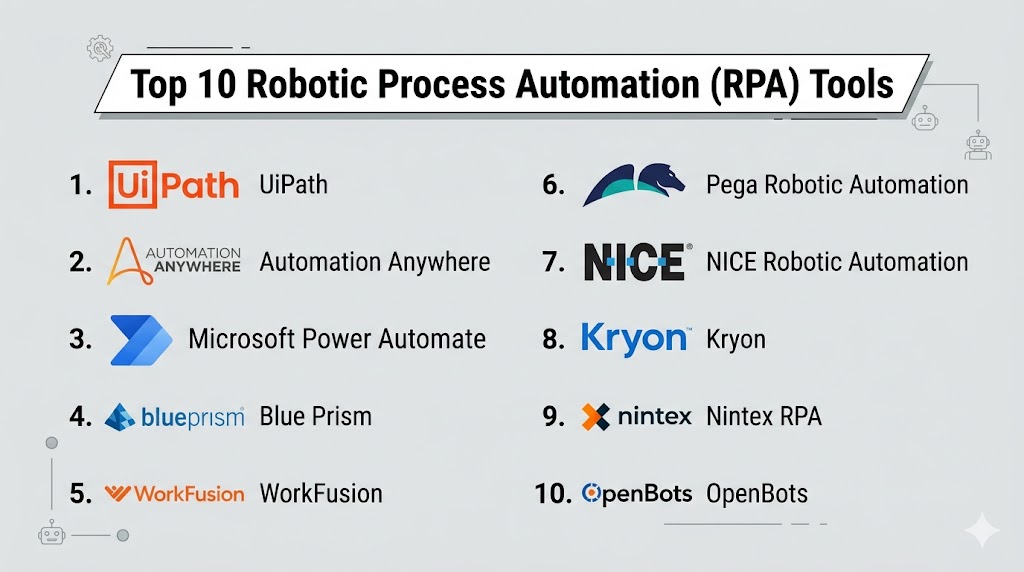
Introduction
Robotic Process Automation (RPA) platforms help organizations automate repetitive, rule-based digital tasks by using software bots. These bots can click buttons, move files, copy data, log into systems, generate reports, fill forms, and interact with legacy applications much like a human user would. Instead of replacing entire systems, RPA works across existing tools, making it attractive for companies that need efficiency without major infrastructure changes.
RPA matters because businesses are under pressure to reduce manual work, improve accuracy, lower costs, and scale operations faster. Modern RPA tools now include AI document processing, process mining, workflow orchestration, analytics, and low-code bot builders. They are widely used in finance, HR, healthcare, customer service, operations, and IT.
Common use cases:
- Invoice and accounts payable processing
- Employee onboarding workflows
- Data entry between systems
- Report generation and reconciliation
- Customer support back-office tasks
What buyers should evaluate:
- Ease of bot creation
- Attended vs unattended automation
- AI/OCR capabilities
- Security controls
- Governance and audit logs
- Scalability
- Integration support
- Reliability
- Pricing model
- Support and training
Best for: Mid-market companies, enterprises, shared service centers, BPOs, finance teams, operations teams, and regulated industries.
Not ideal for: Very small businesses with simple workflows, or companies that can solve needs with lightweight app automation tools only.
Key Trends in Robotic Process Automation (RPA)
- AI-powered bots are expanding beyond rule-based automation.
- Intelligent document processing is becoming a core feature.
- Process mining is helping teams identify automation opportunities.
- Low-code bot builders are reducing dependence on developers.
- Cloud-native RPA adoption is increasing.
- Governance and compliance features are improving.
- Hyperautomation strategies combine RPA, AI, workflows, and APIs.
- Bot analytics and observability are more important than ever.
- Desktop automation remains relevant for legacy systems.
- Outcome-based pricing models are emerging.
How We Selected These Tools (Methodology)
We selected these tools based on:
- Market adoption and brand recognition
- Breadth of automation features
- Enterprise scalability
- AI and OCR capabilities
- Ease of use for business teams
- Security and governance controls
- Reliability and runtime performance
- Integrations and ecosystem strength
- Support and training resources
- Fit across SMB, mid-market, and enterprise needs
Top 10 Robotic Process Automation (RPA) Tools
#1 — UiPath
Short description: One of the most recognized RPA platforms with strong enterprise automation, AI, analytics, and governance capabilities.
Key Features
- Attended and unattended bots
- Visual workflow designer
- AI document processing
- Process mining
- Orchestration tools
- Analytics dashboards
- Large automation marketplace
Pros
- Very mature platform
- Strong enterprise scalability
- Broad ecosystem and training resources
Cons
- Premium pricing at scale
- Can require governance planning
- Advanced deployments need expertise
Platforms / Deployment
Web / Windows / Cloud / Hybrid
Security & Compliance
SSO, MFA, RBAC, audit logs, encryption. Enterprise compliance options available.
Integrations & Ecosystem
Strong ecosystem across enterprise apps, desktops, APIs, and cloud tools.
- SAP
- Oracle
- Salesforce
- Microsoft
- ServiceNow
- APIs
Support & Community
Large community, certifications, academy resources, enterprise support.
#2 — Automation Anywhere
Short description: Enterprise-focused RPA platform known for cloud automation, bot management, and intelligent automation capabilities.
Key Features
- Cloud-native automation
- Bot lifecycle management
- Document automation
- Analytics
- Attended bots
- Unattended bots
- Governance controls
Pros
- Strong cloud offering
- Good enterprise controls
- Mature vendor presence
Cons
- Premium pricing
- Setup complexity for large rollouts
- Best fit for structured programs
Platforms / Deployment
Web / Cloud / Hybrid
Security & Compliance
SSO, audit controls, RBAC, encryption.
Integrations & Ecosystem
Supports enterprise systems, SaaS apps, and APIs.
Support & Community
Strong enterprise support and partner ecosystem.
#3 — Microsoft Power Automate
Short description: Broad automation platform that combines workflow automation, desktop RPA, and Microsoft ecosystem integration.
Key Features
- Desktop automation
- Cloud flows
- AI Builder
- Approval workflows
- Microsoft integrations
- Templates
- Governance tools
Pros
- Great for Microsoft customers
- Combines workflow + RPA
- Strong enterprise security
Cons
- Licensing can be complex
- Premium connectors may add cost
- Best value in Microsoft stack
Platforms / Deployment
Web / Windows / Cloud
Security & Compliance
Microsoft-grade security, SSO, audit logs, compliance tooling.
Integrations & Ecosystem
Excellent with Microsoft 365, Dynamics, Azure, and common apps.
Support & Community
Large documentation library and enterprise support.
#4 — Blue Prism
Short description: Well-known enterprise RPA platform with strong governance, security, and controlled automation environments.
Key Features
- Enterprise bot orchestration
- Secure digital workers
- Governance controls
- Process automation
- Auditability
- Scalable deployments
- Central management
Pros
- Strong governance reputation
- Good for regulated industries
- Reliable enterprise model
Cons
- Less beginner-friendly
- Premium pricing
- Slower to adopt than lighter tools
Platforms / Deployment
Windows / Cloud / Hybrid
Security & Compliance
RBAC, encryption, audit logs, enterprise security controls.
Integrations & Ecosystem
Good enterprise integration support.
Support & Community
Professional services and enterprise support model.
#5 — WorkFusion
Short description: Intelligent automation platform combining RPA with AI for document-heavy and operations-focused workflows.
Key Features
- Intelligent automation
- AI document extraction
- Workflow orchestration
- Bot management
- Analytics
- Case handling
- Compliance workflows
Pros
- Strong for document processes
- AI-focused use cases
- Good operations automation fit
Cons
- Niche compared with larger vendors
- Enterprise buying motion
- Less community visibility
Platforms / Deployment
Web / Cloud / Hybrid
Security & Compliance
Enterprise controls vary by deployment.
Integrations & Ecosystem
Good for operations systems and document workflows.
Support & Community
Vendor-led onboarding and support.
#6 — Pega Robotic Automation
Short description: RPA platform integrated with Pega’s broader workflow and case management ecosystem.
Key Features
- Desktop automation
- Case management integration
- Workflow orchestration
- AI decisioning support
- Governance
- Process automation
- Enterprise scaling
Pros
- Excellent with Pega ecosystem
- Strong for complex processes
- Combines decisions + automation
Cons
- Best fit for Pega customers
- Complexity for smaller teams
- Premium enterprise positioning
Platforms / Deployment
Windows / Cloud / Hybrid
Security & Compliance
Enterprise security controls, permissions, governance features.
Integrations & Ecosystem
Strong if already using Pega platform.
Support & Community
Enterprise support model.
#7 — NICE Robotic Automation
Short description: Automation platform often used in contact centers and customer service operations.
Key Features
- Front-office automation
- Desktop guidance
- Attended bots
- Customer service workflows
- Analytics
- Process optimization
- Workforce integration
Pros
- Strong contact center fit
- Good attended automation
- Customer operations focus
Cons
- Narrower general-purpose positioning
- Best fit in service environments
- Enterprise pricing
Platforms / Deployment
Windows / Cloud / Hybrid
Security & Compliance
Standard enterprise controls.
Integrations & Ecosystem
Useful for CX and service systems.
Support & Community
Vendor-led enterprise support.
#8 — Kryon
Short description: Automation platform known for process discovery and RPA capabilities.
Key Features
- Process discovery
- Attended bots
- Unattended bots
- Analytics
- Workflow automation
- Governance
- Automation opportunities mapping
Pros
- Good discovery tools
- Helpful for automation planning
- Balanced feature set
Cons
- Smaller market presence
- Ecosystem not as broad as leaders
- Enterprise buying process
Platforms / Deployment
Web / Cloud / Hybrid
Security & Compliance
Varies by deployment.
Integrations & Ecosystem
Supports common enterprise workflows.
Support & Community
Vendor-led support.
#9 — Nintex RPA
Short description: RPA and process automation platform connected to Nintex workflow products.
Key Features
- Process automation
- RPA bots
- Forms
- Approvals
- Workflow orchestration
- Analytics
- Low-code tools
Pros
- Good workflow + RPA combination
- Business-user friendly
- Useful for internal processes
Cons
- Smaller mindshare than leaders
- Less specialized than top RPA suites
- Pricing varies by package
Platforms / Deployment
Web / Cloud / Hybrid
Security & Compliance
Role controls, enterprise security options vary.
Integrations & Ecosystem
Strong for process-centric automation.
Support & Community
Good business onboarding resources.
#10 — OpenBots
Short description: Cost-conscious automation platform inspired by enterprise RPA models with developer flexibility.
Key Features
- Bot studio
- Task automation
- Scheduler
- OCR support
- Automation scripts
- Desktop automation
- Lower-cost positioning
Pros
- Budget-friendly option
- Familiar RPA concepts
- Good for experimentation
Cons
- Smaller ecosystem
- Fewer enterprise references
- Limited compared with top-tier suites
Platforms / Deployment
Windows / Cloud / Self-hosted
Security & Compliance
Varies / Not publicly stated.
Integrations & Ecosystem
Growing ecosystem for automation use cases.
Support & Community
Smaller but active user base.
Comparison Table (Top 10)
| Tool Name | Best For | Platform(s) Supported | Deployment | Standout Feature | Public Rating |
|---|---|---|---|---|---|
| UiPath | Enterprise automation | Web/Windows | Cloud/Hybrid | Full automation suite | N/A |
| Automation Anywhere | Cloud RPA | Web | Cloud/Hybrid | Cloud-native bots | N/A |
| Power Automate | Microsoft users | Web/Windows | Cloud | Workflow + RPA | N/A |
| Blue Prism | Governance-heavy teams | Windows | Hybrid | Secure digital workers | N/A |
| WorkFusion | Document workflows | Web | Cloud/Hybrid | AI automation | N/A |
| Pega | Complex enterprises | Windows | Hybrid | Case + RPA | N/A |
| NICE | Contact centers | Windows | Hybrid | Front-office automation | N/A |
| Kryon | Process discovery | Web | Hybrid | Discovery tools | N/A |
| Nintex | Internal operations | Web | Cloud/Hybrid | Workflow + bots | N/A |
| OpenBots | Budget-conscious teams | Windows | Self-hosted | Lower-cost RPA | N/A |
Evaluation & Scoring of Robotic Process Automation (RPA)
| Tool Name | Core | Ease | Integrations | Security | Performance | Support | Value | Weighted Total |
|---|---|---|---|---|---|---|---|---|
| UiPath | 9.5 | 8 | 9 | 9 | 9 | 9 | 7.5 | 8.7 |
| Automation Anywhere | 9 | 7.5 | 8.5 | 9 | 8.5 | 8.5 | 7 | 8.3 |
| Power Automate | 8.5 | 8.5 | 8.5 | 9 | 8.5 | 8.5 | 8 | 8.5 |
| Blue Prism | 8.5 | 6.5 | 8 | 9 | 8.5 | 8 | 7 | 7.9 |
| WorkFusion | 8 | 7 | 7.5 | 8 | 8 | 7.5 | 7.5 | 7.7 |
| Pega | 8.5 | 6.5 | 8 | 8.5 | 8 | 8 | 7 | 7.8 |
| NICE | 7.5 | 7 | 7 | 8 | 8 | 7.5 | 7 | 7.4 |
| Kryon | 7.5 | 7 | 7 | 7.5 | 7.5 | 7 | 7.5 | 7.3 |
| Nintex | 7.5 | 8 | 7 | 7.5 | 7.5 | 7.5 | 8 | 7.6 |
| OpenBots | 6.5 | 7 | 6.5 | 6.5 | 7 | 6.5 | 9 | 7.0 |
These scores are comparative rather than absolute. The best platform depends on your process complexity, IT environment, governance needs, and budget.
Which Robotic Process Automation (RPA) Tool Is Right for You?
Solo / Freelancer
Most solo users do not need enterprise RPA. Lightweight automation tools may be better.
SMB
Power Automate, Nintex, or OpenBots can be practical depending on budget and systems.
Mid-Market
UiPath, Automation Anywhere, and Power Automate are strong choices.
Enterprise
UiPath, Blue Prism, Automation Anywhere, and Pega are top contenders.
Budget vs Premium
- Budget: OpenBots, Power Automate (for Microsoft users)
- Premium: UiPath, Blue Prism, Automation Anywhere
Feature Depth vs Ease of Use
- Easier onboarding: Power Automate, UiPath
- Deep enterprise control: Blue Prism, Pega
Integrations & Scalability
UiPath and Automation Anywhere lead for broad enterprise scalability.
Security & Compliance Needs
Blue Prism, UiPath, and Microsoft are strong governance-focused options.
Frequently Asked Questions (FAQs)
What is RPA?
RPA uses software bots to automate repetitive digital tasks across systems and applications.
Does RPA require coding?
Many tools offer low-code designers, though advanced automations may need technical skills.
Is RPA the same as AI?
No. Traditional RPA follows rules. AI adds decision-making, classification, and document understanding.
Which industries use RPA most?
Finance, healthcare, insurance, telecom, manufacturing, and customer service are common adopters.
Can RPA work with legacy systems?
Yes. That is one of RPA’s biggest strengths.
Is RPA expensive?
It depends on bot volume, features, and deployment scale. Enterprise tools can be premium priced.
How long does implementation take?
Simple bots can launch quickly. Enterprise programs may take months.
What is attended vs unattended RPA?
Attended bots help employees in real time. Unattended bots run independently in the background.
Can RPA reduce errors?
Yes. Bots can improve consistency when workflows are well designed.
How do I choose the right tool?
Start with process needs, security requirements, integrations, internal skills, and total cost.
Conclusion
Robotic Process Automation remains a valuable strategy for organizations that need efficiency without replacing existing systems. The best RPA platform depends on your workflow complexity, security needs, technical maturity, and budget. Some tools prioritize enterprise governance, while others focus on accessibility or cost. Shortlist two or three options, run a pilot, and validate real-world ROI before making a long-term decision.

One aspect I’d recommend adding is the long-term operational maintenance of RPA bots. Many automation initiatives succeed during the pilot phase but become difficult to sustain when application interfaces change, APIs are updated, or business workflows evolve. Beyond comparing features, it’s worth evaluating how each platform supports bot versioning, automated regression testing, centralized monitoring, self-healing capabilities, and proactive alerts for failed executions. From an engineering perspective, these operational capabilities significantly reduce maintenance effort, improve automation reliability, and ensure RPA continues delivering measurable business value instead of creating hidden technical debt over time.