MOTOSHARE 🚗🏍️
Rent Bikes & Cars Directly from Owners
Motoshare connects vehicle owners with people who need bikes and cars on rent. Owners earn from idle vehicles, and renters get flexible ride options.
Visit Motoshare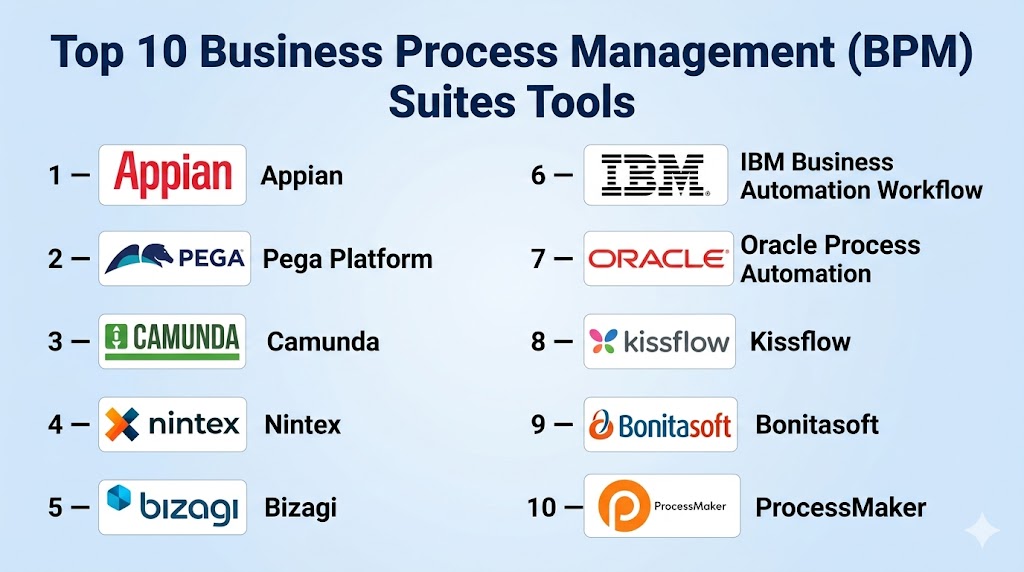
Introduction
Business Process Management (BPM) suites are software platforms used to design, automate, monitor, and continuously improve business workflows. Instead of managing tasks through emails, spreadsheets, and disconnected systems, BPM tools provide structured processes with rules, approvals, integrations, dashboards, and accountability.
BPM matters because organizations need faster operations, better customer experiences, lower manual effort, and stronger compliance. Modern BPM suites now combine workflow automation, low-code app development, AI assistance, analytics, process mining, and integration tools. This makes them useful for both operational efficiency and digital transformation initiatives.
Common use cases:
- Employee onboarding and HR approvals
- Procurement and vendor management
- Customer service case handling
- Claims and document workflows
- Compliance and audit processes
What buyers should evaluate:
- Process modeling capabilities
- Ease of use for business teams
- Low-code customization
- Integration support
- Security and governance
- Reporting and analytics
- AI and automation features
- Scalability
- Deployment flexibility
- Total cost of ownership
Best for: Mid-market companies, enterprises, operations teams, IT leaders, compliance teams, and departments managing repeatable workflows.
Not ideal for: Very small teams with simple task management needs or businesses that only need lightweight automation instead of a full BPM suite.
Key Trends in Business Process Management (BPM) Suites
- AI copilots are helping teams design workflows faster.
- Process mining is becoming a core buying criterion.
- Low-code development is replacing long custom build cycles.
- Hybrid deployment remains important for regulated industries.
- BPM is converging with RPA and integration platforms.
- Real-time dashboards and SLA tracking are expected by default.
- Citizen developer tools are expanding business-user adoption.
- API-first architectures are improving interoperability.
- Governance and audit trails remain central for enterprise buyers.
- Outcome-based pricing models are gaining interest.
How We Selected These Tools (Methodology)
We selected these tools using the following criteria:
- Market recognition and enterprise adoption
- Breadth of BPM capabilities
- Ease of implementation and usability
- Automation and AI innovation
- Security and governance features
- Integration ecosystem strength
- Reliability and scalability signals
- Fit across SMB, mid-market, and enterprise segments
- Quality of support and training resources
- Long-term platform relevance
Top 10 Business Process Management (BPM) Suites Tools
#1 — Appian
Short description: A leading low-code BPM platform focused on enterprise process automation, case management, and rapid internal app development. Strong fit for complex cross-functional workflows.
Key Features
- Low-code workflow design
- Case management
- Data Fabric architecture
- Process mining
- AI automation tools
- Dashboards and monitoring
- Mobile-ready apps
Pros
- Strong enterprise feature depth
- Fast delivery for process apps
- Broad automation capabilities
Cons
- Premium pricing
- Advanced customization can require training
- Best value in larger deployments
Platforms / Deployment
Web / iOS / Android / Cloud / Hybrid
Security & Compliance
SSO/SAML, MFA, RBAC, encryption, audit logs. Additional enterprise compliance options available.
Integrations & Ecosystem
Connects with enterprise systems, databases, APIs, and cloud services.
- SAP
- Salesforce
- Microsoft
- Oracle
- REST APIs
Support & Community
Strong academy resources, certifications, implementation partners, and enterprise support.
#2 — Pega Platform
Short description: Enterprise-grade BPM suite built for highly complex workflows, customer operations, and decision-heavy processes across large organizations.
Key Features
- Workflow automation
- Case management
- AI decisioning
- Omnichannel processes
- Low-code tools
- Rules engine
- Customer journey orchestration
Pros
- Excellent for large-scale complexity
- Strong decision automation
- Enterprise scalability
Cons
- Steeper learning curve
- Higher implementation cost
- Overkill for small teams
Platforms / Deployment
Web / Cloud / Hybrid
Security & Compliance
SSO, MFA, encryption, audit logs, RBAC. Additional compliance options vary by contract.
Integrations & Ecosystem
Works with enterprise applications, APIs, CRMs, and legacy systems.
Support & Community
Strong enterprise support with training programs and partner network.
#3 — Camunda
Short description: Developer-focused BPM and orchestration platform known for BPMN standards, microservices workflows, and scalable automation.
Key Features
- BPMN and DMN support
- Workflow orchestration
- Zeebe engine
- API-first design
- Monitoring tools
- Human task workflows
- Open architecture
Pros
- Excellent for technical teams
- Strong scalability
- Reduced vendor lock-in
Cons
- Less suited for non-technical users
- Requires engineering resources
- UI app building not core focus
Platforms / Deployment
Web / Windows / Linux / Cloud / Self-hosted / Hybrid
Security & Compliance
SSO integrations, enterprise controls, auditability. Additional certifications vary by edition.
Integrations & Ecosystem
Works well with microservices, APIs, and custom applications.
Support & Community
Strong open-source community and enterprise support options.
#4 — Nintex
Short description: Process automation and BPM platform popular for workflow automation, document generation, and Microsoft-centric environments.
Key Features
- Workflow automation
- Forms
- Process mapping
- Document generation
- E-signatures
- Analytics
- Templates
Pros
- User-friendly design
- Strong Microsoft ecosystem fit
- Good departmental automation
Cons
- Pricing varies by modules
- Deep customization may need experts
- Less developer-centric than Camunda
Platforms / Deployment
Web / Cloud / Hybrid
Security & Compliance
SSO, permissions, audit features. Additional compliance details vary.
Integrations & Ecosystem
Strong integrations with Microsoft 365, SharePoint, Salesforce, and common apps.
Support & Community
Good documentation and business-user onboarding resources.
#5 — Bizagi
Short description: BPM suite known for visual modeling, process automation, and balancing usability with enterprise functionality.
Key Features
- Process modeling
- Low-code automation
- Forms
- Rules management
- Analytics
- Simulation tools
- Cloud deployment options
Pros
- Strong modeling experience
- Good usability balance
- Suitable for transformation projects
Cons
- Advanced scale needs planning
- Less mindshare than top leaders
- Module selection can matter
Platforms / Deployment
Web / Windows / Cloud / Hybrid
Security & Compliance
Role controls, encryption, auditability. Not publicly stated in full detail.
Integrations & Ecosystem
Supports APIs, enterprise systems, and data connectors.
Support & Community
Good training materials and partner ecosystem.
#6 — IBM Business Automation Workflow
Short description: Enterprise workflow and BPM suite combining process automation, content workflows, and decision capabilities.
Key Features
- Workflow automation
- Case management
- Document workflows
- Decision services
- Analytics
- Enterprise governance
- Hybrid deployment
Pros
- Strong enterprise governance
- Good for regulated industries
- Broad IBM ecosystem fit
Cons
- Complex implementation
- Enterprise pricing
- Best suited to larger teams
Platforms / Deployment
Web / Cloud / Hybrid / On-premises
Security & Compliance
Enterprise-grade controls including RBAC, audit logs, and encryption.
Integrations & Ecosystem
Strong fit with IBM enterprise tools and enterprise data systems.
Support & Community
Global enterprise support and services network.
#7 — Oracle Process Automation
Short description: BPM and workflow platform for organizations already invested in Oracle applications and infrastructure.
Key Features
- Workflow automation
- Forms
- Approvals
- Process monitoring
- Oracle integrations
- Rules engine
- Cloud tools
Pros
- Strong Oracle ecosystem value
- Good for enterprise operations
- Unified stack benefits
Cons
- Best for Oracle customers
- Less attractive outside ecosystem
- Can be complex
Platforms / Deployment
Web / Cloud / Hybrid
Security & Compliance
Enterprise controls available. Details vary by environment.
Integrations & Ecosystem
Best with Oracle ERP, databases, and enterprise applications.
Support & Community
Enterprise support and documentation.
#8 — Kissflow
Short description: Business-user friendly BPM platform focused on no-code workflows, approvals, and internal operations automation.
Key Features
- Visual workflow builder
- No-code apps
- Templates
- Approvals
- Reporting
- Role-based processes
- AI assistance
Pros
- Easy for non-technical teams
- Fast setup
- Good SMB and mid-market fit
Cons
- Less suited for highly complex logic
- Advanced enterprise needs may outgrow it
- Deep customization can be limited
Platforms / Deployment
Web / Cloud
Security & Compliance
Permissions, audit controls, security features vary by plan.
Integrations & Ecosystem
Connects with common SaaS tools and APIs.
Support & Community
Accessible onboarding and business-focused support.
#9 — Bonitasoft
Short description: Open and extensible BPM platform for technical teams building customized workflow applications.
Key Features
- Workflow engine
- BPMN support
- UI customization
- API integrations
- Self-hosting options
- Developer tools
- Process monitoring
Pros
- Flexible architecture
- Good for custom apps
- Strong technical control
Cons
- Requires technical expertise
- Smaller ecosystem
- Less turnkey than low-code leaders
Platforms / Deployment
Web / Linux / Windows / Cloud / Self-hosted
Security & Compliance
Varies / Not publicly stated.
Integrations & Ecosystem
API-based integrations and developer extensibility.
Support & Community
Community resources plus commercial support tiers.
#10 — ProcessMaker
Short description: Modern BPM platform with workflow automation, forms, and API-first capabilities for internal business processes.
Key Features
- Workflow automation
- Form builder
- Process modeling
- API-first integrations
- Approvals
- Reporting
- Role management
Pros
- Modern interface
- Good integration flexibility
- Balanced feature set
Cons
- Smaller market visibility
- Fewer enterprise references than leaders
- Advanced scale depends on edition
Platforms / Deployment
Web / Cloud / Self-hosted
Security & Compliance
Role controls, auditability, security options vary.
Integrations & Ecosystem
Useful for SaaS apps, APIs, and internal systems.
Support & Community
Documentation and commercial support available.
Comparison Table (Top 10)
| Tool Name | Best For | Platform(s) Supported | Deployment | Standout Feature | Public Rating |
|---|---|---|---|---|---|
| Appian | Enterprise automation | Web / Mobile | Cloud / Hybrid | Data Fabric | N/A |
| Pega | Complex enterprises | Web | Cloud / Hybrid | AI decisioning | N/A |
| Camunda | Developers | Web / Desktop | Hybrid | Zeebe orchestration | N/A |
| Nintex | Microsoft-centric teams | Web | Cloud / Hybrid | Workflow + docs | N/A |
| Bizagi | Process modeling | Web / Windows | Hybrid | Visual modeling | N/A |
| IBM BAW | Regulated enterprise | Web | Hybrid | Content + workflow | N/A |
| Oracle | Oracle customers | Web | Hybrid | Native Oracle fit | N/A |
| Kissflow | SMB teams | Web | Cloud | No-code simplicity | N/A |
| Bonitasoft | Technical teams | Web / Desktop | Self-hosted | Extensibility | N/A |
| ProcessMaker | Internal workflows | Web | Cloud / Self-hosted | API-first BPM | N/A |
Evaluation & Scoring of Business Process Management (BPM) Suites
| Tool Name | Core (25%) | Ease (15%) | Integrations (15%) | Security (10%) | Performance (10%) | Support (10%) | Value (15%) | Weighted Total |
|---|---|---|---|---|---|---|---|---|
| Appian | 9.5 | 8.5 | 9 | 9 | 9 | 9 | 7.5 | 8.8 |
| Pega | 9.5 | 7 | 8.5 | 9 | 9 | 8.5 | 7 | 8.4 |
| Camunda | 9 | 7.5 | 9 | 8 | 9.5 | 8.5 | 8.5 | 8.6 |
| Nintex | 8.5 | 9 | 8.5 | 8 | 8 | 8 | 8 | 8.3 |
| Bizagi | 8.5 | 8.5 | 8 | 8 | 8 | 8 | 8 | 8.2 |
| IBM BAW | 9 | 6.5 | 8.5 | 9 | 8.5 | 8.5 | 6.5 | 8.0 |
| Oracle | 8 | 7 | 8.5 | 8.5 | 8 | 8 | 7 | 7.8 |
| Kissflow | 7.5 | 9 | 7.5 | 7.5 | 7.5 | 7.5 | 8.5 | 7.9 |
| Bonitasoft | 7.5 | 7 | 8 | 7 | 7.5 | 7 | 8.5 | 7.6 |
| ProcessMaker | 7.5 | 8 | 8 | 7.5 | 7.5 | 7.5 | 8 | 7.8 |
These scores are comparative, not absolute. A higher score does not mean universal fit—it means stronger alignment across the selected criteria. Prioritize your own workflows, team skills, budget, and compliance needs.
Which Business Process Management (BPM) Suite Tool Is Right for You?
Solo / Freelancer
Most solo users do not need a full BPM suite. Lightweight workflow tools may be more practical.
SMB
Kissflow, Nintex, and ProcessMaker are strong options for ease of use and faster deployment.
Mid-Market
Appian, Bizagi, and Nintex balance control, automation, and scalability.
Enterprise
Appian, Pega, IBM BAW, and Camunda are strong choices for complex operations.
Budget vs Premium
- Budget-conscious: Kissflow, ProcessMaker, Bonitasoft
- Premium enterprise: Appian, Pega, IBM
Feature Depth vs Ease of Use
- Easier onboarding: Kissflow, Nintex
- Deeper enterprise power: Appian, Pega, Camunda
Integrations & Scalability
Camunda, Appian, and Oracle perform well where integrations matter most.
Security & Compliance Needs
IBM, Appian, and Pega are strong options for governance-heavy environments.
Frequently Asked Questions (FAQs)
What is a BPM suite?
A BPM suite is software used to model, automate, monitor, and optimize business workflows.
How is BPM different from task management?
Task tools track work items. BPM manages structured end-to-end processes with rules and automation.
Is BPM only for enterprises?
No. Many BPM platforms now serve SMB and mid-market teams too.
Does BPM require coding?
Not always. Many modern tools offer low-code or no-code workflow builders.
Can BPM integrate with existing systems?
Yes. APIs, connectors, and data integrations are standard buying criteria.
What industries use BPM most?
Banking, healthcare, insurance, manufacturing, government, and enterprise services commonly use BPM.
Is BPM the same as RPA?
No. BPM manages processes end-to-end. RPA automates specific tasks. They often work together.
How long does implementation take?
Simple departmental workflows can launch quickly. Enterprise transformations take longer.
What should I avoid when buying BPM software?
Avoid overbuying complexity, ignoring integrations, and skipping governance planning.
How do I choose the right BPM suite?
Start with process complexity, user skills, compliance needs, integration requirements, and budget.
Conclusion
Business Process Management suites help organizations replace fragmented manual work with structured, measurable, and scalable processes. The best platform depends on whether you prioritize usability, enterprise governance, developer flexibility, or ecosystem alignment. Shortlist two or three tools, run a pilot with a real workflow, and validate integrations, adoption, and ROI before committing long term.

One aspect I’d recommend adding is the importance of continuous process governance after implementation. Automating a workflow is only the first step—organizations also need visibility into process performance, SLA compliance, exception trends, and integration failures as business requirements change. When evaluating BPM suites, I’d look beyond workflow modeling and consider capabilities such as process versioning, automated regression validation, bottleneck detection, and KPI dashboards that measure business outcomes over time. From an engineering perspective, these operational insights help prevent process drift, reduce technical debt, and ensure automation continues delivering measurable value instead of becoming another system that requires constant manual intervention.