MOTOSHARE 🚗🏍️
Rent Bikes & Cars Directly from Owners
Motoshare connects vehicle owners with people who need bikes and cars on rent. Owners earn from idle vehicles, and renters get flexible ride options.
Visit Motoshare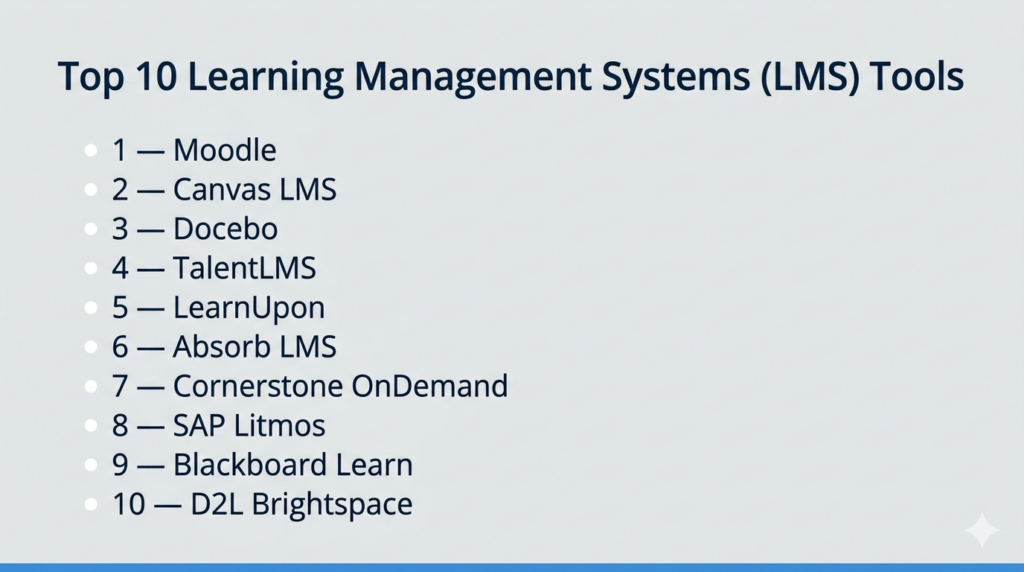
Introduction
Learning Management Systems (LMS) are software platforms used to create, deliver, manage, track, and improve training or educational programs. They help organizations centralize learning content, automate enrollments, monitor learner progress, issue certifications, and measure outcomes. Instead of scattered documents, classroom-only training, or disconnected tools, an LMS provides a structured digital learning environment.
LMS platforms matter more than ever because organizations need continuous upskilling, faster onboarding, compliance readiness, hybrid learning delivery, and scalable employee development. Modern LMS tools increasingly include AI-powered recommendations, analytics, mobile learning, automation, skills mapping, and integrations with HR and collaboration systems.
Real-world use cases:
- Employee onboarding programs
- Compliance and mandatory training
- Customer education academies
- Partner enablement training
- Internal upskilling and reskilling
- Academic course delivery
- Certification programs
What buyers should evaluate:
- Course creation tools
- Reporting and analytics
- Mobile learning experience
- Integrations with HRIS / CRM / SSO
- Scalability
- Security and permissions
- Compliance tracking
- Ease of administration
- Learner experience
- Pricing model
Best for: HR leaders, L&D teams, training managers, universities, growing companies, enterprises, and customer education teams.
Not ideal for: Very small teams with occasional informal training, businesses needing only document sharing, or organizations without resources to maintain learning programs.
Key Trends in Learning Management Systems for the Future
- AI-assisted course creation is reducing content production time.
- Skills-based learning paths are replacing one-size-fits-all training.
- Microlearning and mobile-first experiences are growing rapidly.
- LMS + performance + talent suites are becoming more common.
- Advanced analytics now connect learning to business outcomes.
- Social and collaborative learning features are expanding.
- Compliance automation remains a major buying priority.
- Customer education LMS platforms continue to grow.
- API-first integrations are now expected in modern stacks.
- Personalized recommendations are improving learner engagement.
How We Selected These Tools (Methodology)
We selected these platforms using a buyer-focused framework:
- Strong market adoption and reputation
- Breadth of LMS core functionality
- Ease of deployment and administration
- Learner experience quality
- Reporting and analytics depth
- Integration ecosystem maturity
- Security and governance readiness
- Fit across SMB, enterprise, and education markets
- Innovation in AI and automation
- Overall value relative to capability
Top 10 Learning Management Systems (LMS) Tools
#1 — Moodle
Short description (2–3 lines): Moodle is one of the world’s most recognized open-source LMS platforms. It is ideal for educational institutions and organizations wanting flexibility, control, and extensibility.
Key Features
- Open-source architecture
- Course management
- Quizzes and assessments
- Plugin ecosystem
- Multi-language support
- Role-based permissions
- Reporting tools
Pros
- No license fee for self-hosted use
- Highly customizable
- Large global community
Cons
- Requires technical administration
- UI may need modernization depending on setup
- Support quality depends on hosting model
Platforms / Deployment
Web / iOS / Android
Cloud / Self-hosted
Security & Compliance
RBAC, authentication options, plugin-based controls. Certifications vary by hosting provider.
Integrations & Ecosystem
Extensive ecosystem with thousands of plugins and integrations.
- SSO providers
- Video tools
- Content tools
- APIs
Support & Community
Very large global community with strong documentation and partner network.
#2 — Canvas LMS
Short description (2–3 lines): Canvas is widely used in education and increasingly adopted for corporate learning. It is known for usability, modern UX, and strong collaboration features.
Key Features
- Course authoring
- Assignments and grading
- Mobile learning
- Collaboration tools
- LTI integrations
- Analytics
- AI enhancements
Pros
- Strong user experience
- Popular in education
- Good mobile access
Cons
- Enterprise pricing varies
- Some advanced corporate needs may require add-ons
- Best fit often depends on use case
Platforms / Deployment
Web / iOS / Android
Cloud
Security & Compliance
SSO, permissions, enterprise admin controls.
Integrations & Ecosystem
Strong interoperability ecosystem.
- LTI tools
- Video platforms
- SIS systems
- APIs
Support & Community
Strong documentation and broad adoption community.
#3 — Docebo
Short description (2–3 lines): Docebo is an enterprise LMS focused on AI-powered learning, automation, and multi-audience training for employees, customers, and partners.
Key Features
- AI recommendations
- Personalized learning paths
- Automation workflows
- Extended enterprise training
- Content marketplaces
- Analytics
- Multi-language support
Pros
- Strong enterprise scalability
- Advanced AI capabilities
- Good for multiple learner audiences
Cons
- Premium pricing
- More than smaller teams may need
- Setup can be complex
Platforms / Deployment
Web / Mobile
Cloud
Security & Compliance
Enterprise controls, SSO, permissions, governance features.
Integrations & Ecosystem
Broad ecosystem for enterprise stacks.
- Salesforce
- HR systems
- APIs
- Content providers
Support & Community
Strong enterprise support model.
#4 — TalentLMS
Short description (2–3 lines): TalentLMS is a popular SMB-friendly LMS known for fast deployment, ease of use, and balanced feature coverage.
Key Features
- Course builder
- Gamification
- Learning paths
- Certifications
- SCORM / xAPI support
- Reporting
- Automation tools
Pros
- Easy to launch quickly
- Strong SMB value
- Minimal admin overhead
Cons
- Less enterprise depth than premium platforms
- UI customization may vary
- Advanced analytics may be limited by tier
Platforms / Deployment
Web / iOS / Android
Cloud
Security & Compliance
SSO, permissions, secure cloud delivery.
Integrations & Ecosystem
Useful integrations for growing businesses.
- Zoom
- Slack
- HR tools
- APIs
Support & Community
Well-regarded for onboarding simplicity.
#5 — LearnUpon
Short description (2–3 lines): LearnUpon is a modern LMS built for employee, customer, and partner training with strong reporting and multi-portal capabilities.
Key Features
- Multi-portal learning
- Reporting dashboards
- SCORM / xAPI support
- Certifications
- Ecommerce options
- Automation workflows
- Branding controls
Pros
- Strong reporting tools
- Good external training use cases
- Clean admin experience
Cons
- Pricing may be higher for smaller teams
- Some advanced customizations may require planning
- Best value at scale
Platforms / Deployment
Web / Mobile
Cloud
Security & Compliance
SSO, permissions, admin controls.
Integrations & Ecosystem
Supports common business systems.
- Salesforce
- Zoom
- HRIS tools
- APIs
Support & Community
Strong reputation in corporate training.
#6 — Absorb LMS
Short description (2–3 lines): Absorb LMS is known for scalability, compliance readiness, and polished learner experiences across enterprise environments.
Key Features
- Compliance tracking
- Certifications
- Custom dashboards
- AI tools
- Mobile learning
- Ecommerce
- Reporting engine
Pros
- Strong compliance workflows
- Good enterprise UX
- Scales well
Cons
- Premium pricing
- Smaller teams may not need full depth
- Custom rollout may take time
Platforms / Deployment
Web / Mobile
Cloud
Security & Compliance
SSO, RBAC, audit capabilities, enterprise admin features.
Integrations & Ecosystem
Strong third-party connectivity.
- Salesforce
- BambooHR
- Zoom
- APIs
Support & Community
Strong enterprise customer support reputation.
#7 — Cornerstone OnDemand
Short description (2–3 lines): Cornerstone is a large-scale talent and learning platform combining LMS capabilities with broader workforce development tools.
Key Features
- Learning management
- Skills intelligence
- Performance links
- Career development
- Reporting dashboards
- Global support
- Content marketplace
Pros
- Deep enterprise functionality
- Strong talent suite integration
- Global scalability
Cons
- Complex implementation
- Premium cost structure
- May exceed SMB needs
Platforms / Deployment
Web / Mobile
Cloud
Security & Compliance
Enterprise-grade governance, SSO, permissions, audit controls.
Integrations & Ecosystem
Strong enterprise ecosystem.
- Workday
- SAP
- Content vendors
- APIs
Support & Community
Mature enterprise support model.
#8 — SAP Litmos
Short description (2–3 lines): Litmos is a corporate LMS focused on fast training deployment, global delivery, and built-in content options.
Key Features
- Content library
- AI recommendations
- Reporting
- Mobile learning
- Compliance workflows
- Multi-language support
- Course authoring
Pros
- Good for global teams
- Fast corporate deployment
- Built-in content value
Cons
- Pricing not always transparent
- Some advanced customization may vary
- Better fit for corporate than academic use
Platforms / Deployment
Web / iOS / Android
Cloud
Security & Compliance
SSO, permissions, enterprise controls.
Integrations & Ecosystem
Strong fit for SAP ecosystems and beyond.
Support & Community
Established enterprise customer base.
#9 — Blackboard Learn
Short description (2–3 lines): Blackboard Learn is a long-established LMS with strong academic roots, accessibility tools, and broad institutional adoption.
Key Features
- Course delivery
- Assessments
- Accessibility tools
- Mobile learning
- Collaboration tools
- Analytics
- AI enhancements
Pros
- Strong education heritage
- Accessibility focus
- Mature feature set
Cons
- UX preferences vary by users
- Some institutions face migration complexity
- Corporate fit depends on need
Platforms / Deployment
Web / Mobile
Cloud
Security & Compliance
Permissions, admin governance, accessibility standards support.
Integrations & Ecosystem
Supports broad education integrations.
Support & Community
Large academic user base.
#10 — D2L Brightspace
Short description (2–3 lines): Brightspace is a modern LMS used in education and corporate learning with strong analytics, accessibility, and learner engagement features.
Key Features
- Adaptive learning
- Analytics
- Gamification
- Accessibility tools
- Mobile learning
- Assessments
- Personalized learning paths
Pros
- Strong learner experience
- Good analytics depth
- Flexible across sectors
Cons
- Pricing varies by deployment
- Setup complexity depends on use case
- Some advanced needs may require configuration
Platforms / Deployment
Web / Mobile
Cloud
Security & Compliance
SSO, permissions, enterprise controls.
Integrations & Ecosystem
Strong interoperability options.
Support & Community
Well-established market presence.
Comparison Table (Top 10)
| Tool Name | Best For | Platform(s) Supported | Deployment | Standout Feature | Public Rating |
|---|---|---|---|---|---|
| Moodle | Open-source flexibility | Web / Mobile | Cloud / Self-hosted | Plugin ecosystem | N/A |
| Canvas LMS | Education UX | Web / Mobile | Cloud | Collaboration tools | N/A |
| Docebo | Enterprise AI learning | Web / Mobile | Cloud | AI personalization | N/A |
| TalentLMS | SMB training | Web / Mobile | Cloud | Fast deployment | N/A |
| LearnUpon | Multi-portal training | Web / Mobile | Cloud | External training portals | N/A |
| Absorb LMS | Compliance training | Web / Mobile | Cloud | Reporting depth | N/A |
| Cornerstone | Talent + learning suite | Web / Mobile | Cloud | Skills ecosystem | N/A |
| SAP Litmos | Global corporate learning | Web / Mobile | Cloud | Built-in content | N/A |
| Blackboard Learn | Academic institutions | Web / Mobile | Cloud | Accessibility tools | N/A |
| D2L Brightspace | Adaptive learning | Web / Mobile | Cloud | Learner analytics | N/A |
Evaluation & Scoring of Learning Management Systems (LMS)
| Tool Name | Core (25%) | Ease (15%) | Integrations (15%) | Security (10%) | Performance (10%) | Support (10%) | Value (15%) | Weighted Total (0–10) |
|---|---|---|---|---|---|---|---|---|
| Moodle | 8.8 | 7.8 | 8.4 | 8.2 | 8.4 | 8.5 | 9.3 | 8.5 |
| Canvas LMS | 8.9 | 8.8 | 8.7 | 8.5 | 8.6 | 8.4 | 8.0 | 8.6 |
| Docebo | 9.3 | 8.2 | 8.9 | 8.8 | 8.8 | 8.5 | 7.5 | 8.6 |
| TalentLMS | 8.5 | 9.1 | 8.3 | 8.2 | 8.4 | 8.3 | 8.9 | 8.6 |
| LearnUpon | 8.8 | 8.7 | 8.6 | 8.4 | 8.5 | 8.4 | 8.0 | 8.5 |
| Absorb LMS | 8.9 | 8.5 | 8.6 | 8.7 | 8.7 | 8.4 | 7.8 | 8.5 |
| Cornerstone | 9.1 | 7.4 | 8.8 | 8.9 | 8.7 | 8.3 | 7.1 | 8.3 |
| SAP Litmos | 8.6 | 8.5 | 8.4 | 8.5 | 8.5 | 8.1 | 7.9 | 8.3 |
| Blackboard Learn | 8.5 | 7.8 | 8.2 | 8.5 | 8.3 | 8.1 | 7.8 | 8.1 |
| D2L Brightspace | 8.8 | 8.4 | 8.5 | 8.6 | 8.5 | 8.2 | 7.9 | 8.4 |
These scores are comparative benchmarks, not absolute truths. Higher totals often indicate broader capability, but the best fit depends on your audience, internal resources, budget, and learning goals.
Which Learning Management Systems (LMS) Tool Is Right for You?
Solo / Freelancer
Usually unnecessary unless selling courses or running structured programs. Lightweight course platforms may be enough.
SMB
TalentLMS, Moodle, and LearnUpon offer strong value and manageable rollout.
Mid-Market
Absorb LMS, Canvas LMS, Docebo, and Brightspace are strong options.
Enterprise
Docebo, Cornerstone, SAP Litmos, and Absorb LMS are strong enterprise choices.
Budget vs Premium
- Budget: Moodle, TalentLMS
- Mid-range: LearnUpon, Canvas LMS
- Premium: Docebo, Cornerstone, Absorb LMS
Feature Depth vs Ease of Use
- Easiest: TalentLMS, Canvas LMS, LearnUpon
- Deepest: Docebo, Cornerstone, Moodle
Integrations & Scalability
Docebo, Cornerstone, Canvas LMS, and Absorb LMS stand out.
Security & Compliance Needs
Prioritize SSO, audit logs, role permissions, data retention, and certification workflows.
Frequently Asked Questions (FAQs)
What is an LMS?
An LMS is software used to create, deliver, track, and manage learning or training programs.
Is LMS software only for schools?
No. Many LMS tools are built specifically for employee training, customer education, and partner enablement.
What is the difference between LMS and course platform?
An LMS focuses more on administration, tracking, compliance, and organizational learning operations.
Can LMS platforms support mobile learning?
Yes. Most leading platforms offer responsive web apps or native mobile apps.
What standards matter in LMS tools?
Common standards include SCORM, xAPI, and sometimes cmi5 for interoperable learning content.
Do LMS tools integrate with HR systems?
Yes. Many connect with HRIS, CRM, SSO, and communication platforms.
What is the biggest implementation mistake?
Buying software without a content strategy, admin ownership, or adoption plan.
Are AI features necessary?
Not always, but they can improve content creation, personalization, and reporting efficiency.
Can an LMS improve compliance?
Yes. Many tools automate assignments, tracking, reminders, and certification evidence.
What is the best LMS platform?
There is no universal winner. The right LMS depends on audience type, budget, technical resources, and growth plans.
Conclusion
Learning Management Systems have evolved from simple course portals into strategic platforms for workforce development, onboarding, compliance, and continuous learning. The best solution depends on whether you need open-source flexibility, enterprise AI, academic workflows, or fast SMB deployment. Shortlist two or three tools, run a pilot, validate integrations and security needs, and choose the platform your learners and admins will consistently use.

One aspect I’d add is that selecting an LMS should also involve evaluating its ability to support continuous learning improvement, not just content delivery. As organizations expand their training programs, it’s important to measure skill development, knowledge retention, and business impact rather than relying solely on course completion rates. Equally valuable are capabilities for content lifecycle management, version control, automated quality reviews, and integrations that connect learning data with HR and performance systems. In my experience, the most successful LMS implementations treat learning as an ongoing operational process, where content, analytics, and business outcomes are continuously refined instead of remaining static after deployment.