MOTOSHARE 🚗🏍️
Rent Bikes & Cars Directly from Owners
Motoshare connects vehicle owners with people who need bikes and cars on rent. Owners earn from idle vehicles, and renters get flexible ride options.
Visit Motoshare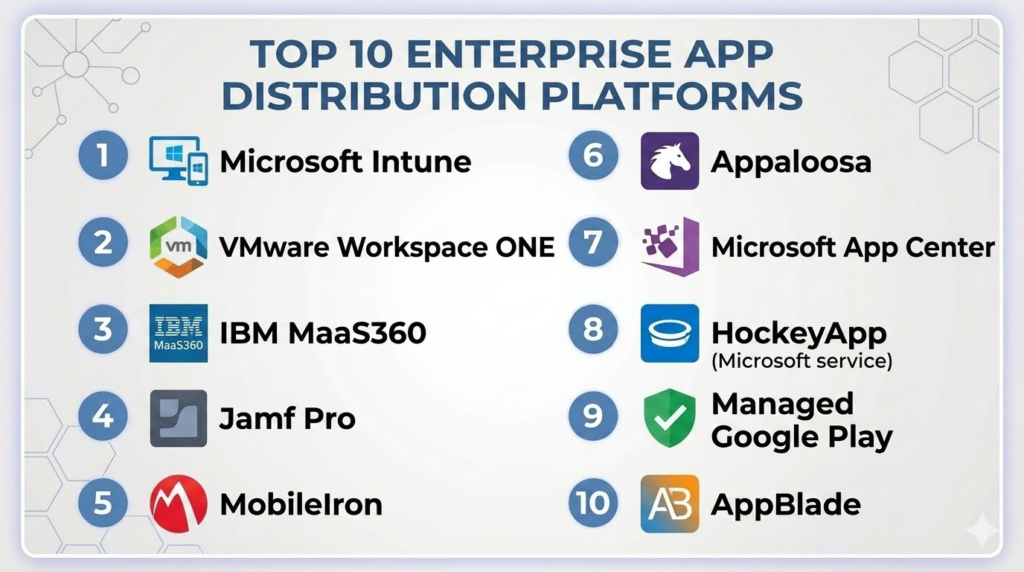
Introduction
Enterprise app distribution platforms are specialized software solutions that enable organizations to securely deploy, manage, and update mobile and desktop applications across large workforces. Unlike consumer app stores, these platforms provide IT teams with centralized control, robust security, and compliance features, making them essential for enterprises that need to maintain efficiency and governance over internal software usage.In today’s hybrid and remote-first environment, organizations increasingly rely on enterprise apps for workflow automation, collaboration, and customer engagement. Managing app lifecycles manually or via public app stores introduces risks such as version drift, unauthorized access, or compliance violations. Enterprise app distribution platforms address these challenges by providing controlled deployment, versioning, and monitoring capabilities.
Real-world use cases include:
- Rolling out corporate mobile applications across thousands of devices in regulated industries.
- Distributing beta or internal testing apps to specific teams without public exposure.
- Managing updates for proprietary desktop software across multiple office locations.
- Ensuring secure app access with role-based permissions and identity integration.
- Tracking app usage and compliance for auditing or security purposes.
Evaluation Criteria for Buyers:
When assessing enterprise app distribution platforms, buyers typically consider:
- Deployment flexibility (cloud, on-prem, hybrid)
- Device compatibility (iOS, Android, Windows, macOS)
- Security & compliance certifications (SOC 2, ISO 27001, GDPR)
- Integration capabilities (MDM, CI/CD, APIs)
- Scalability to large user bases
- Ease of use for IT and end-users
- Reporting, analytics, and audit logs
- Update management and rollback support
- Pricing and total cost of ownership
- Support and community resources
Best for: Enterprise IT teams, mobile app developers, regulated industries, companies with large device fleets, organizations requiring secure app deployment.
Not ideal for: Small teams with minimal device management needs or organizations that rely primarily on public app stores.
Key Trends in App Distribution Platforms (Enterprise)
- Unified Endpoint Management (UEM) integration: Platforms increasingly integrate with MDM/UEM solutions to streamline device and app management.
- Automated deployment pipelines: CI/CD integration allows apps to be deployed automatically upon successful builds or testing.
- AI-assisted analytics: Predictive insights into app adoption, crashes, and user behavior.
- Zero-trust security models: End-to-end encryption, MFA, and device posture checks are becoming standard.
- Cross-platform support: Enterprises demand platforms that handle iOS, Android, Windows, and macOS simultaneously.
- Hybrid and cloud deployments: Flexibility to host on-prem or leverage cloud for scalability.
- App versioning and rollback: Easy rollback mechanisms in case of faulty updates.
- Compliance automation: Audit-ready logs and automated policy enforcement for GDPR, HIPAA, and SOC 2.
- Enterprise app store interfaces: Branded portals for employees to self-install approved apps.
- Cost transparency: Shift toward subscription models with predictable pricing and usage metrics.
How We Selected These Tools (Methodology)
- Evaluated market adoption and recognition in enterprise environments.
- Reviewed feature completeness including deployment, versioning, and monitoring capabilities.
- Assessed reliability and performance signals such as uptime and update success rates.
- Considered security posture: encryption, SSO, RBAC, and compliance certifications.
- Analyzed integrations with MDM, CI/CD, and enterprise software ecosystems.
- Verified support for cross-platform deployment (iOS, Android, Windows, macOS).
- Compared scalability and suitability across SMB, mid-market, and enterprise segments.
- Considered user experience for IT admins and end-users.
- Evaluated reporting, analytics, and audit capabilities.
- Factored in support, documentation, and community presence.
Top 10 App Distribution Platforms (Enterprise) Tools
#1 — Microsoft Intune
Short description:
Microsoft Intune is a cloud-based enterprise mobility management solution that allows IT teams to deploy, secure, and manage apps and devices across an organization. It is ideal for enterprises leveraging Microsoft 365 ecosystems.
Key Features
- Unified endpoint management for Windows, macOS, iOS, Android
- App deployment and version control
- Conditional access and role-based permissions
- Integration with Azure Active Directory
- Detailed reporting and compliance tracking
- Mobile application management without device enrollment
- Support for line-of-business apps
Pros
- Deep integration with Microsoft ecosystem
- Strong security and compliance controls
- Scales easily for large enterprises
Cons
- Can be complex to configure initially
- Less flexible for non-Microsoft app ecosystems
- Requires Azure subscription for full functionality
Platforms / Deployment
- Windows / macOS / iOS / Android
- Cloud
Security & Compliance
- SSO/SAML, MFA, encryption, RBAC
- SOC 2, ISO 27001, GDPR
Integrations & Ecosystem
Supports integration with Microsoft 365 apps, Azure AD, third-party MDM solutions, and API access for automation.
- Azure DevOps
- Microsoft Endpoint Configuration Manager
- Power Automate workflows
- Third-party MDM connectors
Support & Community
Comprehensive documentation, Microsoft support tiers, active user forums.
#2 — VMware Workspace ONE
Short description:
Workspace ONE delivers unified endpoint management, secure app distribution, and analytics for enterprise devices. Suitable for hybrid IT environments with mixed device types.
Key Features
- Unified endpoint management across devices
- Secure enterprise app catalog
- AI-driven automation for app deployment
- Compliance monitoring and automated remediation
- Integration with SSO and identity providers
- Detailed analytics and reporting
- App lifecycle management
Pros
- Broad device and OS support
- Strong security and compliance features
- Automation reduces manual overhead
Cons
- Steep learning curve
- Premium pricing
- Some features require additional modules
Platforms / Deployment
- Windows / macOS / iOS / Android
- Cloud / Hybrid
Security & Compliance
- SSO, MFA, encryption, audit logs
- Not publicly stated for specific certifications
Integrations & Ecosystem
Works with existing identity providers, ITSM tools, MDM platforms, and APIs.
- ServiceNow
- Okta
- Azure AD
- Custom API integration
Support & Community
Professional support options, comprehensive guides, active VMware community forums.
#3 — IBM MaaS360 with Watson
Short description:
IBM MaaS360 combines endpoint management, AI-driven insights, and secure app distribution. Its AI engine, Watson, provides predictive security and analytics.
Key Features
- Mobile and desktop device management
- AI-driven threat detection and app analytics
- Enterprise app catalog with version control
- Conditional access policies
- Integration with identity providers and security tools
- Compliance reporting and audit trails
- Remote app deployment and updates
Pros
- AI-powered insights enhance security
- Comprehensive cross-platform support
- Strong reporting and audit capabilities
Cons
- UI can be complex
- AI features may require tuning
- Costs higher for full feature set
Platforms / Deployment
- Windows / macOS / iOS / Android
- Cloud
Security & Compliance
- SSO, MFA, encryption, RBAC
- SOC 2, ISO 27001, GDPR
Integrations & Ecosystem
Integrates with MDM tools, IAM systems, security solutions, APIs.
- Azure AD
- Okta
- ServiceNow
- Security incident management tools
Support & Community
Extensive documentation, IBM support plans, active user community.
#4 — Jamf Pro
Short description:
Jamf Pro specializes in Apple device management, providing enterprises with app deployment, device security, and lifecycle management tailored for macOS and iOS.
Key Features
- Mac and iOS device management
- Secure app distribution and self-service app catalog
- Automated device enrollment and configuration
- Compliance monitoring
- Patch management and app updates
- Integration with identity services
- Reporting and analytics
Pros
- Apple-focused expertise
- Strong security and compliance support
- Streamlined deployment for Apple devices
Cons
- Limited support for non-Apple devices
- Pricing may be high for small deployments
- Learning curve for complex configurations
Platforms / Deployment
- macOS / iOS
- Cloud / Hybrid
Security & Compliance
- SSO, encryption, audit logs
- SOC 2, ISO 27001
Integrations & Ecosystem
Integrates with identity providers, MDM solutions, ITSM tools.
- Azure AD
- Okta
- ServiceNow
- API extensibility
Support & Community
Robust documentation, premium support plans, large Apple-focused community.
#5 — MobileIron (Ivanti)
Short description:
MobileIron provides enterprise mobility management with secure app distribution, device management, and compliance controls for a variety of devices.
Key Features
- Unified endpoint management
- Secure app deployment and versioning
- Conditional access and threat protection
- Integration with identity providers
- Reporting, analytics, and compliance
- Mobile application management without full device enrollment
- Automated patching and updates
Pros
- Strong security and compliance features
- Supports hybrid deployment
- Scalable for large enterprises
Cons
- Interface can be complex
- Some features require additional licensing
- Smaller community compared to larger platforms
Platforms / Deployment
- Windows / macOS / iOS / Android
- Cloud / On-prem
Security & Compliance
- SSO, MFA, encryption, RBAC
- Not publicly stated for specific certifications
Integrations & Ecosystem
Integrates with IAM, MDM, ITSM platforms, APIs.
- Okta
- ServiceNow
- Azure AD
- Custom API integrations
Support & Community
Professional support, documentation, moderate community presence.
#6 — Appaloosa
Short description:
Appaloosa provides a private enterprise app store solution, enabling organizations to distribute internal iOS and Android applications securely.
Key Features
- Private enterprise app catalog
- iOS and Android app deployment
- User management and access control
- Versioning and update management
- Analytics on app usage
- Integration with SSO and identity providers
- Remote app revocation
Pros
- Simple and focused on app distribution
- Supports secure private app stores
- Lightweight for smaller teams
Cons
- Limited device management capabilities
- Less suited for large enterprises
- Limited desktop support
Platforms / Deployment
- iOS / Android
- Cloud
Security & Compliance
- SSO, encryption
- Not publicly stated
Integrations & Ecosystem
Integrates with IAM providers and CI/CD pipelines.
- Okta
- Azure AD
- Jenkins
- Custom API
Support & Community
Standard support, basic documentation, small user community.
#7 — AppCenter (Microsoft)
Short description:
AppCenter provides mobile app lifecycle services including build, test, deploy, and analytics for iOS, Android, Windows, and macOS applications.
Key Features
- Continuous integration and delivery
- Automated app testing
- Beta distribution and user feedback
- Crash reporting and analytics
- Version management
- Cloud-hosted app builds
- Integration with DevOps pipelines
Pros
- Strong CI/CD integration
- Multi-platform support
- Analytics and crash reporting built-in
Cons
- Limited enterprise-grade device management
- Security controls depend on Microsoft ecosystem
- Less suited for regulated industries
Platforms / Deployment
- Windows / macOS / iOS / Android
- Cloud
Security & Compliance
- Not publicly stated
Integrations & Ecosystem
Works with Azure DevOps, GitHub, Jenkins, and CI/CD tools.
- Azure DevOps
- GitHub Actions
- Jenkins
- API access
Support & Community
Microsoft support channels, active developer community, extensive documentation.
#8 — HockeyApp (Legacy / Transition to AppCenter)
Short description:
HockeyApp historically provided beta app distribution, crash reporting, and analytics for mobile applications, now transitioning into AppCenter for consolidated lifecycle management.
Key Features
- Beta app distribution
- Crash reporting and analytics
- User feedback collection
- App version management
- Integration with DevOps pipelines
- Automated notifications for updates
- Remote app installation
Pros
- Established beta distribution platform
- Simple to deploy and manage
- Supports user feedback collection
Cons
- Legacy platform, moving to AppCenter
- Limited long-term support
- Less enterprise security compared to newer solutions
Platforms / Deployment
- iOS / Android / Windows / macOS
- Cloud
Security & Compliance
- Not publicly stated
Integrations & Ecosystem
Integrates with CI/CD tools and feedback systems.
- Azure DevOps
- Jenkins
- GitHub
- API access
Support & Community
Limited due to transition, documentation still available.
#9 — Google Play Private Channel / Managed Google Play
Short description:
Managed Google Play enables enterprises to distribute private Android applications securely to managed devices, integrated with enterprise mobility solutions.
Key Features
- Private app distribution to Android devices
- Integration with EMM/MDM platforms
- App approval and access control
- Version management and updates
- Analytics and usage tracking
- Support for bulk deployment
- Compliance management for enterprise policies
Pros
- Native Android ecosystem integration
- Scales across large Android deployments
- Secure private app distribution
Cons
- Android-only support
- Limited control over non-Android devices
- Dependent on MDM integration
Platforms / Deployment
- Android
- Cloud
Security & Compliance
- SSO, encryption via EMM integration
- Not publicly stated
Integrations & Ecosystem
Works with UEM/EMM solutions, identity providers, and CI/CD tools.
- VMware Workspace ONE
- Microsoft Intune
- IBM MaaS360
- API support
Support & Community
Google support channels, EMM provider support, active Android developer community.
#10 — AppBlade
Short description:
AppBlade is a mobile enterprise app management platform for iOS and Android, providing deployment, version control, and app analytics with a focus on simplicity and speed.
Key Features
- Enterprise app store for private apps
- iOS and Android support
- Versioning and update management
- User access control and permissions
- Analytics and adoption tracking
- Remote app installation and revocation
- Integration with identity and MDM platforms
Pros
- Simple, easy-to-use interface
- Focused on mobile app distribution
- Quick deployment and rollout
Cons
- Limited desktop and cross-platform support
- Smaller ecosystem than large providers
- Fewer advanced enterprise features
Platforms / Deployment
- iOS / Android
- Cloud
Security & Compliance
- SSO, encryption
- Not publicly stated
Integrations & Ecosystem
Integrates with MDM/EMM, CI/CD pipelines, and identity management.
- Okta
- Azure AD
- MobileIron
- API access
Support & Community
Standard support, documentation available, moderate community.
Comparison Table (Top 10)
| Tool Name | Best For | Platform(s) Supported | Deployment | Standout Feature | Public Rating |
|---|---|---|---|---|---|
| Microsoft Intune | Large enterprises using Microsoft 365 | Windows / macOS / iOS / Android | Cloud | Deep Microsoft integration | N/A |
| VMware Workspace ONE | Hybrid IT environments | Windows / macOS / iOS / Android | Cloud / Hybrid | AI-driven automation | N/A |
| IBM MaaS360 | Enterprises needing AI insights | Windows / macOS / iOS / Android | Cloud | Watson AI analytics | N/A |
| Jamf Pro | Apple device fleets | macOS / iOS | Cloud / Hybrid | Apple-focused management | N/A |
| MobileIron | Large heterogeneous enterprises | Windows / macOS / iOS / Android | Cloud / On-prem | Security & compliance | N/A |
| Appaloosa | Small-to-medium private app distribution | iOS / Android | Cloud | Private enterprise app store | N/A |
| AppCenter | Developer-focused lifecycle | Windows / macOS / iOS / Android | Cloud | CI/CD integration | N/A |
| HockeyApp | Beta distribution / legacy | iOS / Android / Windows / macOS | Cloud | Crash reporting | N/A |
| Managed Google Play | Android enterprise | Android | Cloud | Private Android app deployment | N/A |
| AppBlade | Mobile app-focused | iOS / Android | Cloud | Quick mobile app deployment | N/A |
Evaluation & Scoring of App Distribution Platforms (Enterprise)
| Tool Name | Core (25%) | Ease (15%) | Integrations (15%) | Security (10%) | Performance (10%) | Support (10%) | Value (15%) | Weighted Total (0–10) |
|---|---|---|---|---|---|---|---|---|
| Microsoft Intune | 9 | 7 | 8 | 9 | 9 | 8 | 7 | 8.45 |
| VMware Workspace ONE | 8 | 6 | 8 | 8 | 9 | 7 | 6 | 7.55 |
| IBM MaaS360 | 8 | 7 | 7 | 8 | 8 | 7 | 6 | 7.50 |
| Jamf Pro | 7 | 8 | 6 | 8 | 8 | 7 | 6 | 7.20 |
| MobileIron | 7 | 6 | 7 | 7 | 8 | 6 | 6 | 6.80 |
| Appaloosa | 6 | 8 | 5 | 6 | 7 | 6 | 7 | 6.65 |
| AppCenter | 7 | 8 | 7 | 6 | 7 | 7 | 7 | 7.15 |
| HockeyApp | 6 | 7 | 6 | 5 | 6 | 6 | 6 | 6.05 |
| Managed Google Play | 6 | 7 | 6 | 6 | 7 | 6 | 6 | 6.35 |
| AppBlade | 6 | 8 | 5 | 5 | 6 | 6 | 6 | 6.15 |
Interpretation: Scores are comparative across the Top 10 tools. Higher weighted totals indicate stronger overall capability based on the evaluation criteria. Buyers should prioritize features and integrations most relevant to their enterprise context.
Which App Distribution Platforms (Enterprise) Tool Is Right for You?
Solo / Freelancer
Lightweight solutions like AppCenter or AppBlade provide simple deployment for small teams or individual developers without complex MDM needs.
SMB
Appaloosa or Jamf Pro (for Apple-focused teams) deliver manageable private app distribution and essential security features.
Mid-Market
Microsoft Intune, MobileIron, or Workspace ONE offer robust deployment controls, compliance monitoring, and integration with common business systems.
Enterprise
IBM MaaS360, VMware Workspace ONE, and Microsoft Intune excel for large fleets requiring cross-platform support, advanced analytics, and enterprise-grade security.
Budget vs Premium
Lower-cost platforms like Appaloosa or AppBlade are suitable for smaller budgets or teams; premium options provide enhanced compliance, reporting, and integrations but come
at higher costs.
Feature Depth vs Ease of Use
Jamf Pro and AppCenter are easy to onboard but may have limited advanced features. Intune and Workspace ONE offer deep enterprise functionality but require more IT expertise.
Integrations & Scalability
Intune, MaaS360, and Workspace ONE scale effectively for thousands of devices and integrate with existing IAM, CI/CD, and MDM ecosystems.
Security & Compliance Needs
Enterprises in regulated sectors benefit from Intune, MaaS360, or Jamf Pro, which provide SSO, MFA, RBAC, and documented compliance measures.
Frequently Asked Questions (FAQs)
1. What pricing models are typical for enterprise app distribution platforms?
Pricing varies by platform and often depends on user/device count, deployment model, and feature set. Subscription-based pricing is common, while some platforms offer per-device or tiered enterprise licensing.
2. How long does onboarding typically take?
Onboarding can range from a few days for simpler solutions like Appaloosa to several weeks for complex platforms like Intune or Workspace ONE, depending on enterprise size and integration complexity.
3. Can these platforms manage both mobile and desktop apps?
Yes, most enterprise platforms support mobile (iOS, Android) and desktop (Windows, macOS) app management. Some, like Jamf Pro, focus exclusively on Apple devices.
4. How secure is app distribution through these platforms?
Security features often include SSO, MFA, RBAC, encryption, and audit logging. Compliance certifications like SOC 2 or ISO 27001 further enhance trust, but buyers should verify specific platform certifications.
5. Are there limitations for beta testing or internal app distribution?
Platforms like AppCenter, HockeyApp, and Appaloosa specialize in internal/beta app distribution. Managed Google Play and Intune also provide controlled access for test deployments.
6. How do these tools integrate with CI/CD pipelines?
Many platforms support automated deployment through APIs or native CI/CD integrations, allowing apps to be built, tested, and released seamlessly to target devices.
7. What common mistakes should organizations avoid?
Typical mistakes include overcomplicating workflows, underutilizing reporting, failing to enforce compliance policies, or choosing platforms that don’t align with the organization’s device ecosystem.
8. Can these tools scale for global enterprises?
Yes, leading platforms like Intune, Workspace ONE, and MaaS360 are designed to manage tens of thousands of devices across multiple regions with reliable performance.
9. How flexible are these platforms with third-party integrations?
Most enterprise solutions offer API access and prebuilt connectors for MDM, IAM, ITSM, and DevOps tools, but buyers should confirm integration compatibility before selection.
10. What alternatives exist if a full enterprise platform isn’t required?
For small teams or startups, simpler solutions like AppBlade or AppCenter provide sufficient app distribution without the complexity or cost of full enterprise platforms.
Conclusion
Enterprise app distribution platforms have become critical in managing secure, scalable, and compliant deployment of internal and customer-facing applications. Choosing the right platform depends heavily on company size, device diversity, compliance requirements, and integration needs. While platforms like Microsoft Intune and VMware Workspace ONE cater to large, complex enterprises with deep integration and compliance requirements, solutions such as Appaloosa or AppBlade are better suited for smaller teams or single-platform deployments. By understanding their organization’s priorities and evaluating tools against core criteria like security, scalability, and usability, IT teams can streamline app deployment, maintain compliance, and enhance user productivity. The next steps for enterprises typically involve shortlisting suitable platforms, running a pilot deployment to validate security and integration, and scaling broadly once confidence is established.
