MOTOSHARE 🚗🏍️
Rent Bikes & Cars Directly from Owners
Motoshare connects vehicle owners with people who need bikes and cars on rent. Owners earn from idle vehicles, and renters get flexible ride options.
Visit Motoshare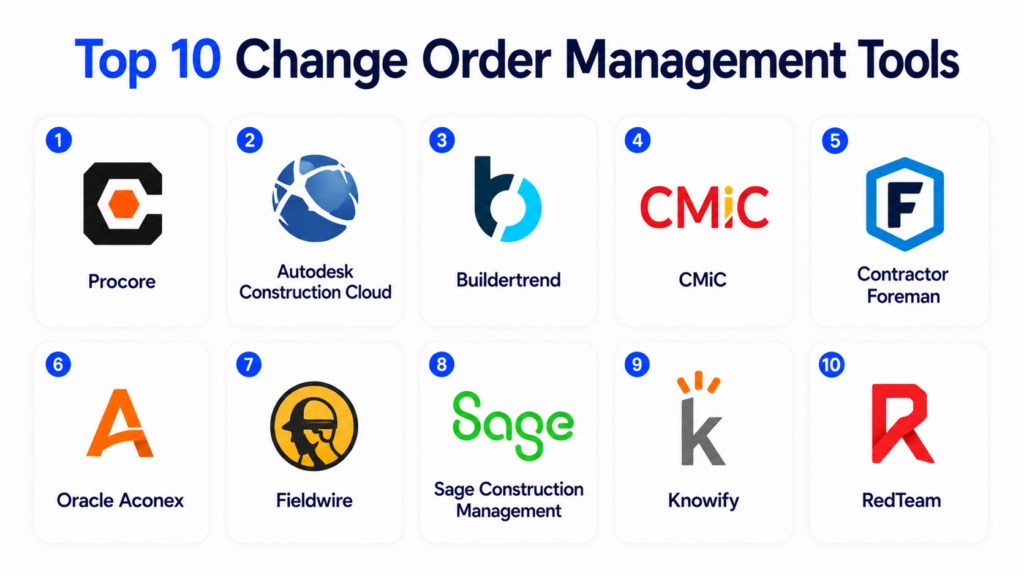
Introduction
Change Order Management Tools help construction companies, contractors, project managers, and operations teams manage project scope changes, cost adjustments, approvals, documentation, and communication throughout a project lifecycle. These platforms replace manual spreadsheets, email chains, and disconnected approval workflows with structured digital processes that improve visibility and accountability.
Change orders are common in construction, engineering, facilities, manufacturing, and field service projects because scope, materials, labor, schedules, and customer requirements often evolve after a project begins. Poorly managed change orders can create disputes, missed revenue, delayed approvals, budget overruns, and inaccurate project forecasting. Modern change order management platforms help teams standardize approvals, track revisions, connect changes with budgets, and maintain complete project records.
Real-world use cases include:
- Managing construction scope changes
- Tracking approved and pending project modifications
- Updating project budgets and schedules
- Managing subcontractor change requests
- Maintaining audit trails for project documentation
Key evaluation criteria buyers should consider:
- Change order workflow automation
- Approval routing and notifications
- Budget and cost tracking integration
- Document and revision management
- Mobile access for field teams
- Integration with project management and accounting systems
- Audit trails and reporting
- User permissions and role management
- Ease of use for project teams
- Scalability across projects and departments
Best for: General contractors, subcontractors, engineering firms, facilities teams, construction project managers, field service organizations, infrastructure teams, and enterprises managing project-based operations.
Not ideal for: Small teams with very simple projects, organizations managing very few project changes, or businesses that only need lightweight document approval workflows.
Key Trends in Change Order Management Tools
- Digital approval workflows are replacing email-based change tracking.
- Mobile access is helping field teams submit changes directly from job sites.
- AI-assisted budget impact analysis is emerging in construction platforms.
- Integrated project financial visibility is becoming a major requirement.
- Cloud collaboration is improving stakeholder coordination.
- Real-time notifications are reducing approval delays.
- Audit trails and compliance tracking are becoming more important.
- Integration with ERP, accounting, and project management tools is increasing.
- Visual document markup and revision tracking are improving communication.
- Forecasting tools are helping teams understand the downstream impact of changes.
How We Selected These Tools
The following change order management platforms were selected using practical project management, financial control, and workflow coordination criteria.
- Evaluated market adoption and platform maturity
- Reviewed change order workflow capabilities
- Assessed project budgeting and cost management integration
- Considered approval routing and audit tracking
- Evaluated mobile accessibility and field usability
- Reviewed document and revision management features
- Assessed integrations with ERP, accounting, and PM systems
- Considered scalability for SMB and enterprise projects
- Evaluated reporting and forecasting capabilities
- Balanced construction-focused and enterprise project platforms
Top 10 Change Order Management Tools
1- Procore
Short description: Procore is a construction management platform that includes strong change order management workflows for contractors, project managers, and construction teams. It helps organizations manage potential change events, approvals, cost impacts, subcontractor changes, and budget updates within one centralized project environment. Procore is especially useful for commercial construction companies and enterprises managing complex project coordination across multiple stakeholders.
Key Features
- Change event tracking
- Change order workflows
- Budget integration
- Approval routing
- Subcontractor change management
- Document management
- Mobile project access
Pros
- Strong construction workflow integration
- Good financial visibility
- Useful project-wide collaboration features
Cons
- Premium pricing may apply
- Best suited for larger construction operations
- Setup requires process alignment
Platforms / Deployment
- Web / iOS / Android
- Cloud
Security & Compliance
Supports role-based permissions, secure project access, audit logs, and enterprise administration controls.
Integrations & Ecosystem
Procore integrates with accounting, project management, and construction operations systems.
- ERP systems
- Accounting platforms
- Scheduling tools
- Construction financial systems
- Document management workflows
- Mobile field operations
Support & Community
Provides onboarding, implementation support, training resources, and a large construction user ecosystem.
2- Autodesk Construction Cloud
Short description: Autodesk Construction Cloud provides project management, collaboration, cost control, and change order management capabilities for construction and engineering teams. It helps organizations manage RFIs, submittals, revisions, change orders, and project financial workflows inside one connected platform. Autodesk Construction Cloud is especially useful for organizations already using Autodesk design and BIM tools because it improves coordination between design and construction workflows.
Key Features
- Change order workflows
- Cost management
- RFI and submittal tracking
- Budget visibility
- Document collaboration
- BIM coordination
- Mobile field workflows
Pros
- Strong design-to-construction workflow integration
- Good document collaboration tools
- Useful enterprise project visibility
Cons
- Implementation can be complex
- Best value inside Autodesk ecosystem
- Smaller contractors may find it heavy
Platforms / Deployment
- Web / iOS / Android
- Cloud
Security & Compliance
Supports secure access controls, permissions, encryption, and enterprise governance workflows.
Integrations & Ecosystem
Autodesk Construction Cloud integrates with design, BIM, project management, and financial systems.
- Autodesk products
- BIM workflows
- ERP systems
- Project management platforms
- Document collaboration systems
- Construction accounting tools
Support & Community
Provides enterprise onboarding, documentation, customer support, and implementation guidance.
3- Buildertrend
Short description: Buildertrend is a residential construction management platform that includes change order management for home builders, remodelers, and contractors. It helps teams manage customer approvals, project updates, pricing changes, and budget modifications throughout residential projects. Buildertrend is especially useful for contractors who want customer-facing change order workflows connected with schedules, communication, and financial tracking.
Key Features
- Customer change approvals
- Budget tracking
- Proposal and estimate updates
- Project communication
- Mobile approvals
- Document sharing
- Scheduling integration
Pros
- Strong residential construction workflows
- Good client communication tools
- Easy customer approval processes
Cons
- Less suited for large enterprise projects
- Advanced financial workflows are limited
- Commercial contractor depth may vary
Platforms / Deployment
- Web / iOS / Android
- Cloud
Security & Compliance
Supports permissions, secure account access, and role-based project controls.
Integrations & Ecosystem
Buildertrend integrates with residential construction and accounting workflows.
- QuickBooks
- Xero
- Client portals
- Scheduling systems
- Financial workflows
- Construction communication tools
Support & Community
Provides onboarding resources, support documentation, and contractor-focused guidance.
4- CMiC
Short description: CMiC is an enterprise construction ERP and project management platform that includes advanced change order management capabilities. It helps contractors manage project costs, approvals, revisions, contracts, subcontractors, and financial workflows within a unified construction management environment. CMiC is especially useful for large contractors and enterprises managing highly structured construction operations.
Key Features
- Enterprise change order workflows
- Contract management
- Budget and financial tracking
- Subcontractor management
- Approval routing
- Document control
- Project cost forecasting
Pros
- Strong enterprise construction controls
- Good financial integration
- Useful large-project governance workflows
Cons
- Complex implementation
- Requires enterprise process maturity
- Less suited for small contractors
Platforms / Deployment
- Web / Mobile
- Cloud / Hybrid
Security & Compliance
Supports enterprise security controls, RBAC, audit logging, and administrative governance.
Integrations & Ecosystem
CMiC integrates with construction ERP, financial, and operational systems.
- ERP workflows
- Financial systems
- Scheduling platforms
- Construction management tools
- Reporting systems
- Document workflows
Support & Community
Provides enterprise implementation support, onboarding, consulting, and training resources.
5- Contractor Foreman
Short description: Contractor Foreman is a construction management platform designed for small and mid-sized contractors that includes change order tracking, budgeting, scheduling, and document management features. It helps teams manage project modifications without relying heavily on spreadsheets and email approvals. Contractor Foreman is especially useful for growing contractors that want affordable project workflow management.
Key Features
- Change order tracking
- Budget management
- Approval workflows
- Project documentation
- Scheduling support
- Cost tracking
- Mobile project access
Pros
- Affordable SMB construction option
- Good project workflow coverage
- Practical change tracking features
Cons
- Enterprise scalability is limited
- Advanced ERP workflows are lighter
- UI complexity may vary
Platforms / Deployment
- Web / iOS / Android
- Cloud
Security & Compliance
Supports user permissions, secure access controls, and project workflow management.
Integrations & Ecosystem
Contractor Foreman integrates with construction and accounting workflows.
- QuickBooks
- Scheduling systems
- Document management tools
- Construction workflows
- Reporting tools
- Financial tracking systems
Support & Community
Provides onboarding resources, training materials, customer support, and contractor guidance.
6- Oracle Aconex
Short description: Oracle Aconex is a project collaboration and document management platform widely used in large construction, infrastructure, and engineering projects. It supports structured change management, approvals, revision tracking, communication workflows, and project controls across multiple stakeholders. Oracle Aconex is especially useful for complex projects requiring detailed auditability and enterprise collaboration.
Key Features
- Change management workflows
- Document revision tracking
- Approval processes
- Audit trails
- Collaboration workflows
- Project communication
- Enterprise project controls
Pros
- Strong enterprise governance
- Excellent audit and revision tracking
- Good multi-stakeholder collaboration
Cons
- Complex enterprise implementation
- Requires training and process alignment
- May be excessive for small projects
Platforms / Deployment
- Web / Mobile
- Cloud
Security & Compliance
Supports enterprise-grade access controls, audit trails, encryption, and governance workflows.
Integrations & Ecosystem
Oracle Aconex integrates with enterprise construction and engineering workflows.
- Oracle systems
- ERP platforms
- Project controls systems
- Document management workflows
- Engineering collaboration tools
- Reporting systems
Support & Community
Provides enterprise onboarding, implementation guidance, documentation, and support programs.
7- Fieldwire
Short description: Fieldwire is a field coordination and construction management platform that helps project teams manage tasks, punch lists, inspections, plans, and change-related communication from mobile devices. While lighter than full ERP systems, Fieldwire supports practical change coordination workflows for field teams and contractors. It is especially useful for companies prioritizing mobile field collaboration.
Key Features
- Field task management
- Plan markup tools
- Mobile collaboration
- Issue tracking
- Change coordination workflows
- Document sharing
- Progress tracking
Pros
- Strong field usability
- Good mobile collaboration
- Easy for site teams to adopt
Cons
- Full financial change management is limited
- Enterprise ERP depth is lighter
- Advanced contract workflows may require integrations
Platforms / Deployment
- Web / iOS / Android
- Cloud
Security & Compliance
Supports permissions, secure access, and project-level controls.
Integrations & Ecosystem
Fieldwire integrates with construction field coordination and document workflows.
- Construction project tools
- Cloud storage systems
- Scheduling platforms
- Mobile collaboration workflows
- Plan management systems
- Reporting tools
Support & Community
Provides onboarding, training materials, customer support, and field coordination resources.
8- Sage Construction Management
Short description: Sage Construction Management helps contractors manage project financials, change orders, estimates, budgets, and operational workflows. It supports structured change tracking and integrates closely with Sage financial systems. The platform is especially useful for contractors that want project financial visibility connected directly to accounting and operational workflows.
Key Features
- Change order tracking
- Budget and cost management
- Financial integration
- Approval workflows
- Reporting dashboards
- Document workflows
- Project financial visibility
Pros
- Strong accounting integration
- Good project financial tracking
- Useful for structured construction workflows
Cons
- Best suited for Sage ecosystem users
- Setup complexity may vary
- Learning curve for new users
Platforms / Deployment
- Web / Windows depending on configuration
- Cloud / Hybrid
Security & Compliance
Supports secure access controls, permissions, and financial governance workflows.
Integrations & Ecosystem
Sage Construction Management integrates with accounting, ERP, and construction systems.
- Sage accounting products
- ERP systems
- Reporting platforms
- Financial workflows
- Construction management tools
- Scheduling systems
Support & Community
Provides implementation assistance, onboarding resources, training, and customer support.
9- Knowify
Short description: Knowify is a construction job costing and project management platform designed for subcontractors and small contractors. It helps teams manage estimates, budgets, change orders, invoicing, and project financial tracking. Knowify is especially useful for specialty contractors that want simple but effective change order workflows connected directly to job profitability.
Key Features
- Change order management
- Job costing
- Budget tracking
- Estimate updates
- Invoicing workflows
- Subcontractor workflows
- Financial reporting
Pros
- Good subcontractor workflow support
- Simple financial tracking
- Useful SMB project visibility
Cons
- Enterprise depth is limited
- Large project complexity may exceed capabilities
- Advanced integrations may vary
Platforms / Deployment
- Web / Mobile browser
- Cloud
Security & Compliance
Supports secure account access, permissions, and project-level controls.
Integrations & Ecosystem
Knowify integrates with accounting and construction business workflows.
- QuickBooks
- Financial reporting systems
- Estimating workflows
- Construction project tools
- Budget management systems
- Invoice workflows
Support & Community
Provides onboarding, customer support, and subcontractor-focused implementation guidance.
10- RedTeam
Short description: RedTeam is a construction management platform designed for commercial contractors managing project workflows, financials, contracts, and change orders. It supports structured change approval processes, document workflows, subcontractor coordination, and project cost tracking. RedTeam is especially useful for mid-sized and commercial contractors that need stronger operational controls without deploying a massive enterprise ERP platform.
Key Features
- Change order workflows
- Contract management
- Cost tracking
- Approval routing
- Subcontractor coordination
- Document management
- Project reporting
Pros
- Strong commercial contractor workflows
- Good project financial visibility
- Useful operational coordination features
Cons
- Less suitable for very small contractors
- Setup requires process structure
- Advanced enterprise customization may vary
Platforms / Deployment
- Web / Mobile
- Cloud
Security & Compliance
Supports permissions, administrative controls, secure access, and project governance workflows.
Integrations & Ecosystem
RedTeam integrates with construction financial and operational systems.
- Accounting systems
- Project workflows
- Contract management systems
- Reporting tools
- Document workflows
- Construction coordination platforms
Support & Community
Provides onboarding, implementation support, training resources, and customer assistance.
Comparison Table
| Tool Name | Best For | Platform(s) Supported | Deployment | Standout Feature | Public Rating |
|---|---|---|---|---|---|
| Procore | Enterprise construction teams | Web, iOS, Android | Cloud | Integrated construction change workflows | N/A |
| Autodesk Construction Cloud | BIM-connected construction projects | Web, iOS, Android | Cloud | Design-to-construction coordination | N/A |
| Buildertrend | Residential contractors | Web, iOS, Android | Cloud | Customer-facing change approvals | N/A |
| CMiC | Enterprise construction ERP | Web, Mobile | Cloud, Hybrid | Financial and contract integration | N/A |
| Contractor Foreman | SMB contractors | Web, iOS, Android | Cloud | Affordable project workflow management | N/A |
| Oracle Aconex | Large infrastructure projects | Web, Mobile | Cloud | Enterprise audit and document control | N/A |
| Fieldwire | Mobile field coordination | Web, iOS, Android | Cloud | Field-first collaboration workflows | N/A |
| Sage Construction Management | Financially driven contractors | Web, Windows options | Cloud, Hybrid | Construction accounting integration | N/A |
| Knowify | Specialty subcontractors | Web, Mobile browser | Cloud | Job costing and change tracking | N/A |
| RedTeam | Commercial contractors | Web, Mobile | Cloud | Operational and financial coordination | N/A |
Evaluation & Scoring of Change Order Management Tools
| Tool Name | Core 25% | Ease 15% | Integrations 15% | Security 10% | Performance 10% | Support 10% | Value 15% | Weighted Total |
|---|---|---|---|---|---|---|---|---|
| Procore | 9.0 | 7.5 | 9.0 | 9.0 | 8.5 | 8.5 | 7.5 | 8.5 |
| Autodesk Construction Cloud | 9.0 | 7.0 | 9.0 | 9.0 | 8.5 | 8.5 | 7.5 | 8.4 |
| Buildertrend | 8.0 | 8.5 | 8.0 | 8.0 | 8.0 | 8.5 | 8.0 | 8.2 |
| CMiC | 9.0 | 6.5 | 9.0 | 9.0 | 8.5 | 8.0 | 7.0 | 8.2 |
| Contractor Foreman | 7.5 | 8.5 | 7.5 | 7.5 | 8.0 | 8.0 | 8.5 | 7.9 |
| Oracle Aconex | 9.0 | 6.5 | 8.5 | 9.5 | 9.0 | 8.0 | 7.0 | 8.2 |
| Fieldwire | 7.5 | 9.0 | 7.5 | 8.0 | 8.0 | 8.0 | 8.5 | 8.0 |
| Sage Construction Management | 8.5 | 7.0 | 8.5 | 8.5 | 8.5 | 8.0 | 7.5 | 8.1 |
| Knowify | 7.5 | 8.5 | 7.5 | 7.5 | 8.0 | 8.0 | 8.5 | 7.9 |
| RedTeam | 8.5 | 7.5 | 8.0 | 8.5 | 8.5 | 8.0 | 7.5 | 8.1 |
These scores are comparative and intended to help buyers evaluate change order management platforms based on project complexity and operational maturity. Procore and Autodesk Construction Cloud are strong enterprise construction platforms, while Buildertrend and Knowify are practical for residential and subcontractor workflows. Oracle Aconex and CMiC provide stronger governance and enterprise controls for highly structured projects.
Which Change Order Management Tool Is Right for You?
Solo / Freelancer
Independent contractors and small project teams usually need simple approval workflows, estimate revisions, and budget updates. Knowify, Buildertrend, or Contractor Foreman can be practical choices because they are easier to deploy and manage.
SMB
SMBs should prioritize ease of use, financial visibility, customer communication, and mobile accessibility. Buildertrend, Contractor Foreman, Fieldwire, Knowify, and RedTeam are strong options depending on project complexity.
Mid-Market
Mid-market organizations often need stronger project financial integration, approval routing, collaboration, and reporting. Procore, Sage Construction Management, RedTeam, and Autodesk Construction Cloud can support more structured change workflows.
Enterprise
Enterprises should prioritize scalability, audit trails, ERP integration, financial governance, document control, and multi-stakeholder coordination. Procore, Autodesk Construction Cloud, Oracle Aconex, and CMiC are strong enterprise candidates.
Budget vs Premium
Budget-conscious contractors may prefer Knowify or Contractor Foreman for practical workflow management. Premium platforms are better suited for organizations needing enterprise controls, integrated financials, and large-scale project governance.
Feature Depth vs Ease of Use
Buildertrend and Fieldwire are easier for field and residential teams. Procore, CMiC, and Oracle Aconex provide deeper enterprise workflows but require more setup and operational discipline.
Integrations & Scalability
Organizations should prioritize integrations with ERP, accounting, project management, scheduling, and document management systems. Change order management becomes most valuable when project financials and approvals remain synchronized.
Security & Compliance Needs
Large contractors, infrastructure projects, and regulated industries should evaluate permissions, audit logs, revision tracking, document retention, and financial governance before deployment.
Frequently Asked Questions
1. What are change order management tools?
Change order management tools help organizations track, approve, document, and manage project scope changes digitally. They centralize requests, pricing changes, approvals, revisions, and budget updates inside one workflow. These platforms reduce confusion caused by spreadsheets, emails, and disconnected project records. They are widely used in construction, engineering, field service, and infrastructure projects. Many tools also integrate with project management and accounting systems.
2. Why are change orders important in construction projects?
Change orders are important because projects rarely stay identical to the original plan. Material availability, customer requests, design revisions, site conditions, and scheduling changes often affect project scope and costs. Without structured change management, contractors may lose revenue or create disputes with clients and subcontractors. Change orders help teams document decisions clearly and maintain accountability. Proper tracking also improves project forecasting and financial visibility.
3. What features matter most in change order management software?
Important features include approval workflows, budget integration, revision tracking, document management, audit trails, notifications, mobile access, reporting, and accounting integration. Large projects may also require subcontractor workflows, contract management, and forecasting tools. Mobile access is important because many change requests originate in the field. Integration with project financials is especially valuable for controlling profitability.
4. Can change order software reduce project disputes?
Yes, change order software can help reduce disputes by creating clear documentation and approval records. Teams can track who requested a change, who approved it, when it was approved, and how it affected cost or schedule. This improves transparency between contractors, subcontractors, and clients. Audit trails also help organizations maintain compliance and defend project decisions. Clear communication reduces misunderstandings and delays.
5. Is change order management useful for small contractors?
Yes, even small contractors benefit from structured change tracking because scope changes directly affect profitability. Small teams often lose money when additional work is performed without proper documentation or approval. Lightweight change order tools help standardize communication and protect project margins. SMB-focused platforms are usually easier to deploy than enterprise ERP systems. The right tool depends on project complexity and workflow maturity.
6. Can these tools integrate with accounting systems?
Many change order management tools integrate with accounting, ERP, project management, and scheduling systems. Integrations help synchronize approved changes with budgets, invoices, forecasts, and project financials. This reduces duplicate data entry and improves financial visibility. Buyers should verify whether integrations support their exact workflows, including subcontractor billing and change-related cost adjustments. API support is especially important for larger organizations.
7. What industries use change order management tools?
Construction is the most common industry, but engineering firms, infrastructure teams, field service organizations, manufacturing projects, facilities operations, utilities, and capital project teams also use change order workflows. Any project-based environment where scope and costs change frequently can benefit from structured change management. The value increases as project complexity and stakeholder count grow.
8. How long does implementation take?
Implementation time depends on workflow complexity, integrations, project governance requirements, and user training. Small teams can deploy basic approval workflows quickly. Enterprise implementations may require process mapping, financial integration, permission setup, document migration, and reporting configuration. Organizations should begin with a pilot project before scaling across departments or business units. User training is important for consistent adoption.
9. What mistakes should buyers avoid?
A common mistake is managing change orders informally through email or verbal approvals. Buyers should also avoid selecting software without testing field usability and accounting integration. Another mistake is failing to define approval authority and documentation standards before rollout. Organizations should establish consistent change workflows and train teams properly. Clear governance is essential for successful adoption.
10. What are the best alternatives to change order management tools?
Alternatives include spreadsheets, shared documents, email approvals, project management platforms, or ERP workflows without dedicated change tracking. These may work for small projects but become inefficient as project complexity grows. Dedicated change order tools are better when organizations need structured approvals, audit trails, financial visibility, and centralized documentation. The best choice depends on project scale and operational maturity.
Conclusion
Change Order Management Tools help organizations control project modifications, protect profitability, improve communication, and maintain accurate financial and operational records throughout the project lifecycle. The best platform depends on project complexity, stakeholder count, financial integration needs, and operational maturity. Procore and Autodesk Construction Cloud are strong enterprise construction options, while CMiC and Oracle Aconex provide deeper governance and project controls for large infrastructure and commercial projects. Buildertrend and Knowify are practical for residential contractors and subcontractors, while Contractor Foreman and RedTeam offer balanced operational workflows for growing construction businesses. Fieldwire is especially useful for mobile field coordination and lightweight collaboration workflows. Organizations should shortlist tools based on real project workflows, validate accounting and document integrations, test approval routing with project teams, review mobile usability, and run pilot projects before scaling change management processes across the business.
