MOTOSHARE 🚗🏍️
Rent Bikes & Cars Directly from Owners
Motoshare connects vehicle owners with people who need bikes and cars on rent. Owners earn from idle vehicles, and renters get flexible ride options.
Visit Motoshare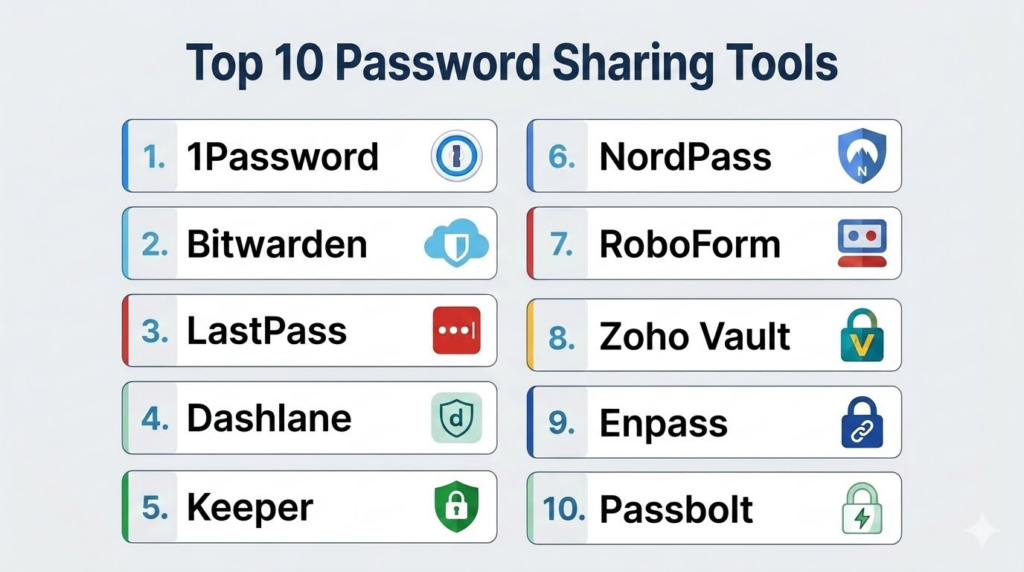
Introduction
Password Sharing Tools help individuals, families, businesses, and teams securely share passwords, credentials, API keys, vaults, and sensitive login information without exposing them through insecure methods like email, chat messages, spreadsheets, or sticky notes. These platforms combine password management, encryption, access controls, vault sharing, authentication, and audit logging to improve both security and collaboration.Password sharing has become increasingly important because modern organizations rely on dozens or even hundreds of SaaS platforms, cloud services, developer tools, financial systems, and business applications. Teams need secure ways to share access without revealing raw credentials unnecessarily. Modern password sharing tools now include zero-knowledge encryption, role-based access controls, biometric authentication, passwordless login support, secure notes, breach monitoring, and admin governance features.
Real-world use cases include:
- Sharing team logins securely
- Managing company-wide credential vaults
- Collaborating on client accounts and SaaS tools
- Storing API keys and sensitive notes
- Managing family or household passwords
Buyers evaluating Password Sharing Tools should consider:
- Encryption architecture
- Zero-knowledge security model
- Password sharing workflows
- Vault organization and permissions
- Multi-factor authentication support
- Browser and mobile app support
- Audit logs and admin controls
- Cross-platform synchronization
- Password health monitoring
- Pricing and scalability
Best for: Businesses, IT teams, developers, agencies, startups, families, remote teams, consultants, and security-conscious users managing shared credentials.
Not ideal for: Users who rarely share passwords, organizations requiring fully custom enterprise IAM systems, or teams already using advanced privileged access management platforms exclusively.
Key Trends in Password Sharing Tools
- Passwordless authentication support is becoming increasingly common.
- Zero-knowledge encryption is now a standard expectation for modern password managers.
- Biometric authentication is improving mobile and desktop login workflows.
- Teams are moving toward role-based vault sharing rather than direct password exposure.
- Browser-based autofill and cross-device synchronization continue to improve.
- Passkey support is expanding across consumer and enterprise ecosystems.
- Breach monitoring and dark web credential alerts are becoming standard features.
- Secure vault sharing for remote teams is driving business adoption.
- Integration with SSO and identity management platforms is increasing.
- Family-oriented password sharing plans are becoming more sophisticated.
How We Selected These Tools
The tools in this list were selected based on security reputation, password sharing workflows, encryption quality, platform support, admin controls, integrations, and overall usability.
Selection criteria included:
- Secure password-sharing architecture
- Encryption and zero-knowledge design
- Cross-platform support
- Ease of use for teams and individuals
- Vault management capabilities
- Authentication and MFA support
- Enterprise and admin functionality
- Browser extension quality
- Reliability and sync performance
- Adoption across consumer and business environments
Top 10 Password Sharing Tools
1- 1Password
Short description:
1Password is one of the most widely trusted password management and password-sharing platforms for individuals, families, and businesses. It combines secure vault sharing, strong encryption, admin controls, travel mode, secure notes, and developer-focused features inside a polished interface. 1Password is especially useful for teams that need secure credential sharing without compromising usability. Its strong cross-platform support and enterprise readiness make it one of the strongest overall password-sharing solutions available.
Key Features
- Shared password vaults
- Zero-knowledge encryption
- Secure notes and document storage
- Watchtower security monitoring
- Travel mode protection
- Multi-factor authentication
- Developer secret management support
Pros
- Excellent balance between security and usability
- Strong family and enterprise workflows
- Highly polished apps and browser extensions
Cons
- Premium pricing compared to basic competitors
- Advanced enterprise features may require higher plans
- Some workflows depend heavily on cloud sync
Platforms / Deployment
- Windows
- macOS
- Linux
- iOS
- Android
- Browser extensions
- Cloud
Security & Compliance
- Zero-knowledge architecture
- AES-256 encryption
- MFA support
- SSO integration support
- SOC 2 compliance
- Audit and admin controls
Integrations & Ecosystem
1Password integrates well into business, development, and productivity environments.
- Browser extensions
- SSO providers
- Developer workflows
- Biometric authentication
- Team vaults
- Secure sharing links
Support & Community
1Password has extensive documentation, strong business adoption, and responsive customer support.
2- Bitwarden
Short description:
Bitwarden is a popular open-source password management and sharing platform known for affordability, transparency, and flexibility. It supports personal users, families, businesses, and enterprise teams with secure vault sharing, self-hosting options, and strong cross-platform support. Bitwarden is especially attractive for technical users and organizations prioritizing open-source transparency and cost efficiency.
Key Features
- Open-source architecture
- Shared vaults
- Self-hosting support
- Password generator
- Secure notes
- MFA support
- Password health reports
Pros
- Strong free and affordable paid plans
- Open-source transparency
- Excellent cross-platform support
Cons
- Interface feels less polished than some premium competitors
- Some advanced admin features require enterprise tiers
- Non-technical users may prefer simpler onboarding
Platforms / Deployment
- Windows
- macOS
- Linux
- iOS
- Android
- Browser extensions
- Cloud / Self-hosted
Security & Compliance
- Zero-knowledge encryption
- AES-256 encryption
- MFA support
- Self-hosting options
- SOC 2 compliance
Integrations & Ecosystem
Bitwarden supports technical, business, and personal workflows.
- Browser extensions
- Self-hosted deployments
- SSO integrations
- CLI support
- API support
- Team vaults
Support & Community
Bitwarden has a strong open-source community and broad adoption among technical and privacy-focused users.
3- LastPass
Short description:
LastPass is a password management and password-sharing platform focused on businesses, families, and individuals needing centralized credential storage and sharing workflows. It provides shared folders, admin controls, MFA, password generation, and secure storage features. LastPass is especially useful for organizations looking for established password-sharing workflows and broad platform compatibility.
Key Features
- Shared password folders
- Password generator
- MFA support
- Secure notes
- Admin controls
- Password monitoring
- Dark web monitoring
Pros
- Strong sharing workflows
- Broad browser and device support
- Good business-oriented features
Cons
- Reputation impacted by past security incidents
- Advanced features require premium tiers
- Some users prefer open-source alternatives
Platforms / Deployment
- Windows
- macOS
- Linux
- iOS
- Android
- Browser extensions
- Cloud
Security & Compliance
- Zero-knowledge architecture
- MFA support
- Encryption
- Admin controls
- Compliance features vary by plan
Integrations & Ecosystem
LastPass supports enterprise and business credential workflows.
- Browser extensions
- SSO integrations
- Team sharing
- Password monitoring
- Admin dashboards
Support & Community
LastPass provides enterprise onboarding resources and broad platform familiarity.
4- Dashlane
Short description:
Dashlane combines password management, secure sharing, dark web monitoring, VPN support, and password health reporting inside a user-friendly platform. It is especially useful for consumers and businesses wanting strong security features with simplified onboarding and polished interfaces. Dashlane focuses heavily on usability while maintaining enterprise-grade password-sharing capabilities.
Key Features
- Secure password sharing
- Password health monitoring
- Built-in VPN on selected plans
- Dark web monitoring
- Autofill support
- MFA support
- Secure notes
Pros
- Very user-friendly experience
- Strong security monitoring tools
- Excellent autofill workflows
Cons
- Premium pricing can be high
- VPN features may not replace dedicated VPN tools
- Some advanced admin workflows are limited
Platforms / Deployment
- Windows
- macOS
- iOS
- Android
- Browser extensions
- Cloud
Security & Compliance
- Zero-knowledge architecture
- AES-256 encryption
- MFA support
- SOC 2 compliance
- Security monitoring tools
Integrations & Ecosystem
Dashlane supports modern business and personal security workflows.
- Browser autofill
- Password monitoring
- Secure sharing
- Biometric authentication
- Team management
Support & Community
Dashlane has strong consumer adoption and polished onboarding experiences.
5- Keeper
Short description:
Keeper is an enterprise-focused password management and secure credential-sharing platform designed for businesses, IT teams, and regulated environments. It combines encrypted vaults, role-based permissions, admin controls, audit logs, and compliance-focused features. Keeper is especially useful for organizations needing stronger governance and visibility into password-sharing activities.
Key Features
- Shared encrypted vaults
- Role-based access controls
- Audit logs
- Secure file storage
- MFA support
- Breach monitoring
- Compliance reporting
Pros
- Strong enterprise governance features
- Excellent admin visibility
- Good security-focused architecture
Cons
- More enterprise-oriented than casual competitors
- Interface can feel complex for small teams
- Advanced compliance features may increase costs
Platforms / Deployment
- Windows
- macOS
- Linux
- iOS
- Android
- Browser extensions
- Cloud
Security & Compliance
- Zero-knowledge encryption
- MFA support
- Role-based access controls
- SOC 2 compliance
- Compliance reporting tools
Integrations & Ecosystem
Keeper supports enterprise identity and security workflows.
- SSO integrations
- Admin dashboards
- Team vaults
- Secure file sharing
- Compliance workflows
Support & Community
Keeper provides enterprise onboarding and dedicated support for business customers.
6- NordPass
Short description:
NordPass is a password-sharing and password-management platform developed by the team behind NordVPN. It focuses on usability, modern security architecture, biometric authentication, and cross-platform synchronization. NordPass is especially useful for users wanting simple password sharing with polished interfaces and modern authentication support.
Key Features
- Password sharing
- Biometric login
- Password health tools
- Secure notes
- Password generator
- Autofill support
- Cross-device sync
Pros
- Clean and beginner-friendly interface
- Good cross-device synchronization
- Strong biometric workflows
Cons
- Enterprise ecosystem smaller than major competitors
- Advanced business features are more limited
- Some users may prefer open-source alternatives
Platforms / Deployment
- Windows
- macOS
- Linux
- iOS
- Android
- Browser extensions
- Cloud
Security & Compliance
- Zero-knowledge architecture
- XChaCha20 encryption
- MFA support
- Biometric authentication
Integrations & Ecosystem
NordPass supports consumer and SMB password-sharing workflows.
- Browser extensions
- Autofill systems
- Team sharing
- Biometric authentication
- Password monitoring
Support & Community
NordPass provides simple onboarding and strong usability for general users.
7- RoboForm
Short description:
RoboForm is a long-established password management and sharing platform known for strong autofill capabilities, secure vaults, and multi-device support. It is especially useful for users prioritizing form-filling and browser-based productivity workflows. RoboForm supports both personal and business password-sharing environments.
Key Features
- Password sharing
- Autofill workflows
- Secure notes
- Password generator
- Cross-device synchronization
- Folder organization
- Emergency access support
Pros
- Excellent autofill functionality
- Long-standing platform reliability
- Good browser integration
Cons
- Interface feels older than newer competitors
- Some modern features are limited
- Less visually polished experience
Platforms / Deployment
- Windows
- macOS
- Linux
- iOS
- Android
- Browser extensions
- Cloud
Security & Compliance
- AES-256 encryption
- MFA support
- Secure vaults
- Compliance details vary by plan
Integrations & Ecosystem
RoboForm supports productivity-focused password workflows.
- Browser integrations
- Autofill systems
- Secure sharing
- Password synchronization
Support & Community
RoboForm has long-standing adoption and broad familiarity among password-manager users.
8- Zoho Vault
Short description:
Zoho Vault is a business-oriented password-sharing platform designed for teams already using Zoho ecosystem products or businesses needing affordable credential-sharing workflows. It provides secure vault sharing, admin controls, audit logs, and integrations with productivity environments. Zoho Vault is especially useful for SMBs and startups managing shared credentials centrally.
Key Features
- Shared password vaults
- Admin controls
- Audit trails
- Password access workflows
- MFA support
- Team management
- Secure notes
Pros
- Affordable business pricing
- Good for Zoho ecosystem users
- Useful admin and sharing controls
Cons
- Interface less polished than premium competitors
- Best value inside Zoho ecosystem
- Consumer-focused features are more limited
Platforms / Deployment
- Web
- Windows
- macOS
- Linux
- iOS
- Android
- Browser extensions
- Cloud
Security & Compliance
- Encryption
- MFA support
- Audit logs
- Role-based permissions
- Compliance details vary by deployment
Integrations & Ecosystem
Zoho Vault fits naturally into Zoho business environments.
- Zoho ecosystem
- Browser extensions
- Team vaults
- Admin workflows
- Business collaboration
Support & Community
Zoho Vault benefits from Zoho’s large business ecosystem and support resources.
9- Enpass
Short description:
Enpass is a password manager focused on offline-first storage, local vault control, and flexible synchronization. It is especially useful for users who prefer storing password databases locally rather than fully cloud-managed systems. Enpass supports secure sharing, password organization, and cross-platform synchronization through third-party cloud providers.
Key Features
- Offline-first vault storage
- Password sharing
- Vault organization
- Password generator
- Biometric authentication
- Cross-platform support
- Secure notes
Pros
- Strong local-control approach
- Flexible synchronization options
- Good privacy-focused workflow
Cons
- Cloud sync setup may feel technical
- Team workflows less advanced
- Interface less polished than premium competitors
Platforms / Deployment
- Windows
- macOS
- Linux
- iOS
- Android
- Browser extensions
- Local-first / Sync-supported
Security & Compliance
- AES-256 encryption
- Local-first architecture
- MFA support
- Biometric authentication
Integrations & Ecosystem
Enpass supports flexible privacy-oriented workflows.
- Cloud provider sync
- Browser extensions
- Offline vault storage
- Local device workflows
Support & Community
Enpass has a loyal privacy-focused user base and strong cross-platform support.
10- Passbolt
Short description:
Passbolt is an open-source password-sharing platform designed specifically for teams and collaborative business workflows. It focuses heavily on secure credential sharing, self-hosting, and transparency. Passbolt is especially useful for technical teams, DevOps groups, agencies, and organizations prioritizing open-source infrastructure and self-managed deployments.
Key Features
- Team password sharing
- Open-source architecture
- Self-hosted deployment
- Role-based permissions
- Audit trails
- API support
- Secure collaboration workflows
Pros
- Strong team-sharing architecture
- Open-source transparency
- Excellent for self-hosted environments
Cons
- Technical setup required
- Less polished for non-technical users
- Smaller ecosystem than mainstream competitors
Platforms / Deployment
- Web
- Linux server environments
- Browser extensions
- Cloud / Self-hosted
Security & Compliance
- Open-source transparency
- Role-based permissions
- MFA support
- Self-managed infrastructure
Integrations & Ecosystem
Passbolt supports technical and DevOps-focused workflows.
- Self-hosted deployments
- Team sharing
- APIs
- Browser integrations
- Admin workflows
Support & Community
Passbolt has strong adoption among technical teams and open-source-focused organizations.
Comparison Table
| Tool Name | Best For | Platform Supported | Deployment | Standout Feature | Public Rating |
|---|---|---|---|---|---|
| 1Password | Overall business and family sharing | Windows, macOS, Linux, iOS, Android | Cloud | Secure shared vaults | N/A |
| Bitwarden | Open-source password management | Windows, macOS, Linux, iOS, Android | Cloud / Self-hosted | Open-source transparency | N/A |
| LastPass | Business password workflows | Windows, macOS, Linux, iOS, Android | Cloud | Shared password folders | N/A |
| Dashlane | User-friendly password security | Windows, macOS, iOS, Android | Cloud | Dark web monitoring | N/A |
| Keeper | Enterprise governance | Windows, macOS, Linux, iOS, Android | Cloud | Audit and admin controls | N/A |
| NordPass | Beginner-friendly password sharing | Windows, macOS, Linux, iOS, Android | Cloud | Biometric login support | N/A |
| RoboForm | Autofill workflows | Windows, macOS, Linux, iOS, Android | Cloud | Strong form autofill | N/A |
| Zoho Vault | SMB business sharing | Web, Windows, macOS, Linux | Cloud | Affordable business workflows | N/A |
| Enpass | Offline-first password management | Windows, macOS, Linux, iOS, Android | Local-first / Sync-supported | Local vault control | N/A |
| Passbolt | Open-source team sharing | Web, Linux server environments | Cloud / Self-hosted | Team-focused self-hosting | N/A |
Evaluation & Scoring of Password Sharing Tools
| Tool Name | Core 25% | Ease 15% | Integrations 15% | Security 10% | Performance 10% | Support 10% | Value 15% | Weighted Total |
|---|---|---|---|---|---|---|---|---|
| 1Password | 9 | 9 | 9 | 9 | 9 | 9 | 8 | 8.9 |
| Bitwarden | 9 | 8 | 8 | 9 | 8 | 8 | 10 | 8.7 |
| LastPass | 8 | 8 | 8 | 7 | 8 | 8 | 8 | 7.9 |
| Dashlane | 8 | 9 | 8 | 8 | 8 | 8 | 7 | 8.0 |
| Keeper | 9 | 7 | 8 | 9 | 8 | 8 | 7 | 8.0 |
| NordPass | 8 | 9 | 7 | 8 | 8 | 7 | 8 | 7.9 |
| RoboForm | 7 | 8 | 7 | 8 | 8 | 7 | 8 | 7.5 |
| Zoho Vault | 8 | 7 | 8 | 8 | 8 | 7 | 9 | 7.9 |
| Enpass | 8 | 7 | 7 | 9 | 8 | 7 | 8 | 7.8 |
| Passbolt | 8 | 6 | 8 | 9 | 8 | 7 | 8 | 7.8 |
These scores are comparative and should be interpreted according to workflow needs. 1Password provides one of the strongest overall balances between usability and security, while Bitwarden is especially attractive for open-source and cost-conscious users. Keeper and Passbolt are stronger for enterprise and technical team governance workflows.
Which Password Sharing Tool Is Right for You?
Solo / Freelancer
Individuals and freelancers often prioritize simplicity, autofill quality, and cross-device synchronization. Dashlane, NordPass, and 1Password provide polished user experiences with strong security features. Privacy-focused users may prefer Bitwarden or Enpass because of their transparency and local-control options.
SMB
Small businesses and agencies benefit from centralized vault sharing, role-based permissions, and easy onboarding. 1Password, Zoho Vault, and Bitwarden are strong SMB choices because they balance affordability with team-sharing functionality. SMBs should prioritize admin visibility and secure onboarding workflows.
Mid-Market
Mid-market organizations typically require stronger governance, audit logs, and scalable sharing controls. Keeper and 1Password perform especially well in these environments. Businesses should also evaluate SSO integrations, MFA enforcement, and reporting capabilities before deployment.
Enterprise
Enterprises should prioritize compliance workflows, audit trails, admin governance, and integration with identity-management systems. Keeper and enterprise-grade 1Password deployments are strong options for regulated or security-focused organizations. Technical teams may also consider Passbolt for self-hosted workflows.
Budget vs Premium
Bitwarden provides one of the strongest value propositions because of its affordable pricing and open-source architecture. Premium tools like 1Password and Dashlane justify higher pricing through polished user experiences, advanced admin features, and stronger enterprise support. Organizations should evaluate actual workflow needs carefully before paying for advanced enterprise functionality.
Feature Depth vs Ease of Use
Dashlane and NordPass prioritize ease of use, while Keeper and Passbolt provide deeper enterprise governance. Bitwarden balances flexibility with affordability, while Enpass prioritizes local-first privacy workflows. Users should match platform complexity to technical comfort and operational requirements.
Integrations & Scalability
Organizations should evaluate SSO support, browser extensions, mobile apps, developer tools, APIs, and admin controls carefully. Technical teams may prefer Bitwarden or Passbolt for flexibility, while broader business teams may prefer 1Password or Dashlane for smoother onboarding.
Security & Compliance Needs
Password-sharing tools often store highly sensitive business and personal credentials. Buyers should review encryption architecture, MFA support, zero-knowledge design, audit logging, admin controls, and compliance features carefully. Self-hosted or local-first options may provide stronger control for sensitive environments.
Frequently Asked Questions
1. What are Password Sharing Tools?
Password Sharing Tools are platforms that allow users and teams to securely store, organize, and share passwords and sensitive credentials. Unlike sending passwords through chat or email, these tools use encryption, access controls, and secure vaults to protect login information. Modern password-sharing tools also support autofill, MFA, audit logs, and password monitoring. Their goal is to improve both security and operational efficiency.
2. Why are password-sharing tools important for businesses?
Businesses often manage dozens or hundreds of shared accounts across SaaS platforms, cloud services, marketing tools, and internal systems. Without secure sharing systems, employees may expose credentials through insecure communication channels or weak storage methods. Password-sharing tools centralize access management while reducing security risks and improving visibility into credential usage.
3. Which Password Sharing Tool is best overall?
1Password is often considered one of the strongest overall password-sharing solutions because it combines strong security architecture, polished user experience, secure vault sharing, and enterprise readiness. However, the best platform depends on workflow priorities. Bitwarden is stronger for open-source users, while Keeper excels in enterprise governance environments.
4. Are open-source password managers safer?
Open-source password managers like Bitwarden and Passbolt provide transparency because their code can be reviewed publicly. This can improve trust among technical and security-focused users. However, overall security still depends on implementation quality, hosting practices, MFA usage, and operational security. Open-source does not automatically guarantee stronger security, but it improves transparency.
5. What are common mistakes users make with password-sharing tools?
A common mistake is reusing weak master passwords or failing to enable multi-factor authentication. Another mistake is sharing raw credentials directly instead of using controlled vault-sharing features. Teams also sometimes neglect role-based permissions and access reviews. Strong password hygiene and admin governance are critical for long-term security.
6. Are browser-based password managers enough?
Browser-based password managers are convenient but often lack advanced sharing controls, admin governance, audit logging, and enterprise security features. Dedicated password-sharing platforms provide stronger vault management, cross-platform support, and secure collaboration workflows. Businesses and teams typically benefit from specialized password-management platforms rather than relying solely on browsers.
7. What is zero-knowledge encryption?
Zero-knowledge encryption means the provider cannot see or decrypt user vault contents because encryption keys remain under user control. This architecture improves privacy and reduces risks associated with centralized password storage. Most modern premium password-sharing tools now use zero-knowledge designs as a core security principle.
8. Which Password Sharing Tool is best for families?
1Password, Dashlane, and Bitwarden provide strong family-oriented sharing plans with shared vaults, multiple user accounts, and simplified onboarding. Families benefit from centralized password management for streaming services, utilities, banking tools, and shared online accounts. Ease of use and recovery workflows are especially important for family environments.
9. Are self-hosted password-sharing platforms worth it?
Self-hosted password managers like Bitwarden self-hosted deployments or Passbolt provide greater infrastructure control and privacy. However, they require technical setup, maintenance, backups, and security management. Technical organizations and privacy-focused teams may benefit greatly, while casual users often prefer managed cloud-based services.
10. How should users choose the right Password Sharing Tool?
Users should first identify whether they prioritize affordability, enterprise governance, ease of use, open-source transparency, local-first storage, or team collaboration. 1Password excels for overall balance, Bitwarden for affordability and transparency, Keeper for enterprise governance, and Passbolt for self-hosted team workflows. The best solution is the one that users can adopt consistently while maintaining strong security habits.
Conclusion
Password Sharing Tools have become essential for both personal and business security because modern digital workflows depend heavily on shared credentials, SaaS accounts, and remote collaboration. The best platform depends on organizational size, technical expertise, compliance requirements, and workflow preferences. 1Password remains one of the strongest overall solutions because of its balance between usability, security, and enterprise readiness, while Bitwarden provides exceptional value and open-source transparency. Dashlane and NordPass focus heavily on user-friendly experiences, Keeper excels in governance and compliance-focused environments, and Passbolt supports technical teams needing self-hosted collaboration. Businesses and individuals should carefully evaluate encryption architecture, vault-sharing workflows, MFA support, admin controls, synchronization quality, and long-term maintainability before selecting a platform. Shortlisting a few tools, testing real sharing workflows, reviewing security requirements, and validating integration needs are the best ways to identify the right password-sharing solution for long-term use.
