MOTOSHARE 🚗🏍️
Rent Bikes & Cars Directly from Owners
Motoshare connects vehicle owners with people who need bikes and cars on rent. Owners earn from idle vehicles, and renters get flexible ride options.
Visit Motoshare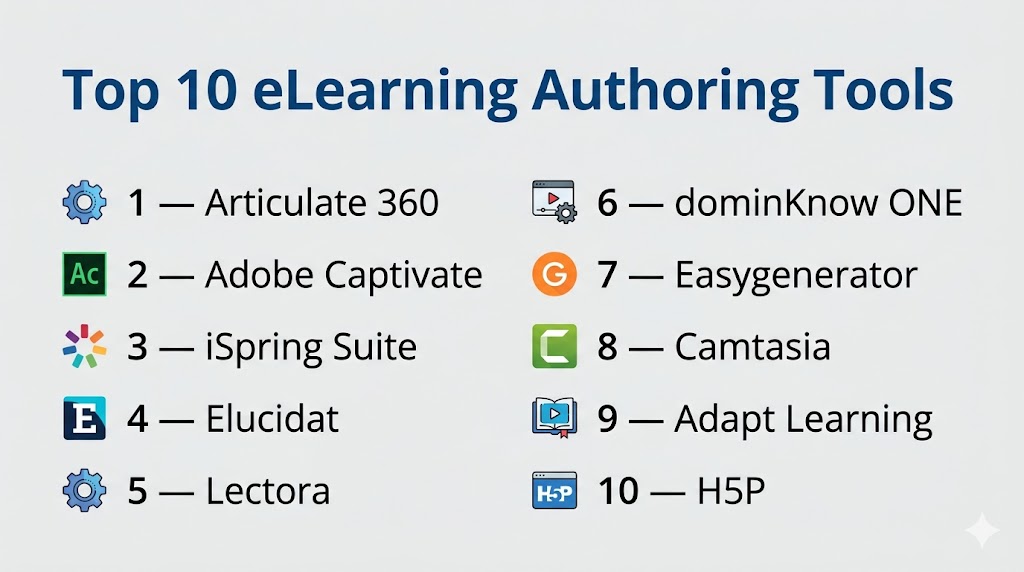
Introduction
eLearning Authoring Tools are software platforms used to create digital training content such as interactive courses, quizzes, simulations, videos, assessments, and microlearning modules. They help organizations build structured learning experiences without needing to code everything from scratch. Instead of static presentations or manual training, these tools make content scalable, trackable, and easier to update.
They matter now because businesses need faster onboarding, continuous upskilling, remote training, customer education, and compliance learning at scale. Modern authoring tools increasingly include AI voice generation, auto-translation, responsive design, collaboration workflows, analytics support, and LMS-ready exports like SCORM and xAPI.
Real-world use cases:
- Employee onboarding courses
- Compliance training modules
- Sales enablement programs
- Product education for customers
- Software simulations and walkthroughs
- Certification programs
- Mobile microlearning content
What buyers should evaluate:
- Ease of course creation
- Interactivity depth
- Responsive/mobile output
- Collaboration features
- SCORM/xAPI support
- Templates and assets
- Localization tools
- Security controls
- Scalability
- Pricing model
Best for: L&D teams, HR leaders, instructional designers, training agencies, enterprises, educators, and customer education teams.
Not ideal for: Teams needing only simple document sharing, one-time presentations, or no structured learning workflows.
Key Trends in eLearning Authoring Tools
- AI-assisted course creation is reducing production time.
- Built-in AI voiceovers and narration tools are becoming common.
- Responsive mobile-first authoring is now a baseline expectation.
- Cloud collaboration is replacing desktop-only workflows.
- Localization and translation automation are growing priorities.
- Microlearning formats are gaining adoption.
- Deeper analytics through xAPI and LMS integrations are expanding.
- Buyers increasingly want templates plus customization flexibility.
- Video-based learning content is becoming a larger share of training programs.
- Governance, version control, and brand consistency matter more at scale.
How We Selected These Tools (Methodology)
We selected these tools using a practical buyer-focused framework:
- Strong market recognition and adoption
- Core authoring capability depth
- Ease of use for new and advanced creators
- Quality of learning output
- Collaboration and review workflows
- LMS export standards support
- Integration ecosystem maturity
- Scalability for teams and enterprises
- Innovation in AI and automation
- Overall value relative to capability
Top 10 eLearning Authoring Tools
#1 — Articulate 360
Short description (2–3 lines): Articulate 360 is one of the most recognized eLearning suites, combining Storyline 360 for advanced interactivity and Rise 360 for rapid responsive course creation. Ideal for professional L&D teams and instructional designers.
Key Features
- Storyline advanced branching and triggers
- Rise responsive course builder
- Review collaboration workflows
- Large content asset library
- Templates and themes
- AI enhancements
- SCORM/xAPI support
Pros
- Excellent balance of power and usability
- Strong global community
- Suitable for both simple and advanced projects
Cons
- Premium pricing
- Storyline has a learning curve
- Desktop dependency for some workflows
Platforms / Deployment
Web / Windows / macOS / iOS / Android
Cloud / Desktop Hybrid
Security & Compliance
SSO options, secure cloud delivery, admin controls. Specific certifications vary by plan.
Integrations & Ecosystem
Broad ecosystem with LMS and workflow integrations.
- SCORM LMS platforms
- xAPI systems
- Review workflows
- Media libraries
- APIs
Support & Community
Large user community, extensive tutorials, strong learning resources.
#2 — Adobe Captivate
Short description (2–3 lines): Adobe Captivate is a powerful authoring tool known for simulations, responsive learning, interactive video, and immersive content. Best for experienced creators needing advanced control.
Key Features
- Software simulations
- Responsive authoring
- VR / 360 experiences
- AI voice tools
- Interactive video
- Widgets and templates
- Quiz engine
Pros
- Strong advanced feature set
- Great for systems training
- Rich multimedia support
Cons
- Steeper learning curve
- Can feel complex for beginners
- Collaboration less seamless than cloud-native tools
Platforms / Deployment
Windows / macOS
Desktop / Cloud services
Security & Compliance
Adobe account security controls, secure cloud services where applicable.
Integrations & Ecosystem
Strong fit for Adobe users.
- Adobe Creative Cloud
- LMS exports
- PowerPoint import
- Media workflows
Support & Community
Strong documentation and broad brand recognition.
#3 — iSpring Suite
Short description (2–3 lines): iSpring Suite is a PowerPoint-based authoring platform designed for rapid course creation. Best for teams wanting quick adoption with familiar workflows.
Key Features
- PowerPoint integration
- Quiz builder
- Dialogue simulations
- Screen recording
- Text-to-speech
- SCORM/xAPI support
- Fast publishing
Pros
- Very easy to learn
- Great for existing PowerPoint users
- Fast course production
Cons
- Less flexible than advanced tools
- Best for conventional formats
- Design depth may be limited
Platforms / Deployment
Windows / Web
Desktop / Cloud
Security & Compliance
Secure publishing workflows, permissions vary by product tier.
Integrations & Ecosystem
Works well in Microsoft-centered environments.
- PowerPoint
- LMS platforms
- Content exports
- APIs
Support & Community
Strong onboarding reputation and helpful documentation.
#4 — Elucidat
Short description (2–3 lines): Elucidat is a cloud-first enterprise authoring platform built for scale, collaboration, governance, and rapid production. Best for large organizations managing many courses.
Key Features
- Cloud collaboration
- Responsive authoring
- Brand controls
- Translation workflows
- Analytics support
- Template governance
- Role permissions
Pros
- Excellent for large teams
- Strong consistency controls
- Fast collaborative production
Cons
- Premium pricing
- May exceed SMB needs
- Less ideal for highly custom simulations
Platforms / Deployment
Web
Cloud
Security & Compliance
Role-based access, enterprise admin controls, secure cloud delivery.
Integrations & Ecosystem
Designed for enterprise ecosystems.
- LMS exports
- xAPI
- Translation tools
- APIs
Support & Community
Strong enterprise onboarding and customer success model.
#5 — Lectora
Short description (2–3 lines): Lectora is a long-established authoring tool known for accessibility support, customization, and enterprise content creation. Strong fit for advanced instructional teams.
Key Features
- Advanced customization
- Accessibility controls
- Responsive design
- Variables and scripting
- Assessments
- Templates
- SCORM/xAPI exports
Pros
- Strong flexibility
- Good accessibility focus
- Suitable for complex projects
Cons
- Learning curve for beginners
- Interface preferences vary
- Premium licensing can apply
Platforms / Deployment
Windows / Web
Desktop / Cloud
Security & Compliance
Admin controls, secure account access, enterprise options vary.
Integrations & Ecosystem
Supports standard LMS ecosystems.
- SCORM
- xAPI
- Media tools
- APIs
Support & Community
Established market presence and professional user base.
#6 — dominKnow ONE
Short description (2–3 lines): dominKnow ONE is a cloud authoring platform focused on collaboration, responsive design, software simulations, and centralized asset management.
Key Features
- Cloud collaboration
- Responsive output
- Software simulation tools
- Central asset library
- Reusable content
- Review workflows
- Multi-format publishing
Pros
- Strong team collaboration
- Good enterprise governance
- Useful for software training
Cons
- Can be more than small teams need
- Storage limits may matter at scale
- Learning curve for advanced features
Platforms / Deployment
Web
Cloud
Security & Compliance
Role permissions, secure cloud delivery, admin controls.
Integrations & Ecosystem
Works with modern learning stacks.
- LMS exports
- APIs
- Asset workflows
Support & Community
Strong enterprise-focused support resources.
#7 — Easygenerator
Short description (2–3 lines): Easygenerator is built for subject matter experts who need to create training quickly without instructional design expertise.
Key Features
- Easy drag-and-drop builder
- AI assistance
- Templates
- Assessments
- Collaboration
- Cloud access
- LMS exports
Pros
- Very beginner friendly
- Fast rollout
- Good SME enablement tool
Cons
- Less depth for advanced designers
- Limited highly custom interactions
- Enterprise complexity may vary
Platforms / Deployment
Web
Cloud
Security & Compliance
Secure cloud delivery, admin controls, permissions.
Integrations & Ecosystem
Common LMS and business integrations.
Support & Community
Strong ease-of-use reputation.
#8 — Camtasia
Short description (2–3 lines): Camtasia is a video-first training creation tool used for tutorials, demos, screen recordings, and lightweight learning content.
Key Features
- Screen recording
- Video editing
- Quizzes
- Annotations
- Cursor effects
- Templates
- Media assets
Pros
- Excellent for video tutorials
- Easy recording workflows
- Good for product demos
Cons
- Not a full enterprise LMS authoring suite
- Limited complex branching
- Better for video-led learning
Platforms / Deployment
Windows / macOS
Desktop
Security & Compliance
Local project control, account security features vary.
Integrations & Ecosystem
Useful with LMS exports and video workflows.
Support & Community
Large creator community and tutorials.
#9 — Adapt Learning
Short description (2–3 lines): Adapt Learning is an open-source responsive authoring framework suited for organizations with technical resources wanting customization and ownership.
Key Features
- Open-source framework
- Responsive design
- Plugin ecosystem
- Theme customization
- Community extensions
- SCORM support
- Flexible hosting
Pros
- No license cost
- High customization potential
- Strong for technical teams
Cons
- Requires technical skills
- Setup and maintenance overhead
- Smaller mainstream support ecosystem
Platforms / Deployment
Web
Self-hosted / Cloud
Security & Compliance
Depends on hosting and implementation model.
Integrations & Ecosystem
Community-driven ecosystem.
Support & Community
Active niche community.
#10 — H5P
Short description (2–3 lines): H5P is a popular interactive content creation platform used for quizzes, presentations, branching scenarios, and embedded learning experiences.
Key Features
- Interactive content types
- Branching scenarios
- Quizzes
- Video interactions
- Easy embedding
- LMS compatibility
- Reusable activities
Pros
- Flexible lightweight content creation
- Good value options available
- Broad education adoption
Cons
- Not a full enterprise suite
- Complex course management requires other tools
- Advanced governance may be limited
Platforms / Deployment
Web
Cloud / Self-hosted
Security & Compliance
Varies by hosting provider.
Integrations & Ecosystem
Works with LMS and CMS platforms.
Support & Community
Strong education community.
Comparison Table (Top 10)
| Tool Name | Best For | Platform(s) Supported | Deployment | Standout Feature | Public Rating |
|---|---|---|---|---|---|
| Articulate 360 | All-around authoring | Web / Desktop | Hybrid | Storyline + Rise combo | N/A |
| Adobe Captivate | Simulations | Desktop | Hybrid | VR + software training | N/A |
| iSpring Suite | PowerPoint users | Windows / Web | Hybrid | Fast adoption | N/A |
| Elucidat | Enterprise scale | Web | Cloud | Governance + collaboration | N/A |
| Lectora | Advanced design | Windows / Web | Hybrid | Accessibility controls | N/A |
| dominKnow ONE | Team workflows | Web | Cloud | Central asset management | N/A |
| Easygenerator | SMEs | Web | Cloud | Simplicity | N/A |
| Camtasia | Video training | Desktop | Desktop | Screen recording | N/A |
| Adapt Learning | Open-source teams | Web | Self-hosted | Full control | N/A |
| H5P | Interactive content | Web | Hybrid | Rich content types | N/A |
Evaluation & Scoring of eLearning Authoring Tools
| Tool Name | Core (25%) | Ease (15%) | Integrations (15%) | Security (10%) | Performance (10%) | Support (10%) | Value (15%) | Weighted Total (0–10) |
|---|---|---|---|---|---|---|---|---|
| Articulate 360 | 9.4 | 8.8 | 8.8 | 8.5 | 8.7 | 9.0 | 7.8 | 8.8 |
| Adobe Captivate | 9.0 | 7.4 | 8.3 | 8.4 | 8.5 | 8.2 | 7.6 | 8.2 |
| iSpring Suite | 8.4 | 9.2 | 8.1 | 8.1 | 8.4 | 8.3 | 8.8 | 8.6 |
| Elucidat | 8.9 | 8.5 | 8.6 | 8.6 | 8.5 | 8.4 | 7.4 | 8.4 |
| Lectora | 8.7 | 7.8 | 8.2 | 8.4 | 8.3 | 8.0 | 7.8 | 8.2 |
| dominKnow ONE | 8.8 | 8.0 | 8.4 | 8.4 | 8.4 | 8.1 | 8.0 | 8.3 |
| Easygenerator | 8.0 | 9.1 | 7.9 | 8.0 | 8.2 | 8.1 | 8.6 | 8.3 |
| Camtasia | 7.8 | 8.9 | 7.5 | 7.8 | 8.3 | 8.2 | 8.5 | 8.1 |
| Adapt Learning | 8.2 | 6.8 | 7.8 | 7.6 | 8.0 | 7.7 | 9.0 | 7.9 |
| H5P | 8.1 | 8.7 | 7.9 | 7.8 | 8.2 | 8.0 | 8.8 | 8.2 |
These scores are comparative benchmarks, not absolute truths. Higher totals usually indicate broader capability, but the best fit depends on team skills, content complexity, budget, and scale.
Which eLearning Authoring Tool Is Right for You?
Solo / Freelancer
Camtasia, H5P, and iSpring Suite are practical starting points.
SMB
iSpring Suite, Easygenerator, and Articulate 360 provide strong balance and faster rollout.
Mid-Market
Articulate 360, Elucidat, dominKnow ONE, and Lectora are strong options.
Enterprise
Elucidat, Articulate 360, dominKnow ONE, and Adobe Captivate fit larger structured programs.
Budget vs Premium
- Budget: H5P, Adapt Learning
- Mid-range: iSpring, Easygenerator
- Premium: Articulate 360, Elucidat, Captivate
Feature Depth vs Ease of Use
- Easiest: Easygenerator, iSpring, Rise workflows
- Deepest: Storyline, Captivate, Lectora
Integrations & Scalability
Articulate 360, Elucidat, dominKnow ONE, and Lectora stand out.
Security & Compliance Needs
Prioritize SSO, admin permissions, content governance, audit trails, and secure hosting.
Frequently Asked Questions (FAQs)
What is an eLearning authoring tool?
It is software used to create digital learning content such as courses, quizzes, simulations, and videos.
Is an LMS the same as an authoring tool?
No. An LMS delivers and tracks learning, while an authoring tool creates the content.
Do I need coding skills?
Usually no. Most modern tools support drag-and-drop creation.
What standards matter most?
SCORM and xAPI are the most common for LMS compatibility.
Which tool is easiest for beginners?
iSpring Suite and Easygenerator are often easier for new users.
Which tool is best for advanced interactions?
Articulate Storyline, Captivate, and Lectora are strong options.
Can these tools create mobile learning?
Yes. Many now support responsive or mobile-friendly outputs.
Are AI features useful?
They can speed up scripting, narration, translation, and course creation.
What is the biggest buying mistake?
Choosing based only on price without considering adoption and scalability.
What is the best eLearning authoring tool?
There is no universal winner. The best option depends on your team, learners, content type, and budget.
Conclusion
eLearning Authoring Tools have evolved into strategic platforms for training creation, onboarding, compliance, and continuous learning. Some tools prioritize simplicity, while others focus on deep customization or enterprise governance. The best choice depends on your internal skills, learning goals, and scale requirements. Shortlist two or three tools, run pilot projects, test LMS compatibility, and choose the platform your creators will consistently use.

One aspect I’d add is that organizations should evaluate how an authoring tool supports long-term content maintenance, not just course creation. As training libraries grow, updating branding, regulatory information, product screenshots, and assessments across hundreds of courses can become a major operational challenge. Features like reusable components, template governance, version control, localization workflows, and automated quality checks often have a greater impact on total ownership cost than the initial authoring experience. In my experience, the most valuable platforms are those that make continuous updates predictable and scalable, ensuring learning content remains accurate without requiring extensive manual effort.