MOTOSHARE 🚗🏍️
Rent Bikes & Cars Directly from Owners
Motoshare connects vehicle owners with people who need bikes and cars on rent. Owners earn from idle vehicles, and renters get flexible ride options.
Visit Motoshare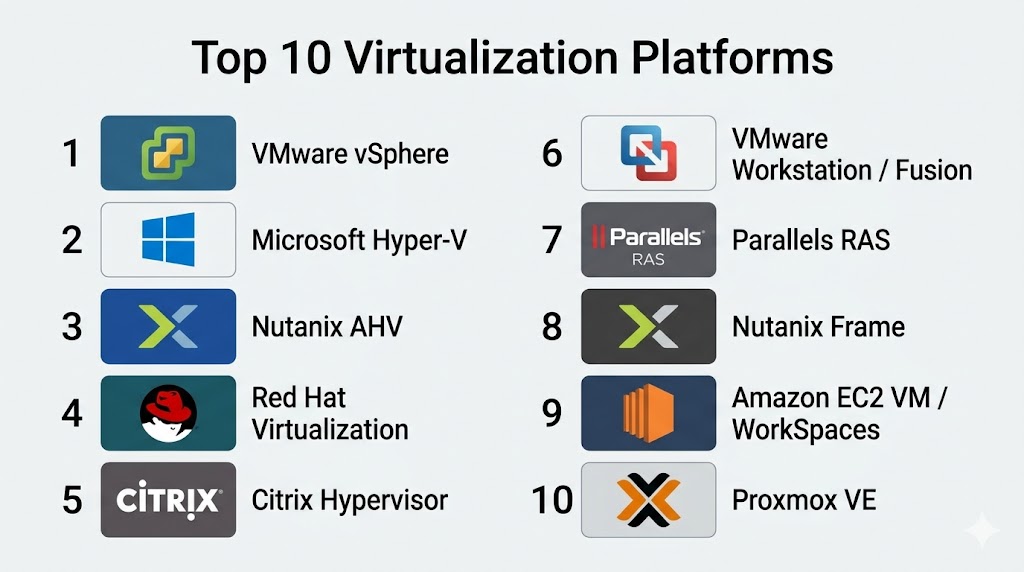
Introduction
Virtualization Platforms are software solutions that enable the creation and management of virtual machines (VMs) and virtualized computing resources. By abstracting hardware, these platforms allow multiple operating systems and applications to run on a single physical server, improving resource utilization, scalability, and cost efficiency. Virtualization is foundational for cloud computing, data center consolidation, and enterprise IT agility.
Real-world use cases include server consolidation to reduce hardware costs, running multiple operating systems on a single machine for development and testing, hosting virtual desktops for remote employees, disaster recovery planning, and enabling high-performance computing workloads in enterprise environments.
When evaluating virtualization platforms, buyers should consider:
- Hypervisor support (Type 1, Type 2)
- Cross-platform and multi-OS compatibility
- Cloud, hybrid, and on-premises deployment options
- Management and orchestration capabilities
- Security, compliance, and access control
- Performance and resource allocation efficiency
- Automation and integration with IT workflows
- Monitoring, reporting, and analytics
- Licensing and cost flexibility
- Community and vendor support
Best for: IT managers, enterprises, SMBs, and cloud service providers requiring centralized resource management, testing environments, or remote desktop infrastructure.
Not ideal for: Organizations with minimal server infrastructure or small teams with low virtualization requirements, where single OS servers or cloud-native solutions may suffice.
Key Trends in Virtualization Platforms
- AI-assisted workload optimization and resource balancing
- Hybrid and multi-cloud deployment adoption
- Integration with container orchestration platforms (Kubernetes, Docker)
- Enhanced security with MFA, encryption, and zero-trust architectures
- Automation of provisioning, patching, and VM lifecycle management
- GPU virtualization for graphics-intensive workloads
- Subscription and usage-based licensing models
- Real-time monitoring and analytics dashboards
- Support for edge computing and remote deployments
- Interoperability with ITSM and DevOps pipelines
How We Selected These Tools (Methodology)
- Market adoption and enterprise mindshare
- Feature completeness including hypervisor support, orchestration, and management
- Performance and reliability benchmarks in real-world environments
- Security posture including encryption, RBAC, and compliance certifications
- Integration capabilities with cloud platforms, ITSM, and DevOps tools
- Fit across customer segments: solo, SMB, mid-market, and enterprise
- Cross-platform support for multiple OS and device types
- Quality of documentation, onboarding, and vendor support
- Licensing and cost flexibility
- Alignment with current and emerging IT trends including cloud and AI
Top 10 Virtualization Platforms
#1 — VMware vSphere
Short description: VMware vSphere is an enterprise-grade virtualization platform offering server virtualization, centralized management, and high availability for VMs.
Key Features
- Type 1 hypervisor with high-performance virtualization
- Centralized VM management with vCenter
- Live migration (vMotion) for minimal downtime
- Distributed resource scheduling
- Integration with VMware Cloud
- High availability and disaster recovery
- Security and compliance features
Pros
- Industry-standard enterprise virtualization
- Advanced performance optimization
Cons
- Requires skilled IT staff
- Licensing costs can be high
Platforms / Deployment
- Windows / Linux
- Self-hosted / Hybrid / Cloud
Security & Compliance
- Encryption, SSO, RBAC
- SOC 2, ISO 27001
Integrations & Ecosystem
Supports VMware ecosystem, APIs, and automation tools:
- vCenter
- vCloud Director
- Automation SDKs
Support & Community
- Enterprise support tiers
- Active VMware community and knowledge base
#2 — Microsoft Hyper-V
Short description: Hyper-V is Microsoft’s virtualization platform integrated into Windows Server, providing VM management and cloud-ready features.
Key Features
- Type 1 hypervisor embedded in Windows Server
- Live migration and replication
- Hyper-V Manager and System Center integration
- Nested virtualization
- Security features including shielded VMs
Pros
- Seamless integration with Windows ecosystem
- Cost-effective for Windows-heavy environments
Cons
- Limited cross-platform support
- Less feature-rich than VMware in some areas
Platforms / Deployment
- Windows
- Self-hosted / Hybrid / Cloud
Security & Compliance
- Shielded VMs, RBAC, encryption
- ISO 27001, SOC 2
Integrations & Ecosystem
- Microsoft Azure integration
- System Center
- PowerShell scripting
Support & Community
- Microsoft support channels
- Community and documentation
#3 — Nutanix AHV
Short description: Nutanix AHV is an enterprise-grade hypervisor integrated into Nutanix’s HCI platform for simplified VM management and high performance.
Key Features
- Native hypervisor integrated with HCI
- Centralized VM and storage management
- High availability and disaster recovery
- Automation and self-service provisioning
- Performance monitoring and analytics
Pros
- Simplified management
- Integrated with hyper-converged infrastructure
Cons
- Limited ecosystem outside Nutanix
- Requires Nutanix HCI hardware/software
Platforms / Deployment
- Linux / Windows
- Hybrid / Cloud
Security & Compliance
- Encryption and RBAC
- Not publicly stated
Integrations & Ecosystem
- Nutanix Prism management console
- REST APIs
- Cloud integration
Support & Community
- Enterprise support plans
- Nutanix community forums
#4 — Red Hat Virtualization
Short description: Open-source enterprise virtualization platform leveraging KVM for scalable VM deployments and management.
Key Features
- KVM-based hypervisor
- Centralized management console
- Cross-platform guest support
- Security and RBAC
- Monitoring and analytics
Pros
- Open-source flexibility
- Enterprise scalability
Cons
- Requires technical expertise
- Limited cloud-native integrations
Platforms / Deployment
- Linux / Windows
- Self-hosted / Hybrid
Security & Compliance
- Encryption, RBAC, MFA
- Not publicly stated
Integrations & Ecosystem
- Red Hat ecosystem
- APIs for automation
- Enterprise management tools
Support & Community
- Enterprise support
- Open-source community
#5 — Citrix Hypervisor
Short description: Enterprise virtualization platform providing VM management, GPU support, and high-performance workload delivery.
Key Features
- Type 1 hypervisor
- GPU virtualization
- Centralized management
- High availability and clustering
- Security and auditing
Pros
- High-performance graphics support
- Enterprise-ready
Cons
- Complex deployment
- Requires trained administrators
Platforms / Deployment
- Windows / Linux
- Cloud / Self-hosted / Hybrid
Security & Compliance
- MFA, encryption, RBAC
- SOC 2, ISO 27001
Integrations & Ecosystem
- Citrix Workspace
- ITSM integration
- APIs for management
Support & Community
- Enterprise support
- Community forums
#6 — VMware Workstation / Fusion
Short description: Desktop virtualization software allowing multiple OS instances locally, suitable for developers and IT teams.
Key Features
- Local VM deployment
- Snapshots and cloning
- Cross-platform support
- Networking and security options
- Integration with VMware Horizon
Pros
- Great for developers/testing
- Strong OS compatibility
Cons
- Not cloud-based
- Resource-intensive
Platforms / Deployment
- Windows / macOS / Linux
- Self-hosted
Security & Compliance
- VM encryption
- Not publicly stated
Integrations & Ecosystem
- VMware Horizon
- APIs for automation
- Enterprise management tools
Support & Community
- VMware support
- Knowledge base
#7 — Parallels RAS
Short description: Delivers virtual desktops and applications with simplified deployment and centralized management for SMBs and enterprises.
Key Features
- Virtual desktops and apps delivery
- Multi-device access
- Load balancing and high availability
- Centralized provisioning
- Security policies
Pros
- Easy to deploy and manage
- Cost-effective
Cons
- Limited enterprise analytics
- Smaller ecosystem
Platforms / Deployment
- Windows / macOS / Linux / iOS / Android
- Cloud / Self-hosted / Hybrid
Security & Compliance
- Encryption, MFA
- Not publicly stated
Integrations & Ecosystem
- Cloud and on-premises app support
- API automation
- Monitoring tools
Support & Community
- Email and chat support
- Documentation
#8 — Nutanix Frame
Short description: Cloud-hosted VDI and virtualization platform delivering desktops and apps from public and private clouds.
Key Features
- Browser-based access
- Multi-cloud support
- GPU acceleration
- Centralized management
- Security and compliance controls
Pros
- Rapid deployment
- Flexible cloud options
Cons
- Subscription pricing
- Limited offline support
Platforms / Deployment
- Windows / macOS / Linux / iOS / Android / Web
- Cloud / Hybrid
Security & Compliance
- Encryption, MFA
- SOC 2, GDPR
Integrations & Ecosystem
- Cloud platforms
- APIs for automation
- Enterprise app delivery
Support & Community
- Enterprise support
- Documentation
#9 — Amazon EC2 VM / WorkSpaces
Short description: AWS cloud-based virtualization enabling scalable VM and virtual desktop deployments.
Key Features
- Managed cloud VMs
- Integration with AWS services
- Auto-scaling and high availability
- Secure access with MFA
- Monitoring via AWS tools
Pros
- Fully managed
- Scalable cloud infrastructure
Cons
- Requires AWS expertise
- Costs may vary
Platforms / Deployment
- Windows / macOS / Linux / iOS / Android
- Cloud
Security & Compliance
- MFA, encryption
- SOC 2, ISO 27001
Integrations & Ecosystem
- AWS services
- API automation
- Cloud app delivery
Support & Community
- AWS support tiers
- Documentation
#10 — Proxmox VE
Short description: Open-source virtualization platform for enterprise-grade VM and container management with KVM and LXC support.
Key Features
- KVM and LXC virtualization
- High availability and clustering
- Backup and snapshot management
- Centralized web-based interface
- Resource monitoring
Pros
- Open-source and flexible
- Enterprise features
Cons
- Requires technical expertise
- Smaller ecosystem than VMware/Citrix
Platforms / Deployment
- Linux
- Self-hosted / Hybrid
Security & Compliance
- Encryption and RBAC
- Not publicly stated
Integrations & Ecosystem
- REST API
- Monitoring tools
- Enterprise management
Support & Community
- Enterprise support plans
- Active open-source community
Comparison Table (Top 10)
| Tool Name | Best For | Platform(s) Supported | Deployment | Standout Feature | Public Rating |
|---|---|---|---|---|---|
| VMware vSphere | Enterprises | Windows / Linux | Cloud / Self-hosted / Hybrid | Centralized management, GPU support | N/A |
| Microsoft Hyper-V | Windows-heavy SMBs | Windows | Cloud / Self-hosted / Hybrid | Windows integration and live migration | N/A |
| Nutanix AHV | Enterprises | Windows / Linux | Hybrid / Cloud | Hyper-converged integrated hypervisor | N/A |
| Red Hat Virtualization | Open-source enterprises | Windows / Linux | Self-hosted / Hybrid | KVM-based virtualization | N/A |
| Citrix Hypervisor | Enterprises | Windows / Linux | Cloud / Self-hosted / Hybrid | GPU virtualization | N/A |
| VMware Workstation / Fusion | Developers & IT Teams | Windows / macOS / Linux | Self-hosted | Local VM deployment and snapshots | N/A |
| Parallels RAS | SMBs & Enterprises | Windows / macOS / Linux / iOS / Android | Cloud / Self-hosted / Hybrid | Simplified deployment | N/A |
| Nutanix Frame | SMBs & Enterprises | Windows / macOS / Linux / iOS / Android / Web | Cloud / Hybrid | Multi-cloud VDI | N/A |
| Amazon EC2 VM / WorkSpaces | Enterprises & SMBs | Windows / macOS / Linux / iOS / Android | Cloud | Fully managed VMs and desktops | N/A |
| Proxmox VE | Open-source enterprises | Linux | Self-hosted / Hybrid | KVM + LXC virtualization | N/A |
Evaluation & Scoring of Virtualization Platforms
| Tool Name | Core (25%) | Ease (15%) | Integrations (15%) | Security (10%) | Performance (10%) | Support (10%) | Value (15%) | Weighted Total |
|---|---|---|---|---|---|---|---|---|
| VMware vSphere | 9 | 8 | 9 | 9 | 9 | 9 | 7 | 8.7 |
| Microsoft Hyper-V | 8 | 8 | 8 | 9 | 8 | 8 | 8 | 8.25 |
| Nutanix AHV | 8 | 8 | 8 | 8 | 8 | 7 | 8 | 8.0 |
| Red Hat Virtualization | 8 | 7 | 7 | 8 | 8 | 7 | 8 | 7.8 |
| Citrix Hypervisor | 9 | 7 | 8 | 9 | 9 | 8 | 7 | 8.4 |
| VMware Workstation / Fusion | 7 | 8 | 7 | 7 | 8 | 7 | 8 | 7.65 |
| Parallels RAS | 8 | 9 | 7 | 8 | 8 | 8 | 8 | 8.1 |
| Nutanix Frame | 8 | 8 | 8 | 8 | 8 | 7 | 8 | 8.0 |
| Amazon EC2 VM / WorkSpaces | 8 | 7 | 8 | 9 | 8 | 7 | 7 | 7.85 |
| Proxmox VE | 8 | 7 | 7 | 8 | 8 | 7 | 8 | 7.8 |
Interpretation: Scores compare core features, usability, integrations, security, performance, support, and value. Higher totals indicate stronger overall suitability; selection should align with organizational needs and IT infrastructure.
Which Virtualization Platforms Tool Is Right for You?
Solo / Freelancer
VMware Workstation / Fusion or Proxmox VE for local VM deployments and testing.
SMB
Parallels RAS, Nutanix Frame, or Microsoft Hyper-V for scalable, simplified virtualization.
Mid-Market
Citrix Hypervisor or VMware vSphere for centralized management and high performance.
Enterprise
VMware vSphere, Nutanix AHV, or Amazon EC2/WorkSpaces for secure, scalable, and multi-cloud deployments.
Budget vs Premium
Open-source options (Red Hat Virtualization, Proxmox VE) offer flexibility; enterprise solutions provide advanced features and support.
Feature Depth vs Ease of Use
Parallels RAS and Nutanix Frame emphasize ease of use, while VMware and Citrix offer deeper enterprise functionality.
Integrations & Scalability
VMware vSphere, Citrix Hypervisor, and Amazon WorkSpaces integrate with cloud, ITSM, and automation frameworks for enterprise-scale deployment.
Security & Compliance Needs
VMware vSphere, Citrix Hypervisor, and Nutanix AHV provide encryption, RBAC, MFA, and compliance capabilities for regulated environments.
Frequently Asked Questions (FAQs)
What are typical pricing models?
Subscription-based, per-user, per-device, or enterprise licenses depending on deployment and features.
How long does deployment take?
Cloud-based VDI can deploy in hours; on-premises enterprise platforms may take weeks.
What common mistakes should I avoid?
Over-provisioning resources, ignoring endpoint security, and skipping network optimization.
Can virtualization platforms handle GPU-intensive workloads?
Yes, VMware, Citrix, Nutanix, and Parsec support GPU virtualization.
How is security managed?
Encryption, MFA, RBAC, and audit logging secure VMs and virtual desktops.
Can users access virtual desktops from mobile devices?
Yes, most VDI and virtualization platforms support iOS, Android, and web clients.
Is automation available?
Yes, provisioning, patching, monitoring, and scaling can be automated in enterprise platforms.
Are open-source virtualization platforms viable?
Yes, Proxmox VE and Red Hat Virtualization provide enterprise-grade features with community support.
How do these tools integrate with IT systems?
APIs, ITSM connectors, and orchestration frameworks enable seamless integration.
What are alternatives to virtualization platforms?
VDI solutions, remote desktop tools, or cloud-native apps may suffice for smaller teams.
Conclusion
Virtualization Platforms enable centralized management, improved resource utilization, and scalable deployment of operating systems and applications. Lightweight tools like VMware Workstation or Proxmox VE suit developers and SMBs, while enterprise-grade solutions such as VMware vSphere, Citrix Hypervisor, and Nutanix AHV deliver advanced performance, scalability, and compliance. Organizations should evaluate workload requirements, IT infrastructure, and security needs, shortlist 2–3 tools, and pilot deployments before full-scale adoption.

A lot of virtualization comparisons focus on performance and features, but resource efficiency becomes increasingly important at scale. Even small differences in utilization and management overhead can have a noticeable impact on infrastructure costs over time.
One dimension that would be valuable to include in a virtualization platform comparison is operational resilience during infrastructure failures and disaster recovery events. Many evaluations focus on performance, scalability, and feature sets, but production environments are often tested during host failures, storage outages, network partitions, or large-scale recovery operations. It would be interesting to compare how these platforms handle automated failover, cross-site recovery orchestration, workload mobility, and recovery testing without disrupting production services. From an infrastructure engineering perspective, the real measure of a virtualization platform is not how efficiently it runs workloads on a normal day, but how effectively it maintains business continuity when underlying systems fail. As organizations increasingly operate hybrid and multi-cloud environments, resilience automation and recovery governance are likely to become key decision factors alongside traditional virtualization capabilities.