MOTOSHARE 🚗🏍️
Rent Bikes & Cars Directly from Owners
Motoshare connects vehicle owners with people who need bikes and cars on rent. Owners earn from idle vehicles, and renters get flexible ride options.
Visit Motoshare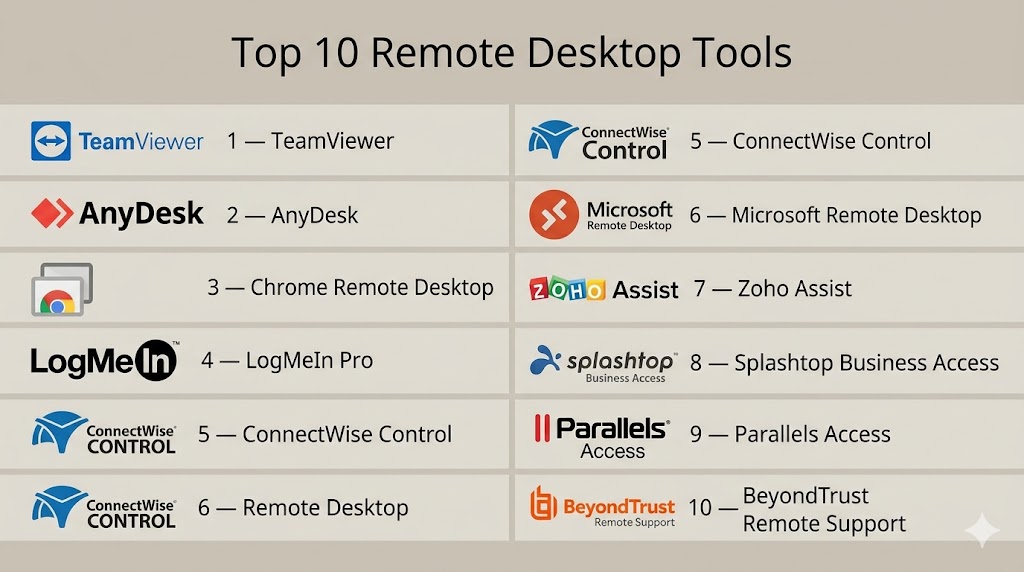
Introduction
Remote Desktop Tools are software solutions that allow users to access and control a computer or server from a different location. These tools are essential for IT management, remote support, and enabling employees to work from home or different offices. By providing secure remote access, organizations can maintain productivity, manage IT infrastructure efficiently, and ensure continuity of operations.
Common real-world use cases include IT administrators managing servers remotely, helpdesk teams troubleshooting user devices, employees accessing office desktops from home, collaborating on shared virtual workstations, and performing secure file transfers between locations.
When evaluating remote desktop tools, buyers should consider:
- Security and encryption protocols
- Cross-platform support (Windows, macOS, Linux, iOS, Android)
- Ease of setup and interface usability
- Performance and latency
- Multi-user and collaboration features
- Integration with IT management systems
- Automation or scripting support
- Licensing and pricing flexibility
- Support and community resources
- Audit and compliance capabilities
Best for: IT managers, remote support teams, SMBs, enterprises, and freelancers requiring secure and reliable remote access.
Not ideal for: Casual users with minimal remote access needs; basic VPNs or cloud file-sharing solutions may suffice.
Key Trends in Remote Desktop Tools
- AI-assisted session monitoring and anomaly detection to enhance security.
- Cloud and hybrid deployment options for flexible access.
- Integration with IT service management (ITSM) and collaboration platforms.
- Multi-factor authentication (MFA) and single sign-on (SSO) standardization.
- Zero-trust access models for enterprise-grade security.
- Mobile device support and optimization for remote access.
- Automation of repetitive IT support tasks using scripts and macros.
- Real-time monitoring and reporting for auditing and compliance.
- Subscription and usage-based pricing for SMBs and enterprises.
- Performance optimization for low-latency, high-bandwidth operations.
How We Selected These Tools (Methodology)
- Market adoption and industry mindshare.
- Completeness of core remote desktop features (desktop control, file transfer, session management).
- Performance and reliability across different network conditions.
- Security posture and encryption standards.
- Integration capabilities with ITSM, collaboration, and cloud systems.
- Fit for solo users, SMBs, mid-market, and enterprise teams.
- Cross-platform support (Windows, macOS, Linux, iOS, Android).
- Quality of documentation, onboarding, and support services.
- Pricing and licensing flexibility.
- Alignment with modern IT and remote work trends.
Top 10 Remote Desktop Tools
#1 — TeamViewer
Short description: TeamViewer is a comprehensive remote access and support platform for enterprises and SMBs, enabling secure connectivity across desktops and mobile devices.
Key Features
- Cross-platform access (Windows, macOS, Linux, iOS, Android)
- Remote file transfer and printing
- Multi-monitor support
- Session recording and chat collaboration
- Cloud-based device management
Pros
- Intuitive and easy to deploy
- Works for personal and enterprise users
Cons
- Licensing can be expensive for large teams
- Free version limited to non-commercial use
Platforms / Deployment
- Windows / macOS / Linux / iOS / Android
- Cloud / Self-hosted
Security & Compliance
- End-to-end encryption, MFA, SSO
- ISO 27001, SOC 2, GDPR
Integrations & Ecosystem
Supports integration with ITSM and collaboration platforms:
- Slack
- Microsoft Teams
- API access for automation
Support & Community
- 24/7 enterprise support
- Active documentation and forums
#2 — AnyDesk
Short description: AnyDesk is a lightweight, high-performance remote desktop tool designed for fast, low-latency access for SMBs and freelancers.
Key Features
- Cross-platform access
- Session recording and file transfer
- Multi-monitor support
- Address book and session management
- Custom branding for enterprise users
Pros
- Fast and responsive connections
- Simple licensing
Cons
- Advanced features require paid license
- Limited collaboration tools
Platforms / Deployment
- Windows / macOS / Linux / iOS / Android
- Cloud / Self-hosted
Security & Compliance
- TLS 1.2 encryption, RSA 2048 key exchange
- Not publicly stated
Integrations & Ecosystem
- API access for automation
- SSO integration for enterprise
- Lightweight client ecosystem
Support & Community
- Email and ticket support
- Knowledge base and guides
#3 — Chrome Remote Desktop
Short description: Browser-based remote desktop solution ideal for individuals and small teams, offering lightweight access without installations.
Key Features
- Access via Google Chrome
- Cross-platform support (Windows, macOS, Linux, iOS, Android)
- PIN authentication
- Minimalistic interface
Pros
- Free and easy to use
- Quick setup with no installation
Cons
- Lacks enterprise features
- No session management dashboard
Platforms / Deployment
- Windows / macOS / Linux / iOS / Android
- Cloud
Security & Compliance
- Encrypted connections via Google infrastructure
- Not publicly stated
Integrations & Ecosystem
- Google Workspace integration
- Limited browser-based API
Support & Community
- Google support forums
- Documentation
#4 — LogMeIn Pro
Short description: LogMeIn Pro is a remote desktop tool for teams and SMBs, providing file transfer, printing, and collaboration features.
Key Features
- Remote desktop and file transfer
- Multi-monitor and remote printing
- Team management and permissions
- Cloud backup and password manager integration
Pros
- Strong security
- Effective for team-based environments
Cons
- Higher subscription cost
- Heavier client compared to lightweight alternatives
Platforms / Deployment
- Windows / macOS / iOS / Android
- Cloud
Security & Compliance
- TLS/SSL encryption, MFA
- ISO 27001, SOC 2
Integrations & Ecosystem
- ITSM tools
- Password managers
- API automation
Support & Community
- 24/7 support
- Knowledge base and tutorials
#5 — ConnectWise Control
Short description: Enterprise and MSP-focused tool providing secure remote access with advanced auditing and collaboration.
Key Features
- Unattended and attended access
- Session recording and auditing
- Multi-user collaboration
- Automation scripts and custom branding
Pros
- Scalable for enterprises
- Strong security and compliance
Cons
- Higher learning curve
- Complex for small teams
Platforms / Deployment
- Windows / macOS / Linux / iOS / Android
- Cloud / Self-hosted
Security & Compliance
- AES 256-bit encryption, MFA
- SOC 2
Integrations & Ecosystem
- ITSM integration
- API scripting and automation
- Plugin support
Support & Community
- Enterprise support tiers
- Documentation and active community
#6 — Microsoft Remote Desktop
Short description: Native Windows remote desktop tool for managing servers and desktops securely.
Key Features
- Remote desktop access for Windows systems
- Multi-monitor support and audio redirection
- Active Directory/Azure AD integration
- Secure gateway access
Pros
- Native Windows integration
- Reliable performance
Cons
- Limited macOS/Linux support
- Requires proper network setup
Platforms / Deployment
- Windows / macOS / iOS / Android
- Cloud / Self-hosted
Security & Compliance
- Network Level Authentication
- Not publicly stated
Integrations & Ecosystem
- Azure AD
- IT management tools
- PowerShell scripting
Support & Community
- Microsoft support channels
- Documentation and forums
#7 — Zoho Assist
Short description: Cloud-based solution for SMBs and IT support teams, offering unattended and attended access.
Key Features
- Remote desktop and file transfer
- Multi-monitor support
- Chat and session recording
- Multi-user management
- ITSM integrations
Pros
- Easy cloud deployment
- Affordable for SMBs
Cons
- Advanced features require higher-tier plans
- Limited offline access
Platforms / Deployment
- Windows / macOS / Linux / iOS / Android
- Cloud
Security & Compliance
- TLS 256-bit encryption, MFA
- SOC 2, GDPR
Integrations & Ecosystem
- Zoho CRM integration
- API support for automation
- Plugin support
Support & Community
- Email and chat support
- Knowledge base and tutorials
#8 — Splashtop Business Access
Short description: High-performance remote desktop for IT teams and businesses with multi-device support.
Key Features
- Remote desktop and file transfer
- Multi-monitor support and printing
- High-definition audio/video streaming
- Team management and reporting
Pros
- Low-latency performance
- Affordable SMB pricing
Cons
- Fewer enterprise integrations
- Limited ITSM features
Platforms / Deployment
- Windows / macOS / iOS / Android
- Cloud
Security & Compliance
- TLS/AES 256-bit encryption
- Not publicly stated
Integrations & Ecosystem
- API access for automation
- Third-party plugins
Support & Community
- Email and chat support
- Documentation
#9 — Parallels Access
Short description: Mobile-optimized desktop access tool for individuals and SMBs.
Key Features
- Desktop and application access
- Mobile-friendly interface
- File transfer and clipboard sharing
Pros
- Excellent mobile experience
- Intuitive UI
Cons
- Limited enterprise features
- Focused on small teams
Platforms / Deployment
- Windows / macOS / iOS / Android
- Cloud
Security & Compliance
- TLS encryption
- Not publicly stated
Integrations & Ecosystem
- Mobile app ecosystem
- Limited API support
Support & Community
- Email support and guides
- Community resources
#10 — BeyondTrust Remote Support
Short description: Enterprise-grade solution offering secure remote access with auditing and compliance.
Key Features
- Unattended and attended access
- Session recording, logging, and auditing
- Multi-platform support
- Role-based access control
- ITSM and security integrations
Pros
- Enterprise scalability
- Strong security and compliance
Cons
- Expensive for SMBs
- Complex setup
Platforms / Deployment
- Windows / macOS / Linux / iOS / Android
- Cloud / Self-hosted
Security & Compliance
- End-to-end encryption, MFA, RBAC
- SOC 2, ISO 27001, GDPR, HIPAA
Integrations & Ecosystem
- ITSM integrations
- API and automation support
- Plugin ecosystem
Support & Community
- Enterprise support tiers
- Active documentation and community
Comparison Table (Top 10)
| Tool Name | Best For | Platform(s) Supported | Deployment | Standout Feature | Public Rating |
|---|---|---|---|---|---|
| TeamViewer | SMBs & Enterprises | Windows/macOS/Linux/iOS/Android | Cloud/Self-hosted | Multi-platform support & security | N/A |
| AnyDesk | SMBs & Freelancers | Windows/macOS/Linux/iOS/Android | Cloud/Self-hosted | Low-latency performance | N/A |
| Chrome Remote Desktop | Individuals & SMBs | Windows/macOS/Linux/iOS/Android | Cloud | Browser-based access | N/A |
| LogMeIn Pro | SMBs & Teams | Windows/macOS/iOS/Android | Cloud | Team management & file transfer | N/A |
| ConnectWise Control | MSPs & Enterprises | Windows/macOS/Linux/iOS/Android | Cloud/Self-hosted | Enterprise support & auditing | N/A |
| Microsoft Remote Desktop | Enterprises & IT admins | Windows/macOS/iOS/Android | Cloud/Self-hosted | Native Windows integration | N/A |
| Zoho Assist | SMBs & IT helpdesks | Windows/macOS/Linux/iOS/Android | Cloud | Cloud-based remote support | N/A |
| Splashtop Business Access | SMBs & IT teams | Windows/macOS/iOS/Android | Cloud | High-performance streaming | N/A |
| Parallels Access | Mobile users & SMBs | Windows/macOS/iOS/Android | Cloud | Mobile-optimized access | N/A |
| BeyondTrust Remote Support | Enterprises | Windows/macOS/Linux/iOS/Android | Cloud/Self-hosted | Security & compliance | N/A |
Evaluation & Scoring of Remote Desktop Tools
| Tool Name | Core (25%) | Ease (15%) | Integrations (15%) | Security (10%) | Performance (10%) | Support (10%) | Value (15%) | Weighted Total |
|---|---|---|---|---|---|---|---|---|
| TeamViewer | 9 | 9 | 9 | 9 | 9 | 9 | 7 | 8.85 |
| AnyDesk | 8 | 9 | 7 | 8 | 9 | 8 | 8 | 8.3 |
| Chrome Remote Desktop | 6 | 9 | 5 | 7 | 7 | 7 | 10 | 7.6 |
| LogMeIn Pro | 9 | 8 | 8 | 9 | 8 | 8 | 6 | 8.25 |
| ConnectWise Control | 9 | 7 | 9 | 9 | 8 | 8 | 7 | 8.25 |
| Microsoft Remote Desktop | 8 | 8 | 7 | 8 | 8 | 7 | 7 | 7.85 |
| Zoho Assist | 8 | 9 | 8 | 8 | 8 | 8 | 8 | 8.25 |
| Splashtop Business Access | 8 | 9 | 6 | 8 | 9 | 7 | 8 | 8.1 |
| Parallels Access | 7 | 9 | 6 | 7 | 8 | 7 | 8 | 7.65 |
| BeyondTrust Remote Support | 9 | 7 | 9 | 10 | 9 | 9 | 6 | 8.55 |
Interpretation: Scores compare core features, usability, integrations, security, performance, support, and value. Higher weighted totals indicate overall suitability; selection should align with operational needs, compliance, and user base.
Which Remote Desktop Tools Tool Is Right for You?
Solo / Freelancer
Chrome Remote Desktop or AnyDesk for lightweight and cost-effective remote desktop access.
SMB
TeamViewer, Zoho Assist, or Splashtop Business Access for secure, multi-user support.
Mid-Market
LogMeIn Pro or ConnectWise Control for team management, automation, and auditing.
Enterprise
BeyondTrust Remote Support, TeamViewer Enterprise, or ConnectWise Control for scalability, compliance, and advanced features.
Budget vs Premium
Free options like Chrome Remote Desktop are sufficient for individual use. Premium tools offer advanced security, collaboration, and monitoring.
Feature Depth vs Ease of Use
Zoho Assist and TeamViewer provide a balance of usability and features. BeyondTrust and ConnectWise Control emphasize enterprise-grade depth and compliance.
Integrations & Scalability
ConnectWise Control, TeamViewer, and BeyondTrust integrate with ITSM and security tools, enabling scalable workflows.
Security & Compliance Needs
BeyondTrust, TeamViewer Enterprise, and LogMeIn Pro provide MFA, encryption, audit logs, and regulatory compliance.
Frequently Asked Questions (FAQs)
What are the typical pricing models?
Free, subscription, and per-device licensing depending on features and usage.
How long does onboarding take?
Minutes for Chrome Remote Desktop; hours for enterprise tools with advanced security configurations.
What common mistakes should I avoid?
Weak passwords, skipping MFA, granting excessive permissions.
Can multiple users access a system simultaneously?
Yes, enterprise platforms support multi-user sessions and collaboration.
How do these tools help with compliance?
They offer encrypted sessions, logging, and reporting to assist with GDPR, HIPAA, and SOC 2.
Can I access desktops from mobile devices?
Yes, all top solutions support iOS and Android devices.
Is automation available?
Yes, scripting, scheduled sessions, and macros are supported on most enterprise-grade tools.
Are free tools reliable?
Yes, for basic use, but they lack enterprise-level features and audit capabilities.
How do these tools integrate with other systems?
APIs, ITSM integration, and plugins allow workflow automation and system connectivity.
What alternatives exist?
VPNs, managed remote support services, or cloud collaboration platforms.
Conclusion
Remote Desktop Tools are essential for secure, efficient, and scalable access to desktops and servers. Selection depends on team size, platform, and compliance requirements. Lightweight tools like Chrome Remote Desktop and AnyDesk serve individuals and SMBs, while enterprise solutions like BeyondTrust, TeamViewer Enterprise, and ConnectWise Control provide advanced security, automation, and collaboration. Organizations should shortlist 2–3 options, pilot test them, and ensure performance, security, and integration meet operational needs.

A factor that often gets overlooked is connection reliability in less-than-ideal network conditions. In real-world use, a remote desktop tool’s ability to handle unstable connections smoothly can be just as important as its feature set.
One important consideration that is often missing from remote desktop tool comparisons is operational visibility into remote sessions and the ability to troubleshoot user issues at scale. Features like remote access, file transfer, and cross-platform support are important, but in enterprise environments the real challenge is diagnosing intermittent connectivity problems, bandwidth constraints, endpoint performance degradation, and security incidents across thousands of distributed devices. It would be valuable to compare these tools based on session observability, audit logging depth, integration with SIEM platforms, and automated policy enforcement. From a platform operations perspective, the long-term success of a remote desktop solution depends not just on remote connectivity, but on how effectively it supports governance, security monitoring, and incident response as remote work environments continue to expand.