MOTOSHARE 🚗🏍️
Rent Bikes & Cars Directly from Owners
Motoshare connects vehicle owners with people who need bikes and cars on rent. Owners earn from idle vehicles, and renters get flexible ride options.
Visit Motoshare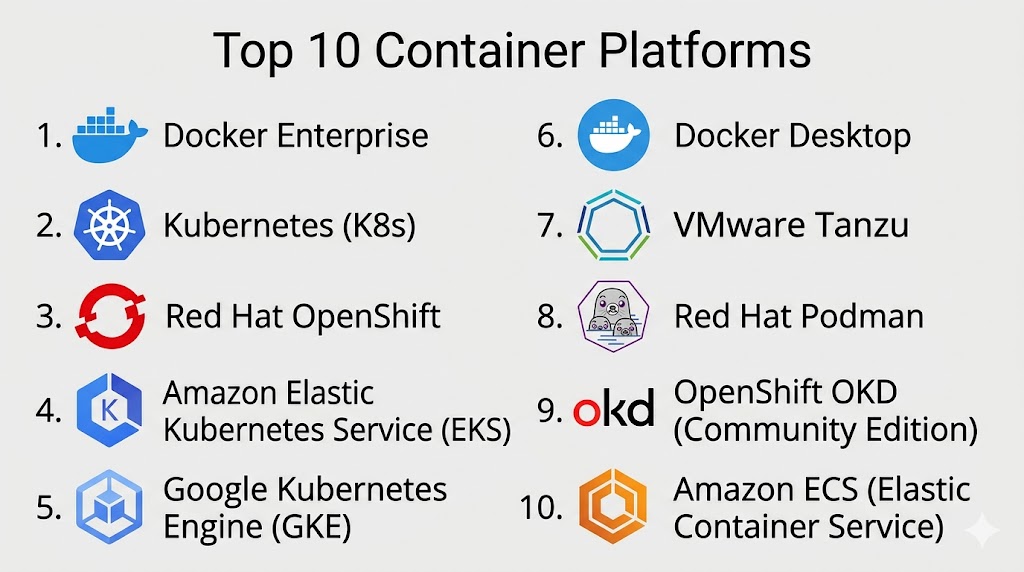
Introduction
Container Platforms are software solutions that allow developers and IT teams to package applications and dependencies into containers, enabling consistent deployment across multiple environments. Containers are lightweight, portable, and isolated, making them ideal for cloud-native applications, microservices, and DevOps workflows. These platforms help organizations streamline application delivery, improve resource utilization, and enhance scalability.
Real-world use cases include deploying microservices in a cloud environment, simplifying continuous integration and continuous deployment (CI/CD) pipelines, testing applications across multiple environments, managing large-scale containerized workloads, and supporting multi-cloud or hybrid cloud architectures.
When evaluating container platforms, buyers should consider:
- Support for container orchestration (Kubernetes, Docker Swarm)
- Multi-cloud and hybrid cloud compatibility
- Security features including image scanning and runtime protection
- CI/CD integration and automation capabilities
- Monitoring, logging, and performance analytics
- Resource efficiency and scalability
- Developer experience and ease of use
- Licensing and pricing flexibility
- Ecosystem and integrations
- Support and community resources
Best for: Developers, DevOps teams, IT managers, and enterprises running cloud-native applications or microservices architectures.
Not ideal for: Organizations with minimal application deployment complexity or legacy monolithic applications that do not require containerization.
Key Trends in Container Platforms
- Kubernetes standardization as the default orchestration layer
- Multi-cloud and hybrid cloud container deployments
- AI and automation for container scaling, optimization, and monitoring
- Enhanced security including image scanning, runtime protection, and vulnerability management
- Serverless and edge computing integration with container workloads
- Integration with CI/CD pipelines and DevOps tooling
- GPU and high-performance computing container support
- Usage-based and subscription licensing models
- Observability tools for metrics, logging, and tracing
- Interoperability with service meshes and microservices frameworks
How We Selected These Tools (Methodology)
- Market adoption and popularity in enterprise and developer communities
- Feature completeness including orchestration, security, and management
- Reliability and performance signals in production environments
- Security posture, compliance, and vulnerability mitigation
- Ecosystem and integrations with CI/CD, cloud platforms, and monitoring tools
- Fit across small teams, SMBs, mid-market, and enterprises
- Cross-platform support for Linux, Windows, and cloud environments
- Documentation, onboarding, and support quality
- Cost and licensing flexibility
- Alignment with current and emerging DevOps and cloud-native trends
Top 10 Container Platforms
#1 — Docker Enterprise
Short description: Docker Enterprise provides a container platform for building, shipping, and running containerized applications across environments.
Key Features
- Container runtime and orchestration support
- Image repository and scanning
- Integrated CI/CD workflows
- Role-based access control
- Multi-cloud and hybrid deployment
- Security and compliance features
- Centralized management console
Pros
- Widely adopted and mature
- Strong developer ecosystem
Cons
- Licensing can be expensive for large enterprises
- Enterprise orchestration requires Kubernetes knowledge
Platforms / Deployment
- Linux / Windows
- Cloud / Self-hosted / Hybrid
Security & Compliance
- SSO, RBAC, image scanning
- SOC 2, ISO 27001
Integrations & Ecosystem
- CI/CD tools (Jenkins, GitLab)
- Kubernetes integration
- APIs for automation
Support & Community
- Enterprise support tiers
- Active Docker community
#2 — Kubernetes (K8s)
Short description: Open-source container orchestration platform for automating deployment, scaling, and management of containerized applications.
Key Features
- Automated container scheduling and scaling
- Self-healing and load balancing
- Service discovery and network management
- Secret and configuration management
- Multi-cloud and hybrid cloud support
Pros
- Industry-standard orchestration
- Extensive ecosystem and community support
Cons
- Complex setup and learning curve
- Requires monitoring and management tooling
Platforms / Deployment
- Linux / Windows / Cloud / Hybrid
- Self-hosted / Cloud
Security & Compliance
- RBAC, encryption, MFA
- Not publicly stated
Integrations & Ecosystem
- Helm charts
- CI/CD integrations
- Service mesh frameworks (Istio, Linkerd)
Support & Community
- Open-source community
- Documentation and tutorials
#3 — Red Hat OpenShift
Short description: Enterprise Kubernetes platform for deploying and managing containerized applications with DevOps and CI/CD integrations.
Key Features
- Kubernetes orchestration with enterprise enhancements
- Developer and operator tools
- Multi-cloud deployment
- Security policies and compliance
- CI/CD pipeline integration
- Logging and monitoring dashboards
Pros
- Enterprise-ready with support
- Simplifies Kubernetes management
Cons
- Subscription pricing
- Higher resource requirements
Platforms / Deployment
- Linux / Windows
- Cloud / Self-hosted / Hybrid
Security & Compliance
- RBAC, encryption, SSO
- SOC 2, ISO 27001, GDPR
Integrations & Ecosystem
- Jenkins and CI/CD tools
- Service mesh integration
- REST APIs for automation
Support & Community
- Enterprise support
- Active Red Hat community
#4 — Amazon Elastic Kubernetes Service (EKS)
Short description: AWS-managed Kubernetes service for deploying and managing containerized workloads in the cloud.
Key Features
- Fully managed Kubernetes clusters
- Auto-scaling and high availability
- Integration with AWS services
- Logging and monitoring with CloudWatch
- IAM-based access control
- Multi-AZ deployment
Pros
- Fully managed, reduces operational overhead
- Scales easily for cloud workloads
Cons
- AWS expertise required
- Cloud costs can accumulate with usage
Platforms / Deployment
- Linux / Windows
- Cloud
Security & Compliance
- Encryption, IAM policies
- SOC 2, ISO 27001, HIPAA
Integrations & Ecosystem
- AWS services (EC2, S3, CloudWatch)
- CI/CD pipelines
- APIs for automation
Support & Community
- AWS support tiers
- AWS developer forums
#5 — Google Kubernetes Engine (GKE)
Short description: Google Cloud-managed Kubernetes platform for scalable container orchestration.
Key Features
- Automated cluster provisioning and scaling
- Integrated monitoring and logging
- Security features with IAM and RBAC
- Multi-zone and multi-cluster deployment
- CI/CD and DevOps integration
Pros
- Fully managed with Google Cloud integration
- Strong performance and reliability
Cons
- Cloud costs dependent on usage
- Requires familiarity with GCP
Platforms / Deployment
- Linux / Windows
- Cloud
Security & Compliance
- Encryption, RBAC
- SOC 2, ISO 27001, HIPAA
Integrations & Ecosystem
- GCP services (Cloud Storage, Stackdriver)
- CI/CD pipelines
- APIs for automation
Support & Community
- Google Cloud support
- Active documentation and community
#6 — Docker Desktop
Short description: Desktop-based container platform for developers to build, test, and run containerized applications locally.
Key Features
- Local container runtime
- Kubernetes integration
- Image management and repositories
- CLI and GUI tools
- Resource allocation controls
Pros
- Lightweight and developer-friendly
- Easy integration with local development workflows
Cons
- Not suited for production orchestration
- Limited enterprise features
Platforms / Deployment
- Windows / macOS / Linux
- Self-hosted
Security & Compliance
- Local container encryption
- Not publicly stated
Integrations & Ecosystem
- Docker Hub integration
- CI/CD pipelines
- APIs for automation
Support & Community
- Docker support
- Active developer community
#7 — VMware Tanzu
Short description: Enterprise container platform for deploying Kubernetes and managing modern apps across cloud and on-premises.
Key Features
- Kubernetes cluster management
- CI/CD integration
- Security and compliance features
- Observability and monitoring
- Multi-cloud support
Pros
- Enterprise-grade support and tools
- Strong Kubernetes integration
Cons
- Complex setup
- Requires VMware ecosystem knowledge
Platforms / Deployment
- Linux / Windows
- Cloud / Self-hosted / Hybrid
Security & Compliance
- Encryption, MFA, RBAC
- SOC 2, ISO 27001
Integrations & Ecosystem
- CI/CD tools
- VMware ecosystem
- APIs for automation
Support & Community
- Enterprise support
- VMware community
#8 — Red Hat Podman
Short description: Open-source container management platform for running and managing containers without a daemon.
Key Features
- Rootless container execution
- Kubernetes-compatible CLI
- Image and container management
- Security-focused architecture
- Pod and network management
Pros
- Lightweight and secure
- CLI compatible with Docker
Cons
- Smaller ecosystem than Docker
- Requires Linux expertise
Platforms / Deployment
- Linux / Windows / macOS
- Self-hosted
Security & Compliance
- Rootless containers, RBAC
- Not publicly stated
Integrations & Ecosystem
- Kubernetes integration
- CI/CD pipelines
- APIs and scripting
Support & Community
- Red Hat support available
- Open-source community
#9 — OpenShift OKD (Community Edition)
Short description: Kubernetes distribution for developers and enterprises with full CI/CD and container orchestration capabilities.
Key Features
- Kubernetes orchestration
- CI/CD integration
- Developer and operator tools
- Multi-cloud deployment
- Security and policy management
Pros
- Open-source and enterprise-grade
- Strong developer workflow integration
Cons
- Steeper learning curve
- Requires Kubernetes knowledge
Platforms / Deployment
- Linux / Windows
- Cloud / Self-hosted / Hybrid
Security & Compliance
- RBAC, MFA, encryption
- Not publicly stated
Integrations & Ecosystem
- CI/CD tools
- Kubernetes ecosystem
- APIs for automation
Support & Community
- Community support
- OpenShift forums and documentation
#10 — Amazon ECS (Elastic Container Service)
Short description: AWS-managed container orchestration service for Docker and microservices workloads.
Key Features
- Docker container orchestration
- Integration with AWS services
- Auto-scaling and scheduling
- Security with IAM and encryption
- Monitoring with CloudWatch
Pros
- Fully managed, simplifies container management
- Scales with AWS infrastructure
Cons
- AWS expertise required
- Costs vary with usage
Platforms / Deployment
- Linux / Windows
- Cloud
Security & Compliance
- Encryption, IAM policies
- SOC 2, ISO 27001, HIPAA
Integrations & Ecosystem
- AWS services (EC2, S3, CloudWatch)
- CI/CD pipelines
- APIs for automation
Support & Community
- AWS support tiers
- Developer community
Comparison Table (Top 10)
| Tool Name | Best For | Platform(s) Supported | Deployment | Standout Feature | Public Rating |
|---|---|---|---|---|---|
| Docker Enterprise | Enterprises & Dev Teams | Linux / Windows | Cloud / Hybrid / Self-hosted | Enterprise container management | N/A |
| Kubernetes | Enterprises & SMBs | Linux / Windows / Cloud | Cloud / Hybrid / Self-hosted | Standardized orchestration | N/A |
| Red Hat OpenShift | Enterprises & Dev Teams | Linux / Windows | Cloud / Hybrid / Self-hosted | Enterprise Kubernetes platform | N/A |
| Amazon EKS | Enterprises & SMBs | Linux / Windows | Cloud | Managed Kubernetes service | N/A |
| Google GKE | Enterprises & Dev Teams | Linux / Windows | Cloud | Managed Kubernetes on GCP | N/A |
| Docker Desktop | Developers | Windows / macOS / Linux | Self-hosted | Local container development | N/A |
| VMware Tanzu | Enterprises | Linux / Windows | Cloud / Hybrid / Self-hosted | Kubernetes management + monitoring | N/A |
| Red Hat Podman | Developers & DevOps | Linux / Windows / macOS | Self-hosted | Daemon-less container management | N/A |
| OpenShift OKD | Dev Teams & SMBs | Linux / Windows | Cloud / Hybrid / Self-hosted | Open-source Kubernetes workflow | N/A |
| Amazon ECS | SMBs & Enterprises | Linux / Windows | Cloud | Managed Docker orchestration | N/A |
Evaluation & Scoring of Container Platforms
| Tool Name | Core (25%) | Ease (15%) | Integrations (15%) | Security (10%) | Performance (10%) | Support (10%) | Value (15%) | Weighted Total |
|---|---|---|---|---|---|---|---|---|
| Docker Enterprise | 9 | 8 | 9 | 9 | 9 | 9 | 7 | 8.7 |
| Kubernetes | 9 | 7 | 9 | 8 | 9 | 8 | 8 | 8.4 |
| Red Hat OpenShift | 9 | 8 | 8 | 9 | 8 | 8 | 7 | 8.25 |
| Amazon EKS | 8 | 7 | 8 | 9 | 8 | 7 | 7 | 7.85 |
| Google GKE | 8 | 7 | 8 | 9 | 8 | 7 | 7 | 7.85 |
| Docker Desktop | 7 | 9 | 7 | 7 | 7 | 7 | 8 | 7.65 |
| VMware Tanzu | 9 | 7 | 8 | 9 | 8 | 8 | 7 | 8.15 |
| Red Hat Podman | 7 | 8 | 7 | 8 | 8 | 7 | 8 | 7.65 |
| OpenShift OKD | 8 | 7 | 8 | 8 | 8 | 7 | 7 | 7.75 |
| Amazon ECS | 8 | 7 | 8 | 9 | 8 | 7 | 7 | 7.85 |
Interpretation: Scores compare core features, usability, integrations, security, performance, support, and value. Selection depends on workflow requirements, team expertise, and deployment complexity.
Which Container Platforms Tool Is Right for You?
Solo / Freelancer
Docker Desktop or Red Hat Podman for lightweight local container management and testing.
SMB
Amazon ECS, GKE, or Kubernetes for small-scale container orchestration and multi-cloud deployments.
Mid-Market
Red Hat OpenShift or VMware Tanzu for enterprise container orchestration with CI/CD integration.
Enterprise
Docker Enterprise, Kubernetes, OpenShift OKD, or Amazon EKS for large-scale, secure, and hybrid deployments.
Budget vs Premium
Open-source tools like Podman or OpenShift OKD offer cost flexibility; enterprise platforms provide advanced features, support, and compliance.
Feature Depth vs Ease of Use
Docker Desktop and Podman emphasize ease of use; Kubernetes and OpenShift provide deep functionality for complex enterprise workflows.
Integrations & Scalability
Kubernetes, OpenShift, and EKS integrate with CI/CD, cloud services, and observability tools to scale enterprise workloads efficiently.
Security & Compliance Needs
Docker Enterprise, OpenShift, and Amazon EKS provide encryption, RBAC, MFA, and audit capabilities to meet regulatory requirements.
Frequently Asked Questions (FAQs)
What are the typical pricing models?
Open-source, subscription, usage-based, or enterprise licensing depending on deployment and support needs.
How long does onboarding take?
Docker Desktop is ready in minutes; enterprise platforms may take days or weeks to configure clusters.
What common mistakes should I avoid?
Neglecting security policies, over-provisioning resources, and failing to monitor container performance.
Can these tools manage GPU-intensive workloads?
Yes, Docker Enterprise, OpenShift, and Kubernetes support GPU containers.
How is security enforced?
Encryption, RBAC, image scanning, and runtime protections secure container workloads.
Can containers be deployed across multiple clouds?
Yes, Kubernetes, OpenShift, and cloud-native services like EKS support multi-cloud deployments.
Is automation available?
Yes, provisioning, scaling, CI/CD pipelines, and monitoring can be automated.
Are open-source tools viable for production?
Yes, tools like Kubernetes, Podman, and OpenShift OKD are production-ready with enterprise support options.
How do these platforms integrate with DevOps tools?
They support CI/CD pipelines, monitoring, logging, orchestration, and APIs for automation.
What are alternatives to container platforms?
VM management, serverless platforms, or cloud-native PaaS can serve workloads without full containerization.
Conclusion
Container Platforms enable organizations to build, deploy, and manage applications consistently across environments, improving agility, scalability, and operational efficiency. Lightweight tools like Docker Desktop or Red Hat Podman suit developers and SMBs, while enterprise-grade platforms such as Kubernetes, OpenShift, and Amazon EKS offer advanced orchestration, security, and compliance. Organizations should shortlist 2–3 platforms, pilot deployments, and validate integration, performance, and security to select the best fit.

A platform’s features are important, but I’ve found that day-two operations often determine its success. Backup strategies, upgrades, access control, and resource management can have a much bigger impact on long-term adoption than the initial deployment experience.
A topic that would add significant value to this comparison is the operational complexity of platform standardization across large engineering organizations. Most container platform evaluations focus on deployment, scalability, and developer experience, but the long-term challenge is often controlling platform sprawl while maintaining consistent security, observability, and governance policies. As teams adopt different runtimes, CI/CD pipelines, and infrastructure providers, platform engineers must balance developer flexibility with operational consistency. It would be interesting to compare how these platforms support centralized policy management, multi-cluster observability, cost allocation, and self-service workflows. In practice, the most successful container platforms are not necessarily the ones with the most features, but the ones that reduce operational friction and platform maintenance overhead as the organization scales.