MOTOSHARE 🚗🏍️
Rent Bikes & Cars Directly from Owners
Motoshare connects vehicle owners with people who need bikes and cars on rent. Owners earn from idle vehicles, and renters get flexible ride options.
Visit Motoshare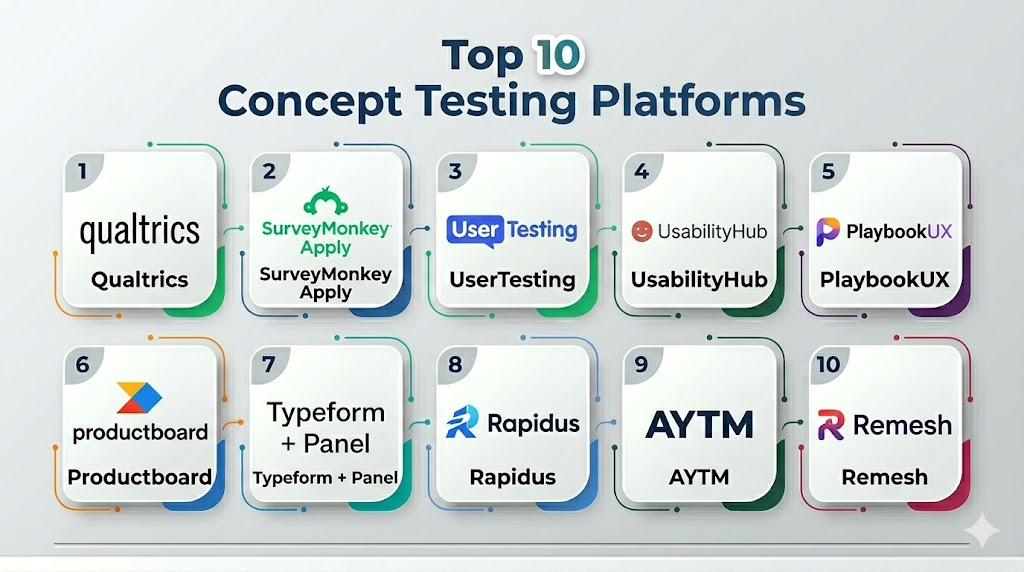
Introduction
Concept Testing Platforms are specialized tools that help businesses validate ideas, concepts, products, messaging, and experiences before major investments in development, marketing, or launch. These platforms collect feedback from targeted audiences—customers, segmented panels, or general users—to measure appeal, understanding, preference, purchase intent, and willingness to pay. Concept testing reduces market risk, accelerates product-market fit, and elevates strategic decisions with actionable data.In concept testing has grown central to agile innovation, design thinking, and go‑to‑market planning. Modern platforms offer rapid feedback cycles, AI‑assisted analysis, segmentation insights, collaborative workflows, and deep integrations with product and marketing stacks. As competition intensifies, organizations increasingly rely on iterative concept validation to sharpen positioning, messaging, and feature priorities.
Real‑world use cases include:
- Testing new product names, packaging, and features
- Validating messaging and marketing ideas before campaigns
- Gauging audience reaction to innovation concepts
- Comparing alternative designs and value propositions
- Prioritizing product backlog features with customer data
What buyers should evaluate:
- Speed of feedback turnaround
- Data quality (panel accuracy, response validation)
- Analytics and segmentation capabilities
- Integration with product/UX tools
- Pricing model and panel access
- AI and automation in analysis
- Collaboration and reporting features
- Global reach and audience targeting
- Mobile usability
- Secure data handling
Best for: Product teams, UX researchers, marketers, innovation leaders, startups, agencies, and R&D groups testing ideas early.
Not ideal for: Organizations that only need basic surveys or have minimal interest in structured concept validation.
Key Trends in Concept Testing Platforms
- AI‑assisted insights and summarization for faster interpretation
- Hybrid audience sources (proprietary panels + first‑party data)
- Mobile‑first respondent experiences
- Real‑time dashboards replacing static reports
- Visual concept testing with mockups, videos, and prototypes
- Integration with product development and design tools
- Behavioral analytics layered with attitudinal responses
- Global audience targeting and localization
- Automated segmentation and clustering
- Subscription + usage‑based pricing models
How We Selected These Tools (Methodology)
- Breadth and depth of core concept testing features
- Quality and flexibility of respondent targeting
- Analytics capabilities and data visualization
- Speed and ease of launching studies
- Integration/automation ecosystem
- Support for iterative workflows
- Data quality, panel options, and rigour
- Security and compliance posture
- Value relative to pricing and audience access
- Scalability for teams of all sizes
Top 10 Concept Testing Platforms
1 — Qualtrics
Short description: Qualtrics is an enterprise‑grade experience management platform that includes advanced concept testing and market insights. It supports complex survey logic, panel access, segmentation, and deep analytics. It is used broadly by product, UX, and marketing teams to validate products, messaging, and customer experiences at scale.
Key Features
- Advanced concept and conjoint testing
- AI‑assisted analysis
- Global respondent panels
- Segmentation and cohort analysis
- Real‑time dashboards
- Collaborative reporting tools
- Integration with analytics and CRM systems
Pros
- Highly robust survey logic and analytics
- Wide global panel support
- Enterprise integrations and security
Cons
- Higher price for smaller teams
- Complex setup for novices
- Enterprise‑oriented workflows
Platforms / Deployment
- Web / Cloud
Security & Compliance
SOC 2 (varies by agreement), GDPR compliance, RBAC, encryption at rest/in transit
Integrations & Ecosystem
- CRM systems
- Analytics platforms
- Marketing automation
- Product insights tools
- APIs for data export
Support & Community
- Dedicated enterprise support
- Extensive learning resources
- Large customer community
2 — SurveyMonkey Apply (Momentive)
Short description: SurveyMonkey Apply (formerly Momentive) offers concept testing as part of its broader survey ecosystem. It is used by mid‑sized businesses and teams for rapid feedback, A/B concept comparison, and basic segmentation with flexible survey templates.
Key Features
- Rapid concept testing templates
- A/B variant testing
- Segmentation filters
- Analytics dashboards
- Exportable results
- Custom survey logic
Pros
- Easy to set up and use
- Flexible for many teams
- Cost‑effective at mid‑range
Cons
- Less advanced analytics than enterprise tools
- Limited multitouch segmentation
- Panel sourcing is separate
Platforms / Deployment
- Web / Cloud
Security & Compliance
GDPR compliance, encryption in transit
Integrations & Ecosystem
- CRM exports
- Google Sheets/Excel exports
- Email distribution
- API access
Support & Community
- Email support
- Help documentation
- User community forums
3 — UserTesting
Short description: UserTesting blends concept testing with real‑user videos, reactions, and qualitative insights. It is especially helpful for UX and product teams that need contextual feedback alongside quantitative concept scores.
Key Features
- Concept tests with recorded user reactions
- Targeted demographic filters
- Qualitative commentary
- Quantitative scoring
- Integration with design tools
- Fast turnaround studies
Pros
- Combines qualitative + quantitative feedback
- Fast results from real users
- Easy layperson interpretation
Cons
- Costs increase with heavy usage
- Responses vary based on respondent quality
- Less deep analytics than research suites
Platforms / Deployment
- Web / Cloud
Security & Compliance
GDPR, secure login, encryption in transit
Integrations & Ecosystem
- Design platforms (e.g., Figma/Balsamiq)
- Workflow tools (Slack/Teams)
- Data exports
- APIs
Support & Community
- Onboarding support
- Help center
- Community webinars
4 — UsabilityHub
Short description: UsabilityHub offers rapid concept validation through a variety of quick tests (preference tests, click tests, design comparisons) optimized for lean UX and product teams. It is ideal for validating visual concepts and messaging with low setup overhead.
Key Features
- Preference tests
- Five‑second tests
- Click and navigation tests
- Messaging feedback
- Rapid deployment
- Analytics dashboards
Pros
- Speedy feedback cycles
- Great for visual concept testing
- Easy for non‑researchers
Cons
- Limited advanced segmentation
- Not designed for deep market research
- Smaller respondent pool
Platforms / Deployment
- Web / Cloud
Security & Compliance
Encryption in transit, basic access controls
Integrations & Ecosystem
- Design tools
- Data export
- Workflow integrations
Support & Community
- Email support
- Help documentation
- Community resources
5 — PlaybookUX
Short description: PlaybookUX is a qualitative and quantitative research platform that supports concept testing with video responses, surveys, and moderated sessions. It helps teams capture sentiment, preference, and rational justification for concept appeal.
Key Features
- Concept surveys
- Video responses
- Diary studies
- Moderated testing
- Analytics and sentiment insights
- Segmentation tools
Pros
- Rich qualitative + quantitative mix
- Good for early product feedback
- Easy setup
Cons
- Smaller panel compared to enterprise solutions
- Costs can scale with projects
- Analytics depth mid‑range
Platforms / Deployment
- Web / Cloud
Security & Compliance
GDPR, secure user accounts
Integrations & Ecosystem
- Slack/Teams integrations
- Data export
- APIs
Support & Community
- Email and chat support
- Onboarding help
- User guides
6 — Productboard (Insight Gathering)
Short description: Productboard provides a customer insights module that supports concept testing embedded with product management workflows. It helps teams validate feature concepts directly within product roadmaps and feedback systems.
Key Features
- Concept feedback collection
- Feature prioritization framework
- Customer insights database
- Integration with product backlog
- User segment tagging
- Reporting tools
Pros
- Integrated with product planning tools
- Contextual feedback aligned to roadmap
- Collaborative for cross‑functional teams
Cons
- Not a standalone research platform
- Requires product management setup
- Best for teams already using Productboard
Platforms / Deployment
- Web / Cloud
Security & Compliance
OAuth2-based access, role‑based permissions, encryption in transit
Integrations & Ecosystem
- Jira/Trello/Asana
- Slack/Teams
- CRM systems
- Analytics tools
Support & Community
- Dedicated support
- Product community
- Documentation library
7 — Typeform + Panel Source
Short description: Typeform is a flexible survey builder that, when combined with external panels or targeted respondent lists, can act as a concept testing engine. Its strength is in conversational UX and optional rich media concept presentation.
Key Features
- Conversational survey interface
- Multimedia support
- Skip logic and branching
- Audience targeting via panel integrations
- Analytics dashboard
- Exportable results
Pros
- Great respondent experience
- Supports rich media concepts
- Flexible for many use cases
Cons
- Panel access requires separate contracts
- Not purpose‑built for concept testing
- Analytics requires export for deep analysis
Platforms / Deployment
- Web / Cloud
Security & Compliance
GDPR, data encryption
Integrations & Ecosystem
- CRM and analytics
- Panel providers
- Zapier/automations
- Data export
Support & Community
- Help center
- Community forums
- Documentation
8 — Rapidus
Short description: Rapidus is a dedicated rapid concept testing platform focused on speed, simplicity, and actionable output. It is designed for teams that need very fast feedback cycles with clear metrics.
Key Features
- Rapid concept deployment
- Consumer scoring models
- Segmentation filters
- Simple dashboards
- Benchmark comparisons
- Exportable insights
Pros
- Very fast feedback cycles
- Simple and clear metrics
- Good for iterative concept refinement
Cons
- Less advanced analytics
- Smaller feature set
- Panel access varies
Platforms / Deployment
- Web / Cloud
Security & Compliance
Standard encryption and access controls
Integrations & Ecosystem
- Analytics export
- CRM linkage
- Panel partners
Support & Community
- Email support
- Basic guides
- Community resources
9 — AYTM (Ask Your Target Market)
Short description: AYTM is a concept and market testing platform with robust sampling, respondent targeting, and comprehensive analytics. It excels for teams needing statistically representative feedback and wide demographic targeting.
Key Features
- Statistically representative sampling
- Respondent targeting and profiling
- Detailed analytics
- Benchmarking tools
- Segmentation layers
- Reporting templates
Pros
- Broad respondent reach
- Strong sampling rigor
- Detailed analytics
Cons
- Pricing scales with respondent numbers
- Learning curve for novice researchers
- Not as UX‑centric
Platforms / Deployment
- Web / Cloud
Security & Compliance
GDPR, encryption, access controls
Integrations & Ecosystem
- Data export
- Analytics tools
- CRM systems
- API integrations
Support & Community
- Dedicated support
- Documentation
- Research templates
10 — Remesh
Short description: Remesh combines real‑time AI‑assisted conversation analytics with concept testing to gather large‑scale feedback in live sessions. It is ideal for enterprise teams that want real‑time insight and sentiment analysis at scale.
Key Features
- AI‑assisted live feedback
- Large participant sessions
- Concept scoring and sentiment
- Real‑time analytics dashboards
- Natural language synthesis
- Exportable insights
Pros
- Real‑time concept insights
- AI‑powered analysis
- High engagement formats
Cons
- Premium pricing
- Requires facilitator coordination
- Best for larger research programs
Platforms / Deployment
- Web / Cloud
Security & Compliance
GDPR, enterprise‑grade security options
Integrations & Ecosystem
- CRM tools
- Analytics export
- Research workflows
- API support
Support & Community
- Enterprise support
- Onboarding help
- Documentation
Comparison Table
| Tool Name | Best For | Deployment | Core Strength | Analysis Focus | Public Rating |
|---|---|---|---|---|---|
| Qualtrics | Enterprise research | Web/Cloud | Advanced analytics | Deep segmentation | N/A |
| SurveyMonkey Apply | Mid‑market research | Web/Cloud | Easy setup | Broad survey support | N/A |
| UserTesting | UX & user reaction | Web/Cloud | Qual + quant | Real user reactions | N/A |
| UsabilityHub | Visual/UX concept testing | Web/Cloud | Rapid visual tests | Preference testing | N/A |
| PlaybookUX | Mixed methods research | Web/Cloud | Video + surveys | Qual + quant insights | N/A |
| Productboard | Product teams | Web/Cloud | Roadmap integration | Feature feedback | N/A |
| Typeform + Panel | Custom survey workflows | Web/Cloud | Conversational UX | Flexible tests | N/A |
| Rapidus | Rapid concept testing | Web/Cloud | Speed | Clear quick feedback | N/A |
| AYTM | Statistically representative | Web/Cloud | Sampling rigor | Broad analytics | N/A |
| Remesh | Real‑time engagement | Web/Cloud | AI assisted live insights | Real‑time sentiment | N/A |
Evaluation & Scoring of Concept Testing Platforms
| Tool Name | Core (25%) | Ease (15%) | Integrations (15%) | Security (10%) | Performance (10%) | Support (10%) | Value (15%) | Weighted Total |
|---|---|---|---|---|---|---|---|---|
| Qualtrics | 9 | 7 | 9 | 9 | 9 | 8 | 6 | 8.3 |
| SurveyMonkey Apply | 8 | 9 | 7 | 8 | 8 | 8 | 8 | 8.0 |
| UserTesting | 8 | 8 | 8 | 8 | 8 | 7 | 7 | 7.9 |
| UsabilityHub | 7 | 9 | 6 | 8 | 7 | 7 | 9 | 7.8 |
| PlaybookUX | 8 | 8 | 7 | 8 | 8 | 8 | 8 | 8.0 |
| Productboard | 7 | 7 | 9 | 8 | 8 | 8 | 7 | 7.9 |
| Typeform + Panel | 7 | 9 | 8 | 8 | 7 | 7 | 8 | 7.9 |
| Rapidus | 6 | 9 | 7 | 8 | 7 | 7 | 9 | 7.7 |
| AYTM | 9 | 7 | 8 | 9 | 9 | 8 | 7 | 8.2 |
| Remesh | 9 | 7 | 8 | 9 | 9 | 8 | 6 | 8.1 |
Scores are comparative and intended to help prioritize platforms relative to one another.
Which Concept Testing Platform Is Right for You?
Solo / Small Teams
UsabilityHub, Typeform + Panel, and Rapidus provide fast, easy feedback for visual concepts, messaging tests, and early prototypes.
SMB / Mid‑Market
SurveyMonkey Apply, PlaybookUX, and AYTM balance ease of use with strong analytics and segmentation tools for broader concept validation.
Product & UX Focus
UserTesting and UsabilityHub provide combined qualitative and quantitative insights ideal for UX teams and product designers.
Enterprise
Qualtrics and Remesh provide enterprise‑grade analytics, global panel access, deep segmentation, and integration with broader enterprise systems.
Community & Collaboration Needs
Productboard integrates concept feedback directly with product backlog and stakeholder workflows, making it ideal for integrated product teams.
Speed vs Depth
Rapidus and UsabilityHub excel for rapid insights, while AYTM and Qualtrics deliver deeper analytic insights for statistically representative decisions.
Budget vs Premium
Typeform + Panel and UsabilityHub offer strong low‑cost concept testing options. Enterprise workflows with deep analytics come from Qualtrics and Remesh.
Frequently Asked Questions (FAQs)
1. What is concept testing?
Concept testing evaluates the appeal, understanding, and likely success of an idea or product concept before major development. It helps ensure market fit, guide messaging, and minimize risk.
2. How quickly can I get feedback?
Many platforms offer responses within hours to days depending on the audience source and survey structure.
3. Do I need my own panel?
Some platforms provide built‑in panels, while others let you bring your own audience or integrate with panel providers.
4. What’s the difference between qualitative and quantitative concept testing?
Quantitative provides statistical measures of appeal, while qualitative captures narrative feedback, emotional reactions, and detailed explanations.
5. Can concept testing predict success?
Concept testing offers directional insights but should be combined with broader validation methods for full market assurance.
6. How do I target specific audiences?
Platforms vary: enterprise tools offer detailed demographic and psychographic targeting; others focus on general populations or integration with your email lists.
7. Are results statistically valid?
Platforms with representative sampling (e.g., AYTM) aim for statistical validity; general surveys may not be statistically representative unless configured.
8. Do these tools handle visual concepts?
Yes, many support images, videos, mockups, and even interactive prototypes.
9. What integrations should I consider?
Consider CRM systems, analytics tools, product feedback systems, and workflow platforms to operationalize concept results.
10. What’s the biggest mistake in concept testing?
Failing to define clear success criteria before testing can lead to ambiguous results and ineffective product decisions.
Conclusion
Concept Testing Platforms are essential for evidence‑based innovation, helping teams validate ideas before costly commitments. Solo and SMB teams benefit from rapid, easy platforms like UsabilityHub and Typeform, while mid‑market and enterprise teams find deeper analytics and global respondent reach with platforms like Qualtrics and AYTM. Integrated product teams benefit from tools like Productboard, and UX‑centric workflows gain added context with UserTesting. The best choice depends on your audience, speed requirements, analytic depth, and integration needs. Prioritize platforms that fit your research maturity and decision rigor, then design tests that deliver dependable insights for confident storytelling and execution.
