MOTOSHARE 🚗🏍️
Rent Bikes & Cars Directly from Owners
Motoshare connects vehicle owners with people who need bikes and cars on rent. Owners earn from idle vehicles, and renters get flexible ride options.
Visit Motoshare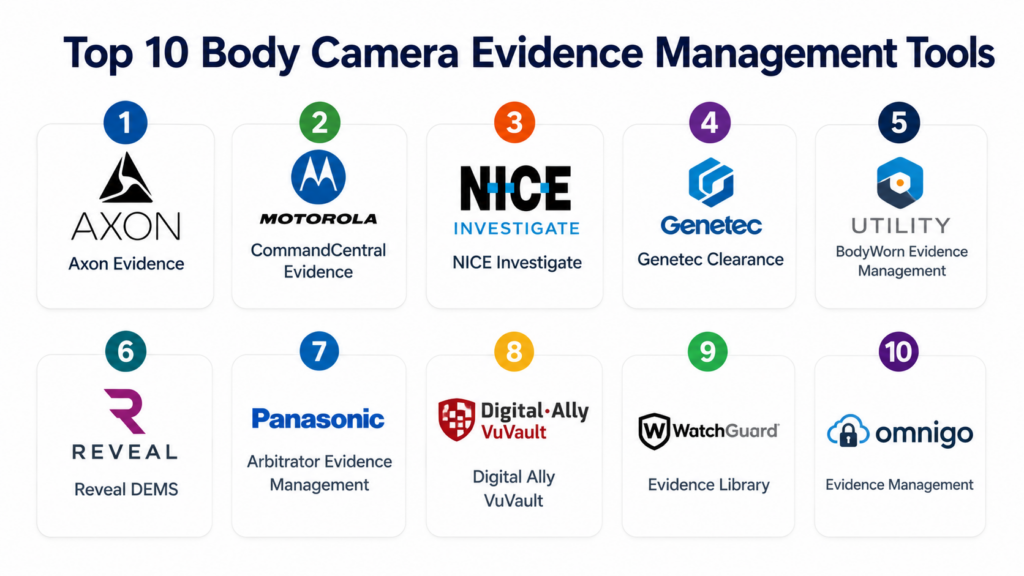
Introduction
Body Camera Evidence Management software helps police departments, public safety agencies, campus security teams, transportation authorities, and emergency response organizations securely store, manage, review, share, and retain video evidence captured from body-worn cameras. These platforms support digital evidence workflows such as video upload, chain of custody, redaction, tagging, case association, audit logs, retention policies, and controlled sharing with prosecutors or authorized stakeholders.
This category matters because public safety agencies now handle massive volumes of digital evidence from body cameras, dash cameras, CCTV, mobile devices, drones, interview rooms, and citizen submissions. Without a secure evidence management system, agencies can face storage overload, slow investigations, compliance issues, and weak auditability.
Common real-world use cases include:
- Managing police body camera footage
- Storing and reviewing digital evidence
- Sharing evidence with prosecutors
- Redacting sensitive video before release
- Maintaining chain of custody
- Connecting evidence with cases and reports
Buyers evaluating Body Camera Evidence Management tools should focus on:
- Secure video storage
- Chain of custody tracking
- Redaction capabilities
- CAD and RMS integrations
- Body camera hardware compatibility
- Role-based access controls
- Audit logs and retention policies
- Cloud and hybrid deployment options
- Evidence sharing workflows
- Search, tagging, and case management
Best for: Law enforcement agencies, sheriff offices, campus police, transportation security teams, municipal public safety departments, prosecutors, and agencies managing large volumes of video evidence.
Not ideal for: Small private teams that only need basic video storage or organizations without formal evidence retention, audit, compliance, or chain-of-custody requirements.
Key Trends in Body Camera Evidence Management
- Cloud-based evidence storage is becoming more common as video evidence volumes continue increasing.
- AI-assisted redaction is helping agencies reduce manual review time.
- Integrated evidence ecosystems are connecting body cameras, dash cameras, CCTV, interview rooms, and citizen-submitted media.
- Chain-of-custody automation is becoming a core requirement for legal defensibility.
- Role-based access and audit trails are increasingly important for accountability and compliance.
- Prosecutor-sharing portals are reducing manual evidence transfer work.
- Mobile evidence capture is expanding beyond traditional body cameras.
- Retention automation is helping agencies manage storage costs and legal requirements.
- Video search and metadata tagging are improving investigation speed.
- Public transparency workflows are becoming more important for agencies handling open records requests.
How We Selected These Tools
The tools below were selected using a practical evaluation approach focused on public safety evidence workflows, storage reliability, security, and agency suitability.
- Evaluated adoption across law enforcement and public safety agencies
- Reviewed body camera and video evidence management capabilities
- Assessed digital evidence chain-of-custody features
- Compared redaction, review, tagging, and sharing workflows
- Considered CAD, RMS, and case management integrations
- Reviewed storage scalability and deployment flexibility
- Evaluated security, audit logging, and role-based controls
- Considered support for prosecutors and external evidence sharing
- Compared usability for officers, investigators, and evidence teams
- Assessed fit for small, mid-sized, and enterprise agencies
Top 10 Body Camera Evidence Management Tools
#1 — Axon Evidence
Short description: Axon Evidence is one of the most widely recognized digital evidence management platforms for law enforcement and public safety agencies. It helps agencies manage body camera footage, dash camera video, interview room recordings, digital files, and case-related evidence from a centralized cloud platform. The system supports chain of custody, secure sharing, redaction, retention rules, and evidence review workflows. Agencies using Axon body cameras often benefit from deep hardware and software integration. Axon Evidence is best suited for agencies looking for an end-to-end evidence ecosystem with body cameras, records workflows, and prosecutor collaboration.
Key Features
- Body camera video management
- Digital evidence storage
- Chain-of-custody tracking
- Redaction workflows
- Evidence sharing portals
- Retention policy automation
- Integration with Axon body camera ecosystem
Pros
- Strong end-to-end law enforcement ecosystem
- Mature digital evidence workflows
- Good fit for agencies using Axon devices
Cons
- Premium pricing may be challenging for smaller agencies
- Best value comes within the Axon ecosystem
- Migration from other systems may require planning
Platforms / Deployment
- Web / iOS / Android
- Cloud
Security & Compliance
Supports role-based access controls, audit logs, encryption, secure evidence sharing, and retention policy controls.
Integrations & Ecosystem
Axon Evidence integrates with public safety systems and Axon hardware, making it useful for agencies wanting a connected evidence environment.
- Axon body cameras
- Axon Fleet cameras
- RMS platforms
- CAD systems
- Prosecutor sharing workflows
- Case management tools
Support & Community
Strong public safety support ecosystem with onboarding, training, documentation, and enterprise customer support.
#2 — Motorola Solutions CommandCentral Evidence
Short description: Motorola Solutions CommandCentral Evidence helps public safety agencies manage digital evidence from body cameras, in-car video, photos, documents, and other operational media. The platform is part of Motorola’s broader public safety ecosystem, making it especially useful for agencies already using Motorola CAD, RMS, radios, or video systems. It supports evidence storage, tagging, search, sharing, and audit workflows. Agencies benefit from connected operational data across dispatch, records, video, and evidence. It is a strong fit for enterprise public safety organizations seeking integrated command center and evidence management capabilities.
Key Features
- Digital evidence management
- Body camera video storage
- Evidence tagging and search
- Chain-of-custody tracking
- Secure evidence sharing
- Case association workflows
- Motorola ecosystem integration
Pros
- Strong public safety ecosystem alignment
- Good fit for agencies using Motorola systems
- Scalable for enterprise public safety environments
Cons
- Best value depends on Motorola ecosystem adoption
- Enterprise implementation may require planning
- Public pricing is not transparent
Platforms / Deployment
- Web / Mobile
- Cloud / Hybrid
Security & Compliance
Supports role-based access, audit logging, secure authentication, encryption, and evidence governance workflows.
Integrations & Ecosystem
CommandCentral Evidence integrates with Motorola public safety tools and other operational systems used by agencies.
- Motorola CAD
- Motorola RMS
- Body camera systems
- In-car video systems
- Case management tools
- Public safety analytics
Support & Community
Enterprise onboarding, training, and public safety implementation support are available.
#3 — NICE Investigate
Short description: NICE Investigate is a digital evidence management platform used by law enforcement agencies, emergency services, and investigation teams to collect, manage, analyze, and share evidence. It supports body camera footage, CCTV video, audio recordings, documents, photos, and other digital evidence types. The platform helps investigators associate evidence with cases, maintain audit trails, and collaborate securely. NICE Investigate is particularly useful for agencies managing complex investigations with evidence from multiple sources. It is well-suited for agencies prioritizing investigation workflows and digital evidence review efficiency.
Key Features
- Digital evidence management
- Case-based evidence workflows
- Video and audio evidence handling
- Evidence sharing and collaboration
- Audit trail tracking
- Search and review tools
- Multi-source evidence ingestion
Pros
- Strong investigative workflow support
- Good multi-source evidence handling
- Useful for complex case collaboration
Cons
- More investigation-focused than camera-hardware-focused
- Enterprise implementation may require planning
- Body camera compatibility should be validated
Platforms / Deployment
- Web
- Cloud / Hybrid
Security & Compliance
Supports role-based access, audit trails, encrypted evidence handling, and secure sharing workflows.
Integrations & Ecosystem
NICE Investigate integrates with evidence sources and public safety workflows used by law enforcement and investigation teams.
- Body camera systems
- CCTV systems
- Interview recordings
- Case management platforms
- Prosecutor sharing workflows
- APIs
Support & Community
Enterprise implementation support, training, and investigation workflow guidance are available.
#4 — Genetec Clearance
Short description: Genetec Clearance is a digital evidence management system designed to help agencies securely collect, manage, review, and share video evidence. It supports footage from body cameras, CCTV systems, mobile uploads, and other digital media sources. The platform is especially useful for organizations already using Genetec video management and security systems. Agencies can manage evidence requests, collaborate with stakeholders, and maintain audit trails. Genetec Clearance is well suited for law enforcement, municipalities, transit agencies, and security operations teams handling video-heavy evidence workflows.
Key Features
- Digital evidence management
- Video evidence sharing
- Case file organization
- Secure upload portals
- Audit trail tracking
- Evidence request management
- Integration with Genetec ecosystem
Pros
- Strong video evidence workflow support
- Good fit for agencies using Genetec systems
- Secure collaboration features
Cons
- Best value comes with Genetec ecosystem alignment
- Advanced customization may require support
- Hardware compatibility should be reviewed
Platforms / Deployment
- Web
- Cloud
Security & Compliance
Supports secure access controls, audit trails, encrypted evidence handling, and controlled evidence sharing.
Integrations & Ecosystem
Genetec Clearance integrates with video management systems and security infrastructure commonly used by public safety and enterprise security teams.
- Genetec Security Center
- CCTV systems
- Body camera sources
- Case workflows
- Public safety systems
- APIs
Support & Community
Strong enterprise support ecosystem with documentation, training, and implementation services.
#5 — Utility BodyWorn Evidence Management
Short description: Utility provides body-worn camera and digital evidence management solutions for law enforcement, public safety, and security agencies. The platform is designed to work closely with Utility body camera hardware and supports video upload, review, tagging, evidence storage, and agency workflows. Agencies benefit from automatic upload capabilities, operational video review, and structured evidence handling. Utility is often considered by departments looking for a combined body camera and evidence management ecosystem. It is best suited for agencies that want practical camera-to-cloud evidence workflows with integrated device support.
Key Features
- Body camera evidence upload
- Video storage and management
- Evidence tagging
- Case association
- Review and playback tools
- Agency workflow support
- Camera hardware integration
Pros
- Strong body camera hardware alignment
- Practical evidence workflows
- Useful for agency video review
Cons
- Best suited for Utility device ecosystem
- Smaller ecosystem than major enterprise vendors
- Public compliance details may vary
Platforms / Deployment
- Web / Mobile
- Cloud
Security & Compliance
Supports secure access controls, encrypted evidence workflows, and audit tracking. Additional certifications are not publicly stated.
Integrations & Ecosystem
Utility evidence management is designed around connected body camera operations and public safety video workflows.
- Utility body cameras
- Agency reporting workflows
- Video review systems
- Case management tools
- Evidence storage workflows
- APIs
Support & Community
Agency support, onboarding, and implementation assistance are available.
#6 — Reveal DEMS
Short description: Reveal DEMS is a digital evidence management system designed for agencies using body cameras, in-car video, and other public safety video sources. The platform helps teams upload, organize, review, tag, share, and retain evidence securely. It is commonly used by law enforcement and public safety organizations that need practical evidence workflows and strong camera integration. Reveal offers a connected ecosystem around body-worn camera operations and evidence handling. It is suitable for agencies looking for body camera hardware plus software evidence management.
Key Features
- Digital evidence management
- Body camera video storage
- Evidence tagging and search
- Redaction support
- Secure sharing workflows
- Retention management
- Body camera ecosystem support
Pros
- Strong camera-to-evidence workflow
- Good fit for public safety video teams
- Practical evidence organization features
Cons
- Best value depends on Reveal ecosystem use
- Enterprise ecosystem may be smaller than larger vendors
- Integration depth should be validated
Platforms / Deployment
- Web / Mobile
- Cloud
Security & Compliance
Supports secure evidence storage, audit controls, access permissions, and encrypted workflows.
Integrations & Ecosystem
Reveal DEMS integrates with video evidence sources and public safety workflows.
- Reveal body cameras
- In-car video systems
- Case management tools
- Evidence review workflows
- Redaction tools
- APIs
Support & Community
Provides agency onboarding, training resources, and public safety customer support.
#7 — Panasonic Arbitrator Evidence Management
Short description: Panasonic Arbitrator Evidence Management is designed to support law enforcement video evidence workflows connected with body-worn and in-car camera systems. It helps agencies manage digital video files, organize evidence, review footage, and maintain operational records. Panasonic’s public safety camera ecosystem makes the platform relevant for agencies already using Arbitrator video solutions. The system supports structured video evidence management and operational review workflows. It is best suited for agencies that prioritize integrated in-car and body-worn camera evidence handling.
Key Features
- Body camera evidence management
- In-car video evidence support
- Video review and playback
- Evidence organization
- Case association
- Retention workflows
- Public safety camera integration
Pros
- Strong in-car video ecosystem alignment
- Practical law enforcement video workflows
- Useful for agencies using Panasonic camera systems
Cons
- Best fit depends on Panasonic ecosystem use
- Modern cloud functionality may vary by deployment
- Integration flexibility should be reviewed
Platforms / Deployment
- Web / Windows
- Cloud / Hybrid / Self-hosted
Security & Compliance
Supports access controls and evidence audit workflows. Additional compliance details are not publicly stated.
Integrations & Ecosystem
Panasonic Arbitrator Evidence Management integrates with camera systems and agency video workflows.
- Panasonic Arbitrator cameras
- In-car video systems
- Body camera systems
- Agency reporting tools
- Evidence storage systems
- Case workflows
Support & Community
Public safety implementation and support services are available through Panasonic’s ecosystem.
#8 — Digital Ally VuVault
Short description: Digital Ally VuVault is a digital evidence management platform designed to support body camera, dash camera, and video evidence workflows for law enforcement and public safety agencies. The platform helps agencies store, review, tag, organize, and manage video evidence in a structured environment. It is especially relevant for departments using Digital Ally camera hardware. Agencies benefit from a connected workflow between field video capture and evidence management. VuVault is suitable for agencies that need practical video evidence storage and review functionality without unnecessary complexity.
Key Features
- Video evidence storage
- Body camera integration
- Dash camera evidence support
- Evidence tagging
- Review and playback tools
- Case association workflows
- Retention management
Pros
- Good fit for Digital Ally camera users
- Practical video evidence workflows
- Suitable for smaller and mid-sized agencies
Cons
- Smaller ecosystem than larger public safety vendors
- Advanced analytics may be limited
- Public security certifications are not clearly stated
Platforms / Deployment
- Web / Windows
- Cloud / Hybrid
Security & Compliance
Supports secure evidence access, audit workflows, and permission controls. Additional certifications are not publicly stated.
Integrations & Ecosystem
VuVault integrates with Digital Ally camera systems and public safety evidence workflows.
- Digital Ally body cameras
- Digital Ally dash cameras
- Case workflows
- Evidence review tools
- Agency storage systems
- Reporting workflows
Support & Community
Agency support and implementation assistance are available for Digital Ally customers.
#9 — WatchGuard Evidence Library
Short description: WatchGuard Evidence Library is a digital evidence management solution associated with WatchGuard body-worn and in-car video systems, now part of Motorola Solutions’ broader public safety ecosystem. It helps agencies manage video evidence, upload recordings, organize files, and support review workflows. The platform is particularly useful for agencies already using WatchGuard cameras. It supports structured evidence handling for law enforcement video operations. Agencies can benefit from camera ecosystem alignment and public safety workflow support.
Key Features
- Body camera video management
- In-car video evidence handling
- Evidence upload workflows
- Video review tools
- File organization
- Case association
- Public safety camera integration
Pros
- Strong camera ecosystem alignment
- Good law enforcement video workflows
- Useful for agencies using WatchGuard devices
Cons
- Best fit depends on WatchGuard ecosystem use
- Some capabilities may overlap with Motorola ecosystem tools
- Deployment details may vary
Platforms / Deployment
- Web / Windows / Mobile
- Cloud / Hybrid
Security & Compliance
Supports controlled evidence access, audit workflows, and secure video handling. Additional certifications are not publicly stated.
Integrations & Ecosystem
WatchGuard Evidence Library integrates with WatchGuard camera systems and public safety video workflows.
- WatchGuard body cameras
- WatchGuard in-car cameras
- Motorola public safety ecosystem
- Case workflows
- Video review systems
- Evidence storage tools
Support & Community
Supported through public safety implementation and customer support channels.
#10 — Omnigo Evidence Management
Short description: Omnigo Evidence Management supports public safety, campus security, healthcare security, and private security teams that need structured evidence and incident documentation workflows. The platform helps organizations manage reports, digital evidence, case files, and operational records. It is especially useful for agencies and security departments that need evidence management alongside incident reporting and case management. Omnigo can support video, documents, photos, and other evidence types in organized workflows. It is a practical option for organizations seeking a broader safety and incident management ecosystem.
Key Features
- Digital evidence management
- Incident and case management
- File attachment workflows
- Search and reporting tools
- Audit tracking
- Role-based access
- Security operations support
Pros
- Good fit for campus and private security
- Combines evidence with incident workflows
- Practical reporting and case management features
Cons
- Less specialized for police body camera ecosystems
- Advanced body camera integrations may vary
- Enterprise law enforcement fit should be validated
Platforms / Deployment
- Web / Mobile
- Cloud
Security & Compliance
Supports access controls, audit tracking, and secure data handling. Additional certifications are not publicly stated.
Integrations & Ecosystem
Omnigo integrates with security operations and incident management workflows.
- Incident reporting systems
- Case management workflows
- Video evidence sources
- Security operations tools
- Reporting dashboards
- APIs
Support & Community
Provides onboarding, implementation assistance, and customer support for public safety and security teams.
Comparison Table
| Tool Name | Best For | Platform(s) Supported | Deployment | Standout Feature | Public Rating |
|---|---|---|---|---|---|
| Axon Evidence | Large law enforcement agencies | Web, iOS, Android | Cloud | End-to-end body camera ecosystem | N/A |
| Motorola CommandCentral Evidence | Enterprise public safety agencies | Web, Mobile | Cloud, Hybrid | Integrated public safety ecosystem | N/A |
| NICE Investigate | Investigation-heavy agencies | Web | Cloud, Hybrid | Multi-source evidence workflows | N/A |
| Genetec Clearance | Video evidence collaboration | Web | Cloud | Secure evidence sharing | N/A |
| Utility BodyWorn Evidence Management | Utility camera users | Web, Mobile | Cloud | Camera-to-cloud workflow | N/A |
| Reveal DEMS | Body camera evidence teams | Web, Mobile | Cloud | Evidence review and redaction support | N/A |
| Panasonic Arbitrator Evidence Management | In-car and body camera video | Web, Windows | Cloud, Hybrid, Self-hosted | Camera ecosystem alignment | N/A |
| Digital Ally VuVault | Small and mid-sized agencies | Web, Windows | Cloud, Hybrid | Practical video evidence storage | N/A |
| WatchGuard Evidence Library | WatchGuard camera users | Web, Windows, Mobile | Cloud, Hybrid | Body and in-car video handling | N/A |
| Omnigo Evidence Management | Campus and security teams | Web, Mobile | Cloud | Evidence plus incident workflows | N/A |
Evaluation & Scoring of Body Camera Evidence Management Tools
| Tool Name | Core 25% | Ease 15% | Integrations 15% | Security 10% | Performance 10% | Support 10% | Value 15% | Weighted Total |
|---|---|---|---|---|---|---|---|---|
| Axon Evidence | 9.5 | 8.0 | 9.0 | 9.0 | 9.0 | 9.0 | 7.0 | 8.7 |
| Motorola CommandCentral Evidence | 9.0 | 7.5 | 9.0 | 9.0 | 9.0 | 8.5 | 7.0 | 8.4 |
| NICE Investigate | 8.5 | 7.5 | 8.5 | 8.5 | 8.5 | 8.0 | 7.0 | 8.0 |
| Genetec Clearance | 8.5 | 8.0 | 8.5 | 8.5 | 8.5 | 8.0 | 7.5 | 8.1 |
| Utility BodyWorn Evidence Management | 8.0 | 8.0 | 7.5 | 8.0 | 8.0 | 8.0 | 7.5 | 7.8 |
| Reveal DEMS | 8.0 | 8.0 | 7.5 | 8.0 | 8.0 | 8.0 | 7.5 | 7.8 |
| Panasonic Arbitrator Evidence Management | 7.5 | 7.5 | 7.5 | 7.5 | 8.0 | 7.5 | 7.5 | 7.6 |
| Digital Ally VuVault | 7.5 | 8.0 | 7.0 | 7.5 | 7.5 | 7.5 | 8.0 | 7.6 |
| WatchGuard Evidence Library | 8.0 | 7.5 | 8.0 | 8.0 | 8.0 | 8.0 | 7.5 | 7.9 |
| Omnigo Evidence Management | 7.0 | 8.0 | 7.0 | 7.5 | 7.5 | 7.5 | 8.0 | 7.5 |
These scores are comparative and should be interpreted based on agency size, body camera ecosystem, evidence volume, storage needs, and legal workflow requirements. Enterprise platforms generally score higher in scalability, integrations, security, and chain-of-custody workflows. Smaller agencies may find better value in focused systems that are easier to deploy and operate. The best solution is the one that matches camera hardware, records workflows, prosecutor collaboration needs, retention rules, and long-term digital evidence strategy.
Which Body Camera Evidence Management Tool Is Right for You?
Solo / Freelancer
Body Camera Evidence Management platforms are usually designed for agencies rather than solo users. Independent investigators or consultants may not need full chain-of-custody and public safety-grade evidence storage. Basic encrypted file storage or case management tools may be enough for non-agency use. However, consultants advising public safety organizations should understand major platforms like Axon Evidence, Motorola CommandCentral Evidence, NICE Investigate, and Genetec Clearance.
SMB
Small police departments, campus security teams, and local public safety organizations should prioritize ease of use, camera compatibility, secure storage, retention rules, and simple evidence sharing. Digital Ally VuVault, Omnigo Evidence Management, Utility BodyWorn Evidence Management, and Reveal DEMS may be suitable depending on hardware choice and workflow requirements. Smaller agencies should avoid overly complex platforms if they lack dedicated evidence administrators or IT support.
Mid-Market
Mid-sized law enforcement agencies and regional public safety organizations usually need stronger case association, redaction, prosecutor sharing, CAD/RMS integrations, and retention automation. Genetec Clearance, NICE Investigate, Reveal DEMS, WatchGuard Evidence Library, and Motorola CommandCentral Evidence can be strong options depending on existing ecosystem fit. These buyers should validate migration, user training, and integration planning before procurement.
Enterprise
Large agencies, statewide public safety organizations, transportation authorities, and major municipalities should evaluate Axon Evidence, Motorola CommandCentral Evidence, NICE Investigate, and Genetec Clearance. Enterprise buyers should prioritize scalability, auditability, evidence sharing, retention automation, cybersecurity controls, and long-term storage cost management. Integration with CAD, RMS, body camera hardware, and prosecutor workflows should be tested before final selection.
Budget vs Premium
Budget-focused agencies should consider total cost of ownership, including devices, storage, upload stations, redaction tools, licensing, training, integrations, and support. Premium platforms often provide stronger ecosystems, automation, and compliance workflows but may come with higher long-term costs. Smaller agencies should avoid choosing only by license price because storage growth can become a major expense. A careful review of evidence volume and retention policies is essential.
Feature Depth vs Ease of Use
Feature-rich platforms provide stronger chain-of-custody controls, advanced redaction, complex sharing workflows, and integration depth. Simpler platforms may be easier for officers, investigators, and evidence staff to adopt quickly. Agencies should test the platform with real workflows such as uploading footage, tagging evidence, sharing with prosecutors, applying retention rules, and redacting sensitive content. Ease of use is especially important because evidence teams often work under time pressure.
Integrations & Scalability
Body camera evidence systems should integrate with body-worn cameras, dash cameras, CAD, RMS, case management, prosecutor portals, and public records workflows. Agencies with long-term modernization plans should prioritize API flexibility and ecosystem compatibility. Storage scalability is also critical because video evidence volumes grow quickly over time. Buyers should ask vendors how the system handles retention, archiving, search, and bulk exports.
Security & Compliance Needs
Security is a core requirement because these systems manage sensitive video evidence, personal information, investigative records, and legally important files. Agencies should prioritize RBAC, MFA, audit logs, encryption, secure sharing, retention controls, and tamper-resistant chain-of-custody workflows. Procurement teams should request vendor security documentation and review data ownership policies carefully. Evidence management should also support legal defensibility, transparency requests, and internal accountability.
Frequently Asked Questions
1. What is Body Camera Evidence Management software?
Body Camera Evidence Management software helps agencies securely store, organize, review, share, and retain video footage captured by body-worn cameras. It is commonly used by law enforcement, campus police, transportation security, and public safety agencies. These systems support chain of custody, audit logs, retention rules, tagging, case association, and controlled sharing. The goal is to protect evidence integrity while making video easier to find and use during investigations. Modern platforms often manage evidence from multiple sources beyond body cameras.
2. Why is chain of custody important?
Chain of custody proves who accessed evidence, what actions were taken, and whether the file remained protected from unauthorized changes. In legal and investigative environments, this is critical because evidence may be challenged in court or reviewed by oversight bodies. A strong evidence management system automatically tracks uploads, views, downloads, edits, sharing, retention actions, and deletions. This creates accountability and helps preserve trust in the evidence process. Agencies should treat chain-of-custody tracking as a non-negotiable requirement.
3. How much does body camera evidence management cost?
Pricing varies based on agency size, number of users, camera devices, storage volume, retention policies, redaction needs, integrations, and support requirements. Some platforms are bundled with body camera hardware, while others charge separately for storage or advanced features. Long-term storage can become a major cost because video files are large and retention periods may be lengthy. Agencies should evaluate total cost of ownership rather than only license pricing. Costs should include migration, training, integration, hardware, and support.
4. Can these tools manage evidence from sources other than body cameras?
Yes, many modern evidence management platforms support evidence from dash cameras, CCTV systems, interview rooms, mobile phones, drones, photos, documents, audio files, and citizen submissions. Multi-source evidence management is increasingly important because investigations often involve several media types. Agencies should confirm supported file types and ingestion workflows before choosing a vendor. Strong systems allow evidence to be associated with cases, incidents, officers, locations, and retention policies. This improves searchability and investigation speed.
5. What is video redaction and why does it matter?
Video redaction removes or blurs sensitive information before evidence is shared publicly, with prosecutors, or with external stakeholders. This may include faces, license plates, minors, private property, medical information, or unrelated individuals. Manual redaction can be time-consuming, so many agencies look for AI-assisted redaction tools. Redaction is especially important for public records requests and media release workflows. Buyers should test redaction speed, accuracy, export quality, and audit tracking before selecting a platform.
6. Should agencies choose cloud or hybrid deployment?
Cloud deployment can simplify storage scalability, remote access, updates, and evidence sharing. Hybrid deployment may be preferred by agencies with stricter control requirements or existing local infrastructure. The best model depends on agency policy, IT maturity, data governance, budget, and security expectations. Cloud platforms are common in this category, but agencies should still evaluate data ownership, access controls, uptime, disaster recovery, and retention policies. IT and legal teams should be part of deployment decisions.
7. What integrations are most important?
Important integrations include body cameras, dash cameras, CAD, RMS, case management systems, prosecutor portals, public records workflows, and identity management tools. Integrations reduce duplicate work and help evidence connect naturally with incidents and cases. Agencies using a specific body camera brand should confirm compatibility early. Prosecutor sharing workflows are also important because manual evidence transfer can slow case processing. API flexibility is valuable for long-term modernization and multi-agency collaboration.
8. What mistakes do agencies make when selecting evidence management software?
A common mistake is focusing only on camera hardware and ignoring long-term evidence storage and management costs. Agencies may also underestimate redaction workload, retention complexity, migration effort, and user training needs. Another mistake is choosing a platform without validating CAD, RMS, and prosecutor sharing workflows. Poor search and tagging practices can make evidence difficult to find later. Agencies should run real workflow tests before procurement and include officers, investigators, evidence staff, IT teams, and legal stakeholders.
9. How does evidence retention work?
Evidence retention controls determine how long files are stored based on case type, legal requirements, agency policy, or investigation status. For example, routine footage may have a shorter retention period, while serious incident evidence may need long-term preservation. Good systems automate retention rules while allowing authorized holds when evidence is connected to litigation or investigations. Retention automation helps control storage costs and reduce manual administrative work. Agencies should carefully configure retention policies before large-scale rollout.
10. Are these tools suitable for campus and private security teams?
Yes, some platforms can support campus police, healthcare security, transportation security, and private security teams, especially when they manage video evidence and incident documentation. However, full law enforcement-grade systems may be more advanced than some private organizations need. Campus and private security teams should prioritize ease of use, secure access, incident association, and practical reporting workflows. Omnigo, Genetec Clearance, and some camera-specific platforms may fit these environments depending on requirements. Buyers should avoid overbuying if basic evidence storage is enough.
Conclusion
Body Camera Evidence Management software is now a critical part of modern public safety operations because agencies must manage growing volumes of sensitive video, audio, images, documents, and case-related digital evidence. The best platforms do more than store footage; they protect chain of custody, automate retention rules, simplify redaction, connect evidence with investigations, and support secure sharing with prosecutors and authorized stakeholders. Enterprise agencies may prefer Axon Evidence, Motorola CommandCentral Evidence, NICE Investigate, or Genetec Clearance for ecosystem depth, scalability, and stronger governance workflows, while smaller agencies may find Utility, Reveal, Digital Ally, WatchGuard, Panasonic, or Omnigo more practical depending on camera hardware and operational needs. The right choice depends on agency size, evidence volume, camera ecosystem, CAD/RMS integrations, storage strategy, security expectations, and legal workflow requirements.
