MOTOSHARE 🚗🏍️
Rent Bikes & Cars Directly from Owners
Motoshare connects vehicle owners with people who need bikes and cars on rent. Owners earn from idle vehicles, and renters get flexible ride options.
Visit Motoshare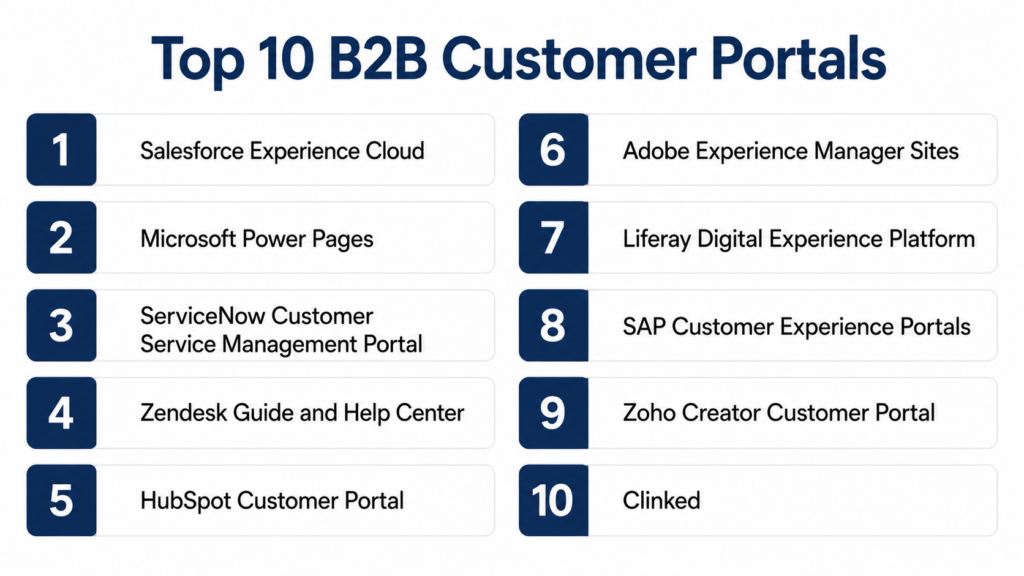
Introduction
B2B Customer Portals help companies give business customers a secure self-service space to manage accounts, place orders, view invoices, track shipments, download documents, submit support requests, manage users, check pricing, and collaborate with sales or service teams. In simple terms, a B2B customer portal is a digital front door where customers can do routine business tasks without sending emails, making phone calls, or waiting for account managers.
B2B customer portals matter because business buyers expect faster, more transparent, and more personalized service. Manufacturers, distributors, wholesalers, SaaS companies, service providers, and enterprise suppliers often deal with repeated customer requests for order status, invoices, quotes, product documents, service tickets, warranty claims, account details, and contract information. A well-designed portal reduces manual support workload, improves customer experience, increases retention, and gives customers 24×7 access to the information they need.
Real World Use Cases:
- Giving customers access to order history, shipment tracking, invoices, and payments
- Allowing business buyers to reorder products, request quotes, or check contract pricing
- Providing support ticket submission, case tracking, warranty claims, and service requests
- Sharing product documents, contracts, compliance certificates, manuals, and reports
- Managing customer account users, permissions, roles, approvals, and buying access
- Creating dealer, distributor, partner, reseller, and enterprise account portals
Evaluation Criteria for Buyers:
- Account management and customer self-service depth
- Order history, invoice access, payment, and shipment visibility
- Support ticketing, case management, knowledge base, and service workflows
- Customer-specific pricing, catalogs, quotes, contracts, and document access
- User roles, permissions, account hierarchy, and approval workflows
- Integration with CRM, ERP, e-commerce, billing, support, and document systems
- Personalization, search, mobile experience, and customer experience design
- Security controls, SSO, MFA, RBAC, audit logs, and data protection
- Ease of use for customers, admins, sales reps, and support teams
- Implementation support, scalability, extensibility, and total cost
Best for: B2B Customer Portals are best for manufacturers, distributors, wholesalers, SaaS companies, service providers, healthcare suppliers, financial service providers, logistics companies, technology vendors, dealers, resellers, partners, enterprise support teams, customer success teams, sales operations teams, and businesses that serve repeat B2B customers.
Not ideal for: B2B customer portals may not be necessary for very small businesses with few customers, low transaction volume, and simple customer communication needs. In those cases, email, shared folders, a basic website, or a simple support form may be enough temporarily. However, once customer requests, order volume, account complexity, support workload, and self-service expectations increase, a dedicated B2B customer portal becomes much more valuable.
Key Trends in B2B Customer Portals
- Self-service is becoming the default expectation: Business customers increasingly expect to check orders, invoices, documents, quotes, and support status without contacting a representative.
- Customer portals are becoming more integrated: A portal is only useful when it connects to CRM, ERP, billing, support, e-commerce, knowledge base, and document systems.
- Account-based personalization is growing: Customers want portals that show their pricing, contracts, product catalog, account team, open cases, order history, and relevant documents.
- AI-powered support is being added: AI assistants, chatbots, knowledge search, ticket summaries, and automated case routing are becoming common portal enhancements.
- Dealer and partner portals are expanding: Manufacturers and suppliers increasingly use portals for distributors, dealers, resellers, channel partners, and service networks.
- Document self-service is becoming important: Customers want easy access to invoices, contracts, certifications, product manuals, safety sheets, compliance records, and technical documents.
- B2B e-commerce and customer portals are converging: Many portals now support ordering, quote requests, reorder lists, contract pricing, and buyer approvals alongside account service features.
- Security and account permissions matter more: B2B portals often expose pricing, invoices, contracts, tickets, order details, and account data, so permissions must be carefully designed.
- Mobile access is becoming more expected: Field buyers, service teams, dealers, and customer operations teams need portal access from phones and tablets.
- Analytics are becoming more useful: Companies want to understand portal adoption, self-service deflection, customer activity, case volume, order behavior, and account health.
How We Selected These Tools
The Top 10 tools were selected using practical evaluation logic for B2B customer portal buyers.
- Recognition in customer portals, B2B commerce, CRM portals, service portals, partner portals, and digital experience platforms
- Suitability for manufacturers, distributors, SaaS companies, service providers, enterprise vendors, and customer support teams
- Feature depth across account management, self-service, ticketing, order history, documents, quotes, invoices, and knowledge access
- Ability to support account hierarchies, customer-specific content, buyer roles, permissions, and personalized experiences
- Integration potential with CRM, ERP, billing, support desk, e-commerce, document management, and identity systems
- Flexibility for customer service, sales-assisted commerce, dealer portals, partner portals, and account-based service workflows
- Reporting depth for portal adoption, case deflection, customer satisfaction, support activity, and digital engagement
- Scalability across customers, regions, languages, portals, brands, entities, and user roles
- Security posture signals, role permissions, auditability, and enterprise data protection expectations
- Vendor support, implementation ecosystem, developer resources, partner network, and long-term platform value
Top 10 B2B Customer Portals
1- Salesforce Experience Cloud
Short description:
Salesforce Experience Cloud helps organizations build customer, partner, dealer, and employee portals connected with Salesforce CRM, Service Cloud, Sales Cloud, and other Salesforce data. It is especially useful for B2B companies that want customers to access cases, knowledge articles, account data, opportunities, orders, documents, and service workflows. The platform supports branded portal experiences, role-based access, personalization, and workflow integration. It is best for Salesforce-centered organizations that need a flexible B2B customer portal connected to CRM and service data.
Key Features
- Customer, partner, dealer, and account portals
- Case management and knowledge base access
- Account-specific content and CRM data visibility
- Role-based access and user permissions
- Portal branding, personalization, and templates
- Integration with Salesforce Sales, Service, and Commerce workflows
- Reporting on portal usage and customer engagement
Pros
- Strong fit for Salesforce-centered businesses
- Good for customer service, partner, and account portals
- Connects portal activity with CRM and support workflows
Cons
- Implementation can require Salesforce expertise
- Costs may increase with user volume and Salesforce dependencies
- ERP and order data integration may require additional work
Platforms / Deployment
Web / iOS / Android / Cloud
Security & Compliance
Salesforce environments commonly support identity controls, role-based access, encryption options, auditability, and enterprise security features depending on configuration. Buyers should verify portal-specific controls directly.
Integrations & Ecosystem
Salesforce Experience Cloud fits organizations that need portals connected with CRM, service, sales, partner, and commerce workflows.
- Salesforce Sales Cloud
- Salesforce Service Cloud
- Salesforce Commerce Cloud
- ERP and order management systems
- Knowledge base and support workflows
- Analytics and reporting dashboards
Support & Community
Salesforce provides documentation, implementation partners, training resources, customer support, and a large ecosystem. Support quality depends on portal complexity, partner expertise, and Salesforce administration maturity.
2- Microsoft Power Pages
Short description:
Microsoft Power Pages helps organizations build secure business websites and customer portals connected with Microsoft Dataverse, Dynamics 365, Power Platform, and enterprise data sources. It is especially useful for companies already using Microsoft 365, Dynamics 365, or Power Platform. B2B teams can use it for account portals, service requests, document access, partner workflows, application forms, and customer self-service. It is best for Microsoft-centered organizations that want flexible low-code portal development.
Key Features
- Low-code customer and partner portal creation
- Secure access to Dataverse and Dynamics 365 data
- Forms, workflows, and self-service pages
- Role-based permissions and account-based access
- Integration with Power Automate and Power BI
- Custom branding and responsive design
- Support for business process automation
Pros
- Strong fit for Microsoft-centered organizations
- Low-code flexibility for custom portal use cases
- Good integration with Dynamics 365 and Power Platform
Cons
- Requires thoughtful data and permission design
- Advanced B2B commerce features may need additional systems
- User experience depends heavily on portal design quality
Platforms / Deployment
Web / Cloud
Security & Compliance
Microsoft environments commonly support identity controls, role-based access, encryption, auditability, and enterprise security features depending on configuration. Buyers should verify specific portal controls directly.
Integrations & Ecosystem
Microsoft Power Pages fits organizations that need customer portals connected with Microsoft business systems and workflows.
- Dynamics 365
- Microsoft Dataverse
- Power Automate
- Power BI
- Microsoft 365
- External ERP, CRM, and service systems through connectors
Support & Community
Microsoft provides documentation, admin resources, implementation partners, developer resources, and a large ecosystem. Support quality depends on Microsoft plan, internal skills, and portal complexity.
3- ServiceNow Customer Service Management Portal
Short description:
ServiceNow Customer Service Management Portal helps organizations provide self-service case management, knowledge access, request tracking, service workflows, and customer support experiences. It is especially useful for B2B service providers, technology companies, equipment vendors, and enterprises that need structured customer service operations. The portal connects customer requests with ServiceNow workflows, tasks, knowledge, SLAs, and operational teams. It is best for organizations focused on B2B support, service delivery, and customer operations.
Key Features
- Customer self-service portal and case management
- Knowledge base and support content access
- Request tracking, status updates, and service workflows
- Account and contact management
- SLA and escalation workflows
- Integration with ServiceNow operations and workflow modules
- Dashboards for support and service performance
Pros
- Strong service workflow automation
- Good fit for complex B2B customer support operations
- Connects customer requests with internal service teams
Cons
- Not primarily a commerce or ordering portal
- Implementation can be complex for broad customer use cases
- Best value depends on ServiceNow ecosystem maturity
Platforms / Deployment
Web / Cloud
Security & Compliance
ServiceNow environments commonly support identity controls, role-based access, encryption, auditability, and enterprise security features depending on configuration. Buyers should verify customer portal-specific controls directly.
Integrations & Ecosystem
ServiceNow Customer Service Management fits organizations that need customer portals connected with service operations, IT, field service, and workflow automation.
- ServiceNow CSM
- Knowledge management
- Field service workflows
- IT and operations workflows
- CRM and ERP systems
- Reporting and analytics dashboards
Support & Community
ServiceNow provides enterprise support, implementation partners, documentation, training, and a large platform ecosystem. Support quality depends on configuration complexity, partner expertise, and internal platform maturity.
4- Zendesk Guide and Help Center
Short description:
Zendesk Guide and Help Center help organizations create customer self-service portals with knowledge bases, support forms, ticket tracking, community content, and help center experiences. It is especially useful for B2B SaaS, technology, services, and support-led businesses that need a customer-friendly support portal. Zendesk portals can reduce repetitive support requests and make it easier for customers to find answers. It is best for companies that want a strong support and knowledge portal without heavy custom development.
Key Features
- Customer help center and knowledge base
- Ticket submission and support request forms
- Customer access to support history depending on setup
- Community and self-service content support
- Search and article recommendations
- Integration with Zendesk Support and messaging
- Reporting for help center usage and ticket deflection
Pros
- Easy to deploy for support-focused portals
- Strong knowledge base and customer support experience
- Good fit for SaaS and service businesses
Cons
- Not designed as a full B2B commerce or account portal
- Complex account-based pricing or order visibility requires integrations
- Custom workflows may be limited compared with low-code platforms
Platforms / Deployment
Web / iOS / Android / Cloud
Security & Compliance
Not publicly stated. Buyers should verify SSO, MFA, encryption, RBAC, audit logs, data retention, and compliance controls for their selected plan.
Integrations & Ecosystem
Zendesk fits organizations that need customer portals focused on support, knowledge, ticketing, and customer communication.
- Zendesk Support
- Zendesk Messaging
- CRM systems
- Product analytics tools
- Customer success platforms
- Business intelligence dashboards
Support & Community
Zendesk provides documentation, onboarding resources, customer support, implementation partners, app marketplace support, and a large user community. Support quality depends on plan and configuration complexity.
5- HubSpot Customer Portal
Short description:
HubSpot Customer Portal helps companies give customers access to support tickets and service communication connected with HubSpot Service Hub. It is especially useful for B2B companies already using HubSpot CRM, marketing, sales, and service tools. Customers can view and manage support tickets, track status, and communicate with service teams in a branded environment. It is best for growing B2B companies that want a simple customer service portal connected with CRM.
Key Features
- Customer support ticket portal
- Ticket status and conversation visibility
- Integration with HubSpot Service Hub
- Customer communication tracking
- Branding and basic portal customization
- Knowledge base connection depending on setup
- CRM-connected customer service workflows
Pros
- Strong fit for HubSpot-centered businesses
- Easy to adopt for support-focused customer portals
- Good visibility into customer service interactions
Cons
- Not a full B2B commerce or order portal
- Advanced account hierarchy and ERP integration may be limited
- Best for support visibility rather than complex customer operations
Platforms / Deployment
Web / Cloud
Security & Compliance
Not publicly stated. Buyers should verify SSO, MFA, encryption, RBAC, audit logs, data retention, and compliance controls for their selected plan.
Integrations & Ecosystem
HubSpot Customer Portal fits organizations that need simple service visibility connected with CRM and customer communication.
- HubSpot CRM
- HubSpot Service Hub
- HubSpot Knowledge Base
- Email and chat workflows
- Customer success tools
- Reporting dashboards
Support & Community
HubSpot provides documentation, onboarding resources, customer support, implementation partners, academy content, and a large community. Support quality depends on plan and portal complexity.
6- Adobe Experience Manager Sites
Short description:
Adobe Experience Manager Sites helps enterprises create personalized digital experiences, customer portals, partner portals, and content-rich web experiences. While not a customer portal tool by itself in the narrow sense, it is highly relevant for B2B organizations that need sophisticated branded portals connected with commerce, content, documents, personalization, and enterprise systems. It is especially useful for large companies with complex content and digital experience needs. It is best for enterprises that want a highly customized B2B portal experience.
Key Features
- Enterprise digital experience and portal creation
- Content management and personalization
- Account-specific content experiences depending on integration
- Integration with commerce, CRM, DAM, and analytics tools
- Multi-site, multi-language, and multi-brand support
- Document and resource library support
- Flexible front-end and enterprise development options
Pros
- Strong enterprise content and experience management
- Useful for sophisticated customer, partner, and dealer portals
- Good fit for large brands with complex digital experience needs
Cons
- Requires technical implementation and content governance
- Not a ready-made transactional B2B portal by default
- Costs and complexity may be high for smaller businesses
Platforms / Deployment
Web / Cloud / Hybrid depending on configuration
Security & Compliance
Adobe environments commonly support enterprise security features depending on configuration. Buyers should verify SSO, MFA, encryption, RBAC, audit logs, and compliance documentation directly.
Integrations & Ecosystem
Adobe Experience Manager fits enterprises that need content-rich portals connected with commerce, marketing, personalization, and document workflows.
- Adobe Commerce
- Adobe Analytics
- CRM systems
- DAM and document systems
- ERP and commerce integrations
- Personalization and marketing tools
Support & Community
Adobe provides enterprise support, implementation partners, documentation, developer resources, and digital experience expertise. Support quality depends on implementation partner, platform scope, and internal technical maturity.
7- Liferay Digital Experience Platform
Short description:
Liferay Digital Experience Platform helps organizations build customer portals, partner portals, intranets, supplier portals, and digital self-service experiences. It supports account-based experiences, content management, workflows, user roles, integrations, and enterprise portal architecture. It is especially useful for organizations needing highly customizable B2B portals across complex account structures and business processes. It is best for enterprises that want a flexible portal platform rather than a fixed SaaS customer portal.
Key Features
- Customer, partner, supplier, and employee portal creation
- Role-based access and account-specific experiences
- Content management and document access
- Workflow and form capabilities
- Integration with CRM, ERP, commerce, and support systems
- Multi-site and multi-language support
- Developer-friendly extensibility and APIs
Pros
- Strong enterprise portal and DXP capabilities
- Useful for complex B2B self-service experiences
- Flexible for custom workflows and integrations
Cons
- Requires technical implementation and governance
- Not a plug-and-play portal for simple use cases
- Total cost depends on customization and integration needs
Platforms / Deployment
Web / Cloud / Self-hosted / Hybrid depending on configuration
Security & Compliance
Not publicly stated. Buyers should verify SSO, MFA, encryption, RBAC, audit logs, data retention, and compliance controls directly.
Integrations & Ecosystem
Liferay fits organizations that need enterprise-grade portals connected with many systems and business workflows.
- CRM and ERP systems
- Commerce platforms
- Document management tools
- Identity and access systems
- Support and service platforms
- Analytics and reporting tools
Support & Community
Liferay provides enterprise support, documentation, implementation partners, developer resources, and community resources. Support quality depends on deployment model, customization depth, and partner expertise.
8- SAP Customer Experience Portals
Short description:
SAP Customer Experience solutions can support B2B customer portals by connecting commerce, sales, service, customer data, and SAP ERP workflows. These portals are especially relevant for SAP-centered manufacturers, distributors, and enterprises that need customers to access orders, pricing, product information, invoices, service requests, and account data. The strength of SAP-based portals is their ability to connect customer-facing experiences with SAP back-office data. It is best for SAP-centered organizations needing customer self-service tied to enterprise operations.
Key Features
- Customer account and service portal workflows
- Integration with SAP ERP and SAP S/4HANA
- B2B commerce and ordering support depending on setup
- Service request and customer support workflows
- Product, pricing, inventory, and account visibility
- Multi-region and enterprise customer experience support
- Reporting and analytics through SAP ecosystem
Pros
- Strong fit for SAP-centered enterprises
- Useful for order, account, and service visibility
- Good for manufacturers and distributors with SAP back-office systems
Cons
- Implementation can be complex
- Best value depends on SAP ecosystem alignment
- Portal experience quality depends on configuration and integration design
Platforms / Deployment
Web / Cloud
Security & Compliance
SAP environments commonly support identity controls, role-based access, encryption, auditability, and enterprise security capabilities depending on configuration. Buyers should verify portal-specific controls directly.
Integrations & Ecosystem
SAP Customer Experience portals fit organizations that need customer self-service connected with SAP commerce, ERP, sales, and service workflows.
- SAP ERP and SAP S/4HANA
- SAP Commerce Cloud
- SAP Sales and Service workflows
- Product and pricing data
- Order and invoice systems
- Analytics and reporting tools
Support & Community
SAP provides enterprise support, implementation partners, documentation, training, and a large ecosystem. Support quality depends on SAP architecture, partner capability, and portal complexity.
9- Zoho Creator Customer Portal
Short description:
Zoho Creator Customer Portal helps organizations build custom portals where customers can submit forms, view records, track requests, access documents, and interact with business workflows. It is especially useful for small and mid-sized businesses already using Zoho applications or needing a custom low-code portal. Companies can use it for service requests, order tracking, account updates, applications, approvals, and customer self-service workflows. It is best for teams that need affordable custom portal development without heavy enterprise platform complexity.
Key Features
- Low-code customer portal creation
- Custom forms, workflows, and data access
- Customer login and role-based visibility
- Integration with Zoho applications
- Document and record access depending on setup
- Request tracking and workflow automation
- Reporting and dashboard support
Pros
- Affordable and flexible for custom portals
- Strong fit for Zoho-centered businesses
- Good for SMB customer service and workflow portals
Cons
- Not ideal for complex enterprise B2B commerce
- Advanced design and integrations may require development effort
- Scalability should be validated for large enterprise use cases
Platforms / Deployment
Web / iOS / Android / Cloud
Security & Compliance
Not publicly stated. Buyers should verify SSO, MFA, encryption, RBAC, audit logs, data retention, and compliance controls for their selected plan.
Integrations & Ecosystem
Zoho Creator Customer Portal fits organizations that need custom workflows connected with Zoho and other business systems.
- Zoho CRM
- Zoho Desk
- Zoho Books and finance tools
- Custom databases and workflows
- Third-party applications through integrations
- Reporting and dashboard tools
Support & Community
Zoho provides documentation, support resources, implementation partners, and a broad application ecosystem. Support quality depends on plan, customization level, and integration needs.
10- Clinked
Short description:
Clinked is a client portal and collaboration platform that helps businesses securely share files, communicate with customers, manage tasks, and provide branded client workspaces. While it is not a full B2B commerce or ERP portal, it is useful for professional services firms, agencies, financial service providers, consultants, and B2B service organizations that need secure customer collaboration. It helps centralize documents, conversations, approvals, and project updates. It is best for service-based companies needing a branded client portal.
Key Features
- Secure client and customer workspaces
- File sharing and document collaboration
- Task management and project collaboration
- Branded portal experiences
- Customer communication and discussion areas
- User permissions and access controls
- Mobile access depending on setup
Pros
- Practical client portal for service-based businesses
- Good for secure file sharing and collaboration
- Easier to deploy than large enterprise portal platforms
Cons
- Not designed for B2B ordering, ERP, or commerce workflows
- Limited fit for complex product or account portals
- Advanced automation may require complementary tools
Platforms / Deployment
Web / iOS / Android / Cloud
Security & Compliance
Not publicly stated. Buyers should verify SSO, MFA, encryption, RBAC, audit logs, data retention, and compliance controls for their selected plan.
Integrations & Ecosystem
Clinked fits organizations that need secure customer collaboration and document access rather than transactional commerce.
- Document sharing workflows
- Client collaboration processes
- Project and task management
- CRM integration depending on setup
- Communication workflows
- Reporting and activity tracking
Support & Community
Clinked provides onboarding resources, documentation, customer support, and portal setup guidance. Support quality depends on plan, workspace volume, and customization needs.
Comparison Table
| Tool Name | Best For | Platform Supported | Deployment | Standout Feature | Public Rating |
|---|---|---|---|---|---|
| Salesforce Experience Cloud | Salesforce-centered customer and partner portals | Web, iOS, Android | Cloud | CRM-connected customer and partner experiences | N/A |
| Microsoft Power Pages | Microsoft-centered low-code portals | Web | Cloud | Low-code portal builder connected with Microsoft ecosystem | N/A |
| ServiceNow Customer Service Management Portal | B2B service and support portals | Web | Cloud | Customer service workflows connected with operations | N/A |
| Zendesk Guide and Help Center | Support-focused customer self-service | Web, iOS, Android | Cloud | Knowledge base and ticket self-service | N/A |
| HubSpot Customer Portal | HubSpot-centered support portals | Web | Cloud | Simple ticket visibility connected with HubSpot CRM | N/A |
| Adobe Experience Manager Sites | Enterprise digital experience portals | Web | Cloud / Hybrid | Highly customized content-rich customer portals | N/A |
| Liferay Digital Experience Platform | Custom enterprise customer portals | Web | Cloud / Self-hosted / Hybrid | Flexible portal platform for complex workflows | N/A |
| SAP Customer Experience Portals | SAP-centered B2B self-service | Web | Cloud | Customer portals connected with SAP ERP and commerce | N/A |
| Zoho Creator Customer Portal | SMB custom low-code portals | Web, iOS, Android | Cloud | Affordable custom portal workflows | N/A |
| Clinked | Secure client collaboration portals | Web, iOS, Android | Cloud | Branded client workspaces and document sharing | N/A |
Evaluation & Scoring of B2B Customer Portals
| Tool Name | Core 25% | Ease 15% | Integrations 15% | Security 10% | Performance 10% | Support 10% | Value 15% | Weighted Total 0–10 |
|---|---|---|---|---|---|---|---|---|
| Salesforce Experience Cloud | 9.0 | 7.8 | 9.2 | 8.6 | 8.7 | 8.7 | 7.6 | 8.5 |
| Microsoft Power Pages | 8.5 | 8.2 | 9.0 | 8.6 | 8.5 | 8.6 | 8.1 | 8.5 |
| ServiceNow Customer Service Management Portal | 8.6 | 7.8 | 8.8 | 8.6 | 8.7 | 8.7 | 7.6 | 8.4 |
| Zendesk Guide and Help Center | 8.0 | 8.8 | 8.3 | 8.1 | 8.5 | 8.5 | 8.3 | 8.3 |
| HubSpot Customer Portal | 7.8 | 8.9 | 8.4 | 8.1 | 8.4 | 8.5 | 8.4 | 8.3 |
| Adobe Experience Manager Sites | 8.8 | 7.2 | 9.0 | 8.5 | 8.8 | 8.6 | 7.4 | 8.3 |
| Liferay Digital Experience Platform | 8.8 | 7.5 | 8.8 | 8.3 | 8.6 | 8.4 | 8.0 | 8.4 |
| SAP Customer Experience Portals | 8.6 | 7.4 | 9.0 | 8.6 | 8.6 | 8.7 | 7.5 | 8.3 |
| Zoho Creator Customer Portal | 7.8 | 8.4 | 8.2 | 8.0 | 8.2 | 8.2 | 8.7 | 8.2 |
| Clinked | 7.4 | 8.7 | 7.6 | 8.0 | 8.1 | 8.1 | 8.5 | 8.0 |
These scores are comparative and should be used as a practical guide, not as a universal ranking. A platform with a slightly lower score may be the best fit if it matches your CRM ecosystem, support model, commerce needs, budget, and technical capability. CRM-centered portals are strong for account and service visibility, low-code portals are strong for custom workflows, and DXP platforms are strong for complex branded experiences. Service portals are best when case management and support are the main priority.
Which B2B Customer Portal Is Right for You?
Solo / Freelancer
Solo consultants, agencies, B2B service providers, and independent professionals may not need a heavy enterprise customer portal. A lightweight client portal such as Clinked, Zoho Creator, HubSpot Customer Portal, or a simple Microsoft-based portal may be enough for secure document sharing, requests, and communication.
For consultants implementing portals for clients, Salesforce Experience Cloud, Microsoft Power Pages, ServiceNow, Liferay, Adobe Experience Manager, and SAP Customer Experience knowledge can be valuable depending on client size and ecosystem.
SMB
Small and mid-sized businesses should focus on the most common customer requests. If customers mainly ask for ticket status, HubSpot or Zendesk may be enough. If customers need custom workflows, forms, and records, Zoho Creator or Microsoft Power Pages can be practical. If customers need secure collaboration and documents, Clinked may be a good fit.
SMBs should avoid overbuilding a complex portal before defining what customers actually need. A simple portal that solves frequent support and account questions can deliver fast value.
Mid-Market
Mid-market companies usually need more structured account access, service tickets, knowledge base, order visibility, documents, user permissions, and CRM integration. Salesforce Experience Cloud, Microsoft Power Pages, ServiceNow CSM Portal, Zendesk, HubSpot, Liferay, and Zoho Creator can all be relevant depending on architecture.
Mid-market buyers should evaluate whether the portal needs to support service, commerce, documents, account data, or all of these together. Integration with CRM and ERP becomes more important at this stage.
Enterprise
Large enterprises need scalable B2B customer portals across regions, brands, customer segments, languages, products, service models, account hierarchies, and business systems. Salesforce Experience Cloud, Microsoft Power Pages, ServiceNow CSM, Adobe Experience Manager, Liferay, and SAP Customer Experience are strong enterprise candidates.
Enterprise buyers should define account hierarchy, identity strategy, data access rules, integration architecture, content governance, support processes, and portal analytics before implementation. A B2B portal is a customer experience and operations program, not just a website.
Budget vs Premium
Budget-focused buyers should begin with the highest-volume customer request. If customers mostly need ticket status, start with a service portal. If they need document sharing, start with a secure client portal. If they need forms and workflows, low-code platforms may be cost-effective.
Premium platforms make sense when the portal must connect CRM, ERP, billing, commerce, documents, service, knowledge, and account permissions at scale. The cost should be compared with reduced support workload, better customer retention, faster order handling, and improved customer satisfaction.
Feature Depth vs Ease of Use
Salesforce Experience Cloud, ServiceNow, SAP, Adobe Experience Manager, and Liferay offer strong enterprise depth. Microsoft Power Pages and Zoho Creator offer flexible low-code portal development. Zendesk and HubSpot are easier for support-focused portals. Clinked is practical for secure client collaboration.
Choose feature depth when customer workflows, account permissions, and integrations are complex. Choose ease of use when quick launch and simple self-service are the main goals.
Integrations & Scalability
B2B Customer Portals should integrate with CRM, ERP, billing, support desk, e-commerce, order management, document management, knowledge base, identity management, analytics, and customer success systems. Integration is critical because customers expect accurate account data, case status, order history, invoices, and documents.
Scalability depends on customer count, portal users, account hierarchies, permissions, regions, languages, transaction volume, content volume, and integration load. A strong portal should grow without forcing teams back to email and manual support.
Security & Compliance Needs
B2B customer portals store sensitive customer account data, pricing, invoices, orders, tickets, documents, contracts, user profiles, payment information, and support history. Buyers should evaluate SSO, MFA, encryption, RBAC, audit logs, secure APIs, data retention, and administrator controls.
Organizations should define what each customer user can see, download, edit, submit, approve, or manage. If a vendor does not clearly confirm a security or compliance control, request documentation before implementation.
Frequently Asked Questions
1. What is a B2B Customer Portal?
A B2B Customer Portal is a secure online platform where business customers can access account information, submit requests, view documents, track orders, manage support tickets, and perform self-service tasks. It reduces the need for email, phone calls, and manual follow-ups. Portals can be used for support, ordering, billing, documents, partner collaboration, and customer communication. The exact features depend on the business model. The main goal is to make customer interactions faster, clearer, and more scalable.
2. How is a B2B customer portal different from a website?
A website usually provides public information such as company details, products, resources, and contact forms. A B2B customer portal is usually private, login-based, and personalized for each customer account. It may show customer-specific pricing, invoices, tickets, documents, contracts, orders, and account users. A portal is interactive and operational, while a website is often informational. Many companies use both: a public website for marketing and a portal for existing customers.
3. How much do B2B Customer Portals cost?
Pricing varies based on platform type, users, customers, integrations, storage, security requirements, customization, support, and implementation services. Simple support portals may be affordable, while enterprise portals connected with CRM, ERP, billing, commerce, and identity systems can require larger budgets. Costs may also include design, development, data migration, API integrations, testing, training, and ongoing administration. Buyers should evaluate total cost of ownership. The business case should include support deflection, customer retention, faster response times, and better customer satisfaction.
4. How long does implementation usually take?
Implementation time depends on portal complexity, integrations, user roles, data sources, design requirements, authentication, content migration, and workflows. A simple support portal can launch faster than an enterprise portal with order history, invoices, contracts, user permissions, and ERP integration. Data access rules and system integrations often take the most time. A phased rollout is usually best. Start with high-value self-service features, then expand into ordering, documents, analytics, and advanced workflows.
5. What are common mistakes when choosing a customer portal?
A common mistake is choosing a portal platform before understanding what customers actually need. Another mistake is building a beautiful portal that lacks accurate data from CRM, ERP, billing, or support systems. Some companies ignore permissions and accidentally expose information too broadly. Others overload the portal with too many features at launch. The best selection process tests real customer journeys, real account data, real support workflows, and real security requirements.
6. What features should a B2B customer portal include?
Core features often include secure login, account profile, order history, invoices, documents, support tickets, knowledge base, quote requests, user management, notifications, and contact options. For product companies, reorder workflows and shipment tracking may be important. For service companies, task tracking and document collaboration may matter more. For SaaS companies, subscription details and support cases may be key. The best feature set depends on customer needs and business workflows.
7. Can B2B portals support ordering and e-commerce?
Yes, many B2B portals can support ordering, reordering, quote requests, account pricing, catalogs, contracts, approvals, and payment terms. Some customer portals are built on e-commerce platforms, while others integrate with commerce or ERP systems. If ordering is a key requirement, buyers should evaluate B2B commerce features carefully. Pricing accuracy, inventory visibility, tax, shipping, and order status are critical. A support-only portal may not be enough for ordering use cases.
8. What integrations are most important?
Important integrations include CRM, ERP, billing, support desk, e-commerce, order management, inventory, document management, identity management, knowledge base, payment systems, and analytics tools. CRM integration helps show customer and account details. ERP integration supports orders, invoices, inventory, and pricing. Support integration enables tickets and case tracking. Billing integration helps customers view invoices and payments. Strong integrations make the portal useful and trustworthy.
9. How should buyers evaluate security?
Buyers should evaluate SSO, MFA, encryption, RBAC, audit logs, secure APIs, data isolation, user provisioning, password policies, session controls, and admin permissions. B2B portals often show sensitive account data, pricing, documents, contracts, and invoices, so access control is critical. Buyers should test account hierarchy and permissions with real customer scenarios. They should also define who can create users, approve access, download documents, or submit requests. Security must be designed before launch, not after.
10. Can customer portals reduce support workload?
Yes, customer portals can reduce support workload by allowing customers to find answers, submit tickets, check ticket status, download documents, view invoices, track orders, and update requests without contacting support teams. Knowledge bases and self-service forms can reduce repetitive questions. However, support reduction depends on portal adoption and content quality. Customers must trust that the portal has accurate and current information. The best portals make self-service easier than sending an email.
Conclusion
B2B Customer Portals help organizations deliver faster self-service, reduce manual support work, improve account visibility, and create a better digital experience for business customers. The best platform depends on your CRM ecosystem, service model, commerce needs, technical maturity, customer data complexity, and budget. Salesforce Experience Cloud is strong for Salesforce-centered customer and partner portals, Microsoft Power Pages is strong for low-code Microsoft-based portals, ServiceNow CSM is strong for service-driven B2B portals, Zendesk and HubSpot are strong for support-focused self-service, Adobe Experience Manager and Liferay are strong for custom enterprise digital experiences, SAP Customer Experience fits SAP-centered account and commerce portals, Zoho Creator is practical for SMB custom workflows, and Clinked is useful for secure client collaboration. There is no single universal winner because a manufacturer, SaaS vendor, distributor, professional services firm, logistics provider, and enterprise supplier all need different customer experiences.

Optimizing corporate client relationship logistics, leveraging end-to-end unified digital commerce interface infrastructure software facilitates faster enterprise service access tracking and smooth self-service transactional collaboration workflows.