MOTOSHARE 🚗🏍️
Rent Bikes & Cars Directly from Owners
Motoshare connects vehicle owners with people who need bikes and cars on rent. Owners earn from idle vehicles, and renters get flexible ride options.
Visit Motoshare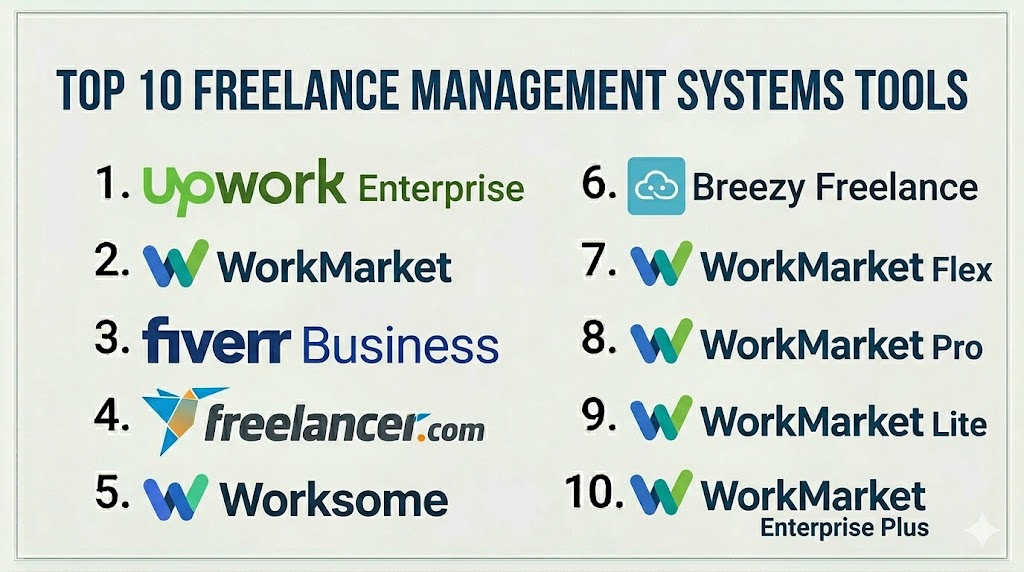
Introduction
Freelance Management Systems (FMS) are software platforms designed to streamline the management of freelance talent, contractors, and gig workers across organizations. In today’s dynamic workforce, companies increasingly rely on flexible talent for projects ranging from content creation to software development. An FMS provides a centralized hub to handle onboarding, project assignment, time tracking, invoicing, compliance, and performance evaluation.In the demand for FMS platforms has grown as companies manage a hybrid workforce across multiple geographies. Freelancers now require faster payment cycles, clear contracts, and efficient collaboration tools, while businesses need compliance checks, real-time reporting, and integration with internal HR or finance systems.
Real-world use cases include:
- Enterprises managing a global pool of freelance designers, writers, or developers.
- SMBs scaling project teams without committing to full-time hires.
- Agencies coordinating short-term engagements with multiple freelancers.
- Startups requiring rapid talent onboarding for time-sensitive projects.
- Organizations ensuring legal and tax compliance across multiple jurisdictions.
Evaluation criteria for buyers typically include:
- Talent onboarding efficiency and verification.
- Time tracking and productivity measurement.
- Payment automation and invoicing capabilities.
- Contract and compliance management.
- Integration with HR, ERP, or accounting systems.
- Reporting, analytics, and performance metrics.
- Platform usability and support resources.
- Security and data privacy standards.
- Pricing and value for varying team sizes.
Best for: Companies with a significant reliance on freelance or contract work, agencies, SMBs scaling project-based teams, and enterprises requiring robust compliance tracking.
Not ideal for: Businesses with minimal freelance usage, single-project hires, or teams that can manage independent contractors manually without centralized software.
Key Trends in Freelance Management Systems
- Increasing adoption of AI for automated talent matching and predictive project allocation.
- Integration with financial platforms for real-time invoicing and payout automation.
- Embedded compliance and tax management for multi-jurisdiction operations.
- Advanced reporting dashboards with analytics on productivity, spend, and engagement.
- Cloud-native platforms with hybrid deployment options for enterprises.
- Mobile-first experiences enabling freelancers to submit work, track hours, and receive payments on the go.
- API-driven ecosystems for seamless integration with HRIS, payroll, and project management tools.
- Subscription-based pricing models with tiered features for SMBs and large enterprises.
- Enhanced security frameworks including SSO, MFA, encryption, and audit trails.
- Focus on performance and collaboration tracking to manage distributed talent effectively.
How We Selected These Tools (Methodology)
- Analyzed market adoption, mindshare, and industry recognition.
- Reviewed feature completeness, including onboarding, invoicing, compliance, and analytics.
- Evaluated reliability and platform performance via client feedback and uptime indicators.
- Assessed security posture including encryption, access controls, and compliance certifications.
- Considered integration capabilities with HR, ERP, project management, and finance systems.
- Determined customer fit across segments: freelancers, SMBs, and enterprises.
- Factored scalability, customization, and platform flexibility.
- Reviewed support and community resources for adoption and troubleshooting.
- Ensured up-to-date compliance with labor laws and taxation standards.
- Compared pricing models for value relative to features and team sizes.
Top 10 Freelance Management Systems Tools
1 — Upwork Enterprise
Short description: Upwork Enterprise offers a comprehensive platform for managing freelancers at scale, with tools for sourcing, hiring, tracking, and paying talent. Ideal for organizations that need a global freelancer workforce with secure contract and payment management.
Key Features
- Centralized freelancer sourcing and vetting.
- Time tracking and productivity analytics.
- Automated invoicing and global payments.
- Compliance tools for tax and labor laws.
- Integration with HR and ERP systems.
Pros
- Global reach with a large talent pool.
- Streamlined payment and compliance workflow.
Cons
- Can be costlier for smaller teams.
- Limited offline collaboration tools.
Platforms / Deployment
- Web / iOS / Android
- Cloud
Security & Compliance
- Not publicly stated
Integrations & Ecosystem
Supports integration with popular HR, accounting, and project management systems.
- APIs for custom workflows
- Payroll integration
- Accounting software sync
- Single sign-on support
Support & Community
Varies / Not publicly stated
2 — WorkMarket
Short description: WorkMarket provides end-to-end management of freelance and contingent workforces, including onboarding, work assignment, compliance, and payments. Tailored for enterprises seeking structured freelance programs.
Key Features
- Dynamic talent marketplace management.
- Automated onboarding and verification.
- Digital contract and compliance management.
- Payment and billing automation.
- Reporting dashboards for workforce analytics.
Pros
- Enterprise-grade compliance tracking.
- Centralized management of multiple freelance projects.
Cons
- Steeper learning curve for new users.
- Pricing may not suit smaller businesses.
Platforms / Deployment
- Web / iOS / Android
- Cloud
Security & Compliance
- Not publicly stated
Integrations & Ecosystem
Integrates with finance, ERP, and HR platforms to automate workflows.
- API access
- Payroll integration
- Collaboration tool connectivity
Support & Community
Varies / Not publicly stated
3 — Fiverr Business
Short description: Fiverr Business enables organizations to find, manage, and pay freelance talent for specialized projects, emphasizing efficiency and secure transactions.
Key Features
- Team dashboards for project tracking.
- Talent discovery with verified ratings.
- Time tracking and milestone-based payments.
- Contract and invoice management.
- Integration with productivity tools.
Pros
- Simple interface and quick onboarding.
- Access to vetted global freelancers.
Cons
- Limited enterprise features compared to dedicated FMS platforms.
- Fewer advanced analytics.
Platforms / Deployment
- Web / iOS / Android
- Cloud
Security & Compliance
- Not publicly stated
Integrations & Ecosystem
- Collaboration tools
- Accounting platforms
- API for automated workflows
Support & Community
Varies / Not publicly stated
4 — Freelancer Enterprise
Short description: Freelancer Enterprise offers robust capabilities for organizations to manage large-scale freelance projects, including global compliance, secure payments, and real-time progress tracking.
Key Features
- Centralized talent sourcing and vetting.
- Project and milestone tracking.
- Automated contracts and global payments.
- Compliance management across countries.
- Analytics and reporting dashboards.
Pros
- Large global freelancer network.
- Comprehensive compliance and payment tools.
Cons
- User interface may feel complex.
- Limited offline collaboration features.
Platforms / Deployment
- Web / iOS / Android
- Cloud
Security & Compliance
- Not publicly stated
Integrations & Ecosystem
- ERP/HR software connectors
- Accounting tools
- APIs for custom integration
Support & Community
Varies / Not publicly stated
5 — Worksome
Short description: Worksome focuses on managing high-quality freelance talent with streamlined onboarding, automated compliance checks, and payment solutions for SMBs and enterprises.
Key Features
- AI-assisted talent matching.
- Contract and compliance automation.
- Integrated time tracking and invoicing.
- Reporting dashboards for project insights.
- Collaboration tools for remote teams.
Pros
- Quick freelancer onboarding.
- AI-powered matching improves project fit.
Cons
- Limited customization options.
- Fewer integrations than larger enterprise platforms.
Platforms / Deployment
- Web / iOS / Android
- Cloud
Security & Compliance
- Not publicly stated
Integrations & Ecosystem
- Accounting platforms
- Collaboration tools
- API access
Support & Community
Varies / Not publicly stated
6 — Breezy Freelance
Short description: Breezy Freelance is a platform that helps SMBs and mid-market teams manage short-term freelance projects, including candidate management, approvals, and automated invoicing.
Key Features
- Visual pipeline for freelancer management.
- Automated approvals and contract management.
- Payment tracking and invoicing.
- Project analytics and reporting.
- Collaboration and file sharing.
Pros
- Intuitive visual management tools.
- Quick setup for SMBs.
Cons
- May lack enterprise-grade compliance.
- Limited global talent pool.
Platforms / Deployment
- Web / iOS / Android
- Cloud
Security & Compliance
- Not publicly stated
Integrations & Ecosystem
- Accounting software
- Collaboration tools
- API for workflow automation
Support & Community
Varies / Not publicly stated
7 — WorkMarket Flex
Short description: WorkMarket Flex offers a modular approach to freelance workforce management, allowing companies to implement only the modules they need for sourcing, compliance, and payment.
Key Features
- Modular FMS architecture.
- Automated onboarding and verification.
- Contract and invoice management.
- Project analytics.
- Custom workflow configuration.
Pros
- Flexible module selection.
- Enterprise-focused compliance features.
Cons
- Setup may be complex.
- May require professional services for implementation.
Platforms / Deployment
- Web / iOS / Android
- Cloud
Security & Compliance
- Not publicly stated
Integrations & Ecosystem
- ERP and accounting integrations
- API access for automation
- Workflow connectors
Support & Community
Varies / Not publicly stated
8 — WorkMarket Pro
Short description: WorkMarket Pro delivers advanced reporting, compliance monitoring, and global payments for enterprise clients managing large distributed freelance teams.
Key Features
- Enterprise-grade reporting dashboards.
- Compliance and legal verification tools.
- Global invoicing and payment automation.
- Project and milestone tracking.
- Role-based access control.
Pros
- Strong reporting and analytics.
- Global compliance support.
Cons
- Can be complex for smaller teams.
- Premium pricing structure.
Platforms / Deployment
- Web / iOS / Android
- Cloud
Security & Compliance
- Not publicly stated
Integrations & Ecosystem
- ERP/HR integration
- Accounting tools
- API access for custom workflows
Support & Community
Varies / Not publicly stated
9 — WorkMarket Lite
Short description: WorkMarket Lite is designed for SMBs seeking lightweight freelance management with core features like onboarding, invoicing, and basic compliance checks.
Key Features
- Freelancer onboarding and verification.
- Invoice and payment tracking.
- Simple project management dashboards.
- Basic compliance support.
- Reporting and analytics.
Pros
- Cost-effective for small teams.
- Quick implementation.
Cons
- Limited advanced analytics.
- Fewer integrations.
Platforms / Deployment
- Web / iOS / Android
- Cloud
Security & Compliance
- Not publicly stated
Integrations & Ecosystem
- Basic accounting integrations
- Collaboration tools
- API availability limited
Support & Community
Varies / Not publicly stated
10 — WorkMarket Enterprise Plus
Short description: WorkMarket Enterprise Plus offers the full suite of freelance management capabilities, including AI-driven matching, advanced compliance tracking, and global payments for large-scale enterprise deployments.
Key Features
- AI-assisted talent allocation.
- Advanced contract and compliance automation.
- Global invoicing and payment management.
- Detailed analytics and reporting.
- Collaboration and document sharing.
Pros
- Comprehensive enterprise FMS.
- Strong compliance and global payments.
Cons
- Higher cost.
- Implementation requires dedicated resources.
Platforms / Deployment
- Web / iOS / Android
- Cloud
Security & Compliance
- Not publicly stated
Integrations & Ecosystem
- Extensive API support
- ERP and accounting integrations
- Collaboration tool integration
Support & Community
Varies / Not publicly stated
Comparison Table (Top 10)
| Tool Name | Best For | Platform(s) Supported | Deployment | Standout Feature | Public Rating |
|---|---|---|---|---|---|
| Upwork Enterprise | Global freelance teams | Web, iOS, Android | Cloud | Global talent pool | N/A |
| WorkMarket | Enterprises | Web, iOS, Android | Cloud | Compliance automation | N/A |
| Fiverr Business | SMBs, agencies | Web, iOS, Android | Cloud | Quick project sourcing | N/A |
| Freelancer Enterprise | Large projects | Web, iOS, Android | Cloud | Milestone tracking | N/A |
| Worksome | SMBs & enterprises | Web, iOS, Android | Cloud | AI talent matching | N/A |
| Breezy Freelance | SMBs | Web, iOS, Android | Cloud | Visual management pipeline | N/A |
| WorkMarket Flex | Modular enterprise | Web, iOS, Android | Cloud | Modular approach | N/A |
| WorkMarket Pro | Enterprise | Web, iOS, Android | Cloud | Advanced reporting | N/A |
| WorkMarket Lite | SMBs | Web, iOS, Android | Cloud | Lightweight onboarding | N/A |
| WorkMarket Enterprise Plus | Enterprise | Web, iOS, Android | Cloud | AI-driven allocation | N/A |
Evaluation & Scoring of Freelance Management Systems
| Tool Name | Core (25%) | Ease (15%) | Integrations (15%) | Security (10%) | Performance (10%) | Support (10%) | Value (15%) | Weighted Total (0–10) |
|---|---|---|---|---|---|---|---|---|
| Upwork Enterprise | 9 | 8 | 8 | 7 | 9 | 8 | 7 | 8.2 |
| WorkMarket | 9 | 7 | 8 | 7 | 8 | 7 | 7 | 7.9 |
| Fiverr Business | 7 | 9 | 7 | 6 | 8 | 7 | 8 | 7.7 |
| Freelancer Enterprise | 8 | 7 | 7 | 7 | 8 | 7 | 7 | 7.6 |
| Worksome | 8 | 8 | 7 | 7 | 8 | 7 | 7 | 7.6 |
| Breezy Freelance | 7 | 9 | 6 | 6 | 7 | 7 | 8 | 7.3 |
| WorkMarket Flex | 8 | 7 | 8 | 7 | 8 | 7 | 7 | 7.6 |
| WorkMarket Pro | 9 | 7 | 8 | 7 | 8 | 7 | 6 | 7.6 |
| WorkMarket Lite | 6 | 9 | 6 | 6 | 7 | 7 | 8 | 7.0 |
| WorkMarket Enterprise Plus | 9 | 7 | 8 | 7 | 8 | 7 | 6 | 7.6 |
Interpretation: Higher weighted totals indicate stronger overall capability relative to this evaluation framework. Scores are comparative, reflecting feature depth, usability, integration, security, performance, support, and value for money.
Which Freelance Management Systems Tool Is Right for You?
Solo / Freelancer
Opt for Fiverr Business or WorkMarket Lite to simplify client and payment management with minimal overhead.
SMB
Worksome and Breezy Freelance offer a balance of cost-efficiency, onboarding, and project management suitable for growing teams.
Mid-Market
Freelancer Enterprise and WorkMarket Flex provide robust compliance, reporting, and integration for larger freelance programs.
Enterprise
Upwork Enterprise, WorkMarket Pro, and Enterprise Plus deliver comprehensive tools for global talent pools, advanced analytics, and automated compliance.
Budget vs Premium
Small teams benefit from cost-effective options like Fiverr Business and WorkMarket Lite. Enterprises may prioritize premium features for compliance, analytics, and global payments.
Feature Depth vs Ease of Use
Choose platforms like Worksome or Breezy Freelance for usability; select Upwork Enterprise or WorkMarket Pro for advanced feature depth and enterprise-grade control.
Integrations & Scalability
For heavy integration needs and scaling across multiple departments, platforms like WorkMarket Flex, Pro, and Enterprise Plus are preferred.
Security & Compliance Needs
Enterprises with strict compliance requirements should favor WorkMarket Pro, Enterprise Plus, or Upwork Enterprise, which provide audit and verification features.
Frequently Asked Questions (FAQs)
1. How are freelance management systems priced?
Most FMS platforms use subscription-based pricing with tiered plans depending on team size, feature set, and global reach. Pricing may also include per-project or per-freelancer fees. Enterprises often negotiate custom contracts for high-volume usage.
2. What is the typical onboarding process?
Onboarding includes freelancer verification, document submission, contract acceptance, and sometimes skill assessment. Many platforms automate this to reduce administrative overhead.
3. Can FMS handle international payments?
Yes. Leading platforms provide multi-currency payment processing, global compliance with local labor laws, and tax reporting features to streamline international freelancer payments.
4. How do these platforms ensure compliance?
Compliance features may include identity verification, contract management, tax reporting, and automated adherence to labor regulations. Some platforms provide audit logs and regional compliance dashboards.
5. Are these tools suitable for small teams?
Yes, lightweight options like Fiverr Business or WorkMarket Lite are designed for small teams, providing essential freelancer management without enterprise complexity.
6. How are integrations handled?
Most platforms offer APIs, native integrations, and pre-built connectors for HR, ERP, accounting, and collaboration tools. Integration ensures seamless workflow across internal systems.
7. Can these tools scale with my organization?
Enterprise-grade FMS like Upwork Enterprise, WorkMarket Pro, and Enterprise Plus are built to scale, supporting thousands of freelancers, multiple departments, and global operations.
8. What common mistakes should organizations avoid?
Mistakes include underestimating onboarding needs, ignoring compliance, choosing tools with limited integrations, and not standardizing payment or reporting processes.
9. How easy is it to switch platforms?
Switching requires migrating freelancer data, contracts, payment history, and integration setups. Many platforms offer support for data export and API-based migration to simplify the transition.
10. Are AI features useful in FMS platforms?
AI assists with talent matching, workload allocation, fraud detection, and predictive analytics. These features improve efficiency and decision-making, especially in large or distributed freelance teams.
Conclusion
Freelance Management Systems have become essential for modern organizations that rely on flexible talent. The right FMS can streamline onboarding, track productivity, automate payments, and ensure compliance, while providing valuable insights into project performance. Selection depends on team size, global reach, integration needs, and compliance requirements. Smaller teams may favor lightweight solutions for ease of use and cost, while enterprises benefit from comprehensive platforms with advanced analytics and global compliance capabilities. The recommended approach is to shortlist tools, conduct pilot projects, validate integrations and security compliance, and then scale adoption across departments to maximize efficiency and control over freelance operations.
