MOTOSHARE 🚗🏍️
Rent Bikes & Cars Directly from Owners
Motoshare connects vehicle owners with people who need bikes and cars on rent. Owners earn from idle vehicles, and renters get flexible ride options.
Visit Motoshare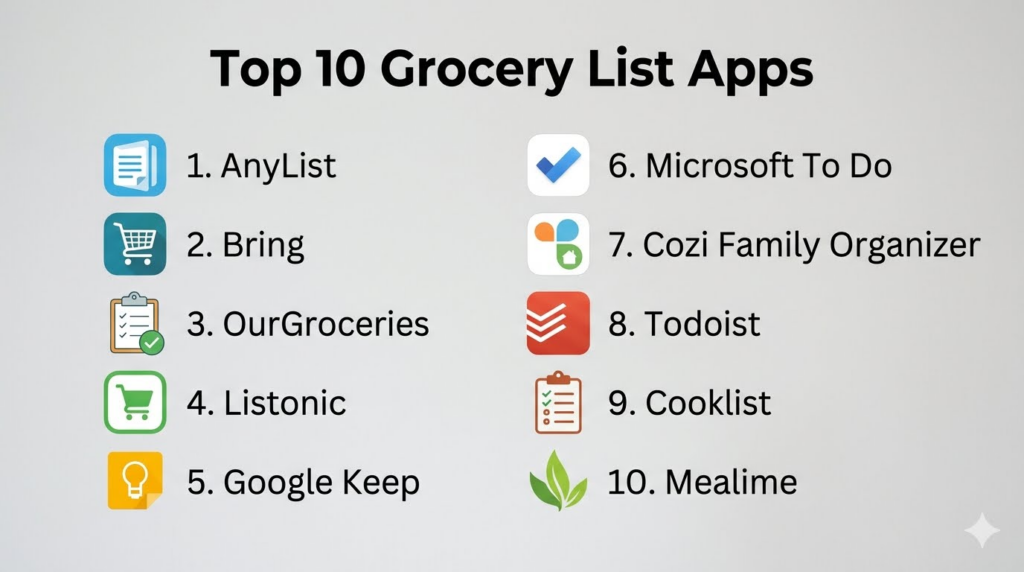
Introduction
Grocery List Apps help users plan shopping, organize items by category, share lists with family members, avoid forgotten ingredients, track pantry needs, and make grocery trips faster. Instead of using paper lists, scattered notes, or messaging apps, these tools centralize shopping tasks into one digital workflow with real-time syncing, item suggestions, recipe-based lists, voice input, barcode support, and household collaboration.Grocery list apps matter because grocery shopping is often repetitive, time-sensitive, and easy to mismanage. Families forget items, buy duplicates, overspend, or waste food when shopping is not organized. A good grocery list app helps users plan ahead, coordinate with household members, reduce impulse purchases, and connect shopping with recipes, meal plans, and pantry inventory.
Real-world use cases include:
- Creating shared family grocery lists
- Organizing groceries by store section
- Adding recipe ingredients automatically
- Tracking pantry items and household essentials
- Reducing duplicate purchases and forgotten items
Buyers evaluating Grocery List Apps should consider:
- Real-time list sharing
- Ease of adding and editing items
- Store category organization
- Voice input and smart suggestions
- Recipe and meal planning support
- Pantry and inventory tracking
- Cross-device sync
- Offline access
- Privacy and household sharing controls
- Free vs premium value
Best for: Families, roommates, busy professionals, students, meal planners, home cooks, caregivers, nutrition coaches, and anyone who wants faster, better-organized grocery shopping.
Not ideal for: Users who shop very rarely, people who prefer handwritten lists, or households that do not need shared shopping coordination.
Key Trends in Grocery List Apps
- Real-time family list sharing is becoming a core requirement for households that shop together.
- AI-assisted item suggestions are helping users remember common purchases based on past shopping habits.
- Recipe-to-grocery-list workflows are becoming more common for meal planners and home cooks.
- Pantry tracking is growing as users try to reduce food waste and avoid duplicate purchases.
- Voice assistant support is improving hands-free list creation while cooking or planning.
- Store-category sorting is helping users move through supermarkets more efficiently.
- Cross-device syncing is now expected across phones, tablets, desktops, and smartwatches.
- Grocery apps are increasingly connecting with meal planning, recipe management, and nutrition workflows.
- Privacy controls are becoming more important because shopping lists can reveal household habits and dietary preferences.
- Users are shifting toward simple apps that reduce shopping friction instead of complex tools that require too much maintenance.
How We Selected These Tools
The apps in this list were selected based on shopping workflow quality, ease of use, family sharing, platform support, grocery organization features, and long-term value.
Selection criteria included:
- Strength of grocery list creation and editing
- Real-time sharing and collaboration
- Smart item suggestions and categorization
- Recipe and meal planning support
- Pantry and household inventory features
- Cross-platform availability and synchronization
- Offline usability and shopping mode quality
- Ease of onboarding for beginners
- Free and premium plan value
- Fit for individuals, families, meal planners, and households
Top 10 Grocery List Apps
1- AnyList
Short description:
AnyList is one of the most popular grocery list apps for families and households that need real-time shared shopping lists. It allows users to create multiple lists, categorize items, share lists with others, save recipes, and plan meals. The app is especially strong for households where more than one person adds items or shops. Its clean interface and reliable syncing make it a practical everyday grocery planning tool.
Key Features
- Shared grocery lists
- Real-time list syncing
- Recipe storage
- Meal planning calendar
- Item categorization
- Favorites and recent items
- Cross-device access
Pros
- Excellent for family grocery collaboration
- Simple and reliable daily workflow
- Strong balance of grocery lists and recipe support
Cons
- Some advanced features require paid access
- Recipe management is not as deep as dedicated recipe apps
- Store-specific pricing features are limited
Platforms / Deployment
- iOS
- Android
- Web
- Cloud
Security & Compliance
- Account-based sharing controls
- Privacy settings
- Detailed compliance is Not publicly stated
Integrations & Ecosystem
AnyList works well for household grocery planning, recipe-based lists, and shared shopping routines.
- Shared household lists
- Recipe imports
- Meal planning workflows
- Cross-device sync
- Family collaboration
Support & Community
AnyList provides helpful support resources and is widely used by households that need simple shared grocery coordination.
2- Bring
Short description:
Bring is a visual grocery list app designed for households, couples, roommates, and families that want easy shared shopping lists. It uses icon-based item cards, real-time sharing, list templates, and smart suggestions to make shopping simple and quick. Bring is especially useful for users who prefer a visual interface instead of plain text lists. It also supports household planning and recurring grocery needs.
Key Features
- Visual grocery lists
- Shared list collaboration
- Item icons and categories
- Smart shopping suggestions
- List templates
- Recipe and meal inspiration features
- Cross-device syncing
Pros
- Very visual and easy to use
- Great for shared household lists
- Good for recurring grocery routines
Cons
- Visual interface may not suit users who prefer text-heavy lists
- Advanced planning features are limited
- Recipe management is lighter than dedicated apps
Platforms / Deployment
- iOS
- Android
- Web
- Cloud
Security & Compliance
- Account-based sharing controls
- Privacy settings
- Detailed compliance is Not publicly stated
Integrations & Ecosystem
Bring supports simple household grocery planning with visual list management.
- Shared shopping lists
- Recipe inspiration
- Household collaboration
- Smart suggestions
- Mobile shopping workflows
Support & Community
Bring offers user support resources and has strong adoption among households looking for a simple visual grocery list experience.
3- OurGroceries
Short description:
OurGroceries is a shared grocery list app designed for families and groups who need real-time list updates across devices. It allows users to create multiple shopping lists, add items quickly, organize by category, and share updates instantly. The app is useful for households that want a practical grocery tool without unnecessary complexity. It is especially strong for people who want fast shared list syncing.
Key Features
- Shared grocery lists
- Real-time synchronization
- Multiple list support
- Category organization
- Recipe ingredient lists
- Quick item entry
- Cross-device access
Pros
- Simple and reliable shared list experience
- Good for families and roommates
- Easy to use without heavy setup
Cons
- Interface is more functional than modern
- Limited meal planning depth
- Advanced pantry and recipe features are basic
Platforms / Deployment
- iOS
- Android
- Web
- Cloud
Security & Compliance
- Account-based sharing
- Privacy settings
- Detailed compliance is Not publicly stated
Integrations & Ecosystem
OurGroceries focuses on shared household grocery workflows rather than broad kitchen management.
- Shared grocery lists
- Multiple household lists
- Recipe ingredient support
- Real-time sync
- Family shopping workflows
Support & Community
OurGroceries offers simple support resources and is popular among users who want dependable shared grocery lists.
4- Listonic
Short description:
Listonic is a grocery shopping list app focused on speed, smart suggestions, and simple item organization. It helps users create lists quickly, reuse common items, share lists, and organize shopping by grocery category. Listonic is especially useful for people who want a lightweight grocery app that learns repeated shopping patterns. It works well for individuals and families who want quick list-building.
Key Features
- Smart item suggestions
- Shared grocery lists
- Category-based organization
- Price and quantity notes
- Voice input support
- Recent item reuse
- Cross-device syncing
Pros
- Fast list creation
- Helpful smart suggestions
- Simple for everyday grocery shopping
Cons
- Less advanced recipe and meal planning support
- Premium experience may vary by region
- Pantry features are limited
Platforms / Deployment
- iOS
- Android
- Web
- Cloud
Security & Compliance
- Account-based controls
- Privacy settings
- Detailed compliance is Not publicly stated
Integrations & Ecosystem
Listonic supports fast shopping workflows and recurring grocery routines.
- Smart item suggestions
- Shared lists
- Voice input
- Category organization
- Shopping notes
Support & Community
Listonic provides basic support resources and is useful for users who value speed and simplicity in grocery planning.
5- Google Keep
Short description:
Google Keep is a simple note-taking app that works well as a lightweight grocery list tool. Users can create checklist-style grocery lists, share them with family members, add voice notes, use labels, and access lists across devices. It is not a dedicated grocery app, but it is convenient for users already using Google services. It works best for simple lists rather than advanced shopping workflows.
Key Features
- Checklist notes
- Shared notes
- Voice notes
- Labels and colors
- Cross-device sync
- Reminder support
- Simple mobile and web access
Pros
- Very easy to use
- Free and familiar for Google users
- Good for simple shared grocery lists
Cons
- No advanced grocery categories by default
- No recipe-to-list automation
- Limited pantry and meal planning features
Platforms / Deployment
- iOS
- Android
- Web
- Cloud
Security & Compliance
- Google account-based controls
- Privacy settings
- Security depends on Google account configuration
Integrations & Ecosystem
Google Keep fits naturally into basic note-taking and household list workflows.
- Google account sync
- Shared notes
- Reminders
- Voice input
- Web and mobile access
Support & Community
Google Keep has broad adoption, simple documentation, and strong accessibility for users already in the Google ecosystem.
6- Microsoft To Do
Short description:
Microsoft To Do is a task management app that can be used effectively for grocery lists, household shopping tasks, and recurring list templates. It supports shared lists, reminders, task notes, categories, and Microsoft account synchronization. While it is not built specifically for groceries, it is practical for users who already use Microsoft tools and want grocery lists alongside daily tasks.
Key Features
- Shared task lists
- Checklist items
- Reminders and due dates
- Notes and categories
- Recurring tasks
- Cross-device sync
- Microsoft account integration
Pros
- Good for Microsoft ecosystem users
- Simple list sharing
- Useful for household tasks beyond groceries
Cons
- Not grocery-specific
- No recipe or pantry features
- Category sorting requires manual setup
Platforms / Deployment
- iOS
- Android
- Windows
- macOS
- Web
- Cloud
Security & Compliance
- Microsoft account controls
- Enterprise controls vary by Microsoft plan
- Compliance depends on Microsoft environment
Integrations & Ecosystem
Microsoft To Do works well for users who want grocery lists inside a broader productivity workflow.
- Microsoft account sync
- Outlook task workflows
- Shared task lists
- Reminders
- Daily planning
Support & Community
Microsoft provides strong documentation and broad support resources for productivity users.
7- Cozi Family Organizer
Short description:
Cozi Family Organizer is a family planning app that includes shared calendars, grocery lists, to-do lists, meal planning, and household coordination features. It is especially useful for families that want grocery lists connected with family schedules and meal planning. Cozi is not only a grocery app, but it works well for households managing shopping, appointments, school activities, and meals in one place.
Key Features
- Shared grocery lists
- Family calendar
- Meal planning
- To-do lists
- Recipe box
- Household reminders
- Family member access
Pros
- Strong family organization features
- Combines groceries with calendars and meals
- Useful for busy households
Cons
- May feel too broad for users who only need grocery lists
- Advanced features may require premium access
- Interface can feel busy for simple shopping tasks
Platforms / Deployment
- iOS
- Android
- Web
- Cloud
Security & Compliance
- Account-based family sharing controls
- Privacy settings
- Detailed compliance is Not publicly stated
Integrations & Ecosystem
Cozi supports family coordination across grocery shopping, meals, and schedules.
- Family calendar
- Grocery lists
- Meal planning
- Recipe box
- Household reminders
- Shared access
Support & Community
Cozi provides family-focused support resources and is popular among households managing multiple routines in one app.
8- Todoist
Short description:
Todoist is a task management app that can be adapted into a powerful grocery list system for users who like structured lists, labels, recurring items, and shared projects. It is not grocery-specific, but its flexibility makes it useful for users who want grocery planning alongside personal tasks, household chores, and productivity workflows. It is best for organized users who prefer a task-based approach.
Key Features
- Shared task projects
- Labels and filters
- Recurring tasks
- Priority levels
- Notes and comments
- Cross-device sync
- Voice assistant support through connected workflows
Pros
- Highly flexible list management
- Good for users who already use task apps
- Strong cross-platform support
Cons
- Requires manual grocery setup
- No built-in recipe or pantry tools
- Too advanced for users wanting a simple grocery app
Platforms / Deployment
- iOS
- Android
- Windows
- macOS
- Web
- Cloud
Security & Compliance
- Account-based controls
- Team controls on selected plans
- Detailed compliance varies by plan
Integrations & Ecosystem
Todoist fits grocery planning into broader personal and household productivity systems.
- Shared projects
- Recurring tasks
- Calendar workflows
- Voice assistant workflows
- Productivity integrations
Support & Community
Todoist has extensive documentation, templates, and a large productivity-focused user community.
9- Cooklist
Short description:
Cooklist is a grocery, pantry, and meal planning app that helps users track ingredients, build grocery lists, and plan meals around food they already have. It is especially useful for households that want to reduce food waste and avoid buying duplicate pantry items. Cooklist goes beyond a simple grocery checklist by connecting shopping with pantry awareness and recipe discovery.
Key Features
- Grocery lists
- Pantry inventory tracking
- Meal planning
- Recipe discovery from available ingredients
- Shopping planning
- Food waste reduction workflows
- Household ingredient organization
Pros
- Strong pantry-based shopping support
- Useful for reducing duplicate purchases
- Helps plan meals from existing ingredients
Cons
- Pantry setup requires effort
- Best results require consistent tracking
- Simpler grocery list users may find it too involved
Platforms / Deployment
- iOS
- Android
- Cloud
Security & Compliance
- Account-based controls
- Privacy settings
- Detailed compliance is Not publicly stated
Integrations & Ecosystem
Cooklist connects grocery lists with pantry tracking and meal planning workflows.
- Pantry inventory
- Recipe discovery
- Grocery planning
- Meal planning
- Food waste reduction
Support & Community
Cooklist provides app guidance and support for users interested in pantry-aware grocery planning.
10- Mealime
Short description:
Mealime is a meal planning app with strong grocery list functionality for users who want planned meals and automatic shopping lists. Users choose meals, and the app generates a grocery list based on selected recipes. It is especially useful for busy users who want groceries tied directly to weekly meals rather than manually building shopping lists. Mealime works well for healthy eating, quick recipes, and simplified grocery trips.
Key Features
- Meal plan-based grocery lists
- Recipe selection
- Diet preference filters
- Shopping list generation
- Step-by-step cooking instructions
- Nutrition information on selected plans
- Meal prep support
Pros
- Great for grocery lists from meal plans
- Beginner-friendly meal planning
- Reduces weekly food decision fatigue
Cons
- Less flexible as a standalone grocery list app
- Personal recipe import is limited
- Premium access required for some advanced features
Platforms / Deployment
- iOS
- Android
- Cloud
Security & Compliance
- Account-based controls
- Privacy settings
- Detailed compliance is Not publicly stated
Integrations & Ecosystem
Mealime supports grocery planning through weekly meal selection and guided cooking workflows.
- Meal planning
- Grocery list generation
- Diet filters
- Cooking instructions
- Nutrition support
Support & Community
Mealime offers simple onboarding and practical support for users who want grocery lists connected to easy meal plans.
Comparison Table
| Tool Name | Best For | Platform Supported | Deployment | Standout Feature | Public Rating |
|---|---|---|---|---|---|
| AnyList | Shared family grocery lists | iOS, Android, Web | Cloud | Real-time household list sharing | N/A |
| Bring | Visual grocery planning | iOS, Android, Web | Cloud | Icon-based shopping lists | N/A |
| OurGroceries | Simple shared lists | iOS, Android, Web | Cloud | Fast real-time list sync | N/A |
| Listonic | Quick smart grocery lists | iOS, Android, Web | Cloud | Smart item suggestions | N/A |
| Google Keep | Simple checklist users | iOS, Android, Web | Cloud | Free shared checklist notes | N/A |
| Microsoft To Do | Microsoft ecosystem users | iOS, Android, Windows, macOS, Web | Cloud | Grocery lists inside task management | N/A |
| Cozi Family Organizer | Busy families | iOS, Android, Web | Cloud | Groceries plus family calendar | N/A |
| Todoist | Structured productivity users | iOS, Android, Windows, macOS, Web | Cloud | Flexible task-based shopping workflows | N/A |
| Cooklist | Pantry-based grocery planning | iOS, Android | Cloud | Pantry inventory and shopping | N/A |
| Mealime | Meal plan-based shopping | iOS, Android | Cloud | Grocery lists from planned meals | N/A |
Evaluation & Scoring of Grocery List Apps
| Tool Name | Core 25% | Ease 15% | Integrations 15% | Security 10% | Performance 10% | Support 10% | Value 15% | Weighted Total |
|---|---|---|---|---|---|---|---|---|
| AnyList | 9 | 9 | 8 | 7 | 9 | 8 | 8 | 8.4 |
| Bring | 8 | 9 | 7 | 7 | 8 | 7 | 8 | 7.8 |
| OurGroceries | 8 | 8 | 6 | 7 | 8 | 7 | 8 | 7.5 |
| Listonic | 8 | 9 | 6 | 7 | 8 | 7 | 8 | 7.7 |
| Google Keep | 6 | 9 | 8 | 8 | 9 | 8 | 10 | 8.1 |
| Microsoft To Do | 6 | 8 | 8 | 8 | 9 | 8 | 9 | 7.8 |
| Cozi Family Organizer | 8 | 8 | 7 | 7 | 8 | 8 | 8 | 7.8 |
| Todoist | 7 | 8 | 9 | 8 | 9 | 8 | 8 | 8.0 |
| Cooklist | 8 | 7 | 7 | 7 | 8 | 7 | 8 | 7.5 |
| Mealime | 8 | 9 | 6 | 7 | 8 | 8 | 8 | 7.8 |
These scores are comparative and should be interpreted based on shopping habits. A family may value real-time sharing more than advanced productivity features. A meal planner may prefer grocery lists generated from recipes. A pantry-focused user may value inventory tracking, while a casual shopper may prefer a simple shared checklist that is fast and free.
Which Grocery List App Is Right for You?
Solo / Freelancer
Solo users usually need speed, simplicity, and cross-device access. Google Keep, Listonic, AnyList, and Microsoft To Do are strong choices depending on preferred workflow. Google Keep is ideal for simple checklists, Listonic is better for smart grocery suggestions, and AnyList works well for users who want grocery-specific organization.
SMB
Small businesses, food coaches, personal chefs, caregivers, and meal prep providers may need repeatable grocery list workflows. AnyList, Mealime, Cooklist, and Todoist can be useful depending on whether the focus is household shopping, meal plans, pantry tracking, or structured task management. SMB users should prioritize list templates, syncing, and easy client or team sharing.
Mid-Market
Mid-market wellness programs, small food services, and group households may need collaboration and repeatable shopping workflows. Cozi, AnyList, Todoist, and Cooklist can support different levels of shared planning. The best option depends on whether grocery lists need to connect with calendars, tasks, recipes, or pantry inventory.
Enterprise
Enterprise use cases are limited but may apply to workplace food planning, office pantry management, employee wellness programs, or facility support teams. Enterprise buyers should prioritize account control, privacy, user permissions, and workflow simplicity. Productivity tools like Microsoft To Do or Todoist may fit better than consumer grocery apps for internal team use.
Budget vs Premium
Budget-conscious users can start with Google Keep, Microsoft To Do, OurGroceries, or free versions of dedicated grocery apps. Premium plans may be worth it for family sharing, recipe import, meal planning, advanced categorization, or ad-free experiences. Users should confirm that premium features save real time before paying.
Feature Depth vs Ease of Use
AnyList offers a strong balance of grocery-specific depth and simplicity. Bring is highly visual and easy for casual users. Todoist and Microsoft To Do are flexible but require manual setup. Cooklist offers deeper pantry-aware planning but takes more maintenance. Mealime is best when grocery lists are tied to meal plans rather than standalone shopping.
Integrations & Scalability
Users should consider whether grocery lists need to connect with recipes, meal plans, calendars, smart speakers, pantry tools, or productivity workflows. Families may prefer AnyList, Bring, or Cozi. Productivity users may prefer Todoist or Microsoft To Do. Meal planners may prefer Mealime or Cooklist.
Security & Compliance Needs
Grocery list apps may store household routines, dietary preferences, allergy information, and shopping patterns. Users should review sharing permissions, account security, cloud syncing, and privacy settings. Businesses or caregivers handling grocery lists for others should avoid sharing sensitive dietary or health-related information without consent.
Frequently Asked Questions
1. What are Grocery List Apps?
Grocery List Apps are digital tools that help users create, organize, share, and manage shopping lists from a phone, tablet, or computer. They can replace paper lists and make grocery planning easier through real-time sync, item categories, favorites, reminders, and family sharing. Some apps also connect grocery lists with recipes, meal plans, pantry tracking, or household calendars. They are useful for individuals, families, roommates, and anyone who wants more organized shopping.
2. Why should I use a grocery list app instead of paper?
A grocery list app is easier to update, share, and reuse than a paper list. If one household member adds milk or vegetables, another person can see the update instantly while shopping. Apps can also organize items by category, remember frequently purchased products, and reduce forgotten items. Paper lists still work for simple needs, but digital lists are better for households that coordinate shopping together.
3. Which grocery list app is best for families?
AnyList, Bring, OurGroceries, and Cozi are strong options for families. AnyList is especially good for real-time shared lists and recipe support. Bring is highly visual and simple for households. OurGroceries is practical for fast syncing, while Cozi combines grocery lists with family calendars and meal planning. Families should choose based on whether they need simple lists, meal planning, or broader household organization.
4. Can grocery list apps help reduce food waste?
Yes, grocery list apps can help reduce food waste by making shopping more intentional. Users can plan meals, check pantry items before shopping, avoid duplicate purchases, and buy only what is needed. Apps like Cooklist are especially helpful because they connect grocery planning with pantry inventory. However, food waste reduction depends on consistent planning and realistic shopping habits.
5. Do grocery list apps work offline?
Some grocery list apps offer limited offline access, while others depend more heavily on cloud sync. Offline access is useful when users shop in stores with poor connectivity. If offline shopping is important, users should test whether the app allows list viewing, checking off items, and syncing changes later. Dedicated grocery apps often handle this better than general note-taking tools, but support varies.
6. Which app is best for shared grocery lists?
AnyList is one of the strongest choices for shared grocery lists because it is built specifically for household shopping collaboration. Bring and OurGroceries are also strong for real-time sharing. Google Keep and Microsoft To Do can work well for simple shared checklists, but they lack grocery-specific features like smart categories and recipe-based shopping lists.
7. Can grocery apps create lists from recipes?
Yes, many grocery and meal planning apps can create shopping lists from recipes. AnyList, Mealime, Cooklist, and Cozi support recipe or meal-based grocery workflows. This is especially useful for users who plan meals weekly and want ingredients added automatically. Recipe-based lists can save time, but users should still review quantities and pantry items before shopping.
8. What are common mistakes users make with grocery list apps?
A common mistake is creating too many lists without a clear structure. Another mistake is not sharing the correct list with household members, which leads to duplicate shopping or missed items. Users also often forget to remove items they already have at home. The best approach is to keep lists simple, use categories consistently, and review the pantry before shopping.
9. Are grocery list apps safe for privacy?
Most grocery list apps are low-risk compared with medical or financial apps, but they can still reveal household routines, dietary preferences, allergies, and shopping habits. Users should review sharing permissions, account security, and cloud sync settings. Families should make sure only intended members have access to shared lists. Businesses or caregivers should handle household shopping information respectfully and privately.
10. How should users choose the right Grocery List App?
Users should first decide whether they need a simple checklist, shared family lists, recipe-based shopping, pantry tracking, or integration with productivity tools. Then they should test the app during a real grocery trip. The best grocery list app should be fast to update, easy to share, simple to check off in-store, and reliable across devices. A simple app used consistently is better than a complex app that adds extra work.
Conclusion
Grocery List Apps make shopping faster, more organized, and easier to coordinate across individuals, families, roommates, and households. The best app depends on whether the user needs simple checklists, shared household lists, recipe-based shopping, pantry tracking, or broader family organization. AnyList is a strong all-around grocery list app, Bring is ideal for visual shared shopping, OurGroceries is simple and reliable, Listonic is useful for smart suggestions, and Google Keep or Microsoft To Do work well for basic lists. Cozi supports families that want groceries connected with calendars, Todoist fits productivity-focused users, Cooklist is valuable for pantry-aware shopping, and Mealime works best when groceries come from planned meals. Buyers should shortlist apps based on real shopping habits, test list sharing during an actual grocery trip, review privacy settings, compare free and premium value, and choose the tool that reduces grocery stress without adding unnecessary complexity.
