MOTOSHARE 🚗🏍️
Rent Bikes & Cars Directly from Owners
Motoshare connects vehicle owners with people who need bikes and cars on rent. Owners earn from idle vehicles, and renters get flexible ride options.
Visit Motoshare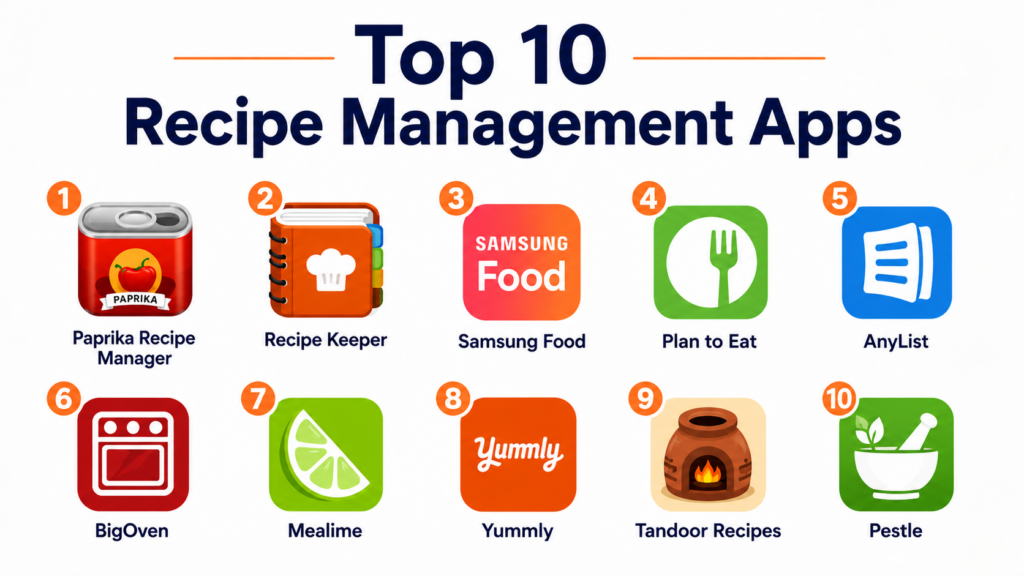
Introduction
Recipe Management Apps help users save, organize, edit, plan, share, and cook recipes from one central place. Instead of bookmarking recipes across websites, saving screenshots, keeping paper notes, or searching through old messages, these apps allow users to build a personal digital cookbook with ingredients, instructions, meal plans, grocery lists, tags, categories, and cooking notes.Recipe management matters because modern home cooking often involves many scattered sources: food blogs, videos, family recipes, social media posts, cookbooks, and diet-specific meal plans. A good recipe app helps users reduce kitchen clutter, plan meals faster, avoid duplicate grocery purchases, scale servings, track pantry items, and make weekly cooking more organized. Some apps also add grocery list automation, nutrition details, recipe discovery, AI meal planning, and household sharing.
Real-world use cases include:
- Saving recipes from websites into one organized library
- Planning weekly meals and generating grocery lists
- Digitizing family recipes and handwritten notes
- Scaling recipes for families, events, or meal prep
- Organizing recipes by diet, cuisine, ingredient, or occasion
Buyers evaluating Recipe Management Apps should consider:
- Recipe import and web clipping quality
- Grocery list generation
- Meal planning calendar
- Cross-device sync
- Offline access
- Recipe scaling and editing
- Pantry and inventory tracking
- Family sharing and collaboration
- Nutrition information and dietary filters
- Pricing and long-term value
Best for: Home cooks, families, meal planners, food bloggers, busy professionals, students, meal prep users, nutrition-focused users, and anyone who wants to organize recipes and grocery planning more efficiently.
Not ideal for: Users who rarely cook, people who only follow one or two recipes casually, or users who prefer physical cookbooks and do not want to maintain a digital recipe library.
Key Trends in Recipe Management Apps
- AI-assisted meal planning is becoming more common for generating recipe ideas and weekly meal plans based on preferences.
- Recipe import tools are improving so users can save recipes from websites without copying ingredients manually.
- Grocery list automation is becoming a core feature, especially for families and meal prep users.
- Pantry tracking is growing as users look for ways to reduce food waste and manage ingredients more efficiently.
- Cross-device sync is now expected because users often plan meals on desktop and cook from mobile or tablet.
- Family sharing features are becoming important for households that coordinate groceries and weekly meals together.
- Nutrition insights are being added to help users understand calories, macros, allergens, and dietary fit.
- Offline access remains important for users cooking in kitchens with weak connectivity.
- Apps are shifting from simple recipe storage toward full kitchen management workflows.
- Privacy and account control expectations are increasing as apps store personal food preferences, health goals, and household routines.
How We Selected These Tools
The apps in this list were selected based on practical usefulness, recipe organization strength, meal planning features, platform support, ease of use, and long-term value.
Selection criteria included:
- Quality of recipe saving and web clipping
- Strength of recipe organization and tagging
- Grocery list and shopping workflow support
- Meal planning calendar and scheduling
- Cross-platform availability and sync
- Offline access and cooking mode support
- Support for family sharing or collaboration
- Pantry, nutrition, and diet-specific features
- User experience and onboarding simplicity
- Value across free, one-time purchase, and subscription models
Top 10 Recipe Management Apps
1- Paprika Recipe Manager
Short description:
Paprika Recipe Manager is one of the most respected recipe organization apps for users who want a reliable personal digital cookbook. It helps users save recipes from websites, organize them into categories, scale ingredients, create grocery lists, and plan meals on a calendar. Paprika is especially strong for users who already collect many recipes and want a clean, offline-friendly system. It is best suited for serious home cooks who value control over their own recipe library.
Key Features
- Recipe import from websites
- Custom recipe categories
- Grocery list generation
- Meal planning calendar
- Recipe scaling
- Built-in cooking timers
- Offline recipe access
Pros
- Excellent recipe clipping and organization
- Strong offline cooking experience
- Great for long-term personal recipe libraries
Cons
- Interface can feel traditional compared to newer apps
- Advanced collaboration features are limited
- Separate platform purchases may be required depending on setup
Platforms / Deployment
- iOS
- Android
- Windows
- macOS
- Cloud / Device-based sync
Security & Compliance
- Account-based sync controls
- Local recipe storage options
- Detailed compliance is Not publicly stated
Integrations & Ecosystem
Paprika focuses on recipe organization, cooking workflows, and grocery planning rather than broad external integrations.
- Browser recipe import
- Grocery list workflows
- Meal planning calendar
- Recipe scaling
- Offline cooking mode
Support & Community
Paprika has a strong reputation among home cooks and recipe collectors, with practical help resources and long-term user loyalty.
2- Recipe Keeper
Short description:
Recipe Keeper is a cross-platform recipe management app designed for users who want an easy way to save, organize, sync, and share recipes across devices. It supports recipe import, manual entry, grocery lists, meal planning, photo attachments, and cloud synchronization. Recipe Keeper is especially useful for families and casual cooks who want simplicity without giving up important organization features. Its broad platform support makes it practical for mixed-device households.
Key Features
- Recipe import from websites
- Manual recipe entry
- Photo support
- Meal planner
- Shopping list generation
- Cloud sync across devices
- Recipe sharing
Pros
- Strong cross-platform support
- Simple and beginner-friendly interface
- Good balance of organization and usability
Cons
- Less advanced than premium kitchen management tools
- Nutrition features are limited
- Heavy users may want deeper tagging and automation
Platforms / Deployment
- iOS
- Android
- Windows
- macOS
- Web
- Cloud
Security & Compliance
- Account-based cloud sync
- Privacy settings
- Detailed compliance is Not publicly stated
Integrations & Ecosystem
Recipe Keeper supports practical recipe collection and household cooking workflows.
- Web recipe import
- Cloud sync
- Grocery list workflows
- Meal planning
- Recipe sharing
Support & Community
Recipe Keeper provides accessible support resources and is well suited for users who want a straightforward recipe organization app.
3- Samsung Food
Short description:
Samsung Food is a recipe discovery, meal planning, and kitchen organization app that helps users save recipes, plan meals, generate shopping lists, and discover new dishes. It is useful for users who want both recipe management and inspiration. The app is especially strong for users who want a modern recipe experience with meal planning and grocery support. It also fits well for users already connected to Samsung’s broader smart home and wellness ecosystem.
Key Features
- Recipe saving and discovery
- Meal planning tools
- Grocery list generation
- Personalized recipe recommendations
- Dietary preference filters
- Smart kitchen ecosystem support
- Community recipe discovery
Pros
- Strong recipe discovery experience
- Useful grocery and planning workflows
- Good for users who want inspiration plus organization
Cons
- May feel broader than a pure recipe manager
- Best ecosystem value may depend on Samsung usage
- Personal recipe organization may be less flexible than dedicated apps
Platforms / Deployment
- iOS
- Android
- Web
- Cloud
Security & Compliance
- Samsung account-based controls
- Privacy settings
- Encryption
- Compliance details vary by region and account setup
Integrations & Ecosystem
Samsung Food connects recipe planning with broader cooking and smart kitchen workflows.
- Samsung ecosystem
- Smart kitchen devices
- Grocery list workflows
- Meal planning
- Recipe discovery
Support & Community
Samsung Food benefits from Samsung’s consumer ecosystem, help resources, and broad recipe discovery community.
4- Plan to Eat
Short description:
Plan to Eat is a meal planning and recipe management app designed for users who want calendar-based weekly planning and grocery list automation. It helps users save recipes, drag meals onto a calendar, and automatically build shopping lists from planned meals. Plan to Eat is especially useful for families, batch cooking users, and people who want to reduce last-minute meal decisions. It focuses more on planning and execution than social recipe discovery.
Key Features
- Recipe collection and import
- Calendar-based meal planning
- Grocery list generation
- Drag-and-drop meal scheduling
- Recipe scaling
- Household planning workflows
- Shopping list organization
Pros
- Excellent meal planning calendar
- Strong grocery list automation
- Good for families and weekly planners
Cons
- Less focused on recipe discovery
- Subscription model may not suit all users
- Interface is practical rather than flashy
Platforms / Deployment
- iOS
- Android
- Web
- Cloud
Security & Compliance
- Account-based access controls
- Privacy settings
- Detailed compliance is Not publicly stated
Integrations & Ecosystem
Plan to Eat is built around meal planning, shopping lists, and household cooking routines.
- Web recipe import
- Calendar planning
- Grocery list workflows
- Household meal planning
- Recipe organization
Support & Community
Plan to Eat provides strong support for meal planning users and has a loyal community of family meal planners.
5- AnyList
Short description:
AnyList is a grocery list and recipe organization app that helps users manage shopping lists, save recipes, plan meals, and collaborate with family members. It is especially strong for households that need shared grocery lists updated in real time. While it is not only a recipe manager, its recipe and meal planning features make it highly useful for everyday kitchen organization. It is best for users who prioritize shopping list collaboration.
Key Features
- Shared grocery lists
- Recipe storage
- Meal planning calendar
- Recipe import
- List sharing with family members
- Category-based shopping organization
- Cross-device sync
Pros
- Excellent shared grocery list experience
- Strong household collaboration
- Simple and reliable daily use
Cons
- Recipe management is not as deep as Paprika
- Advanced features may require paid plan
- Less focused on recipe discovery
Platforms / Deployment
- iOS
- Android
- Web
- Cloud
Security & Compliance
- Account-based sharing controls
- Privacy settings
- Detailed compliance is Not publicly stated
Integrations & Ecosystem
AnyList fits naturally into household grocery and meal planning workflows.
- Shared shopping lists
- Recipe import
- Meal planning
- Family collaboration
- Cross-device sync
Support & Community
AnyList provides helpful documentation and is popular with households that want reliable shared list management.
6- BigOven
Short description:
BigOven is a recipe discovery and management app that combines a large recipe library with personal recipe saving, grocery lists, meal planning, and cooking inspiration. It is useful for users who want to discover new recipes while also organizing favorites. BigOven is especially appealing to users who want recipe ideas, leftovers inspiration, and basic kitchen planning in one app. It works well for casual cooks who want both discovery and organization.
Key Features
- Large recipe library
- Recipe saving and organization
- Grocery list generation
- Meal planning support
- Leftover recipe ideas
- Nutrition information on selected content
- Recipe notes and personalization
Pros
- Strong recipe discovery library
- Useful for cooking inspiration
- Good beginner-friendly recipe browsing
Cons
- Interface can feel busy
- Advanced features may require premium access
- Personal recipe management is less focused than dedicated tools
Platforms / Deployment
- iOS
- Android
- Web
- Cloud
Security & Compliance
- Account-based controls
- Privacy settings
- Detailed compliance is Not publicly stated
Integrations & Ecosystem
BigOven supports recipe discovery, saving, grocery planning, and casual cooking workflows.
- Recipe library
- Grocery lists
- Meal planning
- Recipe clipping
- Leftover-based discovery
Support & Community
BigOven has broad user adoption and practical support resources for home cooks seeking recipe ideas and organization.
7- Mealime
Short description:
Mealime is a meal planning and recipe app focused on simple, healthy meals and streamlined grocery lists. It helps users choose meal plans, follow easy recipes, and generate shopping lists based on selected meals. Mealime is especially useful for busy professionals, families, and meal prep users who want quick weeknight cooking without manually building recipes from scratch. It is more meal-planning focused than traditional recipe-library focused.
Key Features
- Personalized meal plans
- Simple recipe instructions
- Grocery list generation
- Diet preference filters
- Quick weeknight recipes
- Meal prep support
- Nutrition information on selected plans
Pros
- Excellent for fast weekly meal planning
- Simple cooking instructions
- Good for reducing decision fatigue
Cons
- Less flexible for importing personal recipes
- Best value may require premium access
- Recipe library may feel limited for advanced cooks
Platforms / Deployment
- iOS
- Android
- Cloud
Security & Compliance
- Account-based controls
- Privacy settings
- Detailed compliance is Not publicly stated
Integrations & Ecosystem
Mealime supports guided meal planning and grocery preparation workflows.
- Meal planning
- Grocery lists
- Diet filters
- Nutrition workflows
- Cooking instructions
Support & Community
Mealime provides easy onboarding and practical support for users who want quick, planned meals.
8- Yummly
Short description:
Yummly is a recipe discovery and recommendation app designed to help users find recipes based on tastes, diets, allergies, ingredients, and cooking preferences. It is especially strong for users who want personalized recipe inspiration rather than only a private recipe database. Yummly helps users discover new dishes, save favorites, create shopping lists, and explore cooking ideas. It is best for users who enjoy browsing and discovering recipes frequently.
Key Features
- Personalized recipe recommendations
- Dietary and allergy filters
- Recipe discovery library
- Shopping list support
- Saved recipe collections
- Video and cooking guidance
- Nutrition details on selected recipes
Pros
- Strong personalized recipe discovery
- Helpful dietary and allergy filtering
- Good for cooking inspiration
Cons
- Less flexible as a personal recipe manager
- Free experience may include ads or limits
- Import and editing controls may be limited
Platforms / Deployment
- iOS
- Android
- Web
- Cloud
Security & Compliance
- Account-based controls
- Privacy settings
- Detailed compliance is Not publicly stated
Integrations & Ecosystem
Yummly supports recipe discovery, personalization, and smart cooking inspiration workflows.
- Recipe recommendations
- Shopping lists
- Dietary filtering
- Cooking videos
- Smart kitchen ecosystem support
Support & Community
Yummly provides accessible recipe discovery support and broad consumer adoption among home cooks.
9- Tandoor Recipes
Short description:
Tandoor Recipes is a self-hosted recipe management platform designed for users who want control over their recipe data and kitchen workflows. It supports recipe storage, meal planning, shopping lists, cookbooks, sharing, and household recipe organization. Tandoor is especially useful for technical users, privacy-conscious households, and self-hosting enthusiasts. It is best for users comfortable managing their own server or hosted environment.
Key Features
- Self-hosted recipe management
- Recipe import and organization
- Meal planning
- Shopping lists
- Cookbook organization
- User and household sharing
- API and automation support
Pros
- Strong data control for self-hosting users
- Good for privacy-conscious households
- Flexible recipe organization
Cons
- Requires technical setup
- Not ideal for casual users
- Mobile experience may depend on deployment setup
Platforms / Deployment
- Web
- Self-hosted
- Docker-supported environments
Security & Compliance
- Self-hosted access controls
- Security depends on deployment configuration
- Compliance varies by user-managed environment
Integrations & Ecosystem
Tandoor Recipes is useful for technical users who want flexible recipe management and self-hosted kitchen workflows.
- Self-hosted recipe library
- API workflows
- Household sharing
- Meal planning
- Shopping lists
Support & Community
Tandoor has an open-source community and documentation for users comfortable with self-hosted software.
10- Pestle
Short description:
Pestle is a modern recipe management app focused on saving recipes from websites, simplifying cooking instructions, organizing recipes, and improving the cooking experience. It is especially useful for users who want a clean mobile-first recipe app with guided cooking features. Pestle helps users remove clutter from online recipes and turn them into practical cooking steps. It is best for users who want a polished and modern recipe-saving experience.
Key Features
- Recipe import from websites
- Guided cooking mode
- Recipe organization
- Meal planning support
- Grocery list features
- Hands-free cooking support
- Cross-device sync
Pros
- Modern and clean user experience
- Good guided cooking workflow
- Useful for saving web recipes quickly
Cons
- Best suited for mobile-first users
- Advanced features may require paid access
- Smaller ecosystem than older recipe managers
Platforms / Deployment
- iOS
- macOS
- Cloud
Security & Compliance
- Account-based sync controls
- Privacy settings
- Detailed compliance is Not publicly stated
Integrations & Ecosystem
Pestle supports recipe saving, guided cooking, and modern mobile kitchen workflows.
- Web recipe import
- Cooking mode
- Grocery lists
- Meal planning
- Apple ecosystem workflows
Support & Community
Pestle provides modern app support resources and is popular with users who prefer clean mobile-first cooking tools.
Comparison Table
| Tool Name | Best For | Platform Supported | Deployment | Standout Feature | Public Rating |
|---|---|---|---|---|---|
| Paprika Recipe Manager | Personal recipe libraries | iOS, Android, Windows, macOS | Cloud / Device-based sync | Reliable recipe clipping and offline access | N/A |
| Recipe Keeper | Cross-platform recipe organization | iOS, Android, Windows, macOS, Web | Cloud | Broad device sync | N/A |
| Samsung Food | Recipe discovery and planning | iOS, Android, Web | Cloud | Recipe discovery plus meal planning | N/A |
| Plan to Eat | Weekly meal planning | iOS, Android, Web | Cloud | Calendar-based meal planning | N/A |
| AnyList | Shared grocery lists | iOS, Android, Web | Cloud | Family grocery collaboration | N/A |
| BigOven | Recipe inspiration | iOS, Android, Web | Cloud | Large recipe discovery library | N/A |
| Mealime | Quick meal planning | iOS, Android | Cloud | Simple meal plans and grocery lists | N/A |
| Yummly | Personalized recipe discovery | iOS, Android, Web | Cloud | Taste-based recommendations | N/A |
| Tandoor Recipes | Self-hosted recipe control | Web | Self-hosted | Privacy-focused recipe management | N/A |
| Pestle | Modern guided cooking | iOS, macOS | Cloud | Clean cooking mode and recipe import | N/A |
Evaluation & Scoring of Recipe Management Apps
| Tool Name | Core 25% | Ease 15% | Integrations 15% | Security 10% | Performance 10% | Support 10% | Value 15% | Weighted Total |
|---|---|---|---|---|---|---|---|---|
| Paprika Recipe Manager | 9 | 8 | 7 | 7 | 9 | 8 | 9 | 8.2 |
| Recipe Keeper | 8 | 9 | 7 | 7 | 8 | 8 | 9 | 8.1 |
| Samsung Food | 8 | 8 | 8 | 8 | 8 | 8 | 8 | 8.0 |
| Plan to Eat | 9 | 8 | 7 | 7 | 8 | 8 | 8 | 8.0 |
| AnyList | 8 | 9 | 7 | 7 | 8 | 8 | 8 | 8.0 |
| BigOven | 8 | 8 | 7 | 7 | 8 | 7 | 8 | 7.7 |
| Mealime | 8 | 9 | 6 | 7 | 8 | 7 | 8 | 7.7 |
| Yummly | 8 | 8 | 7 | 7 | 8 | 7 | 8 | 7.7 |
| Tandoor Recipes | 8 | 6 | 8 | 8 | 8 | 7 | 9 | 7.8 |
| Pestle | 8 | 9 | 7 | 7 | 8 | 7 | 8 | 7.9 |
These scores are comparative and should be interpreted based on cooking style and household needs. Users with large personal recipe libraries may prioritize import quality, tagging, and offline access. Families may care more about shared grocery lists and meal calendars. Technical users may value self-hosting and data control, while casual cooks may prefer recipe discovery and easy meal planning.
Which Recipe Management App Is Right for You?
Solo / Freelancer
Solo users should choose based on whether they want recipe storage, discovery, or meal planning. Paprika is excellent for building a personal recipe library, while Pestle is strong for modern mobile cooking. Yummly and BigOven are better for users who want recipe inspiration. Mealime is ideal for users who want quick meal plans without spending too much time deciding what to cook.
SMB
Small food businesses, cooking instructors, nutrition coaches, and meal prep services may benefit from Recipe Keeper, Paprika, or Plan to Eat depending on workflow. Recipe Keeper is useful for cross-device access, Paprika is strong for personal recipe organization, and Plan to Eat is better for scheduled meal planning. SMBs should prioritize simplicity, export options, and repeatable kitchen workflows.
Mid-Market
Mid-market wellness programs, cooking communities, and family-focused services may need collaboration, planning, and shopping features. AnyList is strong for shared lists, Plan to Eat is useful for weekly planning, and Samsung Food or BigOven can support recipe discovery. Teams should consider how recipes, groceries, and meal schedules are shared across users.
Enterprise
Enterprise use cases are more limited but may apply to wellness programs, food content teams, culinary training, or internal employee meal planning initiatives. Larger organizations should prioritize data privacy, user access controls, content ownership, and ease of onboarding. If recipe data ownership matters, self-hosted or export-friendly tools may be preferable.
Budget vs Premium
Budget-conscious users may prefer one-time purchase tools, free tiers, or open-source options. Paprika and Recipe Keeper can provide strong long-term value depending on platform needs. Tandoor Recipes is valuable for technical users who can self-host. Premium subscriptions may be worth it when they add meal planning, grocery automation, recipe discovery, or household collaboration.
Feature Depth vs Ease of Use
Paprika, Recipe Keeper, and Plan to Eat offer strong recipe organization and planning depth. Mealime and Yummly are easier for users who want guided meal ideas rather than detailed recipe library management. Tandoor offers depth and control but requires technical setup. Pestle provides a clean modern experience for users who want easy web recipe saving and cooking mode.
Integrations & Scalability
Users should evaluate whether they need grocery delivery support, health app integrations, smart kitchen features, family sharing, or cross-device sync. Families may prioritize AnyList and Plan to Eat, while discovery-focused users may prefer Samsung Food or Yummly. Technical users may prioritize Tandoor because of self-hosting and API-style flexibility.
Security & Compliance Needs
Recipe apps may store household routines, dietary preferences, health-related food choices, and personal cooking data. Users should review account settings, cloud sync controls, sharing permissions, and export options. Businesses or coaches handling client meal plans should avoid storing sensitive dietary or health data without clear consent and appropriate privacy practices.
Frequently Asked Questions
1. What are Recipe Management Apps?
Recipe Management Apps are digital tools that help users save, organize, edit, plan, and cook recipes from one place. They often include recipe import, grocery lists, meal calendars, cooking mode, tags, categories, and recipe scaling. Some apps focus on personal recipe libraries, while others focus on recipe discovery, meal planning, or grocery collaboration. These apps are useful for reducing kitchen clutter and making cooking routines more organized.
2. How are recipe apps different from meal planning apps?
Recipe apps focus mainly on storing and organizing recipes, while meal planning apps help users schedule meals and generate grocery lists. Many modern tools combine both functions, but their strengths vary. Paprika and Recipe Keeper are stronger for personal recipe libraries, while Plan to Eat and Mealime are stronger for meal scheduling. Users should choose based on whether they mostly collect recipes or plan weekly meals.
3. Which app is best for saving recipes from websites?
Paprika, Recipe Keeper, Pestle, and Plan to Eat are strong choices for saving recipes from websites. These apps can import ingredients and instructions into a cleaner format so users do not need to scroll through long web pages while cooking. Import quality can vary by website, so users should test a few favorite recipe sources before choosing one app.
4. Which app is best for grocery lists?
AnyList is one of the strongest options for shared grocery lists, especially for families and households. Plan to Eat is excellent for grocery lists generated from a weekly meal calendar. Paprika and Recipe Keeper also provide useful grocery list tools. The best option depends on whether the grocery list is created from recipes, shared with family members, or used for simple shopping.
5. Can Recipe Management Apps work offline?
Some recipe apps support offline access, which is useful when cooking in kitchens with poor internet connectivity. Paprika is especially strong for offline recipe access. Other apps may require cloud sync or online access for full functionality. Users who cook frequently from saved recipes should check offline support before committing to an app.
6. Are Recipe Management Apps useful for families?
Yes, recipe apps can be very useful for families because they simplify meal planning, shopping, and household coordination. Apps like AnyList, Plan to Eat, Recipe Keeper, and Paprika help families save favorite meals, plan weekly dinners, and share grocery lists. Family users should prioritize collaboration, easy syncing, grocery list sharing, and simple meal calendars.
7. Can these apps help reduce food waste?
Recipe apps can help reduce food waste when they support meal planning, grocery lists, pantry tracking, and leftover-based recipe ideas. Planning meals before shopping reduces duplicate purchases and forgotten ingredients. Apps that help users organize recipes around available ingredients can also support better pantry usage. However, users still need consistent planning habits for meaningful food waste reduction.
8. What are common mistakes users make with recipe apps?
A common mistake is saving too many recipes without organizing them into categories, tags, or meal plans. Another mistake is choosing a complex app when the user only needs simple recipe storage. Users also sometimes ignore backup and sync settings, risking recipe loss. The best approach is to start with a clean category structure, save only useful recipes, and build a repeatable weekly planning routine.
9. Are self-hosted recipe apps worth it?
Self-hosted recipe apps like Tandoor Recipes can be worth it for technical users who want more control over recipe data, privacy, and household sharing. They are not ideal for casual users who want instant setup and polished mobile apps. Self-hosting requires maintenance, backups, and basic technical confidence. For privacy-conscious or tech-savvy households, self-hosted tools can be a strong long-term option.
10. How should users choose the right Recipe Management App?
Users should first decide whether they need recipe storage, meal planning, grocery lists, recipe discovery, family sharing, or pantry control. Then they should test apps with real recipes from their favorite websites. The best app should make cooking easier, not add extra admin work. Users should also compare offline access, syncing, pricing, privacy settings, and whether the app fits their actual weekly cooking habits.
Conclusion
Recipe Management Apps help users turn scattered recipes, grocery notes, meal ideas, and cooking plans into a more organized kitchen workflow. The best app depends on whether the user wants a personal cookbook, family grocery collaboration, weekly meal planning, recipe discovery, or self-hosted control. Paprika is excellent for serious recipe collectors, Recipe Keeper is strong for cross-platform organization, Samsung Food and Yummly support discovery, Plan to Eat is great for meal calendars, AnyList is ideal for shared grocery lists, and Mealime helps users plan quick meals with less effort. BigOven works well for recipe inspiration, Tandoor Recipes serves privacy-focused technical users, and Pestle offers a clean modern cooking experience. Buyers should shortlist apps based on real cooking habits, test recipe import quality, compare grocery and meal planning workflows, review privacy and sync settings, and choose the tool that makes everyday cooking simpler, faster, and more enjoyable.
