MOTOSHARE 🚗🏍️
Rent Bikes & Cars Directly from Owners
Motoshare connects vehicle owners with people who need bikes and cars on rent. Owners earn from idle vehicles, and renters get flexible ride options.
Visit Motoshare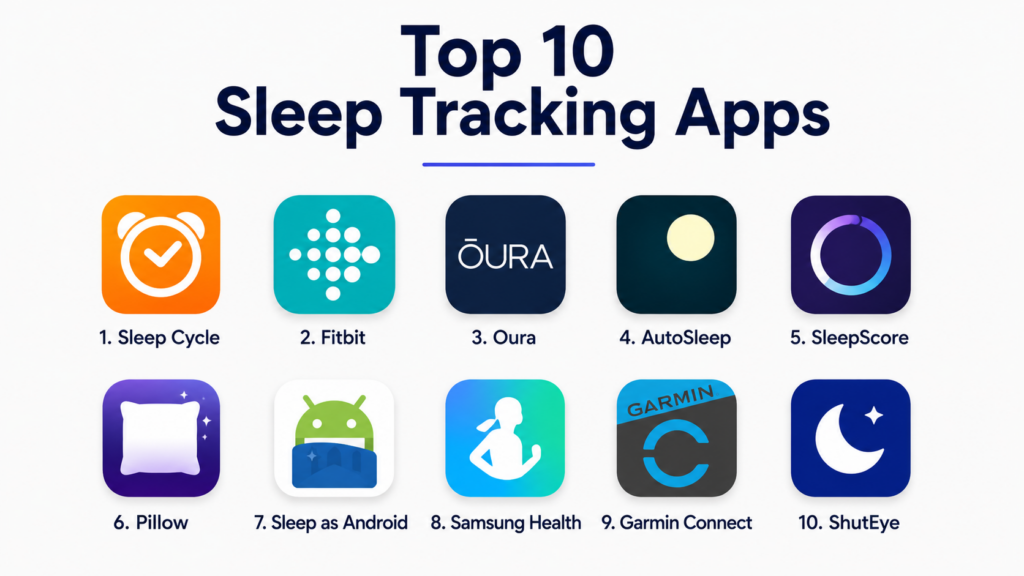
Introduction
Sleep Tracking Apps help users monitor sleep duration, sleep quality, bedtime routines, wake-up patterns, snoring, restlessness, heart rate trends, breathing patterns, and recovery signals. These apps use smartphone sensors, wearable devices, microphones, movement data, and health integrations to help users understand how they sleep and what may be affecting rest quality.Sleep tracking matters because poor sleep can affect focus, mood, productivity, recovery, stress, and long-term wellness. Many people struggle with inconsistent routines, late-night screen use, irregular schedules, stress, or undetected sleep disturbances. A good sleep tracking app can help users identify patterns, improve bedtime habits, and make more informed lifestyle decisions. These apps are not medical diagnostic tools, but they can provide useful signals for better sleep awareness.
Real-world use cases include:
- Tracking sleep duration and sleep consistency
- Understanding bedtime and wake-up patterns
- Monitoring snoring, noise, and restlessness
- Improving morning wake-up routines with smart alarms
- Connecting sleep data with fitness, recovery, and wellness habits
Buyers evaluating Sleep Tracking Apps should consider:
- Accuracy of sleep detection
- Wearable and phone sensor support
- Sleep stage and sleep quality insights
- Smart alarm functionality
- Snoring and sound recording features
- Health app and fitness platform integrations
- Privacy and sleep data handling
- Ease of use and dashboard clarity
- Battery usage and device compatibility
- Pricing and value for long-term tracking
Best for: Individuals improving sleep habits, fitness users, wellness-focused professionals, students, shift workers, athletes, people tracking recovery, and users who want better visibility into their nightly rest patterns.
Not ideal for: Users needing diagnosis or treatment for sleep disorders, people who dislike wearing devices at night, or users who may become anxious from over-monitoring sleep scores.
Key Trends in Sleep Tracking Apps
- Wearable-based sleep tracking is becoming more popular because smartwatches and rings can collect overnight movement, heart rate, and recovery signals.
- Smart alarms are helping users wake during lighter sleep windows instead of relying only on fixed alarm times.
- Sleep apps are adding snoring, noise, and breathing-related insights to help users understand nighttime disturbances.
- Recovery-focused platforms are connecting sleep quality with exercise readiness, stress, and daily energy levels.
- AI-based sleep coaching is becoming more common for personalized bedtime recommendations and habit suggestions.
- Sleep hygiene programs are expanding beyond tracking into guided routines, relaxation content, and behavior coaching.
- Privacy expectations are increasing because sleep apps may collect sensitive health, sound, and wellness data.
- Integration with Apple Health, Google Fit, Fitbit, Garmin, Oura, and smart home devices is becoming more important.
- Subscription models are growing, with premium plans offering deeper analytics, trend reports, and coaching.
- Users are looking for balance between useful insights and avoiding unnecessary sleep score anxiety.
How We Selected These Tools
The apps in this list were selected based on practical usefulness, sleep tracking capabilities, platform support, user experience, integrations, and long-term value.
Selection criteria included:
- Quality of sleep tracking and sleep trend analysis
- Smartphone and wearable compatibility
- Smart alarm and wake-up support
- Sleep sound, snoring, and noise detection
- Dashboard clarity and user experience
- Integration with health and fitness ecosystems
- Suitability for beginners and advanced wellness users
- Privacy and account control expectations
- Value for free and premium users
- Fit across individual, wellness, and fitness-focused use cases
Top 10 Sleep Tracking Apps
1- Sleep Cycle
Short description:
Sleep Cycle is one of the most popular sleep tracking apps for users who want simple sleep analysis and smart alarm functionality. It tracks sleep patterns using phone sensors and sound-based detection, then helps users wake up during a lighter sleep phase. The app is especially useful for people who want better wake-up routines without relying on a dedicated wearable. It also provides sleep trends, snoring insights, and lifestyle notes for improving sleep habits.
Key Features
- Sleep pattern tracking
- Smart alarm wake-up window
- Snoring and sound detection
- Sleep score and trend reports
- Bedtime reminders
- Lifestyle notes and sleep correlations
- Health app integrations
Pros
- Easy to use without wearable hardware
- Strong smart alarm experience
- Helpful sleep trend visualization
Cons
- Advanced insights require premium access
- Phone placement can affect tracking quality
- Sound-based tracking may be less useful in noisy rooms
Platforms / Deployment
- iOS
- Android
- Cloud
Security & Compliance
- Account-based controls
- Privacy settings
- Encryption
- Detailed compliance varies by plan and region
Integrations & Ecosystem
Sleep Cycle works well for users who want phone-based sleep tracking and simple wellness integrations.
- Apple Health
- Google Fit
- Wearable integrations on selected plans
- Alarm workflows
- Sleep sound analysis
Support & Community
Sleep Cycle provides user guides, help resources, and a large consumer sleep tracking user base.
2- Fitbit
Short description:
Fitbit is a wearable-based health and fitness platform with strong sleep tracking features. It tracks sleep duration, restlessness, sleep stages, heart rate patterns, and recovery-related insights using Fitbit devices. The app is especially useful for users who already use Fitbit for fitness, steps, heart rate, and overall wellness tracking. Sleep insights become more meaningful when combined with activity, stress, and recovery data.
Key Features
- Wearable-based sleep tracking
- Sleep stage estimates
- Sleep score
- Heart rate and restlessness insights
- Smart wake features on supported devices
- Wellness trend tracking
- Fitness and recovery data integration
Pros
- Strong all-in-one wellness ecosystem
- Useful for fitness and sleep tracking together
- Wearable data improves overnight tracking consistency
Cons
- Requires Fitbit device for best experience
- Some insights require premium subscription
- Device comfort may vary during sleep
Platforms / Deployment
- iOS
- Android
- Web
- Fitbit wearables
- Cloud
Security & Compliance
- Account-based access controls
- Encryption
- Privacy settings
- Compliance details vary by account and region
Integrations & Ecosystem
Fitbit connects sleep tracking with broader health and fitness workflows.
- Fitbit devices
- Google health ecosystem
- Apple Health through supported workflows
- Exercise tracking
- Heart rate monitoring
Support & Community
Fitbit has strong documentation, customer support resources, and a large fitness and wellness community.
3- Oura
Short description:
Oura is a wearable health platform built around the Oura Ring, with strong sleep, recovery, readiness, and wellness insights. It tracks sleep duration, sleep timing, resting heart rate, heart rate variability, temperature trends, and recovery signals. Oura is especially useful for users who want detailed sleep and recovery insights without wearing a smartwatch overnight. Its ring-based form factor appeals to users who prefer lightweight sleep tracking.
Key Features
- Ring-based sleep tracking
- Sleep score and readiness score
- Heart rate variability tracking
- Resting heart rate insights
- Body temperature trend tracking
- Sleep timing and consistency analysis
- Recovery and wellness recommendations
Pros
- Comfortable alternative to wrist wearables
- Strong recovery and sleep insights
- Good long-term trend analysis
Cons
- Requires dedicated Oura Ring
- Subscription may be needed for full insights
- Higher upfront cost than app-only options
Platforms / Deployment
- iOS
- Android
- Oura Ring
- Cloud
Security & Compliance
- Account-based controls
- Encryption
- Privacy controls
- Compliance details vary by plan and region
Integrations & Ecosystem
Oura connects sleep tracking with broader wellness, recovery, and fitness workflows.
- Apple Health
- Google Health Connect
- Fitness platforms
- Recovery tracking
- Wearable health ecosystem
Support & Community
Oura provides product support, educational wellness content, and a strong community among recovery-focused users.
4- AutoSleep
Short description:
AutoSleep is a sleep tracking app designed for Apple Watch users who want detailed sleep analysis without manually starting tracking each night. It automatically detects sleep using Apple Watch data and provides detailed dashboards for sleep duration, quality, deep sleep estimates, heart rate, and sleep consistency. It is especially useful for users already committed to the Apple ecosystem.
Key Features
- Automatic Apple Watch sleep tracking
- Sleep quality analysis
- Heart rate insights
- Sleep bank and sleep debt style views
- Readiness-style wellness indicators
- Detailed sleep graphs
- No manual start required
Pros
- Excellent for Apple Watch users
- Detailed sleep dashboards
- One-time purchase model may appeal to some users
Cons
- Requires Apple Watch for best experience
- Interface may feel data-heavy for beginners
- Not suitable for Android users
Platforms / Deployment
- iOS
- Apple Watch
- Cloud / Device-based workflows
Security & Compliance
- Apple ecosystem privacy controls
- Local and account-based data handling varies by settings
- Compliance details are Not publicly stated
Integrations & Ecosystem
AutoSleep is tightly aligned with Apple Watch and Apple Health workflows.
- Apple Watch
- Apple Health
- iPhone health dashboard
- Wearable sleep tracking
- Heart rate data
Support & Community
AutoSleep has strong adoption among Apple Watch users and provides practical guidance for interpreting sleep data.
5- SleepScore
Short description:
SleepScore is a sleep improvement app focused on sleep analysis, coaching, and personalized recommendations. It uses phone-based sensing and sleep science-oriented insights to help users understand sleep quality and improve routines. The app is useful for people who want guidance, sleep goals, and practical recommendations rather than only raw tracking data. It also supports sleep improvement programs and trend analysis.
Key Features
- Sleep quality tracking
- Sleep score dashboard
- Personalized sleep recommendations
- Sleep improvement programs
- Smart alarm features
- Lifestyle and habit insights
- Trend reporting
Pros
- Strong sleep coaching focus
- Good for users wanting recommendations
- Useful for habit improvement
Cons
- Premium features may require subscription
- Phone positioning can affect tracking
- Less useful for users already using advanced wearables
Platforms / Deployment
- iOS
- Android
- Cloud
Security & Compliance
- Account-based controls
- Privacy settings
- Encryption
- Detailed compliance varies by plan
Integrations & Ecosystem
SleepScore supports sleep coaching and phone-based sleep improvement workflows.
- Smartphone sleep tracking
- Sleep coaching programs
- Smart alarm workflows
- Wellness dashboards
- Sleep habit analysis
Support & Community
SleepScore provides onboarding guidance, sleep education resources, and support for users focused on behavior change.
6- Pillow
Short description:
Pillow is an Apple-focused sleep tracking app that works with iPhone and Apple Watch to track sleep quality, sleep stages, heart rate, audio events, and wake-up patterns. It is designed for users who want a polished sleep tracking experience within the Apple ecosystem. Pillow is especially useful for people who want audio recordings, smart alarms, and Apple Health integration in one app.
Key Features
- Sleep stage estimates
- Apple Watch sleep tracking
- Smart alarm support
- Snoring and audio recording
- Heart rate analysis
- Sleep trend reports
- Apple Health integration
Pros
- Strong Apple ecosystem integration
- Useful audio event recording
- Polished sleep dashboard
Cons
- Best experience requires Apple Watch
- Not suitable for Android users
- Advanced features require premium access
Platforms / Deployment
- iOS
- Apple Watch
- Cloud
Security & Compliance
- Apple account and device-based controls
- Privacy settings
- Encryption
- Compliance details are Not publicly stated
Integrations & Ecosystem
Pillow fits naturally into iPhone and Apple Watch sleep tracking workflows.
- Apple Health
- Apple Watch
- iPhone sensors
- Audio event tracking
- Smart alarm workflows
Support & Community
Pillow provides user documentation, support resources, and a strong user base among Apple-focused sleep trackers.
7- Sleep as Android
Short description:
Sleep as Android is a powerful Android-focused sleep tracking app known for smart alarms, sleep cycle tracking, snoring detection, wearables support, and automation features. It is especially useful for Android users who want advanced customization and integrations. The app supports sleep tracking with phones and compatible wearables, making it suitable for users who like detailed control over tracking and alarms.
Key Features
- Sleep cycle tracking
- Smart alarm
- Snoring and noise detection
- Wearable integrations
- Sleep debt tracking
- Automation support
- Gentle alarm and wake-up options
Pros
- Very strong Android feature set
- Highly customizable workflows
- Good wearable and smart home integrations
Cons
- Interface may feel complex for beginners
- Android-only focus limits cross-platform users
- Some features require setup and configuration
Platforms / Deployment
- Android
- Wear OS
- Cloud / Device-based workflows
Security & Compliance
- Account and device-based controls
- Privacy settings vary by configuration
- Compliance details are Not publicly stated
Integrations & Ecosystem
Sleep as Android is strong for users who want Android sleep tracking with automation and device connectivity.
- Wear OS
- Google Fit
- Smart alarms
- Smart home workflows
- Wearable sensors
Support & Community
Sleep as Android has strong documentation, active Android user adoption, and community knowledge around advanced setup.
8- Samsung Health
Short description:
Samsung Health is a broad health and wellness app that includes sleep tracking features for users with Samsung Galaxy devices and Galaxy Watch wearables. It tracks sleep duration, sleep stages, snoring on supported setups, and wellness trends. Samsung Health is especially useful for users already in the Samsung ecosystem who want sleep tracking combined with fitness, activity, nutrition, and wellness data.
Key Features
- Sleep duration tracking
- Sleep stage estimates with compatible devices
- Snoring detection on supported setups
- Galaxy Watch integration
- Fitness and wellness dashboards
- Stress and activity tracking
- Health trend insights
Pros
- Strong fit for Samsung users
- Combines sleep with broader health tracking
- Good wearable integration
Cons
- Best experience requires Galaxy Watch
- Less useful outside Samsung ecosystem
- Advanced insights vary by device compatibility
Platforms / Deployment
- Android
- iOS availability varies
- Galaxy Watch
- Cloud
Security & Compliance
- Samsung account controls
- Privacy settings
- Encryption
- Compliance details vary by region and account setup
Integrations & Ecosystem
Samsung Health supports sleep tracking inside a larger Samsung wellness ecosystem.
- Galaxy Watch
- Samsung devices
- Fitness tracking
- Wellness dashboards
- Health data sync options
Support & Community
Samsung Health benefits from Samsung’s device ecosystem, help resources, and large consumer user base.
9- Garmin Connect
Short description:
Garmin Connect is a fitness and wellness platform for Garmin device users, offering sleep tracking, body battery, recovery, stress, heart rate, and activity insights. It is especially useful for athletes, runners, cyclists, and fitness-focused users who want sleep data connected with training and recovery. Garmin’s sleep insights become more valuable when paired with continuous wearable tracking.
Key Features
- Wearable-based sleep tracking
- Sleep score on supported devices
- Body Battery insights
- Stress and recovery tracking
- Heart rate and respiration trends
- Fitness and training integration
- Long-term health dashboards
Pros
- Excellent for athletes and fitness users
- Strong recovery and training context
- Robust wearable ecosystem
Cons
- Requires Garmin device for meaningful tracking
- App can feel data-heavy for casual users
- Device pricing can be high
Platforms / Deployment
- iOS
- Android
- Garmin wearables
- Web
- Cloud
Security & Compliance
- Account-based controls
- Encryption
- Privacy settings
- Compliance details vary by region
Integrations & Ecosystem
Garmin Connect links sleep data with training, activity, and recovery workflows.
- Garmin wearables
- Fitness platforms
- Training plans
- Health dashboards
- Performance analytics
Support & Community
Garmin offers strong support resources and has a large fitness, endurance, and outdoor sports community.
10- ShutEye
Short description:
ShutEye is a sleep tracking and sleep improvement app that focuses on sleep sounds, snoring detection, smart alarms, sleep analysis, and relaxation content. It is useful for users who want a phone-based sleep companion with both tracking and bedtime audio features. ShutEye is especially appealing to users who want a mix of sleep monitoring, calming sounds, and simple sleep reports.
Key Features
- Sleep tracking
- Snoring and sleep sound recording
- Smart alarm
- Sleep score dashboard
- Relaxing sounds and sleep music
- Bedtime reminders
- Sleep trend insights
Pros
- Good mix of tracking and sleep sounds
- Easy to start without a wearable
- Useful for snoring and sound awareness
Cons
- Premium access may be needed for full features
- Phone-based tracking can be less precise than wearables
- Audio recording may raise privacy concerns for some users
Platforms / Deployment
- iOS
- Android
- Cloud
Security & Compliance
- Account-based controls
- Privacy settings
- Encryption
- Compliance details are Not publicly stated
Integrations & Ecosystem
ShutEye supports phone-based sleep tracking and relaxation workflows.
- Sleep sound recording
- Smart alarm
- Relaxation audio
- Bedtime routines
- Mobile sleep tracking
Support & Community
ShutEye provides app-based support resources and practical onboarding for users who want simple sleep tracking and bedtime content.
Comparison Table
| Tool Name | Best For | Platform Supported | Deployment | Standout Feature | Public Rating |
|---|---|---|---|---|---|
| Sleep Cycle | Phone-based sleep tracking | iOS, Android | Cloud | Smart alarm and sound-based tracking | N/A |
| Fitbit | Fitness and wellness tracking | iOS, Android, Web, Fitbit devices | Cloud | Sleep score with activity context | N/A |
| Oura | Recovery and readiness tracking | iOS, Android, Oura Ring | Cloud | Ring-based sleep and recovery insights | N/A |
| AutoSleep | Apple Watch users | iOS, Apple Watch | Device and cloud workflows | Automatic Apple Watch sleep tracking | N/A |
| SleepScore | Sleep coaching | iOS, Android | Cloud | Personalized sleep improvement guidance | N/A |
| Pillow | Apple ecosystem sleep tracking | iOS, Apple Watch | Cloud | Audio recording and Apple Health support | N/A |
| Sleep as Android | Advanced Android users | Android, Wear OS | Device and cloud workflows | Smart alarm with deep customization | N/A |
| Samsung Health | Samsung device users | Android, Galaxy Watch | Cloud | Sleep tracking inside Samsung wellness ecosystem | N/A |
| Garmin Connect | Athletes and recovery tracking | iOS, Android, Web, Garmin devices | Cloud | Sleep connected with training recovery | N/A |
| ShutEye | Sleep sounds and phone tracking | iOS, Android | Cloud | Snoring detection and relaxation audio | N/A |
Evaluation & Scoring of Sleep Tracking Apps
| Tool Name | Core 25% | Ease 15% | Integrations 15% | Security 10% | Performance 10% | Support 10% | Value 15% | Weighted Total |
|---|---|---|---|---|---|---|---|---|
| Sleep Cycle | 8 | 9 | 7 | 7 | 8 | 8 | 8 | 8.0 |
| Fitbit | 9 | 8 | 8 | 8 | 9 | 8 | 7 | 8.2 |
| Oura | 9 | 8 | 8 | 8 | 9 | 8 | 6 | 8.0 |
| AutoSleep | 8 | 7 | 8 | 8 | 8 | 7 | 9 | 7.8 |
| SleepScore | 8 | 8 | 6 | 7 | 8 | 7 | 7 | 7.5 |
| Pillow | 8 | 8 | 8 | 7 | 8 | 7 | 7 | 7.7 |
| Sleep as Android | 8 | 7 | 8 | 7 | 8 | 8 | 8 | 7.8 |
| Samsung Health | 8 | 8 | 8 | 8 | 8 | 8 | 8 | 8.0 |
| Garmin Connect | 9 | 7 | 8 | 8 | 9 | 8 | 7 | 8.1 |
| ShutEye | 7 | 8 | 6 | 6 | 7 | 7 | 8 | 7.1 |
These scores are comparative and should be interpreted based on user needs. Wearable-based platforms usually provide stronger overnight trend tracking, while phone-based apps are easier to start and more affordable. Fitness-focused users should prioritize recovery and training integrations, while casual users may care more about smart alarms, sleep sounds, and simple dashboards.
Which Sleep Tracking App Is Right for You?
Solo / Freelancer
Solo users should choose based on device preference and sleep goals. Sleep Cycle is a strong option for users who want simple phone-based tracking and smart alarms. Oura, Fitbit, and Garmin are better for users who want sleep connected with recovery and wellness trends. Apple Watch users may prefer AutoSleep or Pillow, while Android users may prefer Sleep as Android.
SMB
Small wellness teams or businesses supporting employee well-being may benefit from simple and easy-to-use tools like Sleep Cycle, Fitbit, or Samsung Health depending on employee device preferences. The key is avoiding overly complex tracking that employees may not use consistently. SMBs should prioritize privacy, simplicity, and habit-building value.
Mid-Market
Mid-market organizations may focus on wellness programs, employee productivity, and recovery awareness. Fitbit, Garmin, and Samsung Health can be useful when teams already use compatible devices. However, organizations should be careful not to over-collect personal wellness data and should keep sleep tracking voluntary.
Enterprise
Enterprises should prioritize privacy, employee consent, data governance, and wellness program design. Sleep tracking apps can support wellness initiatives, but they should not be used for performance monitoring. Enterprise buyers should evaluate vendor privacy controls, device compatibility, admin options, and employee adoption before rollout.
Budget vs Premium
Budget-conscious users can start with phone-based apps or built-in health apps such as Samsung Health and Apple ecosystem sleep tracking. Premium options like Oura, Fitbit Premium, and advanced sleep coaching apps may provide deeper insights, but they can include device costs or subscriptions. Users should confirm whether the extra insights lead to real habit improvements.
Feature Depth vs Ease of Use
Sleep Cycle and ShutEye are easy to start because they do not require dedicated wearables. AutoSleep, Garmin Connect, Fitbit, and Oura provide deeper data but depend on wearable comfort and device ownership. Users who want quick insights should prioritize simplicity, while data-focused users should choose wearable-based tools.
Integrations & Scalability
Users should choose apps that fit their existing device ecosystem. Apple Watch users may benefit from AutoSleep or Pillow, Android users from Sleep as Android or Samsung Health, athletes from Garmin Connect, and wellness-focused users from Fitbit or Oura. Better integrations reduce manual work and improve long-term consistency.
Security & Compliance Needs
Sleep data can be sensitive because it may include health patterns, microphone recordings, movement data, heart rate trends, and recovery information. Users should review privacy settings, audio recording controls, data sharing, cloud sync, and account security. Organizations should avoid mandatory sleep tracking and should protect employee wellness privacy carefully.
Frequently Asked Questions
1. What are Sleep Tracking Apps?
Sleep Tracking Apps are digital tools that help users monitor sleep patterns, bedtime routines, wake-up times, sleep quality, restlessness, snoring, and related wellness signals. Some apps use phone sensors and microphones, while others rely on smartwatches, rings, or fitness bands. They provide dashboards, sleep scores, trend reports, and recommendations to help users understand their rest habits. These tools are helpful for awareness and behavior change, but they are not medical diagnostic systems.
2. Are Sleep Tracking Apps accurate?
Sleep Tracking Apps can be useful for identifying trends, but accuracy varies by device, sensor type, algorithm, and user behavior. Wearable devices often provide more consistent overnight data because they can track movement, heart rate, and recovery signals. Phone-based apps may be easier to use but can be affected by phone placement, background noise, shared beds, and room conditions. Users should focus on long-term patterns instead of treating every nightly score as perfectly exact.
3. Can sleep apps diagnose sleep disorders?
No, sleep apps should not be used to diagnose sleep disorders. They may show patterns such as poor sleep duration, frequent restlessness, or snoring, but only qualified medical professionals can evaluate conditions such as sleep apnea, insomnia, or other sleep-related disorders. If users regularly experience extreme fatigue, breathing issues during sleep, heavy snoring, or persistent insomnia, they should consult a healthcare professional.
4. Which sleep tracking app is best for beginners?
Sleep Cycle is a strong beginner option because it is easy to set up and does not require a wearable. Pillow is good for iPhone and Apple Watch users, while Samsung Health works well for Samsung device users. Beginners should choose an app with a simple dashboard, clear sleep trends, and useful reminders rather than focusing on complex sleep metrics from the start.
5. Which app is best for athletes and recovery tracking?
Garmin Connect, Fitbit, and Oura are strong choices for athletes and recovery-focused users. These platforms connect sleep data with activity, heart rate trends, recovery indicators, and readiness-style insights. Garmin is especially useful for endurance and training-focused users, while Oura is strong for recovery and sleep consistency. Fitbit offers a balanced wellness and activity tracking ecosystem.
6. Do I need a wearable for sleep tracking?
A wearable is not required, but it usually improves tracking depth. Phone-based apps can track sleep using sound, movement, and alarm behavior, which is enough for many casual users. Wearables can add heart rate, movement, temperature, respiration, and recovery signals, making trend analysis more detailed. The best choice depends on comfort, budget, and how much sleep data the user wants.
7. Are smart alarms useful?
Smart alarms can be useful because they attempt to wake users during a lighter sleep window rather than at one fixed moment. This may help some users feel less groggy in the morning. However, smart alarms are not perfect and depend on the app’s ability to estimate sleep phases. Users should still maintain consistent sleep schedules, reduce late-night disruption, and avoid relying only on alarm technology for better mornings.
8. What are common mistakes users make with sleep tracking apps?
One common mistake is over-focusing on nightly sleep scores and becoming anxious when the score is low. Another mistake is assuming the app is medically accurate. Users also sometimes ignore basic sleep hygiene while expecting the app alone to improve sleep. The best approach is to use sleep data as a guide for habits such as consistent bedtime, reduced screen use, caffeine timing, and better wind-down routines.
9. Are sleep tracking apps safe for privacy?
Privacy depends on the app, device, account settings, and data-sharing policies. Sleep apps may collect sensitive information such as sleep schedules, sound recordings, heart rate trends, and wellness patterns. Users should review privacy settings, disable unnecessary audio recording if uncomfortable, use strong passwords, and understand whether data is stored locally or in the cloud. Workplace sleep tracking should always be voluntary and privacy-first.
10. How should users choose the right Sleep Tracking App?
Users should start by identifying their main goal: better sleep awareness, smart alarms, snoring detection, recovery tracking, or sleep coaching. Then they should choose based on device ecosystem, comfort, pricing, privacy, and ease of use. Apple Watch users may prefer AutoSleep or Pillow, Android users may prefer Sleep as Android, fitness users may prefer Garmin or Fitbit, and users without wearables may prefer Sleep Cycle or ShutEye. Testing one app consistently for several weeks is usually more helpful than switching apps frequently.
Conclusion
Sleep Tracking Apps can help users better understand bedtime habits, wake-up patterns, sleep consistency, snoring, recovery, and overall rest quality. The best app depends on device ecosystem, comfort with wearables, budget, privacy preferences, and how much detail the user wants. Sleep Cycle is a strong phone-based option, Fitbit and Garmin are useful for fitness and recovery, Oura provides ring-based sleep insights, AutoSleep and Pillow serve Apple Watch users, and Sleep as Android is powerful for Android users. Samsung Health is practical for Galaxy users, while SleepScore and ShutEye support users who want sleep coaching or sound-based awareness. Buyers should avoid choosing purely by popularity and instead shortlist apps based on real sleep goals, test tracking consistently, review privacy settings, compare free and premium value, and use the insights to build healthier sleep routines rather than obsessing over nightly scores.
