MOTOSHARE 🚗🏍️
Rent Bikes & Cars Directly from Owners
Motoshare connects vehicle owners with people who need bikes and cars on rent. Owners earn from idle vehicles, and renters get flexible ride options.
Visit Motoshare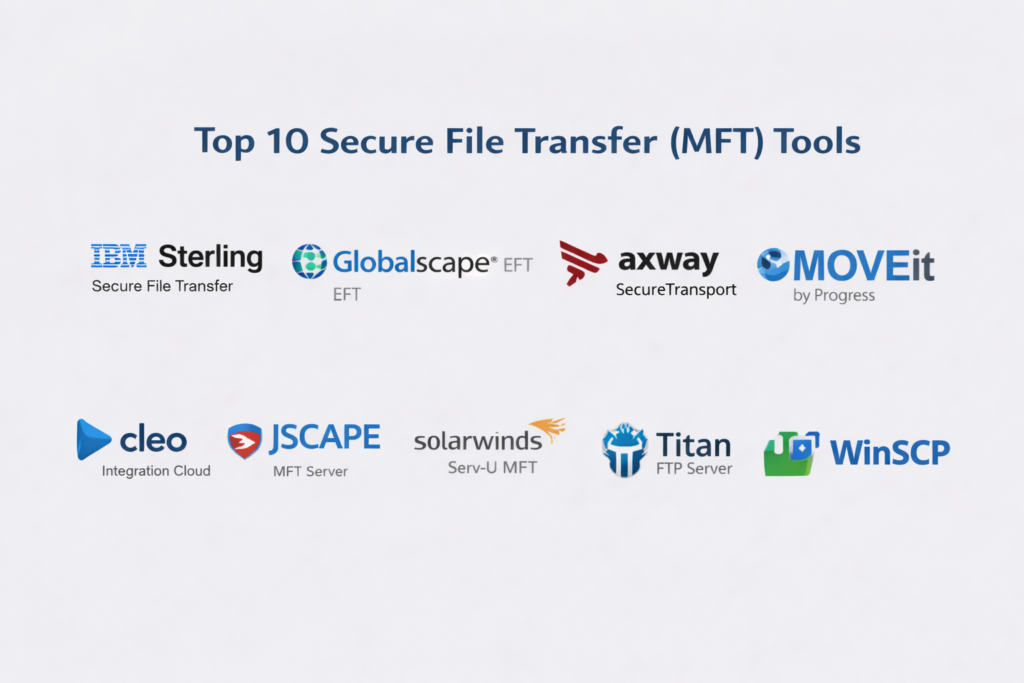
Introduction
Secure File Transfer (MFT) Tools are software platforms designed to move files securely between systems, partners, and storage locations. Unlike basic transfer methods, MFT solutions offer encryption, auditing, automation, and compliance, ensuring sensitive data is protected in transit and at rest.
Organizations use MFT to streamline file exchanges, maintain regulatory compliance, and improve operational efficiency. These tools are essential in industries where data security, governance, and workflow automation are critical.
Real-world use cases:
- Transferring financial, payroll, or accounting data securely
- Exchanging healthcare information while maintaining compliance
- Automated batch transfers between on-premise and cloud systems
- Partner and vendor file sharing in supply chains
- Cross-border transfers of confidential business information
What buyers should evaluate:
- Security and encryption capabilities
- Supported transfer protocols (SFTP, FTPS, HTTPS, AS2, etc.)
- Automation and workflow orchestration
- Compliance and auditing features
- Scalability and performance under high-volume transfers
- Integration with enterprise systems and APIs
- Logging, alerting, and monitoring capabilities
- Ease of deployment and administration
- High availability and disaster recovery features
- Vendor support, documentation, and community resources
Best for: Enterprises, IT administrators, security teams, and regulated industries that require secure, reliable, and auditable file exchanges.
Not ideal for: Small teams, freelancers, or organizations with minimal file transfer needs; for non-sensitive transfers, simpler cloud storage or file-sharing tools may suffice.
Key Trends in Secure File Transfer (MFT) Tools
- Adoption of Zero Trust architecture for secure transfers
- AI-driven anomaly detection to flag unusual transfer activity
- Cloud-native, hybrid, and on-premise deployment options
- Integration with identity and access management systems
- Automated compliance reporting and audit trail generation
- Support for modern protocols and API-based transfers
- Workflow automation and DevOps integration
- Encrypted key management and hardware security module (HSM) support
- Real-time logging and observability with analytics
- Flexible, scalable pricing models for enterprise usage
How We Selected These Tools (Methodology)
- Market adoption and enterprise mindshare
- Completeness of secure file transfer protocols and features
- Reliability and performance under high volume
- Security and encryption capabilities
- Integration and ecosystem support
- Fit for different customer segments and industries
- Automation and workflow orchestration capabilities
- Compliance and audit readiness
- Vendor support, documentation, and resources
- Innovation and feature relevance for modern enterprises
Top 10 Secure File Transfer (MFT) Tools
#1 — IBM Sterling Secure File Transfer
Short description: Enterprise-grade MFT solution for high-volume secure transfers between internal and partner systems.
Key Features
- Multi-protocol support (SFTP, FTPS, HTTPS, AS2)
- Automation and scheduling workflows
- High availability and clustering
- Audit and reporting dashboards
- Partner onboarding management
- Enterprise system integration
Pros
- Scales for large, regulated environments
- Strong compliance and governance features
Cons
- Complex deployment
- Higher cost for smaller organizations
Platforms / Deployment
Web / Linux / Windows
Cloud / Self-hosted / Hybrid
Security & Compliance
Encryption, RBAC, audit logs
Compliance: Not publicly stated
Integrations & Ecosystem
Integrates with enterprise applications and cloud storage:
- ERP systems
- Identity providers
- Cloud compute services
Support & Community
Enterprise-level support; extensive documentation and partner ecosystem.
#2 — Globalscape EFT
Short description: Enterprise-focused MFT platform emphasizing workflow automation and secure protocol support.
Key Features
- SFTP, FTPS, HTTPS, AS2 support
- Workflow automation and scheduling
- Dashboards and monitoring
- Endpoint monitoring and logging
- Encryption and key management
Pros
- Strong automation capabilities
- Enterprise-ready performance
Cons
- User interface feels dated
- Licensing can be complex
Platforms / Deployment
Web / Windows / Linux
Cloud / Self-hosted / Hybrid
Security & Compliance
Encryption, MFA, audit logs
Compliance: Not publicly stated
Integrations & Ecosystem
- SIEM systems
- Identity platforms
- Cloud storage providers
Support & Community
Enterprise support with moderate community resources.
#3 — Axway SecureTransport
Short description: MFT platform built for governance, multi-protocol support, and enterprise visibility.
Key Features
- Multi-protocol secure transfers
- Workflow orchestration
- Partner community management
- End-to-end visibility and tracking
- Compliance reporting
- High availability
Pros
- Strong governance and audit visibility
- Scalable for complex enterprise environments
Cons
- Steep learning curve
- Configuration can be challenging
Platforms / Deployment
Cloud / Self-hosted / Hybrid
Security & Compliance
SSO, encryption, audit logs
Compliance: Not publicly stated
Integrations & Ecosystem
- Identity management systems
- Workflow automation tools
- Analytics platforms
Support & Community
Strong enterprise support and professional services.
#4 — MOVEit by Progress
Short description: Secure file transfer platform focused on compliance, automation, and governance.
Key Features
- Secure protocols support
- Centralized governance and control
- Automation and scheduling
- Audit and reporting dashboards
- Ad hoc secure transfers
- High availability
Pros
- Strong compliance and auditing
- Balanced security and automation
Cons
- Enterprise pricing
- Legacy-style interface
Platforms / Deployment
Cloud / Self-hosted / Hybrid
Security & Compliance
Encryption, RBAC, audit logs
Compliance: Not publicly stated
Integrations & Ecosystem
- Enterprise directories
- Cloud storage
- Reporting systems
Support & Community
Dedicated enterprise support and comprehensive documentation.
#5 — GoAnywhere MFT
Short description: Flexible MFT solution with workflow automation and cross-platform support.
Key Features
- SFTP, FTPS, HTTPS, AS2 support
- Drag-and-drop workflow builder
- Scheduling and automated transfers
- Encryption and key management
- Audit logging
- Endpoint agents
Pros
- Easy workflow creation
- Broad cross-platform compatibility
Cons
- Smaller ecosystem than major competitors
- Advanced automation requires learning
Platforms / Deployment
Web / Windows / Linux / Unix
Cloud / Self-hosted / Hybrid
Security & Compliance
Encryption, RBAC, audit logs
Compliance: Not publicly stated
Integrations & Ecosystem
- Identity providers
- Cloud storage platforms
- Enterprise workflow tools
Support & Community
Strong documentation and enterprise-level support.
#6 — Cleo Integration Cloud
Short description: MFT and integration platform for secure, enterprise-grade file transfers.
Key Features
- Secure protocol transfers
- Partner and application integration
- Real-time dashboards and visibility
- Workflow automation
- API support
- Partner onboarding
Pros
- Broad integrations
- Real-time transfer monitoring
Cons
- Complex pricing
- Requires integration expertise
Platforms / Deployment
Cloud / Hybrid
Security & Compliance
Encryption, audit logs, access controls
Compliance: Not publicly stated
Integrations & Ecosystem
- ERP and business systems
- Cloud apps
- Identity providers
Support & Community
Enterprise support and professional services.
#7 — JSCAPE MFT Server
Short description: Flexible, cross-platform MFT server with automation features.
Key Features
- SFTP, FTPS, HTTPS, AS2 support
- Event-driven automation
- High availability clustering
- Audit and logging
- Flexible deployment
- Load balancing
Pros
- Strong protocol support
- Scalable for enterprise use
Cons
- Administrative complexity
- Smaller ecosystem
Platforms / Deployment
Windows / Linux / Unix
Cloud / Self-hosted / Hybrid
Security & Compliance
Encryption, audit logs
Compliance: Not publicly stated
Integrations & Ecosystem
SIEM and identity system integrations
Support & Community
Comprehensive documentation and support.
#8 — SolarWinds ServU MFT
Short description: Secure file transfer tool from a recognized vendor with reliability and simplicity.
Key Features
- Protocol support (SFTP, FTPS)
- Scheduling and automation
- User management
- Logging and alerts
- Easy deployment
Pros
- Reliable transfers
- Strong reporting
Cons
- Limited advanced compliance features
- Smaller ecosystem
Platforms / Deployment
Windows
Cloud / Self-hosted
Security & Compliance
Encryption, RBAC
Compliance: Not publicly stated
Integrations & Ecosystem
- SIEM systems
- Directory services
Support & Community
Vendor support and documentation.
#9 — Titan FTP Server
Short description: Secure file transfer server with protocol flexibility and admin control.
Key Features
- SFTP, FTPS, HTTPS support
- User management and logging
- Event triggers
- Encryption at rest and in transit
- Scheduling
Pros
- Easy administration
- Strong protocol coverage
Cons
- Limited enterprise governance
- Smaller ecosystem
Platforms / Deployment
Windows
Cloud / Self-hosted
Security & Compliance
Encryption, logging
Compliance: Not publicly stated
Integrations & Ecosystem
Identity and monitoring system support
Support & Community
Documentation and vendor support.
#10 — WinSCP
Short description: Free, open-source client for secure file transfer with scripting support.
Key Features
- SFTP, SCP, WebDAV support
- Scriptable automation
- Session management
- Directory synchronization
Pros
- Free and open-source
- Strong automation scripting
Cons
- Not a full enterprise MFT
- Limited auditing and governance
Platforms / Deployment
Windows
Self-hosted
Security & Compliance
Encryption via protocols
Compliance: N/A
Integrations & Ecosystem
Script-based integrations
Support & Community
Active open-source community.
Comparison Table (Top 10)
| Tool Name | Best For | Platforms Supported | Deployment | Standout Feature | Public Rating |
|---|---|---|---|---|---|
| IBM Sterling | Complex enterprise | Multi-platform | Hybrid | Partner exchange & compliance | N/A |
| Globalscape EFT | Workflow automation | Multi-platform | Hybrid | Automation | N/A |
| Axway SecureTransport | Governance & visibility | Multi-platform | Hybrid | Traceability & governance | N/A |
| MOVEit | Compliance & controls | Multi-platform | Hybrid | Audit & compliance | N/A |
| GoAnywhere | Flexible automation | Multi-platform | Hybrid | Workflow builder | N/A |
| Cleo Cloud | Integration + MFT | Cloud/Hybrid | Cloud/Hybrid | Integration ecosystem | N/A |
| JSCAPE | Protocol flexibility | Multi-platform | Hybrid | Multi-protocol support | N/A |
| SolarWinds ServU | Secure file transfer | Windows | Cloud/Self-hosted | Ease of use | N/A |
| Titan FTP | Mid-market secure transfer | Windows | Cloud/Self-hosted | Protocol coverage | N/A |
| WinSCP | Lightweight scripted transfer | Windows | Self-hosted | Free & scriptable | N/A |
Evaluation & Scoring of Secure File Transfer (MFT) Tools
| Tool Name | Core (25%) | Ease (15%) | Integrations (15%) | Security (10%) | Performance (10%) | Support (10%) | Value (15%) | Weighted Total (0–10) |
|---|---|---|---|---|---|---|---|---|
| IBM Sterling | 9 | 7 | 9 | 9 | 9 | 8 | 6 | 8.1 |
| Globalscape EFT | 8 | 7 | 8 | 8 | 8 | 7 | 7 | 7.7 |
| Axway SecureTransport | 9 | 6 | 8 | 9 | 8 | 8 | 6 | 7.8 |
| MOVEit | 8 | 6 | 8 | 9 | 8 | 8 | 6 | 7.7 |
| GoAnywhere | 8 | 7 | 7 | 8 | 8 | 7 | 7 | 7.6 |
| Cleo Cloud | 8 | 6 | 9 | 8 | 8 | 8 | 6 | 7.7 |
| JSCAPE | 8 | 7 | 7 | 8 | 8 | 7 | 7 | 7.7 |
| SolarWinds ServU | 7 | 8 | 6 | 7 | 7 | 7 | 8 | 7.4 |
| Titan FTP | 7 | 8 | 6 | 7 | 7 | 7 | 8 | 7.4 |
| WinSCP | 5 | 9 | 4 | 6 | 6 | 6 | 9 | 6.6 |
Interpretation: Scores reflect comparison across features, usability, integrations, security, reliability, support, and value.
Which Secure File Transfer (MFT) Tool Is Right for You?
Solo / Freelancer
- Best: WinSCP for small-scale secure transfers
- Focus on free, lightweight, and scriptable options
SMB
- Best: Globalscape EFT, SolarWinds ServU
- Balanced security, automation, and usability
Mid-Market
- Best: GoAnywhere, JSCAPE
- Focus on automation, cross-platform transfers, and moderate complexity
Enterprise
- Best: IBM Sterling, Axway SecureTransport, MOVEit, Cleo
- Focus on compliance, governance, scalability, and automation
Budget vs Premium
- Budget: WinSCP, SolarWinds ServU
- Premium: IBM Sterling, Axway SecureTransport, MOVEit
Feature Depth vs Ease of Use
- Deep features: IBM Sterling, Axway, MOVEit
- Ease of use: SolarWinds, Titan FTP
Integrations & Scalability
- Broad integrations: Cleo, IBM Sterling
- Flexible scaling: GoAnywhere, JSCAPE
Security & Compliance Needs
- High compliance: MOVEit, Axway
- Moderate requirements: SMB tools
Frequently Asked Questions (FAQs)
What is MFT?
MFT enables secure, automated, and auditable file transfers across internal systems and external partners.
Why is MFT important?
It protects sensitive data, supports compliance, and reduces operational risk during transfers.
What protocols do MFT tools use?
Common protocols include SFTP, FTPS, HTTPS, and AS2, with some offering API-based transfers.
Can MFT automate transfers?
Yes, most enterprise MFT platforms support scheduling and workflow automation.
Is MFT suitable for regulated industries?
Absolutely. MFT provides audit trails, encryption, and compliance-ready features.
Can MFT integrate with other systems?
Yes, integrations include ERP, CRM, cloud storage, identity management, and workflow platforms.
How secure are MFT tools?
They offer encryption, role-based access, MFA, and detailed audit logs for secure data transfer.
Can MFT handle high-volume transfers?
Enterprise-grade tools handle large files and high-volume operations efficiently.
Can MFT share files with external partners?
Yes, with controlled permissions, password protection, and expiration settings.
How is MFT different from FTP?
MFT offers enhanced security, automation, auditing, compliance, and enterprise workflow integration.
Conclusion
Secure File Transfer (MFT) tools are essential for organizations exchanging sensitive data. They provide encryption, compliance, automation, and governance, ensuring safe, reliable, and auditable file movement. Selecting the right MFT solution depends on organization size, compliance requirements, and workflow complexity. Organizations should pilot multiple solutions, validate integrations and performance, and choose a tool aligned with operational and security objectives.

Good comparison of secure file transfer tools. One important area missing is long-term key management and audit logging, which become critical for compliance, access control, and tracking file movement in large enterprise environments.
One practical area worth adding is post-transfer governance. Many MFT tools secure files during movement, but teams also need retention rules, key rotation, malware scanning, failed-transfer recovery, and clear ownership of audit logs after delivery. That is where hidden operational risk often appears in production.