MOTOSHARE 🚗🏍️
Rent Bikes & Cars Directly from Owners
Motoshare connects vehicle owners with people who need bikes and cars on rent. Owners earn from idle vehicles, and renters get flexible ride options.
Visit Motoshare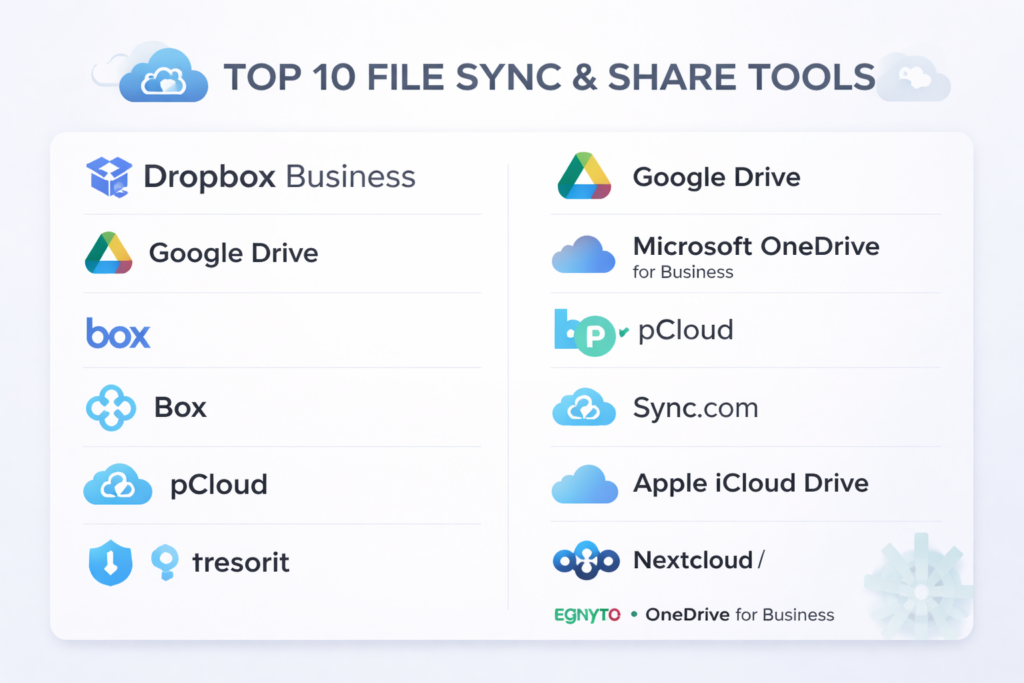
Introduction
File Sync & Share tools are platforms that allow individuals and organizations to synchronize files across devices and share them easily with others. Unlike basic cloud storage, sync & share emphasizes real‑time file updates, seamless device syncing, secure external sharing, and collaborative workflows. These tools make it easy for teams, partners, and customers to access the latest versions of files without manual transfers, ensuring continuity and reducing errors.
In today’s increasingly distributed work environment, these tools are essential. Remote and hybrid teams rely on synchronized files across desktops, laptops, tablets, and phones. With data volumes and compliance expectations growing, having a reliable sync and sharing platform is crucial for productivity and security.
Real‑world use cases:
- Teams collaborating on documents, media, and design files
- Automatic synchronization between office and home devices
- Securely sharing files with external partners or clients
- Maintaining consistent copies of critical files for backup and disaster recovery
- Enforcing permissions and access policies across distributed workforces
What buyers should evaluate:
- Speed and reliability of file synchronization
- Cross‑platform support (Windows, macOS, Linux, iOS, Android)
- Security measures (encryption, access controls, sharing permissions)
- Ease of sharing with external users
- Versioning and conflict resolution
- Integration with productivity and workflow tools
- Support for large files and bandwidth optimization
- User experience and admin controls
- Pricing models and storage limits
- Support and community resources
Best for: IT managers, remote teams, SMBs, and enterprises needing secure, seamless file collaboration across devices.
Not ideal for: Individuals with minimal device needs, teams that rarely share files, or workflows requiring highly specialized enterprise content management.
Key Trends in File Sync & Share for and Beyond
- AI‑assisted sync optimization to reduce bandwidth and improve conflict resolution
- Zero Trust security models and enhanced identity verification
- Granular sharing controls with expiration and auditing
- Deep integrations with productivity suites and enterprise systems
- Edge caching and offline sync for mobile and remote usage
- Automated compliance and governance workflows
- Hybrid deployment models combining cloud and on‑premise storage gateways
- Intelligent version history and rollback powered by AI
- Real‑time collaboration features embedded in sync tools
- Flexible enterprise pricing based on storage, users, or usage
How We Selected These Tools (Methodology)
- Broad adoption across SMB and enterprise segments
- Completeness of sync, share, and collaboration features
- Performance and reliability in real‑world environments
- Security and compliance capabilities
- Integration with other business and productivity tools
- Support for multiple operating systems and devices
- Ease of deployment and user experience
- Scalability and flexibility for growing organizations
- Strength of vendor support and documentation
- Future relevance based on innovation and AI readiness
Top 10 File Sync & Share Tools
#1 — Dropbox Business
Short description: A widely used cloud‑based sync & share platform designed for teams of all sizes.
Key Features
- Cross‑device file synchronization
- Shared team spaces and links
- File versioning and recovery
- Smart sync to manage local storage
- Granular access controls
- Audit logs and reporting
Pros
- Excellent sync reliability
- Simple and intuitive interface
Cons
- Premium pricing for larger teams
- Limited enterprise workflow automation
Platforms / Deployment
Web / Windows / macOS / Linux / iOS / Android
Cloud
Security & Compliance
SSO, MFA, encryption, RBAC
Compliance: Not publicly stated
Integrations & Ecosystem
Strong integration with productivity tools.
- Office suites
- Collaboration platforms
- Project management tools
Support & Community
Enterprise support and extensive help documentation.
#2 — Google Drive
Short description: File sync & share tool integrated with a collaborative productivity suite.
Key Features
- Real‑time syncing across devices
- File sharing with permission controls
- Integrated collaboration on documents
- Offline access and caching
- Advanced search powered by AI suggestions
Pros
- Seamless real‑time editing
- Strong ecosystem connectivity
Cons
- Best suited for users in the associated suite
- Less granular sharing rules than some competitors
Platforms / Deployment
Web / Windows / macOS / iOS / Android
Cloud
Security & Compliance
Encryption, MFA, audit logs
Compliance: Not publicly stated
Integrations & Ecosystem
Integrated with productivity and communication tools.
- Office apps
- Messaging and collaboration tools
Support & Community
Robust support and global community resources.
#3 — Microsoft OneDrive for Business
Short description: Enterprise‑grade sync & share platform in a productivity ecosystem.
Key Features
- File synchronization across devices
- Real‑time co‑authoring
- Version history with rollback
- Offline access support
- Advanced access and sharing controls
Pros
- Deep integration with office productivity tools
- Strong enterprise security controls
Cons
- Best for organizations already in the ecosystem
- Admin interface can feel complex
Platforms / Deployment
Web / Windows / macOS / iOS / Android
Cloud
Security & Compliance
SSO, MFA, encryption, RBAC
Compliance: Not publicly stated
Integrations & Ecosystem
Integrates with office apps and enterprise systems.
- Teams
- Workflow tools
Support & Community
Enterprise support plus broad community resources.
#4 — Box
Short description: Secure file sync & share platform with enterprise content controls.
Key Features
- Enterprise‑grade file syncing
- Granular permission controls
- Workflow automation
- Compliance and governance tools
- Versioning and metadata indexing
Pros
- Excellent security and governance
- Strong collaboration features
Cons
- Can be expensive
- Advanced features require configuration
Platforms / Deployment
Web / Windows / macOS / iOS / Android
Cloud
Security & Compliance
SSO, encryption, audit logs
Compliance: Not publicly stated
Integrations & Ecosystem
Integrates with enterprise productivity and workflow tools.
- Office productivity
- Project tools
- Communication platforms
Support & Community
Dedicated enterprise support and robust documentation.
#5 — pCloud
Short description: Flexible sync & share platform with strong client‑side encryption options.
Key Features
- File synchronization
- Client‑side encryption
- Shared folders and links
- Cross‑platform support
- File versioning and backup
Pros
- Excellent privacy and security options
- Competitive pricing tiers
Cons
- Smaller integration ecosystem
- Not focused on enterprise workflows
Platforms / Deployment
Web / Windows / macOS / Linux / iOS / Android
Cloud
Security & Compliance
Client‑side encryption, password‑protected sharing
Compliance: Not publicly stated
Integrations & Ecosystem
Basic integrations exist for productivity use.
- Office tools
- Messaging tools
Support & Community
Documentation and responsive support.
#6 — Sync.com
Short description: Privacy‑centric file sync & share tool with end‑to‑end encryption.
Key Features
- End‑to‑end encrypted sync
- Secure file sharing
- Team folders
- Versioning and recovery
- Multi‑platform support
Pros
- Strong privacy features
- Easy to use
Cons
- Fewer enterprise automation options
- Less comprehensive integrations
Platforms / Deployment
Web / Windows / macOS / iOS / Android
Cloud
Security & Compliance
End‑to‑end encryption, MFA
Compliance: Not publicly stated
Integrations & Ecosystem
Supports basic productivity integrations.
- Messaging tools
- Office tools
Support & Community
Responsive support and user guides.
#7 — Tresorit
Short description: Highly secure file sync & share tool tailored for regulated industries.
Key Features
- End‑to‑end encryption
- Granular access permissions
- Audit and compliance controls
- Secure link sharing
- Multi‑device sync
Pros
- High security standards
- Good for compliance‑heavy use cases
Cons
- Higher cost
- Smaller ecosystem
Platforms / Deployment
Web / Windows / macOS / iOS / Android
Cloud
Security & Compliance
End‑to‑end encryption, audit logs
Compliance: Not publicly stated
Integrations & Ecosystem
Secure integrations with productivity tools.
- Document editors
- Messaging and workflow tools
Support & Community
Enterprise‑level support with dedicated security resources.
#8 — Apple iCloud Drive
Short description: Sync & share solution optimized for Apple ecosystem users.
Key Features
- Sync across Apple devices
- Shared folders and links
- Version history
- Offline access support
Pros
- Seamless Apple integration
- Very easy to use
Cons
- Limited cross‑platform support
- Less enterprise focus
Platforms / Deployment
macOS / iOS / Web
Cloud
Security & Compliance
Encryption, MFA
Compliance: Not publicly stated
Integrations & Ecosystem
Integrated within Apple productivity tools.
- Document editors
Support & Community
Apple support resources.
#9 — Nextcloud
Short description: Self‑hosted sync & share platform for organizations wanting on‑premise control.
Key Features
- Self‑hosted file syncing
- End‑to‑end and server‑side encryption
- Collaboration apps built‑in
- Detailed permission controls
- Workflow automation
Pros
- Full self‑hosted control
- No public cloud dependency
Cons
- Requires infrastructure and maintenance
- Higher admin complexity
Platforms / Deployment
Web / Windows / macOS / Linux / iOS / Android
Cloud / Self‑hosted / Hybrid
Security & Compliance
Encryption, role‑based permissions
Compliance: Not publicly stated
Integrations & Ecosystem
Rich ecosystem of plugins.
- Productivity apps
- Workflow tools
- Communication extensions
Support & Community
Large open‑source community; paid support available.
#10 — Egnyte
Short description: Hybrid file sync & share platform combining cloud and on‑premise storage.
Key Features
- Cloud and on‑premise sync
- Granular access controls
- Collaboration and workflow tools
- Automated governance policies
- Versioning and rollback
Pros
- Flexible hybrid model
- Strong governance tools
Cons
- Complex setup
- Can be expensive
Platforms / Deployment
Web / Windows / macOS / iOS / Android
Cloud / Hybrid
Security & Compliance
SSO, encryption, audit logs
Compliance: Not publicly stated
Integrations & Ecosystem
Integrates with security and productivity tools.
- Office suites
- Messaging platforms
- Workflow tools
Support & Community
Enterprise support and documentation.
Comparison Table (Top 10)
| Tool Name | Best For | Platform(s) Supported | Deployment | Standout Feature | Public Rating |
|---|---|---|---|---|---|
| Dropbox Business | Teams & SMBs | Multi‑platform | Cloud | Sync reliability | N/A |
| Google Drive | Collaborative teams | Multi‑platform | Cloud | Real‑time collaboration | N/A |
| Microsoft OneDrive | Enterprise productivity | Multi‑platform | Cloud | Office app integration | N/A |
| Box | Enterprise content governance | Multi‑platform | Cloud | Security & compliance | N/A |
| pCloud | Privacy‑centric users | Multi‑platform | Cloud | Client‑side encryption | N/A |
| Sync.com | Secure file sharing | Multi‑platform | Cloud | End‑to‑end encryption | N/A |
| Tresorit | Regulated industries | Multi‑platform | Cloud | High security | N/A |
| Apple iCloud Drive | Apple users | macOS / iOS / Web | Cloud | Seamless Apple sync | N/A |
| Nextcloud | Self‑hosted control | Multi‑platform | Hybrid | Self‑hosted flexibility | N/A |
| Egnyte | Hybrid enterprise | Multi‑platform | Hybrid | Hybrid sync & governance | N/A |
Evaluation & Scoring of File Sync & Share Tools
| Tool Name | Core (25%) | Ease (15%) | Integrations (15%) | Security (10%) | Performance (10%) | Support (10%) | Value (15%) | Weighted Total (0–10) |
|---|---|---|---|---|---|---|---|---|
| Dropbox Business | 9 | 9 | 8 | 8 | 9 | 8 | 7 | 8.6 |
| Google Drive | 8 | 9 | 9 | 8 | 9 | 8 | 8 | 8.6 |
| Microsoft OneDrive | 9 | 8 | 9 | 8 | 9 | 8 | 7 | 8.5 |
| Box | 8 | 7 | 8 | 9 | 8 | 8 | 7 | 8.2 |
| pCloud | 7 | 9 | 7 | 9 | 8 | 7 | 9 | 8.0 |
| Sync.com | 7 | 8 | 7 | 10 | 8 | 7 | 8 | 8.1 |
| Tresorit | 7 | 8 | 7 | 10 | 8 | 7 | 7 | 7.8 |
| Apple iCloud Drive | 6 | 9 | 6 | 8 | 7 | 7 | 8 | 7.4 |
| Nextcloud | 8 | 6 | 8 | 9 | 8 | 7 | 8 | 8.0 |
| Egnyte | 8 | 7 | 8 | 8 | 8 | 8 | 7 | 8.0 |
How to interpret scores:
- Scores are comparative and relative among tools
- Cloud‑first sync tools score high in ease and performance
- Tools with stronger security and privacy score higher in security metrics
- Self‑hosted and hybrid options score well for flexibility but may lag in ease
Which File Sync & Share Tool Is Right for You?
Solo / Freelancer
- Best: pCloud, Sync.com
- Focus on privacy, ease, and cost effectiveness
SMB
- Best: Dropbox Business, Google Drive
- Balanced features and collaboration capabilities
Mid‑Market
- Best: Microsoft OneDrive, Egnyte
- Productivity integration and governance features
Enterprise
- Best: Box, Nextcloud, Tresorit
- Enterprise security and hybrid deployment flexibility
Budget vs Premium
- Budget: pCloud, Sync.com
- Premium: Box, Microsoft OneDrive
Feature Depth vs Ease of Use
- Deep features: Box, Egnyte
- Easy to use: Dropbox Business, Google Drive
Integrations & Scalability
- Best integrations: Google Drive, Microsoft OneDrive
- Scalable hybrid: Egnyte, Nextcloud
Security & Compliance Needs
- High security: Sync.com, Tresorit
- Moderate: SMB tools
Frequently Asked Questions (FAQs)
What is file sync & share?
File sync & share lets users automatically sync files across devices and share them with others securely.
How does file versioning work?
Most tools keep previous versions of files so you can restore earlier copies if needed.
Are sync & share tools secure?
Many provide encryption, access controls, and audit logs to ensure data security.
Can external users access shared files?
Yes, tools allow secure external sharing with permissions and expiration controls.
Do these tools support large files?
Most platforms support large file syncing, with limits based on plan or bandwidth.
Can I work offline?
Many sync tools allow offline access with automatic updates once back online.
Are shared links secure?
Yes, most tools offer password protection and time‑limited links.
Can sync & share integrate with other apps?
Yes, workflows often connect with productivity, messaging, and collaboration apps.
What happens if two people edit the same file?
Tools use conflict resolution techniques and version history to manage edits.
Are there alternatives to cloud sync & share?
Alternatives include private servers and enterprise content management systems.
Conclusion
File Sync & Share tools are essential for organizations and teams looking to maintain productivity, security, and seamless collaboration in distributed work environments. They provide synchronized access, secure sharing, and integration with a wide array of business tools.Choosing the right platform depends on your team size, security requirements, collaboration workflows, and existing systems. While cloud‑first tools shine in ease and performance, hybrid and self‑hosted options offer flexibility and control.Rather than selecting a tool based solely on popularity, shortlist a few that match your workflow needs and test them in real‑world scenarios. Validating integrations, performance, and security will ensure long‑term success with your file sync and share strategy.

One aspect that often becomes a bigger challenge than storage capacity or sync performance is long-term governance of shared content. As organizations grow, thousands of external links, guest accounts, and shared folders accumulate across departments, creating significant visibility and compliance risks. In practice, the success of a file sync platform depends not only on features but also on how well it integrates with identity lifecycle processes, automated access reviews, SIEM monitoring, and data classification policies. It would be interesting to evaluate these tools from an operational perspective—specifically how they handle dormant shared links, orphaned ownership after employee departures, and anomaly detection for unusual download patterns. These factors often determine the real security and administrative cost of a platform years after deployment.
A topic that would strengthen this comparison is the challenge of managing file synchronization and sharing in environments with strict regulatory and data residency requirements. While features and collaboration capabilities are important, many organizations eventually face complex governance questions around where data is stored, how shared content is monitored, and whether access controls remain effective as external collaboration expands. It would be valuable to compare these platforms based on data classification support, automated access reviews, integration with DLP and SIEM solutions, and the ability to detect risky sharing behavior. From a platform engineering perspective, the long-term success of a file sync and share solution often depends less on its collaboration features and more on its ability to provide visibility, governance, and operational control as the volume of shared data continues to grow.