MOTOSHARE 🚗🏍️
Rent Bikes & Cars Directly from Owners
Motoshare connects vehicle owners with people who need bikes and cars on rent. Owners earn from idle vehicles, and renters get flexible ride options.
Visit Motoshare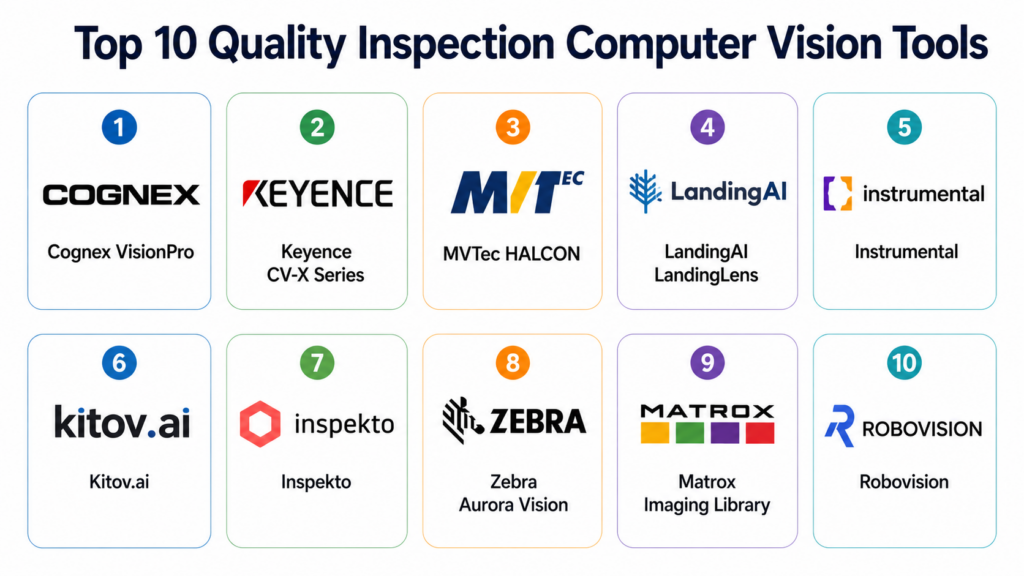
Introduction
Quality Inspection Computer Vision uses cameras, sensors, lighting, image processing, and AI models to inspect products automatically on production lines. Instead of relying only on manual inspection, manufacturers can detect defects, missing parts, surface damage, incorrect assembly, labeling issues, dimensional problems, and process variation in real time. This matters because modern factories need faster inspection, lower defect escape rates, better traceability, and consistent quality across high-volume production environments.
Real World Use Cases
- Surface defect detection: Identify scratches, dents, cracks, stains, chips, burns, and contamination.
- Assembly verification: Check whether components are correctly placed, aligned, oriented, or fastened.
- Packaging inspection: Validate labels, barcodes, seals, print quality, fill levels, and package integrity.
- Dimensional inspection: Measure part geometry, gaps, edges, holes, and tolerances using vision systems.
- Production line monitoring: Detect process drift, recurring defects, and quality issues before they reach customers.
Evaluation Criteria for Buyers
- Inspection accuracy: Ability to detect defects reliably under real production conditions.
- AI and model training: Ease of creating, training, validating, and improving computer vision models.
- Camera and lighting support: Compatibility with industrial cameras, lenses, lighting, sensors, and edge devices.
- Deployment flexibility: Cloud, edge, on-premises, embedded, and hybrid deployment options.
- Line integration: Support for PLCs, robots, MES, SCADA, ERP, QMS, and factory automation systems.
- Speed and latency: Ability to inspect at production-line speed without slowing throughput.
- Ease of use: No-code or low-code configuration, visual workflows, and operator-friendly dashboards.
- Traceability: Image storage, defect history, audit logs, reporting, and production analytics.
- Scalability: Ability to support multiple lines, plants, product variants, and inspection stations.
- Support ecosystem: Documentation, integrator network, training, hardware support, and vendor expertise.
Best for: Manufacturing teams, quality engineers, production managers, automation engineers, industrial AI teams, and plant leaders in automotive, electronics, semiconductor, medical devices, food and beverage, packaging, consumer goods, aerospace, and industrial manufacturing.
Not ideal for: Very small workshops with low production volume, companies without stable lighting or camera conditions, teams that cannot collect enough sample images, or businesses where simple manual checks or basic barcode scanning are sufficient.
Key Trends in Quality Inspection Computer Vision
- AI-based defect detection: Deep learning is becoming common for detecting complex defects that are difficult to define with rule-based vision.
- Edge deployment: More manufacturers are running inspection models directly on industrial PCs, smart cameras, and edge AI devices to reduce latency.
- No-code model training: Platforms now help quality teams train models without needing deep machine learning expertise.
- Synthetic data and image augmentation: Teams are using augmented data to improve model performance when real defect samples are limited.
- Closed-loop quality control: Inspection results are increasingly connected to MES, QMS, PLCs, and analytics systems for faster corrective action.
- Multi-camera inspection: Complex products often require multiple camera angles, 3D vision, line scan cameras, and synchronized image capture.
- Human-in-the-loop review: Operators can review uncertain detections and feed corrected labels back into model improvement workflows.
- Cloud-to-edge workflows: Model training may happen in the cloud while inference runs on local factory hardware.
- Traceable visual quality records: Manufacturers are storing inspection images and metadata for audits, customer claims, and root cause analysis.
- Flexible inspection for high-mix production: Vision systems are being designed to switch models quickly for different products and variants.
How We Selected These Tools
- We prioritized platforms widely recognized in machine vision, industrial inspection, AI visual inspection, and manufacturing quality control.
- We included both traditional machine vision leaders and modern AI-based inspection platforms.
- We considered fit across automotive, electronics, semiconductor, packaging, medical devices, aerospace, and general manufacturing.
- We looked for tools that support real production environments rather than only lab-based image analysis.
- We evaluated support for cameras, lighting, edge devices, industrial PCs, PLCs, robots, and automation systems.
- We considered ease of use for quality engineers, automation engineers, and non-data-science users.
- We included tools with strong integration potential for MES, QMS, SCADA, ERP, and factory analytics.
- We avoided guessing public ratings, pricing, or certifications where details are not clearly known.
- We considered deployment flexibility, scalability, reliability, and vendor ecosystem.
- The scoring is comparative and should be validated with real production pilots.
Top 10 Quality Inspection Computer Vision Tools
1- Cognex VisionPro
Short description:
Cognex VisionPro is an industrial machine vision software platform used for automated inspection, measurement, identification, and guidance applications. It is widely adopted in manufacturing environments that require high reliability, advanced image processing, and integration with industrial vision hardware. The platform supports rule-based vision, advanced tools, and deployment into production inspection systems. It is suitable for manufacturers that need robust inspection across electronics, automotive, packaging, medical devices, and industrial products. VisionPro is best for teams with machine vision expertise and demanding production requirements.
Key Features
- Advanced machine vision inspection tools
- Pattern matching, measurement, alignment, and defect detection
- Support for industrial cameras and vision hardware
- 2D vision inspection and image analysis workflows
- Integration with automation and production systems
- Suitable for high-speed manufacturing inspection
- Strong ecosystem of machine vision integrators
Pros
- Strong industrial reliability and proven machine vision depth.
- Good fit for complex inspection and measurement applications.
- Large ecosystem of hardware, integrators, and industrial users.
Cons
- May require experienced machine vision engineers.
- Can be more complex than newer no-code AI inspection tools.
- Advanced deployments may require integration and customization.
Platforms / Deployment
Windows
Self-hosted / Edge / Industrial PC deployment
Security & Compliance
Not publicly stated.
Buyers should validate user access controls, data storage, network security, and audit needs based on deployment architecture.
Integrations & Ecosystem
Cognex VisionPro is commonly used in industrial automation environments where vision inspection must connect with cameras, PLCs, robots, and factory systems. It is especially strong when paired with experienced machine vision integrators.
- Industrial cameras
- PLCs and motion systems
- Robots and automation cells
- Barcode and ID systems
- MES and factory databases
- Industrial PCs and edge systems
Support & Community
Cognex has strong documentation, training resources, partner support, and a large machine vision ecosystem. Support quality is generally strong for industrial customers, especially when working with certified integrators or experienced automation partners.
2- Keyence CV-X Series
Short description:
Keyence CV-X Series is a machine vision system used for automated inspection, measurement, positioning, and defect detection on production lines. It combines industrial vision hardware, software, cameras, controllers, lighting support, and inspection tools in a factory-ready package. The platform is popular among manufacturers that want a dedicated vision system with strong vendor support and relatively fast deployment. It is useful for quality checks, part verification, dimensional inspection, and surface inspection. Keyence CV-X is best for teams that want an integrated hardware and software vision solution.
Key Features
- Integrated vision controller and inspection software
- Part presence, measurement, alignment, and defect inspection
- Support for multiple cameras and lighting setups
- Operator-friendly configuration interface
- High-speed inspection for production lines
- Industrial communication support
- Good fit for automation and quality inspection stations
Pros
- Strong hardware and software integration.
- Practical for fast deployment in factory environments.
- Good support and application engineering assistance.
Cons
- Less flexible than fully open software-based vision platforms.
- Hardware ecosystem may be more vendor-specific.
- Advanced AI customization may be more limited than specialized AI platforms.
Platforms / Deployment
Industrial vision controller / Windows-based configuration tools
Edge / Factory-floor deployment
Security & Compliance
Not publicly stated.
Security depends on network setup, controller configuration, and factory IT policies.
Integrations & Ecosystem
Keyence CV-X is designed for production-line integration and works well where inspection stations must communicate with factory automation systems.
- PLCs
- Industrial cameras
- Lighting controllers
- Sensors
- Robots
- Production line equipment
Support & Community
Keyence provides strong direct sales support, application engineering, demos, training, and implementation assistance. Community is more vendor-led than open-source, but industrial support coverage is a major advantage.
3- MVTec HALCON
Short description:
MVTec HALCON is a comprehensive machine vision software library used for industrial image processing, inspection, measurement, recognition, and 3D vision applications. It is popular among machine vision developers, automation companies, and manufacturers building custom inspection systems. HALCON supports traditional image processing and deep learning features, making it useful for both rule-based and AI-assisted inspection. It is highly flexible and can be embedded into custom software and industrial applications. HALCON is best for teams with development expertise that need powerful, customizable vision capabilities.
Key Features
- Advanced image processing library
- 2D and 3D machine vision capabilities
- Deep learning support for inspection and classification
- Pattern matching, measurement, OCR, and object detection
- Support for many industrial cameras and interfaces
- Strong development tools and APIs
- Suitable for custom machine vision applications
Pros
- Very flexible for custom inspection system development.
- Strong technical depth for advanced machine vision projects.
- Supports both classic vision and deep learning workflows.
Cons
- Requires software development and machine vision expertise.
- Not a ready-made no-code inspection platform for all users.
- Deployment success depends heavily on engineering capability.
Platforms / Deployment
Windows / Linux / macOS
Self-hosted / Edge / Embedded deployment
Security & Compliance
Not publicly stated.
Security depends on how the final application is developed, deployed, and managed.
Integrations & Ecosystem
HALCON is commonly used by developers and system integrators building custom inspection applications. It can connect with many camera systems, industrial interfaces, and custom software environments.
- Industrial cameras
- Frame grabbers
- C, C++, C#, Python, and other development environments
- PLCs through custom integration
- Robots and motion systems
- Custom manufacturing software
Support & Community
MVTec provides documentation, examples, technical resources, and professional support. The developer ecosystem is strong among machine vision engineers and system integrators, but users need technical skill to gain maximum value.
4- LandingAI LandingLens
Short description:
LandingAI LandingLens is an AI-powered computer vision platform designed to help teams build visual inspection models using a more accessible workflow. It is useful for manufacturers that want to detect defects, classify visual issues, and deploy AI inspection models without building everything from scratch. LandingLens supports image labeling, model training, validation, and deployment workflows. It is especially useful when defects are hard to define with rule-based machine vision. The platform is best for teams that want AI visual inspection with a practical model-building process.
Key Features
- AI-based visual inspection model training
- Image labeling and dataset management
- Defect detection and classification workflows
- Model evaluation and performance review
- Cloud-to-edge deployment options
- Human-in-the-loop model improvement
- Useful for high-mix and complex inspection tasks
Pros
- Strong fit for AI-based visual inspection.
- More accessible for teams without deep computer vision engineering resources.
- Useful when defect patterns are variable or difficult to define manually.
Cons
- Requires good image datasets and careful labeling.
- Performance depends on production image quality and defect examples.
- May need integration work for full factory automation deployment.
Platforms / Deployment
Web
Cloud / Edge / Hybrid options may vary
Security & Compliance
Security details may vary by deployment.
Specific certifications are Not publicly stated.
Buyers should validate SSO, RBAC, encryption, audit logs, and data handling policies.
Integrations & Ecosystem
LandingLens fits into manufacturing workflows where AI inspection models need to be trained, reviewed, and deployed into production environments.
- Industrial cameras
- Edge devices
- Inspection stations
- Factory databases
- MES and QMS systems
- APIs and custom applications
Support & Community
LandingAI provides vendor-led support, documentation, onboarding, and AI inspection guidance. Community depth is growing around industrial AI inspection, but implementation success depends on image strategy and production validation.
5- Instrumental
Short description:
Instrumental is a manufacturing quality platform focused on visual inspection, failure analysis, and production intelligence, especially for electronics and complex hardware manufacturing. It helps teams collect images from production, detect anomalies, investigate defects, and improve manufacturing quality. The platform is useful for engineering and quality teams working with contract manufacturers or distributed production lines. It can help manufacturers catch assembly issues, cosmetic defects, and process problems earlier. Instrumental is best for electronics, consumer hardware, and complex product teams that need visual traceability and quality insights.
Key Features
- Visual inspection and production image capture
- AI-assisted anomaly detection
- Manufacturing quality analytics
- Defect review and root cause workflows
- Visual traceability across production
- Collaboration between brands and manufacturing partners
- Useful for electronics and hardware production
Pros
- Strong fit for electronics and complex hardware manufacturing.
- Useful for distributed manufacturing and supplier quality visibility.
- Helps teams combine visual records with quality investigation.
Cons
- May be less focused on traditional machine vision measurement tasks.
- Best fit is complex hardware and electronics rather than all industries.
- Pricing and detailed deployment details are usually enterprise-specific.
Platforms / Deployment
Web
Cloud / Edge options may vary
Security & Compliance
Not publicly stated.
Buyers should validate access controls, data retention, encryption, partner access, and audit requirements.
Integrations & Ecosystem
Instrumental fits well where visual quality data needs to be connected with production workflows, supplier collaboration, and engineering investigations.
- Production cameras
- Manufacturing stations
- Quality workflows
- Supplier and contract manufacturing data
- Engineering review systems
- Manufacturing analytics environments
Support & Community
Instrumental provides vendor-led onboarding and support for manufacturing and quality teams. Support is practical for production use cases, but buyers should confirm implementation scope, training, and integration assistance before deployment.
6- Kitov.ai
Short description:
Kitov.ai provides automated visual inspection solutions focused on AI, 3D inspection, and robotic inspection planning. It is useful for manufacturers inspecting complex products with varied surfaces, geometries, and assembly requirements. The platform helps automate inspection planning, defect detection, and quality verification for industrial products. It is relevant for electronics, automotive, aerospace, medical devices, and complex mechanical assemblies. Kitov.ai is best for manufacturers that need flexible visual inspection for complex parts rather than simple fixed-camera checks.
Key Features
- AI-powered visual inspection
- 3D inspection and robotic inspection workflows
- Automated inspection planning
- Defect detection and classification
- Support for complex product geometries
- Quality verification and reporting
- Useful for high-mix manufacturing inspection
Pros
- Strong fit for complex and varied inspection tasks.
- Useful where robotic or multi-angle inspection is needed.
- Helps reduce manual inspection planning effort.
Cons
- May require specialized hardware and integration planning.
- Not always necessary for simple high-speed 2D inspection.
- Deployment complexity depends on product geometry and production setup.
Platforms / Deployment
Web / Windows may vary
Edge / On-premises / Hybrid options may vary
Security & Compliance
Not publicly stated.
Buyers should validate authentication, access control, data storage, auditability, and deployment security.
Integrations & Ecosystem
Kitov.ai is relevant in inspection environments involving cameras, robotics, 3D imaging, and complex product inspection workflows.
- Robotic systems
- Industrial cameras
- 3D imaging systems
- Production cells
- Quality databases
- MES and reporting systems
Support & Community
Support is vendor-led and typically focused on solution design, inspection planning, deployment, and industrial use cases. Public community visibility is limited, but domain-specific implementation support is important for success.
7- Inspekto
Short description:
Inspekto provides autonomous machine vision inspection systems designed to simplify automated visual quality inspection. Its solutions are built for manufacturers that want faster setup and less dependence on traditional machine vision programming. The platform uses AI-based inspection to detect defects and verify product quality in production environments. It is useful for manufacturers that want to automate inspection without building a fully custom vision application. Inspekto is best for teams that need quick inspection deployment for visible defects and production quality checks.
Key Features
- Autonomous visual inspection system
- AI-based defect detection
- Fast setup compared with traditional vision systems
- Product quality verification workflows
- Operator-friendly inspection configuration
- Production-line deployment support
- Suitable for visible defect detection and quality control
Pros
- Easier deployment compared with complex custom machine vision systems.
- Useful for manufacturers with limited machine vision expertise.
- Good option for practical visual defect inspection.
Cons
- May not suit highly customized measurement-heavy applications.
- Performance depends on stable imaging and defect representation.
- Advanced integration requirements should be validated carefully.
Platforms / Deployment
Industrial inspection system
Edge / Factory-floor deployment
Security & Compliance
Not publicly stated.
Security depends on deployment architecture, network configuration, and factory IT controls.
Integrations & Ecosystem
Inspekto systems can fit into production lines where visual inspection needs to be deployed quickly and connected with basic factory workflows.
- Industrial cameras
- Inspection stations
- PLCs
- Factory lines
- Quality review workflows
- Production reporting systems
Support & Community
Support is vendor-led with focus on deployment, setup, and inspection use cases. Community visibility is limited, so buyers should evaluate vendor support depth, training, and local service availability.
8- Zebra Aurora Vision
Short description:
Zebra Aurora Vision is a machine vision software environment for designing industrial inspection applications. It supports visual workflows, image processing, deep learning, and machine vision tools for factory automation. The platform is suitable for system integrators, automation engineers, and manufacturers building inspection solutions across production lines. It can be used for presence checks, measurement, defect detection, code reading, and machine guidance. Zebra Aurora Vision is best for teams that want a visual development environment for industrial machine vision.
Key Features
- Visual machine vision development environment
- Image processing and inspection tools
- Deep learning support for defect detection
- Camera and industrial hardware support
- Measurement, identification, and verification workflows
- Suitable for automation and production inspection
- Integration with industrial systems and custom applications
Pros
- Good balance of visual development and machine vision power.
- Useful for automation engineers and system integrators.
- Supports both traditional vision and AI-assisted workflows.
Cons
- Requires some machine vision and integration knowledge.
- May not be as simple as fully no-code AI inspection tools.
- Deployment quality depends on application design and imaging setup.
Platforms / Deployment
Windows
Self-hosted / Edge / Industrial PC deployment
Security & Compliance
Not publicly stated.
Security depends on final deployment, network configuration, and application controls.
Integrations & Ecosystem
Zebra Aurora Vision can be used in industrial inspection environments requiring camera support, automation integration, and custom inspection workflows.
- Industrial cameras
- PLCs
- Robots
- Barcode systems
- Factory databases
- Custom automation software
Support & Community
Zebra provides documentation, support resources, and industrial technology ecosystem support. System integrator expertise can be important for production-grade deployment.
9- Matrox Imaging Library
Short description:
Matrox Imaging Library, now part of Zebra’s machine vision portfolio, is a software development toolkit for building machine vision and image analysis applications. It has long been used by developers and system integrators for industrial inspection, measurement, pattern recognition, and image processing. The toolkit supports custom development and can be used in demanding production inspection systems. It is suitable for teams that need control, performance, and flexible integration. Matrox Imaging Library is best for experienced developers building custom quality inspection applications.
Key Features
- Machine vision software development toolkit
- Image processing, measurement, and analysis tools
- Pattern recognition and code reading capabilities
- Support for industrial cameras and frame grabbers
- Custom application development support
- High-performance image analysis workflows
- Suitable for embedded and production vision systems
Pros
- Strong for custom machine vision application development.
- Useful for experienced developers and system integrators.
- Good fit where performance and flexibility matter.
Cons
- Not a ready-made inspection platform for non-technical users.
- Requires development skills and machine vision experience.
- AI and no-code capabilities may be less central than newer platforms.
Platforms / Deployment
Windows / Linux
Self-hosted / Edge / Embedded deployment
Security & Compliance
Not publicly stated.
Security depends on how the final application is built, hosted, and controlled.
Integrations & Ecosystem
Matrox Imaging Library is designed for custom industrial vision applications and can integrate with hardware and software environments through development work.
- Industrial cameras
- Frame grabbers
- Custom applications
- Automation systems
- Factory databases
- Embedded systems
Support & Community
Support includes vendor documentation, technical resources, and industrial vision expertise. The ecosystem is strongest among developers, OEMs, and machine vision integrators.
10- Robovision
Short description:
Robovision is an AI computer vision platform that helps teams build, deploy, and manage vision AI applications. It is used across industrial, manufacturing, and operational environments where visual automation is needed. For quality inspection, it can support model training, deployment, annotation, and vision AI workflow management. The platform is useful for companies that need to operationalize AI vision models across multiple use cases. Robovision is best for teams looking for a scalable AI vision platform rather than a single fixed-purpose inspection system.
Key Features
- AI computer vision model development
- Image annotation and dataset management
- Model training and deployment workflows
- Edge and production deployment support
- Vision AI operations and lifecycle management
- Suitable for multiple visual automation use cases
- Workflow support for AI teams and industrial users
Pros
- Strong fit for teams building scalable AI vision applications.
- Useful when multiple inspection or visual automation use cases are planned.
- Supports AI model lifecycle management beyond one inspection station.
Cons
- May require more AI strategy and implementation planning.
- Not always as turnkey as dedicated inspection hardware systems.
- Factory integration needs should be validated in detail.
Platforms / Deployment
Web
Cloud / Edge / Hybrid options may vary
Security & Compliance
Not publicly stated.
Buyers should validate SSO, RBAC, encryption, audit logs, data handling, and deployment security.
Integrations & Ecosystem
Robovision fits into environments where AI vision models need to connect with cameras, edge devices, production systems, and analytics workflows.
- Cameras and image sources
- Edge AI devices
- Data annotation workflows
- Production applications
- APIs and custom integrations
- Analytics and monitoring systems
Support & Community
Robovision provides vendor-led support, onboarding, and AI vision implementation guidance. Community visibility is more enterprise and platform-focused than open-source, so buyers should confirm support and integration services.
Comparison Table
| Tool Name | Best For | Platform Supported | Deployment | Standout Feature | Public Rating |
|---|---|---|---|---|---|
| Cognex VisionPro | Advanced industrial machine vision | Windows | Edge / Self-hosted | Proven machine vision inspection depth | N/A |
| Keyence CV-X Series | Integrated vision hardware and software inspection | Industrial controller / Windows tools | Edge / Factory-floor | Fast production-line vision deployment | N/A |
| MVTec HALCON | Custom machine vision development | Windows / Linux / macOS | Edge / Self-hosted / Embedded | Powerful machine vision library | N/A |
| LandingAI LandingLens | AI-based visual defect detection | Web | Cloud / Edge / Hybrid | Accessible AI inspection model training | N/A |
| Instrumental | Electronics and hardware quality inspection | Web | Cloud / Edge varies | Visual traceability and anomaly detection | N/A |
| Kitov.ai | Complex product and robotic inspection | Web / Windows varies | Edge / On-premises / Hybrid | AI and 3D inspection planning | N/A |
| Inspekto | Autonomous visual quality inspection | Industrial system | Edge / Factory-floor | Simplified AI visual inspection setup | N/A |
| Zebra Aurora Vision | Visual machine vision application development | Windows | Edge / Self-hosted | Visual workflow-based machine vision | N/A |
| Matrox Imaging Library | Custom inspection software development | Windows / Linux | Edge / Self-hosted / Embedded | Developer toolkit for machine vision | N/A |
| Robovision | Scalable AI vision applications | Web | Cloud / Edge / Hybrid | Vision AI lifecycle management | N/A |
Evaluation & Scoring of Quality Inspection Computer Vision
| Tool Name | Core 25% | Ease 15% | Integrations 15% | Security 10% | Performance 10% | Support 10% | Value 15% | Weighted Total |
|---|---|---|---|---|---|---|---|---|
| Cognex VisionPro | 9.5 | 7.2 | 9.0 | 7.5 | 9.3 | 8.8 | 8.0 | 8.55 |
| Keyence CV-X Series | 8.8 | 8.5 | 8.2 | 7.2 | 9.0 | 9.0 | 8.0 | 8.42 |
| MVTec HALCON | 9.4 | 6.8 | 8.8 | 7.0 | 9.2 | 8.2 | 8.0 | 8.29 |
| LandingAI LandingLens | 8.6 | 8.8 | 8.0 | 7.5 | 8.2 | 8.0 | 8.2 | 8.29 |
| Instrumental | 8.2 | 8.4 | 7.8 | 7.5 | 8.0 | 8.0 | 7.8 | 8.02 |
| Kitov.ai | 8.5 | 7.8 | 7.8 | 7.2 | 8.2 | 7.8 | 7.8 | 7.99 |
| Inspekto | 8.0 | 8.8 | 7.2 | 7.0 | 8.0 | 7.8 | 8.0 | 7.94 |
| Zebra Aurora Vision | 8.4 | 7.5 | 8.2 | 7.0 | 8.4 | 7.8 | 8.0 | 7.97 |
| Matrox Imaging Library | 8.2 | 6.8 | 8.4 | 7.0 | 8.6 | 7.8 | 8.0 | 7.85 |
| Robovision | 8.0 | 8.0 | 7.8 | 7.3 | 8.0 | 7.6 | 7.8 | 7.81 |
The scoring is comparative and should be interpreted based on your inspection environment. Traditional machine vision platforms score highly for precision, reliability, and industrial integration. AI-first platforms often score better for ease of training and flexible defect detection. Developer toolkits are powerful but require skilled engineers. Before selecting a platform, buyers should run tests using real product images, real line speed, actual lighting, and known defect samples.
Which Quality Inspection Computer Vision Tool Is Right for You?
Solo / Freelancer
Solo consultants and freelancers usually do not need a full enterprise inspection platform unless they are building solutions for clients. For consulting, MVTec HALCON, Matrox Imaging Library, Zebra Aurora Vision, or LandingLens can be useful depending on technical skill level. Developers may prefer HALCON or Matrox because they provide deep customization. Non-developer consultants helping clients validate AI inspection may prefer LandingLens because it is easier to demonstrate model training and defect detection workflows.
SMB
Small and mid-sized manufacturers should prioritize ease of setup, support quality, and fast inspection results. Keyence CV-X, Inspekto, LandingLens, and Zebra Aurora Vision can be practical choices depending on whether the team wants integrated hardware, AI inspection, or visual workflow development. SMBs should avoid over-engineering the first project. A good starting point is one production line, one product family, and one high-value defect type.
Mid-Market
Mid-market manufacturers usually need better scalability, integration, and repeatable inspection workflows across multiple lines or plants. Cognex VisionPro, Keyence CV-X, LandingLens, Instrumental, Kitov.ai, and Zebra Aurora Vision are strong candidates. If the company has internal automation engineers, traditional machine vision platforms may work well. If defect types are complex or visual variation is high, AI-first tools may provide better flexibility.
Enterprise
Large manufacturers should evaluate scalability, traceability, security, support ecosystem, and global deployment needs. Cognex VisionPro, MVTec HALCON, Keyence CV-X, LandingLens, Instrumental, Kitov.ai, and Robovision can all be relevant depending on use case. Enterprises often need a mix of tools rather than one universal platform. For example, rule-based systems may inspect dimensions, while AI systems detect cosmetic defects and anomaly patterns.
Budget vs Premium
Budget-sensitive teams should start with the most painful inspection problem and select a tool that solves that use case without unnecessary complexity. Inspekto, LandingLens, Zebra Aurora Vision, and Keyence CV-X may offer faster practical adoption depending on the environment. Premium buyers should consider Cognex VisionPro, MVTec HALCON, Kitov.ai, Instrumental, and Robovision when they need advanced customization, multi-site scale, or complex AI vision workflows. Total cost should include cameras, lighting, edge devices, integration, training, and maintenance.
Feature Depth vs Ease of Use
For maximum feature depth, Cognex VisionPro, MVTec HALCON, Matrox Imaging Library, and Zebra Aurora Vision are strong options. These tools provide deep machine vision capabilities but require technical expertise. For ease of use, LandingLens, Inspekto, Keyence CV-X, and Instrumental may be more practical for quality and production teams. The right choice depends on whether your team needs full control or faster configuration.
Integrations & Scalability
If your inspection system must connect with PLCs, robots, MES, QMS, ERP, SCADA, and factory databases, traditional industrial vision platforms such as Cognex VisionPro, Keyence CV-X, MVTec HALCON, Zebra Aurora Vision, and Matrox Imaging Library are strong candidates. If you need scalable AI model management, LandingLens, Robovision, and Instrumental may be better fits. Buyers should test integration with real factory systems before committing.
Security & Compliance Needs
Manufacturing inspection images can contain sensitive product designs, process defects, serial numbers, customer information, and proprietary production data. Buyers should validate access control, encryption, image retention, audit logs, SSO, role-based permissions, and deployment model. Companies in medical devices, aerospace, semiconductor, and regulated manufacturing should pay special attention to traceability and audit readiness. Security should be reviewed before uploading production images to any cloud-based system.
Frequently Asked Questions
1- What is Quality Inspection Computer Vision?
Quality Inspection Computer Vision is the use of cameras, image processing, and AI to inspect products automatically. It helps manufacturers detect defects, verify assembly, measure dimensions, read labels, and monitor production quality. The system captures images, analyzes them, and decides whether a product passes or fails based on defined rules or trained AI models. It improves consistency because machines can inspect continuously without fatigue.
2- How is AI inspection different from traditional machine vision?
Traditional machine vision usually depends on rules, thresholds, edge detection, measurement tools, and defined patterns. AI inspection learns from examples, making it useful for complex defects such as scratches, stains, dents, texture changes, and irregular surface problems. Traditional vision is often better for precise measurements and predictable checks. Many factories use both approaches together because each has different strengths.
3- What pricing models are common for computer vision inspection tools?
Pricing varies widely depending on software licenses, cameras, lighting, controllers, edge devices, AI modules, users, production lines, and support requirements. Some tools are sold as software licenses, some as hardware systems, and others as cloud subscriptions. Enterprise AI platforms may price based on usage, deployment size, or number of models. Buyers should calculate total cost, including integration, training, maintenance, and future scaling.
4- How long does implementation usually take?
Implementation depends on defect complexity, line speed, lighting conditions, camera setup, data quality, and integration requirements. A simple inspection station may be deployed faster than a multi-camera AI system across several lines. AI inspection also requires image collection, labeling, training, validation, and production testing. The best approach is to start with one high-value inspection use case and expand after proving accuracy and reliability.
5- What are common mistakes when deploying vision inspection?
A major mistake is focusing only on software while ignoring lighting, camera placement, lenses, vibration, product positioning, and environmental conditions. Another mistake is training AI models with too few defect examples or poor-quality labels. Some teams also deploy too quickly without testing false positives and false negatives. Successful projects require strong imaging setup, representative data, clear pass-fail criteria, and operator feedback loops.
6- What industries benefit most from quality inspection computer vision?
Industries with high production volume, strict quality standards, or expensive defects benefit the most. Common examples include automotive, electronics, semiconductor, aerospace, medical devices, consumer goods, food and beverage, packaging, pharmaceuticals, and industrial manufacturing. Any environment where visual defects are costly or difficult to inspect manually can benefit. The value is especially high when inspection must be fast, consistent, traceable, and repeatable.
7- Can computer vision fully replace human inspectors?
Computer vision can reduce manual inspection and improve consistency, but it does not always fully replace human inspectors. Human review may still be needed for uncertain defects, new failure modes, cosmetic judgment, or process improvement decisions. Many companies use a hybrid approach where vision systems catch common issues and humans review exceptions. Over time, feedback from human reviewers can improve AI model performance.
8- What integrations should buyers look for?
Buyers should look for integration with PLCs, robots, MES, QMS, ERP, SCADA, databases, barcode systems, and production dashboards. Inspection results should be connected to reject mechanisms, alerts, traceability records, and quality workflows. For AI systems, integration with image storage and model management is also important. Good integration ensures inspection data becomes actionable rather than isolated on one machine.
9- Is cloud deployment safe for inspection images?
Cloud deployment can be useful for model training, remote review, analytics, and centralized management. However, inspection images may contain sensitive product designs, customer data, serial numbers, or proprietary defects. Buyers should review encryption, access control, data residency, retention, audit logs, and vendor security practices before using cloud storage. Many manufacturers prefer hybrid workflows where training may use cloud tools but production inference runs locally.
10- What data is needed to train an AI visual inspection model?
AI models need representative images of good products and defective products under real production conditions. The dataset should include normal variation, different lighting conditions, product orientations, and defect types. Label quality is very important because incorrect labels can reduce model accuracy. If defect samples are rare, teams may need image augmentation, staged defect collection, or human-in-the-loop improvement to build reliable models.
Conclusion
Quality Inspection Computer Vision is now a practical and powerful way for manufacturers to improve inspection consistency, reduce defect escapes, increase traceability, and support faster production decisions. Traditional machine vision tools such as Cognex VisionPro, Keyence CV-X, MVTec HALCON, Zebra Aurora Vision, and Matrox Imaging Library are strong choices for precision, measurement, industrial reliability, and custom automation. AI-first platforms such as LandingLens, Instrumental, Kitov.ai, Inspekto, and Robovision are valuable when defects are complex, visual variation is high, or teams need more flexible model-based inspection. The best choice depends on your product, defect type, production speed, camera setup, integration needs, and internal technical skills. Start by shortlisting tools that match your inspection problem, run a pilot using real production images, validate false positives and false negatives, confirm factory integrations and security needs, and then scale the solution line by line once performance is proven.

Integrating specialized optical inspection machine vision software optimizes automated assembly line production quality, ensuring real-time defect identification validation and accelerated manufacturing standard governance workflows.