MOTOSHARE 🚗🏍️
Rent Bikes & Cars Directly from Owners
Motoshare connects vehicle owners with people who need bikes and cars on rent. Owners earn from idle vehicles, and renters get flexible ride options.
Visit Motoshare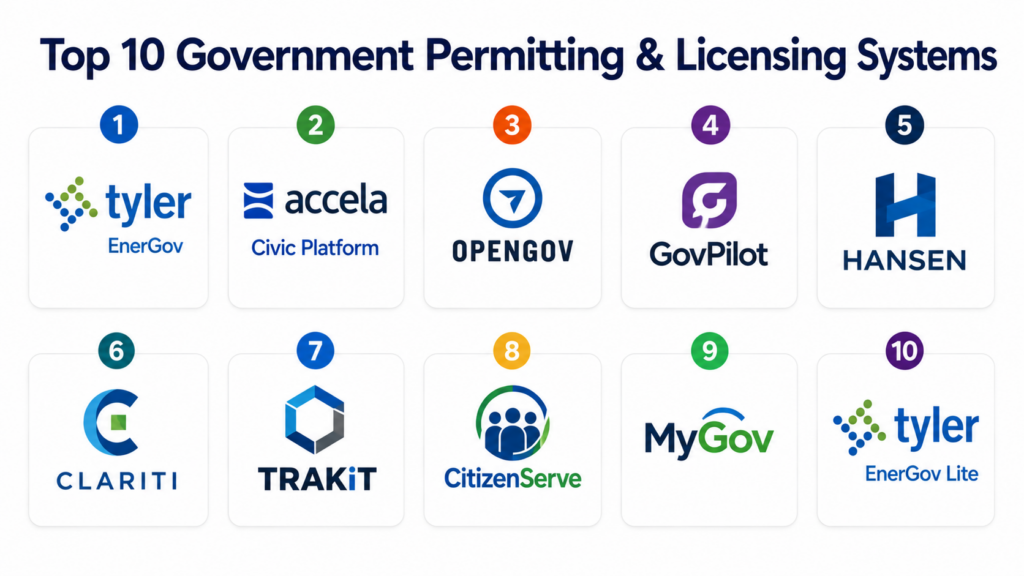
Introduction
Government Permitting & Licensing Systems are digital platforms used by municipalities, state agencies, and regulatory bodies to manage applications, approvals, inspections, renewals, compliance checks, and issuance of permits and licenses. These systems replace paper-based workflows with centralized digital processes that improve transparency, reduce processing time, and ensure regulatory compliance.
Modern governments handle thousands of permits daily across construction, business licensing, environmental approvals, health permits, zoning approvals, and trade certifications. Without digital systems, this leads to delays, inefficiencies, revenue leakage, and poor citizen experience. Permitting platforms streamline end-to-end workflows from application submission to final approval and renewal tracking.
Common real-world use cases include:
- Building and construction permits
- Business licensing and renewals
- Environmental and land-use approvals
- Health and safety permits
- Zoning and planning applications
- Inspection scheduling and tracking
Buyers evaluating permitting and licensing systems should focus on:
- Workflow automation and rule configuration
- Multi-department approval handling
- Public portal usability
- Payment processing integration
- Inspection and field mobility support
- Compliance and audit tracking
- Integration with GIS and ERP systems
- Scalability across departments and jurisdictions
- Document management capabilities
- Reporting and analytics dashboards
Best for: Municipal governments, city councils, state regulatory bodies, planning departments, licensing authorities, and public sector agencies managing citizen-facing approvals.
Not ideal for: Small private businesses that only need internal document storage or non-regulated workflow tools.
Key Trends in Government Permitting & Licensing Systems
- Cloud-first permitting platforms are replacing legacy on-premise systems.
- AI-assisted application validation is reducing approval delays and errors.
- Citizen self-service portals are becoming standard across municipalities.
- Mobile inspection tools are improving field efficiency for inspectors.
- GIS integration is enhancing zoning and land-use decision-making.
- Automated workflow engines are reducing manual approvals.
- Digital payment integration is improving revenue collection efficiency.
- Inter-department collaboration tools are streamlining approvals.
- Open data and transparency dashboards are increasing public accountability.
- Low-code configuration is enabling faster regulatory workflow updates.
How We Selected These Tools
The platforms listed below were selected using a structured evaluation approach focused on government workflows, regulatory compliance, scalability, and citizen service delivery.
- Evaluated adoption across municipalities and government agencies
- Assessed permitting and licensing workflow depth
- Reviewed inspection and field service capabilities
- Compared citizen portal usability and accessibility
- Evaluated document management and automation features
- Considered GIS and spatial integration capabilities
- Reviewed reporting and compliance tracking tools
- Assessed integration with ERP and payment systems
- Evaluated security and audit readiness
- Considered vendor maturity in public sector deployments
Top 10 Government Permitting & Licensing Systems
#1 — Tyler Technologies EnerGov Permitting & Licensing
Short description: Tyler EnerGov is one of the most widely adopted government permitting and licensing platforms used by municipalities, counties, and regulatory agencies. It supports end-to-end workflows including application submission, review, approvals, inspections, and permit issuance. The platform is highly configurable and integrates with GIS, ERP, and financial systems used by local governments. EnerGov is particularly strong in enterprise municipal environments requiring multi-department coordination. It is widely used for building permits, zoning approvals, and business licensing workflows.
Key Features
- Permit application processing
- Licensing and renewals
- Workflow automation engine
- Inspection scheduling and tracking
- GIS integration
- Citizen self-service portal
- Document management system
Pros
- Strong municipal adoption
- Highly configurable workflows
- Good enterprise scalability
Cons
- Complex implementation process
- Best value within Tyler ecosystem
- Requires training for administrators
Platforms / Deployment
- Web
- Cloud / Hybrid
Security & Compliance
Supports role-based access, audit logs, encryption, and government compliance standards.
Integrations & Ecosystem
EnerGov integrates with government operational systems.
- GIS platforms
- ERP systems
- Payment gateways
- Financial systems
- Inspection tools
- APIs
Support & Community
Strong public sector onboarding, training, and implementation support.
#2 — Accela Civic Platform
Short description: Accela Civic Platform is a leading cloud-based permitting and licensing system used by cities, counties, and state agencies for regulatory workflows. It supports permits, inspections, licensing, and code enforcement processes. The platform is known for its flexibility and strong citizen engagement features. Accela enables governments to digitize complex approval workflows and improve transparency. It is widely used in smart city and digital government transformation projects.
Key Features
- Permitting and licensing workflows
- Citizen self-service portal
- Inspection management
- Code enforcement tracking
- Workflow automation
- GIS integration
- Document management
Pros
- Strong citizen engagement tools
- Highly flexible configuration
- Cloud-native architecture
Cons
- Implementation complexity
- Requires process redesign for best results
- Can be expensive for smaller municipalities
Platforms / Deployment
- Web
- Cloud
Security & Compliance
Supports secure authentication, audit trails, encryption, and public sector compliance controls.
Integrations & Ecosystem
Accela integrates with government and civic systems.
- GIS systems
- ERP platforms
- Payment gateways
- Inspection tools
- Financial systems
- APIs
Support & Community
Strong global government support and implementation services.
#3 — OpenGov Permitting & Licensing
Short description: OpenGov Permitting & Licensing is a modern cloud-based platform designed to help local governments streamline permitting, licensing, and citizen service workflows. It focuses on simplicity, transparency, and ease of use for both staff and citizens. The platform supports digital applications, approvals, inspections, and reporting. OpenGov is widely used in municipalities aiming for digital transformation and operational efficiency. It is particularly strong in financial transparency and reporting integration.
Key Features
- Digital permit applications
- Licensing workflows
- Inspection scheduling
- Citizen portal access
- Workflow automation
- Reporting dashboards
- Payment integration
Pros
- Easy-to-use interface
- Strong transparency features
- Fast deployment compared to legacy systems
Cons
- Less customizable than enterprise-heavy platforms
- Advanced workflows may require configuration
- Integration depth varies by module
Platforms / Deployment
- Web
- Cloud
Security & Compliance
Supports encryption, RBAC, audit logging, and government compliance standards.
Integrations & Ecosystem
OpenGov integrates with civic and financial systems.
- Financial systems
- Payment gateways
- GIS platforms
- ERP systems
- Reporting tools
- APIs
Support & Community
Provides government onboarding, training, and customer support services.
#4 — GovPilot
Short description: GovPilot is a cloud-based government management platform designed for permitting, licensing, code enforcement, and citizen service workflows. It helps municipalities digitize applications and streamline approval processes. The platform is known for ease of deployment and quick adoption in smaller and mid-sized municipalities. GovPilot reduces paperwork and improves operational efficiency. It is especially useful for local governments transitioning from manual systems.
Key Features
- Permitting workflows
- Licensing management
- Code enforcement tracking
- Citizen service portal
- Inspection scheduling
- Document management
- Reporting dashboards
Pros
- Quick implementation
- Easy for staff and citizens
- Good for small municipalities
Cons
- Limited enterprise scalability
- Fewer advanced customization options
- Integration depth varies
Platforms / Deployment
- Web
- Cloud
Security & Compliance
Supports secure authentication, encryption, audit logs, and municipal compliance controls.
Integrations & Ecosystem
GovPilot integrates with municipal systems.
- Payment systems
- GIS platforms
- Financial tools
- Reporting systems
- Inspection tools
- APIs
Support & Community
Provides onboarding and municipal support services.
#5 — Hansen Permitting & Licensing System
Short description: Hansen Permitting & Licensing is a robust enterprise-grade government platform used for managing permits, licenses, inspections, and regulatory workflows. It supports complex municipal and state-level operations with strong configuration capabilities. The system is widely used in utilities, municipalities, and large government agencies. Hansen is designed for high-volume regulatory environments requiring strong workflow control and scalability. It is particularly effective for integrated government service delivery.
Key Features
- Permit and license processing
- Workflow automation engine
- Inspection management
- Code enforcement tools
- Document management
- Reporting dashboards
- Multi-department workflows
Pros
- Strong enterprise scalability
- Highly configurable workflows
- Suitable for complex government environments
Cons
- Complex setup and administration
- Longer implementation cycles
- Requires skilled configuration teams
Platforms / Deployment
- Web
- Cloud / Hybrid / Self-hosted
Security & Compliance
Supports RBAC, audit logs, encryption, and public sector compliance requirements.
Integrations & Ecosystem
Hansen integrates with government enterprise systems.
- ERP systems
- GIS platforms
- Financial systems
- Utility management systems
- Inspection tools
- APIs
Support & Community
Provides enterprise onboarding and long-term government support.
#6 — Clariti Permitting & Licensing
Short description: Clariti is a modern cloud-based permitting and licensing platform designed to streamline municipal workflows and improve citizen experience. It supports digital applications, approvals, inspections, and communication between departments. The platform emphasizes simplicity and speed of implementation. Clariti is widely used by municipalities seeking modern alternatives to legacy permitting systems. It is especially effective for improving operational efficiency and citizen engagement.
Key Features
- Digital permitting workflows
- Licensing management
- Inspection tracking
- Citizen portal
- Workflow automation
- Document management
- Communication tools
Pros
- Modern user interface
- Fast implementation
- Good citizen experience
Cons
- Less suited for complex enterprise workflows
- Integration depth may vary
- Limited advanced customization
Platforms / Deployment
- Web
- Cloud
Security & Compliance
Supports secure authentication, audit logs, encryption, and government compliance standards.
Integrations & Ecosystem
Clariti integrates with civic systems.
- GIS systems
- Payment gateways
- ERP platforms
- Inspection tools
- Reporting systems
- APIs
Support & Community
Provides onboarding and customer support for municipalities.
#7 — TRAKiT Permitting System
Short description: TRAKiT is a long-standing municipal permitting and licensing system used by cities and counties for managing development permits, inspections, and regulatory workflows. It supports zoning, building permits, and code enforcement processes. The platform is widely used in traditional municipal environments requiring stable and structured workflows. TRAKiT is known for reliability in government operations. It is suitable for municipalities prioritizing stability over rapid modernization.
Key Features
- Permit management system
- Inspection workflows
- Code enforcement tools
- Licensing management
- Case tracking
- Document storage
- Reporting dashboards
Pros
- Stable government platform
- Good for traditional municipalities
- Reliable workflow structure
Cons
- Older interface in some deployments
- Limited modern UX features
- Integration modernization varies
Platforms / Deployment
- Web
- Hybrid
Security & Compliance
Supports access controls, audit logging, and municipal compliance requirements.
Integrations & Ecosystem
TRAKiT integrates with municipal systems.
- GIS platforms
- Financial systems
- Payment gateways
- ERP systems
- Inspection tools
- APIs
Support & Community
Provides government onboarding and legacy system support.
#8 — CitizenServe Permitting & Licensing
Short description: CitizenServe is a cloud-based permitting and licensing platform designed for municipalities and government agencies to streamline citizen-facing services. It supports applications, approvals, inspections, and workflow automation. The platform focuses on improving citizen experience and reducing administrative burden. CitizenServe is commonly used by small to mid-sized governments. It is known for ease of deployment and usability.
Key Features
- Permit applications
- Licensing workflows
- Inspection scheduling
- Citizen portal access
- Workflow automation
- Document management
- Reporting tools
Pros
- Easy to deploy
- Strong citizen usability
- Good for smaller governments
Cons
- Limited enterprise scalability
- Advanced workflow depth varies
- Integration options may be limited
Platforms / Deployment
- Web
- Cloud
Security & Compliance
Supports secure authentication, audit trails, encryption, and government compliance controls.
Integrations & Ecosystem
CitizenServe integrates with municipal systems.
- Payment gateways
- GIS platforms
- ERP systems
- Inspection tools
- Financial systems
- APIs
Support & Community
Provides onboarding and municipal support services.
#9 — MyGov Permitting Platform
Short description: MyGov Permitting Platform supports municipalities in managing permits, licenses, inspections, and citizen service requests. It focuses on simplifying workflows for local government staff and improving digital service delivery. The platform helps reduce paperwork and improve transparency in public service operations. MyGov is often used by small municipalities and local agencies. It is suitable for governments seeking simple digital transformation solutions.
Key Features
- Permitting workflows
- Licensing management
- Inspection tracking
- Citizen service portal
- Document management
- Workflow automation
- Reporting dashboards
Pros
- Simple to use
- Good for small governments
- Fast implementation
Cons
- Limited enterprise features
- Smaller ecosystem
- Integration depth varies
Platforms / Deployment
- Web
- Cloud
Security & Compliance
Supports role-based access, audit logs, and secure data handling.
Integrations & Ecosystem
MyGov integrates with municipal systems.
- Payment systems
- GIS tools
- Financial systems
- ERP platforms
- Reporting tools
- APIs
Support & Community
Provides municipal onboarding and support services.
#10 — EnerGov Lite Municipal Edition
Short description: EnerGov Lite is a simplified version of enterprise permitting systems designed for smaller municipalities that need structured workflows without full enterprise complexity. It supports permitting, licensing, inspections, and citizen service workflows. The platform provides essential government functionality in a lighter configuration. EnerGov Lite is suitable for municipalities transitioning from manual or legacy systems. It balances functionality with usability for smaller government teams.
Key Features
- Permit processing workflows
- Licensing management
- Inspection tracking
- Citizen portal
- Document management
- Workflow automation
- Reporting dashboards
Pros
- Easier than full enterprise systems
- Good for small municipalities
- Reliable government workflows
Cons
- Limited advanced features
- Less scalable than full enterprise version
- Integration depth may vary
Platforms / Deployment
- Web
- Cloud
Security & Compliance
Supports secure authentication, audit logging, and government compliance standards.
Integrations & Ecosystem
EnerGov Lite integrates with municipal systems.
- GIS platforms
- Payment gateways
- ERP systems
- Inspection tools
- Financial systems
- APIs
Support & Community
Provides municipal onboarding and support services.
Comparison Table
| Tool Name | Best For | Platform(s) Supported | Deployment | Standout Feature | Public Rating |
|---|---|---|---|---|---|
| Tyler EnerGov | Large municipalities | Web | Cloud / Hybrid | Enterprise workflow engine | N/A |
| Accela Civic Platform | Smart city governments | Web | Cloud | Highly configurable workflows | N/A |
| OpenGov | Digital transformation | Web | Cloud | Fast deployment & transparency | N/A |
| GovPilot | Small municipalities | Web | Cloud | Simple citizen workflows | N/A |
| Hansen | Enterprise governments | Web | Cloud / Hybrid | Highly scalable system | N/A |
| Clariti | Modern municipalities | Web | Cloud | Modern UX & speed | N/A |
| TRAKiT | Traditional governments | Web | Hybrid | Stable legacy workflows | N/A |
| CitizenServe | SMB municipalities | Web | Cloud | Easy citizen portal | N/A |
| MyGov | Small agencies | Web | Cloud | Simple permitting system | N/A |
| EnerGov Lite | Small municipalities | Web | Cloud | Lightweight enterprise option | N/A |
Evaluation & Scoring of Government Permitting & Licensing Systems
| Tool Name | Core 25% | Ease 15% | Integrations 15% | Security 10% | Performance 10% | Support 10% | Value 15% | Weighted Total |
|---|---|---|---|---|---|---|---|---|
| Tyler EnerGov | 9.5 | 7.5 | 9.0 | 9.0 | 9.0 | 9.0 | 7.5 | 8.8 |
| Accela Civic Platform | 9.0 | 8.0 | 9.0 | 9.0 | 9.0 | 9.0 | 7.5 | 8.6 |
| OpenGov | 8.5 | 8.5 | 8.5 | 8.5 | 8.5 | 8.5 | 8.0 | 8.5 |
| GovPilot | 7.5 | 9.0 | 7.5 | 8.0 | 8.0 | 8.0 | 8.5 | 8.0 |
| Hansen | 9.0 | 7.5 | 9.0 | 9.0 | 9.0 | 9.0 | 7.5 | 8.7 |
| Clariti | 8.0 | 9.0 | 8.0 | 8.5 | 8.5 | 8.5 | 8.0 | 8.3 |
| TRAKiT | 8.0 | 7.5 | 7.5 | 8.0 | 8.0 | 7.5 | 8.0 | 7.9 |
| CitizenServe | 7.5 | 8.5 | 7.5 | 8.0 | 8.0 | 8.0 | 8.5 | 8.0 |
| MyGov | 7.5 | 8.5 | 7.0 | 7.5 | 7.5 | 7.5 | 8.5 | 7.7 |
| EnerGov Lite | 8.0 | 8.0 | 7.5 | 8.0 | 8.0 | 8.0 | 8.0 | 7.9 |
These scores are comparative and should be interpreted based on municipality size, regulatory complexity, citizen service requirements, integration needs, and long-term digital transformation goals. Enterprise systems excel in scalability and workflow complexity, while lighter systems prioritize usability and faster deployment. The best system depends on government structure, permitting volume, and modernization strategy.
Which Government Permitting & Licensing System Is Right for You?
Solo / Freelancer
These systems are not designed for individual users. Consultants or contractors may interact with them for submissions or compliance reporting, but they are primarily built for government agencies managing regulatory workflows.
SMB
Small municipalities should prioritize ease of use, citizen portal functionality, and quick deployment. GovPilot, CitizenServe, MyGov, and Clariti are strong options for smaller government environments with limited IT resources.
Mid-Market
Mid-sized municipalities require balanced workflow automation, GIS integration, inspection tools, and multi-department coordination. OpenGov, TRAKiT, Accela, and EnerGov Lite are suitable depending on complexity.
Enterprise
Large cities, counties, and state agencies should evaluate Tyler EnerGov, Accela Civic Platform, and Hansen for scalability, compliance, and deep workflow configuration.
Budget vs Premium
Budget systems prioritize simplicity and affordability, while premium systems provide deeper automation, integration, and scalability. Governments should evaluate total cost of ownership, including maintenance and training.
Feature Depth vs Ease of Use
Enterprise platforms offer powerful workflow engines but require configuration expertise. Simpler platforms improve usability and faster adoption but may lack advanced features.
Integrations & Scalability
Permitting systems must integrate with GIS, ERP, financial systems, payment gateways, and inspection tools. Scalability is essential for multi-department and multi-jurisdiction environments.
Security & Compliance Needs
Security is critical because these systems manage citizen data, financial transactions, and regulatory records. Agencies should prioritize encryption, audit logs, RBAC, and compliance controls.
Frequently Asked Questions
1. What is a Government Permitting & Licensing System?
It is a digital platform used by government agencies to manage permits, licenses, inspections, and approvals. It replaces paper-based workflows with automated digital systems. It helps improve transparency and efficiency. These systems are widely used in municipal and state governments. They support citizen-facing services and internal workflows.
2. Who uses these systems?
City governments, municipal agencies, state regulators, planning departments, and licensing authorities use these systems. Citizens and businesses also use them through self-service portals. Internal departments manage approvals and inspections. Usage depends on regulatory structure.
3. What types of permits are managed?
Building permits, business licenses, zoning approvals, environmental permits, health permits, and trade licenses are commonly managed. Systems can support multiple regulatory categories. Each government configures workflows based on legal requirements. Some systems support specialized permit types.
4. Why are these systems important?
They reduce processing delays, improve transparency, and eliminate manual paperwork. They help governments manage high volumes of applications efficiently. They also improve citizen satisfaction. Automation reduces administrative burden.
5. How do inspections work in these systems?
Inspectors use mobile tools or dashboards to schedule, perform, and record inspections. Results are logged directly into the system. This ensures real-time updates and compliance tracking. Inspection workflows are integrated with permits.
6. Are these systems cloud-based?
Many modern systems are cloud-based, but some support hybrid or on-premise deployment. Cloud systems offer better scalability and accessibility. Deployment depends on government policies. Cloud adoption is increasing globally.
7. Do these systems integrate with GIS?
Yes, most modern platforms integrate with GIS systems for zoning, land use, and spatial analysis. This helps improve planning decisions. GIS integration is essential for urban development workflows. It is a standard feature in enterprise platforms.
8. What are common mistakes during selection?
Common mistakes include ignoring integration needs, underestimating training requirements, and choosing based only on price. Some governments fail to test real workflows. Poor planning can lead to delays. Stakeholder involvement is essential.
9. How long does implementation take?
Implementation can take weeks for small municipalities and several months for large governments. It depends on workflow complexity, integrations, and training needs. Enterprise deployments require more time. Phased rollout is common.
10. How should governments choose the right system?
They should evaluate workflow needs, citizen experience, integration capabilities, scalability, and security requirements. Real-world testing is essential. Long-term operational fit matters more than feature count. Stakeholders from multiple departments should be involved.
Conclusion
Government Permitting & Licensing Systems are essential for modern digital governance, enabling cities and municipalities to streamline regulatory workflows, improve citizen services, and ensure compliance across multiple departments. These platforms support end-to-end permit processing, inspections, licensing, and approvals while reducing manual workload and increasing transparency. Enterprise systems like Tyler EnerGov, Accela, and Hansen offer powerful workflow engines for large governments, while GovPilot, CitizenServe, and MyGov provide simpler solutions for smaller municipalities. The right choice depends on regulatory complexity, citizen demand, integration needs, and digital transformation goals. Governments should focus on usability, scalability, and interoperability when selecting a platform, and validate workflows through real-world testing to ensure long-term success and operational efficiency.
