MOTOSHARE 🚗🏍️
Rent Bikes & Cars Directly from Owners
Motoshare connects vehicle owners with people who need bikes and cars on rent. Owners earn from idle vehicles, and renters get flexible ride options.
Visit Motoshare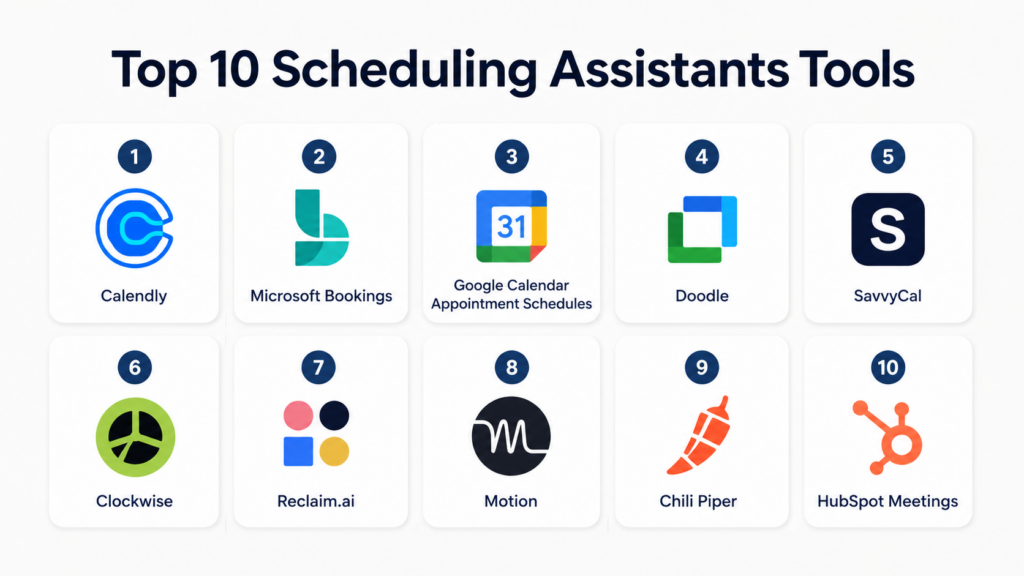
Introduction
Scheduling Assistants help individuals and teams automate meeting booking, calendar coordination, availability sharing, reminders, rescheduling, and time-blocking. Instead of sending multiple emails to find a suitable meeting slot, these tools let users share booking links, sync calendars, manage availability rules, and reduce manual coordination.They matter because modern teams work across time zones, hybrid schedules, customer meetings, sales calls, interviews, demos, and internal collaboration workflows. A good scheduling assistant saves time, reduces no-shows, improves calendar hygiene, and helps teams protect focus time while keeping meetings organized.
Common real-world use cases include:
- Booking sales demos and customer calls
- Scheduling interviews and recruiter meetings
- Managing client appointments
- Coordinating internal team meetings
- Protecting focus time and workload balance
Key evaluation criteria buyers should consider:
- Calendar sync quality
- Ease of booking link setup
- Team scheduling support
- Time zone handling
- Workflow automation
- CRM and video meeting integrations
- Reminder and no-show reduction features
- Security and access controls
- Mobile support
- Pricing and scalability
Best for: Sales teams, recruiters, consultants, customer success teams, founders, HR teams, agencies, coaches, and distributed teams that regularly schedule meetings.
Not ideal for: Very small teams with rare meetings, users who only need basic calendar invites, or organizations that already manage scheduling fully inside an existing CRM or productivity suite.
Key Trends in Scheduling Assistants
- AI-powered scheduling is helping users automatically find the best meeting slots.
- Smart calendar protection is becoming popular for focus time and deep work.
- Scheduling tools are increasingly integrated with CRM platforms and sales workflows.
- More tools now support round-robin scheduling for sales, support, and recruiting teams.
- Automated reminders are helping reduce no-shows for customer and client meetings.
- Time zone intelligence is becoming essential for global and remote teams.
- Calendar analytics are helping teams understand meeting load and productivity.
- Workflow automation is expanding across email, video calls, CRM updates, and forms.
- Mobile-first scheduling is becoming more important for consultants and field teams.
- Privacy, role-based permissions, and calendar access controls are now major buying factors.
How We Selected These Tools
The following scheduling assistants were selected based on practical business use cases and market relevance.
- Evaluated adoption across individuals, SMBs, and enterprise teams
- Reviewed calendar automation and booking workflow quality
- Assessed integrations with Google Calendar, Outlook, Zoom, Teams, and CRMs
- Considered ease of use for non-technical users
- Reviewed team scheduling, round-robin, and routing features
- Assessed automation depth and reminder capabilities
- Considered security controls and admin management
- Evaluated support for remote and global teams
- Balanced simple scheduling tools with advanced AI calendar assistants
- Considered value for consultants, sales teams, recruiters, and operations teams
Top 10 Scheduling Assistants Tools
1- Calendly
Short description: Calendly is one of the most widely used scheduling assistants for individuals, teams, sales organizations, recruiters, and customer-facing teams. It allows users to create booking links, define availability, connect calendars, automate reminders, and schedule meetings without manual back-and-forth coordination. Calendly is especially useful for sales demos, interviews, onboarding calls, consulting sessions, and customer success meetings. Its clean interface, broad integration ecosystem, and flexible scheduling rules make it suitable for both small businesses and larger teams.
Key Features
- Personalized scheduling links
- One-on-one and group scheduling
- Round-robin scheduling
- Calendar availability rules
- Automated email reminders
- Video meeting integrations
- Routing forms for qualified booking flows
Pros
- Very easy to use
- Strong integrations ecosystem
- Suitable for individuals and teams
Cons
- Advanced team features require higher plans
- Custom branding options may be limited on lower tiers
- Heavy scheduling workflows can become complex
Platforms / Deployment
- Web / iOS / Android
- Cloud
Security & Compliance
Supports SSO/SAML, admin controls, encryption, and role-based permissions. Additional compliance details vary by plan.
Integrations & Ecosystem
Calendly integrates with common calendars, video meeting platforms, CRM tools, and automation platforms. It is especially strong for sales and customer-facing scheduling workflows.
- Google Calendar
- Microsoft Outlook
- Zoom
- Microsoft Teams
- Salesforce
- HubSpot
Support & Community
Calendly offers documentation, help center resources, onboarding materials, and business support options depending on plan level.
2- Microsoft Bookings
Short description: Microsoft Bookings is a scheduling assistant built for organizations already using Microsoft 365. It helps teams create booking pages, manage appointments, send confirmations, and sync meetings with Outlook calendars. It is especially useful for service-based teams, internal office hours, HR appointments, customer consultations, and support scheduling. Microsoft Bookings is a practical choice for organizations that want scheduling functionality inside the Microsoft ecosystem without buying a separate standalone tool.
Key Features
- Online booking pages
- Outlook calendar integration
- Staff availability management
- Customer appointment reminders
- Microsoft Teams meeting support
- Service-based scheduling
- Admin controls for teams
Pros
- Strong Microsoft 365 integration
- Useful for service-based scheduling
- Good fit for internal and external appointments
Cons
- Less flexible than dedicated scheduling tools
- Best suited for Microsoft environments
- Interface may feel basic for advanced workflows
Platforms / Deployment
- Web / Windows / iOS / Android
- Cloud
Security & Compliance
Supports Microsoft 365 security controls, MFA, SSO, encryption, and admin access management.
Integrations & Ecosystem
Microsoft Bookings works best inside the Microsoft ecosystem and connects naturally with Outlook, Teams, and Microsoft 365 services.
- Outlook Calendar
- Microsoft Teams
- Microsoft 365
- Azure Active Directory
- Microsoft Forms
Support & Community
Microsoft provides documentation, admin guides, enterprise support options, and a large user community.
3- Google Calendar Appointment Schedules
Short description: Google Calendar Appointment Schedules allows users to create bookable appointment pages directly from Google Calendar. It is designed for professionals, educators, consultants, small businesses, and teams already using Google Workspace. Users can define availability, share booking links, collect basic booking details, and automatically add meetings to their calendar. It is a simple and convenient option for users who want scheduling functionality without adding another external platform.
Key Features
- Appointment booking pages
- Google Calendar sync
- Availability management
- Time zone support
- Booking form fields
- Email confirmations
- Google Meet integration
Pros
- Built directly into Google Calendar
- Simple setup for Google Workspace users
- No separate scheduling platform needed
Cons
- Fewer advanced automation features
- Limited team routing capabilities
- Not ideal for complex sales workflows
Platforms / Deployment
- Web / iOS / Android
- Cloud
Security & Compliance
Uses Google Workspace security controls including MFA, encryption, admin controls, and access management.
Integrations & Ecosystem
Google Calendar Appointment Schedules works naturally with Google Workspace and related productivity tools.
- Google Calendar
- Google Meet
- Gmail
- Google Workspace
- Google Forms
Support & Community
Support depends on Google Workspace plan. Documentation and help center resources are available.
4- Doodle
Short description: Doodle is a scheduling assistant focused on group scheduling, availability polling, and meeting coordination. It is especially useful when multiple participants need to vote on meeting times. Teams use Doodle for committee meetings, interviews, workshops, external partner calls, and collaborative scheduling. Unlike simple booking links, Doodle is strongest when the organizer needs to collect availability from several people before confirming the final slot.
Key Features
- Group scheduling polls
- Availability voting
- Booking pages
- Calendar sync
- Time zone handling
- Meeting reminders
- Video meeting support
Pros
- Excellent for group scheduling
- Simple participant experience
- Useful for external coordination
Cons
- Less advanced for sales automation
- Limited deep workflow automation
- Not ideal for complex routing use cases
Platforms / Deployment
- Web / iOS / Android
- Cloud
Security & Compliance
Supports encryption and account security controls. Additional compliance details are not publicly stated.
Integrations & Ecosystem
Doodle integrates with common calendars and video meeting tools to simplify group scheduling.
- Google Calendar
- Outlook Calendar
- Zoom
- Microsoft Teams
- Video conferencing tools
Support & Community
Doodle provides help center resources, business support options, and simple onboarding materials.
5- SavvyCal
Short description: SavvyCal is a scheduling assistant designed for professionals who want a more thoughtful and flexible booking experience. It allows recipients to overlay their own calendar while choosing a meeting time, making scheduling feel more collaborative. SavvyCal is popular among consultants, founders, creators, agencies, and teams that want polished scheduling pages with better user experience. It focuses on reducing friction while still giving meeting organizers strong control over availability and preferences.
Key Features
- Personalized scheduling links
- Calendar overlay experience
- Team scheduling support
- Availability rules
- Time zone handling
- Booking limits
- Calendar integrations
Pros
- Excellent booking experience
- Clean and modern interface
- Good for consultants and client-facing teams
Cons
- Smaller ecosystem than larger platforms
- Fewer enterprise features
- May not suit complex sales routing workflows
Platforms / Deployment
- Web
- Cloud
Security & Compliance
Supports account security controls and encryption. Additional certifications are not publicly stated.
Integrations & Ecosystem
SavvyCal integrates with common calendars and meeting tools, making it suitable for professional service workflows.
- Google Calendar
- Outlook Calendar
- Zoom
- Web conferencing tools
- Automation platforms
Support & Community
SavvyCal offers documentation and direct support resources, with a smaller but focused user community.
6- Clockwise
Short description: Clockwise is an AI-powered calendar assistant focused on time optimization, meeting management, and focus time protection. Instead of only helping users book meetings, Clockwise helps teams automatically organize calendars to create more productive workdays. It can move flexible meetings, protect deep work blocks, and reduce calendar fragmentation. Clockwise is especially useful for product, engineering, operations, and remote teams that need better meeting discipline and calendar balance.
Key Features
- AI calendar optimization
- Focus time protection
- Flexible meeting movement
- Team availability coordination
- Calendar analytics
- Slack integration
- Meeting load management
Pros
- Strong focus time optimization
- Good for internal team productivity
- Helpful for meeting-heavy organizations
Cons
- Less focused on external booking pages
- Best value for team environments
- Requires calendar access and trust
Platforms / Deployment
- Web
- Cloud
Security & Compliance
Supports encryption and account security controls. Additional compliance details vary by plan.
Integrations & Ecosystem
Clockwise integrates with calendar and collaboration tools to improve internal scheduling efficiency.
- Google Calendar
- Slack
- Zoom
- Microsoft Teams
- Productivity tools
Support & Community
Clockwise provides documentation, onboarding resources, and support for teams using calendar optimization workflows.
7- Reclaim.ai
Short description: Reclaim.ai is an AI scheduling assistant that helps users manage meetings, tasks, habits, and focus time directly inside their calendar. It automatically blocks time for important work, adjusts schedules when conflicts appear, and helps users maintain better time balance. Reclaim.ai is useful for knowledge workers, managers, founders, students, and teams that want to combine scheduling automation with productivity planning. It is especially strong for personal time management and smart calendar blocking.
Key Features
- AI time blocking
- Task scheduling
- Habit scheduling
- Focus time protection
- Calendar sync
- Smart meeting coordination
- Team availability support
Pros
- Strong productivity automation
- Good for focus time management
- Useful for individuals and teams
Cons
- Not primarily built for sales booking
- Requires users to trust automation
- Advanced controls may need setup time
Platforms / Deployment
- Web
- Cloud
Security & Compliance
Supports encryption and account-level security controls. Additional certifications are not publicly stated.
Integrations & Ecosystem
Reclaim.ai integrates with calendar and task tools to automate time management.
- Google Calendar
- Slack
- Zoom
- Task tools
- Project management apps
Support & Community
Provides documentation, product guides, and support resources for productivity-focused users and teams.
8- Motion
Short description: Motion is an AI-powered scheduling and productivity assistant that combines calendar management, task planning, project scheduling, and meeting coordination. It automatically prioritizes work, schedules tasks into available calendar slots, and adjusts plans as priorities change. Motion is useful for busy professionals, founders, managers, consultants, and teams that want scheduling and task management in one platform. It is stronger for productivity planning than simple booking-link scheduling.
Key Features
- AI calendar planning
- Task auto-scheduling
- Meeting scheduling
- Project planning
- Priority-based scheduling
- Calendar conflict management
- Team task coordination
Pros
- Combines scheduling and task management
- Strong AI planning capabilities
- Good for busy professionals and teams
Cons
- Can feel complex at first
- Not ideal for simple appointment booking only
- Premium pricing compared with basic tools
Platforms / Deployment
- Web / iOS / Android
- Cloud
Security & Compliance
Supports encryption and account security controls. Additional certifications are not publicly stated.
Integrations & Ecosystem
Motion integrates with calendars and productivity workflows to help users manage time and tasks together.
- Google Calendar
- Outlook Calendar
- Zoom
- Task workflows
- Project management use cases
Support & Community
Motion provides onboarding materials, documentation, and customer support resources for individual and team users.
9- Chili Piper
Short description: Chili Piper is a scheduling and routing platform built mainly for revenue teams. It helps sales organizations qualify inbound leads, route prospects to the right representatives, book meetings instantly, and reduce friction in the buyer journey. Chili Piper is especially useful for B2B sales teams that need round-robin scheduling, account ownership routing, CRM integration, and instant demo booking. It is more advanced than general scheduling tools for sales pipeline acceleration.
Key Features
- Lead routing
- Instant meeting booking
- Round-robin scheduling
- CRM-based assignment
- Handoff automation
- Revenue workflow automation
- Sales calendar coordination
Pros
- Strong sales scheduling workflows
- Excellent CRM routing use cases
- Useful for inbound revenue teams
Cons
- Less suitable for general personal scheduling
- Requires setup for routing logic
- Better fit for sales teams than broad HR use
Platforms / Deployment
- Web
- Cloud
Security & Compliance
Supports SSO, encryption, admin controls, and role-based permissions. Additional certifications vary by plan.
Integrations & Ecosystem
Chili Piper integrates deeply with sales and revenue systems to automate scheduling from lead capture to booked meeting.
- Salesforce
- HubSpot
- Google Calendar
- Outlook Calendar
- Zoom
- Microsoft Teams
Support & Community
Provides customer success support, onboarding resources, and revenue operations guidance for sales teams.
10- HubSpot Meetings
Short description: HubSpot Meetings is a scheduling assistant built into the HubSpot CRM ecosystem. It allows sales, marketing, and service teams to share booking links, connect calendars, capture meeting details, and automatically log interactions in HubSpot. It is especially useful for teams already using HubSpot for CRM, lead management, customer success, or inbound marketing. HubSpot Meetings works well for simple sales calls, consultations, demos, and customer follow-ups.
Key Features
- CRM-connected booking links
- Calendar sync
- Meeting reminders
- Contact record updates
- Round-robin scheduling
- Form-based meeting capture
- Sales workflow integration
Pros
- Strong HubSpot CRM integration
- Simple setup for sales teams
- Useful for inbound lead scheduling
Cons
- Best suited for HubSpot users
- Less flexible outside HubSpot ecosystem
- Advanced features may require paid HubSpot plans
Platforms / Deployment
- Web / iOS / Android
- Cloud
Security & Compliance
Supports HubSpot account security controls, SSO on applicable plans, encryption, and role-based permissions.
Integrations & Ecosystem
HubSpot Meetings works best within HubSpot’s sales, marketing, and service ecosystem.
- HubSpot CRM
- Google Calendar
- Outlook Calendar
- Zoom
- Microsoft Teams
- Sales workflows
Support & Community
HubSpot offers documentation, academy resources, customer support options, and a large user community.
Comparison Table
| Tool Name | Best For | Platform(s) Supported | Deployment | Standout Feature | Public Rating |
|---|---|---|---|---|---|
| Calendly | General business scheduling | Web, iOS, Android | Cloud | Easy booking links | N/A |
| Microsoft Bookings | Microsoft 365 users | Web, Windows, Mobile | Cloud | Outlook and Teams scheduling | N/A |
| Google Calendar Appointment Schedules | Google Workspace users | Web, iOS, Android | Cloud | Native Google Calendar booking | N/A |
| Doodle | Group scheduling | Web, iOS, Android | Cloud | Availability polling | N/A |
| SavvyCal | Consultants and client-facing teams | Web | Cloud | Calendar overlay booking | N/A |
| Clockwise | Team calendar optimization | Web | Cloud | Focus time protection | N/A |
| Reclaim.ai | AI time blocking | Web | Cloud | Smart task scheduling | N/A |
| Motion | AI productivity scheduling | Web, iOS, Android | Cloud | Task and calendar automation | N/A |
| Chili Piper | Sales teams | Web | Cloud | Lead routing and meeting booking | N/A |
| HubSpot Meetings | HubSpot CRM users | Web, iOS, Android | Cloud | CRM-connected scheduling | N/A |
Evaluation & Scoring of Scheduling Assistants
| Tool Name | Core 25% | Ease 15% | Integrations 15% | Security 10% | Performance 10% | Support 10% | Value 15% | Weighted Total |
|---|---|---|---|---|---|---|---|---|
| Calendly | 9.0 | 9.0 | 9.0 | 8.5 | 9.0 | 8.5 | 8.5 | 8.8 |
| Microsoft Bookings | 8.0 | 8.0 | 8.5 | 9.0 | 8.5 | 8.5 | 8.5 | 8.4 |
| Google Calendar Appointment Schedules | 7.5 | 8.5 | 8.0 | 8.5 | 8.5 | 8.0 | 8.5 | 8.1 |
| Doodle | 8.0 | 8.5 | 7.5 | 7.5 | 8.0 | 8.0 | 8.0 | 8.0 |
| SavvyCal | 8.0 | 9.0 | 7.5 | 7.5 | 8.0 | 8.0 | 8.0 | 8.1 |
| Clockwise | 8.5 | 8.0 | 8.0 | 8.0 | 8.5 | 8.0 | 8.0 | 8.2 |
| Reclaim.ai | 8.5 | 8.0 | 8.0 | 7.5 | 8.5 | 8.0 | 8.5 | 8.2 |
| Motion | 8.5 | 7.5 | 7.5 | 7.5 | 8.0 | 8.0 | 7.5 | 7.9 |
| Chili Piper | 9.0 | 7.5 | 9.0 | 8.5 | 8.5 | 8.5 | 7.5 | 8.4 |
| HubSpot Meetings | 8.0 | 8.5 | 8.5 | 8.5 | 8.5 | 8.5 | 8.5 | 8.4 |
These scores are comparative and should be used as a practical buying guide, not as absolute product ratings. Tools like Calendly, HubSpot Meetings, and Microsoft Bookings are strong for broad business scheduling, while Chili Piper is more specialized for revenue teams. AI-first tools like Reclaim.ai, Clockwise, and Motion are better for time management and productivity optimization. Buyers should validate calendar sync, integrations, admin controls, and user adoption through a pilot before committing long term.
Which Scheduling Assistant Tool Is Right for You?
Solo / Freelancer
Solo professionals, coaches, consultants, and freelancers usually need simple booking links, calendar sync, reminders, and time zone support. Calendly, SavvyCal, Google Calendar Appointment Schedules, and Reclaim.ai are strong options. If the goal is client booking, Calendly or SavvyCal works well. If the goal is personal productivity and time blocking, Reclaim.ai or Motion may be more useful.
SMB
Small and mid-sized businesses should prioritize ease of use, team scheduling, calendar integrations, and affordable pricing. Calendly, Microsoft Bookings, Google Calendar Appointment Schedules, and HubSpot Meetings are practical choices. Teams already using Microsoft 365 may prefer Microsoft Bookings, while Google Workspace users may find Google Calendar Appointment Schedules simpler.
Mid-Market
Mid-market teams often need routing, team availability, CRM integrations, reminders, and reporting. Calendly, HubSpot Meetings, Chili Piper, and Clockwise are strong choices depending on the use case. Sales teams may prefer Chili Piper or HubSpot Meetings, while internal operations teams may benefit from Clockwise.
Enterprise
Enterprises should prioritize security controls, admin management, SSO, CRM integrations, auditability, and scalability. Microsoft Bookings, Calendly, Chili Piper, HubSpot Meetings, and Clockwise can be strong options depending on the existing ecosystem. Enterprise buyers should carefully validate compliance, user permissions, and integration reliability.
Budget vs Premium
Budget-conscious users can start with native tools like Google Calendar Appointment Schedules or Microsoft Bookings if they already use those ecosystems. Premium tools such as Chili Piper, Motion, and advanced Calendly plans are better when automation, routing, analytics, or AI scheduling justify the cost.
Feature Depth vs Ease of Use
Calendly, Google Calendar Appointment Schedules, and SavvyCal are easier for simple scheduling. Chili Piper and HubSpot Meetings offer deeper sales workflow features. Reclaim.ai, Clockwise, and Motion offer more advanced productivity automation but may require more setup and user adjustment.
Integrations & Scalability
Teams should choose scheduling assistants that match their existing stack. Microsoft-heavy organizations may prefer Microsoft Bookings or Clockwise. Google Workspace users may prefer Calendly, Google Appointment Schedules, Reclaim.ai, or SavvyCal. Sales teams using HubSpot or Salesforce should evaluate HubSpot Meetings or Chili Piper.
Security & Compliance Needs
Organizations handling customer data, regulated workflows, or enterprise scheduling should evaluate SSO, MFA, RBAC, encryption, audit logs, admin controls, and calendar permission settings. Security review is especially important when tools access employee calendars, customer meeting data, or CRM records.
Frequently Asked Questions
1. What is a scheduling assistant?
A scheduling assistant is a software tool that helps users automate meeting booking, calendar coordination, reminders, rescheduling, and availability sharing. Instead of manually exchanging emails to find a suitable time, users can share booking links or let the tool suggest available slots. These platforms often sync with calendars, video meeting tools, CRMs, and communication apps. Businesses use them to save time, reduce no-shows, and improve meeting organization. Some modern tools also include AI-powered time blocking and productivity planning.
2. How much do scheduling assistants cost?
Pricing varies depending on the tool, number of users, calendar features, integrations, and automation depth. Many scheduling assistants offer free or low-cost plans for individuals, while team and enterprise plans usually include advanced routing, admin controls, CRM integrations, and security features. AI-powered productivity tools may charge more because they combine scheduling with task automation and calendar optimization. Businesses should compare total value, not just monthly price. A low-cost tool may be enough for basic booking, while revenue teams may need advanced automation.
3. Are scheduling assistants useful for sales teams?
Yes, scheduling assistants are very useful for sales teams because they reduce friction between lead capture and booked meetings. Tools like Calendly, Chili Piper, and HubSpot Meetings help prospects choose available meeting times instantly. Sales teams can use round-robin scheduling, CRM routing, reminders, and automated meeting confirmations. This improves response speed and reduces manual coordination. For inbound sales teams, scheduling automation can directly improve pipeline efficiency and customer experience.
4. Can scheduling assistants reduce no-shows?
Scheduling assistants can reduce no-shows by sending automated confirmations, reminders, calendar invites, and rescheduling options. Many tools allow email reminders before the meeting, and some also support SMS reminders depending on the plan. Clear booking forms and time zone detection also reduce confusion. For customer calls, interviews, consultations, and demos, reminders are especially useful. However, no-show reduction also depends on meeting relevance, confirmation quality, and how easy it is for users to reschedule.
5. What integrations are most important?
The most important integrations usually include Google Calendar, Outlook Calendar, Zoom, Microsoft Teams, CRM platforms, email tools, and automation platforms. Sales teams may also need Salesforce or HubSpot integrations. Internal teams may prioritize Slack, Microsoft Teams, and productivity tools. AI scheduling tools may connect with task management apps and project management platforms. Buyers should choose a tool that works smoothly with their existing workflow instead of forcing teams to change their entire process.
6. Are scheduling assistants secure?
Most reputable scheduling assistants use encryption, account authentication, calendar permissions, and admin controls to protect scheduling data. Enterprise-ready tools may also support SSO, SAML, MFA, RBAC, and audit logging. Security is important because these platforms access calendar availability, meeting details, customer information, and sometimes CRM records. Organizations should review permission scopes before deployment. Teams in regulated industries should also validate compliance requirements and internal data governance policies before adoption.
7. What is the difference between scheduling assistants and AI calendar tools?
Traditional scheduling assistants focus mainly on booking meetings and sharing availability links. AI calendar tools go further by automatically planning tasks, protecting focus time, moving flexible meetings, and optimizing daily schedules. Calendly and Doodle are more booking-focused, while Reclaim.ai, Clockwise, and Motion are more productivity-focused. The best choice depends on whether the user needs external appointment booking or internal time management. Some organizations may use both types together.
8. How long does implementation take?
Basic scheduling assistants can often be deployed quickly because users only need to connect calendars, define availability, and create booking links. Team-based deployments may take longer because admins need to configure routing rules, permissions, branding, integrations, and meeting types. Sales routing tools can require additional setup with CRM ownership rules and lead qualification forms. AI scheduling tools may also require user adjustment because they actively manage calendar time. A pilot rollout is useful before company-wide deployment.
9. What mistakes should buyers avoid?
A common mistake is choosing a scheduling tool only because it is popular, without checking whether it fits the team’s actual workflow. Buyers should avoid ignoring calendar permissions, integration needs, routing logic, and security controls. Another mistake is overbuying advanced tools when simple booking links are enough. Teams should also avoid creating too many meeting types without governance because this can confuse users. The best approach is to define scheduling use cases first, then select the tool that supports them clearly.
10. What are the best alternatives to scheduling assistant tools?
Alternatives include native calendar booking features, CRM meeting tools, shared inbox systems, manual calendar coordination, or productivity platforms with built-in scheduling. Google Calendar and Microsoft Outlook provide basic scheduling features that may be enough for simple use cases. CRM platforms may be better for sales teams already managing lead workflows. Project management tools may help with internal task planning but usually do not replace booking links. The right alternative depends on meeting volume, team size, and automation needs.
Conclusion
Scheduling assistants have become essential productivity tools for modern teams that manage frequent meetings, customer calls, interviews, demos, consultations, and internal collaboration. The best tool depends heavily on the use case: Calendly is strong for general-purpose scheduling, Microsoft Bookings works well for Microsoft 365 users, Google Calendar Appointment Schedules is simple for Google Workspace users, Doodle is excellent for group scheduling, and Chili Piper is powerful for revenue teams that need lead routing and CRM-connected booking. AI-first tools such as Reclaim.ai, Clockwise, and Motion are better suited for users who want time blocking, focus protection, and productivity planning rather than only booking links. Organizations should shortlist tools based on their calendar ecosystem, team size, integration needs, security requirements, and scheduling complexity, then run a small pilot to validate usability, automation quality, reminders, permissions, and long-term value before scaling adoption.
