MOTOSHARE 🚗🏍️
Rent Bikes & Cars Directly from Owners
Motoshare connects vehicle owners with people who need bikes and cars on rent. Owners earn from idle vehicles, and renters get flexible ride options.
Visit Motoshare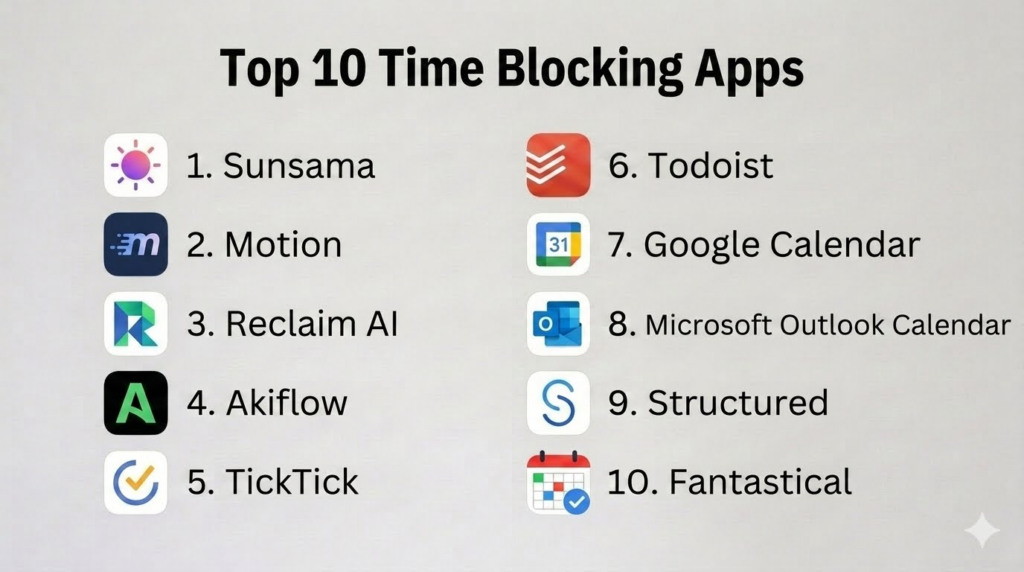
Introduction
Time Blocking Apps help users plan their day by assigning specific blocks of time to tasks, meetings, routines, deep work, breaks, personal goals, and recurring responsibilities. Instead of working from an open-ended to-do list, time blocking gives each task a clear place on the calendar so users can see what they will do, when they will do it, and how much time they realistically have.Time blocking matters because many people struggle with overloaded task lists, constant distractions, meeting-heavy calendars, procrastination, and poor prioritization. A good time blocking app helps users protect focus time, reduce context switching, balance work and personal routines, and create a realistic daily schedule. Some apps are calendar-first, while others combine tasks, scheduling, AI planning, habits, analytics, and team workflows.
Real-world use cases include:
- Planning deep work sessions and focus blocks
- Scheduling tasks directly onto a calendar
- Balancing meetings, personal routines, and project work
- Managing study plans, client work, and deadlines
- Building daily routines with time-based structure
Buyers evaluating Time Blocking Apps should consider:
- Calendar integration quality
- Task-to-calendar scheduling
- Drag-and-drop planning
- Recurring routines and templates
- Focus mode and distraction reduction
- AI scheduling and auto-planning
- Mobile and desktop experience
- Analytics and time reports
- Team collaboration features
- Privacy and calendar data controls
Best for: Professionals, students, freelancers, managers, founders, remote workers, consultants, creators, productivity-focused users, and teams that need better control over calendars, priorities, and focused work.
Not ideal for: Users who prefer flexible unscheduled task lists, people with highly unpredictable workdays, or teams that need advanced workforce scheduling instead of personal productivity planning.
Key Trends in Time Blocking Apps
- AI-assisted scheduling is becoming more common for automatically placing tasks into available calendar slots.
- Calendar and task management are merging because users want one place to plan both meetings and work.
- Focus time protection is becoming important for knowledge workers dealing with meeting overload.
- Time analytics are helping users compare planned time against actual work patterns.
- Drag-and-drop scheduling is now expected for fast daily and weekly planning.
- Personal productivity apps are adding routine templates for morning routines, study blocks, workouts, and deep work.
- Team calendar visibility is becoming more important for managers and remote teams.
- Integration with Google Calendar, Outlook, Slack, Zoom, and task tools is now a major buying factor.
- Users are looking for simpler planning systems that avoid productivity complexity.
- Privacy expectations are increasing because time blocking tools often access calendars, work tasks, meetings, and personal routines.
How We Selected These Tools
The apps in this list were selected based on time blocking strength, calendar workflows, task scheduling, ease of use, automation, integrations, and fit across personal and professional use cases.
Selection criteria included:
- Strength of calendar-based planning
- Task scheduling and drag-and-drop time blocking
- Google Calendar and Outlook integration support
- Daily and weekly planning experience
- AI scheduling and automation depth
- Focus time and routine management
- Analytics and reporting capabilities
- Cross-platform availability
- Suitability for individuals, freelancers, and teams
- Free and premium plan value
Top 10 Time Blocking Apps
1- Sunsama
Short description:
Sunsama is a daily planning and time blocking app designed for professionals who want a calm, intentional way to organize tasks and calendar events. It helps users pull tasks from project tools, plan the day, estimate task duration, and schedule work into calendar blocks. Sunsama is especially useful for people who want guided daily planning instead of a cluttered productivity system. It works well for remote workers, managers, freelancers, and knowledge workers.
Key Features
- Guided daily planning
- Task-to-calendar scheduling
- Time estimates for tasks
- Calendar integration
- Weekly planning and review
- Focus mode
- Integrations with project management tools
Pros
- Excellent daily planning workflow
- Calm and focused interface
- Strong for realistic workload planning
Cons
- Premium pricing may not suit casual users
- Less ideal for teams needing advanced project management
- Requires consistent daily planning habit
Platforms / Deployment
- Web
- Windows
- macOS
- iOS
- Android
- Cloud
Security & Compliance
- Account-based controls
- Calendar access permissions
- Encryption
- Detailed compliance varies by plan
Integrations & Ecosystem
Sunsama integrates with calendars and task systems to turn scattered work into planned time blocks.
- Google Calendar
- Outlook Calendar
- Todoist
- Trello
- Asana
- ClickUp
Support & Community
Sunsama provides helpful onboarding, guided planning education, support resources, and a strong productivity-focused user community.
2- Motion
Short description:
Motion is an AI-powered scheduling and productivity app that automatically plans tasks, meetings, and projects into a calendar. It is designed for users who want intelligent scheduling without manually arranging every time block. Motion is especially useful for busy professionals, founders, managers, and teams dealing with changing priorities. Its automation helps users adjust schedules when meetings move or urgent work appears.
Key Features
- AI-powered calendar scheduling
- Automatic task prioritization
- Project and task management
- Meeting scheduling
- Deadline-aware planning
- Calendar synchronization
- Team task scheduling
Pros
- Strong automatic scheduling
- Useful for busy and changing calendars
- Combines tasks, projects, and meetings
Cons
- Can feel expensive for casual users
- AI scheduling may need adjustment
- Requires trust in automated planning
Platforms / Deployment
- Web
- Windows
- macOS
- iOS
- Android
- Cloud
Security & Compliance
- Account-based controls
- Calendar permissions
- Encryption
- Team access controls
- Detailed compliance varies by plan
Integrations & Ecosystem
Motion connects scheduling, tasks, and meetings into one automated planning system.
- Google Calendar
- Outlook Calendar
- Zoom
- Task workflows
- Team scheduling
- Project planning
Support & Community
Motion provides onboarding resources, product support, and guidance for users adopting AI-assisted scheduling.
3- Reclaim AI
Short description:
Reclaim AI is a smart scheduling app focused on protecting time for tasks, habits, breaks, and routines inside users’ calendars. It automatically finds time for recurring priorities and adjusts blocks as calendars change. Reclaim AI is especially useful for professionals who want to defend focus time while still staying flexible around meetings. It works well for busy teams, managers, and individuals with dynamic schedules.
Key Features
- AI calendar scheduling
- Habit scheduling
- Task time blocking
- Focus time protection
- Smart rescheduling
- Calendar sync
- Team scheduling visibility
Pros
- Excellent for protecting recurring priorities
- Strong habit and focus time scheduling
- Useful for meeting-heavy calendars
Cons
- Requires calendar access and setup
- Some users may prefer manual control
- Best value depends on active calendar usage
Platforms / Deployment
- Web
- Cloud
Security & Compliance
- Account-based controls
- Calendar permissions
- Encryption
- Team controls vary by plan
Integrations & Ecosystem
Reclaim AI is built around calendar automation and flexible scheduling.
- Google Calendar
- Task integrations
- Slack workflows
- Calendar blocking
- Team scheduling
- Habit scheduling
Support & Community
Reclaim AI provides onboarding guidance, documentation, and support for users focused on smart calendar management.
4- Akiflow
Short description:
Akiflow is a time blocking and command-center productivity app that brings tasks, calendars, and notifications into one planning workspace. It helps users capture tasks quickly, schedule them into the calendar, and manage daily priorities from one interface. Akiflow is especially useful for professionals who work across many tools and want a fast keyboard-driven planning system. It is strong for power users who prefer centralized productivity workflows.
Key Features
- Unified task inbox
- Calendar time blocking
- Keyboard shortcuts
- Task capture from multiple tools
- Daily planning
- Command bar workflow
- Cross-tool integrations
Pros
- Excellent for productivity power users
- Fast task capture and scheduling
- Strong calendar-task workflow
Cons
- May feel advanced for beginners
- Premium pricing may not suit casual users
- Best value depends on using multiple productivity tools
Platforms / Deployment
- Web
- Windows
- macOS
- iOS
- Android
- Cloud
Security & Compliance
- Account-based controls
- Calendar and integration permissions
- Encryption
- Detailed compliance varies by plan
Integrations & Ecosystem
Akiflow connects tasks from multiple sources and converts them into scheduled work blocks.
- Google Calendar
- Outlook Calendar
- Slack
- Gmail
- Notion
- Todoist
Support & Community
Akiflow provides onboarding resources, productivity guides, and support for users building advanced planning workflows.
5- TickTick
Short description:
TickTick is a task management and habit tracking app with strong calendar and time blocking features. Users can create tasks, assign due dates, view them in a calendar, drag tasks into time slots, and manage routines. TickTick is especially useful for users who want task management, habits, reminders, and calendar planning in one affordable app. It works well for students, freelancers, and personal productivity users.
Key Features
- Task management
- Calendar view
- Drag-and-drop scheduling
- Habit tracking
- Pomodoro timer
- Reminders and recurring tasks
- Lists and tags
Pros
- Strong value for personal productivity
- Combines tasks, calendar, and habits
- Easy to use across devices
Cons
- Advanced calendar features require premium access
- Less automated than AI scheduling tools
- Team collaboration is limited compared to project platforms
Platforms / Deployment
- iOS
- Android
- Windows
- macOS
- Web
- Cloud
Security & Compliance
- Account-based controls
- Privacy settings
- Encryption
- Detailed compliance is Not publicly stated
Integrations & Ecosystem
TickTick supports personal planning, habits, and calendar-based task scheduling.
- Calendar subscriptions
- Habit tracking
- Pomodoro workflows
- Reminders
- Cross-device sync
- Task lists
Support & Community
TickTick offers documentation, templates, and a strong community among personal productivity users.
6- Todoist
Short description:
Todoist is a popular task management app that can support time blocking through calendar integrations, due dates, recurring tasks, priorities, and project organization. While it is not purely a time blocking app, it works well when paired with calendar workflows. Todoist is especially useful for users who want to define tasks clearly and then schedule focused work around them. It is strong for professionals, students, and small teams.
Key Features
- Task and project management
- Due dates and recurring tasks
- Priorities and labels
- Calendar integrations
- Reminders
- Productivity tracking
- Team collaboration
Pros
- Clean and reliable task management
- Strong cross-platform support
- Easy to connect tasks with daily planning
Cons
- Time blocking requires calendar setup
- No native AI auto-scheduling depth
- Advanced reminders require paid plans
Platforms / Deployment
- iOS
- Android
- Windows
- macOS
- Web
- Cloud
Security & Compliance
- Account-based controls
- Team controls on selected plans
- Detailed compliance varies by plan
Integrations & Ecosystem
Todoist connects task management with calendars and productivity systems.
- Google Calendar
- Outlook Calendar
- Gmail
- Slack
- Calendar workflows
- Productivity integrations
Support & Community
Todoist provides strong documentation, templates, and a large productivity-focused user community.
7- Google Calendar
Short description:
Google Calendar is a widely used calendar app that can serve as a simple and effective time blocking tool. Users can create blocks for tasks, routines, deep work, workouts, study time, and personal commitments. Google Calendar is especially useful for people who want a free, familiar, and flexible calendar-first approach. It works best when users manually create time blocks or combine it with task apps.
Key Features
- Calendar-based time blocking
- Recurring events
- Multiple calendars
- Color-coded blocks
- Event reminders
- Calendar sharing
- Integration with Google Workspace
Pros
- Free and widely accessible
- Simple visual time blocking
- Excellent calendar sharing and sync
Cons
- No advanced task planning by default
- Manual scheduling can become time-consuming
- Limited goal analytics compared to dedicated apps
Platforms / Deployment
- iOS
- Android
- Web
- Cloud
Security & Compliance
- Google account controls
- Two-step verification support
- Privacy settings
- Compliance depends on Google account configuration
Integrations & Ecosystem
Google Calendar works as a strong foundation for manual time blocking and schedule visibility.
- Gmail
- Google Tasks
- Google Meet
- Google Workspace
- Third-party productivity tools
- Shared calendars
Support & Community
Google Calendar has extensive documentation, broad user familiarity, and strong ecosystem support.
8- Microsoft Outlook Calendar
Short description:
Microsoft Outlook Calendar is a strong time blocking option for professionals and organizations already using Microsoft productivity tools. It allows users to schedule focus blocks, meetings, recurring routines, reminders, and shared calendar events. Outlook Calendar is especially useful for workplace users who manage meetings, email, and schedules inside Microsoft environments. It works well for business-focused time blocking.
Key Features
- Calendar-based scheduling
- Meeting and event management
- Recurring time blocks
- Shared calendars
- Email-calendar integration
- Reminders and notifications
- Microsoft 365 ecosystem support
Pros
- Strong for workplace scheduling
- Deep Microsoft ecosystem integration
- Good for professional calendar management
Cons
- Task time blocking may require manual setup
- Less personal productivity-focused than dedicated tools
- Experience depends on Microsoft environment setup
Platforms / Deployment
- Web
- Windows
- macOS
- iOS
- Android
- Cloud
Security & Compliance
- Microsoft account controls
- Enterprise admin controls
- Encryption
- Compliance depends on Microsoft plan and setup
Integrations & Ecosystem
Outlook Calendar fits naturally into business communication and scheduling workflows.
- Microsoft Teams
- Outlook Email
- Microsoft To Do
- Microsoft 365
- Shared calendars
- Workplace scheduling
Support & Community
Microsoft provides extensive documentation, enterprise support, and broad adoption across business environments.
9- Structured
Short description:
Structured is a visual daily planner that helps users organize tasks, routines, and events into a clear timeline. It is designed for people who want a simple time-blocked view of their day without complex project management features. Structured is especially useful for students, neurodivergent users, personal planners, and anyone who benefits from visual daily structure. It works well for building routines and managing daily flow.
Key Features
- Visual timeline planner
- Task scheduling
- Recurring routines
- Reminders
- Calendar integration
- Inbox for unscheduled tasks
- Simple daily structure
Pros
- Very visual and beginner-friendly
- Good for daily routines and personal planning
- Helps reduce overwhelm with clear timelines
Cons
- Less powerful for project management
- Advanced features require premium access
- Better for personal use than team workflows
Platforms / Deployment
- iOS
- Android
- macOS
- Web
- Cloud
Security & Compliance
- Account-based controls
- Device privacy settings
- Detailed compliance is Not publicly stated
Integrations & Ecosystem
Structured supports simple daily time blocking and routine planning.
- Calendar integration
- Reminders
- Recurring tasks
- Daily timeline
- Cross-device sync
Support & Community
Structured provides accessible help resources and is popular among users who want a visual daily planning experience.
10- Fantastical
Short description:
Fantastical is a polished calendar app for Apple users that supports time blocking through natural language event creation, multiple calendar views, tasks, reminders, and scheduling features. It is especially useful for users who want a premium calendar experience with fast event creation and elegant design. Fantastical works well for professionals who manage busy calendars and prefer the Apple ecosystem.
Key Features
- Natural language event creation
- Multiple calendar views
- Task and reminder support
- Calendar sets
- Meeting scheduling features
- Weather and event details
- Apple ecosystem integration
Pros
- Excellent calendar experience for Apple users
- Fast event and time block creation
- Strong design and usability
Cons
- Best suited for Apple ecosystem
- Premium subscription required for advanced features
- Not a dedicated task-first planner
Platforms / Deployment
- iOS
- macOS
- Apple Watch
- Cloud / Apple ecosystem
Security & Compliance
- Apple account and device privacy controls
- Calendar permissions
- Security depends on connected calendar accounts
- Detailed compliance varies by setup
Integrations & Ecosystem
Fantastical works well for Apple users who want polished calendar-based time blocking.
- Apple Calendar
- Google Calendar
- Outlook Calendar
- Apple Reminders
- Meeting scheduling
- Apple Watch
Support & Community
Fantastical provides strong documentation and has a loyal user base among Apple productivity users.
Comparison Table
| Tool Name | Best For | Platform Supported | Deployment | Standout Feature | Public Rating |
|---|---|---|---|---|---|
| Sunsama | Guided daily planning | Web, Windows, macOS, iOS, Android | Cloud | Calm task-to-calendar planning | N/A |
| Motion | AI auto-scheduling | Web, Windows, macOS, iOS, Android | Cloud | Automatic calendar planning | N/A |
| Reclaim AI | Focus time protection | Web | Cloud | Smart scheduling for habits and tasks | N/A |
| Akiflow | Productivity power users | Web, Windows, macOS, iOS, Android | Cloud | Unified task inbox and calendar | N/A |
| TickTick | Personal time blocking and habits | iOS, Android, Windows, macOS, Web | Cloud | Tasks, calendar, habits, and Pomodoro | N/A |
| Todoist | Task-first time blocking | iOS, Android, Windows, macOS, Web | Cloud | Clean task execution workflow | N/A |
| Google Calendar | Simple calendar blocking | iOS, Android, Web | Cloud | Free manual time blocking | N/A |
| Microsoft Outlook Calendar | Workplace scheduling | Web, Windows, macOS, iOS, Android | Cloud | Business calendar integration | N/A |
| Structured | Visual daily planning | iOS, Android, macOS, Web | Cloud | Timeline-based daily planner | N/A |
| Fantastical | Apple calendar power users | iOS, macOS, Apple Watch | Apple ecosystem | Natural language calendar planning | N/A |
Evaluation & Scoring of Time Blocking Apps
| Tool Name | Core 25% | Ease 15% | Integrations 15% | Security 10% | Performance 10% | Support 10% | Value 15% | Weighted Total |
|---|---|---|---|---|---|---|---|---|
| Sunsama | 9 | 9 | 8 | 8 | 8 | 8 | 7 | 8.2 |
| Motion | 9 | 8 | 8 | 8 | 8 | 8 | 7 | 8.1 |
| Reclaim AI | 9 | 8 | 8 | 8 | 8 | 8 | 8 | 8.3 |
| Akiflow | 9 | 8 | 9 | 8 | 8 | 8 | 7 | 8.2 |
| TickTick | 8 | 9 | 7 | 7 | 8 | 8 | 9 | 8.1 |
| Todoist | 8 | 9 | 9 | 8 | 9 | 9 | 9 | 8.7 |
| Google Calendar | 7 | 9 | 9 | 8 | 9 | 9 | 10 | 8.6 |
| Microsoft Outlook Calendar | 7 | 8 | 9 | 9 | 9 | 9 | 8 | 8.3 |
| Structured | 8 | 9 | 7 | 7 | 8 | 7 | 8 | 7.8 |
| Fantastical | 8 | 9 | 8 | 8 | 9 | 8 | 7 | 8.2 |
These scores are comparative and should be interpreted based on planning style. Users who want automation may prefer Motion or Reclaim AI. Users who want calm guided planning may prefer Sunsama. Calendar-first users may prefer Google Calendar, Outlook Calendar, or Fantastical. Task-first users may prefer Todoist, TickTick, or Akiflow.
Which Time Blocking App Is Right for You?
Solo / Freelancer
Solo users and freelancers should choose based on how much structure they want. Sunsama is excellent for guided daily planning, Todoist is strong for task-first planning, and TickTick is a practical all-in-one option with calendar, habits, and reminders. Freelancers with many client tasks may prefer Akiflow because it brings work from multiple tools into one planning inbox.
SMB
Small businesses may need shared scheduling, task visibility, and focus time protection. Motion and Reclaim AI are useful for teams with changing priorities and busy calendars. Click-style project platforms may be unnecessary if the main need is personal planning, but Akiflow, Todoist, and Sunsama can help individual contributors plan work more realistically.
Mid-Market
Mid-market teams often struggle with meeting overload, task visibility, and fragmented work across tools. Reclaim AI can help protect focus time, while Motion supports automated scheduling for dynamic work. Outlook Calendar or Google Calendar may remain the foundation, but dedicated planning tools can improve execution for managers and knowledge workers.
Enterprise
Enterprise users should prioritize calendar security, admin controls, integration with existing systems, and user adoption. Outlook Calendar and Google Calendar are strong foundations because many enterprises already use them. Reclaim AI, Motion, or Akiflow may be useful for specific teams, but buyers should validate security, calendar permissions, and data policies before rollout.
Budget vs Premium
Budget-conscious users can start with Google Calendar, Outlook Calendar, Todoist, or TickTick. Premium apps like Sunsama, Motion, Reclaim AI, Akiflow, and Fantastical may be worth it when they save planning time, reduce meeting overload, or improve focus. Users should test whether premium scheduling features create real behavior change before subscribing.
Feature Depth vs Ease of Use
Google Calendar and Structured are easy for beginners. Sunsama offers depth while keeping planning calm and guided. Akiflow and Motion are more powerful but require setup and consistent use. TickTick and Todoist provide a strong balance of simplicity, tasks, and calendar planning. Fantastical is best for Apple users who want a polished calendar experience.
Integrations & Scalability
Users should evaluate calendar integrations, task tool connections, Slack or email workflows, project management sync, and mobile support. Akiflow and Sunsama are useful for pulling tasks from multiple systems. Reclaim AI and Motion are stronger for calendar automation. Google Calendar and Outlook Calendar scale well because they are already widely used.
Security & Compliance Needs
Time blocking apps often access calendars, tasks, meetings, contacts, project names, and personal routines. Users and businesses should review calendar permissions, data storage, encryption, admin controls, and sharing settings. Organizations should be careful when granting third-party scheduling apps access to sensitive executive calendars or confidential project names.
Frequently Asked Questions
1. What are Time Blocking Apps?
Time Blocking Apps are digital tools that help users schedule tasks, meetings, routines, breaks, and focused work into specific calendar blocks. Instead of working from a loose to-do list, users assign time to each priority. This creates a clearer daily plan and helps users understand what can realistically fit into the day. Some time blocking apps are simple calendars, while others include tasks, AI scheduling, analytics, and team workflows.
2. How is time blocking different from a normal to-do list?
A to-do list tells users what needs to be done, but it does not show when the work will happen or whether there is enough time. Time blocking adds tasks directly to the calendar, making the day more realistic. This helps reduce overcommitting and improves focus. A good workflow often combines both: tasks for capturing work and time blocks for executing it.
3. Which Time Blocking App is best for beginners?
Google Calendar, Structured, TickTick, and Todoist are strong beginner-friendly choices. Google Calendar is simple and free for manual time blocking. Structured is highly visual and useful for daily routines. TickTick combines tasks, calendar, and habits, while Todoist works well for task-first users. Beginners should start with a few important blocks rather than scheduling every minute.
4. Which app is best for AI scheduling?
Motion and Reclaim AI are strong options for AI-assisted scheduling. Motion automatically schedules tasks and projects around meetings and deadlines, while Reclaim AI focuses on protecting time for tasks, habits, breaks, and focus work. These tools are useful for people with busy calendars, but users should still review schedules manually to ensure they match real energy levels and priorities.
5. Can time blocking improve productivity?
Yes, time blocking can improve productivity by giving work a defined place on the calendar and reducing decision fatigue. It helps users protect deep work, avoid unrealistic task lists, and plan around meetings. However, time blocking works best when users plan realistically and leave buffer time. Over-scheduling the day can create stress and make the system harder to follow.
6. What are common mistakes users make with time blocking?
A common mistake is filling the entire day without breaks or buffer time. Another mistake is underestimating how long tasks take. Users also sometimes create time blocks but ignore them when the day gets busy. The best approach is to plan fewer priorities, include flexible blocks, review the schedule daily, and adjust based on real work patterns.
7. Should I use a calendar app or a dedicated time blocking app?
A calendar app is enough for simple time blocking, especially if the user manually schedules deep work, routines, and meetings. Dedicated time blocking apps are better when users want task integration, AI scheduling, daily planning, analytics, or automation. Google Calendar and Outlook Calendar are good starting points, while Sunsama, Motion, Reclaim AI, Akiflow, and TickTick provide more advanced workflows.
8. Is time blocking useful for students?
Yes, time blocking is useful for students because it helps schedule study sessions, classes, assignments, revision, exercise, meals, and breaks. Apps like Structured, TickTick, Todoist, and Google Calendar are practical for student routines. Students should avoid planning unrealistic study marathons and instead create focused blocks with breaks. Consistency matters more than a perfect schedule.
9. Are Time Blocking Apps safe for privacy?
Time blocking apps may access calendars, tasks, meeting titles, project names, emails, and personal routines. Users should review permissions, connected accounts, data storage, and sharing settings before using them. Organizations should be especially careful with third-party access to work calendars. Privacy-conscious users may prefer using built-in calendar tools or apps with clear permission controls.
10. How should users choose the right Time Blocking App?
Users should first decide whether they want manual planning, task-to-calendar scheduling, AI automation, or visual daily structure. Manual planners may prefer Google Calendar or Outlook Calendar. Task-first users may prefer Todoist or TickTick. Automation-focused users may prefer Motion or Reclaim AI. Users who want guided daily planning may prefer Sunsama. The right app should make planning clearer without creating more work.
Conclusion
Time Blocking Apps help users turn tasks, meetings, routines, and priorities into realistic daily and weekly schedules. The best app depends on planning style, work complexity, calendar habits, and how much automation the user wants. Sunsama is excellent for calm guided planning, Motion and Reclaim AI are strong for AI-assisted scheduling, Akiflow works well for productivity power users, and TickTick or Todoist are practical for task-first time blocking. Google Calendar and Outlook Calendar remain reliable free or workplace-friendly foundations, while Structured helps users who need visual daily timelines and Fantastical is ideal for Apple calendar power users. Buyers should shortlist tools based on real scheduling needs, test them during a normal workweek, validate calendar integrations and privacy settings, compare free and premium value, and choose the app that helps protect focus time without making planning feel complicated.
