MOTOSHARE 🚗🏍️
Rent Bikes & Cars Directly from Owners
Motoshare connects vehicle owners with people who need bikes and cars on rent. Owners earn from idle vehicles, and renters get flexible ride options.
Visit Motoshare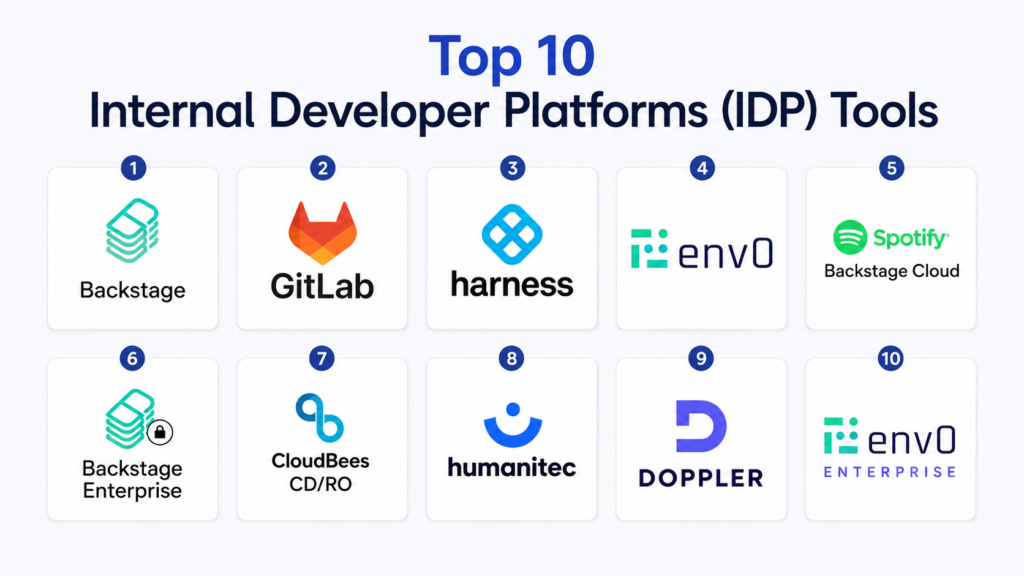
Introduction
Internal Developer Platforms (IDPs) are centralized platforms that streamline developer workflows by providing self-service access to infrastructure, CI/CD pipelines, and deployment environments. IDPs abstract complexity, automate repetitive tasks, and ensure standardization across development, testing, and production environments.In organizations are increasingly adopting microservices, hybrid cloud, and multi-platform development, making internal developer efficiency critical. IDPs accelerate release velocity, reduce operational overhead, and enhance developer productivity by centralizing workflows and automating infrastructure provisioning.
Real-world use cases include:
- Standardized deployment pipelines for microservices applications.
- Self-service provisioning of cloud environments for developers.
- Automated CI/CD pipelines for multi-team collaboration.
- Environment management for QA, staging, and production.
- Monitoring and governance of internal resources and developer access.
Evaluation criteria for buyers:
- Platform coverage for multiple clouds and on-prem environments.
- Automation of CI/CD and infrastructure provisioning.
- Developer self-service capabilities.
- Observability and monitoring integrations.
- Security, compliance, and access control.
- Scalability across teams and geographies.
- Integration with existing developer tools and workflows.
- Extensibility and API support.
- User experience and adoption ease.
- Pricing model and enterprise readiness.
Best for: DevOps teams, platform engineers, and engineering managers in mid-market and enterprise companies with complex deployment environments.
Not ideal for: Small teams with simple monolithic applications or minimal infrastructure management needs.
Key Trends in Internal Developer Platforms (IDP)
- AI-assisted automation for CI/CD and environment provisioning.
- Integration of observability and monitoring within the platform.
- Multi-cloud and hybrid cloud orchestration support.
- Enhanced security with role-based access controls and audit logging.
- Self-service developer workflows for faster deployments.
- Infrastructure-as-Code (IaC) automation and standardization.
- Collaboration features for multi-team environments.
- API-driven extensibility and integrations with existing tools.
- Usage-based and subscription pricing models.
- Metrics-driven insights for developer productivity and platform adoption.
How We Selected These Tools (Methodology)
- Evaluated market adoption and industry mindshare.
- Assessed completeness of features, including CI/CD, self-service, and observability.
- Reviewed reliability and performance signals.
- Verified security posture and compliance standards.
- Examined integration capabilities with developer and cloud ecosystems.
- Considered fit across SMB, mid-market, and enterprise organizations.
- Assessed scalability for multi-team deployment.
- Reviewed ease of onboarding, customization, and adoption.
- Analyzed cost-effectiveness relative to functionality.
- Examined support, community engagement, and documentation quality.
Top 10 Internal Developer Platforms (IDP) Tools
#1 — Backstage
Short description:
Backstage is an open-source developer portal platform designed to centralize infrastructure, services, and documentation. It provides self-service workflows for developers and integrates with CI/CD pipelines. It is ideal for organizations looking to standardize tooling and improve developer experience across large teams.
Key Features
- Self-service developer portals.
- Integration with CI/CD pipelines.
- Plugin architecture for extensibility.
- Centralized documentation and service catalog.
- Multi-cloud infrastructure support.
Pros
- Open-source with high customization potential.
- Centralizes developer workflows and resources.
Cons
- Requires engineering resources to maintain plugins.
- Enterprise support is limited without commercial backing.
Platforms / Deployment
- Web / Cloud / Hybrid
Security & Compliance
- Not publicly stated
Integrations & Ecosystem
- CI/CD tools (Jenkins, GitHub Actions)
- Cloud providers (AWS, Azure, GCP)
- Observability tools (Prometheus, Grafana)
- REST APIs for custom plugins
Support & Community
- Open-source community and forums
- Documentation, tutorials, and community plugins
#2 — GitLab
Short description:
GitLab provides an end-to-end DevOps platform including source control, CI/CD pipelines, and internal developer workflows. It enables developers to manage code, automate builds, and deploy to multiple environments. Ideal for organizations seeking a unified platform to streamline development and operations.
Key Features
- Integrated CI/CD pipelines.
- Source control and repository management.
- Environment and infrastructure provisioning.
- Automated deployments and monitoring.
- Self-service developer workflows.
Pros
- Comprehensive DevOps suite in one platform.
- Strong automation and CI/CD support.
Cons
- Can be complex for small teams to set up.
- Some advanced features require paid plans.
Platforms / Deployment
- Web / Linux / Cloud / Self-hosted
Security & Compliance
- SOC 2, GDPR, ISO 27001
Integrations & Ecosystem
- Kubernetes, Docker, Terraform
- Jira, Slack, monitoring tools
- REST API and webhooks
Support & Community
- Enterprise support tiers
- Extensive documentation and community forums
#3 — Harness
Short description:
Harness is a Continuous Delivery-as-a-Service platform that automates deployments, feature flags, and cloud provisioning. It reduces manual intervention and enhances developer productivity. Designed for mid-market and enterprise teams adopting cloud-native applications.
Key Features
- Continuous delivery automation.
- Cloud provisioning and infrastructure management.
- Feature flag management.
- Workflow visualization and audit trails.
- Multi-cloud support.
Pros
- Reduces operational overhead and manual deployment errors.
- Supports complex enterprise environments.
Cons
- Premium pricing for enterprise features.
- Learning curve for advanced workflow customization.
Platforms / Deployment
- Web / Cloud
Security & Compliance
- SOC 2, GDPR, ISO 27001
Integrations & Ecosystem
- CI/CD tools (Jenkins, GitHub Actions)
- Kubernetes, Docker, Terraform
- Monitoring and observability platforms
- REST APIs for workflow automation
Support & Community
- Enterprise support, documentation, and webinars
#4 — Env0
Short description:
Env0 is a cloud automation platform for managing Infrastructure-as-Code (IaC) deployments. It provides self-service environments, policy enforcement, and governance for developers. Ideal for cloud-native teams needing standardized, reproducible environments.
Key Features
- Self-service environment provisioning.
- IaC automation (Terraform, Pulumi).
- Policy and cost governance.
- CI/CD pipeline integration.
- Multi-cloud orchestration.
Pros
- Reduces configuration drift and deployment errors.
- Strong governance and compliance features.
Cons
- Focused primarily on cloud-native workflows.
- Enterprise-grade features require paid plans.
Platforms / Deployment
- Web / Cloud / Hybrid
Security & Compliance
- SOC 2, GDPR, encryption
Integrations & Ecosystem
- Terraform, Pulumi, Kubernetes
- CI/CD pipelines, Slack, Jira
- REST API for automation
Support & Community
- Documentation, tutorials, enterprise support
#5 — Spotify Backstage (Cloud Edition)
Short description:
Cloud-hosted Backstage provides an enterprise-grade internal developer portal with pre-integrated plugins for CI/CD, monitoring, and documentation. It simplifies developer workflows across multiple teams and environments. Ideal for organizations standardizing internal tooling and microservices catalogs.
Key Features
- Cloud-hosted developer portal.
- Plugin ecosystem for CI/CD, monitoring, and docs.
- Self-service onboarding for developers.
- Centralized service catalog.
- Multi-cloud and hybrid support.
Pros
- Rapid adoption with minimal infrastructure overhead.
- Unified developer experience across teams.
Cons
- Less control compared to self-hosted deployments.
- Enterprise features come with higher pricing.
Platforms / Deployment
- Web / Cloud
Security & Compliance
- Not publicly stated
Integrations & Ecosystem
- CI/CD pipelines, GitHub, GitLab
- Observability platforms (Prometheus, Grafana)
- REST APIs for plugin extensions
Support & Community
- Documentation, community support, enterprise assistance
#6 — Backstage Enterprise Edition
Short description:
Backstage Enterprise Edition extends the open-source Backstage platform with enterprise-level support, scalability, and security features. It includes pre-built integrations, centralized developer dashboards, and workflow automation. Suitable for large organizations managing hundreds of microservices.
Key Features
- Enterprise-grade plugin library.
- Self-service developer portals.
- CI/CD and cloud integration.
- Security and access management.
- Observability dashboards.
Pros
- Enterprise-grade reliability and support.
- Scales across large teams and microservices.
Cons
- Costly for smaller organizations.
- Setup requires coordination with internal IT teams.
Platforms / Deployment
- Web / Cloud / Hybrid
Security & Compliance
- SOC 2, ISO 27001, GDPR
Integrations & Ecosystem
- CI/CD tools, Kubernetes, Docker
- Monitoring, Slack, Jira
- REST API for workflow automation
Support & Community
- Enterprise support, documentation, knowledge base
#7 — CloudBees CD/RO
Short description:
CloudBees Continuous Delivery and Release Orchestration platform provides end-to-end pipeline automation, self-service environments, and governance. It enables developer teams to deploy software faster with reduced risk. Targeted at large-scale enterprise deployments.
Key Features
- CI/CD pipeline orchestration.
- Self-service environment provisioning.
- Policy enforcement and compliance checks.
- Release automation and visibility.
- Multi-cloud support.
Pros
- Enterprise-grade automation.
- Strong compliance and audit trails.
Cons
- Premium pricing.
- Complexity may be high for smaller teams.
Platforms / Deployment
- Web / Cloud / Hybrid
Security & Compliance
- SOC 2, ISO 27001, GDPR
Integrations & Ecosystem
- Jenkins, GitHub, GitLab
- Kubernetes, Terraform
- Observability and monitoring platforms
Support & Community
- Enterprise support and documentation
#8 — Humanitec
Short description:
Humanitec is an IDP that automates environment provisioning and CI/CD pipelines. It provides self-service developer workflows and centralized management of microservices and infrastructure. Designed for cloud-native organizations seeking internal automation.
Key Features
- Environment-as-a-service provisioning.
- CI/CD pipeline automation.
- Multi-cloud orchestration.
- Self-service workflows.
- Observability and monitoring integration.
Pros
- Streamlines developer operations.
- Reduces deployment errors.
Cons
- Limited adoption outside cloud-native organizations.
- Enterprise-level plans required for advanced features.
Platforms / Deployment
- Web / Cloud / Hybrid
Security & Compliance
- SOC 2, GDPR
Integrations & Ecosystem
- Kubernetes, Terraform, CI/CD tools
- Slack, Jira, GitHub
- REST APIs for automation
Support & Community
- Documentation, tutorials, enterprise support
#9 — Doppler
Short description:
Doppler focuses on secure configuration and secrets management within IDPs. It integrates with CI/CD pipelines and internal developer platforms to simplify environment configuration. Suitable for teams managing sensitive environments at scale.
Key Features
- Secret and configuration management.
- CI/CD integration.
- Multi-environment support.
- Audit logging and access control.
- Multi-cloud compatibility.
Pros
- Strong security for secrets and configs.
- Integrates with multiple IDP and CI/CD platforms.
Cons
- Focused on configuration management, not full workflow automation.
- Smaller feature set compared to broader IDPs.
Platforms / Deployment
- Web / Cloud / Hybrid
Security & Compliance
- SOC 2, GDPR, encryption
Integrations & Ecosystem
- CI/CD pipelines, Kubernetes, Terraform
- Slack, GitHub, Jira
- REST API for automation
Support & Community
- Documentation, enterprise support
#10 — Env0 Enterprise
Short description:
Env0 Enterprise extends the Env0 platform with additional enterprise-scale governance, multi-cloud automation, and analytics. It is designed for organizations that require robust internal developer workflow automation across complex environments.
Key Features
- Enterprise-grade IaC automation.
- Self-service provisioning for developers.
- Multi-cloud orchestration.
- Governance, auditing, and compliance.
- CI/CD integration and analytics.
Pros
- Advanced automation and governance.
- Scales for large enterprise teams.
Cons
- Enterprise pricing.
- Requires initial configuration and onboarding.
Platforms / Deployment
- Web / Cloud / Hybrid
Security & Compliance
- SOC 2, ISO 27001, GDPR
Integrations & Ecosystem
- Kubernetes, Terraform, CI/CD pipelines
- Observability tools, Slack, Jira
- REST API and webhooks
Support & Community
- Enterprise support, documentation
Comparison Table (Top 10)
| Tool Name | Best For | Platform(s) Supported | Deployment | Standout Feature | Public Rating |
|---|---|---|---|---|---|
| Backstage | Developer portals | Web / Cloud | Cloud / Hybrid | Open-source extensible portal | N/A |
| GitLab | DevOps workflows | Web / Linux | Cloud / Self-hosted | End-to-end CI/CD | N/A |
| Harness | Cloud-native teams | Web / Cloud | Cloud | Continuous Delivery automation | N/A |
| Env0 | Cloud-native teams | Web / Cloud | Cloud / Hybrid | Self-service IaC provisioning | N/A |
| Spotify Backstage Cloud | Enterprise portals | Web / Cloud | Cloud | Plugin-driven cloud portal | N/A |
| Backstage Enterprise | Large enterprises | Web / Cloud | Cloud / Hybrid | Enterprise-grade plugins | N/A |
| CloudBees CD/RO | Enterprise DevOps | Web / Cloud | Cloud / Hybrid | Release orchestration | N/A |
| Humanitec | Cloud-native orgs | Web / Cloud | Cloud / Hybrid | Environment-as-a-service | N/A |
| Doppler | Config & secrets | Web / Cloud | Cloud / Hybrid | Secrets management | N/A |
| Env0 Enterprise | Enterprise cloud | Web / Cloud | Cloud / Hybrid | Multi-cloud governance & automation | N/A |
Evaluation & Scoring of Internal Developer Platforms (IDP)
| Tool Name | Core (25%) | Ease (15%) | Integrations (15%) | Security (10%) | Performance (10%) | Support (10%) | Value (15%) | Weighted Total |
|---|---|---|---|---|---|---|---|---|
| Backstage | 9 | 8 | 8 | 8 | 9 | 8 | 8 | 8.4 |
| GitLab | 9 | 8 | 9 | 9 | 9 | 8 | 7 | 8.4 |
| Harness | 9 | 7 | 8 | 9 | 8 | 8 | 7 | 8.0 |
| Env0 | 8 | 8 | 8 | 8 | 8 | 7 | 8 | 7.9 |
| Spotify Backstage Cloud | 9 | 7 | 8 | 8 | 9 | 8 | 7 | 8.0 |
| Backstage Enterprise | 9 | 7 | 8 | 9 | 9 | 8 | 7 | 8.1 |
| CloudBees CD/RO | 9 | 7 | 8 | 9 | 9 | 8 | 7 | 8.1 |
| Humanitec | 8 | 8 | 7 | 8 | 8 | 7 | 8 | 7.8 |
| Doppler | 8 | 8 | 8 | 9 | 8 | 7 | 7 | 7.8 |
| Env0 Enterprise | 9 | 7 | 8 | 9 | 9 | 8 | 7 | 8.0 |
Interpretation: Weighted totals reflect feature completeness, integration flexibility, and enterprise readiness. Higher scores indicate better suitability for large teams and multi-cloud environments, while smaller or simpler teams may benefit from lightweight IDPs.
Which Internal Developer Platforms (IDP) Tool Is Right for You?
Solo / Freelancer
Backstage and Humanitec provide simple, open-source or cloud-native platforms suitable for small teams and independent developers.
SMB
GitLab and Env0 offer CI/CD and self-service automation for growing teams without complex enterprise overhead.
Mid-Market
Harness, Env0 Enterprise, and Spotify Backstage Cloud support scaled workflows, multi-cloud orchestration, and analytics-driven developer experiences.
Enterprise
Backstage Enterprise, CloudBees CD/RO, and Humanitec Enterprise deliver robust, secure, and governed internal platforms for large-scale DevOps and multi-team organizations.
Budget vs Premium
Backstage and GitLab are cost-effective for smaller teams; enterprise editions of Harness, Env0, and CloudBees provide advanced automation and governance at premium pricing.
Feature Depth vs Ease of Use
Enterprise IDPs offer extensive workflow automation and observability but require onboarding; open-source and SMB-focused platforms provide simpler setups.
Integrations & Scalability
Enterprise tools integrate with CI/CD pipelines, monitoring, cloud infrastructure, and developer ecosystems for scalable deployment.
Security & Compliance Needs
Enterprise editions include SOC 2, GDPR, and ISO 27001 compliance; smaller teams focus on encryption and role-based access controls.
Frequently Asked Questions (FAQs)
1. What is an internal developer platform (IDP)?
An IDP is a centralized platform enabling developers to self-serve environments, CI/CD pipelines, and deployment workflows. It abstracts infrastructure complexity, automates repetitive tasks, and standardizes processes, improving efficiency, productivity, and release velocity.
2. How much do IDPs cost?
Pricing varies depending on the platform, user volume, and features. Open-source options like Backstage have minimal licensing costs but require maintenance. Enterprise platforms like Harness, Env0 Enterprise, and CloudBees CD/RO charge subscription-based fees based on scale and premium features.
3. Are IDPs suitable for small teams?
While lightweight IDPs can benefit small teams, enterprise-grade platforms may be overkill. Small teams may start with open-source or cloud-native IDPs to gain workflow standardization without incurring high costs.
4. How do IDPs integrate with CI/CD pipelines?
Most IDPs natively integrate with CI/CD tools such as Jenkins, GitLab CI, and GitHub Actions. They allow automated build, test, and deployment pipelines to be self-serviced by developers, reducing manual intervention.
5. Can IDPs manage multi-cloud and hybrid environments?
Yes, enterprise IDPs like Env0 and CloudBees CD/RO provide orchestration across multiple cloud providers and on-prem environments, ensuring standardized deployments and governance.
6. How secure are internal developer platforms?
Enterprise IDPs include features like role-based access controls, SSO/SAML, MFA, audit logging, and encryption. SOC 2, ISO 27001, and GDPR compliance are common among commercial IDPs.
7. Do IDPs require developer training?
While basic onboarding is straightforward, fully leveraging enterprise IDP features such as automation, policy enforcement, and multi-cloud orchestration may require dedicated training and documentation review.
8. Can IDPs handle microservices architectures?
Yes, IDPs are designed to manage complex microservices deployments, automating environment provisioning, dependency management, and CI/CD workflows, making microservices easier to scale and manage.
9. How do IDPs improve developer productivity?
IDPs reduce manual infrastructure setup, streamline CI/CD pipelines, provide self-service access, and integrate observability, allowing developers to focus on feature development and innovation.
10. Can IDPs be extended with custom integrations?
Most IDPs support extensibility through REST APIs, plugins, and SDKs, allowing integration with internal tools, monitoring platforms, and custom workflows to fit organizational needs.
Conclusion
Internal Developer Platforms (IDPs) centralize development workflows, automate deployment processes, and provide self-service environments, improving developer efficiency and accelerating release velocity. Organizations should evaluate platforms based on scale, CI/CD support, multi-cloud orchestration, and security compliance. Open-source or lightweight platforms like Backstage suit smaller teams, whereas enterprise solutions like Harness, Env0 Enterprise, and CloudBees CD/RO support large-scale deployments with advanced governance and observability. Buyers should shortlist suitable platforms, pilot deployments, validate integrations, and scale internal workflows systematically.

One overlooked concern is golden-path lifecycle management. Platform templates and abstractions evolve, and breaking changes can strand existing services. Teams need versioning, migration tooling, deprecation policies, and ownership metrics to prevent platform drift.