MOTOSHARE 🚗🏍️
Rent Bikes & Cars Directly from Owners
Motoshare connects vehicle owners with people who need bikes and cars on rent. Owners earn from idle vehicles, and renters get flexible ride options.
Visit Motoshare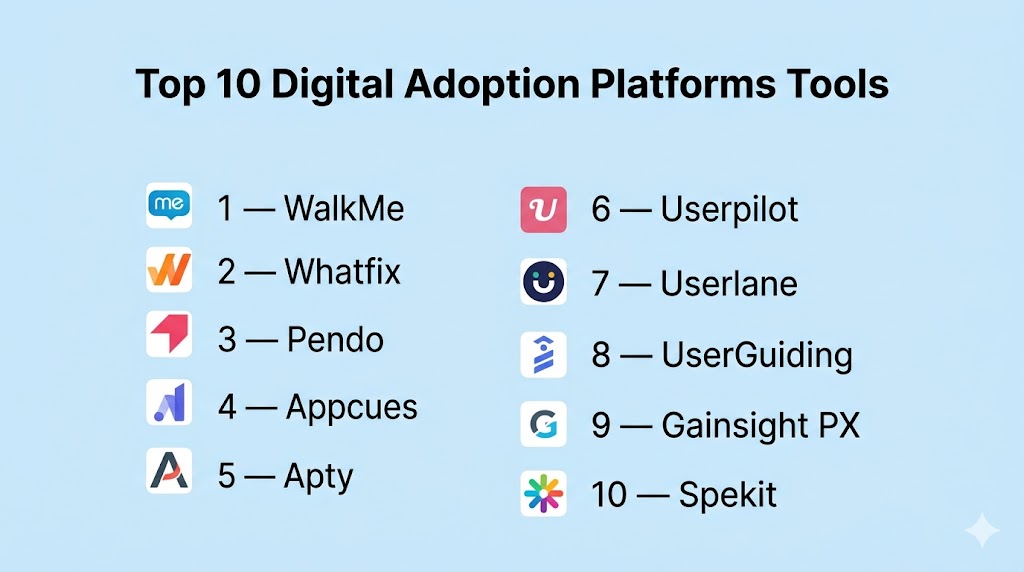
Introduction
Digital Adoption Platforms are software solutions that help users learn and successfully use digital tools directly inside the applications they already work in. Instead of relying only on manuals, training sessions, or support tickets, these platforms provide in-app walkthroughs, tooltips, checklists, self-help widgets, automation, and usage analytics.
These platforms matter because organizations invest heavily in CRM, ERP, HR, collaboration, and custom software—but software value depends on user adoption. If employees or customers struggle to use systems, productivity drops, errors increase, and return on investment declines. Digital Adoption Platforms help shorten onboarding time, improve feature adoption, reduce support demand, and guide users through complex workflows.
Real-world use cases:
- Employee onboarding for business software
- New feature adoption in SaaS products
- CRM and ERP process guidance
- Change management during software rollouts
- Customer self-service onboarding
- Compliance workflow support
- Reducing training and support costs
What buyers should evaluate:
- Ease of creating in-app guidance
- Analytics and reporting depth
- Cross-platform support
- AI and automation features
- Integration ecosystem
- Scalability
- Security controls
- Governance and permissions
- Deployment speed
- Pricing model
Best for: Product teams, IT leaders, HR teams, operations teams, customer success teams, and enterprises managing multiple software systems.
Not ideal for: Very small teams with simple software, static websites needing only documentation, or businesses that need only a traditional help center.
Key Trends in Digital Adoption Platforms
- AI copilots are improving contextual user assistance.
- No-code builders are reducing developer dependency.
- Product analytics and adoption tools are converging.
- Enterprises want support for complex systems like ERP and CRM platforms.
- Governance, permissions, and auditability are becoming more important.
- Adaptive guidance is gaining popularity where interfaces change often.
- Buyers increasingly demand measurable ROI and productivity outcomes.
- In-app support is replacing some support ticket workflows.
- Mobile and multi-device guidance is expanding.
- Pricing efficiency is a growing evaluation factor.
How We Selected These Tools (Methodology)
We selected these tools using a practical buyer-focused framework:
- Strong market presence and brand awareness
- Proven digital adoption capabilities
- Ease of implementation and administration
- Quality of analytics and measurement tools
- Innovation in AI and automation
- Integration ecosystem maturity
- Security and governance signals
- Fit across SMB, mid-market, and enterprise segments
- Customer support reputation
- Overall value relative to price and complexity
Top 10 Digital Adoption Platforms Tools
#1 — WalkMe
Short description (2–3 lines): WalkMe is one of the most established Digital Adoption Platforms for large enterprises. It focuses on in-app guidance, automation, analytics, and large-scale digital transformation initiatives.
Key Features
- Smart walkthroughs
- In-app prompts and tips
- Workflow automation
- Usage analytics
- Enterprise governance
- Cross-application guidance
- AI assistance tools
Pros
- Strong enterprise scalability
- Broad feature set
- Good fit for complex internal systems
Cons
- Heavier implementation than lighter tools
- Premium pricing
- Learning curve for administrators
Platforms / Deployment
Web / Windows / macOS / Mobile
Cloud / Hybrid
Security & Compliance
SSO/SAML, RBAC, governance features. Additional certifications vary by contract.
Integrations & Ecosystem
Strong support for enterprise ecosystems.
- SAP
- Salesforce
- Workday
- Microsoft tools
- APIs
Support & Community
Mature enterprise support ecosystem with partner network.
#2 — Whatfix
Short description (2–3 lines): Whatfix is a leading platform focused on employee onboarding, in-app training, and guided workflow adoption across enterprise applications.
Key Features
- No-code walkthrough builder
- Self-help widgets
- Contextual guidance
- Analytics dashboards
- Process training tools
- AI assistance
- Multi-app coverage
Pros
- Strong balance of power and usability
- Excellent for onboarding and training
- Broad enterprise use cases
Cons
- Premium pricing for advanced needs
- May exceed simple SMB requirements
- Complex deployments need planning
Platforms / Deployment
Web / Windows / macOS / Mobile
Cloud / Hybrid
Security & Compliance
SSO, access controls, enterprise security features.
Integrations & Ecosystem
Built for enterprise application stacks.
- CRM systems
- ERP systems
- HR platforms
- APIs
- Browser extensions
Support & Community
Strong onboarding and customer success reputation.
#3 — Pendo
Short description (2–3 lines): Pendo combines product analytics, in-app guidance, feedback, and adoption tools. It is popular with SaaS companies and product-led growth teams.
Key Features
- Product analytics
- In-app guides
- Feedback collection
- Session insights
- Feature adoption tracking
- AI insights
- Roadmapping tools
Pros
- Excellent analytics depth
- Strong for SaaS product teams
- Unified product experience platform
Cons
- Pricing may be high for small teams
- Larger deployments can be complex
- Some buyers need deeper employee training focus
Platforms / Deployment
Web / iOS / Android
Cloud
Security & Compliance
SSO, permissions, governance tools.
Integrations & Ecosystem
Strong product-tech ecosystem.
- CRM tools
- Data warehouses
- APIs
- Support tools
- Analytics stacks
Support & Community
Strong documentation and market presence.
#4 — Appcues
Short description (2–3 lines): Appcues is a no-code onboarding and product adoption platform focused on fast deployment and simple user experiences for SaaS teams.
Key Features
- No-code flows
- Checklists
- Tooltips
- NPS and feedback
- Event tracking
- Segmentation
- Rapid publishing
Pros
- Easy to launch quickly
- Strong for product onboarding
- Clean and simple UI
Cons
- Less enterprise depth
- Limited fit for complex internal systems
- Advanced analytics may require other tools
Platforms / Deployment
Web / Mobile
Cloud
Security & Compliance
Permissions, secure hosting, admin controls.
Integrations & Ecosystem
Works well in SaaS stacks.
- CRM tools
- APIs
- Analytics tools
- Customer platforms
Support & Community
Popular with startups and growth teams.
#5 — Apty
Short description (2–3 lines): Apty focuses on process compliance, workflow optimization, and measurable business outcomes in enterprise environments.
Key Features
- Process guidance
- Compliance workflows
- Real-time validation
- Adoption analytics
- Workflow optimization
- Governance controls
- Change management support
Pros
- Strong compliance use cases
- Good for structured processes
- Outcome-focused reporting
Cons
- More specialized than general onboarding tools
- Longer enterprise sales cycles
- Smaller ecosystem than top brands
Platforms / Deployment
Web / Desktop
Cloud
Security & Compliance
Enterprise permissions, governance controls, secure hosting.
Integrations & Ecosystem
Supports major enterprise systems and APIs.
Support & Community
Strong fit for structured enterprise programs.
#6 — Userpilot
Short description (2–3 lines): Userpilot helps SaaS teams improve onboarding, retention, and feature adoption through in-app experiences and user segmentation.
Key Features
- Onboarding flows
- Checklists
- Feature announcements
- Segmentation
- Surveys
- Usage analytics
- A/B testing support
Pros
- Strong for PLG teams
- Good balance of features and ease of use
- Faster deployment than enterprise-heavy tools
Cons
- Less suited for internal enterprise systems
- Smaller enterprise footprint
- Some advanced features plan-based
Platforms / Deployment
Web
Cloud
Security & Compliance
Permissions, secure hosting, admin tools.
Integrations & Ecosystem
Modern SaaS integrations.
- CRM tools
- Analytics tools
- APIs
- Support platforms
Support & Community
Popular with growth-stage SaaS teams.
#7 — Userlane
Short description (2–3 lines): Userlane offers code-free in-app guidance designed to simplify software adoption and digital transformation.
Key Features
- Step-by-step guidance
- Code-free setup
- User behavior insights
- Multi-language support
- On-demand help
- Process walkthroughs
- Adoption reporting
Pros
- Easy guidance creation
- Strong usability focus
- Good mid-market fit
Cons
- Smaller ecosystem than largest vendors
- Less analytics depth than some competitors
- Enterprise breadth may vary
Platforms / Deployment
Web
Cloud
Security & Compliance
Permissions, secure delivery, admin controls.
Integrations & Ecosystem
Supports common browser-based business apps.
Support & Community
Well-regarded in adoption use cases.
#8 — UserGuiding
Short description (2–3 lines): UserGuiding is a budget-friendly no-code platform for startups and SMBs that need onboarding without enterprise complexity.
Key Features
- Product tours
- Checklists
- Resource centers
- Surveys
- Announcements
- Segmentation
- Basic analytics
Pros
- Affordable entry point
- Easy to use
- Good for startups
Cons
- Less advanced enterprise features
- Simpler analytics
- Limited large-scale governance
Platforms / Deployment
Web
Cloud
Security & Compliance
Basic admin controls, secure hosting.
Integrations & Ecosystem
Useful for smaller SaaS stacks.
Support & Community
Good fit for growing teams.
#9 — Gainsight PX
Short description (2–3 lines): Gainsight PX focuses on product experience, customer engagement, and feature adoption with strong customer success alignment.
Key Features
- Product analytics
- In-app engagement
- Segmentation
- Journey insights
- Surveys
- Customer health signals
- Adoption reporting
Pros
- Strong customer success alignment
- Good analytics
- Useful for subscription businesses
Cons
- More product-focused than employee adoption
- Complexity can grow with scale
- Premium positioning
Platforms / Deployment
Web / Mobile
Cloud
Security & Compliance
Permissions, secure hosting, governance features.
Integrations & Ecosystem
Works well with customer success ecosystems.
Support & Community
Strong fit for SaaS revenue teams.
#10 — Spekit
Short description (2–3 lines): Spekit focuses on in-the-flow enablement, surfacing bite-sized guidance directly inside applications for faster productivity.
Key Features
- Contextual tips
- Embedded knowledge cards
- Searchable help
- Workflow guidance
- Browser support
- Analytics
- Sales enablement tools
Pros
- Great for enablement teams
- Reduces context switching
- Fast knowledge delivery
Cons
- Narrower than full DAP suites
- Less suited for large transformation programs
- Best in specific use cases
Platforms / Deployment
Web
Cloud
Security & Compliance
Permissions, secure cloud delivery, admin controls.
Integrations & Ecosystem
Strong workflow app integrations.
Support & Community
Strong fit for GTM and enablement teams.
Comparison Table (Top 10)
| Tool Name | Best For | Platform(s) Supported | Deployment | Standout Feature | Public Rating |
|---|---|---|---|---|---|
| WalkMe | Large enterprises | Web / Desktop / Mobile | Cloud / Hybrid | Enterprise transformation scale | N/A |
| Whatfix | Employee onboarding | Web / Desktop / Mobile | Cloud / Hybrid | Guided workflow training | N/A |
| Pendo | SaaS product teams | Web / Mobile | Cloud | Analytics + adoption | N/A |
| Appcues | Fast onboarding | Web / Mobile | Cloud | No-code deployment | N/A |
| Apty | Compliance workflows | Web / Desktop | Cloud | Process optimization | N/A |
| Userpilot | PLG SaaS teams | Web | Cloud | Retention + onboarding | N/A |
| Userlane | Mid-market adoption | Web | Cloud | Code-free guidance | N/A |
| UserGuiding | Startups / SMB | Web | Cloud | Affordable onboarding | N/A |
| Gainsight PX | Customer success teams | Web / Mobile | Cloud | Product engagement | N/A |
| Spekit | Enablement teams | Web | Cloud | In-app knowledge support | N/A |
Evaluation & Scoring of Digital Adoption Platforms
| Tool Name | Core (25%) | Ease (15%) | Integrations (15%) | Security (10%) | Performance (10%) | Support (10%) | Value (15%) | Weighted Total (0–10) |
|---|---|---|---|---|---|---|---|---|
| WalkMe | 9.5 | 7.2 | 9.3 | 9.2 | 9.0 | 8.8 | 6.8 | 8.5 |
| Whatfix | 9.1 | 8.2 | 8.9 | 8.9 | 8.9 | 8.8 | 7.8 | 8.6 |
| Pendo | 9.2 | 8.1 | 8.8 | 8.7 | 8.8 | 8.5 | 7.5 | 8.5 |
| Appcues | 8.0 | 9.1 | 8.0 | 8.0 | 8.5 | 8.3 | 8.4 | 8.3 |
| Apty | 8.5 | 7.8 | 7.9 | 8.7 | 8.6 | 8.1 | 7.8 | 8.2 |
| Userpilot | 8.3 | 8.8 | 8.1 | 8.0 | 8.4 | 8.2 | 8.6 | 8.4 |
| Userlane | 8.1 | 8.6 | 7.8 | 8.0 | 8.2 | 8.0 | 8.1 | 8.1 |
| UserGuiding | 7.8 | 9.0 | 7.5 | 7.8 | 8.2 | 7.9 | 9.0 | 8.2 |
| Gainsight PX | 8.6 | 7.9 | 8.7 | 8.4 | 8.6 | 8.3 | 7.4 | 8.2 |
| Spekit | 7.9 | 8.8 | 8.0 | 7.9 | 8.3 | 8.0 | 8.1 | 8.1 |
These scores are comparative benchmarks, not absolute truths. Higher totals usually reflect broader capabilities, but the best fit depends on your systems, users, budget, and internal resources.
Which Digital Adoption Platform Is Right for You?
Solo / Freelancer
Appcues or UserGuiding are practical for smaller products and lean teams.
SMB
Userpilot, Appcues, and UserGuiding offer strong value with simpler deployment.
Mid-Market
Pendo, Whatfix, and Userlane balance features and scale.
Enterprise
WalkMe, Whatfix, Pendo, and Apty fit complex environments and governance needs.
Budget vs Premium
- Budget: UserGuiding, Appcues
- Mid-range: Userpilot, Userlane
- Premium: WalkMe, Whatfix, Pendo
Feature Depth vs Ease of Use
- Easiest: Appcues, UserGuiding, Userpilot
- Deepest: WalkMe, Whatfix, Pendo
Integrations & Scalability
WalkMe, Whatfix, Pendo, and Gainsight PX stand out.
Security & Compliance Needs
Prioritize SSO, RBAC, audit logs, admin governance, and vendor security reviews.
Frequently Asked Questions (FAQs)
What is a Digital Adoption Platform?
It helps users learn software inside the application through guides, tips, automation, and analytics.
Who needs a DAP most?
Organizations rolling out complex software or trying to improve adoption and productivity.
Is a DAP only for employees?
No. Many platforms also support customer onboarding and feature adoption.
Can a DAP reduce support tickets?
Yes. Self-help widgets and guided workflows often reduce repetitive support requests.
Are DAPs difficult to implement?
Some enterprise tools require planning, while lighter tools can launch quickly.
What is the difference between a DAP and LMS?
An LMS manages structured courses, while a DAP teaches users directly inside software.
Do DAPs require coding?
Many modern tools offer no-code or low-code builders.
How do DAPs measure success?
Common metrics include adoption, completion rates, task success, time-to-value, and support reduction.
What is the biggest buying mistake?
Choosing the most feature-rich platform without matching real use cases and internal resources.
What is the best Digital Adoption Platform?
There is no universal winner. The best platform depends on users, systems, scale, and budget.
Conclusion
Digital Adoption Platforms help organizations turn software investments into real productivity gains. Some tools focus on enterprise transformation, others on product onboarding, analytics, compliance, or in-app enablement. The best choice depends on your environment, user needs, internal resources, and budget. Shortlist two or three tools, run a pilot, validate integrations and security requirements, and choose the platform that users will actually use.

One operational aspect worth considering is the long-term maintenance strategy for a Digital Adoption Platform. As SaaS applications release frequent UI updates and business workflows evolve, in-app guides can quickly become outdated unless there is a governance process to validate and refresh them. Organizations should also evaluate version control for guidance content, automated testing of walkthroughs after application updates, analytics on guide effectiveness, and ownership across product, IT, and business teams. In my experience, the success of a DAP depends less on how quickly it is deployed and more on how effectively it adapts to continuous application changes while maintaining a consistent user experience and minimizing operational overhead.