MOTOSHARE 🚗🏍️
Rent Bikes & Cars Directly from Owners
Motoshare connects vehicle owners with people who need bikes and cars on rent. Owners earn from idle vehicles, and renters get flexible ride options.
Visit Motoshare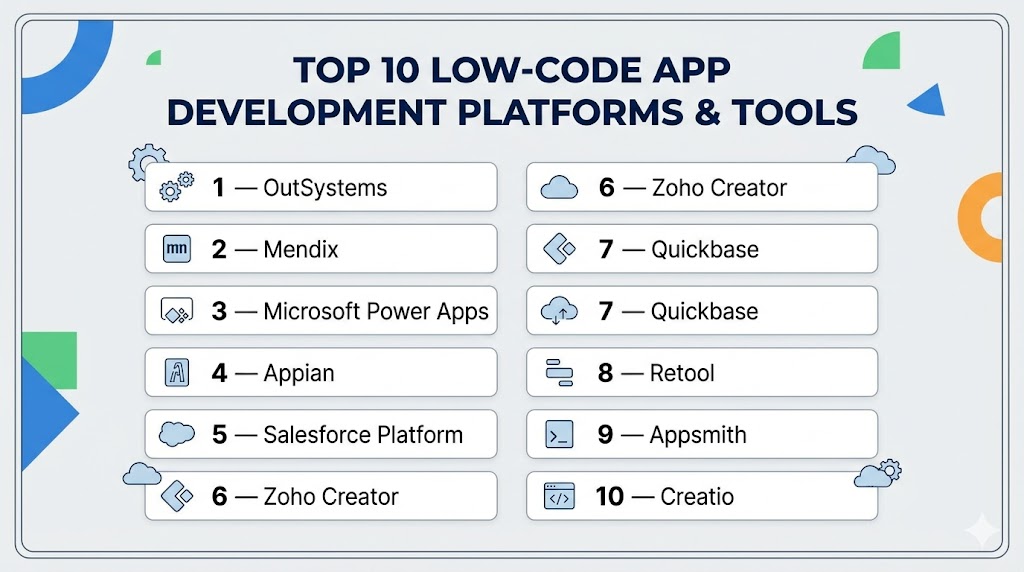
Introduction
Low-Code App Development Platforms help businesses build applications faster using visual tools, reusable components, templates, and limited hand-coding. Unlike no-code platforms, low-code tools usually support both business users and professional developers, making them ideal for more advanced use cases.
These platforms matter because companies need to digitize operations, launch apps faster, reduce backlog for engineering teams, and modernize legacy systems. Instead of spending months building from scratch, teams can deploy solutions in weeks or even days. Many modern platforms also include AI assistance, automation, governance controls, and enterprise integrations.
Common use cases include:
- Internal workflow apps
- Customer portals
- Mobile business apps
- Process automation
- Legacy modernization
- Field service apps
- Approval systems
- Enterprise dashboards
What buyers should evaluate:
- Ease of use
- Developer flexibility
- Deployment options
- Scalability
- Integration ecosystem
- Security controls
- Governance tools
- Mobile support
- Performance
- Total cost of ownership
Best for: Enterprises, IT teams, operations leaders, product teams, and growing companies that need faster development with flexibility.
Not ideal for: Very simple one-page apps, hobby projects, or highly custom systems that require full-code engineering from day one.
Key Trends in Low-Code App Development Platforms
- AI copilots are accelerating app creation and workflow design.
- More platforms now combine no-code simplicity with developer extensibility.
- Enterprise governance tools are becoming standard.
- Multi-cloud and hybrid deployment demand is increasing.
- Mobile-first development remains a major priority.
- Built-in automation reduces manual processes.
- API-first connectivity is expected by buyers.
- Reusable components speed up large-scale delivery.
- Security and audit controls are stronger than before.
- Low-code is increasingly used for legacy modernization.
How We Selected These Tools (Methodology)
We selected these platforms based on real-world buyer needs:
- Strong market recognition
- Proven enterprise or business adoption
- Feature depth and maturity
- Ease of learning and usability
- Mobile and web development capabilities
- Integration breadth
- Security and governance signals
- Performance and scalability reputation
- Support and partner ecosystem
- Overall business value
Top 10 Low-Code App Development Platforms Tools
#1 — OutSystems
Short description: One of the best-known enterprise low-code platforms for building scalable web and mobile applications with governance and automation features.
Key Features
- Visual full-stack development
- Mobile and web app support
- DevOps lifecycle tools
- AI assistance
- Governance controls
- Reusable components
- Enterprise integrations
Pros
- Excellent enterprise scalability
- Strong governance tools
- Mature ecosystem
Cons
- Premium pricing
- Learning curve for new users
- Can be more than small teams need
Platforms / Deployment
Cloud / Hybrid / Self-hosted
Security & Compliance
SSO, RBAC, enterprise security controls, audit features available.
Integrations & Ecosystem
Strong enterprise connectivity.
- APIs
- ERP systems
- Identity tools
- Databases
- Marketplace extensions
Support & Community
Global partner ecosystem, enterprise support, and training resources.
#2 — Mendix
Short description: A leading collaborative low-code platform designed for enterprise teams building apps across departments and business units.
Key Features
- Visual development studio
- Workflow automation
- Team collaboration
- Multi-cloud deployment
- Reusable modules
- Mobile support
- Governance tools
Pros
- Strong collaboration features
- Flexible deployment models
- Enterprise-ready platform
Cons
- Higher pricing tiers
- More complex than SMB tools
- Requires planning for large rollouts
Platforms / Deployment
Cloud / Hybrid / Self-hosted
Security & Compliance
Enterprise access controls, governance tools, audit capabilities.
Integrations & Ecosystem
Broad enterprise integrations.
- SAP
- CRM systems
- APIs
- Databases
Support & Community
Strong training, documentation, and enterprise support.
#3 — Microsoft Power Apps
Short description: A popular low-code platform deeply integrated with Microsoft business tools and ideal for internal business applications.
Key Features
- Drag-and-drop builder
- 1000+ connectors
- Workflow automation
- AI features
- Mobile apps
- Data integrations
- Governance policies
Pros
- Excellent Microsoft ecosystem fit
- Strong automation options
- Good for internal apps
Cons
- Licensing complexity
- Best value inside Microsoft stack
- UI flexibility can vary
Platforms / Deployment
Cloud / Hybrid
Security & Compliance
SSO, admin controls, enterprise governance, security policies.
Integrations & Ecosystem
Excellent business ecosystem.
- Microsoft 365
- Teams
- Azure
- Dataverse
- Dynamics
Support & Community
Very large user base and learning resources.
#4 — Appian
Short description: A business process-focused low-code platform strong in workflow automation, case management, and enterprise operations.
Key Features
- Process automation
- Workflow designer
- Case management
- Data fabric tools
- AI features
- Governance controls
- Mobile apps
Pros
- Excellent for operations workflows
- Strong process management
- Enterprise-grade controls
Cons
- Premium pricing
- More process-focused than design-focused
- Smaller fit for startups
Platforms / Deployment
Cloud / Hybrid / Self-hosted
Security & Compliance
Enterprise controls, permissions, audit tools available.
Integrations & Ecosystem
Strong enterprise operations integrations.
- APIs
- ERP systems
- Databases
- Identity systems
Support & Community
Professional support and enterprise onboarding.
#5 — Salesforce Platform
Short description: A strong choice for companies already using Salesforce and needing custom apps, portals, and workflow extensions.
Key Features
- CRM-native app building
- Workflow automation
- Portal creation
- App marketplace
- AI tools
- Security controls
- Reporting tools
Pros
- Excellent for Salesforce users
- Mature ecosystem
- Strong CRM workflows
Cons
- Best inside Salesforce ecosystem
- Pricing can grow quickly
- Complex licensing models
Platforms / Deployment
Cloud
Security & Compliance
Enterprise identity controls, permissions, governance features.
Integrations & Ecosystem
Large ecosystem.
- Salesforce apps
- APIs
- CRM data
- Third-party connectors
Support & Community
Massive community and partner network.
#6 — Zoho Creator
Short description: A business-friendly low-code builder for SMBs needing custom apps, forms, workflows, and business automation.
Key Features
- App builder
- Forms
- Reports
- Workflow automation
- Mobile apps
- Integrations
- AI assistance
Pros
- Good SMB value
- Broad business features
- Easier than enterprise-heavy tools
Cons
- Deep enterprise scale varies
- Advanced UI customization can vary
- Best value in Zoho ecosystem
Platforms / Deployment
Cloud
Security & Compliance
Permissions and admin controls available.
Integrations & Ecosystem
Strong SMB ecosystem.
- Zoho apps
- CRM tools
- Accounting tools
- APIs
Support & Community
Good documentation and business support.
#7 — Quickbase
Short description: A practical low-code platform for operations teams needing project tracking, workflow apps, and process visibility.
Key Features
- Custom business apps
- Dashboards
- Workflow automation
- Data management
- Reporting
- Templates
- Collaboration tools
Pros
- Great for operations teams
- Fast deployment
- Strong reporting use cases
Cons
- UI may feel dated to some users
- Less ideal for consumer apps
- Complex engineering apps may outgrow it
Platforms / Deployment
Cloud
Security & Compliance
Business-grade permissions and admin controls.
Integrations & Ecosystem
Useful business integrations.
- Project tools
- CRM tools
- APIs
- Databases
Support & Community
Helpful support and onboarding resources.
#8 — Retool
Short description: A developer-friendly low-code platform focused on internal tools, admin panels, dashboards, and workflow apps.
Key Features
- Internal tool builder
- SQL and API connectors
- Components library
- Workflow automation
- Permission controls
- Self-hosting options
- Custom scripting
Pros
- Excellent for internal apps
- Strong developer flexibility
- Fast deployment
Cons
- Less ideal for consumer apps
- More technical than citizen tools
- Design freedom centered on utility apps
Platforms / Deployment
Cloud / Self-hosted
Security & Compliance
Permissions, enterprise controls, deployment flexibility.
Integrations & Ecosystem
Strong engineering connectivity.
- Databases
- APIs
- Internal systems
- Cloud tools
Support & Community
Strong docs and growing community.
#9 — Appsmith
Short description: An open-source low-code platform for internal dashboards, workflows, and admin systems with self-hosting flexibility.
Key Features
- Open-source platform
- Self-hosted deployment
- Database connectors
- APIs
- Custom widgets
- Internal apps
- Automation tools
Pros
- Great ownership and control
- Good for technical teams
- Open-source advantage
Cons
- More technical setup
- Smaller ecosystem than giants
- Consumer apps less suitable
Platforms / Deployment
Cloud / Self-hosted
Security & Compliance
Depends on deployment and configuration.
Integrations & Ecosystem
Strong internal systems focus.
- APIs
- Databases
- Internal tools
Support & Community
Growing open-source community.
#10 — Creatio
Short description: A workflow and CRM-focused low-code platform combining automation, customer processes, and business application delivery.
Key Features
- Workflow automation
- CRM tools
- Low-code app builder
- Process management
- AI assistance
- Dashboards
- Integrations
Pros
- Strong customer process focus
- Good automation capabilities
- Enterprise-ready use cases
Cons
- Best for process-heavy teams
- Less known than biggest brands
- Pricing varies by setup
Platforms / Deployment
Cloud / Hybrid
Security & Compliance
Enterprise-grade controls available.
Integrations & Ecosystem
Useful for sales and service teams.
- CRM systems
- APIs
- Databases
- Automation tools
Support & Community
Professional onboarding and support options.
Comparison Table (Top 10)
| Tool Name | Best For | Platform(s) Supported | Deployment | Standout Feature | Public Rating |
|---|---|---|---|---|---|
| OutSystems | Enterprise apps | Web, Mobile | Hybrid | Governance + scale | N/A |
| Mendix | Team app delivery | Web, Mobile | Hybrid | Collaboration | N/A |
| Power Apps | Internal business apps | Web, Mobile | Cloud | Microsoft integrations | N/A |
| Appian | Process automation | Web, Mobile | Hybrid | Workflow strength | N/A |
| Salesforce Platform | CRM extensions | Web | Cloud | CRM ecosystem | N/A |
| Zoho Creator | SMB custom apps | Web, Mobile | Cloud | SMB value | N/A |
| Quickbase | Operations apps | Web | Cloud | Fast business apps | N/A |
| Retool | Internal tools | Web | Hybrid | Developer speed | N/A |
| Appsmith | Open-source tools | Web | Hybrid | Self-hosting | N/A |
| Creatio | Customer workflows | Web | Hybrid | CRM + low-code | N/A |
Evaluation & Scoring of Low-Code App Development Platforms
| Tool Name | Core | Ease | Integrations | Security | Performance | Support | Value | Weighted Total |
|---|---|---|---|---|---|---|---|---|
| OutSystems | 10 | 6 | 9 | 9 | 9 | 9 | 6 | 8.4 |
| Mendix | 9 | 7 | 9 | 9 | 9 | 8 | 6 | 8.2 |
| Power Apps | 9 | 8 | 10 | 9 | 8 | 9 | 8 | 8.8 |
| Appian | 9 | 7 | 8 | 9 | 9 | 8 | 6 | 8.0 |
| Salesforce Platform | 9 | 7 | 9 | 9 | 8 | 9 | 7 | 8.3 |
| Zoho Creator | 8 | 8 | 8 | 8 | 8 | 8 | 9 | 8.1 |
| Quickbase | 8 | 8 | 7 | 8 | 8 | 8 | 8 | 7.9 |
| Retool | 8 | 7 | 9 | 8 | 8 | 8 | 8 | 8.0 |
| Appsmith | 8 | 7 | 8 | 8 | 8 | 7 | 9 | 7.9 |
| Creatio | 8 | 7 | 8 | 8 | 8 | 8 | 7 | 7.8 |
These scores are comparative, not universal.
Higher totals indicate stronger balance across common business priorities.
Some buyers value simplicity, others value governance or scalability.
Always match the platform to your real use case and growth plans.
Which Low-Code App Development Platforms Tool Is Right for You?
Solo / Freelancer
Zoho Creator or Retool can be practical depending on your use case.
SMB
Power Apps, Zoho Creator, Quickbase, and Creatio offer strong value.
Mid-Market
Mendix, Retool, and Power Apps balance flexibility with growth potential.
Enterprise
OutSystems, Mendix, Appian, and Salesforce Platform are strong options.
Budget vs Premium
Budget tools help teams move fast. Premium tools offer stronger governance and scale.
Feature Depth vs Ease of Use
Simple tools launch faster. Advanced tools handle more complex requirements.
Integrations & Scalability
Review APIs, data sources, and deployment flexibility before choosing.
Security & Compliance Needs
Prioritize admin controls, audit logs, SSO, permissions, and governance tools.
Frequently Asked Questions (FAQs)
1. What is a low-code platform?
A low-code platform lets users build applications using visual tools with limited manual coding.
2. How is low-code different from no-code?
Low-code usually allows more customization and developer involvement than no-code.
3. Are low-code platforms enterprise-ready?
Yes. Many are built specifically for enterprise security, scale, and governance.
4. Which low-code platform is best for Microsoft users?
Microsoft Power Apps is often the strongest fit inside that ecosystem.
5. Can I build mobile apps with low-code tools?
Yes. Many platforms support responsive web apps or native mobile apps.
6. Are these platforms secure?
Many include permissions, admin tools, and enterprise controls.
7. How much do low-code platforms cost?
Costs range from free entry plans to enterprise pricing.
8. Can developers still write code?
Yes. Most low-code tools allow custom code, scripts, or integrations.
9. Are low-code apps scalable?
Many platforms are designed for production-grade scaling.
10. How do I choose the right platform?
Start with your use case, integrations, budget, and governance needs.
Conclusion
Low-Code App Development Platforms help businesses build faster without sacrificing flexibility. Some tools focus on enterprise scale, others on internal productivity, and others on rapid business automation. There is no single best option for everyone. The right choice depends on your team, budget, technical needs, and long-term roadmap. Shortlist two or three platforms, run a pilot, validate integrations and security needs, then commit with confidence.

A valuable addition would be evaluating low-code platforms from a software lifecycle perspective rather than just development speed. As applications become mission-critical, organizations need capabilities such as Git-based version control, automated testing, CI/CD integration, environment promotion, dependency management, and comprehensive observability. It’s equally important to assess how the platform handles vendor lock-in, application portability, and governance when multiple citizen developers and engineering teams collaborate. These operational considerations often determine whether a low-code solution remains sustainable in production or eventually becomes difficult to maintain and scale.