MOTOSHARE 🚗🏍️
Rent Bikes & Cars Directly from Owners
Motoshare connects vehicle owners with people who need bikes and cars on rent. Owners earn from idle vehicles, and renters get flexible ride options.
Visit Motoshare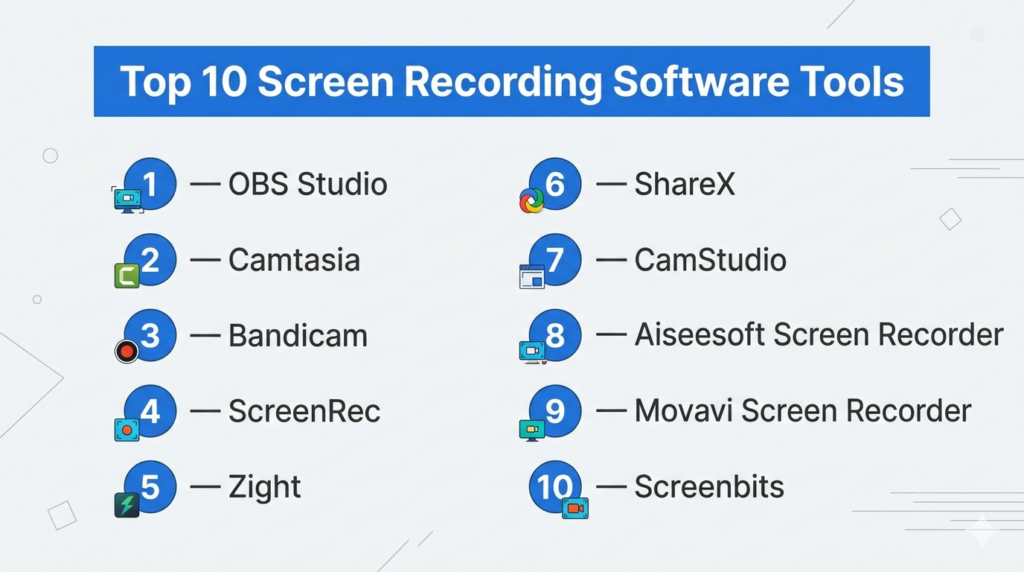
Introduction
Screen recording software allows users to capture everything happening on their computer screen—video, audio, and sometimes webcam input—into shareable files. In simple terms, it’s like a camera for your screen, widely used for tutorials, demos, gaming, and remote collaboration.
With the rise of online learning, content creation, and remote work, screen recorders have evolved into powerful tools offering HD/4K recording, real-time annotations, AI transcription, and instant sharing. Some tools even combine recording with editing, making them all-in-one content creation platforms.
Common use cases include:
- Creating video tutorials and online courses
- Recording gameplay or live streams
- Capturing webinars and meetings
- Product demos and software walkthroughs
- Bug reporting and internal documentation
Key evaluation criteria buyers should consider:
- Recording quality (HD/4K, FPS support)
- Audio capture (system + microphone)
- Ease of use and setup
- Editing and annotation tools
- File formats and export options
- Performance and system impact
- Webcam overlay support
- Automation (scheduled recording)
- Sharing and collaboration features
- Pricing and licensing
Best for: Content creators, educators, developers, gamers, marketers, and remote teams needing visual communication tools.
Not ideal for: Users who need full video production suites or advanced cinematic editing—those are better handled by video editing software.
Key Trends in Screen Recording Software
- AI-assisted recording: Auto captions, summaries, and highlights
- Lightweight tools: Minimal CPU usage for smoother performance
- Cloud sharing workflows: Instant link-based sharing after recording
- 4K and high FPS recording: Supporting high-quality gameplay and tutorials
- Integrated editing: Built-in trimming and annotation tools
- Browser-based recording: No installation required
- Multi-source capture: Screen + webcam + audio simultaneously
- Automation features: Scheduled recording and hotkeys
- Cross-platform compatibility: Windows, macOS, Linux, and mobile
- Open-source growth: Free tools becoming highly capable
How We Selected These Tools (Methodology)
- Evaluated market adoption across creators, educators, and businesses
- Assessed core recording capabilities and output quality
- Reviewed ease of use vs advanced customization
- Considered performance and system efficiency
- Evaluated editing and annotation features
- Reviewed integration capabilities and sharing workflows
- Assessed platform compatibility (desktop, web, mobile)
- Considered community support and documentation
- Evaluated pricing flexibility (free vs paid)
- Included a mix of open-source, beginner-friendly, and professional tools
Top 10 Screen Recording Software Tools
#1 — OBS Studio
Short description: A powerful open-source screen recording and streaming tool widely used by professionals and creators.
Key Features
- Multi-source recording (screen, webcam, audio)
- Scene-based recording and transitions
- High-performance real-time capture
- Plugin ecosystem
- Customizable layouts
- Cross-platform support
- Recording and streaming
Pros
- Completely free and open-source
- Highly flexible and powerful
- Large community support
Cons
- Steep learning curve
- No built-in editing
Platforms / Deployment
Windows / macOS / Linux — Self-hosted
Security & Compliance
Not publicly stated
Integrations & Ecosystem
- Plugins and extensions
- Streaming platforms
- Audio filters and tools
Support & Community
Very large global community with extensive resources.
#2 — Camtasia
Short description: An all-in-one screen recorder and video editor designed for professional tutorials and courses.
Key Features
- Screen recording + video editing
- Drag-and-drop editor
- Annotations and effects
- Cursor tracking
- Templates and assets
- Audio editing
- Export options
Pros
- Excellent for tutorials
- Easy editing workflow
Cons
- Paid software
- Resource-heavy
Platforms / Deployment
Windows / macOS — Self-hosted
Security & Compliance
Not publicly stated
Integrations & Ecosystem
- Content creation tools
- Media libraries
Support & Community
Strong professional user base.
#3 — Bandicam
Short description: A lightweight screen recorder focused on high-performance recording and gaming capture.
Key Features
- High compression recording
- 4K UHD and high FPS support
- Webcam overlay
- Scheduled recording
- Real-time drawing
- Audio mixing
- Game recording mode
Pros
- Excellent performance
- High-quality output
Cons
- Windows-only
- Watermark in free version
Platforms / Deployment
Windows — Self-hosted
Security & Compliance
Not publicly stated
Integrations & Ecosystem
- Game capture tools
- Video editing tools
Support & Community
Large user base with strong adoption.
#4 — ScreenRec
Short description: A lightweight screen recorder focused on simplicity and instant sharing.
Key Features
- Instant sharing via link
- No watermark or time limits
- Webcam and audio recording
- Lightweight performance
- Cloud storage
- Quick setup
Pros
- Very easy to use
- Free and fast
Cons
- Limited editing features
- Fewer advanced controls
Platforms / Deployment
Windows / macOS / Linux — Cloud / Self-hosted
Security & Compliance
Not publicly stated
Integrations & Ecosystem
- Cloud sharing
- Collaboration tools
Support & Community
Growing user base.
#5 — Zight
Short description: A modern screen recording tool designed for business communication and quick sharing.
Key Features
- Screen + webcam recording
- Instant sharing
- AI transcription
- Annotation tools
- Cross-platform support
- Video messaging
Pros
- Great for teams
- Fast sharing workflow
Cons
- Limited advanced recording features
- Requires internet for full functionality
Platforms / Deployment
Web / Windows / macOS / iOS — Cloud
Security & Compliance
Not publicly stated
Integrations & Ecosystem
- Collaboration tools
- Communication platforms
Support & Community
Business-focused support.
#6 — ShareX
Short description: A free and open-source screen capture and recording tool known for automation and customization.
Key Features
- Screen recording and GIF capture
- Automation workflows
- Custom hotkeys
- File sharing
- Screenshot tools
- Lightweight performance
Pros
- Free with no limitations
- Highly customizable
Cons
- Complex interface
- Windows-only
Platforms / Deployment
Windows — Self-hosted
Security & Compliance
Not publicly stated
Integrations & Ecosystem
- File sharing tools
- Automation workflows
Support & Community
Active open-source community.
#7 — CamStudio
Short description: A simple and free screen recording tool suitable for basic use cases.
Key Features
- Region and full-screen capture
- High-quality video codecs
- Audio recording
- Simple interface
- Lightweight
Pros
- Free and easy to use
- Minimal system requirements
Cons
- Limited features
- Outdated interface
Platforms / Deployment
Windows — Self-hosted
Security & Compliance
Not publicly stated
Integrations & Ecosystem
- Basic workflows
Support & Community
Small but dedicated user base.
#8 — Aiseesoft Screen Recorder
Short description: A feature-rich screen recorder with strong audio and video capture capabilities.
Key Features
- HD video recording
- Audio recording
- Cursor highlighting
- Multiple output formats
- Webcam capture
- Window lock recording
Pros
- High-quality output
- Flexible recording options
Cons
- Paid features
- Less intuitive UI
Platforms / Deployment
Windows / macOS — Self-hosted
Security & Compliance
Not publicly stated
Integrations & Ecosystem
- Media tools
- Export options
Support & Community
Moderate support availability.
#9 — Movavi Screen Recorder
Short description: A beginner-friendly screen recorder with built-in editing and scheduling features.
Key Features
- Scheduled recording
- Screen + webcam capture
- Editing tools
- Export presets
- Audio capture
- Simple UI
Pros
- Easy to use
- Good for beginners
Cons
- Paid software
- Limited advanced features
Platforms / Deployment
Windows / macOS — Self-hosted
Security & Compliance
Not publicly stated
Integrations & Ecosystem
- Video editing tools
- Export workflows
Support & Community
Beginner-focused support.
#10 — Screenbits
Short description: A modern screen recorder offering high-quality recording with performance optimization.
Key Features
- HD and 4K recording
- Multi-display support
- Audio capture
- Adjustable resolution
- High FPS recording
- Efficient compression
Pros
- High performance
- Good quality output
Cons
- Limited ecosystem
- Less known tool
Platforms / Deployment
Windows — Self-hosted
Security & Compliance
Not publicly stated
Integrations & Ecosystem
- Basic integrations
Support & Community
Smaller but growing community.
Comparison Table (Top 10)
| Tool Name | Best For | Platform(s) Supported | Deployment | Standout Feature | Public Rating |
|---|---|---|---|---|---|
| OBS Studio | Advanced users | Win/macOS/Linux | Self-hosted | Open-source flexibility | N/A |
| Camtasia | Tutorials | Win/macOS | Self-hosted | Built-in editor | N/A |
| Bandicam | Gaming | Windows | Self-hosted | High FPS recording | N/A |
| ScreenRec | Quick sharing | Cross-platform | Cloud/Self-hosted | Instant sharing | N/A |
| Zight | Business teams | Web/Desktop | Cloud | AI transcription | N/A |
| ShareX | Developers | Windows | Self-hosted | Automation | N/A |
| CamStudio | Basic use | Windows | Self-hosted | Simplicity | N/A |
| Aiseesoft | Flexible capture | Win/macOS | Self-hosted | Multi-format output | N/A |
| Movavi | Beginners | Win/macOS | Self-hosted | Easy UI | N/A |
| Screenbits | Performance | Windows | Self-hosted | High FPS | N/A |
Evaluation & Scoring of Screen Recording Software
| Tool Name | Core | Ease | Integrations | Security | Performance | Support | Value | Weighted Total |
|---|---|---|---|---|---|---|---|---|
| OBS Studio | 10 | 6 | 9 | 6 | 10 | 10 | 10 | 9.1 |
| Camtasia | 9 | 9 | 8 | 6 | 9 | 9 | 7 | 8.6 |
| Bandicam | 9 | 8 | 8 | 6 | 10 | 8 | 8 | 8.7 |
| ScreenRec | 8 | 10 | 7 | 6 | 8 | 7 | 10 | 8.5 |
| Zight | 8 | 9 | 8 | 6 | 8 | 8 | 8 | 8.2 |
| ShareX | 8 | 7 | 8 | 6 | 9 | 8 | 10 | 8.3 |
| CamStudio | 6 | 9 | 5 | 6 | 7 | 6 | 9 | 7.0 |
| Aiseesoft | 8 | 8 | 7 | 6 | 9 | 7 | 8 | 8.0 |
| Movavi | 8 | 9 | 7 | 6 | 8 | 8 | 7 | 7.9 |
| Screenbits | 7 | 8 | 6 | 6 | 9 | 6 | 7 | 7.5 |
How to interpret these scores:
- Scores are comparative within this category
- Core features carry the highest weight
- Higher scores indicate stronger overall capability
- Security reflects publicly available disclosures
- Value reflects cost vs feature balance
Which Screen Recording Software Is Right for You?
Solo / Freelancer
- Best: ScreenRec, ShareX
- Focus on ease of use and cost
SMB
- Best: Camtasia, Movavi
- Balanced editing and usability
Mid-Market
- Best: Bandicam, Zight
- Performance and collaboration
Enterprise
- Best: Camtasia, Zight
- Professional workflows
Budget vs Premium
- Budget: OBS Studio, ShareX
- Premium: Camtasia
Feature Depth vs Ease of Use
- Easy: ScreenRec, Movavi
- Advanced: OBS Studio
Integrations & Scalability
- Strongest: OBS Studio, Zight
Security & Compliance Needs
- Most tools do not publicly disclose certifications; validate internally
Frequently Asked Questions (FAQs)
What is screen recording software?
It is software used to capture your screen activity as a video.
Which tool is best for beginners?
ScreenRec and Movavi are easy to start with.
Is there free screen recording software?
Yes, OBS Studio and ShareX are free and widely used.
Can I record audio with screen recording?
Yes, most tools support system and microphone audio.
What is the best tool for gaming?
Bandicam and OBS Studio are popular for gaming.
Do I need editing tools?
Some tools include editing, but advanced editing may require separate software.
Can I record webinars?
Yes, most tools support recording live sessions.
What formats are supported?
Common formats include MP4, AVI, and MOV.
Does screen recording affect performance?
Yes, especially at high resolutions or FPS.
Can I share recordings instantly?
Some tools offer instant sharing via cloud links.
Conclusion
Screen recording software has become essential for content creation, communication, and productivity. From powerful open-source tools like OBS Studio to beginner-friendly solutions like ScreenRec and Movavi, there is a wide range of options available.

One consideration that often gets missed in screen recording discussions is the operational impact of storing and managing video content over time. Teams creating training material, product demos, or troubleshooting recordings can quickly accumulate hundreds of gigabytes of data, making retention policies, searchability, and version management just as important as recording quality. Choosing a tool that integrates well with documentation platforms and knowledge bases can prevent video libraries from becoming difficult to maintain as organizations grow.