MOTOSHARE 🚗🏍️
Rent Bikes & Cars Directly from Owners
Motoshare connects vehicle owners with people who need bikes and cars on rent. Owners earn from idle vehicles, and renters get flexible ride options.
Visit Motoshare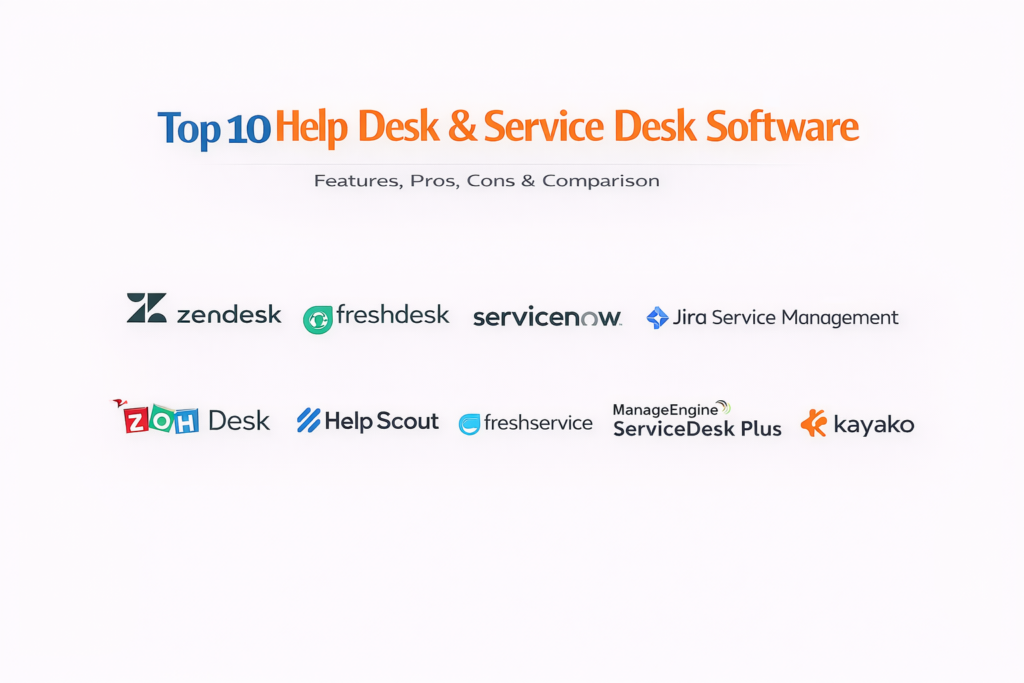
Introduction
If your business deals with customers—or even internal teams—then your support system is either your biggest strength… or your biggest bottleneck.
That’s where Help Desk and Service Desk software come in.
These platforms are not just about managing tickets. They are about controlling chaos. Every support request, complaint, incident, or task flows through this system. And the better your system is, the faster your team moves, the happier your users become, and the more efficient your operations run.
Here’s the reality: customers don’t tolerate slow responses anymore. Internal teams don’t want to wait hours for IT support. Businesses that still rely on emails, spreadsheets, or disconnected tools quickly fall behind.
Modern help desk and service desk platforms solve this by creating a centralized, automated, and intelligent support engine. They track issues, prioritize requests, automate workflows, and give teams full visibility into what’s happening—at all times.
Common Use Cases
- Customer support and ticket management at scale
- Internal IT support and service requests
- Incident, problem, and change management
- SLA tracking and performance monitoring
- Self-service portals and knowledge base management
What Buyers Should Evaluate
- Ticketing system flexibility and automation
- Multi-channel support (email, chat, voice, social)
- SLA and escalation management
- Integration with CRM, IT tools, and workflows
- Knowledge base and self-service capabilities
- Reporting and analytics depth
- Scalability across teams and departments
- Security and compliance readiness
- Ease of onboarding and usability
- Total cost vs long-term value
Best for: Customer support teams, IT departments, SaaS companies, enterprises, and fast-growing businesses that need structured support operations.
Not ideal for: Very small teams with minimal support needs or businesses that rely only on informal communication tools.
Key Trends in Help Desk & Service Desk Software
- AI-powered ticket routing and automation reducing manual effort
- Self-service portals significantly cutting ticket volume
- Omnichannel support becoming a baseline expectation
- Automation-first workflows replacing manual processes
- Low-code customization enabling faster setup
- Proactive support using analytics and alerts
- Unified platforms merging help desk + ITSM capabilities
- Remote-first support environments becoming standard
- Real-time dashboards driving performance visibility
- Integration-first ecosystems connecting business tools seamlessly
How We Selected These Tools (Methodology)
- Focused on tools with strong adoption and proven reliability
- Evaluated ticketing, automation, and workflow capabilities
- Assessed ease of use vs feature depth
- Reviewed real-world performance and scalability
- Considered security posture and enterprise readiness
- Analyzed integration ecosystems and APIs
- Included tools for SMBs, mid-market, and enterprise teams
- Balanced advanced functionality with usability
- Prioritized platforms that improve operational efficiency
Top 10Help Desk & Service Desk Software Tools
#1 — Zendesk
Short description: A powerful, scalable help desk platform built for teams that need structured, high-volume support operations.
Key Features
- Advanced ticketing system
- Omnichannel support
- Automation and triggers
- Knowledge base
- SLA management
- Analytics dashboards
Pros
- Extremely scalable
- Mature ecosystem
Cons
- Pricing increases quickly
- Customization can get complex
Platforms / Deployment
Web / Mobile
Cloud
Security & Compliance
Not publicly stated
Integrations & Ecosystem
Zendesk acts as a central hub for customer support operations.
- CRM tools
- Communication platforms
- APIs
Support & Community
Large global community with strong documentation.
#2 — Freshdesk
Short description: A clean, easy-to-use help desk platform ideal for teams that want fast setup without complexity.
Key Features
- Ticket management
- Automation workflows
- Omnichannel support
- Knowledge base
- Reporting tools
Pros
- Easy onboarding
- Good value for SMBs
Cons
- Limited enterprise depth
- Advanced features require upgrades
Platforms / Deployment
Web / Mobile
Cloud
Security & Compliance
Not publicly stated
Integrations & Ecosystem
- CRM tools
- APIs
Support & Community
Strong SMB support ecosystem.
#3 — ServiceNow
Short description: A full-scale service desk platform built for enterprise IT operations and complex workflows.
Key Features
- ITSM workflows
- Incident and change management
- Asset tracking
- Automation
- Analytics
Pros
- Enterprise-grade capabilities
- Highly customizable
Cons
- Complex implementation
- High cost
Platforms / Deployment
Web
Cloud
Security & Compliance
Not publicly stated
Integrations & Ecosystem
- Enterprise systems
- APIs
Support & Community
Enterprise-level support network.
#4 — Jira Service Management
Short description: A powerful service desk tool designed for IT teams and DevOps workflows.
Key Features
- Ticketing system
- Incident tracking
- SLA management
- Automation
- Dev tool integration
Pros
- Strong for IT teams
- Flexible workflows
Cons
- Learning curve
- Not beginner-friendly
Platforms / Deployment
Web
Cloud
Security & Compliance
Not publicly stated
Integrations & Ecosystem
- Development tools
- APIs
Support & Community
Large global user base.
#5 — Zoho Desk
Short description: A cost-effective help desk platform offering strong automation and analytics features.
Key Features
- Ticketing system
- Workflow automation
- Analytics dashboards
- Omnichannel support
- Knowledge base
Pros
- Affordable pricing
- Balanced feature set
Cons
- UI could improve
- Limited enterprise features
Platforms / Deployment
Web / Mobile
Cloud
Security & Compliance
Not publicly stated
Integrations & Ecosystem
- Zoho ecosystem
- APIs
Support & Community
Moderate support resources.
#6 — Help Scout
Short description: A lightweight help desk tool focused on delivering simple, customer-friendly support experiences.
Key Features
- Shared inbox
- Knowledge base
- Customer profiles
- Automation
- Reporting
Pros
- Clean interface
- Easy to use
Cons
- Limited scalability
- Fewer advanced features
Platforms / Deployment
Web
Cloud
Security & Compliance
Not publicly stated
Integrations & Ecosystem
- CRM tools
- APIs
Support & Community
Strong documentation.
#7 — Freshservice
Short description: A modern IT service management platform built for internal service teams.
Key Features
- ITSM workflows
- Asset management
- Incident tracking
- Automation
- Analytics
Pros
- Strong IT capabilities
- Easy onboarding
Cons
- Limited deep customization
- Pricing tiers
Platforms / Deployment
Web / Mobile
Cloud
Security & Compliance
Not publicly stated
Integrations & Ecosystem
- IT tools
- APIs
Support & Community
Reliable support.
#8 — ManageEngine ServiceDesk Plus
Short description: A feature-rich service desk platform with strong IT asset management capabilities.
Key Features
- Incident management
- Asset tracking
- Workflow automation
- Reporting
- SLA tracking
Pros
- Feature-rich
- Strong IT focus
Cons
- Complex interface
- Setup effort
Platforms / Deployment
Web
Cloud / On-premise
Security & Compliance
Not publicly stated
Integrations & Ecosystem
- IT tools
- APIs
Support & Community
Enterprise support.
#9 — HubSpot Service Hub
Short description: A service platform tightly integrated with CRM workflows for customer-centric teams.
Key Features
- Ticketing
- CRM integration
- Automation
- Knowledge base
- Reporting
Pros
- Strong CRM integration
- Easy to use
Cons
- Limited advanced features
- Ecosystem dependency
Platforms / Deployment
Web
Cloud
Security & Compliance
Not publicly stated
Integrations & Ecosystem
- CRM tools
- APIs
Support & Community
Strong community.
#10 — Kayako
Short description: A unified support platform designed to manage conversations across multiple channels.
Key Features
- Ticketing system
- Live chat
- Help center
- Automation
- Reporting
Pros
- Unified communication
- Easy to manage
Cons
- Limited scalability
- Feature depth
Platforms / Deployment
Web
Cloud
Security & Compliance
Not publicly stated
Integrations & Ecosystem
- Communication tools
- APIs
Support & Community
Moderate support.
Comparison Table (Top 10)
| Tool Name | Best For | Platform(s) Supported | Deployment | Standout Feature | Public Rating |
|---|---|---|---|---|---|
| Zendesk | Enterprise | Web/Mobile | Cloud | Scalability | N/A |
| Freshdesk | SMB | Web/Mobile | Cloud | Ease of use | N/A |
| ServiceNow | Enterprise | Web | Cloud | ITSM depth | N/A |
| Jira Service Mgmt | IT teams | Web | Cloud | Dev workflows | N/A |
| Zoho Desk | SMB | Web/Mobile | Cloud | Affordability | N/A |
| Help Scout | SMB | Web | Cloud | Simplicity | N/A |
| Freshservice | IT teams | Web/Mobile | Cloud | ITSM features | N/A |
| ManageEngine | Enterprise | Web | Hybrid | Asset mgmt | N/A |
| HubSpot Service Hub | SMB | Web | Cloud | CRM integration | N/A |
| Kayako | SMB | Web | Cloud | Unified inbox | N/A |
Evaluation & Scoring ofHelp Desk & Service Desk Software
| Tool | Core | Ease | Integrations | Security | Performance | Support | Value | Weighted Total |
|---|---|---|---|---|---|---|---|---|
| Zendesk | 10 | 8 | 9 | 8 | 9 | 9 | 7 | 8.8 |
| Freshdesk | 8 | 9 | 8 | 7 | 8 | 8 | 9 | 8.4 |
| ServiceNow | 10 | 6 | 9 | 9 | 9 | 9 | 6 | 8.5 |
| Jira | 9 | 7 | 9 | 8 | 8 | 8 | 7 | 8.2 |
| Zoho Desk | 8 | 8 | 7 | 7 | 8 | 7 | 9 | 8.0 |
| Help Scout | 7 | 10 | 6 | 7 | 7 | 7 | 9 | 7.9 |
| Freshservice | 8 | 9 | 8 | 7 | 8 | 8 | 8 | 8.2 |
| ManageEngine | 9 | 7 | 8 | 8 | 8 | 8 | 7 | 8.1 |
| HubSpot | 8 | 9 | 9 | 7 | 8 | 8 | 7 | 8.2 |
| Kayako | 7 | 8 | 6 | 7 | 7 | 7 | 8 | 7.5 |
How to interpret the scores:
- Higher scores = stronger overall platform
- Enterprise tools dominate in features and depth
- SMB tools excel in usability and value
- Use this table to shortlist before testing
WhichHelp Desk & Service Desk Software Tool Is Right for You?
Solo / Freelancer
- Best: Help Scout
SMB
- Best: Freshdesk, Zoho Desk
Mid-Market
- Best: Jira Service Management, Freshservice
Enterprise
- Best: Zendesk, ServiceNow
Budget vs Premium
- Budget: Zoho Desk
- Premium: ServiceNow
Feature Depth vs Ease of Use
- Easy: Help Scout
- Advanced: ServiceNow
Integrations & Scalability
- Strong: Zendesk, HubSpot
Security & Compliance Needs
- High: ServiceNow
- Moderate: SMB tools
Frequently Asked Questions (FAQs)
What is help desk software?
It is a system used to manage customer support tickets and requests.
What is service desk software?
It focuses on IT service management and internal operations.
Are they different?
Yes, but modern tools often combine both.
Do they support automation?
Yes, automation is a core feature.
Can they integrate with CRM?
Yes, most platforms offer integrations.
Are they scalable?
Yes, designed for growing teams.
Can remote teams use them?
Yes, cloud platforms support remote work.
Are they expensive?
Pricing varies based on features and scale.
What industries use them?
Almost all industries with support operations.
What are alternatives?
Email-based support or basic ticketing tools.
Conclusion
Help desk and service desk software have become critical systems that directly impact how efficiently a business operates and how customers perceive its service quality, acting as the central hub where all requests, issues, and workflows are managed and resolved. By combining ticketing, automation, analytics, and integrations into a single platform, these tools enable teams to respond faster, stay organized, and deliver consistent support experiences at scale, whether for customers or internal users. The right platform ultimately depends on your needs—whether you require a simple, easy-to-use help desk or a powerful enterprise-grade IT service management solution—and the most effective approach is to shortlist a few tools, test them in real scenarios, and choose the one that aligns best with your workflows, team efficiency, and long-term operational goals.

One perspective worth adding is that the effectiveness of a help desk platform should be measured by its ability to drive continuous service improvement, not just ticket resolution. High-performing support teams use ticket trends to identify recurring problems, improve self-service content, automate repetitive requests, and eliminate the root causes of common incidents. It would also be valuable to discuss how these platforms integrate with monitoring, asset management, and knowledge management systems to provide context before a ticket even reaches an agent. From an operational standpoint, metrics such as ticket deflection rate, first-contact resolution, knowledge base effectiveness, repeat incident reduction, and user satisfaction trends provide a much clearer picture of long-term success than response time or SLA compliance alone.