MOTOSHARE 🚗🏍️
Rent Bikes & Cars Directly from Owners
Motoshare connects vehicle owners with people who need bikes and cars on rent. Owners earn from idle vehicles, and renters get flexible ride options.
Visit Motoshare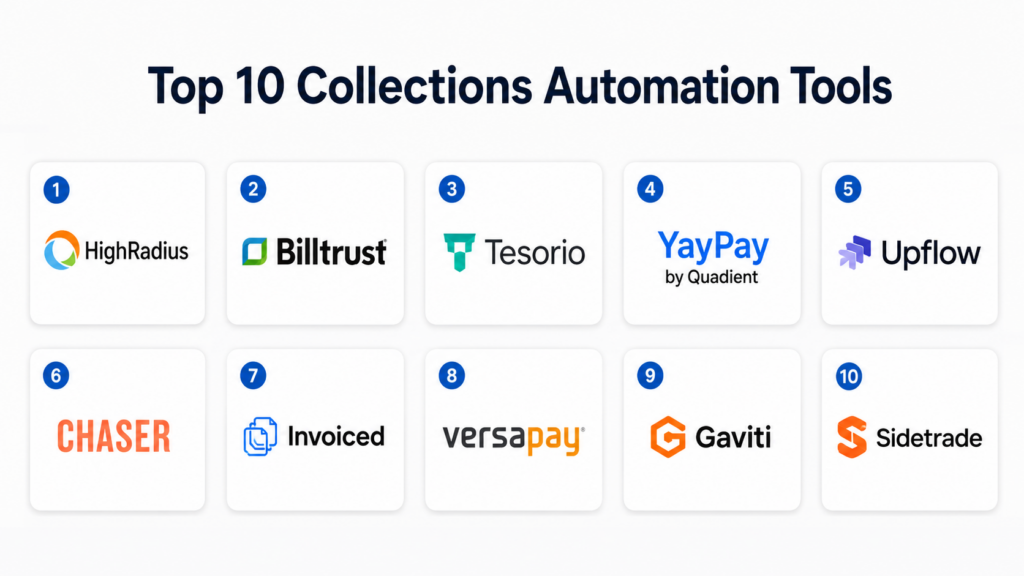
Introduction
Collections Automation Tools help businesses manage overdue invoices, payment reminders, customer follow-ups, dispute workflows, cash application coordination, and accounts receivable communication in a more structured way. Instead of relying on spreadsheets, manual emails, and scattered finance notes, these tools automate collection workflows so finance teams can improve cash flow, reduce days sales outstanding, and maintain better customer relationships.Collections automation matters because modern finance teams are under pressure to collect faster without damaging customer trust. Businesses now manage more subscription invoices, global payments, complex customer accounts, and high-volume receivables. Manual collections can quickly become slow, inconsistent, and difficult to track.
Real-world use cases include automated invoice reminders, collector work queues, customer payment portals, dispute tracking, promise-to-pay management, credit risk prioritization, and cash forecasting. Buyers should evaluate automation depth, ERP integration, customer communication tools, dispute management, analytics, payment support, security controls, scalability, and ease of implementation.
Best for: Collections Automation Tools are best for finance leaders, accounts receivable teams, credit managers, controllers, CFOs, shared service centers, SaaS companies, distributors, manufacturers, professional services firms, and B2B companies with recurring invoices or high invoice volumes.
Not ideal for: These tools may not be necessary for very small businesses with only a few invoices per month, simple payment terms, or low collection complexity. In those cases, accounting software, payment links, or basic invoicing tools may be enough.
Key Trends in Collections Automation Tools
- AI-driven collection prioritization: Modern tools increasingly help finance teams decide which accounts to contact first based on overdue balance, payment behavior, customer risk, invoice aging, and predicted collection probability.
- Customer-friendly payment experiences: Collections is shifting from aggressive reminders to better customer portals, self-service payment options, invoice visibility, and dispute transparency.
- ERP-first integration: Businesses want collections tools that connect deeply with ERP and accounting systems so invoice data, customer balances, credits, disputes, and payments stay synchronized.
- Automated dunning workflows: Teams are using rule-based reminders based on customer type, region, aging bucket, invoice amount, payment history, and escalation rules.
- Dispute and deduction management: Collections tools are becoming more useful when they can track invoice disputes, short payments, credit memos, deductions, and internal ownership.
- Cash flow forecasting support: Finance teams want collections data to improve working capital planning, cash forecasting, and executive reporting.
- Personalized communication: Generic reminders are becoming less effective. Better tools allow finance teams to segment customers and personalize messages based on account status.
- Shared service center scalability: Large companies need collections automation that supports multiple entities, currencies, business units, collectors, and approval hierarchies.
- Integrated payment options: More platforms now support payment links, payment portals, card payments, ACH, bank transfer workflows, and payment status tracking.
- Stronger audit and compliance controls: Collections teams need role-based access, activity history, audit trails, communication logs, and secure customer data handling.
How We Selected These Tools
The tools in this list were selected based on their relevance to accounts receivable automation, collections workflow management, customer payment follow-up, and finance team productivity. The goal is to include a balanced mix of enterprise, mid-market, SaaS-focused, and practical accounts receivable platforms.
Selection logic included:
- Recognition and adoption in accounts receivable, collections automation, and finance operations.
- Ability to automate payment reminders, dunning workflows, collector tasks, and customer communication.
- Support for invoice visibility, customer portals, dispute tracking, and payment workflows.
- Integration strength with ERP, accounting, CRM, payment, and finance systems.
- Suitability for different company sizes, from SMB to enterprise shared service teams.
- Reporting depth for aging analysis, collector performance, DSO, cash forecasting, and overdue trends.
- Administrative controls such as user roles, workflow rules, permissions, and auditability.
- Practical ease of use for finance teams, collectors, credit teams, and customer-facing AR teams.
- Scalability across invoice volume, business entities, currencies, and customer segments.
- Overall value for improving collection speed, reducing manual work, and supporting working capital goals.
Top 10 Collections Automation Tools
1- HighRadius
Short description:
HighRadius is an enterprise-focused autonomous finance platform with strong capabilities across accounts receivable, collections, credit, deductions, cash application, and treasury-related workflows. Its collections automation capabilities help large finance teams prioritize accounts, automate reminders, manage disputes, and improve working capital visibility. It is best suited for mid-market and enterprise organizations with complex AR processes, high invoice volumes, and multiple finance workflows. HighRadius is often considered by companies looking to modernize collections as part of a broader finance transformation.
Key Features
- Automated collections worklists and prioritization.
- AI-assisted customer risk and payment behavior insights.
- Dunning and reminder workflow automation.
- Dispute, deduction, and promise-to-pay tracking.
- Accounts receivable analytics and cash forecasting support.
- Integration with ERP and finance systems.
- Workflow automation across collections, credit, and cash application.
Pros
- Strong enterprise depth for complex AR and collections teams.
- Useful for organizations that want broader finance automation beyond collections.
- Good fit for high-volume invoice and shared service environments.
Cons
- May be too advanced for small businesses with simple AR needs.
- Implementation can require process redesign and data preparation.
- Best value is usually achieved when multiple AR workflows are automated together.
Platforms / Deployment
Web
Cloud
Security & Compliance
Enterprise-grade security controls are available, including role-based access and administrative governance. Specific certifications, regional compliance coverage, and data protection details should be validated during procurement.
Integrations & Ecosystem
HighRadius is commonly used in enterprise finance environments where collections must connect with ERP, accounting, bank, payment, and reporting systems. Its ecosystem is designed for companies with complex AR operations and multiple finance stakeholders.
- ERP systems
- Accounting platforms
- Bank and payment systems
- Credit management workflows
- Cash application systems
- Reporting and analytics tools
Support & Community
HighRadius provides enterprise implementation support, documentation, training resources, customer success services, and finance transformation guidance. Support needs should be planned carefully because implementation scope can vary by module and process complexity.
2- Billtrust
Short description:
Billtrust is an accounts receivable automation platform that supports invoicing, payments, collections, cash application, and B2B customer payment workflows. Its collections automation features help AR teams manage reminders, track customer communication, and improve visibility into overdue invoices. Billtrust is well suited for B2B companies that want to connect invoice delivery, payment acceptance, and collections in one receivables workflow. It is commonly considered by finance teams looking to reduce manual AR work and improve payment speed.
Key Features
- Automated invoice delivery and customer communication.
- Collections workflow management and reminders.
- B2B payment acceptance and customer payment portals.
- Cash application support.
- Reporting for AR aging and payment behavior.
- ERP and accounting system integrations.
- Customer account visibility for finance teams.
Pros
- Strong fit for B2B receivables automation.
- Combines invoicing, payments, and collections in a connected workflow.
- Helps improve customer payment experience.
Cons
- Advanced use cases may require configuration and integration planning.
- Some companies may only need a smaller collections-specific tool.
- Best results depend on clean invoice and customer data.
Platforms / Deployment
Web
Cloud
Security & Compliance
Billtrust provides business-grade security and administrative controls for receivables workflows. Specific certifications, compliance scope, encryption details, and payment security requirements should be validated directly during vendor review.
Integrations & Ecosystem
Billtrust works well in environments where invoice delivery, payments, collections, and cash application need to connect with back-office finance systems. It is especially relevant for companies that want smoother B2B payment workflows.
- ERP platforms
- Accounting systems
- Payment processors
- Customer portals
- Cash application workflows
- Finance reporting systems
Support & Community
Billtrust offers customer support, onboarding resources, implementation assistance, and documentation. Its support ecosystem is strongest for AR, B2B payments, and finance operations teams.
3- Tesorio
Short description:
Tesorio is a cash flow performance and accounts receivable automation platform designed to help finance teams improve collections visibility, forecasting, and customer follow-up. It supports collector workflows, automated reminders, payment prediction, and cash forecasting insights. Tesorio is especially relevant for SaaS, technology, and mid-market finance teams that need better visibility into cash collections without relying heavily on spreadsheets. It focuses on making AR teams more proactive and data-driven.
Key Features
- Collections task management and automated follow-ups.
- Cash flow forecasting and payment prediction.
- Customer account prioritization.
- AR aging and invoice visibility.
- Collaboration tools for finance and customer-facing teams.
- Integration with ERP, accounting, and CRM systems.
- Dashboards for collector performance and cash visibility.
Pros
- Strong focus on cash forecasting and collections productivity.
- Good fit for SaaS and mid-market finance teams.
- Helps reduce spreadsheet-based AR tracking.
Cons
- May not replace broader enterprise AR suites for highly complex environments.
- Some advanced workflows depend on integration quality.
- May require process discipline to maintain accurate forecasting inputs.
Platforms / Deployment
Web
Cloud
Security & Compliance
Tesorio offers security and access controls appropriate for finance workflows. Specific certifications, data handling controls, and compliance requirements should be verified with the vendor during evaluation.
Integrations & Ecosystem
Tesorio commonly connects with CRM, accounting, ERP, and financial systems to bring invoice, customer, payment, and opportunity data into one AR workflow. Its value increases when sales and finance teams collaborate on collection outcomes.
- ERP systems
- Accounting platforms
- CRM tools
- Finance reporting tools
- Payment data sources
- Data and analytics systems
Support & Community
Tesorio provides onboarding, documentation, customer support, and customer success assistance. Its community is strongest among finance teams focused on cash forecasting, AR visibility, and collections productivity.
4- YayPay by Quadient
Short description:
YayPay by Quadient is a collections automation and accounts receivable management platform that helps finance teams automate payment reminders, track customer interactions, manage collection tasks, and improve cash visibility. It is suitable for companies that want a user-friendly collections solution with dashboards, customer communication workflows, and collector productivity tools. YayPay is often used by mid-market and growing finance teams looking to modernize AR without building custom processes. It helps replace manual follow-ups with structured, trackable workflows.
Key Features
- Automated collections reminders and dunning workflows.
- AR dashboards and customer account visibility.
- Collector task management and prioritization.
- Customer communication tracking.
- Invoice aging and payment status insights.
- ERP and accounting system integration.
- Team collaboration for AR follow-up.
Pros
- Practical and approachable collections automation experience.
- Useful for mid-market finance teams moving away from spreadsheets.
- Helps standardize customer follow-up and collector workflows.
Cons
- Complex enterprise AR requirements may need deeper customization.
- Effectiveness depends on accurate invoice and customer data integration.
- Broader finance automation may require additional tools.
Platforms / Deployment
Web
Cloud
Security & Compliance
Security controls are available for user access and finance workflow management. Specific compliance certifications, encryption coverage, and regional data requirements should be validated during procurement.
Integrations & Ecosystem
YayPay commonly integrates with ERP and accounting systems to pull invoice, payment, and customer account data into the collections workflow. It is useful when AR teams need a focused layer for communication and follow-up.
- ERP platforms
- Accounting systems
- Customer account data
- Finance reporting tools
- Email communication workflows
- Payment status systems
Support & Community
YayPay provides onboarding, support, and documentation through Quadient’s customer support ecosystem. Buyers should evaluate implementation support based on ERP complexity and team size.
5- Upflow
Short description:
Upflow is a collections automation platform designed for B2B companies that want to automate payment reminders, improve customer communication, and track receivables performance. It is especially popular with SaaS and subscription-based businesses that need better visibility into unpaid invoices and customer payment behavior. Upflow helps teams create structured follow-up sequences, assign ownership, and monitor collections progress. It is a good option for companies that want a modern and easy-to-use AR collections tool.
Key Features
- Automated payment reminder workflows.
- Customer account and invoice visibility.
- Collections task assignment and ownership tracking.
- Payment behavior and AR performance dashboards.
- Customer communication templates.
- Integration with accounting, billing, and payment systems.
- Support for collaborative finance workflows.
Pros
- Clean and modern user experience for AR teams.
- Strong fit for B2B SaaS and subscription companies.
- Helps automate collections without overwhelming finance teams.
Cons
- May not fit very complex enterprise collections operations.
- Broader AR automation may require additional systems.
- Integration coverage should be checked against your finance stack.
Platforms / Deployment
Web
Cloud
Security & Compliance
Upflow provides access and security controls for customer and invoice data workflows. Specific certifications, compliance coverage, and data protection details should be confirmed during vendor review.
Integrations & Ecosystem
Upflow commonly works with accounting, billing, CRM, and payment platforms. It is especially useful when companies want a collections layer on top of existing finance systems.
- Accounting platforms
- Billing systems
- CRM tools
- Payment processors
- Customer communication tools
- Reporting systems
Support & Community
Upflow provides documentation, customer support, onboarding resources, and finance workflow guidance. Its community is strongest among SaaS, B2B, and subscription-focused finance teams.
6- Chaser
Short description:
Chaser is a collections automation tool focused on helping businesses reduce late payments through automated reminders, payment follow-ups, and customer communication workflows. It is especially suitable for small and mid-sized businesses that need a practical way to manage overdue invoices without adopting a large enterprise AR platform. Chaser helps finance teams create reminder schedules, maintain polite customer communication, and monitor overdue invoices. It is a good fit for teams that want simple collections automation with strong usability.
Key Features
- Automated invoice payment reminders.
- Customer follow-up email workflows.
- Payment chasing schedules and templates.
- Invoice aging visibility.
- Collector notes and communication tracking.
- Accounting system integrations.
- Customer-friendly reminder personalization.
Pros
- Easy to use for SMB finance teams.
- Helps reduce manual reminder emails.
- Good fit for businesses that need focused collections automation.
Cons
- Not designed as a full enterprise AR automation suite.
- Advanced dispute, deduction, or credit workflows may be limited.
- May require complementary tools for payments and cash application.
Platforms / Deployment
Web
Cloud
Security & Compliance
Chaser provides security controls appropriate for small and mid-sized business finance workflows. Specific compliance certifications and enterprise security requirements should be validated with the vendor.
Integrations & Ecosystem
Chaser is commonly used alongside accounting platforms and finance tools. It works best when invoice data can sync accurately from the company’s accounting system.
- Accounting software
- Invoice systems
- Email workflows
- Payment status tracking
- Finance dashboards
- Customer records
Support & Community
Chaser provides support resources, documentation, onboarding assistance, and product guidance. Its user base is especially relevant for SMBs looking to reduce late payments without complex implementation.
7- Invoiced
Short description:
Invoiced is an accounts receivable automation platform that supports invoicing, collections, payments, customer portals, and cash application workflows. It helps companies automate invoice reminders, accept payments, manage customer balances, and improve receivables visibility. Invoiced is suitable for SMB and mid-market businesses that want to modernize AR without implementing a very large enterprise finance suite. It is especially useful when customer self-service and payment workflows are important.
Key Features
- Automated collections and payment reminders.
- Online customer payment portal.
- Invoice delivery and payment tracking.
- Cash application workflow support.
- Payment plans and customer balance visibility.
- Accounting and ERP integrations.
- AR dashboards and receivables reporting.
Pros
- Strong combination of invoicing, payments, and collections.
- Customer portal improves payment experience.
- Good fit for SMB and mid-market AR teams.
Cons
- Highly complex enterprise collections may need more specialized capabilities.
- Integration depth should be validated for larger ERP environments.
- Advanced finance workflows may depend on selected plan and setup.
Platforms / Deployment
Web
Cloud
Security & Compliance
Invoiced provides security and administrative features for AR and payment workflows. Specific compliance details, payment security scope, and data protection controls should be validated during procurement.
Integrations & Ecosystem
Invoiced connects with accounting, ERP, payment, and finance tools to support accounts receivable automation. It is useful when businesses want collections, payment acceptance, and invoice visibility in one workflow.
- Accounting systems
- ERP platforms
- Payment gateways
- Customer portals
- Cash application workflows
- Reporting tools
Support & Community
Invoiced provides documentation, onboarding support, and customer service resources. Its support ecosystem is practical for companies improving invoice-to-cash workflows.
8- Versapay
Short description:
Versapay is an accounts receivable automation and collaborative payments platform designed to improve invoicing, payments, collections, and customer communication. It focuses on making AR more collaborative by giving customers visibility into invoices, balances, disputes, and payment options. Versapay is especially useful for B2B companies that want to improve customer payment experience while reducing manual AR follow-up. It works well for finance teams that need payment collaboration, collections visibility, and customer self-service.
Key Features
- Customer payment portal and invoice visibility.
- Automated collections communication.
- Collaborative AR workflows with customers.
- Payment acceptance and payment status tracking.
- Dispute and account communication support.
- Integration with ERP and finance systems.
- Reporting for receivables and payment performance.
Pros
- Strong customer collaboration and payment experience.
- Useful for B2B companies with high-volume receivables.
- Helps connect payments, invoice visibility, and collections.
Cons
- May be more than needed for very small invoice volumes.
- Advanced workflows depend on integration and configuration.
- Buyers should validate fit for complex deductions or industry-specific AR needs.
Platforms / Deployment
Web
Cloud
Security & Compliance
Versapay provides security controls for payment and receivables workflows. Specific certifications, payment compliance scope, and regional security requirements should be validated with the vendor.
Integrations & Ecosystem
Versapay commonly integrates with ERP, accounting, payment, and customer finance systems. It is especially valuable when customer self-service and payment collaboration are priorities.
- ERP platforms
- Accounting systems
- Payment processors
- Customer portals
- Invoice management tools
- Reporting systems
Support & Community
Versapay offers onboarding, support, documentation, and customer success services. Its ecosystem is strongest in B2B receivables, customer payment collaboration, and AR automation.
9- Gaviti
Short description:
Gaviti is a collections automation platform designed to help finance teams automate AR follow-up, prioritize overdue accounts, and improve cash collection performance. It supports automated reminders, collector workflows, customer communication, and reporting. Gaviti is suitable for mid-market and enterprise companies that want structured collections without relying on spreadsheets and manual email chains. It is a practical choice for AR teams that need better visibility, productivity, and repeatable collection processes.
Key Features
- Automated dunning and payment reminder workflows.
- Collector task management and prioritization.
- Customer communication tracking.
- AR aging and overdue invoice visibility.
- Dispute and escalation workflow support.
- Dashboards for collections performance.
- Integration with ERP and accounting systems.
Pros
- Strong focus on collections team productivity.
- Helps standardize customer follow-up processes.
- Useful for mid-market and enterprise AR teams.
Cons
- Broader receivables automation may require complementary systems.
- Implementation quality depends on ERP data accuracy.
- May be less suitable for businesses needing only basic reminders.
Platforms / Deployment
Web
Cloud
Security & Compliance
Gaviti provides access control and administrative features for collections workflows. Specific compliance certifications, encryption standards, and security documentation should be validated during vendor evaluation.
Integrations & Ecosystem
Gaviti connects with ERP and accounting systems so finance teams can work from updated invoice and customer data. It is useful as a collections layer for companies with existing finance infrastructure.
- ERP systems
- Accounting platforms
- Invoice data sources
- Customer communication tools
- Reporting dashboards
- Finance operations workflows
Support & Community
Gaviti provides onboarding, support, and implementation resources. Its support model is focused on accounts receivable teams looking to improve collection processes and team performance.
10- Sidetrade
Short description:
Sidetrade is an AI-powered order-to-cash and accounts receivable automation platform with capabilities across collections, cash application, dispute management, credit risk, and payment behavior analytics. It is well suited for larger organizations that need to automate complex receivables operations and improve cash performance. Sidetrade helps finance teams prioritize collection actions, manage customer accounts, and use data-driven insights to improve working capital. It is a strong fit for enterprise AR transformation initiatives.
Key Features
- AI-assisted collections prioritization.
- Order-to-cash and accounts receivable automation.
- Customer payment behavior analytics.
- Dispute and cash application workflow support.
- Collector task management and workflow automation.
- Dashboards for cash performance and AR visibility.
- Integration with ERP and enterprise finance systems.
Pros
- Strong fit for enterprise receivables transformation.
- AI-driven insights can help prioritize collector actions.
- Covers multiple AR and order-to-cash workflows.
Cons
- May be too advanced for smaller companies with simple collections needs.
- Enterprise implementation can require planning and internal alignment.
- Best value depends on invoice volume, data quality, and process maturity.
Platforms / Deployment
Web
Cloud
Security & Compliance
Sidetrade provides enterprise-oriented security and administrative controls. Specific certifications, data protection controls, and compliance requirements should be reviewed during procurement.
Integrations & Ecosystem
Sidetrade is designed to connect with ERP, finance, customer, and order-to-cash systems. It is most valuable when organizations want a broader AR automation layer across collections, disputes, credit, and cash application.
- ERP platforms
- Finance systems
- Credit workflows
- Cash application systems
- Customer account data
- Reporting and analytics tools
Support & Community
Sidetrade provides enterprise support, onboarding, documentation, and customer success services. Its ecosystem is strongest among larger organizations focused on order-to-cash transformation and working capital improvement.
Comparison Table Top 10
| Tool Name | Best For | Platform Supported | Deployment | Standout Feature | Public Rating |
|---|---|---|---|---|---|
| HighRadius | Enterprise AR automation and shared services | Web | Cloud | Broad autonomous finance and collections workflows | N/A |
| Billtrust | B2B invoicing, payments, and collections | Web | Cloud | Connected AR, payments, and cash application | N/A |
| Tesorio | Cash forecasting and proactive collections | Web | Cloud | Cash flow visibility and payment prediction | N/A |
| YayPay by Quadient | Mid-market collections automation | Web | Cloud | Automated reminders and AR dashboards | N/A |
| Upflow | B2B SaaS and subscription collections | Web | Cloud | Modern customer follow-up workflows | N/A |
| Chaser | SMB late payment follow-up | Web | Cloud | Simple automated invoice reminders | N/A |
| Invoiced | SMB and mid-market AR automation | Web | Cloud | Customer portal with payments and collections | N/A |
| Versapay | Collaborative B2B payments and AR | Web | Cloud | Customer self-service payment experience | N/A |
| Gaviti | Collections team productivity | Web | Cloud | Collector workflows and dunning automation | N/A |
| Sidetrade | Enterprise order-to-cash automation | Web | Cloud | AI-assisted collections prioritization | N/A |
Evaluation and Scoring of Collections Automation Tools
The scoring below is comparative and based on collections workflow depth, automation capabilities, ease of use, integration ecosystem, security posture signals, reporting strength, support expectations, and overall value. Scores should be treated as directional, not absolute. The best tool depends on invoice volume, business size, ERP stack, team maturity, payment complexity, customer communication needs, and budget.
| Tool Name | Core 25% | Ease 15% | Integrations 15% | Security 10% | Performance 10% | Support 10% | Value 15% | Weighted Total 0–10 |
|---|---|---|---|---|---|---|---|---|
| HighRadius | 10 | 7 | 9 | 9 | 9 | 9 | 7 | 8.65 |
| Billtrust | 9 | 8 | 9 | 8 | 8 | 8 | 8 | 8.40 |
| Tesorio | 8 | 8 | 8 | 8 | 8 | 8 | 8 | 8.00 |
| YayPay by Quadient | 8 | 8 | 8 | 8 | 8 | 8 | 8 | 8.00 |
| Upflow | 8 | 9 | 8 | 7 | 8 | 8 | 8 | 8.05 |
| Chaser | 7 | 9 | 7 | 7 | 8 | 8 | 9 | 7.85 |
| Invoiced | 8 | 8 | 8 | 8 | 8 | 8 | 8 | 8.00 |
| Versapay | 8 | 8 | 8 | 8 | 8 | 8 | 8 | 8.00 |
| Gaviti | 8 | 8 | 8 | 7 | 8 | 8 | 8 | 7.90 |
| Sidetrade | 9 | 7 | 8 | 8 | 9 | 8 | 7 | 8.05 |
A higher weighted score means the tool is broadly strong across the selected evaluation criteria. It does not mean the tool is the right choice for every organization. Smaller teams may prefer ease of use and fast deployment, while enterprise teams may prioritize integration depth, auditability, AI-driven prioritization, and multi-entity scale. Buyers should use these scores to build an initial shortlist, then validate fit through demos, data samples, workflow mapping, security review, and integration testing.
Which Collections Automation Tool Is Right for You?
Solo / Freelancer
Solo professionals usually do not need a dedicated collections automation platform. If invoice volume is low, basic accounting software, payment links, and manual reminders may be enough. However, if late payments are frequent and follow-up is becoming time-consuming, a lightweight tool like Chaser can help automate polite reminders and reduce manual chasing. The goal at this stage should be simplicity, not enterprise-level AR transformation.
SMB
SMBs should prioritize affordability, ease of setup, accounting integration, and customer-friendly reminders. Chaser, Upflow, Invoiced, and Charge-focused AR platforms like Invoiced can be strong options depending on whether the business needs reminders, payments, portals, or broader AR automation. SMBs should avoid overcomplicated systems unless they have high invoice volume or complex customer payment terms. The best choice is usually the one that reduces manual follow-up quickly without requiring heavy implementation.
Mid-Market
Mid-market businesses often need stronger reporting, team workflows, customer segmentation, and ERP or accounting integrations. Tesorio, YayPay by Quadient, Upflow, Invoiced, Versapay, and Gaviti can be practical options. If the business has subscription revenue, Upflow or Tesorio may be especially useful. If customer payment portals and payment collaboration are priorities, Versapay or Invoiced can be strong candidates. Mid-market buyers should evaluate collector workflow depth and integration reliability carefully.
Enterprise
Enterprise organizations usually need scalability, governance, advanced analytics, shared service support, multi-entity workflows, AI prioritization, and deep ERP integration. HighRadius and Sidetrade are strong candidates for broad enterprise AR transformation. Billtrust is also suitable for B2B companies that need invoice-to-payment automation at scale. Enterprises should evaluate implementation resources, security documentation, data architecture, process standardization, and support models before final selection.
Budget vs Premium
Budget-focused teams should look for tools that solve the most painful collections problem first, such as automated reminders, invoice visibility, or payment links. Chaser, Upflow, and Invoiced may fit teams that want practical automation without a large transformation project. Premium platforms like HighRadius, Sidetrade, and Billtrust are better suited when collections is part of a broader order-to-cash, cash application, credit, or shared services strategy. Buyers should compare total cost, not just license pricing.
Feature Depth vs Ease of Use
Feature depth matters when a company has complex AR workflows, multiple collectors, disputes, deductions, credit rules, and high invoice volume. HighRadius, Sidetrade, and Billtrust are strong for broader depth. Ease of use matters when finance teams need fast adoption and minimal training. Chaser, Upflow, Tesorio, and YayPay are often easier to position for focused collections workflows. The right balance depends on whether the company needs transformation or productivity improvement.
Integrations and Scalability
Integration is one of the most important buying factors for collections automation. The tool must sync invoice data, payments, customer records, credits, disputes, and account balances accurately. ERP-heavy companies should prioritize platforms with proven ERP connectivity and strong implementation support. SaaS and mid-market companies should validate integrations with accounting, billing, CRM, payment, and reporting systems. Poor integration can create duplicate work and reduce collector trust.
Security and Compliance Needs
Collections tools handle sensitive customer, invoice, payment, and financial data, so security review is essential. Buyers should evaluate role-based access, audit logs, encryption, SSO, MFA, data retention, user permissions, and vendor security documentation. Regulated industries should also validate compliance requirements based on region and customer contracts. Security should not be treated as an afterthought because collections data often includes commercially sensitive payment behavior and account history.
Frequently Asked Questions FAQs
1. What are Collections Automation Tools?
Collections Automation Tools help finance teams automate and manage the process of collecting unpaid invoices. They can send payment reminders, prioritize overdue accounts, track customer communication, assign collector tasks, and provide visibility into invoice aging. These tools reduce manual spreadsheet work and make collections more consistent. They are especially useful for businesses with high invoice volume or recurring payment delays. The main goal is to improve cash flow while keeping customer communication professional and organized.
2. How do Collections Automation Tools improve cash flow?
Collections Automation Tools improve cash flow by helping teams follow up faster, prioritize high-risk accounts, and reduce delays caused by manual work. Automated reminders ensure customers receive timely communication before and after invoice due dates. Dashboards help finance teams see which invoices need attention and which customers are repeatedly late. Some tools also support promise-to-pay tracking, payment portals, and cash forecasting. Better visibility and timely action can help reduce overdue balances and improve working capital.
3. What pricing models are common for Collections Automation Tools?
Collections Automation Tools commonly use subscription-based pricing, often based on users, invoice volume, customer accounts, modules, or company size. Enterprise platforms usually provide custom pricing because requirements can vary by ERP integration, workflow complexity, implementation scope, and support level. Some vendors may charge separately for payments, cash application, dispute management, or advanced analytics. Buyers should ask for a full cost breakdown that includes setup, implementation, support, integrations, training, and future scaling needs.
4. How long does implementation usually take?
Implementation time depends on invoice volume, ERP or accounting system complexity, data quality, reminder rules, team workflows, and integration requirements. A small business using a simple accounting integration may deploy faster than an enterprise with multiple business units, currencies, and approval workflows. The most time-consuming parts are usually data mapping, workflow design, integration testing, and user training. Companies should start with core reminder and worklist workflows, then expand into disputes, forecasting, and advanced analytics later.
5. What are common mistakes when choosing a collections automation platform?
One common mistake is choosing a tool only for automated reminders while ignoring reporting, integrations, payment experience, and collector workflows. Another mistake is failing to involve finance, IT, security, and customer-facing teams during selection. Some companies also underestimate the importance of clean invoice and customer data. If data is outdated or inconsistent, automation can send incorrect reminders or confuse customers. Buyers should test real invoice scenarios before signing a long-term contract.
6. Are Collections Automation Tools secure?
Most reputable collections platforms provide security controls such as user permissions, role-based access, encryption, audit history, and administrative controls. However, specific certifications and compliance coverage vary by vendor, product edition, and deployment model. Buyers should validate security documentation, data handling practices, access controls, and integration security during procurement. This is especially important because collections tools often contain customer balances, payment history, invoice data, and commercially sensitive finance information. Security review should be part of every buying process.
7. Can these tools integrate with ERP and accounting systems?
Yes, ERP and accounting integration is one of the most important features of Collections Automation Tools. These integrations help sync invoices, payments, credits, customer balances, and account status into the collections workflow. Common integration targets include ERP systems, accounting platforms, billing systems, payment gateways, and reporting tools. Buyers should validate whether integrations are native, API-based, file-based, or require custom implementation. The quality of integration can directly affect accuracy, adoption, and collection performance.
8. How do collections tools help customer relationships?
Good collections tools improve customer relationships by making payment communication more timely, clear, and professional. Instead of inconsistent manual follow-ups, customers receive structured reminders with invoice details, payment options, and contact information. Customer portals can also help customers view invoices, raise disputes, and make payments without back-and-forth emails. Personalized workflows allow teams to treat strategic accounts differently from small overdue accounts. The result is a more transparent and less frustrating payment experience.
9. When should a company move from spreadsheets to collections automation?
A company should consider collections automation when spreadsheets become difficult to manage, reminders are inconsistent, overdue invoices are increasing, or cash visibility is poor. Other signs include multiple collectors working without clear ownership, frequent customer disputes, manual payment tracking, and slow month-end AR reporting. If finance teams spend too much time chasing invoices instead of analyzing cash risk, automation can help. The best time to move is before overdue balances become a major working capital problem.
10. What alternatives exist if a full collections automation tool is not needed?
Alternatives include accounting software reminders, invoicing tools, payment links, CRM task workflows, email templates, or simple AR dashboards. These options can work well for small companies with low invoice volume and straightforward payment terms. However, they may become limited as customer counts, invoice volume, dispute complexity, and reporting needs grow. A full collections automation platform becomes more useful when teams need structured workflows, customer segmentation, payment tracking, collector productivity, and cash forecasting visibility.
Conclusion
Collections Automation Tools help finance teams move from reactive invoice chasing to structured, data-driven accounts receivable management. The best tool depends on your company size, invoice volume, customer base, ERP environment, payment complexity, and internal finance maturity. HighRadius and Sidetrade are strong options for enterprise AR transformation, Billtrust and Versapay are useful for B2B payment and receivables automation, Tesorio is strong for cash forecasting and proactive collections, and tools like Upflow, Chaser, Invoiced, YayPay, and Gaviti can help teams improve day-to-day collection productivity. There is no single best platform for every business because a small SaaS company, a distributor, a manufacturer, and a global enterprise may all need different workflows.

Utilizing advanced accounts receivable recovery software optimizes enterprise financial delinquency resolution logistics, ensuring accelerated outstanding invoice payment collection and seamless corporate credit risk mitigation workflows.