MOTOSHARE 🚗🏍️
Rent Bikes & Cars Directly from Owners
Motoshare connects vehicle owners with people who need bikes and cars on rent. Owners earn from idle vehicles, and renters get flexible ride options.
Visit Motoshare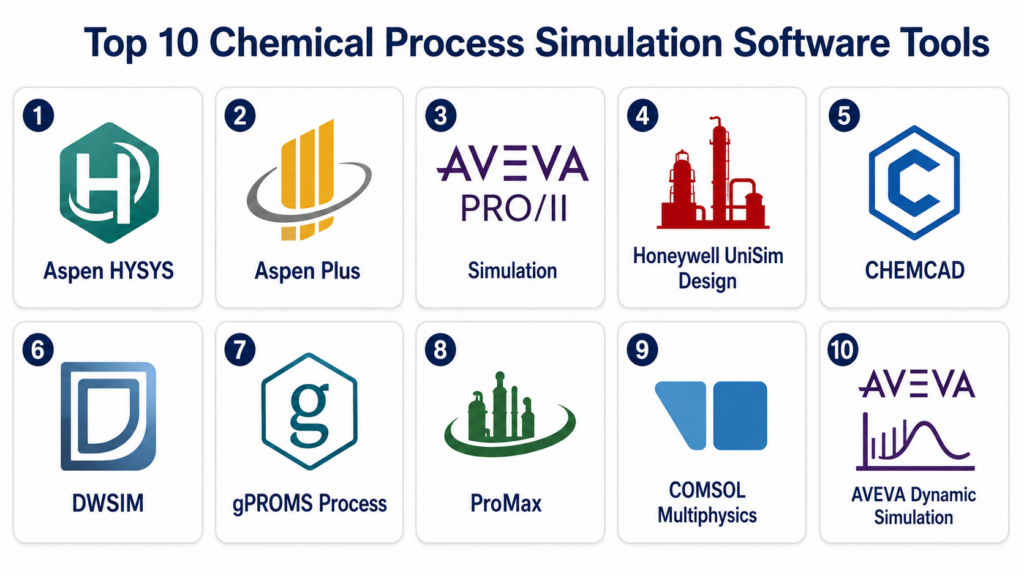
Introduction
Chemical Process Simulation Software helps chemical engineers, process engineers, plant designers, researchers, and operations teams model, analyze, optimize, and validate chemical processes before or during real-world operation. In simple terms, it allows users to simulate how materials, energy, reactions, equipment, utilities, and control systems behave inside a chemical plant, refinery, pharmaceutical process, petrochemical unit, or industrial production facility.
This software matters because process industries need safer designs, better energy efficiency, lower operating costs, faster troubleshooting, and more reliable scale-up from lab to plant. Instead of relying only on manual calculations, spreadsheets, and physical trials, simulation tools help engineers test process scenarios, evaluate equipment performance, optimize yields, reduce emissions, and identify design risks early.
Common real-world use cases include:
- Designing chemical plants, refineries, and petrochemical units
- Modeling distillation, reactors, heat exchangers, compressors, and separators
- Performing mass balance, energy balance, and utility optimization
- Testing process changes before plant implementation
- Supporting safety, debottlenecking, troubleshooting, and operator training
What buyers should evaluate:
- Thermodynamic model accuracy
- Process flowsheeting capability
- Steady-state and dynamic simulation support
- Reaction and separation modeling
- Equipment library depth
- Optimization and sensitivity analysis
- Integration with plant data, control systems, and engineering tools
- Ease of use for process engineers
- Scalability for complex plant models
- Support, documentation, and training ecosystem
Best for: Chemical companies, refineries, petrochemical plants, EPC firms, process engineering teams, R&D labs, universities, pharmaceutical manufacturers, energy companies, and industrial operators that need accurate process modeling and optimization.
Not ideal for: Teams that only need simple spreadsheet calculations, small labs without complex process design needs, or users who need only basic CAD diagrams without mass balance, energy balance, or thermodynamic modeling.
Key Trends in Chemical Process Simulation Software
- Digital twins are becoming more common: Process simulation tools are increasingly used as part of plant digital twins that connect engineering models with live operational data.
- Energy efficiency is a major driver: Engineers are using simulation to reduce steam usage, optimize heat integration, lower fuel consumption, and improve utility performance.
- Sustainability and emissions modeling are gaining importance: Companies are modeling carbon capture, hydrogen systems, renewable fuels, solvent recovery, waste reduction, and emissions impact.
- Dynamic simulation is growing beyond specialist teams: More organizations are using dynamic models for startup, shutdown, control strategy testing, safety studies, and operator training.
- Cloud and collaborative workflows are expanding: Engineering teams want easier model sharing, review workflows, version control, and remote collaboration across global project teams.
- AI-assisted optimization is emerging: Some platforms are beginning to connect simulation with advanced analytics, machine learning, surrogate models, and automated optimization workflows.
- Open-source options are becoming more credible for education and smaller teams: Tools like DWSIM are gaining attention for learning, research, and lower-budget process modeling.
- Integration with engineering ecosystems is now essential: Buyers want simulation tools to connect with process design, plant data, equipment sizing, control systems, ERP, and asset performance platforms.
- Specialized modeling is increasing: Process teams need better models for polymers, electrolytes, bioprocesses, solids, gas processing, carbon capture, and advanced materials.
- Usability is becoming a competitive factor: Buyers want powerful tools, but they also want faster onboarding, clearer interfaces, better model diagnostics, and easier scenario comparison.
How We Selected These Tools
The tools in this list were selected using a practical buyer-focused evaluation approach:
- Market recognition in chemical engineering, process industries, refineries, petrochemicals, EPC, and academic use
- Process simulation depth across steady-state, dynamic, thermodynamics, reactions, and equipment modeling
- Fit for different buyer segments, including enterprise plants, consultants, universities, SMB engineering teams, and researchers
- Thermodynamic and property package strength
- Support for complex flowsheets and industrial use cases
- Optimization, sensitivity analysis, and troubleshooting capability
- Integration potential with engineering, plant data, and control systems
- Documentation, training, support, and professional ecosystem strength
- Scalability for large process models and multi-unit operations
- Value for both design-stage and operations-stage process engineering
Top 10 Chemical Process Simulation Software Tools
#1 — Aspen HYSYS
Short description:
Aspen HYSYS is one of the most widely used process simulation platforms for oil and gas, refining, petrochemical, gas processing, LNG, and energy-related workflows. It is known for steady-state and dynamic simulation, strong thermodynamic models, equipment modeling, and process optimization. Engineers use it to design, troubleshoot, and optimize process plants where hydrocarbon behavior, separation systems, compression, heat exchange, and utilities are important. Aspen HYSYS is best suited for process engineering teams that need mature industrial simulation depth and strong enterprise support.
Key Features
- Steady-state and dynamic process simulation
- Strong hydrocarbon and energy-industry thermodynamics
- Distillation, compressors, separators, heat exchangers, and reactors
- Process optimization and case study analysis
- Dynamic modeling for control, startup, and safety workflows
- Integration with broader AspenTech engineering ecosystem
- Support for complex plant-wide process models
Pros
- Strong fit for refining, oil and gas, LNG, and petrochemical use cases
- Mature industrial platform with broad engineering adoption
- Useful for both design and operational troubleshooting
Cons
- Can be expensive for smaller teams
- Requires training for advanced workflows
- Best suited for process engineers with strong technical knowledge
Platforms / Deployment
Windows
Desktop / Enterprise deployment options may vary
Security & Compliance
Enterprise security controls may be available depending on deployment and licensing. Buyers should validate SSO, MFA, access controls, encryption, license governance, and audit requirements directly with the vendor.
Integrations & Ecosystem
Aspen HYSYS is strongest when used as part of a broader process engineering and plant optimization environment.
- AspenTech engineering tools
- Plant data historians
- Control and operations systems
- Equipment sizing workflows
- Process safety and dynamic simulation workflows
- Reporting and optimization tools
Support & Community
AspenTech provides enterprise support, training, documentation, implementation services, and a large professional process engineering user base.
#2 — Aspen Plus
Short description:
Aspen Plus is a powerful chemical process simulation tool used for chemical, specialty chemical, pharmaceutical, polymer, biochemical, solid processing, and advanced materials workflows. It is especially strong for rigorous thermodynamics, reaction modeling, separations, electrolyte systems, solids, and complex chemical processes. Engineers and researchers use Aspen Plus for process design, scale-up, optimization, and feasibility studies. It is best suited for organizations that need deep chemical modeling rather than only hydrocarbon-focused process simulation.
Key Features
- Steady-state chemical process simulation
- Rigorous thermodynamic and property models
- Reaction, separation, distillation, and solids modeling
- Electrolyte and specialty chemical process support
- Sensitivity analysis and process optimization
- Process design and scale-up workflows
- Integration with AspenTech ecosystem tools
Pros
- Strong fit for chemical, pharma, polymer, and specialty process modeling
- Deep thermodynamic and reaction modeling capabilities
- Useful for R&D, design, and process optimization
Cons
- Learning curve can be high for complex processes
- Licensing may be costly for small organizations
- Dynamic workflows may require additional AspenTech tools
Platforms / Deployment
Windows
Desktop / Enterprise deployment options may vary
Security & Compliance
Not publicly stated in full detail for every deployment. Buyers should validate enterprise access controls, SSO, MFA, encryption, audit logs, and data governance requirements.
Integrations & Ecosystem
Aspen Plus connects well with engineering, optimization, equipment design, and process development workflows.
- AspenTech engineering tools
- Process optimization tools
- Equipment design workflows
- Laboratory and R&D data workflows
- Plant data and reporting systems
- Custom model and property workflows
Support & Community
AspenTech provides strong documentation, training, support services, and a large user community across chemical engineering, academia, and industry.
#3 — AVEVA PRO/II Simulation
Short description:
AVEVA PRO/II Simulation is a steady-state process simulation tool used for chemical, refining, oil and gas, petrochemical, and process engineering applications. It helps engineers create process flowsheets, perform mass and energy balances, model equipment, evaluate process alternatives, and optimize plant designs. PRO/II is commonly used in design, troubleshooting, debottlenecking, and process improvement workflows. It is best suited for engineering organizations that need proven steady-state simulation with integration into broader AVEVA engineering and operations environments.
Key Features
- Steady-state process simulation
- Mass and energy balance modeling
- Distillation, separation, heat transfer, and reaction modeling
- Process design and debottlenecking workflows
- Thermodynamic property package support
- Scenario and sensitivity analysis
- Integration with AVEVA engineering ecosystem
Pros
- Strong steady-state simulation capability
- Useful for chemical, refining, and petrochemical process design
- Good fit for engineering companies using AVEVA tools
Cons
- Dynamic simulation may require separate tools
- Interface and workflows may require training for new users
- Enterprise integration setup should be validated
Platforms / Deployment
Windows
Desktop / Enterprise deployment options may vary
Security & Compliance
Not publicly stated in full detail. Buyers should confirm user access controls, licensing controls, encryption, and enterprise security requirements.
Integrations & Ecosystem
AVEVA PRO/II works well in engineering environments where simulation results must connect with design, operations, and lifecycle systems.
- AVEVA engineering tools
- Process design workflows
- Plant information systems
- Equipment design workflows
- Reporting and documentation systems
- Operations and performance platforms
Support & Community
AVEVA provides documentation, support, training, and professional services. Community strength is strong among process engineers and EPC organizations.
#4 — Honeywell UniSim Design
Short description:
Honeywell UniSim Design is a process simulation platform used for steady-state and dynamic modeling across oil and gas, refining, petrochemicals, and chemical process industries. It supports process design, plant optimization, operator training, control strategy testing, and troubleshooting. UniSim Design is especially valuable for organizations using Honeywell control, automation, and operator training ecosystems. It is best suited for plants that want simulation workflows connected with operational excellence, control systems, and training environments.
Key Features
- Steady-state and dynamic process simulation
- Process design and optimization support
- Control strategy testing workflows
- Operator training simulation support
- Hydrocarbon and chemical process modeling
- Equipment modeling and flowsheeting
- Integration with Honeywell automation ecosystem
Pros
- Strong fit for process operations and training workflows
- Useful for dynamic simulation and control testing
- Good alignment with Honeywell automation environments
Cons
- Best value often comes in Honeywell-centered environments
- Advanced workflows may require experienced simulation users
- Licensing and module scope should be validated
Platforms / Deployment
Windows
Desktop / Enterprise deployment options may vary
Security & Compliance
Not publicly stated in full detail. Buyers should verify SSO, MFA, access controls, encryption, licensing governance, and deployment security.
Integrations & Ecosystem
UniSim Design is useful when process simulation must connect with control systems, training simulators, and plant operations environments.
- Honeywell automation systems
- Operator training simulators
- Control strategy workflows
- Plant data systems
- Process design tools
- Operations optimization workflows
Support & Community
Honeywell provides vendor-led support, documentation, training, and professional services. Support strength is highest for organizations using Honeywell automation and process solutions.
#5 — CHEMCAD
Short description:
CHEMCAD is a process simulation software platform used by chemical engineers for steady-state process modeling, equipment simulation, thermodynamics, batch processes, and process design. It is often valued for practical usability and broad applicability across chemical, specialty chemical, environmental, and process engineering workflows. CHEMCAD is a strong option for teams that need reliable chemical process simulation without the full complexity of some larger enterprise suites. It is well suited for small to mid-sized engineering teams, consultants, universities, and process companies.
Key Features
- Steady-state chemical process simulation
- Thermodynamic property models
- Distillation, heat exchanger, reactor, and separator modeling
- Batch process simulation support
- Process optimization and sensitivity analysis
- Equipment sizing support
- Reporting and engineering documentation outputs
Pros
- Practical and accessible for many process engineering teams
- Good fit for consultants, SMBs, and universities
- Strong general chemical process simulation capabilities
Cons
- May not match the enterprise depth of larger suites
- Advanced dynamic or specialized workflows may require validation
- Integration ecosystem may be narrower than large enterprise platforms
Platforms / Deployment
Windows
Desktop
Security & Compliance
Not publicly stated. Buyers should validate license controls, local data handling, access management, and enterprise security needs.
Integrations & Ecosystem
CHEMCAD is commonly used in standalone engineering workflows and can support data exchange with broader engineering environments.
- Process design workflows
- Equipment sizing tools
- Engineering reports
- Spreadsheet-based calculations
- Laboratory and pilot plant data
- Process documentation outputs
Support & Community
CHEMCAD provides documentation, technical support, training resources, and user assistance. Community strength is practical and strong among consultants, educators, and chemical engineers.
#6 — DWSIM
Short description:
DWSIM is an open-source chemical process simulator used for steady-state and dynamic process modeling, thermodynamics, flowsheeting, and educational workflows. It is popular among students, researchers, educators, and smaller teams that need a capable process simulator without enterprise licensing costs. DWSIM supports common unit operations, property packages, reactions, and process analysis workflows. It is especially useful for learning, prototyping, academic work, and lower-budget engineering use cases. It is best suited for users who value flexibility and open-source accessibility.
Key Features
- Open-source process simulation
- Steady-state and dynamic simulation support
- Thermodynamic property packages
- Common unit operations and flowsheeting
- Reaction modeling support
- Cross-platform availability
- Extensibility for technical users
Pros
- Cost-effective and accessible
- Good for education, research, and early-stage process modeling
- Flexible open-source environment
Cons
- Enterprise support may be limited compared with commercial tools
- Validation and governance may require extra internal review
- Advanced industrial workflows may need careful testing
Platforms / Deployment
Windows / Linux / macOS
Desktop
Security & Compliance
Not publicly stated. Since it is commonly used as local desktop software, buyers should validate security, governance, and data handling based on their own IT policies.
Integrations & Ecosystem
DWSIM can be useful in academic, research, and technical environments where open data exchange and flexibility matter.
- Spreadsheet workflows
- Academic research models
- Custom technical workflows
- Local process simulation files
- Educational engineering projects
- Open-source development workflows
Support & Community
DWSIM has open-source community resources, documentation, user forums, and developer activity. Commercial-style enterprise support may vary.
#7 — gPROMS Process
Short description:
gPROMS Process is an advanced process modeling platform focused on equation-oriented modeling, dynamic simulation, optimization, and high-fidelity process models. It is widely used in advanced process engineering, pharmaceutical development, specialty chemicals, energy systems, and research-intensive environments. The platform is especially valuable when standard flowsheeting is not enough and users need custom mathematical models, parameter estimation, dynamic behavior, or optimization. It is best suited for technically advanced teams working on complex process design, scale-up, and model-based engineering.
Key Features
- Equation-oriented process modeling
- Dynamic simulation and optimization
- Custom model development
- Parameter estimation and model validation
- Advanced process design and scale-up workflows
- Support for specialty and complex processes
- High-fidelity model-based engineering
Pros
- Strong fit for advanced modeling and R&D teams
- Useful for dynamic, custom, and complex process workflows
- Supports rigorous optimization and model validation
Cons
- Requires advanced modeling expertise
- May be too complex for basic flowsheeting needs
- Training and implementation effort can be significant
Platforms / Deployment
Windows
Desktop / Enterprise deployment options may vary
Security & Compliance
Not publicly stated in full detail. Buyers should verify access controls, license governance, encryption, and enterprise security requirements.
Integrations & Ecosystem
gPROMS Process works well in environments where models must support advanced engineering, R&D, optimization, and scale-up.
- Laboratory and pilot plant data
- Custom mathematical models
- Process optimization workflows
- Pharmaceutical process development
- Advanced engineering studies
- Reporting and model validation workflows
Support & Community
Vendor-led support, specialist training, documentation, and professional services are typically important for successful adoption. Community is strongest among advanced process modelers and research-intensive organizations.
#8 — ProMax
Short description:
ProMax is a process simulation platform commonly used for gas processing, refining, sulfur recovery, amine treating, dehydration, acid gas removal, and environmental process workflows. It is especially strong in areas where detailed gas treating and hydrocarbon process modeling are important. Process engineers use ProMax for design, troubleshooting, optimization, and compliance-related process studies. It is best suited for companies working in gas processing, refining, midstream, and related energy sectors that need strong process modeling for treating and separation systems.
Key Features
- Gas processing and hydrocarbon process simulation
- Amine treating and acid gas removal modeling
- Sulfur recovery and dehydration workflows
- Refining and environmental process support
- Thermodynamic and property package support
- Equipment modeling and flowsheeting
- Troubleshooting and optimization workflows
Pros
- Strong fit for gas treating and hydrocarbon processing
- Useful for midstream, refining, and sulfur recovery applications
- Practical for process troubleshooting and design studies
Cons
- Less broad for general chemical industry use than some larger suites
- Best value depends on gas processing and treating needs
- Enterprise integration should be validated
Platforms / Deployment
Windows
Desktop
Security & Compliance
Not publicly stated. Buyers should validate license controls, data handling, access management, and security requirements.
Integrations & Ecosystem
ProMax is commonly used in engineering and operations workflows for gas treating, refining, and environmental process studies.
- Gas processing workflows
- Refinery process studies
- Environmental compliance calculations
- Equipment design workflows
- Process troubleshooting reports
- Engineering documentation outputs
Support & Community
ProMax provides technical support, training, and documentation. Community strength is strongest among gas processing, refining, and midstream process engineers.
#9 — COMSOL Multiphysics
Short description:
COMSOL Multiphysics is a simulation platform used for physics-based modeling across chemical reactions, transport phenomena, heat transfer, fluid flow, electrochemistry, catalysis, batteries, membranes, and process equipment analysis. It is not a traditional flowsheet simulator like Aspen HYSYS or CHEMCAD, but it is powerful for detailed equipment-level and physics-based modeling. Chemical engineers use COMSOL when they need to understand local behavior inside reactors, mixers, separators, membranes, and electrochemical systems. It is best suited for R&D, advanced engineering, and specialized process modeling.
Key Features
- Multiphysics modeling and simulation
- Chemical reaction engineering support
- Fluid flow, heat transfer, and mass transfer modeling
- Electrochemistry and battery modeling options
- Detailed equipment and geometry-based simulation
- Custom model development
- Visualization and numerical analysis tools
Pros
- Strong for physics-based and equipment-level process modeling
- Useful for R&D and advanced engineering teams
- Highly flexible across many scientific and industrial domains
Cons
- Not a full plant flowsheeting simulator
- Requires strong technical and numerical modeling skills
- Model setup can be time-consuming for complex systems
Platforms / Deployment
Windows / Linux / macOS
Desktop / Server deployment options may vary
Security & Compliance
Not publicly stated in full detail. Buyers should validate license management, user access controls, data security, and enterprise deployment requirements.
Integrations & Ecosystem
COMSOL is useful where process simulation needs to go beyond flowsheets into detailed physics-based modeling.
- CAD and geometry workflows
- Laboratory and R&D data
- Custom numerical models
- Chemical reaction engineering studies
- Equipment design workflows
- Reporting and visualization outputs
Support & Community
COMSOL provides documentation, examples, training resources, technical support, and a broad scientific engineering user community.
#10 — AVEVA Dynamic Simulation
Short description:
AVEVA Dynamic Simulation is designed for dynamic process modeling, operator training, control strategy testing, startup and shutdown analysis, and process safety workflows. It is useful for plants that need to understand time-dependent behavior rather than only steady-state performance. The platform helps engineers and operators test process responses, evaluate control logic, simulate abnormal situations, and train plant personnel in a safe environment. It is best suited for process companies that need high-value dynamic models for operations, control, and training.
Key Features
- Dynamic process simulation
- Operator training simulator support
- Control strategy testing
- Startup and shutdown modeling
- Abnormal situation simulation
- Process safety and operational scenario analysis
- Integration with plant operations and control environments
Pros
- Strong fit for operations training and control workflows
- Useful for safety, startup, and abnormal scenario studies
- Supports operational readiness and plant troubleshooting
Cons
- Not primarily a steady-state process design tool
- Model development can require significant engineering effort
- Best value comes in plants with strong training or control needs
Platforms / Deployment
Windows / Industrial systems availability may vary
Desktop / Enterprise / Simulator deployment options may vary
Security & Compliance
Not publicly stated in full detail. Buyers should validate access controls, network security, encryption, audit logs, and control system integration security.
Integrations & Ecosystem
AVEVA Dynamic Simulation is most valuable when connected with operations, control, training, and plant lifecycle systems.
- Control systems
- Operator training systems
- Plant data historians
- Process safety workflows
- AVEVA engineering tools
- Operations performance systems
Support & Community
AVEVA provides enterprise support, training, documentation, professional services, and implementation support for dynamic simulation and operator training environments.
Comparison Table
| Tool Name | Best For | Platform Supported | Deployment | Standout Feature | Public Rating |
|---|---|---|---|---|---|
| Aspen HYSYS | Refining, oil and gas, LNG, petrochemicals | Windows | Desktop / Enterprise varies | Hydrocarbon and dynamic process simulation | N/A |
| Aspen Plus | Chemical, pharma, specialty, polymer processes | Windows | Desktop / Enterprise varies | Rigorous chemical process modeling | N/A |
| AVEVA PRO/II Simulation | Steady-state chemical and refining design | Windows | Desktop / Enterprise varies | Mass and energy balance simulation | N/A |
| Honeywell UniSim Design | Process operations, controls, and training | Windows | Desktop / Enterprise varies | Dynamic simulation and control testing | N/A |
| CHEMCAD | SMBs, consultants, universities, chemical engineers | Windows | Desktop | Practical chemical process simulation | N/A |
| DWSIM | Education, research, open-source workflows | Windows / Linux / macOS | Desktop | Open-source process simulation | N/A |
| gPROMS Process | Advanced process modeling and optimization | Windows | Desktop / Enterprise varies | Equation-oriented dynamic modeling | N/A |
| ProMax | Gas processing, amine treating, sulfur recovery | Windows | Desktop | Gas treating and hydrocarbon process modeling | N/A |
| COMSOL Multiphysics | R&D and physics-based process modeling | Windows / Linux / macOS | Desktop / Server varies | Multiphysics equipment-level simulation | N/A |
| AVEVA Dynamic Simulation | Operator training and dynamic operations | Windows varies | Desktop / Enterprise / Simulator varies | Dynamic plant behavior and training simulation | N/A |
Evaluation & Scoring of Chemical Process Simulation Software
| Tool Name | Core 25% | Ease 15% | Integrations 15% | Security 10% | Performance 10% | Support 10% | Value 15% | Weighted Total 0–10 |
|---|---|---|---|---|---|---|---|---|
| Aspen HYSYS | 9.5 | 7.7 | 9.0 | 8.3 | 9.0 | 9.0 | 7.8 | 8.65 |
| Aspen Plus | 9.4 | 7.5 | 8.8 | 8.2 | 8.8 | 9.0 | 7.8 | 8.55 |
| AVEVA PRO/II Simulation | 8.7 | 7.8 | 8.4 | 8.0 | 8.6 | 8.4 | 8.0 | 8.31 |
| Honeywell UniSim Design | 8.8 | 7.7 | 8.5 | 8.0 | 8.7 | 8.5 | 7.9 | 8.35 |
| CHEMCAD | 8.2 | 8.4 | 7.6 | 7.5 | 8.2 | 8.0 | 8.7 | 8.11 |
| DWSIM | 7.6 | 7.8 | 7.2 | 7.0 | 7.8 | 7.2 | 9.3 | 7.76 |
| gPROMS Process | 8.8 | 7.0 | 8.0 | 7.8 | 8.7 | 8.3 | 7.8 | 8.12 |
| ProMax | 8.5 | 8.0 | 7.7 | 7.5 | 8.5 | 8.2 | 8.3 | 8.16 |
| COMSOL Multiphysics | 8.3 | 7.2 | 8.0 | 8.0 | 8.6 | 8.5 | 8.0 | 8.08 |
| AVEVA Dynamic Simulation | 8.4 | 7.3 | 8.3 | 8.0 | 8.5 | 8.5 | 7.8 | 8.14 |
These scores are comparative and based on process simulation depth, usability, integration potential, security expectations, performance, support strength, and practical buyer value. They are not public ratings. A higher score does not mean the tool is automatically the best fit for every process engineering team. Refining teams may prioritize Aspen HYSYS or ProMax, chemical R&D teams may prefer Aspen Plus, gPROMS, or COMSOL, while smaller teams may find CHEMCAD or DWSIM more practical.
Which Chemical Process Simulation Software Tool Is Right for You?
Solo / Freelancer
Independent process consultants and freelance engineers should prioritize affordability, practical usability, and file compatibility. CHEMCAD can be a strong option for general chemical process work, while DWSIM is useful for open-source and budget-conscious workflows. ProMax may be valuable for consultants specializing in gas treating, sulfur recovery, and midstream process studies. COMSOL is useful for advanced equipment-level modeling, but it requires strong technical skill. Solo users should avoid overbuying enterprise platforms unless client requirements demand them.
SMB
Small and mid-sized chemical companies, engineering firms, and specialty manufacturers should focus on tools that provide reliable simulation without excessive implementation complexity. CHEMCAD, ProMax, DWSIM, Aspen Plus, and Aspen HYSYS can all be relevant depending on process type. If the company works with specialty chemicals or reactions, Aspen Plus may be stronger. If the work is gas processing or refining, Aspen HYSYS or ProMax may fit better. SMB buyers should compare licensing cost, training needs, and workflow fit before selecting a platform.
Mid-Market
Mid-market process companies usually need stronger modeling depth, more integrations, and better support for design and operations. Aspen HYSYS, Aspen Plus, AVEVA PRO/II, Honeywell UniSim Design, ProMax, and CHEMCAD are strong candidates. These teams should evaluate thermodynamic accuracy, equipment modeling, scenario analysis, reporting, and integration with plant data systems. If dynamic simulation is important, Honeywell UniSim Design or AVEVA Dynamic Simulation should be considered. Mid-market teams should test tools with real process cases before rollout.
Enterprise
Large chemical companies, refineries, EPC firms, energy companies, and pharmaceutical manufacturers need platforms with strong governance, scalability, support, integration, and advanced modeling capability. Aspen HYSYS, Aspen Plus, AVEVA PRO/II, Honeywell UniSim Design, gPROMS Process, COMSOL Multiphysics, and AVEVA Dynamic Simulation are strong enterprise candidates. Enterprises should evaluate how each tool connects with data historians, control systems, engineering databases, operator training simulators, digital twins, and corporate modeling standards. Security, licensing, model governance, and support are especially important.
Budget vs Premium
Budget-focused buyers should not choose only by license price. A lower-cost tool may work well for education, basic design, or consulting tasks, but premium platforms can deliver better value when process risk, plant scale, and decision impact are high. Expensive simulation tools can still be cost-effective if they prevent design mistakes, reduce energy usage, improve yield, or avoid plant downtime. Buyers should compare total value, including training, model accuracy, support, time savings, and impact on engineering decisions.
Feature Depth vs Ease of Use
Feature-rich process simulators provide advanced thermodynamics, reaction modeling, dynamic simulation, optimization, and plant-wide modeling, but they often require training. Easier tools may help teams get started quickly but may not support highly specialized workflows. Aspen Plus, Aspen HYSYS, gPROMS, and COMSOL offer strong depth, while CHEMCAD and DWSIM may be more approachable for smaller teams or educational use. The best choice depends on process complexity, user skill, and required accuracy.
Integrations & Scalability
Chemical process simulation software becomes more powerful when it connects with plant historians, control systems, equipment design tools, engineering databases, operator training simulators, and optimization platforms. Buyers should check data exchange formats, APIs, model export options, historian connectivity, and integration with existing engineering standards. Scalability also means supporting large flowsheets, multi-unit models, multiple users, version control, and long-term model governance. Integration planning should happen before the software becomes part of critical engineering workflows.
Security & Compliance Needs
Process simulation models may contain sensitive plant designs, production methods, process conditions, equipment data, and intellectual property. Buyers should validate user access controls, encryption, license governance, model sharing permissions, backups, and auditability. Enterprises should also review how models are stored, who can modify them, and how changes are approved. When simulation connects with plant data or control systems, cybersecurity and operational safety reviews become especially important.
Frequently Asked Questions
1. What is Chemical Process Simulation Software?
Chemical Process Simulation Software is used to model chemical processes digitally before or during real-world operation. It helps engineers calculate mass balances, energy balances, equipment performance, reaction behavior, separations, utility needs, and process conditions. These tools are used in chemical plants, refineries, petrochemical units, pharmaceutical production, R&D labs, and universities. The main goal is to improve design quality, reduce risk, optimize performance, and support better engineering decisions.
2. Why is Chemical Process Simulation Software important?
Chemical process simulation is important because plant design and process changes can be expensive, risky, and difficult to test physically. Simulation allows engineers to evaluate process behavior before making real-world changes. It helps identify bottlenecks, reduce energy usage, improve yield, optimize equipment, and avoid safety problems. It also supports scale-up from lab to pilot plant and full production. While simulation does not replace engineering judgment, it provides a structured way to test ideas and reduce uncertainty.
3. How much does Chemical Process Simulation Software cost?
Pricing varies widely depending on vendor, modules, license type, number of users, support level, deployment model, and enterprise requirements. Premium tools such as Aspen, AVEVA, Honeywell, and advanced modeling platforms may involve higher licensing and support costs. Tools like DWSIM can reduce software cost but may require more internal validation and technical governance. Buyers should also consider training, implementation, model development, and support costs. A realistic cost comparison should be based on actual workflows, not license price alone.
4. What features should buyers prioritize first?
Buyers should prioritize thermodynamic accuracy, flowsheeting capability, equipment modeling, reaction support, optimization tools, sensitivity analysis, and reporting. For hydrocarbon processes, strong property packages and separation modeling are critical. For specialty chemicals or pharmaceuticals, reaction modeling, solids, electrolytes, and scale-up workflows may matter more. For operations teams, dynamic simulation and plant data integration can be essential. The best feature set depends on process type, user skill, and whether the tool is used for design, troubleshooting, training, or optimization.
5. What is the difference between steady-state and dynamic simulation?
Steady-state simulation models a process under stable operating conditions where variables do not change with time. It is commonly used for design, mass balance, energy balance, and equipment sizing. Dynamic simulation models how a process changes over time, such as during startup, shutdown, control changes, disturbances, or abnormal events. Dynamic simulation is useful for operator training, control strategy testing, safety studies, and transient process behavior. Many companies use both because they answer different engineering questions.
6. Can process simulation software help reduce energy costs?
Yes, process simulation software can help reduce energy costs by modeling heat exchangers, distillation columns, compressors, utilities, heat integration, steam systems, and process conditions. Engineers can test alternative operating points, recover heat, reduce reboiler duty, improve separation efficiency, and optimize equipment performance. Simulation can also identify bottlenecks that increase energy consumption. Energy savings depend on model accuracy, process complexity, and whether recommendations are implemented correctly. It is one of the strongest business cases for process simulation.
7. Is open-source process simulation reliable for industrial use?
Open-source tools like DWSIM can be valuable for education, research, prototyping, and some engineering workflows. However, industrial use requires careful validation, especially when decisions affect safety, cost, or production. Companies should compare results against trusted data, plant history, lab results, or validated commercial tools. Open-source software can reduce licensing cost, but users may need stronger internal expertise and governance. It is best used when the organization understands both the benefits and validation responsibilities.
8. Can simulation tools connect with plant data?
Many enterprise process simulation platforms can connect with plant historians, operations systems, control systems, and digital twin environments. This allows teams to compare simulated performance with actual plant data, monitor deviations, optimize operations, and support troubleshooting. Integration depth varies by platform and deployment. Buyers should validate historian connectivity, data frequency, model update workflows, cybersecurity requirements, and user permissions. Plant data integration is valuable, but it must be designed carefully to avoid unreliable model outputs.
9. What are common mistakes when choosing process simulation software?
A common mistake is choosing software based only on popularity instead of process fit. Another mistake is underestimating the importance of thermodynamic model selection and data validation. Some teams buy advanced tools but do not invest in training, leading to poor model quality. Others ignore integration, model governance, and version control. Buyers should test shortlisted tools using real process cases, real data, and real engineering scenarios. The best software is the one that supports accurate, repeatable, and useful decisions.
10. Which tool is best for chemical process design?
The best tool depends on the type of chemical process. Aspen Plus is strong for chemical, specialty chemical, pharmaceutical, polymer, electrolyte, and reaction-heavy workflows. Aspen HYSYS is strong for hydrocarbons, refining, LNG, and gas processing. CHEMCAD is practical for many general chemical engineering teams. gPROMS is strong for advanced custom modeling and optimization. COMSOL is useful for detailed equipment-level physics. Buyers should select based on process chemistry, required accuracy, team skill, and integration needs.
Conclusion
Chemical Process Simulation Software helps process teams design safer plants, optimize operations, reduce energy costs, improve yields, support scale-up, and make better engineering decisions. The best tool depends on process type, team expertise, budget, integration needs, and whether the focus is design, operations, R&D, training, or optimization. Aspen HYSYS is strong for refining, gas processing, and hydrocarbon workflows, while Aspen Plus is better suited for chemical, specialty, pharmaceutical, and reaction-heavy processes. AVEVA PRO/II, Honeywell UniSim Design, CHEMCAD, ProMax, gPROMS, COMSOL, DWSIM, and AVEVA Dynamic Simulation each serve different needs across steady-state simulation, dynamic modeling, gas treating, advanced R&D, open-source learning, and operator training. Buyers should avoid searching for one universal winner and instead shortlist tools based on real process cases.
