MOTOSHARE 🚗🏍️
Rent Bikes & Cars Directly from Owners
Motoshare connects vehicle owners with people who need bikes and cars on rent. Owners earn from idle vehicles, and renters get flexible ride options.
Visit Motoshare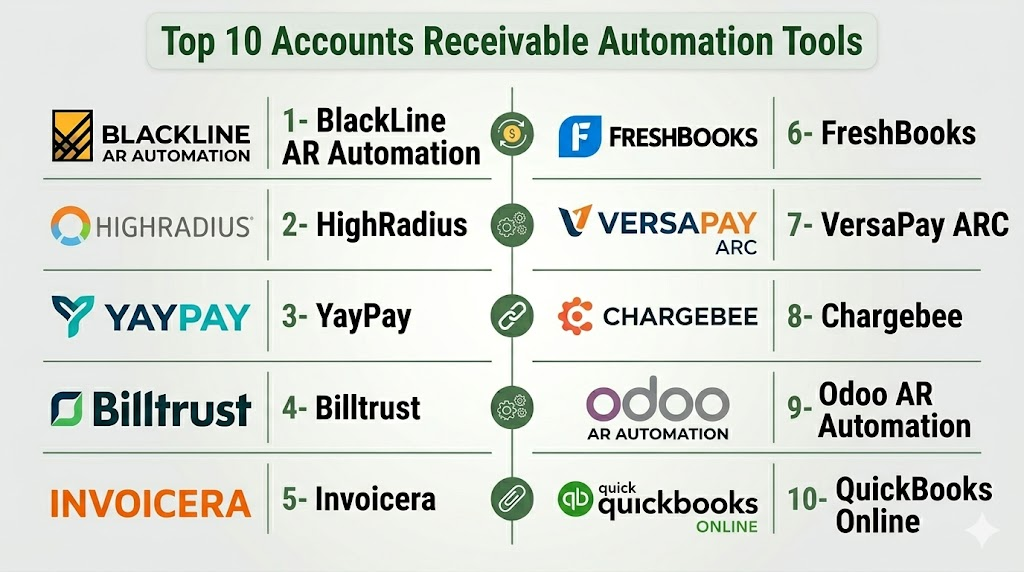
Introduction
Accounts Receivable (AR) Automation Tools are software systems that streamline and automate the process of managing incoming payments, invoicing, collections, reporting, and customer account reconciliation. Traditional AR workflows rely heavily on manual tasks — generating invoices, tracking payments, sending reminders, resolving disputes, and reconciling ledgers — which are time‑consuming, error‑prone, and hard to scale as business volumes grow. AR automation tools replace manual work with digital workflows, centralized dashboards, automated billing, intelligent receivables matching, and proactive collections management.
In finance teams are expected to deliver faster financial close cycles, tighter cash flow forecasting, and better customer payment experiences. Automation in AR is a strategic investment that reduces Days Sales Outstanding (DSO), improves working capital, enhances cash visibility, and frees up finance teams for higher‑value tasks such as analysis and client support. The best AR tools integrate seamlessly with ERP and payment systems while providing analytics and compliance controls.
Real‑world use cases include:
- Automated invoicing and billing workflows (email, portal, EDI).
- Payment reminders and escalation sequences.
- Credit risk scoring and dispute tracking.
- Payment matching and reconciliation.
- Cash forecasting and AR analytics.
Evaluation Criteria for Buyers:
- Automated invoice generation and delivery
- Payment reminders and collections workflows
- Integration with payment gateways and ERPs
- Matching and reconciliation automation
- Customer portals for self‑service payments
- Analytics and DSO tracking
- Dispute and exception management
- Multi‑currency, tax, and compliance support
- Security and audit trails
- Ease of implementation and configurability
Best for: AR teams, finance and accounting leaders, CFO offices, controllers, billing operations, and enterprises with high invoice and payment volumes.
Not ideal for: Very small businesses with limited billing volume and straightforward AR that can be handled with basic accounting software or manual remittance.
Key Trends in Accounts Receivable Automation Tools
- AI/ML‑assisted matching and exception detection to reduce touchpoints.
- Automated payment reminders and follow‑ups with configurable cadence.
- Customer self‑service portals for invoice access and online payment.
- Integration with ERP, CRM, payment gateways, and lockbox services.
- Enhanced cash forecasting and DSO dashboards for finance leadership.
- Support for multi‑currency, global tax, and compliance.
- Adoption of electronic invoicing (e‑invoicing) and EDI for trading partners.
- Mobile and email automation for reminders and confirmations.
- AI scoring for credit risk, late payment patterns, and dispute likelihood.
- Cloud‑native and API‑first architectures for extensibility.
How We Selected These Tools (Methodology)
- Evaluated feature breadth across automated invoicing, collections, reconciliation, and analytics.
- Assessed integration readiness with ERP, payment gateways, CRM, and banking systems.
- Considered scalability for mid‑market to enterprise complexity.
- Verified automation depth for reminders, workflows, match/exceptions, and disputes.
- Reviewed customer portal and self‑service payment capabilities.
- Checked security controls, role‑based access, audit logging, and compliance.
- Analyzed analytics, cash forecasting, and KPI dashboards.
- Evaluated mobile and email automation experiences.
- Reviewed implementation ease and configuration flexibility.
Top 10 Accounts Receivable Automation Tools
#1 — BlackLine AR Automation
Short description:
BlackLine is an enterprise finance automation platform with powerful AR automation features — particularly for reconciliation, matching, close workflows, and visibility across receivables.
Key Features
- Automated invoice posting and matching
- Bank reconciliation with automated exception handling
- Collections workflow and communications
- Cash application automation
- Dashboards for DSO, aging, and cash forecasting
Pros
- Deep AR process automation
- Strong reconciliation and exception handling
- Enterprise scalability
Cons
- Enterprise implementation effort
- Cost remains high for smaller teams
Platforms / Deployment
- Web, Cloud
Security & Compliance
- RBAC, encryption, audit trails
Integrations & Ecosystem
- ERP connectors
- Banking/payment systems
Support & Community
- Global support and documentation
#2 — HighRadius (now part of nCino)
Short description:
HighRadius is a leading AR and treasury automation platform using AI/ML for credit management, collections, cash application, deductions, and forecasting.
Key Features
- AI‑assisted cash application
- Automated collections workflows
- Credit risk scoring and policy rules
- Dispute and deduction management
- Forecasting and DSO analytics
Pros
- Strong AI/ML engines for matching and forecasting
- End‑to‑end AR suite
- Scales for enterprise
Cons
- Configuration complexity
- Premium pricing
Platforms / Deployment
- Web, Cloud
Security & Compliance
- Enterprise access control, encryption
Integrations & Ecosystem
- ERP/Finance systems
- Payment gateways
Support & Community
- Training & support ecosystem
#3 — YayPay (Quadient)
Short description:
YayPay is an AR automation platform focused on visibility, predictive analytics, smart reminders, and aging dashboards that help finance teams drive faster collections.
Key Features
- Invoice automation and delivery
- Smart AR collections and task workflows
- DSO and aging dashboards
- Customer account visibility
- Payment matching and reconciliation
Pros
- Excellent analytics & aging insights
- User‑friendly UI
- Strong forecasting
Cons
- Mid‑market focus — some enterprise features less deep
- Integration effort varies
Platforms / Deployment
- Web, Cloud
Security & Compliance
- RBAC, encrypted data
Integrations & Ecosystem
- ERP systems
- Payment processors
Support & Community
- Support and documentation
#4 — Billtrust
Short description:
Billtrust automates billing, payment processing, credit management, and cash application — especially popular with B2B companies with recurring invoice models.
Key Features
- Electronic billing & invoicing
- Multi‑channel payment acceptance
- Automated cash application
- AR aging and reporting
- Customer portals
Pros
- Good payment flexibility
- Strong for recurring invoices
- Scales well
Cons
- Some analytics are basic
- Feature depth varies by tier
Platforms / Deployment
- Web, Cloud
Security & Compliance
- Encryption, RBAC
Integrations & Ecosystem
- ERP connectors
- Payment gateways
Support & Community
- Vendor support
#5 — Invoicera
Short description:
Invoicera is a billing and AR automation platform with invoicing, recurring billing, payment reminders, and client portals — suited for SMB and mid‑market.
Key Features
- Automated invoice generation
- Recurring billing
- Payment reminders & escalation
- Client portals
- Simple dashboards
Pros
- Affordable for mid‑market
- Quick onboarding
- Recurring billing strength
Cons
- Lacks advanced forecasting
- Analytics limited
Platforms / Deployment
- Web, Cloud
Security & Compliance
- RBAC, encryption
Integrations & Ecosystem
- Payment gateway integrations
- Accounting systems
Support & Community
- Vendor documentation
#6 — FreshBooks
Short description:
FreshBooks is an easy‑to‑use accounting and AR tool focused on billing, invoicing, payment capture, and simple receivables workflows — popular with small businesses.
Key Features
- Automated invoicing
- Client payment tracking
- Online payments
- Simple dashboards
- Expense and receipt capture
Pros
- Very user‑friendly
- Affordable for small teams
- Quick setup
Cons
- Not enterprise‑grade
- Advanced automation limited
Platforms / Deployment
- Web, iOS, Android, Cloud
Security & Compliance
- RBAC, encryption
Integrations & Ecosystem
- Accounting and payment systems
Support & Community
- Support teams
#7 — VersaPay ARC
Short description:
VersaPay ARC provides AR automation with customer self‑service portals, automated invoice delivery, dispute tools, and reconciliation for mid‑market and enterprise.
Key Features
- AR auto‑billing
- Customer ePay portals
- Automated matching
- Dispute management workflows
- Cash application
Pros
- Strong self‑service portal
- Good reconciliation tools
- Mid‑market to enterprise fit
Cons
- Tiered pricing complexity
- Configuration overhead
Platforms / Deployment
- Web, Cloud
Security & Compliance
- RBAC, encryption
Integrations & Ecosystem
- ERP/Finance systems
Support & Community
- Vendor support
#8 — Chargebee (Revenue & AR)
Short description:
Chargebee combines subscription billing with AR automation, managing invoicing, payments, reconciliation, and dunning workflows for SaaS and recurring revenue businesses.
Key Features
- Subscription invoice automation
- Payment gateway integrations
- Dunning and reminders
- Revenue recognition support
- Reporting and insights
Pros
- Excellent for recurring revenue models
- Strong payment integrations
- Quick onboarding
Cons
- Best for subscription businesses
- Not a full‑scope general AR suite
Platforms / Deployment
- Web, Cloud
Security & Compliance
- Encryption, RBAC
Integrations & Ecosystem
- Payment processors
- Accounting systems
Support & Community
- Vendor support
#9 — Odoo AR Automation (Odoo ERP)
Short description:
Within the Odoo ERP suite, AR automation encompasses automated invoicing, payment matching, customer ledgers, and aging reports — ideal for SMBs on a unified platform.
Key Features
- Automated invoice generation
- Ledger and aging analysis
- Payment matching
- Customer portal
- Reconciliation dashboards
Pros
- Unified with Odoo ERP
- Affordable
- Modular
Cons
- Less advanced AI/ML
- Limited enterprise analytics
Platforms / Deployment
- Web, Cloud/On‑prem
Security & Compliance
- Role access, encryption
Integrations & Ecosystem
- Odoo modules
Support & Community
- Odoo community
#10 — QuickBooks Online (AR Features)
Short description:
QuickBooks Online includes basic AR automation features with invoicing, reminders, payment tracking, and simple dashboards — ideal for small businesses.
Key Features
- Automated invoicing
- Payment reminders
- Online payment links
- Accounts receivable reporting
- Integration with banking
Pros
- Easy to use
- Affordable
- Well known
Cons
- Not built for scale
- Basic automation
Platforms / Deployment
- Web, iOS, Android, Cloud
Security & Compliance
- RBAC, encryption
Integrations & Ecosystem
- QuickBooks ecosystem
Support & Community
- QuickBooks support
Comparison Table (Top 10 AR Automation Tools)
| Tool Name | Best For | Platform(s) Supported | Deployment | Standout Feature | Public Rating |
|---|---|---|---|---|---|
| BlackLine AR Automation | Enterprise receivables | Web | Cloud | Deep reconciliation | N/A |
| HighRadius | AI‑driven AR | Web | Cloud | AI match & forecasting | N/A |
| YayPay | Analytics & collections | Web | Cloud | Predictive insights | N/A |
| Billtrust | B2B billing & payments | Web | Cloud | Payment flexibility | N/A |
| Invoicera | Mid‑market billing | Web | Cloud | Recurring invoices | N/A |
| FreshBooks | Small business AR | Web/iOS/Android | Cloud | Ease of use | N/A |
| VersaPay ARC | Self‑service AR | Web | Cloud | AR portal | N/A |
| Chargebee | Subscription AR | Web | Cloud | Recurring revenue | N/A |
| Odoo AR Automation | ERP integrated AR | Web | Cloud/On‑prem | Unified ERP | N/A |
| QuickBooks Online | Small biz AR | Web/iOS/Android | Cloud | Familiar accounting | N/A |
Evaluation & Scoring of AR Automation Tools
| Tool Name | Core (25%) | Ease (15%) | Integrations (15%) | Security (10%) | Performance (10%) | Support (10%) | Value (15%) | Weighted Total (0–10) |
|---|---|---|---|---|---|---|---|---|
| BlackLine AR Automation | 9 | 7 | 9 | 9 | 9 | 8 | 7 | 8.4 |
| HighRadius | 9 | 7 | 9 | 8 | 9 | 8 | 7 | 8.3 |
| YayPay | 8 | 8 | 8 | 8 | 8 | 8 | 8 | 8.0 |
| Billtrust | 8 | 7 | 8 | 8 | 8 | 8 | 7 | 7.8 |
| Invoicera | 7 | 9 | 7 | 8 | 7 | 8 | 8 | 7.9 |
| FreshBooks | 6 | 9 | 6 | 8 | 6 | 8 | 9 | 7.3 |
| VersaPay ARC | 8 | 7 | 8 | 8 | 8 | 7 | 7 | 7.7 |
| Chargebee | 7 | 8 | 8 | 8 | 7 | 8 | 8 | 7.9 |
| Odoo AR Automation | 7 | 8 | 7 | 8 | 7 | 7 | 8 | 7.6 |
| QuickBooks Online | 6 | 9 | 7 | 8 | 6 | 8 | 9 | 7.4 |
Interpretation: Higher weighted totals reflect strong AR core automation, analytics, and integration.
Which AR Automation Tool Is Right for You?
Solo / Freelancer
For solo operators or very small businesses, QuickBooks Online or FreshBooks provide easy billing, reminders, and payment tracking without heavy setup.
SMB
Small to mid‑market businesses can benefit from Invoicera, YayPay, or Chargebee (for recurring revenue), balancing usability and automation depth.
Mid‑Market / Enterprise
Larger teams with high invoice volumes and complex workflows should evaluate BlackLine AR Automation, HighRadius, or Billtrust for deep automation, analytics, and cash forecasting.
Subscription & Recurring Models
If your business runs subscription revenue, Chargebee excels with dunning, recurring invoices, and revenue recognition support.
ERP‑Aligned Workflows
Organizations on larger ERP stacks can extend Odoo AR Automation or integrate BlackLine / HighRadius for unified financial data.
Frequently Asked Questions (FAQs)
1. What does AR automation software do?
AR automation software digitizes invoice creation, delivery, reminders, collections workflows, reconciliation, and reporting for faster and more accurate receivables management.
2. Can AR automation reduce DSO?
Yes — automation accelerates communication, reminders, and payment matching, leading to reduced Days Sales Outstanding (DSO).
3. Do these tools integrate with ERP systems?
Most provide connectors or APIs to integrate with ERP, accounting, payment gateways, and banking systems.
4. Can customers pay online through these tools?
Many tools offer self‑service portals or online payment links embedded in invoices.
5. Do AR tools provide forecasts?
Yes — dashboards often include forecasting, aging, and trend analysis for better cash planning.
6. Is automated matching of payments supported?
Yes — tools use AI/ML or rules to match incoming payments with open invoices automatically.
7. Are mobile approvals or notifications possible?
Some platforms support mobile alerts and approvals for collections workflows.
8. Can AR automation handle disputes?
Many tools include exception and dispute workflows to track issues and resolution status.
9. Do these platforms support multiple currencies?
Yes — enterprise and global tools support multi‑currency invoicing and compliance.
10. How long does implementation take?
Smaller cloud‑based setups can go live in weeks; full enterprise integrations may take months.
Conclusion
Accounts Receivable Automation Tools have become essential for finance teams striving to improve cash flow, accelerate collections, and gain deeper financial visibility. From small‑business platforms like FreshBooks and QuickBooks Online to enterprise automation suites like BlackLine AR Automation and HighRadius, there’s a solution for every scale and complexity. Modern AR automation balances AI‑driven matching, automated workflows, self‑service customer portals, and cash forecasting — helping finance teams optimize working capital and reduce manual workloads. When choosing a platform, align your AR process complexity, ERP stack, payment ecosystems, and reporting needs to ensure measurable improvements in efficiency, accuracy, and financial insight.

Clear and practical explanation.
Well written and clearly explained.
Thanks, this helped me a lot.