MOTOSHARE 🚗🏍️
Rent Bikes & Cars Directly from Owners
Motoshare connects vehicle owners with people who need bikes and cars on rent. Owners earn from idle vehicles, and renters get flexible ride options.
Visit Motoshare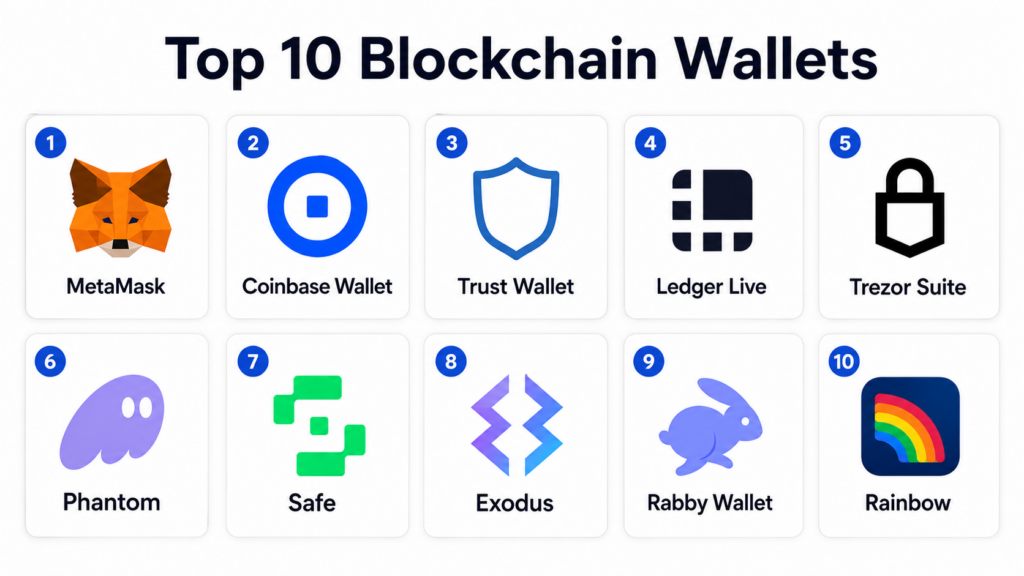
Introduction
Blockchain wallets are tools that help users store, manage, send, receive, and interact with digital assets such as cryptocurrencies, tokens, NFTs, and blockchain-based applications. In simple terms, a blockchain wallet does not usually “store coins” directly inside the app; instead, it manages the private keys or access credentials needed to control assets recorded on a blockchain. Wallets can be browser extensions, mobile apps, desktop apps, hardware devices, multi-signature wallets, or enterprise custody systems.
Blockchain wallets matter because they are the main access layer for Web3, DeFi, NFTs, tokenized assets, on-chain payments, gaming assets, DAOs, and decentralized identity. A good wallet improves usability, security, transaction clarity, network support, recovery options, and application connectivity. A poor wallet setup can expose users to phishing, seed phrase loss, malicious approvals, wrong-network transfers, and irreversible mistakes.
Real-world use cases include crypto asset storage, DeFi access, NFT management, DAO governance, blockchain gaming, token payments, self-custody, institutional treasury controls, multi-chain portfolio management, and smart contract interaction. Buyers should evaluate custody model, security controls, supported chains, hardware wallet support, transaction simulation, recovery options, dApp compatibility, mobile experience, fees, documentation, and ecosystem trust.
Best for: crypto users, Web3 developers, NFT collectors, DeFi participants, DAOs, blockchain startups, treasury teams, enterprises experimenting with tokenized assets, and users who need direct control over blockchain accounts. Not ideal for: users who do not want to manage private keys, teams that require fully managed institutional custody, or businesses that only need traditional payment processing without blockchain exposure.
Key Trends in Blockchain Wallets
- Self-custody remains a major trend, with users wanting more control over assets while still needing better safety and recovery experiences.
- Smart contract wallets are gaining attention, especially for multi-signature approvals, account abstraction, spending limits, social recovery, and programmable wallet rules.
- Hardware wallet integration is becoming more important, especially for users holding long-term assets or managing high-value portfolios.
- Multi-chain wallet support is now expected, as users often interact with Ethereum, Bitcoin, Solana, Layer 2 networks, EVM chains, NFTs, and tokenized assets.
- Transaction simulation and risk warnings are becoming essential, helping users detect suspicious approvals, phishing attempts, and malicious smart contract interactions.
- Mobile-first Web3 access is growing, especially for NFT, gaming, payments, and retail crypto use cases.
- Wallets are becoming identity layers, with support for usernames, profiles, decentralized identity, wallet-based login, and on-chain reputation.
- Enterprise and DAO wallet governance is maturing, with multi-signature workflows, approval policies, role-based controls, and treasury reporting.
- Better recovery models are emerging, including social recovery, seedless onboarding, passkey-style access, and smart wallet recovery options.
- Security education is becoming part of the product experience, because wallet safety depends on user behavior, transaction review, and phishing awareness.
How We Selected These Tools
- Selected wallets and wallet platforms widely recognized across crypto, Web3, DeFi, NFT, hardware custody, and DAO treasury workflows.
- Balanced browser extension wallets, mobile wallets, desktop wallets, hardware wallet suites, and multi-signature smart contract wallets.
- Considered supported networks, ecosystem adoption, ease of use, security model, dApp compatibility, and practical user fit.
- Included both beginner-friendly wallets and advanced wallets for power users, DAOs, and treasury teams.
- Evaluated private key handling, recovery options, transaction review, hardware wallet support, and multi-chain capabilities.
- Considered wallet suitability for Ethereum, Bitcoin, Solana, EVM-compatible networks, NFTs, and decentralized applications.
- Avoided public ratings because wallet ratings vary by platform, geography, version, and review source.
- Used “Not publicly stated” where security certifications, compliance claims, or enterprise controls are not clearly known.
- Scoring is comparative and practical, not a claim that one wallet is universally best for everyone.
- Prioritized wallets that are actively relevant for modern blockchain usage and common user scenarios.
Top 10 Blockchain Wallets
1- MetaMask
Short description:
MetaMask is one of the most widely used blockchain wallets for Ethereum and EVM-compatible networks. It is popular among DeFi users, NFT collectors, developers, and Web3 application users because it works as a browser extension and mobile wallet. MetaMask is especially useful for connecting to decentralized applications and managing tokens across multiple EVM networks. It is powerful and flexible, but users must be careful with phishing, seed phrase security, network settings, and smart contract approvals.
Key Features
- Browser extension and mobile wallet for Web3 access.
- Strong support for Ethereum and EVM-compatible networks.
- Connects easily with decentralized applications.
- Supports token management, swaps, and NFT visibility depending on network and app experience.
- Allows custom network configuration.
- Supports hardware wallet connection in compatible workflows.
- Strong developer and user ecosystem adoption.
Pros
- Very widely supported by Web3 applications.
- Good fit for Ethereum, DeFi, NFT, and EVM users.
- Flexible for developers and advanced users.
Cons
- New users may find networks, gas fees, and approvals confusing.
- Security depends heavily on user behavior and seed phrase protection.
- Native Bitcoin support is not its primary strength.
Platforms / Deployment
Web browser extension / iOS / Android.
Self-custody wallet.
Security & Compliance
Self-custody wallet security depends on seed phrase protection, device security, wallet permissions, phishing awareness, and transaction review. Enterprise compliance certifications are not the main purpose of the consumer wallet experience. Hardware wallet support can improve security for compatible use cases.
Integrations & Ecosystem
MetaMask has one of the strongest integration ecosystems in Web3. It is supported by many decentralized applications, wallets, exchanges, NFT marketplaces, developer tools, and EVM-compatible networks.
- Ethereum dApps
- EVM-compatible networks
- DeFi protocols
- NFT platforms
- Hardware wallet workflows
- Developer testing environments
Support & Community
MetaMask has strong documentation, broad community familiarity, and extensive educational resources. Because it is heavily used, there are also many phishing attempts that imitate it, so users should rely on official app sources and safe wallet practices.
2- Coinbase Wallet
Short description:
Coinbase Wallet is a self-custody wallet designed for users who want access to crypto, NFTs, and Web3 applications while keeping control of their private keys. It is separate from a custodial exchange account and is useful for users who want a more beginner-friendly bridge into decentralized applications. Coinbase Wallet supports multiple networks and provides a familiar experience for users already comfortable with Coinbase products. It is a strong choice for beginners and mainstream users entering self-custody.
Key Features
- Self-custody wallet for crypto and Web3 use.
- Mobile app and browser extension experience.
- Supports multiple blockchain networks and tokens.
- Designed for easier onboarding into decentralized applications.
- NFT and token management support.
- Connects with dApps and Web3 services.
- Useful for users transitioning from exchange-based crypto usage.
Pros
- Beginner-friendly compared with many advanced wallets.
- Strong fit for users familiar with Coinbase ecosystem.
- Good balance of self-custody and usability.
Cons
- Advanced power users may prefer more specialized wallets.
- Security still depends on recovery phrase and device safety.
- Some features may vary by region, platform, or network.
Platforms / Deployment
Web browser extension / iOS / Android.
Self-custody wallet.
Security & Compliance
Self-custody wallet security depends on recovery phrase protection, device safety, transaction review, and user awareness. Coinbase ecosystem security and compliance controls may differ between custodial exchange services and the self-custody wallet, so teams should evaluate the exact product being used.
Integrations & Ecosystem
Coinbase Wallet integrates with Web3 applications, NFT platforms, DeFi services, and supported blockchain networks. It can be useful for users who want a familiar brand experience while exploring self-custody.
- Web3 dApps
- NFT platforms
- DeFi applications
- Supported blockchain networks
- Coinbase ecosystem touchpoints
- WalletConnect-style workflows where supported
Support & Community
Coinbase Wallet benefits from a large brand ecosystem and user education resources. Support experience may vary depending on product type, user region, and whether the issue relates to self-custody recovery or platform services.
3- Trust Wallet
Short description:
Trust Wallet is a popular mobile-first self-custody wallet that supports many cryptocurrencies, tokens, and blockchain networks. It is useful for users who want a broad multi-chain wallet experience on mobile devices. Trust Wallet is often chosen by retail crypto users who manage different assets across multiple ecosystems. It is simple to start with, but users still need to understand seed phrase safety, network selection, token approvals, and transaction risks.
Key Features
- Mobile-first self-custody blockchain wallet.
- Supports many cryptocurrencies, tokens, and blockchain networks.
- Built-in token and asset management experience.
- Supports decentralized application access depending on platform and region.
- NFT support for compatible networks.
- Useful for multi-chain portfolio management.
- Simple onboarding for retail crypto users.
Pros
- Broad asset and network support.
- Good mobile experience for everyday crypto users.
- Useful for users managing multiple token ecosystems.
Cons
- Advanced transaction simulation and risk controls may be limited compared with specialist wallets.
- Users must protect seed phrases carefully.
- Desktop and institutional workflows may require other tools.
Platforms / Deployment
iOS / Android / browser extension availability may vary.
Self-custody wallet.
Security & Compliance
Self-custody security depends on recovery phrase protection, device security, app authenticity, and user transaction review. Enterprise compliance controls are not the primary purpose of the wallet.
Integrations & Ecosystem
Trust Wallet supports a wide crypto ecosystem and works with many networks and token types. It is useful for mobile users who want broad asset access from one wallet.
- Multi-chain token management
- NFT support where compatible
- DeFi applications
- Blockchain network integrations
- Mobile crypto workflows
- Web3 app connections where supported
Support & Community
Trust Wallet has a large user base and broad community familiarity. Documentation and support resources are available, but users should understand that self-custody recovery responsibility remains with them.
4- Ledger Live
Short description:
Ledger Live is the companion software for Ledger hardware wallets, helping users manage crypto assets while keeping private keys protected inside hardware devices. It is useful for users who prioritize long-term asset security and want hardware-based self-custody. Ledger Live supports asset management, transactions, staking options, and app management for Ledger devices. It is best for users who want stronger private key isolation than a browser-only or mobile-only wallet.
Key Features
- Companion app for Ledger hardware wallets.
- Helps manage assets while private keys remain on hardware devices.
- Supports multiple cryptocurrencies and tokens.
- Desktop and mobile app experience.
- Supports transaction review and device confirmation.
- Hardware wallet app management.
- Useful for long-term storage and higher-security self-custody.
Pros
- Stronger key isolation through hardware wallet design.
- Good fit for long-term holders and security-conscious users.
- Supports a wide range of assets through Ledger ecosystem.
Cons
- Requires purchasing and safely managing hardware.
- Users must protect recovery phrase from loss or theft.
- Some Web3 workflows may require connecting with other wallets or apps.
Platforms / Deployment
Windows / macOS / Linux / iOS / Android depending on device compatibility.
Hardware wallet companion / Self-custody.
Security & Compliance
Hardware wallet security depends on device authenticity, secure recovery phrase storage, firmware practices, transaction verification, and user behavior. Compliance certifications for consumer wallet usage are not the main evaluation factor; security should be validated based on device model and operational practices.
Integrations & Ecosystem
Ledger Live connects with Ledger hardware devices and supports a wide asset ecosystem. Ledger devices can also work with many third-party wallets and Web3 applications depending on network compatibility.
- Ledger hardware devices
- Supported crypto assets
- Staking services where available
- Third-party wallet connections
- Web3 application workflows
- Asset management tools
Support & Community
Ledger has broad community recognition, documentation, and support resources. Users should follow careful setup, firmware, backup, and recovery practices because hardware wallet security depends on correct usage.
5- Trezor Suite
Short description:
Trezor Suite is the desktop and web companion interface for Trezor hardware wallets. It helps users manage crypto assets while keeping private keys secured on Trezor devices. Trezor Suite is useful for security-focused users who prefer hardware self-custody, transparent wallet management, and strong recovery discipline. It is especially suitable for long-term holders, Bitcoin users, and users who want a simpler hardware wallet management experience.
Key Features
- Companion software for Trezor hardware wallets.
- Supports asset management with hardware key protection.
- Desktop and web-based wallet management options.
- Transaction confirmation through hardware device.
- Supports recovery and backup workflows.
- Useful for long-term crypto storage.
- Strong fit for security-conscious self-custody users.
Pros
- Hardware wallet model improves private key protection.
- Good fit for long-term storage and careful asset management.
- Clear user experience for supported assets.
Cons
- Requires hardware purchase and careful backup storage.
- Asset and dApp support may vary by network and workflow.
- Not as convenient as mobile-only wallets for quick daily use.
Platforms / Deployment
Windows / macOS / Linux / Web depending on usage.
Hardware wallet companion / Self-custody.
Security & Compliance
Security depends on authentic device usage, safe recovery phrase handling, firmware practices, physical security, and careful transaction verification. Enterprise compliance certifications are not the primary purpose of the consumer wallet suite.
Integrations & Ecosystem
Trezor Suite works with Trezor hardware wallets and supported assets. Trezor devices may also integrate with third-party wallet interfaces depending on chain and use case.
- Trezor hardware devices
- Supported crypto assets
- Bitcoin workflows
- Third-party wallet integrations where supported
- Desktop self-custody workflows
- Secure transaction signing
Support & Community
Trezor has strong recognition among hardware wallet users and provides documentation for setup, recovery, and safe operation. Users should carefully follow official setup and backup instructions to avoid asset loss.
6- Phantom
Short description:
Phantom is a popular wallet originally known for Solana, and it has expanded into broader multi-chain Web3 usage. It is especially useful for users active in Solana NFTs, DeFi, gaming, and consumer blockchain applications. Phantom is known for a clean user experience, browser extension and mobile support, and strong dApp connectivity in its supported ecosystems. It is a strong choice for Solana-first users and multi-chain users who value usability.
Key Features
- Browser extension and mobile wallet.
- Strong support for Solana ecosystem usage.
- Multi-chain support depending on current product capabilities.
- NFT and token management features.
- dApp connection and transaction approval workflows.
- User-friendly interface for retail Web3 users.
- Useful for DeFi, NFTs, gaming, and consumer blockchain apps.
Pros
- Excellent user experience for supported ecosystems.
- Strong fit for Solana users and NFT collectors.
- Good mobile and browser wallet availability.
Cons
- Users should validate chain support for their specific assets.
- Advanced enterprise treasury controls are limited.
- Self-custody risks still apply.
Platforms / Deployment
Web browser extension / iOS / Android.
Self-custody wallet.
Security & Compliance
Security depends on seed phrase protection, device safety, transaction review, app authenticity, and phishing awareness. Enterprise compliance controls are not the primary focus of the consumer wallet experience.
Integrations & Ecosystem
Phantom integrates well with supported Web3 ecosystems, especially Solana-oriented applications. It is commonly used for NFTs, DeFi, token transfers, and dApp interactions.
- Solana dApps
- NFT marketplaces
- DeFi protocols
- Browser-based Web3 apps
- Mobile Web3 workflows
- Supported multi-chain ecosystems
Support & Community
Phantom has strong community recognition in Solana and broader Web3 circles. Documentation and support resources are available, but users must still follow self-custody safety practices.
7- Safe
Short description:
Safe is a smart contract wallet and multi-signature platform used by teams, DAOs, protocols, and organizations that need shared control over blockchain assets. Instead of one person controlling funds with a single private key, Safe allows multiple signers and approval policies. It is especially useful for treasury management, protocol administration, DAO governance, grant programs, and high-value smart contract operations. Safe is one of the strongest choices for collaborative and organizational crypto asset management.
Key Features
- Smart contract wallet for multi-signature asset control.
- Supports shared treasury management.
- Useful for DAOs, teams, and protocol operations.
- Allows approval thresholds and signer management.
- Integrates with many Web3 applications.
- Supports transaction batching and governance workflows.
- Strong fit for organizational self-custody.
Pros
- Excellent for team-based treasury control.
- Reduces single-key risk for organizations.
- Widely used in DAO and protocol ecosystems.
Cons
- More complex than a simple personal wallet.
- Smart contract wallet behavior may differ across networks.
- Teams need governance policies and signer discipline.
Platforms / Deployment
Web / supported blockchain networks.
Smart contract wallet / Self-custody / Organization custody workflow.
Security & Compliance
Supports multi-signature controls and shared approval workflows. Broader security depends on signer device safety, key management, threshold design, transaction review, network support, and organizational governance. Compliance certifications are not the main consumer-facing wallet feature.
Integrations & Ecosystem
Safe integrates with many Web3 applications and treasury workflows. It is commonly used by DAOs, DeFi protocols, NFT projects, and blockchain organizations.
- DAO governance tools
- DeFi applications
- Treasury dashboards
- Hardware wallets
- Transaction builders
- Smart contract administration workflows
Support & Community
Safe has strong ecosystem recognition among DAOs and Web3 organizations. Documentation and community resources are available, but teams should create internal policies for signer management, emergency procedures, and transaction approvals.
8- Exodus
Short description:
Exodus is a multi-asset wallet known for its polished desktop and mobile user experience. It is useful for users who want a visually simple way to manage different crypto assets without dealing with highly technical interfaces. Exodus supports a broad asset experience and portfolio-style management. It is a good fit for retail users who want convenience, but high-value holders may still prefer hardware wallet workflows or multi-signature setups.
Key Features
- Desktop and mobile multi-asset wallet.
- User-friendly portfolio management interface.
- Supports many cryptocurrencies and tokens.
- Built-in swap-style functionality may be available depending on region and asset.
- Designed for retail users and beginners.
- Supports asset tracking and transaction history.
- Hardware wallet integration may be available for selected workflows.
Pros
- Polished and beginner-friendly interface.
- Good for users managing multiple assets.
- Simple experience compared with many technical wallets.
Cons
- Advanced Web3 and DeFi workflows may be less deep than specialist wallets.
- Self-custody recovery responsibility remains with the user.
- Institutional controls and multi-signature governance are limited.
Platforms / Deployment
Windows / macOS / Linux / iOS / Android.
Self-custody wallet.
Security & Compliance
Self-custody security depends on recovery phrase safety, device protection, software authenticity, and user transaction review. Enterprise compliance controls are not the main focus of this wallet category.
Integrations & Ecosystem
Exodus is useful for multi-asset management and may connect with selected hardware wallet or exchange-style workflows depending on user needs and supported features.
- Multi-asset crypto management
- Desktop wallet workflows
- Mobile wallet workflows
- Selected hardware wallet workflows
- Portfolio tracking
- Asset swap-style workflows where supported
Support & Community
Exodus provides user documentation and support resources. It is especially useful for beginners who want a clear interface, though users should still learn self-custody basics before storing meaningful value.
9- Rabby Wallet
Short description:
Rabby Wallet is an EVM-focused wallet designed for DeFi users who want clearer transaction visibility and safer interaction with decentralized applications. It is especially useful for users who frequently switch between EVM-compatible networks and need better transaction previews. Rabby focuses on improving the Web3 transaction experience by showing more context before users sign. It is a strong fit for active DeFi users and power users who want more clarity than basic wallet approvals.
Key Features
- EVM-focused browser wallet.
- Designed for DeFi and multi-chain EVM usage.
- Provides transaction previews and risk-focused signing context.
- Supports automatic network handling for EVM dApps.
- Useful for active on-chain users.
- Helps reduce confusion during complex smart contract interactions.
- Supports common Web3 application workflows.
Pros
- Strong transaction clarity for DeFi users.
- Good fit for EVM multi-chain activity.
- Helpful for reducing wrong-network and blind-signing mistakes.
Cons
- Less suitable for non-EVM ecosystems.
- Beginners may still need to learn DeFi risk basics.
- Enterprise treasury workflows may need multi-signature tools like Safe.
Platforms / Deployment
Web browser extension.
Self-custody wallet.
Security & Compliance
Security depends on seed phrase management, device security, transaction review, and safe dApp usage. Transaction preview features can help users understand risk, but they do not remove the need for caution.
Integrations & Ecosystem
Rabby is built for EVM dApp interaction and DeFi workflows. It works well for users who interact with multiple EVM-compatible networks and smart contracts.
- Ethereum dApps
- EVM-compatible networks
- DeFi protocols
- NFT platforms
- WalletConnect-style workflows where supported
- Transaction review workflows
Support & Community
Rabby has strong recognition among DeFi power users and EVM-focused communities. Documentation and community support are useful, especially for users who frequently interact with smart contracts.
10- Rainbow
Short description:
Rainbow is a mobile-first Ethereum and Web3 wallet known for its clean design and user-friendly experience. It is useful for users who want to manage Ethereum assets, NFTs, and Web3 interactions in a more approachable interface. Rainbow is especially popular among NFT collectors, retail Web3 users, and mobile-first crypto users. It is a strong choice for users who value usability, but advanced multi-chain or organizational controls may require additional tools.
Key Features
- Mobile-first Ethereum and Web3 wallet.
- Clean interface for tokens and NFTs.
- Supports dApp interaction and wallet connectivity.
- Useful for retail users and NFT collectors.
- Designed for simple asset viewing and management.
- Supports Ethereum ecosystem workflows.
- Browser extension or expanded platform support may vary by product availability.
Pros
- Strong user experience and visual design.
- Good fit for Ethereum and NFT-focused users.
- Beginner-friendly compared with more technical wallets.
Cons
- Advanced treasury controls are limited.
- Users should validate current network support for their needs.
- Self-custody risks still apply.
Platforms / Deployment
iOS / Android / Web browser extension availability may vary.
Self-custody wallet.
Security & Compliance
Self-custody security depends on recovery phrase protection, device safety, app authenticity, and careful transaction review. Enterprise compliance controls are not the main focus of the wallet.
Integrations & Ecosystem
Rainbow fits well into Ethereum and NFT-oriented workflows. It can connect with Web3 applications and supports a user-friendly approach to wallet-based access.
- Ethereum ecosystem
- NFT platforms
- Web3 applications
- Wallet connection workflows
- Mobile crypto usage
- Token and collectible management
Support & Community
Rainbow has a strong design-focused community presence and documentation for everyday users. It is best suited for individuals who value ease of use and visual asset management.
Comparison Table
| Tool Name | Best For | Platforms Supported | Deployment | Standout Feature | Public Rating |
|---|---|---|---|---|---|
| MetaMask | Ethereum and EVM dApp access | Browser extension, iOS, Android | Self-custody | Broadest Web3 dApp support | N/A |
| Coinbase Wallet | Beginner-friendly self-custody | Browser extension, iOS, Android | Self-custody | Familiar onboarding for mainstream users | N/A |
| Trust Wallet | Mobile multi-chain asset management | iOS, Android, browser extension availability may vary | Self-custody | Broad mobile multi-chain support | N/A |
| Ledger Live | Hardware wallet asset management | Windows, macOS, Linux, iOS, Android | Hardware wallet companion | Hardware-based key protection | N/A |
| Trezor Suite | Hardware self-custody and long-term storage | Windows, macOS, Linux, Web | Hardware wallet companion | Secure hardware wallet management | N/A |
| Phantom | Solana and multi-chain Web3 usage | Browser extension, iOS, Android | Self-custody | Strong Solana user experience | N/A |
| Safe | DAO and team treasury management | Web | Smart contract wallet | Multi-signature approvals | N/A |
| Exodus | Beginner-friendly multi-asset wallet | Windows, macOS, Linux, iOS, Android | Self-custody | Polished portfolio experience | N/A |
| Rabby Wallet | EVM DeFi power users | Browser extension | Self-custody | Transaction preview and EVM clarity | N/A |
| Rainbow | Mobile-first Ethereum and NFT users | iOS, Android, browser extension availability may vary | Self-custody | Clean NFT and Ethereum experience | N/A |
Evaluation & Scoring of Blockchain Wallets
| Tool Name | Core 25% | Ease 15% | Integrations 15% | Security 10% | Performance 10% | Support 10% | Value 15% | Weighted Total |
|---|---|---|---|---|---|---|---|---|
| MetaMask | 9 | 8 | 10 | 7 | 8 | 9 | 9 | 8.65 |
| Coinbase Wallet | 8 | 9 | 8 | 7 | 8 | 8 | 8 | 8.10 |
| Trust Wallet | 8 | 8 | 8 | 7 | 8 | 8 | 9 | 8.05 |
| Ledger Live | 8 | 7 | 8 | 10 | 8 | 8 | 8 | 8.10 |
| Trezor Suite | 8 | 7 | 7 | 10 | 8 | 8 | 8 | 7.95 |
| Phantom | 8 | 9 | 8 | 7 | 8 | 8 | 8 | 8.05 |
| Safe | 9 | 7 | 9 | 9 | 8 | 8 | 8 | 8.35 |
| Exodus | 7 | 9 | 7 | 7 | 8 | 8 | 8 | 7.70 |
| Rabby Wallet | 8 | 8 | 9 | 8 | 8 | 7 | 9 | 8.15 |
| Rainbow | 7 | 9 | 7 | 7 | 8 | 7 | 8 | 7.55 |
These scores are comparative and should be used as a practical evaluation guide, not fixed public ratings. A higher score means the wallet is broadly strong across usability, ecosystem fit, security expectations, integrations, performance, support, and value. A lower score does not mean the wallet is poor; it may simply be better suited to a narrower use case such as NFTs, hardware storage, or organizational treasury control. Wallet choice should depend on asset value, chain usage, custody preference, security needs, and user skill level.
Which Blockchain Wallet Is Right for You?
Solo / Freelancer
Solo users should choose based on their primary blockchain activity. MetaMask is a strong default for Ethereum and EVM dApps. Phantom is ideal for Solana-heavy users. Trust Wallet and Exodus are practical for mobile-first multi-asset users. Rainbow is good for Ethereum and NFT users who want a clean mobile experience. If storing meaningful value, solo users should consider Ledger Live or Trezor Suite with hardware wallet protection instead of relying only on a browser extension or mobile wallet.
SMB
Small businesses using blockchain for payments, NFTs, tokenized access, or Web3 experiments should separate daily-use wallets from long-term storage wallets. MetaMask, Coinbase Wallet, Trust Wallet, and Phantom can work for operational activity, while Ledger or Trezor devices can help secure reserves. If multiple team members approve transactions, Safe is often a better fit than a single-user wallet. SMBs should document who controls wallets, how backups are stored, and what happens if an employee leaves.
Mid-Market
Mid-market organizations need stronger controls around approvals, custody, wallet permissions, transaction review, and reporting. Safe is a strong option for multi-signature team treasury workflows, while Ledger and Trezor hardware wallets can improve signer security. MetaMask or Rabby may be useful for EVM dApp interaction, but production funds should not depend on one person’s browser wallet alone. Mid-market teams should create policies for wallet creation, signer rotation, backup storage, phishing response, and transaction verification.
Enterprise
Enterprises should be cautious with consumer wallets for production treasury or regulated asset management. Safe may be useful for smart contract-based approvals, but enterprises may also need institutional custody, compliance monitoring, audit logs, role-based controls, and legal review. Hardware wallets can support signer security, but they must be managed through formal operational procedures. Enterprise teams should evaluate custody model, recovery process, access governance, transaction monitoring, insurance, compliance reporting, and integration with finance systems before selecting a wallet strategy.
Budget vs Premium
Free wallets can be enough for learning, small transactions, and low-value experimentation. However, higher-value assets require stronger security, which may include hardware wallets, multi-signature wallets, professional custody, monitoring, and operational policies. Ledger and Trezor require hardware purchase, while Safe may require transaction fees for smart contract wallet setup and activity. Premium wallet costs often come from security operations, treasury management, audits, and institutional custody rather than the wallet interface itself. Users should match security spending to asset value and risk.
Feature Depth vs Ease of Use
Exodus, Coinbase Wallet, Rainbow, and Phantom are strong for ease of use. MetaMask and Rabby provide more control for EVM and DeFi users. Trust Wallet offers broad mobile asset support. Ledger Live and Trezor Suite prioritize secure hardware-based asset control. Safe provides organizational governance rather than simple personal wallet usage. The best wallet is not always the easiest wallet; high-value assets and team funds require stronger controls even if the workflow is less convenient.
Integrations & Scalability
MetaMask is widely integrated with Ethereum and EVM applications. Phantom is highly useful for Solana workflows. Rabby is strong for DeFi users who need better transaction clarity across EVM networks. Safe integrates with DAO, treasury, and protocol workflows. Ledger and Trezor can connect with compatible wallet interfaces for secure signing. Teams should test wallet compatibility with target dApps, custody workflows, chains, NFTs, bridges, and accounting tools before committing.
Security & Compliance Needs
Wallet security depends on private key protection, recovery phrase storage, device safety, phishing resistance, transaction review, and governance. For individuals, hardware wallets and careful backup practices can reduce risk. For teams, multi-signature approvals and signer policies are essential. For enterprises, consumer wallets may not provide enough auditability or compliance control. Regulated organizations should consider institutional custody or enterprise wallet infrastructure when legal, reporting, or fiduciary obligations apply.
Frequently Asked Questions
1- What is a blockchain wallet?
A blockchain wallet is a tool that lets users manage blockchain accounts, sign transactions, and control access to digital assets. It does not usually store coins inside the app like a normal bank account. Instead, it manages private keys or signing permissions that prove ownership on the blockchain. Wallets can be mobile apps, browser extensions, desktop apps, hardware devices, or smart contract wallets. Some wallets are self-custody, meaning the user controls the keys. Others are custodial, where a company manages access on behalf of the user.
2- How much do blockchain wallets cost?
Many software wallets are free to download and use, but blockchain transactions usually require network fees. Hardware wallets require purchasing a physical device, and smart contract wallets may require transaction fees for setup or execution. Enterprise custody and institutional wallet solutions may involve subscription, custody, compliance, or service fees. Users should also consider indirect costs such as audits, monitoring, signer management, and recovery planning. A free wallet can be suitable for small use, but high-value assets need stronger protection. The total cost should match the value and risk of the assets being managed.
3- What is the difference between custodial and self-custody wallets?
A custodial wallet means a company or platform controls the private keys on behalf of the user. This can be easier for beginners because recovery and account access may be managed through the provider. A self-custody wallet means the user controls the private keys or recovery phrase directly. Self-custody gives more control but also more responsibility. If the recovery phrase is lost or stolen, assets may be permanently lost. The best choice depends on user skill, asset value, risk tolerance, and whether regulatory or institutional controls are needed.
4- Which blockchain wallet is best for beginners?
Coinbase Wallet, Trust Wallet, Exodus, Rainbow, and Phantom are often easier for beginners depending on the blockchain ecosystem they use. Coinbase Wallet is helpful for users moving from a familiar exchange-style experience into self-custody. Trust Wallet and Exodus are useful for broad multi-asset management. Phantom is strong for Solana users, while Rainbow is beginner-friendly for Ethereum and NFT users. Beginners should start with small amounts, learn recovery phrase safety, and avoid signing unknown transactions. For long-term holdings, a hardware wallet may be safer.
5- Are hardware wallets safer than software wallets?
Hardware wallets are generally safer for long-term storage because private keys remain isolated inside a physical device. This reduces exposure to malware, browser attacks, and some phishing risks. However, hardware wallets are not risk-free. Users must protect the recovery phrase, verify transaction details, buy authentic devices, and avoid fake support scams. A hardware wallet can still be misused if the user signs a malicious transaction. For high-value holdings, hardware wallets combined with careful operational practices are usually stronger than software-only wallets.
6- What are common wallet security mistakes?
Common mistakes include sharing a seed phrase, storing recovery words in cloud notes, clicking fake wallet links, approving malicious smart contracts, and sending assets to the wrong network. Users also make mistakes by ignoring transaction details, trusting fake support accounts, or using one wallet for every activity. Teams may create risk by allowing one person to control all funds. Another mistake is failing to test recovery before storing meaningful value. Good wallet security requires careful backups, phishing awareness, hardware protection, and transaction review.
7- Can blockchain wallets be used by businesses?
Yes, businesses can use blockchain wallets, but they need stronger governance than individual users. A business should avoid relying on one employee’s personal wallet for company assets. Multi-signature wallets like Safe can help require multiple approvals before funds move. Hardware wallets can protect signer keys. Larger businesses may need institutional custody, audit logs, role-based access, reporting, and compliance controls. Businesses should create policies for wallet access, signer rotation, backup storage, emergency recovery, and transaction approval.
8- What integrations should wallet users evaluate?
Users should evaluate compatibility with the blockchains, dApps, NFT platforms, DeFi protocols, hardware wallets, bridges, and custody tools they plan to use. Ethereum users often need MetaMask, Rabby, Safe, or hardware wallet compatibility. Solana users may prefer Phantom. Multi-asset users may value Trust Wallet or Exodus. Teams may need treasury dashboards, accounting tools, DAO governance platforms, and transaction builders. Integration testing is important because not every wallet supports every network, token, or application feature.
9- What happens if I lose my wallet recovery phrase?
If you lose the recovery phrase for a self-custody wallet and no backup or recovery method exists, you may permanently lose access to the assets. Blockchain transactions and ownership are controlled by cryptographic keys, not customer support teams. Some wallets may offer alternative recovery options, but users should never assume recovery is possible. This is why backup storage is critical. Recovery phrases should be stored offline, privately, and securely. For teams, recovery should be managed through documented policies and multiple responsible parties.
10- What are alternatives to blockchain wallets?
Alternatives include custodial exchange accounts, institutional custody providers, payment processors, managed treasury platforms, and traditional financial accounts. For users who do not need direct Web3 access, a custodial account may be simpler. For businesses managing regulated or high-value assets, institutional custody may be safer than consumer wallets. For non-blockchain payment use cases, normal banking or payment gateways may be better. Blockchain wallets are best when users need direct on-chain control, dApp access, token management, or self-custody. The right option depends on control, convenience, compliance, and risk tolerance.
Conclusion
Blockchain wallets are the access layer for digital assets, Web3 applications, DeFi, NFTs, DAOs, tokenization, and on-chain payments, but the right wallet depends on the user’s goals and risk profile. MetaMask remains one of the strongest choices for Ethereum and EVM dApp access, Coinbase Wallet is useful for beginner-friendly self-custody, Trust Wallet and Exodus are practical for multi-asset users, Phantom is strong for Solana and consumer Web3, Rainbow offers a clean Ethereum and NFT experience, and Rabby is valuable for active EVM DeFi users who want clearer transaction previews. For higher-security storage, Ledger Live and Trezor Suite provide hardware wallet workflows, while Safe is one of the best options for DAOs, teams, and shared treasury control. The best next step is to define your custody needs, shortlist wallets by chain and use case, test them with small transactions, validate backup and recovery workflows, and choose stronger hardware, multi-signature, or institutional controls as asset value and business risk increase.
