MOTOSHARE 🚗🏍️
Rent Bikes & Cars Directly from Owners
Motoshare connects vehicle owners with people who need bikes and cars on rent. Owners earn from idle vehicles, and renters get flexible ride options.
Visit Motoshare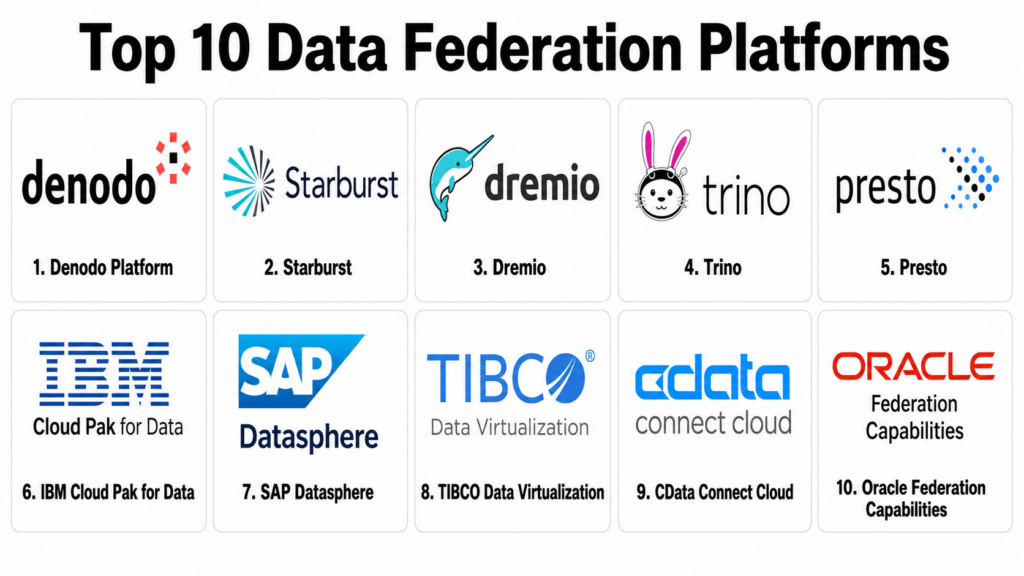
Introduction
Data Federation Platforms help organizations query, access, and combine data from multiple systems without physically moving all of it into one central repository. In simple terms, these platforms create a logical access layer across databases, data warehouses, data lakes, lakehouses, SaaS applications, files, APIs, and cloud platforms so users can analyze distributed data as if it were in one place.
Data federation matters because most enterprises have data spread across many systems. Copying everything into one warehouse or lakehouse can be costly, slow, risky, and difficult to govern. Federation helps teams reduce unnecessary duplication, support real-time access, simplify analytics, and give users a unified view of business data.
Real world use cases include cross-database analytics, customer 360 views, hybrid cloud reporting, operational analytics, data mesh access layers, AI-ready enterprise data access, regulatory reporting, lakehouse federation, self-service BI, and reducing redundant ETL pipelines.
Buyers should evaluate connector coverage, query performance, caching, pushdown optimization, governance, security, semantic modeling, lineage, data catalog integration, deployment flexibility, cloud support, scalability, and ease of administration.
Best for: Data Federation Platforms are best for data architects, data engineers, analytics teams, BI teams, data governance teams, AI platform teams, enterprise architects, and organizations with distributed data across cloud, on-premise, SaaS, lakehouse, and warehouse systems.
Not ideal for: These platforms may not be necessary for small teams with one warehouse, few data sources, and simple reporting needs. In those cases, direct BI connections, simple ETL, warehouse-native views, or lightweight data integration may be enough.
Key Trends in Data Federation Platforms
- Logical data management is becoming more important: Enterprises want a unified access layer without forcing every dataset into one physical platform.
- Federated query engines are powering modern analytics: Tools based on distributed SQL engines allow users to query data across lakes, warehouses, relational databases, and cloud platforms.
- AI-ready data access is a major driver: AI agents, copilots, and enterprise search systems need trusted, governed access to distributed data without uncontrolled copying.
- Lakehouse federation is growing: Organizations increasingly query across data lakes, Iceberg tables, warehouses, and operational systems through open formats and federated engines.
- Data mesh strategies need federation: Domain-owned data products often live in different platforms, making a logical access layer useful for discovery and consumption.
- Governance and access control are now central: Buyers expect row-level security, column masking, policy enforcement, audit logs, identity integration, and catalog-driven access.
- Query optimization is a differentiator: Pushdown, caching, cost-based optimization, workload management, and acceleration layers can make or break federation performance.
- Hybrid and multi-cloud access is common: Enterprises need to query data across AWS, Azure, Google Cloud, on-premise systems, SaaS platforms, and legacy databases.
- Semantic layers are converging with federation: Business-friendly metrics, reusable data models, and governed definitions are increasingly tied to federated data access.
- Cost control is becoming a key buying factor: Federation can reduce data movement, but poorly optimized queries can increase compute cost, so monitoring and governance are important.
How We Selected These Tools
The tools in this list were selected based on their relevance to data federation, data virtualization, distributed SQL, logical data management, lakehouse federation, and cross-source analytics.
Selection logic included:
- Recognition in data federation, data virtualization, federated query, lakehouse analytics, or logical data management.
- Ability to query or expose multiple data sources through one logical access layer.
- Connector depth across databases, warehouses, lakes, SaaS systems, APIs, and cloud platforms.
- Query performance features such as caching, pushdown, parallel execution, acceleration, and workload control.
- Governance capabilities including RBAC, SSO, audit logs, masking, row-level rules, and policy enforcement.
- Support for BI tools, SQL clients, APIs, semantic layers, catalogs, and AI workloads.
- Deployment flexibility across cloud, self-hosted, hybrid, and multi-cloud environments.
- Suitability for SMB, mid-market, enterprise, regulated, and data mesh environments.
- Operational maturity, documentation, ecosystem, and enterprise support availability.
- Overall value for reducing data duplication, improving access, and simplifying distributed analytics.
Top 10 Data Federation Platforms
1- Denodo Platform
Short description:
Denodo Platform is one of the most recognized enterprise data virtualization and logical data management platforms. It helps organizations create a unified data access layer across warehouses, databases, data lakes, cloud platforms, APIs, and enterprise applications. Denodo is especially useful for enterprises that need governed, real-time access to distributed data without moving everything into one system. It is a strong fit for data mesh, self-service analytics, regulatory reporting, and AI-ready data access.
Key Features
- Data virtualization and logical data management.
- Unified access across multiple enterprise data sources.
- Query optimization, caching, and data abstraction.
- Semantic modeling and reusable business views.
- Security, governance, access controls, and auditing.
- Support for BI, analytics, APIs, and data services.
- Hybrid and multi-cloud deployment support.
Pros
- Strong enterprise data virtualization depth.
- Useful for complex hybrid and multi-source environments.
- Mature governance and logical data layer capabilities.
Cons
- May be more advanced than small teams need.
- Implementation requires architecture and data modeling expertise.
- Performance depends on source systems, caching, and query design.
Platforms / Deployment
Web / SQL / APIs
Cloud / Self-hosted / Hybrid options may vary
Security & Compliance
Denodo provides enterprise security features such as role-based access, authentication integration, policy controls, auditing, and data governance capabilities. Specific certifications and compliance coverage should be validated during procurement.
Integrations & Ecosystem
Denodo integrates with BI tools, databases, warehouses, lakes, cloud systems, APIs, and enterprise applications. It is useful when organizations need a governed data access layer across many systems.
- Snowflake, BigQuery, Redshift, and Databricks
- Oracle, SQL Server, PostgreSQL, and MySQL
- Data lakes and cloud storage
- BI platforms
- APIs and web services
- Data catalogs and governance workflows
Support & Community
Denodo provides enterprise support, documentation, training, professional services, and partner resources. Its ecosystem is strongest among enterprise data architecture and data virtualization teams.
2- Starburst
Short description:
Starburst is an enterprise data platform built around Trino for federated analytics across data lakes, warehouses, databases, and cloud environments. It helps teams query data in place using distributed SQL while improving governance, workload management, and performance. Starburst is especially useful for organizations that want enterprise-grade Trino without managing all operational complexity themselves. It is a strong fit for lakehouse analytics, data mesh, hybrid data access, and AI-ready federation.
Key Features
- Federated SQL query engine powered by Trino.
- Query access across lakes, warehouses, databases, and SaaS sources.
- Workload management and resource controls.
- Governance and access policy enforcement.
- Support for Iceberg and lakehouse analytics.
- Cloud and self-managed deployment options.
- Enterprise support for Trino-based environments.
Pros
- Strong federated query performance and ecosystem.
- Good fit for lakehouse and data mesh strategies.
- Useful for organizations standardizing on Trino.
Cons
- Requires SQL and distributed query tuning knowledge.
- Performance depends on connectors, source systems, and workload design.
- Teams should plan governance and cost controls carefully.
Platforms / Deployment
Web / SQL / Trino
Cloud / Self-managed / Hybrid options may vary
Security & Compliance
Starburst provides enterprise controls such as authentication integration, authorization, access policies, auditing, workload isolation, and governance features. Specific compliance coverage should be validated based on deployment and contract.
Integrations & Ecosystem
Starburst integrates with many data sources through Trino connectors and enterprise extensions. It is especially useful for querying distributed data without centralizing everything first.
- Data lakes and Iceberg tables
- Snowflake, BigQuery, Redshift, and Databricks
- PostgreSQL, MySQL, Oracle, and SQL Server
- BI tools
- Data catalogs
- Cloud storage platforms
Support & Community
Starburst provides commercial support, documentation, training, professional services, and Trino expertise. Its community benefits from the wider Trino ecosystem and distributed SQL adoption.
3- Dremio
Short description:
Dremio is a lakehouse platform that supports federated querying, virtual datasets, data reflections, and self-service analytics across data lakes, warehouses, and cloud environments. It is especially strong for organizations using open lakehouse formats and wanting high-performance analytics directly on data lake storage. Dremio helps reduce data movement while providing acceleration, governance, and semantic data access. It is a strong fit for lakehouse analytics, BI acceleration, and open data architecture.
Key Features
- Federated query and lakehouse analytics.
- Virtual datasets and semantic data modeling.
- Query acceleration through reflections.
- Support for open table formats and data lake storage.
- Self-service analytics and SQL access.
- Data catalog and governance capabilities.
- Integration with BI and data tools.
Pros
- Strong fit for open lakehouse and data lake analytics.
- Query acceleration helps improve BI performance.
- Useful for reducing warehouse dependency and data duplication.
Cons
- Best value depends on lakehouse and open data strategy.
- Requires careful planning for reflections and acceleration.
- Enterprise governance needs should be validated by deployment scope.
Platforms / Deployment
Web / SQL / Lakehouse environments
Cloud / Self-hosted options may vary
Security & Compliance
Dremio provides access controls, authentication integrations, governance features, and data security controls depending on deployment. Specific compliance coverage should be validated with the vendor.
Integrations & Ecosystem
Dremio integrates with data lakes, warehouses, BI tools, catalogs, and cloud platforms. It is useful when organizations want fast analytics across open lakehouse environments.
- Apache Iceberg and Parquet data
- Cloud object storage
- BI tools
- Snowflake and other warehouses
- Data catalogs
- SQL clients
Support & Community
Dremio provides documentation, community resources, commercial support, training, and lakehouse architecture guidance. Its ecosystem is strong among open data and lakehouse teams.
4- Trino
Short description:
Trino is an open-source distributed SQL query engine designed for fast analytics across large and distributed datasets. It can query multiple systems through connectors, allowing teams to federate queries across data lakes, warehouses, relational databases, and other sources. Trino is especially useful for technical teams that want open-source federation and are comfortable operating distributed infrastructure. It is a strong fit for engineering-led data platforms, lakehouse analytics, and custom federated query deployments.
Key Features
- Open-source distributed SQL query engine.
- Connector-based access to many data sources.
- Federated queries across heterogeneous systems.
- High parallelism for large-scale analytics.
- ANSI SQL support.
- Integration with BI tools and data platforms.
- Strong ecosystem around lakehouse and open data architectures.
Pros
- Open-source and highly flexible.
- Strong performance for distributed SQL workloads.
- Large community and ecosystem through Trino adoption.
Cons
- Requires operational expertise when self-managed.
- Enterprise governance may require additional tools or commercial distribution.
- Query performance depends on connector quality and source system behavior.
Platforms / Deployment
Linux / SQL / Distributed clusters
Self-hosted / Cloud deployment options may vary
Security & Compliance
Trino supports authentication, authorization, access control rules, and connector-level security options depending on configuration. Compliance and enterprise controls depend on deployment architecture, governance tools, and operational practices.
Integrations & Ecosystem
Trino integrates with many databases, warehouses, data lakes, object stores, BI tools, and catalogs through connectors. It is useful when teams need flexible SQL access across distributed data.
- Hive and Iceberg tables
- S3, ADLS, and cloud storage
- PostgreSQL, MySQL, Oracle, and SQL Server
- BI tools
- Data catalogs
- Kubernetes and cloud infrastructure
Support & Community
Trino has a strong open-source community, documentation, events, and commercial support options through ecosystem vendors. It is strongest among technical data platform teams.
5- Presto
Short description:
Presto is an open-source distributed SQL query engine originally designed for interactive analytics across large datasets and multiple data sources. It supports federated querying through connectors and is used in environments where teams need high-performance SQL access across distributed systems. Presto is especially relevant for organizations with existing Presto deployments or teams familiar with its ecosystem. It is a good fit for open-source federated analytics and large-scale query workloads.
Key Features
- Distributed SQL query execution.
- Federated querying through connectors.
- Support for large-scale interactive analytics.
- Integration with data lakes, warehouses, and databases.
- SQL access for BI and analytics tools.
- Scalable architecture for big data environments.
- Open-source ecosystem and community support.
Pros
- Proven distributed SQL architecture.
- Useful for federated analytics across large datasets.
- Open-source and flexible for technical teams.
Cons
- Ecosystem direction should be evaluated against Trino and commercial options.
- Self-hosting requires operational expertise.
- Enterprise governance and support may require additional tooling or vendor help.
Platforms / Deployment
Linux / SQL / Distributed clusters
Self-hosted / Cloud deployment options may vary
Security & Compliance
Presto security depends on authentication, authorization, connector configuration, network controls, and deployment governance. Specific compliance coverage depends on how the platform is implemented and operated.
Integrations & Ecosystem
Presto integrates with data lakes, warehouses, databases, and BI tools through connectors. It is useful for distributed SQL analytics where open-source control is important.
- Hive and object storage
- Relational databases
- BI platforms
- Data lake systems
- Cloud infrastructure
- SQL analytics workflows
Support & Community
Presto has open-source community resources and commercial ecosystem options. Buyers should validate support model, roadmap alignment, and compatibility with their data architecture.
6- IBM Cloud Pak for Data
Short description:
IBM Cloud Pak for Data is an enterprise data and AI platform that includes data virtualization, governance, cataloging, analytics, and AI lifecycle capabilities. Its data virtualization capabilities help teams access and query distributed data across multiple sources without unnecessary data movement. It is especially useful for large enterprises that need data federation as part of broader governance, AI, and hybrid cloud data management. IBM Cloud Pak for Data is a strong fit for regulated industries and complex enterprise data estates.
Key Features
- Data virtualization and federation capabilities.
- Integration with data catalog and governance services.
- Hybrid cloud data access.
- Support for analytics, AI, and data management workflows.
- Policy enforcement and enterprise security controls.
- Data discovery and metadata management.
- Platform approach across data and AI services.
Pros
- Strong enterprise governance and data management depth.
- Useful for regulated and hybrid environments.
- Combines federation with catalog, AI, and governance capabilities.
Cons
- May be too complex for smaller teams.
- Implementation requires enterprise architecture planning.
- Buyers should validate module scope and licensing carefully.
Platforms / Deployment
Web / SQL / Enterprise data platform
Cloud / Self-hosted / Hybrid options may vary
Security & Compliance
IBM Cloud Pak for Data provides enterprise access controls, identity integration, auditability, governance, and data protection capabilities depending on modules and deployment. Specific compliance coverage should be validated during procurement.
Integrations & Ecosystem
IBM Cloud Pak for Data integrates with enterprise databases, warehouses, cloud platforms, governance tools, AI services, and business applications. It is useful when federation is part of a larger data and AI strategy.
- IBM data systems
- Cloud and on-premise databases
- Data catalogs
- AI and ML workflows
- BI and analytics tools
- Governance platforms
Support & Community
IBM provides enterprise support, documentation, consulting, professional services, and partner resources. Its ecosystem is strong in enterprise data management and regulated industries.
7- SAP Datasphere
Short description:
SAP Datasphere is a business data fabric platform that helps organizations connect, model, federate, and govern data across SAP and non-SAP systems. It is especially useful for enterprises with SAP landscapes that need governed access to business data without excessive replication. SAP Datasphere supports semantic modeling, data federation, data integration, and business-friendly data products. It is a strong fit for SAP-centered organizations that want trusted analytics across ERP, cloud, warehouse, and business systems.
Key Features
- Data federation and integration across SAP and non-SAP sources.
- Business semantic modeling and data products.
- Governance and access control capabilities.
- Integration with SAP analytics and business systems.
- Support for cloud data landscapes.
- Data marketplace and sharing capabilities depending on setup.
- Business-friendly modeling layer.
Pros
- Strong fit for SAP-heavy enterprises.
- Useful for preserving business context from SAP systems.
- Combines federation, modeling, and governance.
Cons
- Best value depends on SAP ecosystem adoption.
- Non-SAP integration depth should be validated.
- May be less suitable as a general open-source-style query engine.
Platforms / Deployment
Web / SAP and enterprise data systems
Cloud
Security & Compliance
SAP Datasphere provides enterprise access controls, identity integration, governance, auditability, and SAP security alignment. Specific compliance coverage depends on tenant, region, and customer configuration.
Integrations & Ecosystem
SAP Datasphere integrates with SAP applications, SAP analytics tools, cloud data platforms, and external systems. It is useful when business semantics and SAP data access are critical.
- SAP S/4HANA
- SAP BW and SAP data sources
- SAP Analytics Cloud
- Cloud data platforms
- Enterprise databases
- BI and planning workflows
Support & Community
SAP provides documentation, enterprise support, partner services, training, and implementation resources. Its ecosystem is strongest among SAP customers, enterprise architects, and business analytics teams.
8- TIBCO Data Virtualization
Short description:
TIBCO Data Virtualization is an enterprise data virtualization platform that helps organizations create a unified data access layer across databases, applications, data warehouses, cloud systems, files, and big data platforms. It supports logical views, query federation, caching, security, and data services. TIBCO is especially useful for enterprises that need governed real-time access to distributed data. It is a strong fit for organizations with complex integration needs and existing TIBCO or enterprise data infrastructure.
Key Features
- Enterprise data virtualization.
- Federated query access across multiple systems.
- Logical data views and reusable data services.
- Caching and query optimization.
- Security and access control policies.
- Integration with BI, analytics, and application workflows.
- Support for hybrid enterprise data landscapes.
Pros
- Mature enterprise data virtualization capabilities.
- Useful for governed access across many data sources.
- Strong fit for complex integration environments.
Cons
- Implementation may require specialized skills.
- May be more enterprise-heavy than smaller teams need.
- Buyers should validate roadmap and ecosystem fit.
Platforms / Deployment
Web / SQL / APIs
Self-hosted / Cloud / Hybrid options may vary
Security & Compliance
TIBCO Data Virtualization provides enterprise security, access controls, policy enforcement, and auditing features. Specific compliance coverage should be validated with the vendor.
Integrations & Ecosystem
TIBCO integrates with databases, files, cloud sources, big data systems, APIs, and BI tools. It is useful when federation must support both analytics and application data services.
- Enterprise databases
- Cloud warehouses
- Big data platforms
- BI tools
- APIs and data services
- Enterprise applications
Support & Community
TIBCO provides documentation, enterprise support, professional services, and partner assistance. Its ecosystem is strongest among enterprise integration and data architecture teams.
9- CData Connect Cloud
Short description:
CData Connect Cloud is a cloud data connectivity and virtualization platform that helps teams connect BI, analytics, AI, and application tools to many data sources through standardized interfaces. It is especially useful for organizations that need simple federated access to SaaS applications, databases, files, and cloud systems without building custom connectors. CData is a strong fit for business analytics teams, SMBs, and mid-market organizations needing broad source connectivity.
Key Features
- Cloud data connectivity and virtualization.
- Access to many SaaS, database, and application sources.
- Standard interfaces for BI and analytics tools.
- Query access without building custom integrations.
- User and access management controls.
- API and connector ecosystem.
- Useful for self-service analytics and application integration.
Pros
- Broad connector coverage for SaaS and business systems.
- Easier for teams needing quick access to many sources.
- Useful for BI, reporting, and lightweight federation use cases.
Cons
- May not match deep enterprise virtualization platforms for complex governance.
- Performance depends on source systems and connector behavior.
- Large-scale federation should be tested carefully.
Platforms / Deployment
Web / SQL / APIs / BI connectors
Cloud
Security & Compliance
CData Connect Cloud provides access controls, authentication options, secure connectivity, and administrative features. Specific compliance coverage and enterprise controls should be validated during procurement.
Integrations & Ecosystem
CData’s strength is broad connector availability across SaaS, databases, files, and business applications. It is useful when analytics teams need quick federated access to operational systems.
- Salesforce and SaaS apps
- Databases
- BI platforms
- Cloud storage
- APIs
- Business applications
Support & Community
CData provides documentation, customer support, connector resources, and product assistance. Its ecosystem is strong among BI, integration, and application connectivity teams.
10- Oracle Autonomous Database Data Studio and Database Links
Short description:
Oracle’s data federation capabilities are often used through Oracle database features, database links, external tables, data integration services, and Autonomous Database tooling. These capabilities help Oracle-centered organizations query and combine data from multiple Oracle and non-Oracle sources. While not always packaged as a standalone “data federation platform,” Oracle can support federated enterprise data access in environments built around Oracle databases and cloud services. It is a strong fit for Oracle-heavy enterprises needing governed access across operational and analytical systems.
Key Features
- Federated access through Oracle database capabilities.
- Database links and external data access patterns.
- Integration with Oracle cloud and database services.
- Support for SQL-based enterprise data access.
- Governance and security through Oracle database controls.
- Data integration and transformation services depending on setup.
- Useful for Oracle-centered analytics and reporting.
Pros
- Strong fit for Oracle-heavy enterprise environments.
- Useful when existing Oracle security and database governance are already mature.
- Can reduce the need for separate federation tools in Oracle-centric stacks.
Cons
- Less vendor-neutral than open federation engines.
- Cross-platform federation should be validated carefully.
- May require Oracle database expertise and architecture planning.
Platforms / Deployment
Oracle Database / Oracle Cloud / SQL
Cloud / Self-hosted / Hybrid options may vary
Security & Compliance
Oracle provides enterprise database security features such as access controls, encryption, auditing, identity integration, and policy governance depending on product and configuration. Specific compliance coverage should be validated with Oracle and the customer’s deployment model.
Integrations & Ecosystem
Oracle federation patterns integrate with Oracle databases, Oracle Cloud services, enterprise applications, and analytics tools. It is useful when organizations already run core business data on Oracle systems.
- Oracle Autonomous Database
- Oracle Database
- Oracle Cloud services
- Enterprise applications
- BI tools
- External data sources
Support & Community
Oracle provides enterprise support, documentation, professional services, partner assistance, and a large database administrator community. Its ecosystem is strongest in Oracle-centered enterprises.
Comparison Table Top 10
| Tool Name | Best For | Platform Supported | Deployment | Standout Feature | Public Rating |
|---|---|---|---|---|---|
| Denodo Platform | Enterprise data virtualization and logical data management | Web, SQL, APIs | Cloud / Self-hosted / Hybrid options may vary | Mature logical data layer with governance | N/A |
| Starburst | Trino-based federated analytics and lakehouse access | Web, SQL, Trino | Cloud / Self-managed / Hybrid options may vary | Enterprise Trino with governance and workload control | N/A |
| Dremio | Open lakehouse federation and BI acceleration | Web, SQL, lakehouse environments | Cloud / Self-hosted options may vary | Query acceleration with virtual datasets and reflections | N/A |
| Trino | Open-source distributed SQL federation | Linux, SQL, distributed clusters | Self-hosted / Cloud options may vary | Open federated SQL engine with broad connectors | N/A |
| Presto | Open-source distributed SQL analytics | Linux, SQL, distributed clusters | Self-hosted / Cloud options may vary | Federated interactive SQL across large datasets | N/A |
| IBM Cloud Pak for Data | Enterprise data and AI platform with virtualization | Web, SQL, enterprise data platform | Cloud / Self-hosted / Hybrid options may vary | Federation with catalog, governance, and AI platform services | N/A |
| SAP Datasphere | SAP-centered business data fabric | Web, SAP and enterprise data systems | Cloud | Business semantic layer across SAP and non-SAP data | N/A |
| TIBCO Data Virtualization | Enterprise data virtualization and data services | Web, SQL, APIs | Self-hosted / Cloud / Hybrid options may vary | Logical views and federated enterprise data services | N/A |
| CData Connect Cloud | Broad SaaS and database connectivity | Web, SQL, APIs, BI connectors | Cloud | Fast federated access to SaaS and business systems | N/A |
| Oracle Federation Capabilities | Oracle-centered enterprise data access | Oracle Database, Oracle Cloud, SQL | Cloud / Self-hosted / Hybrid options may vary | Oracle-native SQL access across enterprise data sources | N/A |
Evaluation and Scoring of Data Federation Platforms
The scoring below is comparative and based on federation depth, ease of use, integrations, security posture signals, performance, support expectations, and overall value. These are not public ratings and should be used as directional evaluation scores only.
| Tool Name | Core 25% | Ease 15% | Integrations 15% | Security 10% | Performance 10% | Support 10% | Value 15% | Weighted Total 0–10 |
|---|---|---|---|---|---|---|---|---|
| Denodo Platform | 10 | 7 | 9 | 9 | 8 | 9 | 7 | 8.50 |
| Starburst | 9 | 8 | 10 | 9 | 9 | 9 | 8 | 8.90 |
| Dremio | 9 | 8 | 9 | 8 | 9 | 8 | 8 | 8.45 |
| Trino | 9 | 6 | 10 | 7 | 9 | 8 | 10 | 8.50 |
| Presto | 8 | 6 | 8 | 7 | 8 | 7 | 9 | 7.70 |
| IBM Cloud Pak for Data | 9 | 7 | 9 | 9 | 8 | 9 | 7 | 8.25 |
| SAP Datasphere | 8 | 8 | 8 | 9 | 8 | 9 | 7 | 8.15 |
| TIBCO Data Virtualization | 8 | 7 | 8 | 8 | 8 | 8 | 7 | 7.70 |
| CData Connect Cloud | 7 | 9 | 9 | 8 | 7 | 8 | 8 | 8.00 |
| Oracle Federation Capabilities | 7 | 7 | 8 | 9 | 8 | 9 | 8 | 7.85 |
These scores should be interpreted by use case. Denodo is strong for enterprise data virtualization and logical data management. Starburst and Trino are strong for distributed SQL and federated analytics. Dremio is strong for lakehouse federation and acceleration. IBM, SAP, TIBCO, and Oracle are stronger when federation is part of a broader enterprise data platform. CData is practical when broad SaaS and application connectivity is the main requirement.
Which Data Federation Platform Is Right for You?
Solo / Freelancer
Solo professionals usually do not need a full enterprise data federation platform unless they are building prototypes or consulting for clients with distributed data systems. Trino, Presto, CData Connect Cloud, or database-native federation may be practical starting points. If the goal is learning distributed SQL, Trino is a strong technical option. If the goal is quick access to SaaS data for reporting, CData may be easier. Freelancers should avoid enterprise-heavy virtualization tools unless the client already uses them.
SMB
SMBs should prioritize ease of setup, connector coverage, simple BI access, and low operational overhead. CData Connect Cloud, Dremio, Starburst Galaxy, or warehouse-native federation can be practical depending on stack. SMBs should avoid overly complex logical data platforms unless data sources are already fragmented and high-value reporting requires real-time federation. The best starting point is usually the tool that connects the most important systems quickly while keeping governance manageable.
Mid-Market
Mid-market companies often need stronger connector coverage, performance optimization, access controls, BI integration, and hybrid data support. Starburst, Dremio, Denodo, CData, SAP Datasphere, and Trino can be strong candidates depending on architecture. If the company is lakehouse-focused, Starburst, Dremio, or Trino may fit well. If the company needs business-friendly semantic views and governed data services, Denodo or SAP Datasphere may be stronger. Mid-market teams should test query performance using real workloads.
Enterprise
Enterprises need governance, audit logs, SSO, masking, row-level security, workload management, catalog integration, high availability, multi-cloud support, and support for complex data landscapes. Denodo, Starburst, IBM Cloud Pak for Data, SAP Datasphere, TIBCO Data Virtualization, Dremio, and Oracle federation capabilities are strong enterprise options depending on the existing stack. Enterprises should evaluate data ownership, source system load, query optimization, compliance, and operating model before scaling federation.
Budget vs Premium
Budget-focused teams can start with Trino, Presto, database-native federation, or CData depending on skills and requirements. Open-source engines reduce license cost but require engineering and operations expertise. Premium platforms such as Denodo, Starburst, Dremio, IBM, SAP, and TIBCO may justify cost when governance, performance, support, semantic modeling, and enterprise security matter. Buyers should compare software cost, infrastructure cost, source system impact, support, and reduced ETL duplication.
Feature Depth vs Ease of Use
Feature depth matters when teams need semantic modeling, caching, policy enforcement, masking, catalog integration, workload management, and complex source connectivity. Denodo, Starburst, Dremio, IBM, SAP, and TIBCO offer strong depth in different ways. Ease of use matters when teams need quick access to SaaS data or simple reporting. CData and managed federation platforms can be easier for less technical teams. The right balance depends on whether the organization needs a strategic data access layer or tactical connectivity.
Integrations and Scalability
Data federation becomes valuable only when it integrates well with BI tools, catalogs, identity providers, cloud warehouses, data lakes, operational databases, SaaS platforms, APIs, and governance systems. Buyers should test connectors, query pushdown, caching, concurrency, semantic models, and access policies before choosing. Scalability is not only about query speed; it also includes source system protection, workload isolation, metadata management, user concurrency, and operational monitoring.
Security and Compliance Needs
Data federation platforms often sit between users and sensitive enterprise data, so security is critical. Buyers should evaluate SSO, RBAC, row-level security, column masking, audit logs, encryption, identity propagation, policy enforcement, and data lineage. Regulated organizations should validate how federation interacts with source permissions and compliance reporting. A poorly governed federation layer can create data exposure risk, while a well-governed layer can simplify secure access.
Frequently Asked Questions FAQs
1. What is a Data Federation Platform?
A Data Federation Platform lets users query and combine data from multiple systems without moving all the data into one central repository. It creates a logical access layer across databases, warehouses, data lakes, SaaS apps, files, and APIs. Users can often query distributed data through SQL, BI tools, or APIs. The goal is to reduce duplication and make distributed data easier to access. It is especially useful when data is spread across hybrid and multi-cloud environments.
2. How is data federation different from ETL?
ETL physically extracts, transforms, and loads data into another system such as a warehouse or lakehouse. Data federation usually leaves data in place and provides a virtual way to query it across sources. ETL is better when data must be cleaned, stored, optimized, and reused at scale. Federation is better when users need real-time access or want to reduce copying. Many enterprises use both patterns together depending on workload, performance, governance, and cost.
3. What pricing models are common for Data Federation Platforms?
Pricing varies by platform and deployment model. Commercial tools may charge by users, nodes, query volume, data sources, compute usage, environments, or enterprise contract size. Open-source engines may reduce license cost but require infrastructure, operations, and support investment. Cloud platforms may include usage-based compute and storage charges. Buyers should compare software cost, infrastructure cost, query workload cost, support, and savings from reduced data movement. Total cost should include source system impact and governance effort.
4. How long does implementation usually take?
Implementation time depends on number of sources, security requirements, connector complexity, semantic modeling, data governance, and performance tuning needs. A small proof of concept with a few databases can be completed quickly, while enterprise-wide federation across hundreds of sources takes longer. Important steps include source connection, authentication, access policies, query optimization, caching, semantic model design, and BI validation. Teams should start with high-value use cases before expanding. A controlled pilot is strongly recommended.
5. What are common mistakes when choosing a Data Federation Platform?
A common mistake is assuming federation removes the need for data modeling or governance. Another mistake is using federation for every workload, even when physical transformation or warehousing would perform better. Some teams also underestimate source system load and query optimization. Poorly designed federated queries can be slow or expensive. Buyers should test real workloads, user concurrency, source permissions, caching, and BI performance before selecting a platform.
6. Are Data Federation Platforms secure?
Data Federation Platforms can be secure when configured with strong authentication, authorization, masking, auditing, encryption, and policy enforcement. However, they often provide access to sensitive data across many systems, so governance is essential. Buyers should evaluate SSO, RBAC, row-level security, column-level controls, identity propagation, audit logs, and integration with data catalogs. Security should also consider whether source system permissions are respected. A well-designed federation layer can simplify secure access, but a weak one can increase risk.
7. Can data federation support real-time analytics?
Yes, data federation can support real-time or near real-time analytics because it queries source systems directly instead of waiting for ETL jobs to copy data. This is useful for operational reporting, customer service, risk monitoring, and live dashboards. However, real-time federation depends on source system performance, query design, caching, and workload controls. For heavy analytics, pre-aggregation or physical storage may still be needed. Buyers should benchmark real-time use cases carefully before broad rollout.
8. Can Data Federation Platforms work with BI tools?
Yes, most Data Federation Platforms connect with BI tools through SQL, JDBC, ODBC, APIs, or semantic layers. This allows analysts to build dashboards on top of federated views rather than connecting to each source separately. However, BI performance depends on query optimization, caching, source system speed, and concurrency. Teams should test dashboards with real filters, joins, and user traffic. Governance is also important so BI users see only approved and trusted data.
9. What alternatives exist if a full federation platform is not needed?
Alternatives include ETL or ELT pipelines, warehouse-native external tables, database links, BI tool direct connectors, data replication, data lakes, API integrations, and simple views inside a warehouse. These may work well for small teams or narrow use cases. A full federation platform becomes valuable when data is distributed across many systems and users need governed access without duplicating everything. The right alternative depends on performance, freshness, governance, and cost requirements.
10. How should buyers evaluate Data Federation Platforms?
Buyers should evaluate connector coverage, query performance, pushdown optimization, caching, semantic modeling, governance, security, BI compatibility, deployment flexibility, and support. They should test real queries across real sources, including joins, filters, aggregations, dashboard workloads, and concurrent users. It is also important to check audit logs, masking, identity propagation, and source system load. Data architects, BI teams, security teams, and business users should all participate. A pilot is the safest way to confirm fit.
Conclusion
Data Federation Platforms help organizations access distributed data through a governed logical layer without forcing every dataset into one central repository. The right platform depends on data architecture, cloud strategy, source systems, governance needs, performance expectations, and team skills. Denodo is strong for enterprise data virtualization and logical data management, Starburst and Trino are strong for federated distributed SQL, Dremio is strong for lakehouse federation and acceleration, Presto remains useful for open-source federated analytics, IBM Cloud Pak for Data supports federation inside a broader enterprise data and AI platform, SAP Datasphere is valuable for SAP-centered business data fabric use cases, TIBCO Data Virtualization fits mature enterprise integration environments, CData Connect Cloud is practical for broad SaaS and BI connectivity, and Oracle federation capabilities fit Oracle-heavy enterprises. There is no universal best platform because some teams need tactical BI connectivity while others need a strategic logical data layer for analytics, governance, and AI.

Utilizing comprehensive unified virtual data access integration layer architecture software optimizes corporate distributed storage ecosystem logistics, ensuring accelerated enterprise query performance tracking and seamless database infrastructure abstraction workflows.