MOTOSHARE 🚗🏍️
Rent Bikes & Cars Directly from Owners
Motoshare connects vehicle owners with people who need bikes and cars on rent. Owners earn from idle vehicles, and renters get flexible ride options.
Visit Motoshare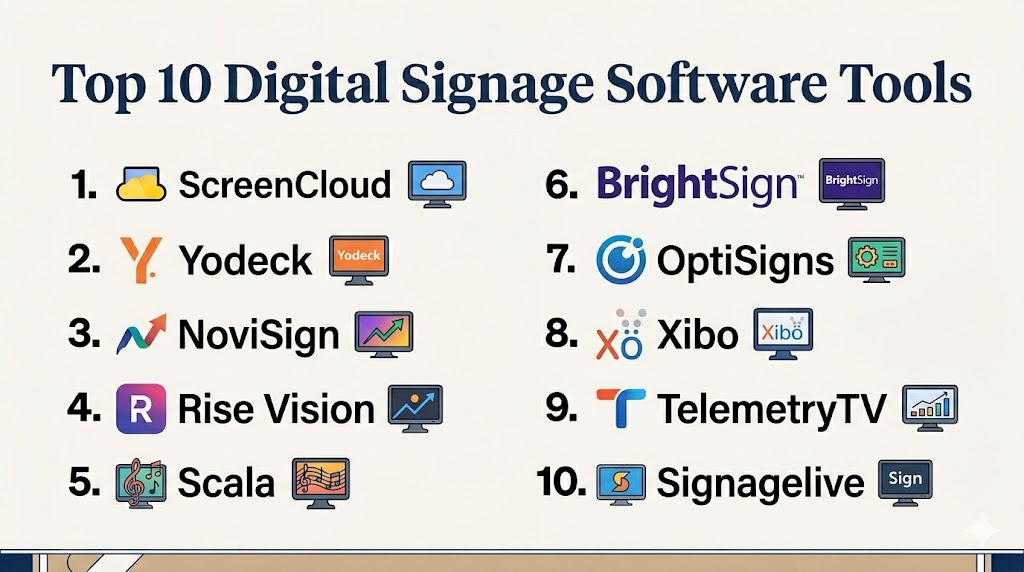
Introduction
Digital Signage Software helps businesses manage and display digital content across screens, kiosks, menu boards, video walls, retail displays, office dashboards, and public information systems. These platforms allow organizations to remotely control media, schedule campaigns, manage playlists, monitor displays, and deliver real-time visual communication across multiple locations.Instead of manually updating USB drives or static displays, digital signage platforms centralize content distribution and screen management from one dashboard. Modern solutions now support cloud-based management, AI-driven content scheduling, interactive kiosks, analytics, emergency alerts, audience targeting, and integration with IoT and business systems.
Common real-world use cases include:
- Retail advertising and promotions
- Restaurant menu boards
- Corporate communication displays
- Smart office dashboards
- Transportation and public information displays
- Healthcare waiting room communication
Buyers should evaluate:
- Content management capabilities
- Remote device management
- Media scheduling flexibility
- Multi-screen scalability
- Offline playback support
- Interactive kiosk functionality
- Analytics and reporting
- Hardware compatibility
- Security and user permissions
- Ease of deployment and content updates
Best for: retailers, restaurants, corporate offices, educational institutions, healthcare providers, transportation hubs, hospitality businesses, and enterprise communication teams.
Not ideal for: businesses needing only a single static display with infrequent updates or organizations without centralized content management requirements.
Key Trends in Digital Signage Software
- Cloud-based signage management is replacing local server-based deployments.
- AI-assisted content scheduling and targeting are improving campaign efficiency.
- Interactive kiosks and touch-enabled experiences are growing rapidly.
- Real-time data integrations are becoming standard for dashboards and live displays.
- Retail media networks are driving investment in advanced signage analytics.
- Smart device and IoT integrations are expanding in enterprise environments.
- Mobile device control and remote monitoring are improving operational flexibility.
- HTML5-based content delivery is becoming the dominant standard.
- Sustainability and energy-efficient display management are gaining attention.
- Multi-location franchise management capabilities are increasingly important.
How We Selected These Tools
The platforms in this list were selected based on market adoption, feature depth, usability, deployment flexibility, and enterprise relevance.
Selection factors included:
- Digital signage feature completeness
- Cloud and remote management capabilities
- Hardware and OS compatibility
- Media scheduling flexibility
- Scalability across multiple displays and locations
- Analytics and monitoring tools
- Interactive and kiosk functionality
- Security and access control features
- Integration ecosystem maturity
- Suitability for SMB and enterprise deployments
Top 10 Digital Signage Software Tools
#1 — ScreenCloud
Short description:
ScreenCloud is a cloud-based digital signage platform designed for businesses managing internal communications, retail displays, office dashboards, and customer-facing screens. The platform supports content scheduling, app integrations, media playlists, live dashboards, and centralized screen management. ScreenCloud is especially popular among businesses seeking simple deployment and strong cloud-based management across multiple locations.
Key Features
- Cloud-based content management
- Remote screen control
- App marketplace integrations
- Content scheduling
- Dashboard and data visualization
- Multi-screen management
- Media playlist automation
Pros
- Easy cloud deployment
- Strong integration ecosystem
- Good usability for SMB and enterprise teams
Cons
- Advanced enterprise customization may require configuration
- Offline functionality varies by deployment
- Large deployments may increase subscription costs
Platforms / Deployment
- Web / Windows / macOS / Android / ChromeOS
- Cloud
Security & Compliance
- MFA
- RBAC
- Encryption
- SSO/SAML support availability varies by plan
Integrations & Ecosystem
ScreenCloud supports integrations with productivity tools, dashboards, social feeds, and workplace applications.
- Google Workspace
- Microsoft 365
- Power BI
- Slack
- APIs
- Social media integrations
Support & Community
Strong onboarding, cloud documentation, and customer support resources for digital signage deployments.
#2 — Yodeck
Short description:
Yodeck is a cloud-based digital signage solution known for affordability, Raspberry Pi compatibility, and ease of deployment. Businesses use Yodeck for retail signage, restaurant menus, office displays, educational communication, and informational dashboards. The platform supports scheduling, remote screen management, interactive content, and media automation workflows.
Key Features
- Cloud signage management
- Raspberry Pi support
- Content scheduling
- Interactive display support
- Multi-screen management
- Playlist automation
- Remote monitoring
Pros
- Cost-effective deployment
- Easy setup and management
- Strong SMB usability
Cons
- Enterprise analytics may be limited
- Complex deployments may require additional planning
- Advanced customization varies by use case
Platforms / Deployment
- Web / Android / Raspberry Pi
- Cloud
Security & Compliance
- Encryption
- RBAC
- MFA support
Integrations & Ecosystem
Yodeck supports integrations with dashboards, cloud storage, and communication platforms.
- Google Drive
- Dropbox
- Power BI
- APIs
- Weather and dashboard feeds
Support & Community
Helpful onboarding, practical documentation, and active SMB-focused customer support.
#3 — NoviSign
Short description:
NoviSign is a digital signage and kiosk management platform designed for retail, hospitality, healthcare, education, and enterprise communication environments. It supports interactive displays, touchscreen kiosks, media scheduling, and cloud-based content management. Businesses use NoviSign to create dynamic digital experiences with centralized management and remote updates.
Key Features
- Interactive kiosk support
- Touchscreen content
- Remote content management
- Playlist scheduling
- Real-time data integration
- Media automation
- Multi-device support
Pros
- Strong kiosk functionality
- Good industry flexibility
- Interactive signage capabilities
Cons
- Advanced workflows may require onboarding
- Large enterprise deployments may need planning
- Analytics depth may vary
Platforms / Deployment
- Web / Android / Windows
- Cloud
Security & Compliance
- Encryption
- RBAC
- MFA availability varies
Integrations & Ecosystem
NoviSign integrates with dashboards, business systems, cloud storage, and media content services.
- Google Sheets
- APIs
- Dashboard tools
- Cloud storage platforms
- Interactive data feeds
Support & Community
Support resources and implementation assistance are available for businesses deploying interactive signage.
#4 — Rise Vision
Short description:
Rise Vision is a digital signage platform widely used in schools, educational institutions, offices, and community communication environments. The platform helps organizations display announcements, calendars, alerts, dashboards, videos, and educational content across centralized display networks. It emphasizes usability and accessibility for non-technical users.
Key Features
- Educational signage templates
- Content scheduling
- Announcement displays
- Calendar integrations
- Emergency alerts
- Remote screen management
- Dashboard integrations
Pros
- Strong education sector support
- Easy content management
- Good template ecosystem
Cons
- Advanced enterprise analytics are limited
- Less focused on retail advertising use cases
- Complex interactive deployments may require additional tools
Platforms / Deployment
- Web / Windows / ChromeOS / Android
- Cloud
Security & Compliance
- Encryption
- RBAC
- MFA support
Integrations & Ecosystem
Rise Vision integrates with productivity and educational systems for content distribution workflows.
- Google Workspace
- Microsoft 365
- Calendar systems
- APIs
- Dashboard platforms
Support & Community
Strong educational support resources and onboarding materials for schools and organizations.
#5 — Scala
Short description:
Scala is an enterprise digital signage platform used for large-scale retail networks, transportation hubs, corporate communications, and customer engagement deployments. It supports advanced content management, audience targeting, analytics, interactive displays, and enterprise-grade screen orchestration. Scala is particularly strong in complex enterprise signage environments.
Key Features
- Enterprise content orchestration
- Audience engagement tools
- Interactive signage
- Real-time content updates
- Analytics dashboards
- Multi-location management
- Campaign scheduling
Pros
- Enterprise-grade scalability
- Advanced signage capabilities
- Strong retail and transportation support
Cons
- Complex deployment requirements
- Higher implementation costs
- Requires operational planning
Platforms / Deployment
- Web / Windows / Android
- Cloud / Hybrid
Security & Compliance
- RBAC
- Encryption
- MFA
- Audit logging support
Integrations & Ecosystem
Scala integrates with enterprise communication systems, advertising networks, and analytics platforms.
- CRM systems
- Retail systems
- APIs
- Advertising platforms
- Analytics tools
- IoT integrations
Support & Community
Enterprise onboarding, implementation consulting, and support services are available globally.
#6 — BrightSign
Short description:
BrightSign is both a hardware and digital signage software ecosystem widely used in retail, hospitality, transportation, and enterprise communication environments. Its software platform supports content scheduling, remote device management, interactive displays, and enterprise signage orchestration. BrightSign is known for reliability and hardware optimization.
Key Features
- Hardware-optimized signage management
- Interactive display support
- Remote player management
- Playlist scheduling
- HTML5 content support
- Multi-screen orchestration
- Device health monitoring
Pros
- Reliable hardware ecosystem
- Strong enterprise stability
- Good performance for large display networks
Cons
- Hardware dependency may limit flexibility
- Enterprise deployment may require technical expertise
- Pricing may vary significantly by hardware setup
Platforms / Deployment
- Web / BrightSign OS
- Cloud / Hybrid
Security & Compliance
- Encryption
- RBAC
- MFA support
- Secure device management
Integrations & Ecosystem
BrightSign integrates with digital signage ecosystems, media systems, and enterprise communication platforms.
- CMS integrations
- HTML5 workflows
- APIs
- Interactive media systems
- Analytics tools
Support & Community
Strong enterprise support ecosystem with extensive hardware and deployment documentation.
#7 — OptiSigns
Short description:
OptiSigns is a cloud-based digital signage platform focused on affordability, flexibility, and rapid deployment. Businesses use it for restaurant menu boards, retail signage, office dashboards, waiting room displays, and internal communications. The platform supports content scheduling, playlist management, dashboard integration, and multi-screen deployments.
Key Features
- Cloud content management
- Dashboard integrations
- Content scheduling
- Media playlists
- Interactive signage support
- Multi-device compatibility
- Remote screen control
Pros
- Affordable deployment
- Easy setup process
- Good SMB usability
Cons
- Enterprise analytics may be limited
- Advanced enterprise workflows vary
- Large deployments may require planning
Platforms / Deployment
- Web / Android / Windows / Fire TV
- Cloud
Security & Compliance
- Encryption
- RBAC
- MFA support
Integrations & Ecosystem
OptiSigns supports integrations across productivity, dashboard, and communication workflows.
- Google Workspace
- Power BI
- Canva
- APIs
- Social media feeds
Support & Community
Helpful onboarding resources and responsive SMB-oriented customer support.
#8 — Xibo
Short description:
Xibo is an open-source digital signage platform designed for organizations needing flexible deployment and customizable workflows. It supports content scheduling, playlist management, remote display control, and enterprise signage deployments. Xibo is especially attractive for organizations seeking self-hosted control and open customization capabilities.
Key Features
- Open-source signage platform
- Self-hosted deployment support
- Content scheduling
- Multi-screen management
- Playlist automation
- Remote monitoring
- Customizable workflows
Pros
- Flexible deployment options
- Strong customization potential
- Good for technical teams
Cons
- Requires technical expertise
- Self-hosted maintenance responsibility
- Onboarding complexity may be higher
Platforms / Deployment
- Web / Windows / Android / Linux
- Cloud / Self-hosted / Hybrid
Security & Compliance
- RBAC
- Encryption support
- Security depends on deployment configuration
Integrations & Ecosystem
Xibo supports customizable integrations and enterprise deployment workflows.
- APIs
- Custom integrations
- Dashboard systems
- Enterprise workflows
- Media automation systems
Support & Community
Strong open-source community and documentation ecosystem with commercial support options available.
#9 — TelemetryTV
Short description:
TelemetryTV is a cloud-based digital signage and device management platform designed for enterprise communication, retail displays, dashboards, and operational visibility. It combines content distribution, remote device monitoring, analytics, and enterprise security controls into one platform. Organizations use TelemetryTV for both customer-facing and internal communications.
Key Features
- Enterprise digital signage management
- Remote device monitoring
- Dashboard visualization
- Content scheduling
- Emergency messaging
- Multi-location orchestration
- Analytics reporting
Pros
- Strong enterprise device visibility
- Good operational monitoring
- Useful analytics capabilities
Cons
- Advanced deployments may require planning
- Pricing may increase with scale
- SMB users may not need all enterprise features
Platforms / Deployment
- Web / Android / ChromeOS / Fire TV
- Cloud
Security & Compliance
- MFA
- RBAC
- Encryption
- SSO/SAML support
Integrations & Ecosystem
TelemetryTV integrates with enterprise productivity, monitoring, and analytics systems.
- Microsoft 365
- Google Workspace
- Power BI
- APIs
- Dashboard systems
- Monitoring tools
Support & Community
Enterprise onboarding and support services are available for large-scale deployments.
#10 — Signagelive
Short description:
Signagelive is an enterprise digital signage platform used for retail, transportation, hospitality, corporate communications, and public sector environments. It supports centralized content management, scheduling, media automation, interactive signage, and multi-screen orchestration. Signagelive is designed for organizations needing scalable cloud-based display management.
Key Features
- Centralized content management
- Multi-screen orchestration
- Interactive signage support
- Scheduling automation
- Real-time updates
- Device monitoring
- Emergency messaging
Pros
- Strong enterprise deployment capabilities
- Broad hardware compatibility
- Good remote management tools
Cons
- Enterprise onboarding may require planning
- Advanced customization may increase complexity
- Smaller deployments may not need full functionality
Platforms / Deployment
- Web / Windows / Android / ChromeOS
- Cloud
Security & Compliance
- Encryption
- RBAC
- MFA
- SSO/SAML support
Integrations & Ecosystem
Signagelive integrates with enterprise communication, analytics, and signage workflows.
- Dashboard systems
- APIs
- Retail systems
- Communication platforms
- Media automation workflows
Support & Community
Enterprise support resources and implementation assistance are available for large signage deployments.
Comparison Table
| Tool Name | Best For | Platform Supported | Deployment | Standout Feature | Public Rating |
|---|---|---|---|---|---|
| ScreenCloud | Business communications and dashboards | Web, Windows, macOS, Android | Cloud | Strong app integration ecosystem | N/A |
| Yodeck | SMB digital signage | Web, Android, Raspberry Pi | Cloud | Affordable Raspberry Pi deployment | N/A |
| NoviSign | Interactive kiosks | Web, Android, Windows | Cloud | Touch-enabled signage experiences | N/A |
| Rise Vision | Educational signage | Web, Windows, ChromeOS, Android | Cloud | Education-focused templates | N/A |
| Scala | Enterprise retail and transportation | Web, Windows, Android | Cloud / Hybrid | Advanced enterprise signage orchestration | N/A |
| BrightSign | Hardware-optimized signage | Web, BrightSign OS | Cloud / Hybrid | Reliable enterprise hardware ecosystem | N/A |
| OptiSigns | SMB signage deployments | Web, Android, Windows, Fire TV | Cloud | Fast and affordable setup | N/A |
| Xibo | Open-source deployments | Web, Windows, Android, Linux | Cloud / Self-hosted / Hybrid | Flexible self-hosted customization | N/A |
| TelemetryTV | Enterprise operational displays | Web, Android, ChromeOS, Fire TV | Cloud | Device monitoring and analytics | N/A |
| Signagelive | Large multi-location deployments | Web, Windows, Android, ChromeOS | Cloud | Scalable centralized screen management | N/A |
Evaluation & Scoring of Digital Signage Software
| Tool Name | Core 25% | Ease 15% | Integrations 15% | Security 10% | Performance 10% | Support 10% | Value 15% | Weighted Total |
|---|---|---|---|---|---|---|---|---|
| ScreenCloud | 9.0 | 8.8 | 9.1 | 8.6 | 8.9 | 8.7 | 8.1 | 8.74 |
| Yodeck | 8.3 | 9.1 | 7.8 | 8.0 | 8.4 | 8.3 | 9.1 | 8.45 |
| NoviSign | 8.6 | 8.4 | 8.0 | 8.0 | 8.5 | 8.2 | 8.4 | 8.36 |
| Rise Vision | 8.1 | 9.0 | 7.9 | 7.9 | 8.2 | 8.4 | 8.8 | 8.36 |
| Scala | 9.5 | 7.0 | 9.2 | 9.0 | 9.2 | 8.8 | 7.1 | 8.63 |
| BrightSign | 9.0 | 7.8 | 8.7 | 8.6 | 9.1 | 8.5 | 7.8 | 8.49 |
| OptiSigns | 8.2 | 9.0 | 7.7 | 7.9 | 8.3 | 8.2 | 9.0 | 8.37 |
| Xibo | 8.7 | 6.9 | 8.8 | 8.0 | 8.7 | 8.1 | 8.5 | 8.24 |
| TelemetryTV | 8.9 | 8.0 | 8.9 | 8.8 | 8.9 | 8.5 | 7.8 | 8.57 |
| Signagelive | 8.8 | 7.9 | 8.7 | 8.7 | 8.8 | 8.4 | 7.9 | 8.49 |
These scores are comparative benchmarks intended to help buyers evaluate operational fit rather than identify a universal winner. Enterprise-focused platforms generally score higher in scalability, analytics, and integrations, while SMB-focused tools typically perform better in ease of use and value. Buyers should prioritize the capabilities most aligned with their deployment size, technical requirements, and content management workflows.
Which Digital Signage Software Is Right for You?
Solo / Freelancer
Small businesses or independent operators managing only a few displays should prioritize simplicity, affordability, and cloud-based management. Yodeck, OptiSigns, and Rise Vision are practical choices because they are easy to deploy and maintain.
SMB
SMBs typically need centralized scheduling, remote management, and flexible content workflows without enterprise complexity. ScreenCloud, Yodeck, NoviSign, and OptiSigns provide strong usability and manageable deployment models.
Mid-Market
Mid-market organizations managing multiple locations or mixed signage environments may benefit from TelemetryTV, BrightSign, or Signagelive. These platforms offer stronger operational visibility and multi-screen orchestration.
Enterprise
Large enterprises usually require advanced analytics, multi-location control, audience targeting, smart integrations, and enterprise-grade security. Scala, BrightSign, TelemetryTV, and Signagelive are particularly strong in these environments.
Budget vs Premium
Budget-focused organizations should prioritize easy deployment and manageable hardware costs. Premium platforms justify higher costs through enterprise analytics, advanced orchestration, audience engagement, and operational scalability.
Feature Depth vs Ease of Use
Simpler platforms are often easier for marketing or operations teams to manage independently. Enterprise-grade systems provide deeper customization and analytics but may require dedicated technical planning.
Integrations & Scalability
Organizations using dashboards, retail systems, IoT devices, analytics platforms, or workplace communication systems should evaluate API maturity and integration ecosystems carefully before deployment.
Security & Compliance Needs
Digital signage platforms managing enterprise communications or public displays should include RBAC, MFA, encryption, device monitoring, secure remote management, and administrative controls. Enterprise buyers should also review deployment security for connected display hardware.
Frequently Asked Questions
1. What is Digital Signage Software?
Digital Signage Software is a platform used to manage, schedule, and display digital content across screens and displays. It allows organizations to control content remotely from one dashboard instead of manually updating displays. Businesses use these tools for advertising, announcements, dashboards, menus, internal communication, and customer engagement. Modern platforms also support analytics, interactivity, and real-time integrations.
2. Who uses Digital Signage Software?
Digital signage platforms are used across retail, hospitality, restaurants, transportation, education, healthcare, corporate offices, entertainment venues, and public facilities. Retailers use them for promotions and advertising, while enterprises often use them for internal communication and dashboards. Educational institutions use signage for announcements and schedules. The software is useful anywhere centralized visual communication is important.
3. How much does Digital Signage Software cost?
Pricing varies depending on the number of screens, deployment size, feature requirements, and support levels. SMB-focused platforms often charge per screen monthly subscriptions, while enterprise systems may use custom pricing models. Additional costs may include hardware players, display screens, implementation services, analytics modules, or integrations. Buyers should evaluate total deployment cost rather than software price alone.
4. What hardware is required for digital signage?
Most digital signage systems require displays plus media players or compatible smart screens. Some platforms support Raspberry Pi devices, Android players, smart TVs, or proprietary enterprise hardware. Hardware requirements depend on display complexity, interactive functionality, and deployment scale. Enterprise video walls and kiosk systems may require more specialized hardware infrastructure.
5. Can digital signage work offline?
Many digital signage platforms support offline playback by caching scheduled content locally on media players. This allows screens to continue displaying content even if internet connectivity is temporarily lost. However, real-time updates and cloud synchronization may pause until connectivity is restored. Buyers should validate offline capabilities carefully for critical public displays.
6. What are the most important features to evaluate?
Important features include content scheduling, remote device management, media playback reliability, analytics, dashboard integration, hardware compatibility, user permissions, and scalability. Interactive kiosk support may also be important for customer engagement use cases. Enterprise buyers should additionally evaluate monitoring tools and API integrations.
7. Are interactive kiosks supported by all platforms?
No. Some digital signage platforms mainly focus on passive display management, while others support interactive touchscreens and kiosk workflows. Businesses needing interactive experiences should verify touchscreen compatibility, form support, real-time data integration, and kiosk management capabilities before selecting a platform.
8. What security features should buyers evaluate?
Organizations should evaluate MFA, RBAC, encryption, device authentication, administrative controls, remote monitoring, and secure API access. Enterprise deployments managing sensitive dashboards or internal communications require especially strong access management. Secure hardware provisioning and device monitoring are also important for distributed display networks.
9. What are common mistakes when deploying digital signage?
A common mistake is focusing only on screen hardware while underestimating content management complexity. Some organizations also ignore network stability, user permissions, or ongoing content update requirements. Others select enterprise platforms with unnecessary complexity for simple deployments. Successful deployments require planning for both technology and content operations.
10. When should a company invest in Digital Signage Software?
A company should invest when managing multiple displays manually becomes inefficient or when visual communication becomes operationally important. Businesses needing centralized messaging, dynamic promotions, real-time dashboards, or customer engagement workflows typically benefit the most. Early investment can improve operational consistency and communication efficiency across locations.
Conclusion
Digital Signage Software has become a critical communication and engagement technology across retail, hospitality, corporate offices, healthcare, transportation, education, and smart workplace environments. Modern platforms now combine cloud-based content management, remote monitoring, analytics, interactive experiences, dashboard integrations, and multi-location orchestration into centralized ecosystems that improve both operational visibility and customer engagement. The best platform depends heavily on deployment scale, technical requirements, hardware preferences, interactivity needs, and operational maturity. Small businesses may prioritize affordability and simplicity through platforms like Yodeck or OptiSigns, while enterprises often require advanced orchestration, analytics, integrations, and enterprise-grade security from platforms such as Scala, BrightSign, TelemetryTV, or Signagelive. Organizations should evaluate content workflows, hardware compatibility, offline playback reliability, scalability, and integration requirements carefully before selecting a platform.
