MOTOSHARE 🚗🏍️
Rent Bikes & Cars Directly from Owners
Motoshare connects vehicle owners with people who need bikes and cars on rent. Owners earn from idle vehicles, and renters get flexible ride options.
Visit Motoshare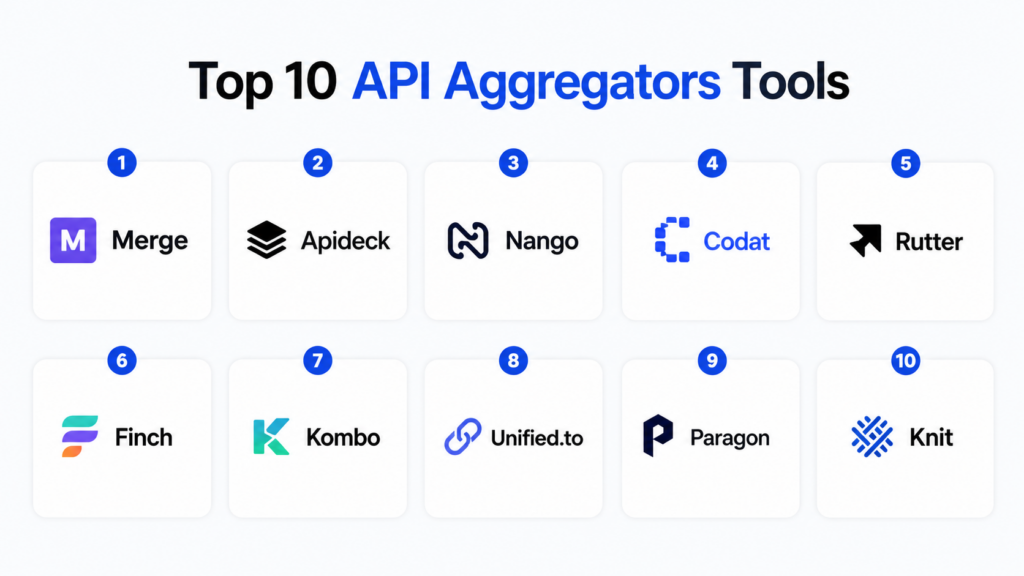
Introduction
API Aggregators help SaaS companies, fintech platforms, HR tech products, accounting tools, AI products, and enterprise applications connect to many third-party systems through one unified API layer. In simple terms, instead of building and maintaining separate integrations with every CRM, HRIS, ATS, accounting tool, ticketing platform, ecommerce system, or productivity app, teams use an API aggregator to normalize multiple APIs into one consistent structure.
API aggregators matter because modern software buyers expect integrations from day one. A B2B SaaS product may need to connect with Salesforce, HubSpot, Workday, QuickBooks, Xero, Shopify, Slack, Jira, Greenhouse, NetSuite, and dozens of other tools. Building all those integrations directly can slow product teams, increase maintenance work, and create reliability problems. API aggregators reduce that complexity by handling authentication, data mapping, sync logic, schema normalization, rate limits, webhooks, and integration monitoring.
Real-world use cases include HR data syncing, accounting data aggregation, CRM enrichment, recruiting workflow automation, ecommerce order syncing, embedded integration marketplaces, AI agent access to business systems, customer data onboarding, and cross-platform reporting. Buyers should evaluate connector coverage, data normalization quality, sync reliability, API design, customization, observability, security controls, pricing, support, developer experience, and long-term vendor fit.
Best for: B2B SaaS companies, fintechs, HR tech platforms, accounting apps, AI workflow products, integration-heavy startups, product teams, engineering leaders, and enterprises that need to ship integrations faster. Not ideal for: teams that need only one or two simple integrations, companies that require fully custom integration logic for every customer, or platforms where direct vendor API control is more important than speed and standardization.
Key Trends in API Aggregators
- Unified APIs are becoming core SaaS infrastructure, especially for B2B platforms that need many integrations across CRM, HRIS, ATS, accounting, ticketing, and ecommerce systems.
- AI agents are increasing integration demand, because AI products need secure access to business systems, customer records, workflow tools, and operational data.
- Real-time sync is becoming more important, as users expect near-instant updates instead of slow batch refreshes.
- Integration observability is now a buyer priority, including logs, sync status, API errors, webhook delivery, retries, and customer-level debugging.
- Vertical-specific API aggregators are growing, with specialized providers for HR, accounting, commerce, payroll, recruiting, and embedded finance.
- Customization matters more than generic coverage, because many customers have custom fields, workflows, objects, and permissions.
- Security expectations are rising, especially around OAuth handling, token storage, encryption, audit logs, SSO, RBAC, least-privilege scopes, and data retention.
- Embedded integration marketplaces are becoming common, letting SaaS companies offer customer-facing integration catalogs without building all UI and backend logic themselves.
- Pricing is moving beyond simple connector counts, with vendors using models based on connected accounts, API volume, synced records, active customers, or enterprise contracts.
- Build vs buy decisions are becoming more strategic, because integrations can become product differentiators, not just backend plumbing.
How We Selected These Tools
- Selected tools widely recognized in unified APIs, API aggregation, embedded integrations, and SaaS integration infrastructure.
- Balanced broad unified API platforms with domain-specific aggregators for HR, accounting, commerce, and recruiting.
- Considered developer experience, API quality, documentation, connector coverage, sync reliability, and production readiness.
- Evaluated suitability for startups, SMB SaaS teams, mid-market products, and enterprise integration-heavy platforms.
- Considered whether each tool supports real-world integration workflows such as authentication, field mapping, sync logs, webhooks, and data normalization.
- Prioritized tools that help teams reduce engineering maintenance across multiple third-party APIs.
- Avoided public ratings because reliable universal ratings are not consistently available for this technical category.
- Used “Not publicly stated” where certifications, security claims, or compliance controls are not clearly known.
- Included tools that serve different buyer needs, from general SaaS integrations to HR, accounting, commerce, and AI-ready integration workflows.
- Scoring is comparative and practical, not a claim that one platform is universally best.
Top 10 API Aggregators Tools
1- Merge
Short description:
Merge is a unified API platform that helps B2B SaaS companies add integrations across categories such as HRIS, ATS, CRM, accounting, ticketing, file storage, and more. It is especially useful for product and engineering teams that want to ship many customer-facing integrations without building each one from scratch. Merge focuses on normalized data models, developer-friendly APIs, integration management, and enterprise-ready integration workflows. It is a strong fit for SaaS companies where integrations are important to sales, onboarding, and customer retention.
Key Features
- Unified APIs across multiple software categories.
- Normalized data models for easier integration development.
- Embedded customer linking and authentication workflows.
- Sync management, logs, and integration observability.
- Supports custom field handling and integration configuration.
- Useful for B2B SaaS products serving multiple customer segments.
- Developer-focused documentation and API structure.
Pros
- Strong fit for SaaS teams needing many integrations quickly.
- Broad category coverage reduces direct API maintenance.
- Helpful observability tools for debugging customer integrations.
Cons
- May be more than needed for teams with only one or two integrations.
- Custom edge cases can still require engineering work.
- Pricing should be reviewed carefully as connected customers scale.
Platforms / Deployment
Web / API-based.
Cloud.
Security & Compliance
Security details should be validated directly. Buyers should review OAuth handling, encryption, token storage, SSO, RBAC, audit logs, data retention, and compliance documentation based on internal requirements.
Integrations & Ecosystem
Merge fits into SaaS products that need embedded third-party integrations. It is commonly used when customer data needs to flow from business applications into a product.
- HRIS systems
- ATS platforms
- CRM tools
- Accounting systems
- Ticketing tools
- File storage and productivity apps
Support & Community
Merge provides developer documentation, onboarding resources, and support options. Teams should validate support tiers, implementation assistance, connector SLAs, and custom integration support before adoption.
2- Apideck
Short description:
Apideck is a unified API platform that helps SaaS teams connect to multiple business applications through standardized APIs. It supports categories such as CRM, accounting, file storage, ecommerce, HRIS, ATS, and more. Apideck is useful for teams that want an integration layer with developer tooling, connection management, and integration marketplace capabilities. It is a practical choice for companies that want to offer integrations inside their product without maintaining every connector directly.
Key Features
- Unified APIs across several business software categories.
- Connector management and customer authorization flows.
- Embedded integration marketplace capabilities.
- API logs and debugging support.
- Normalized data models for faster development.
- Supports multiple SaaS integration categories.
- Developer-friendly tools and documentation.
Pros
- Useful for teams needing both unified APIs and integration marketplace features.
- Good fit for SaaS products with customer-facing integration needs.
- Helps reduce repetitive connector maintenance.
Cons
- Connector depth may vary by category and use case.
- Highly customized customer workflows may need additional work.
- Buyers should validate data model fit before committing.
Platforms / Deployment
Web / API-based.
Cloud.
Security & Compliance
Security details should be validated directly. Buyers should review authentication handling, encryption, access controls, audit logs, SSO, RBAC, data retention, and compliance documentation.
Integrations & Ecosystem
Apideck integrates with many common business applications through unified APIs and embedded integration workflows. It is useful for SaaS teams that need scalable customer integrations.
- CRM platforms
- Accounting tools
- Ecommerce systems
- HR and recruiting apps
- File storage tools
- Embedded integration marketplace workflows
Support & Community
Apideck provides documentation and developer resources. Buyers should validate onboarding help, support response times, connector roadmap, and enterprise support requirements.
3- Nango
Short description:
Nango is an open-source and developer-focused integration platform that helps teams manage OAuth, API integrations, syncs, and custom connector logic. Unlike highly opinionated unified API platforms, Nango is especially useful for teams that want more control over integration logic while still avoiding repetitive authentication and sync infrastructure work. It is a strong fit for engineering teams that treat integrations as core product IP. Nango can be valuable where flexibility and customization matter more than fully pre-normalized data models.
Key Features
- Open-source integration infrastructure.
- OAuth and API authentication management.
- Sync engine for third-party API data.
- Supports custom connector logic.
- Useful for developers building flexible integrations.
- Can reduce repetitive integration plumbing.
- Suitable for teams that want more control over data models.
Pros
- Strong fit for engineering-heavy teams.
- More flexible than many fully managed unified APIs.
- Useful when integrations need custom behavior.
Cons
- Requires more engineering ownership than no-code or fully managed options.
- Teams may need to define their own normalized models.
- Not always the fastest option for non-technical teams.
Platforms / Deployment
Web / API-based / open-source components.
Cloud / Self-hosted options may vary.
Security & Compliance
Not publicly stated for all enterprise requirements. Buyers should validate token handling, encryption, secret management, access controls, audit logs, deployment model, and compliance needs directly.
Integrations & Ecosystem
Nango is useful where teams want to build and control integrations while offloading repetitive OAuth and sync complexity. It works well for engineering teams creating custom integration layers.
- OAuth-based SaaS APIs
- Custom connectors
- Sync jobs
- Internal integration platforms
- AI agent tool integrations
- Product-led integration workflows
Support & Community
Nango has developer-oriented documentation and open-source community relevance. Teams should validate managed support options, roadmap, connector coverage, and self-hosting requirements before production use.
4- Codat
Short description:
Codat is an API platform focused on small business financial data, especially accounting, commerce, and banking-related data connectivity. It is useful for lenders, fintechs, payment companies, accounting apps, and financial platforms that need access to business financial data from systems such as accounting software, ecommerce platforms, and bank feeds. Codat is especially strong for use cases like lending, underwriting, cash-flow analysis, reconciliation, and SMB financial intelligence. It is more specialized than broad SaaS API aggregators.
Key Features
- Unified access to small business financial data.
- Accounting, commerce, and banking data connectivity.
- Useful for lending, underwriting, and financial analysis.
- Data normalization across financial platforms.
- APIs for business financial workflows.
- Supports reconciliation and cash-flow insight use cases.
- Designed for fintech and financial services products.
Pros
- Strong fit for fintech and SMB financial data use cases.
- Useful for lenders and accounting-related platforms.
- Focused financial data models can reduce integration complexity.
Cons
- Less useful for non-financial SaaS integration needs.
- Coverage should be validated by accounting platform and region.
- Complex financial interpretation may still require domain expertise.
Platforms / Deployment
Web / API-based.
Cloud.
Security & Compliance
Security details should be validated directly. Buyers should review API security, encryption, data handling, audit logs, access controls, data retention, and financial services compliance requirements.
Integrations & Ecosystem
Codat integrates with financial systems used by small businesses and platforms serving them. It is useful for products that rely on accurate business financial data.
- Accounting platforms
- Commerce systems
- Bank data workflows
- Lending platforms
- Payment companies
- Financial analytics systems
Support & Community
Codat provides business and developer resources for fintech and financial data teams. Buyers should validate implementation support, data model fit, and region-specific coverage.
5- Rutter
Short description:
Rutter is a unified API platform focused on commerce, accounting, payments, and business data connectivity. It is useful for fintechs, ecommerce tools, lenders, marketplaces, and SaaS platforms that need to connect with merchants’ business systems. Rutter helps teams access normalized data from ecommerce platforms, accounting tools, payment processors, and related systems. It is especially relevant for products built around SMB commerce and financial operations.
Key Features
- Unified API for commerce and business data.
- Connects to ecommerce, accounting, and payment platforms.
- Useful for merchant underwriting and financial insights.
- Normalizes data across business systems.
- API-based access for fintech and SaaS products.
- Supports workflows around orders, transactions, customers, and financial records.
- Helps reduce direct integration maintenance.
Pros
- Strong fit for commerce and merchant data use cases.
- Useful for fintechs serving ecommerce businesses.
- Good option for products needing business operations data.
Cons
- Less broad than general-purpose unified API providers.
- Data depth may vary by platform.
- Buyers should validate connector support for target merchants.
Platforms / Deployment
Web / API-based.
Cloud.
Security & Compliance
Security details should be validated directly. Buyers should review OAuth handling, encryption, access controls, logs, data retention, and compliance requirements.
Integrations & Ecosystem
Rutter fits fintech, lending, commerce, and SaaS products that need reliable access to merchant business data.
- Ecommerce platforms
- Accounting systems
- Payment processors
- Merchant data workflows
- Underwriting and risk tools
- Business analytics platforms
Support & Community
Rutter provides developer documentation and support resources. Teams should validate onboarding, connector coverage, data field quality, and enterprise support needs.
6- Finch
Short description:
Finch is a unified API platform focused on employment systems, payroll, HRIS, and benefits data. It is useful for fintechs, benefits platforms, insurance companies, lending products, HR tech vendors, and workforce-related applications that need secure access to employer and employee data. Finch helps teams connect to payroll and HR systems through one API, reducing the need to build many direct integrations. It is a strong choice for products where employment data is central to verification, benefits, payroll, or workforce automation.
Key Features
- Unified API for payroll and HR systems.
- Supports employment, payroll, benefits, and company data use cases.
- Useful for verification, fintech, benefits, and HR tech workflows.
- Normalizes employment data across systems.
- API-based connectivity for workforce data.
- Helps reduce direct payroll integration maintenance.
- Suitable for products serving employers or employees.
Pros
- Strong fit for payroll and employment data use cases.
- Useful for benefits, lending, insurance, and HR tech products.
- Focused domain model can improve workflow relevance.
Cons
- Not useful for general SaaS integrations outside employment data.
- Coverage should be validated against target payroll systems.
- Sensitive employment data requires strong security review.
Platforms / Deployment
Web / API-based.
Cloud.
Security & Compliance
Security details should be validated directly. Buyers should review encryption, consent workflows, access controls, audit logs, data handling, retention, and compliance requirements related to payroll and employee data.
Integrations & Ecosystem
Finch integrates into products that need payroll, HR, and employment system data. It is useful for embedded workforce and financial products.
- Payroll systems
- HRIS platforms
- Benefits platforms
- Employment verification workflows
- Workforce fintech products
- Insurance and lending workflows
Support & Community
Finch provides developer resources and implementation support options. Buyers should validate coverage, data field consistency, support SLAs, and security documentation.
7- Kombo
Short description:
Kombo is a unified API platform focused on HR, recruiting, and employment-related integrations. It is useful for HR tech companies, recruiting platforms, workforce tools, and SaaS products that need to integrate with applicant tracking systems, HRIS platforms, and related systems. Kombo helps teams ship HR and recruiting integrations faster by normalizing data models and handling connection complexity. It is especially relevant for products selling into HR and talent acquisition teams.
Key Features
- Unified API for HR and recruiting systems.
- ATS and HRIS integration support.
- Normalized models for candidates, employees, jobs, and related data.
- Embedded customer connection workflows.
- Useful for HR tech and recruiting SaaS products.
- Reduces direct integration maintenance.
- Supports customer-facing integration workflows.
Pros
- Strong fit for HR and recruiting software vendors.
- Useful if ATS and HRIS integrations are sales-critical.
- Focused domain approach helps reduce generic integration complexity.
Cons
- Less useful outside HR and recruiting categories.
- Buyers should validate specific ATS and HRIS coverage.
- Custom customer fields may still require careful mapping.
Platforms / Deployment
Web / API-based.
Cloud.
Security & Compliance
Security details should be validated directly. Buyers should review OAuth handling, encryption, RBAC, audit logs, data retention, and HR data privacy requirements.
Integrations & Ecosystem
Kombo is designed for products that need to connect with HR and recruiting systems. It can support sync workflows involving candidates, jobs, interviews, employees, and organization data.
- Applicant tracking systems
- HRIS platforms
- Recruiting tools
- Workforce applications
- Talent acquisition workflows
- HR analytics products
Support & Community
Kombo provides developer resources and support for HR integration use cases. Buyers should validate connector quality, custom field handling, onboarding, and support availability.
8- Unified.to
Short description:
Unified.to is a unified API platform that provides access to many SaaS categories through a single API layer. It is especially useful for B2B SaaS companies and AI products that need broad integration coverage across CRM, HR, accounting, messaging, calendar, ticketing, ecommerce, and other application categories. Unified.to is relevant for teams that want a wide connector catalog and quick integration breadth. Buyers should validate connector depth, data model fit, and production observability before choosing it.
Key Features
- Unified API across many SaaS categories.
- Broad connector catalog for business applications.
- Useful for B2B SaaS and AI agent products.
- Supports real-time and sync-style integration workflows depending on use case.
- API-based access to customer business data.
- Helps reduce direct API build and maintenance work.
- Suitable for teams needing broad integration coverage quickly.
Pros
- Broad category coverage.
- Useful for AI and B2B SaaS integration needs.
- Good option when connector breadth is a priority.
Cons
- Connector depth should be validated for each target category.
- Broad coverage may require careful data model testing.
- Buyers should review enterprise controls and support expectations.
Platforms / Deployment
Web / API-based.
Cloud.
Security & Compliance
Not publicly stated for all enterprise requirements. Buyers should validate authentication, OAuth handling, encryption, access controls, logs, SSO, RBAC, and data retention.
Integrations & Ecosystem
Unified.to is useful where products need to connect with many customer SaaS tools through one integration layer.
- CRM systems
- HR and recruiting tools
- Accounting platforms
- Messaging and calendar tools
- Ticketing platforms
- AI agent tool access
Support & Community
Unified.to provides documentation and developer resources. Buyers should validate onboarding, support levels, connector reliability, and data model fit before scaling.
9- Paragon
Short description:
Paragon is an embedded integration platform that helps SaaS companies offer customer-facing integrations inside their products. While it is not only a unified API aggregator, it is relevant because it provides integration infrastructure, workflow automation, authentication, and integration UI components. Paragon is especially useful for product teams that want to launch native integrations with less engineering work. It fits SaaS companies that need embedded integration experiences rather than only backend API aggregation.
Key Features
- Embedded integration platform for SaaS products.
- Supports customer-facing integration workflows.
- Handles authentication and workflow automation.
- Provides integration UI components and management tools.
- Useful for launching native integrations faster.
- Supports product-led integration experiences.
- Helps reduce custom integration engineering work.
Pros
- Strong fit for embedded integration marketplaces.
- Useful for SaaS teams wanting customer-facing integration UX.
- Can reduce engineering effort for integration workflows.
Cons
- Not always the same as a deeply normalized unified API.
- Custom backend logic may still be required.
- Buyers should validate connector depth and workflow flexibility.
Platforms / Deployment
Web / API-based / embedded integration UI.
Cloud.
Security & Compliance
Security details should be validated directly. Buyers should review OAuth handling, encryption, SSO, RBAC, audit logs, data storage, and compliance documentation.
Integrations & Ecosystem
Paragon is used where SaaS companies want to embed integrations into their product experience. It can support customer authorization, workflow setup, and integration management.
- CRM integrations
- Productivity tools
- Customer-facing integration portals
- Workflow automation
- SaaS product integrations
- Embedded integration marketplaces
Support & Community
Paragon provides documentation and implementation support resources. Buyers should validate support tiers, connector roadmap, and product-specific integration needs.
10- Knit
Short description:
Knit is a unified API and embedded integrations platform designed for SaaS companies that need secure, scalable customer integrations. It focuses on unified APIs, integration management, event-driven syncs, and security-conscious architecture. Knit is especially useful for product teams that want to ship integrations across multiple SaaS categories while keeping implementation effort controlled. It can be a strong fit for growing SaaS companies that need integration speed, customer-facing workflows, and enterprise-minded security.
Key Features
- Unified APIs for SaaS integrations.
- Embedded integration experience for customer-facing workflows.
- Event-driven and sync-based integration patterns.
- Developer tools for managing connected accounts.
- Useful for B2B SaaS product integrations.
- Supports multiple business software categories.
- Focus on secure and scalable integration delivery.
Pros
- Good fit for SaaS companies needing embedded integrations.
- Useful where integration speed and security matter together.
- Can reduce direct connector build effort.
Cons
- Buyers should validate connector coverage for their exact category.
- Smaller ecosystem visibility than some older platforms.
- Custom workflows may still require engineering involvement.
Platforms / Deployment
Web / API-based.
Cloud.
Security & Compliance
Security details should be validated directly. Buyers should review OAuth handling, encryption, access controls, audit logs, SSO, RBAC, data storage model, and compliance documentation.
Integrations & Ecosystem
Knit fits SaaS products that need secure customer integrations across business tools. It can support embedded workflows and normalized API access depending on product needs.
- SaaS product integrations
- CRM and HR workflows
- Accounting and productivity tools
- Embedded integration UI
- Event-driven sync workflows
- AI-ready integration use cases
Support & Community
Knit provides developer and business resources. Buyers should validate onboarding support, connector maturity, response times, roadmap alignment, and enterprise support expectations.
Comparison Table
| Tool Name | Best For | Platforms Supported | Deployment | Standout Feature | Public Rating |
|---|---|---|---|---|---|
| Merge | Broad B2B SaaS unified APIs | Web / APIs | Cloud | Multi-category unified API coverage | N/A |
| Apideck | Unified APIs and embedded marketplaces | Web / APIs | Cloud | Unified API plus integration marketplace tools | N/A |
| Nango | Custom developer-owned integrations | Web / APIs / open-source components | Cloud / Self-hosted options may vary | Flexible OAuth and sync infrastructure | N/A |
| Codat | SMB financial data APIs | Web / APIs | Cloud | Accounting and commerce financial data | N/A |
| Rutter | Commerce and merchant data APIs | Web / APIs | Cloud | Unified commerce and payment data | N/A |
| Finch | Payroll and employment data APIs | Web / APIs | Cloud | Unified payroll and HR connectivity | N/A |
| Kombo | HR and recruiting integrations | Web / APIs | Cloud | ATS and HRIS unified API | N/A |
| Unified.to | Broad SaaS and AI integrations | Web / APIs | Cloud | Wide connector catalog | N/A |
| Paragon | Embedded SaaS integration workflows | Web / APIs / embedded UI | Cloud | Customer-facing integration experience | N/A |
| Knit | Secure embedded unified APIs | Web / APIs | Cloud | Unified APIs with embedded integration workflows | N/A |
Evaluation & Scoring of API Aggregators
| Tool Name | Core 25% | Ease 15% | Integrations 15% | Security 10% | Performance 10% | Support 10% | Value 15% | Weighted Total |
|---|---|---|---|---|---|---|---|---|
| Merge | 9 | 8 | 9 | 8 | 8 | 8 | 8 | 8.35 |
| Apideck | 8 | 8 | 8 | 8 | 8 | 8 | 8 | 8.00 |
| Nango | 8 | 7 | 8 | 8 | 8 | 7 | 9 | 7.95 |
| Codat | 9 | 8 | 8 | 8 | 8 | 8 | 8 | 8.25 |
| Rutter | 8 | 8 | 8 | 8 | 8 | 7 | 8 | 7.90 |
| Finch | 8 | 8 | 8 | 8 | 8 | 8 | 8 | 8.00 |
| Kombo | 8 | 8 | 8 | 8 | 8 | 7 | 8 | 7.90 |
| Unified.to | 8 | 8 | 9 | 7 | 8 | 7 | 8 | 7.95 |
| Paragon | 8 | 8 | 8 | 8 | 8 | 8 | 7 | 7.85 |
| Knit | 8 | 8 | 8 | 8 | 8 | 7 | 8 | 7.90 |
These scores are comparative and should be used as an evaluation guide, not public ratings. A higher score means the platform appears stronger across API aggregation depth, ease of use, integration coverage, security expectations, performance, support, and value. A lower score may still be excellent for a focused use case such as payroll, recruiting, accounting, commerce, or embedded integration UI. Buyers should test connector quality, sync behavior, custom fields, error handling, and customer onboarding flows before selecting a platform.
Which API Aggregator Is Right for You?
Solo / Freelancer
Solo builders and independent SaaS consultants should start with tools that reduce setup work and provide strong documentation. Apideck, Merge, Unified.to, Nango, and Paragon can be practical starting points depending on whether the project needs a unified API, custom integration infrastructure, or embedded integration UI. If the project is highly technical and integrations are part of the product’s core value, Nango may offer useful flexibility. If speed matters more than customization, Merge or Apideck may be easier. Solo users should avoid paying for broad enterprise coverage before validating actual customer integration demand.
SMB
Small and mid-sized SaaS companies should choose based on integration category. Merge and Apideck are strong options for broad B2B SaaS integration needs. Codat and Rutter are better for financial, commerce, and SMB business data use cases. Finch is useful for payroll and HR data, while Kombo is strong for HR and recruiting workflows. Paragon and Knit are useful where embedded customer-facing integration experiences matter. SMBs should prioritize connector coverage, implementation speed, pricing clarity, and customer-level debugging.
Mid-Market
Mid-market companies usually need stronger observability, enterprise controls, support, and custom field handling. Merge, Apideck, Codat, Finch, Paragon, and Knit are strong candidates depending on product category. If integrations are strategic product infrastructure, Nango may be useful because it gives engineering teams more control. Mid-market buyers should test sync reliability, webhook behavior, rate-limit handling, connector SLAs, and customer onboarding flows. They should also evaluate whether the aggregator can support enterprise customer-specific integration requirements.
Enterprise
Enterprises should evaluate API aggregators through security, governance, scalability, procurement, compliance, and vendor risk. Merge, Codat, Finch, Apideck, Paragon, and domain-specific providers may be useful depending on the business workflow. Enterprises should review SSO, RBAC, audit logs, data retention, encryption, subprocessors, data residency, support SLAs, and contract terms. They should also test whether the aggregator can handle custom fields, large customer accounts, high sync volume, and internal compliance reviews. A multi-provider or hybrid build-buy strategy may be needed for mission-critical integration categories.
Budget vs Premium
Budget-conscious teams should start by identifying the top integrations that directly affect sales, onboarding, or product usage. Paying for a broad aggregator may not make sense if only one integration is required. Premium plans become valuable when the product needs many connectors, faster implementation, customer-facing setup flows, logs, support, and enterprise controls. Teams should compare the aggregator’s cost against engineering time, maintenance burden, support tickets, and lost deals from missing integrations. The cheapest platform is not always best if connector reliability is weak.
Feature Depth vs Ease of Use
Merge and Apideck offer strong unified API convenience and broad category coverage. Nango provides deeper engineering control but may require more internal ownership. Codat, Rutter, Finch, and Kombo provide domain depth for financial, commerce, payroll, and HR/recruiting use cases. Paragon and Knit are strong when embedded integration workflows and customer-facing experiences matter. Unified.to can be useful where broad connector coverage is important. Buyers should choose based on whether they need speed, control, domain specialization, or embedded UX.
Integrations & Scalability
API aggregators must scale across connected accounts, sync volume, custom fields, rate limits, webhook events, authentication refreshes, and API changes from third-party systems. Buyers should test real customer scenarios, not only sandbox examples. Important integration questions include how often data syncs, how errors are surfaced, how retries work, how custom fields are mapped, and how broken connections are repaired. Scaling also requires support workflows for customer success and engineering teams. A good aggregator should reduce integration burden, not create a new black box.
Security & Compliance Needs
Security matters because API aggregators often handle OAuth tokens, business data, customer records, financial information, HR data, or sensitive workflow data. Buyers should validate encryption, token storage, least-privilege scopes, SSO, RBAC, audit logs, data retention, subprocessors, incident response, and compliance documentation. HR, payroll, accounting, and financial data require extra review. Teams should avoid over-permissioned integrations and should document how customer consent and access revocation are handled. Strong security review is essential before routing production customer data through any aggregator.
Frequently Asked Questions
1- What is an API Aggregator?
An API aggregator is a platform that connects multiple third-party APIs into one unified access layer. Instead of building separate integrations with every software vendor, developers integrate once with the aggregator and access many systems through standardized APIs. API aggregators often handle authentication, sync logic, data normalization, error handling, and integration monitoring. They are especially useful for B2B SaaS products that need many customer-facing integrations. Some aggregators are broad across many categories, while others specialize in areas like accounting, payroll, HR, recruiting, or commerce. The right aggregator depends on the product’s target users and integration needs.
2- How much do API aggregators cost?
API aggregator pricing varies by vendor, connector category, number of connected accounts, API usage, synced records, support level, and enterprise requirements. Some providers offer startup-friendly plans, while others use custom pricing for production and enterprise customers. Domain-specific aggregators may price differently from broad unified API platforms. Buyers should compare pricing against engineering time saved, integration maintenance avoided, and revenue unlocked by shipping integrations faster. The cheapest option is not always best if it lacks reliability or customer support. Teams should ask how pricing changes as customers and sync volume grow.
3- What is the difference between a unified API and an embedded integration platform?
A unified API focuses on normalizing many third-party APIs into one consistent data model and developer interface. An embedded integration platform focuses more on helping SaaS companies expose integrations inside their product, often with customer-facing UI, workflows, and authentication screens. Some platforms offer both. Unified APIs are useful when data consistency matters most, while embedded platforms are useful when customer setup experience matters most. A SaaS company may need both normalized backend data and a clean integration marketplace UI. Buyers should evaluate which layer is more important for their product.
4- Are API aggregators secure?
API aggregators can be secure when they use strong authentication, encryption, access controls, token handling, and monitoring, but buyers must validate each vendor carefully. These platforms often process sensitive business data, so security review is essential. Teams should check OAuth scopes, token storage, SSO, RBAC, audit logs, data retention, incident response, and compliance documentation. Buyers should also understand whether the aggregator stores customer data or only passes it through. Security also depends on how the buyer configures integrations. No aggregator removes the need for internal governance and vendor risk review.
5- What are common mistakes when choosing an API aggregator?
A common mistake is choosing the platform with the longest connector list without testing connector depth. A connector may exist but still miss important fields, custom objects, webhooks, or sync behavior needed by customers. Another mistake is ignoring observability and support workflows. Teams also underestimate custom fields, customer-specific workflows, rate limits, and third-party API changes. Some companies choose a broad aggregator when they actually need a specialized provider. The best approach is to test real customer use cases before signing a long-term contract.
6- Can API aggregators handle custom fields?
Many API aggregators support custom fields, but quality varies significantly by vendor, category, and connected platform. Custom fields are especially important in CRM, HRIS, ATS, accounting, and ecommerce integrations because customers often customize their systems heavily. Buyers should test whether custom fields can be discovered, mapped, synced, updated, and monitored. They should also check how custom field errors are surfaced. If custom data is central to the product, teams may need a platform with strong configuration tools or more developer control. Custom field handling should be part of every proof of concept.
7- When should a company build integrations directly instead of using an aggregator?
Direct integrations may be better when only one or two integrations are needed, when the integration is deeply strategic, or when the product requires full control over every API behavior. Direct builds can also be better when third-party APIs are highly unique and do not fit a normalized model. API aggregators are better when speed, breadth, and maintenance reduction matter more. Many companies use a hybrid approach: aggregator for common integrations and direct builds for strategic or high-volume integrations. The decision should consider engineering capacity, customer demand, data complexity, and long-term maintenance cost.
8- What integrations should buyers test first?
Buyers should test the integrations most requested by customers and most important to revenue. For CRM-heavy products, test Salesforce and HubSpot-style workflows. For accounting products, test QuickBooks, Xero, and NetSuite-style scenarios. For HR tools, test Workday, BambooHR, ADP, or Greenhouse-style integrations depending on target customers. For commerce products, test Shopify and payment processor workflows. The test should include authentication, data sync, custom fields, updates, deletes, webhooks, errors, and re-authentication. A realistic pilot is more valuable than reading a connector list.
9- How do API aggregators help AI products?
AI products often need access to customer business systems such as CRM, calendar, email, project management, HR, finance, support, and document tools. API aggregators can provide a safer and faster way for AI agents to connect with those systems. They can reduce the need to build many separate connectors and can centralize authentication and sync logic. However, AI use cases require extra security review because the system may process sensitive business data. Teams should apply least-privilege permissions, data minimization, audit logs, and human approval where needed. API aggregators can be useful, but they must be governed carefully.
10- What are alternatives to API aggregators?
Alternatives include direct API integrations, iPaaS platforms, embedded workflow automation tools, custom integration middleware, no-code automation tools, and internal integration platforms. Direct integrations provide more control but require more maintenance. iPaaS tools may be better for internal enterprise automation rather than productized customer-facing integrations. No-code tools can help with lightweight workflows but may not fit deep product integration needs. Internal platforms can work for large companies with strong engineering resources. API aggregators are strongest when a product must offer many integrations quickly and maintain them reliably over time.
Conclusion
API Aggregators are becoming essential infrastructure for SaaS, fintech, HR tech, commerce, accounting, AI, and embedded workflow products because customers expect integrations with the tools they already use. Merge and Apideck are strong choices for broad unified API coverage, while Nango is ideal for engineering teams that want more control over custom integrations and sync infrastructure. Codat and Rutter are excellent for financial, accounting, commerce, and merchant data use cases, while Finch and Kombo are strong for payroll, HR, and recruiting integrations. Unified.to is useful for broad SaaS and AI integration coverage, Paragon is valuable for embedded integration experiences, and Knit is relevant for secure unified APIs with customer-facing workflows. The best platform depends on your target users, required integration categories, data depth, custom field needs, security expectations, and engineering capacity.
