MOTOSHARE 🚗🏍️
Rent Bikes & Cars Directly from Owners
Motoshare connects vehicle owners with people who need bikes and cars on rent. Owners earn from idle vehicles, and renters get flexible ride options.
Visit Motoshare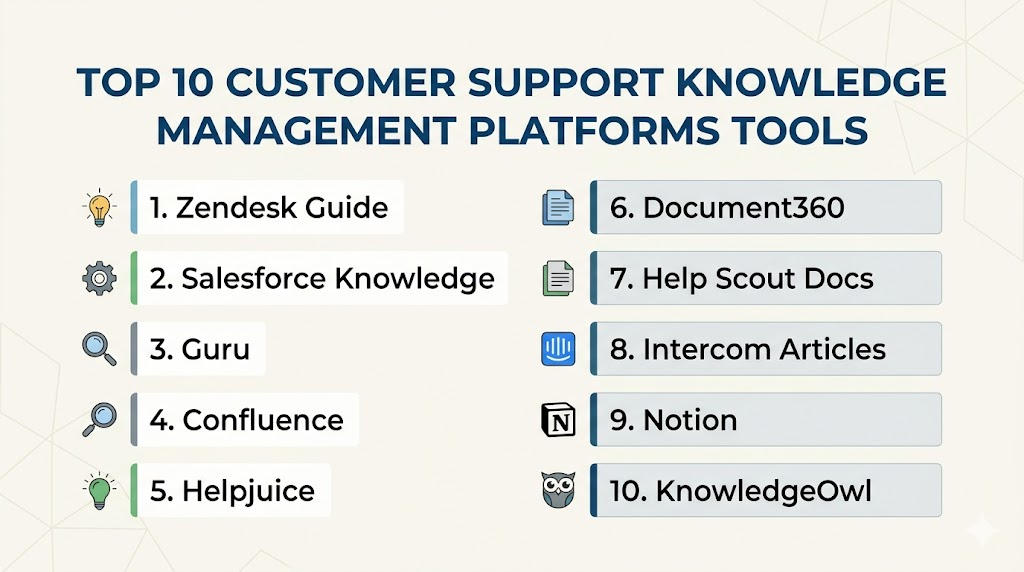
Introduction
Customer Support Knowledge Management Platforms help businesses create, organize, publish, maintain, and improve support knowledge so customers and agents can find accurate answers quickly. In simple terms, these platforms act as a central knowledge hub for help articles, FAQs, troubleshooting guides, product documentation, internal support notes, onboarding content, and self-service resources.
These platforms matter because customers expect fast answers, support teams are handling more requests across more channels, and repetitive questions can overload agents. A strong knowledge management platform reduces ticket volume, improves response consistency, supports AI-powered answers, and helps new agents become productive faster.
Real world use cases include customer help centers, internal support playbooks, product documentation, troubleshooting libraries, agent knowledge bases, chatbot content sources, onboarding portals, and self-service support hubs.
Buyers should evaluate:
- Ease of article creation and editing
- Search quality and content discoverability
- AI-assisted answers and recommendations
- Knowledge base analytics
- Version control and content governance
- Role-based access and permissions
- Customer-facing and internal knowledge support
- Integrations with ticketing and chat tools
- Multi-brand and multilingual support
- Security, compliance, and audit controls
Best for: Customer Support Knowledge Management Platforms are best for support teams, customer success teams, product support teams, SaaS companies, ecommerce businesses, IT helpdesk teams, enterprise service teams, and companies that want to reduce repetitive tickets through self-service.
Not ideal for: Very small teams with only a few support questions may not need a dedicated knowledge management platform. A simple FAQ page, shared document, or basic help center inside a ticketing tool may be enough when content volume is low, products are simple, and support processes are informal.
Key Trends in Customer Support Knowledge Management Platforms
- AI-powered knowledge discovery: Platforms are using AI to recommend articles, summarize answers, generate draft responses, and help agents find relevant content faster.
- Self-service-first support: Businesses are investing in public knowledge bases, help centers, and customer portals to reduce repetitive tickets.
- Knowledge as chatbot fuel: Support knowledge bases increasingly act as the trusted content source for AI chatbots and virtual agents.
- Internal and external knowledge convergence: Teams want one system that can manage public customer content and private agent-only playbooks.
- Content governance and ownership: Companies need workflows for review, approval, version control, expiry dates, and content accuracy checks.
- Search quality as a buying factor: Buyers are prioritizing semantic search, tagging, filters, related articles, and customer-friendly navigation.
- Multilingual support: Global support teams need localized knowledge content, translation workflows, and region-specific help centers.
- Analytics-driven content improvement: Teams want to know which articles solve issues, which searches return no results, and where customers still create tickets.
- Integration with support platforms: Knowledge tools are expected to connect with ticketing, chat, CRM, customer portals, and product experience tools.
- Role-based knowledge delivery: Enterprises need different knowledge views for customers, agents, partners, admins, and internal teams.
How We Selected These Tools
The tools below were selected using a practical buyer-focused evaluation approach:
- Market adoption and recognition in customer support knowledge management, help centers, and documentation workflows.
- Feature completeness across article creation, search, publishing, permissions, analytics, and governance.
- Customer fit across segments, including startups, SMBs, mid-market companies, and enterprise support teams.
- Support workflow alignment, especially integration with ticketing, chat, CRM, and customer service platforms.
- Ease of use for support agents, content managers, product teams, and knowledge base administrators.
- AI and automation capabilities, including recommendations, search assistance, article suggestions, and chatbot readiness.
- Scalability for multi-brand, multilingual, and multi-team knowledge operations.
- Security and access control signals, including permissions, SSO, MFA, audit logs, and admin controls.
- Analytics quality, including article usage, search gaps, customer behavior, and content health reporting.
- Implementation practicality, including onboarding effort, migration needs, customization, and long-term maintenance.
Top 10 Customer Support Knowledge Management Platforms Tools
1- Zendesk Guide
Short description:
Zendesk Guide is a customer support knowledge management platform built for teams using Zendesk and businesses that want a structured self-service help center. It helps support teams create help articles, organize FAQs, manage customer-facing documentation, and connect knowledge content with ticketing workflows. Zendesk Guide is especially useful for companies that want their knowledge base tightly connected to customer support operations. It works well for SMB, mid-market, and enterprise teams that need scalable self-service and agent knowledge support.
Key Features
- Customer-facing help center
- Internal knowledge base support
- Article creation and organization
- Search and content discovery
- Ticketing integration with Zendesk Support
- Knowledge base analytics
- Multi-brand help center support on selected plans
Pros
- Strong fit for existing Zendesk users
- Good connection between tickets and knowledge articles
- Scales well for growing support teams
Cons
- Best value is within the Zendesk ecosystem
- Advanced customization may require admin setup
- Smaller teams may find some features more than needed
Platforms / Deployment
Web-based platform.
Cloud deployment.
Mobile support depends on Zendesk environment and configuration.
Security & Compliance
Supports enterprise security features such as role-based permissions, access controls, SSO options, and admin controls. Specific certifications and compliance details should be validated during vendor review.
Integrations & Ecosystem
Zendesk Guide works closely with Zendesk Support, messaging, help center, and customer service workflows. It also connects with wider business systems through Zendesk integrations.
- Zendesk Support
- Zendesk Messaging
- Salesforce
- Slack
- Jira
- Analytics and reporting tools
Support & Community
Zendesk provides documentation, training resources, onboarding support, customer success services, and a large support community. Support levels may vary by subscription plan and enterprise agreement.
2- Salesforce Knowledge
Short description:
Salesforce Knowledge is a knowledge management solution inside the Salesforce ecosystem, designed for customer service, sales, field service, and internal teams. It allows companies to create, categorize, publish, and recommend knowledge articles directly inside Salesforce Service Cloud workflows. Salesforce Knowledge is especially useful for enterprises that want support knowledge connected with CRM data, customer cases, account history, and service processes. It is best suited for organizations already using Salesforce as a central customer platform.
Key Features
- Knowledge articles inside Salesforce
- Case-to-article support workflows
- Article categories and data categories
- Agent knowledge recommendations
- Customer and internal knowledge views
- Workflow and approval capabilities
- Deep CRM and Service Cloud integration
Pros
- Strong fit for Salesforce Service Cloud users
- Connects knowledge with customer and case data
- Scalable for enterprise service teams
Cons
- Best suited for Salesforce-centric organizations
- Setup and governance may require admin expertise
- May be too complex for smaller teams
Platforms / Deployment
Web-based platform.
Cloud deployment.
Mobile access through Salesforce mobile capabilities.
Security & Compliance
Supports Salesforce security controls such as profiles, permission sets, role-based access, SSO, MFA, audit-related administration, and data governance features. Specific compliance coverage should be validated based on edition and contract.
Integrations & Ecosystem
Salesforce Knowledge integrates deeply with Salesforce products and the broader Salesforce AppExchange ecosystem. It is especially valuable when knowledge needs to be linked with customer records and service workflows.
- Salesforce Service Cloud
- Salesforce Sales Cloud
- Salesforce Experience Cloud
- Slack
- Telephony systems
- AppExchange applications
Support & Community
Salesforce offers extensive documentation, training, partner implementation support, community forums, and enterprise support options. Support depth depends on contract, plan, and success package.
3- Guru
Short description:
Guru is a knowledge management platform focused on helping teams capture, verify, share, and access trusted company knowledge inside daily workflows. It is popular with customer support, sales, customer success, and operations teams that need fast access to approved answers. Guru is especially useful for internal support knowledge, agent enablement, and AI-assisted knowledge discovery. It helps teams reduce repeated questions by making knowledge accessible inside tools such as Slack, browsers, CRMs, and support systems.
Key Features
- Internal knowledge cards and collections
- AI-assisted knowledge search
- Verification workflows for content accuracy
- Browser extension and workflow access
- Slack and collaboration integrations
- Permissions and team-based access
- Knowledge usage analytics
Pros
- Strong for internal support knowledge and agent enablement
- Good content verification and trust workflows
- Easy access to knowledge inside daily work tools
Cons
- Not always a full public help center replacement
- Best value depends on team adoption
- Requires ongoing ownership to keep content verified
Platforms / Deployment
Web-based platform.
Cloud deployment.
Browser extension and workflow integrations available.
Security & Compliance
Supports access controls, permissions, SSO options, and administrative security features. Specific compliance certifications and documentation should be validated directly with the vendor.
Integrations & Ecosystem
Guru integrates with collaboration, support, CRM, and productivity tools so teams can access knowledge without switching contexts.
- Slack
- Microsoft Teams
- Salesforce
- Zendesk
- Chrome browser workflows
- Knowledge and productivity tools
Support & Community
Guru provides documentation, onboarding resources, customer support, training content, and customer success assistance. Support depth may vary by plan and company size.
4- Confluence
Short description:
Confluence by Atlassian is a collaborative knowledge management and documentation platform used by support, IT, product, engineering, and operations teams. It is especially useful for internal knowledge bases, technical documentation, support playbooks, release notes, troubleshooting guides, and team documentation. Confluence works well for companies already using Jira or other Atlassian products. While it is not only a customer support knowledge tool, it is widely used to organize internal support knowledge and connect documentation with technical workflows.
Key Features
- Collaborative pages and spaces
- Internal knowledge base structure
- Templates for documentation and processes
- Version history and page tracking
- Permissions and access controls
- Jira integration
- Search and content organization
Pros
- Strong for internal team documentation
- Excellent fit for technical and IT support teams
- Deep integration with Atlassian ecosystem
Cons
- Public customer help center experience may need additional setup
- Content structure can become messy without governance
- Not always ideal for non-technical support teams without configuration
Platforms / Deployment
Web-based platform.
Cloud deployment.
Data Center options may be available for enterprise environments.
Security & Compliance
Supports permissions, access controls, SSO options, audit capabilities, and enterprise administration depending on plan and deployment. Buyers should validate specific compliance needs during evaluation.
Integrations & Ecosystem
Confluence integrates strongly with Atlassian tools and many development, collaboration, service management, and productivity platforms.
- Jira Software
- Jira Service Management
- Trello
- Slack
- Microsoft Teams
- Atlassian Marketplace apps
Support & Community
Atlassian provides documentation, community forums, training resources, partner services, and enterprise support options. Community strength is especially high among IT, engineering, and product teams.
5- Helpjuice
Short description:
Helpjuice is a knowledge base platform designed for companies that want customizable customer self-service and internal knowledge management. It helps teams create structured help centers, organize articles, manage access permissions, and analyze knowledge usage. Helpjuice is especially useful for businesses that want a dedicated knowledge base solution rather than a knowledge module inside a broader ticketing system. It is suitable for support teams, SaaS companies, customer success teams, and internal operations teams.
Key Features
- Customizable knowledge base
- Article creation and organization
- Powerful knowledge search
- Internal and external knowledge support
- User permissions and access control
- Analytics for article performance
- Custom branding options
Pros
- Strong dedicated knowledge base functionality
- Flexible for internal and customer-facing use
- Good analytics for improving content
Cons
- May require integration with separate ticketing systems
- Advanced customization may need setup effort
- Not a full customer support suite by itself
Platforms / Deployment
Web-based platform.
Cloud deployment.
Security & Compliance
Supports access controls and knowledge base permissions. Specific certifications, compliance coverage, and security documentation should be validated directly during vendor review.
Integrations & Ecosystem
Helpjuice connects with support and business tools to help teams embed knowledge into broader customer support workflows.
- Zendesk
- Salesforce
- Slack
- Microsoft Teams
- Analytics tools
- Custom integrations through available options
Support & Community
Helpjuice provides documentation, customer support, onboarding assistance, and knowledge base guidance. Support depth may vary by subscription and customer requirements.
6- Document360
Short description:
Document360 is a knowledge base and documentation platform built for customer support teams, product teams, SaaS companies, and technical documentation teams. It supports public knowledge bases, private documentation, product help centers, internal support libraries, and developer-style documentation. Document360 is especially useful for companies that need structured content management, category-based organization, search, versioning, and analytics. It works well for teams that want a dedicated and professional knowledge base experience.
Key Features
- Public and private knowledge bases
- Category-based article organization
- Advanced search and navigation
- Versioning and article lifecycle support
- Markdown and rich editor options
- Knowledge base analytics
- Role-based access controls
Pros
- Strong dedicated documentation and knowledge base platform
- Good fit for SaaS and product support teams
- Supports structured content governance
Cons
- Not a full ticketing platform
- Some advanced workflows may require higher plans
- Teams still need content ownership and governance
Platforms / Deployment
Web-based platform.
Cloud deployment.
Private knowledge base options available depending on plan.
Security & Compliance
Supports role-based access, permissions, private documentation controls, and administrative security features. Buyers should confirm current certifications and compliance documentation with the vendor.
Integrations & Ecosystem
Document360 integrates with customer support, analytics, collaboration, and productivity tools. It is often used alongside ticketing systems to provide customer-facing and internal knowledge.
- Zendesk
- Freshdesk
- Intercom
- Slack
- Microsoft Teams
- Analytics platforms
Support & Community
Document360 provides documentation, support resources, onboarding assistance, and product guidance. Support levels may vary based on plan and business needs.
7- Help Scout Docs
Short description:
Help Scout Docs is the knowledge base component of Help Scout, designed for teams that want simple, clean, customer-friendly self-service content. It helps businesses create help articles, FAQs, support guides, and customer-facing documentation. Help Scout Docs is especially useful for SMBs and support teams already using Help Scout’s shared inbox and customer support tools. It focuses on simplicity, clarity, and easy publishing rather than complex enterprise knowledge operations.
Key Features
- Customer-facing knowledge base
- Simple article editor
- Searchable help center
- Integration with Help Scout support workflows
- Beacon support for embedded help
- Basic content organization
- Reporting for article performance
Pros
- Simple and easy to manage
- Strong fit for Help Scout users
- Good customer-friendly help center experience
Cons
- Not ideal for complex enterprise knowledge governance
- Advanced customization may be limited
- Best suited for simpler support documentation needs
Platforms / Deployment
Web-based platform.
Cloud deployment.
Works within the Help Scout ecosystem.
Security & Compliance
Supports secure access and account administration within the Help Scout environment. Buyers should validate current security and compliance documentation based on plan and requirements.
Integrations & Ecosystem
Help Scout Docs works closely with Help Scout’s shared inbox and customer support tools. It can also connect with other support workflows through available integrations.
- Help Scout Inbox
- Beacon
- Slack
- HubSpot
- Salesforce
- Ecommerce and productivity tools
Support & Community
Help Scout provides documentation, customer support, educational content, and onboarding resources. It is well suited for teams that prefer a simple and human support style.
8- Intercom Articles
Short description:
Intercom Articles is the knowledge base capability inside Intercom, designed for businesses that want self-service content connected with live chat, AI support, and customer messaging. It helps teams publish help articles, guide customers inside the product, and power automated support experiences. Intercom Articles is especially useful for SaaS companies and digital product teams that want knowledge content to support chatbots, AI agents, and customer conversations. It works best when paired with Intercom’s broader customer support platform.
Key Features
- Customer help center articles
- Knowledge content for chat and AI support
- Article suggestions inside conversations
- Self-service support workflows
- Product and customer messaging integration
- Basic content organization
- Article performance insights
Pros
- Strong fit for SaaS and digital support teams
- Works well with chat, messaging, and AI support
- Useful for reducing repetitive customer questions
Cons
- Best value is within the Intercom ecosystem
- May not replace advanced documentation platforms
- Costs may increase with broader Intercom usage
Platforms / Deployment
Web-based platform.
Cloud deployment.
Mobile access may vary through Intercom apps and configuration.
Security & Compliance
Supports access controls, permissions, SSO options, and administrative security settings. Buyers should validate current compliance details directly during vendor review.
Integrations & Ecosystem
Intercom Articles integrates tightly with Intercom Messenger, automation, AI support, and customer communication workflows. It also connects with CRM, product, and collaboration tools.
- Intercom Messenger
- Intercom AI support features
- Salesforce
- HubSpot
- Slack
- Product analytics tools
Support & Community
Intercom provides documentation, onboarding resources, support content, and customer support options. Support depth may vary by subscription and business size.
9- Notion
Short description:
Notion is a flexible workspace used by many teams for internal knowledge management, support documentation, SOPs, product notes, onboarding materials, and internal wikis. While it is not a dedicated customer support knowledge base platform by default, many small and growing teams use it to centralize internal support knowledge. Notion is especially useful for teams that want flexible pages, databases, templates, and collaborative documentation. It works best for internal knowledge operations rather than highly structured public help centers.
Key Features
- Flexible pages and databases
- Internal knowledge wiki creation
- Templates for processes and documentation
- Collaboration and comments
- Permission controls
- Search across workspace content
- AI-assisted writing and summarization options
Pros
- Highly flexible and easy to customize
- Good for internal support knowledge and SOPs
- Useful for cross-functional documentation
Cons
- Not a dedicated customer support help center
- Governance can become difficult without structure
- May need additional tools for public knowledge publishing
Platforms / Deployment
Web-based platform.
Cloud deployment.
Desktop and mobile apps available.
Security & Compliance
Supports workspace permissions, sharing controls, admin settings, and security features depending on plan. Buyers should validate enterprise security and compliance documentation directly.
Integrations & Ecosystem
Notion integrates with productivity, collaboration, project management, and documentation workflows. It is often used as a central internal knowledge workspace.
- Slack
- Google Workspace
- Microsoft tools
- Jira
- GitHub
- Productivity and automation tools
Support & Community
Notion provides documentation, templates, help resources, community content, and customer support options. Its community is large, especially among startups, product teams, and operations teams.
10- KnowledgeOwl
Short description:
KnowledgeOwl is a dedicated knowledge base platform for teams that need customer-facing help centers, internal documentation, training libraries, and support knowledge portals. It is designed to help businesses organize support content clearly and provide searchable self-service experiences. KnowledgeOwl is especially useful for teams that want a focused knowledge base solution with customization and access control options. It fits support teams, operations teams, software companies, and organizations that manage both internal and external knowledge.
Key Features
- Customer-facing and internal knowledge bases
- Article creation and content organization
- Custom branding and layout options
- Search and navigation support
- Access controls and private knowledge areas
- Reporting and article analytics
- Content management workflows
Pros
- Strong dedicated knowledge base focus
- Flexible for internal and external documentation
- Good fit for teams that want standalone knowledge management
Cons
- Not a full ticketing or customer service suite
- Integrations may need evaluation for complex workflows
- Best results require active content maintenance
Platforms / Deployment
Web-based platform.
Cloud deployment.
Security & Compliance
Supports private knowledge bases, permissions, and access controls. Specific certifications and compliance documentation should be validated during vendor review.
Integrations & Ecosystem
KnowledgeOwl can be used alongside ticketing, customer support, analytics, and internal collaboration tools. Buyers should validate the exact integration needs before selection.
- Ticketing systems
- Analytics tools
- Customer portals
- Collaboration tools
- Custom integration options
- Internal support workflows
Support & Community
KnowledgeOwl provides documentation, customer support, onboarding guidance, and knowledge base best-practice resources. Support depth may vary by plan and business requirements.
Comparison Table
| Tool Name | Best For | Platform Supported | Deployment | Standout Feature | Public Rating |
|---|---|---|---|---|---|
| Zendesk Guide | Zendesk-based support teams | Web | Cloud | Help center connected with ticketing | N/A |
| Salesforce Knowledge | Enterprise CRM-connected service teams | Web, mobile access via Salesforce | Cloud | Knowledge inside Salesforce service workflows | N/A |
| Guru | Internal support knowledge and agent enablement | Web, browser extension | Cloud | Verified knowledge inside daily workflows | N/A |
| Confluence | Technical and internal documentation teams | Web, mobile options vary | Cloud, Data Center options vary | Collaborative internal knowledge spaces | N/A |
| Helpjuice | Dedicated knowledge base needs | Web | Cloud | Customizable internal and external knowledge base | N/A |
| Document360 | SaaS and product documentation | Web | Cloud | Structured knowledge base and documentation governance | N/A |
| Help Scout Docs | SMB customer self-service | Web | Cloud | Simple customer-friendly help center | N/A |
| Intercom Articles | SaaS chat and AI support teams | Web | Cloud | Knowledge connected with messaging and AI support | N/A |
| Notion | Internal support wikis and SOPs | Web, desktop, mobile | Cloud | Flexible internal knowledge workspace | N/A |
| KnowledgeOwl | Standalone knowledge base portals | Web | Cloud | Internal and external knowledge portal flexibility | N/A |
Evaluation & Scoring of Customer Support Knowledge Management Platforms
| Tool Name | Core 25% | Ease 15% | Integrations 15% | Security 10% | Performance 10% | Support 10% | Value 15% | Weighted Total 0–10 |
|---|---|---|---|---|---|---|---|---|
| Zendesk Guide | 8.8 | 8.3 | 9.0 | 8.5 | 8.6 | 8.4 | 8.0 | 8.52 |
| Salesforce Knowledge | 9.0 | 7.5 | 9.3 | 9.0 | 8.8 | 8.6 | 7.5 | 8.50 |
| Guru | 8.5 | 8.8 | 8.6 | 8.4 | 8.5 | 8.2 | 8.2 | 8.48 |
| Confluence | 8.4 | 8.1 | 9.0 | 8.6 | 8.6 | 8.3 | 8.3 | 8.49 |
| Helpjuice | 8.4 | 8.6 | 8.0 | 8.0 | 8.3 | 8.1 | 8.2 | 8.28 |
| Document360 | 8.6 | 8.4 | 8.2 | 8.3 | 8.4 | 8.1 | 8.2 | 8.35 |
| Help Scout Docs | 7.8 | 9.0 | 7.8 | 8.0 | 8.2 | 8.2 | 8.5 | 8.17 |
| Intercom Articles | 8.1 | 8.7 | 8.5 | 8.2 | 8.4 | 8.0 | 8.0 | 8.30 |
| Notion | 7.8 | 8.9 | 8.2 | 8.0 | 8.3 | 7.9 | 8.7 | 8.25 |
| KnowledgeOwl | 8.2 | 8.4 | 7.8 | 8.0 | 8.2 | 8.0 | 8.3 | 8.15 |
The scoring is comparative and should be used as a practical evaluation guide, not as a universal ranking. Enterprise teams may value governance, permissions, CRM integration, and audit controls more heavily. SMBs may prioritize ease of use, fast publishing, and affordability. SaaS and product teams may prefer tools with strong documentation structure and AI support readiness. The best choice depends on whether you need a public help center, internal knowledge hub, agent enablement platform, or CRM-connected knowledge workflow.
Which Customer Support Knowledge Management Platform Is Right for You?
Solo / Freelancer
Solo professionals usually do not need a complex knowledge management platform. A simple FAQ page, Notion workspace, or lightweight documentation tool may be enough to answer repeated client questions. The main goal should be saving time by documenting common answers once and reusing them.
Notion or Help Scout Docs can be practical if the work involves recurring customer questions, onboarding instructions, or simple support documentation. The best choice should be easy to update and simple for customers or clients to understand.
SMB
SMBs should prioritize ease of setup, clean article publishing, search, customer-facing help centers, and basic analytics. Help Scout Docs, Document360, Helpjuice, KnowledgeOwl, Zendesk Guide, and Intercom Articles can all be useful depending on the existing support stack.
If the business already uses Zendesk, Zendesk Guide is a practical choice. If the team uses Intercom for chat, Intercom Articles may be more convenient. If the company wants a dedicated knowledge base independent of ticketing tools, Document360 or Helpjuice may fit better.
Mid-Market
Mid-market companies usually need better structure, permissions, analytics, ownership, and integrations with ticketing or CRM platforms. Guru, Document360, Zendesk Guide, Confluence, Helpjuice, and Salesforce Knowledge can be strong options depending on internal workflows.
If internal agent enablement is the main goal, Guru or Confluence may be strong choices. If customer self-service is the priority, Document360, Helpjuice, Zendesk Guide, or KnowledgeOwl may be better. If CRM-connected service knowledge is important, Salesforce Knowledge is worth evaluating.
Enterprise
Enterprises should prioritize governance, scalability, permissions, multi-team workflows, multilingual content, audit controls, integrations, and knowledge lifecycle management. Salesforce Knowledge, Zendesk Guide, Confluence, Guru, and Document360 are strong options for larger teams.
Large organizations should also define ownership clearly. A knowledge platform can fail if articles are not reviewed, outdated content is not removed, and support teams do not trust the answers. Enterprise buyers should focus as much on governance and adoption as they do on software features.
Budget vs Premium
Budget-focused buyers should start with a simple knowledge base that solves the most common support questions. Notion, Help Scout Docs, and some standalone knowledge base tools can provide strong value for smaller teams.
Premium platforms are better when the business needs permissions, workflow approvals, advanced analytics, integrations, multilingual support, AI readiness, or enterprise service integration. The best value comes when the platform reduces tickets, improves agent speed, and keeps answers accurate.
Feature Depth vs Ease of Use
Feature-rich platforms offer advanced governance, analytics, search, permissions, workflow approvals, and integrations. They are useful for larger support teams but may require setup and administration.
Ease-of-use platforms help teams publish quickly and encourage adoption. Smaller teams should avoid overly complex tools if they do not have a knowledge manager or content owner. The right balance depends on content volume, support complexity, and internal resources.
Integrations & Scalability
Knowledge platforms should connect with the tools where support teams already work. Important integrations include ticketing systems, chat tools, CRM platforms, customer portals, analytics tools, collaboration platforms, and AI chatbots.
Scalability matters when knowledge must support multiple products, teams, languages, regions, or customer segments. Buyers should check whether the platform can manage permissions, article ownership, versioning, multilingual content, and multiple knowledge bases.
Security & Compliance Needs
Knowledge bases may contain customer-facing content, internal support procedures, product details, troubleshooting steps, account handling instructions, and sensitive operational knowledge. Security should be considered early.
Buyers should evaluate SSO, MFA, RBAC, article visibility controls, private knowledge bases, audit logs, data retention, admin permissions, and vendor security documentation. Enterprises and regulated industries should involve IT, legal, and compliance teams during evaluation.
Frequently Asked Questions
1. What is a Customer Support Knowledge Management Platform?
A Customer Support Knowledge Management Platform is software that helps teams create, organize, publish, and maintain support knowledge. This knowledge may include help articles, FAQs, troubleshooting steps, internal playbooks, product guides, and agent instructions. The goal is to help customers find answers on their own and help agents respond faster with accurate information. These platforms reduce repetitive tickets and improve consistency across support teams. They are especially useful when customer questions repeat often or support teams are growing.
2. How is a knowledge base different from a ticketing system?
A ticketing system manages customer requests, while a knowledge base stores answers and guidance. Ticketing tools help teams assign, track, prioritize, and resolve support issues. Knowledge management platforms help teams document solutions so customers and agents can reuse them. Many businesses use both together because tickets show what customers ask, and the knowledge base helps answer those questions faster. Some ticketing platforms include built-in knowledge base features, while others integrate with dedicated knowledge tools.
3. What pricing models do knowledge management platforms use?
Most knowledge management platforms use subscription pricing based on users, seats, workspaces, knowledge bases, features, storage, AI capabilities, or support level. Some tools price by agent count, while others price by content management features or customer-facing portal requirements. Enterprise plans may include advanced permissions, SSO, audit logs, analytics, and dedicated support. Buyers should evaluate total cost, including migration, customization, training, and ongoing content governance. The cheapest tool is not always the best if it creates poor search or outdated content.
4. How long does implementation usually take?
Implementation depends on content volume, existing documentation quality, structure, integrations, and approval workflows. A small team can launch a basic knowledge base quickly if articles are already written. Larger teams may need more time to audit old content, define categories, migrate articles, set permissions, configure branding, and train agents. The most time-consuming part is usually content cleanup, not software setup. A phased rollout works best, starting with the most common customer questions and expanding gradually.
5. What are common mistakes when choosing a knowledge management platform?
A common mistake is choosing a platform only for its editor or design without evaluating search, governance, analytics, and integrations. Another mistake is publishing too much content without clear ownership or review cycles. Teams also fail when they do not connect support tickets to knowledge gaps. If agents do not trust the content, they will stop using it. Buyers should define content owners, review schedules, article standards, and success metrics before launching the platform.
6. Are knowledge management platforms secure?
Knowledge management platforms can be secure, but buyers must validate each vendor carefully. These platforms may store internal procedures, troubleshooting steps, product information, and customer support guidance. Important security features include SSO, MFA, role-based access, private article controls, workspace permissions, audit logs, encryption, and admin controls. Public help centers and internal knowledge bases often need different access rules. Regulated companies should involve IT and compliance teams before selecting a platform.
7. Can knowledge platforms integrate with ticketing and chat tools?
Yes, many knowledge management platforms integrate with ticketing systems, chat tools, CRMs, customer portals, and collaboration platforms. These integrations help agents find answers inside tickets or conversations without switching tools. They also help customers discover relevant articles before creating a support request. Some platforms can suggest articles automatically based on ticket text or chat questions. Buyers should verify whether integrations are native, marketplace-based, API-based, or custom before making a decision.
8. Do these platforms support AI?
Many modern knowledge management platforms support AI in some form. AI may help draft articles, summarize content, recommend answers, improve search, identify duplicate content, or power chatbot responses. However, AI is only useful when the underlying knowledge is accurate, structured, and regularly maintained. If the content is outdated, AI may surface poor answers. Buyers should evaluate how the platform controls source content, permissions, human review, and answer accuracy before relying on AI-powered support.
9. When should a business move from documents to a knowledge platform?
A business should move from shared documents to a knowledge platform when support content becomes hard to find, outdated, duplicated, or inconsistent. Warning signs include agents asking the same internal questions repeatedly, customers creating tickets for basic issues, and teams using different versions of the same answer. A knowledge platform provides structure, search, ownership, permissions, analytics, and publishing workflows. The move becomes more important as products, teams, and customer volume grow. A good platform turns scattered documents into a reliable support knowledge system.
10. What alternatives exist if we do not need a full knowledge management platform?
Alternatives include simple FAQ pages, shared documents, internal wikis, CRM notes, ticket macros, project management boards, and basic help center tools. These options may work for small teams with limited content and simple support workflows. However, they can become difficult to manage as content grows or multiple teams need access. A dedicated platform is better when search quality, permissions, article ownership, analytics, and customer self-service become important. The right alternative depends on support volume, content complexity, and team size.
Conclusion
Customer Support Knowledge Management Platforms help businesses turn scattered support information into structured, searchable, and reusable knowledge that improves both customer self-service and agent productivity. The best platform depends on whether your main need is a public help center, internal support knowledge, agent enablement, product documentation, AI-ready content, or CRM-connected service workflows. Zendesk Guide and Salesforce Knowledge are strong choices for teams already using those service ecosystems, while Guru and Confluence are excellent for internal knowledge and team collaboration. Document360, Helpjuice, and KnowledgeOwl are strong dedicated knowledge base options, while Help Scout Docs and Intercom Articles are practical for teams using those customer support platforms. Notion can work well for flexible internal support documentation, especially for smaller teams.
