MOTOSHARE 🚗🏍️
Rent Bikes & Cars Directly from Owners
Motoshare connects vehicle owners with people who need bikes and cars on rent. Owners earn from idle vehicles, and renters get flexible ride options.
Visit Motoshare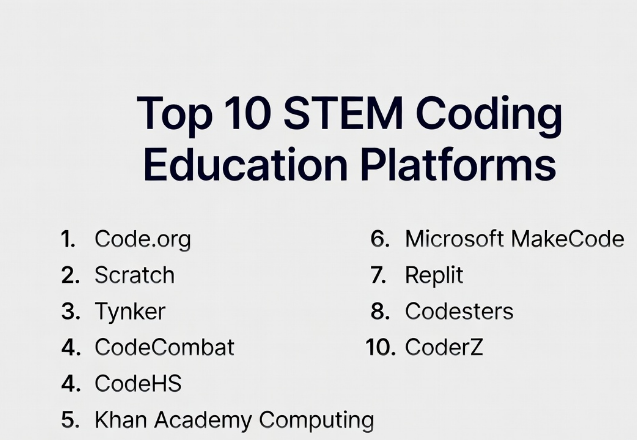
Introduction
STEM Coding Education Platforms help students learn programming, computational thinking, robotics, problem-solving, and digital creation through interactive lessons, projects, games, simulations, and classroom activities. These platforms are used by schools, coding academies, homeschooling programs, universities, and training organizations to teach coding in a structured and engaging way.They matter because coding is now a core digital skill across science, technology, engineering, and mathematics education. Students are expected to understand logic, algorithms, data, automation, AI basics, robotics, and software creation from an early stage. Modern STEM coding platforms support block-based coding, text-based programming, teacher dashboards, assignments, progress tracking, and collaborative learning.
Real-World Use Cases
- Teaching block-based coding to beginners
- Introducing Python, JavaScript, and web development
- Supporting robotics and physical computing classes
- Running school coding clubs and hackathons
- Preparing students for STEM careers and competitions
Evaluation Criteria for Buyers
When evaluating STEM Coding Education Platforms, buyers should consider:
- Curriculum depth and age suitability
- Block-based and text-based coding support
- Teacher dashboard and progress tracking
- Project-based learning quality
- Robotics and hardware integration
- Assessment and reporting tools
- Classroom management features
- Student engagement and gamification
- Accessibility and multilingual support
- Scalability for schools and institutions
Best for: Schools, teachers, coding academies, STEM labs, homeschooling families, education nonprofits, and institutions building structured coding programs.
Not ideal for: Learners who only need advanced professional software engineering training. In those cases, developer bootcamps, university-level platforms, or professional coding environments may be better.
Key Trends in STEM Coding Education Platforms
- AI-assisted coding guidance is becoming more common in student learning environments.
- Block-based coding remains important for younger learners and beginners.
- Python is becoming a major bridge between beginner coding and real-world programming.
- Robotics and physical computing integrations are growing in STEM classrooms.
- Project-based learning is replacing purely theory-based coding instruction.
- Teacher dashboards and learning analytics are becoming essential for schools.
- Cloud-based coding environments are reducing setup complexity.
- Cybersecurity, data science, and AI literacy are being added to coding curricula.
- Gamified learning continues to improve student motivation.
- Inclusive coding education is gaining focus through accessibility and multilingual content.
How We Selected These Tools
The following STEM Coding Education Platforms were selected using practical education and classroom evaluation criteria.
- Strong adoption in schools and learning programs
- Age-appropriate coding curriculum
- Support for beginner and intermediate learners
- Teacher tools and classroom management
- Project-based learning quality
- Student engagement and gamification
- Robotics or STEM hardware compatibility
- Assessment and reporting capabilities
- Ease of deployment and onboarding
- Long-term ecosystem strength
Top 10 STEM Coding Education Platforms
1- Code.org
Short description:
Code.org is one of the most widely used coding education platforms for schools and beginner learners. It provides structured courses for computer science fundamentals, block-based programming, web development basics, and classroom-friendly coding lessons. The platform is especially useful for schools introducing coding to large groups of students with limited setup requirements.
Key Features
- Beginner-friendly computer science curriculum
- Block-based coding lessons
- Teacher dashboard
- Classroom progress tracking
- Hour of Code activities
- Web-based learning environment
- Age-based course pathways
Pros
- Very accessible for beginners
- Strong classroom adoption
- Easy for teachers to start
Cons
- Advanced programming depth is limited
- Less suitable for professional coding learners
- Customization options are moderate
Platforms / Deployment
- Web / Cloud
Security & Compliance
- Student account controls available
- Classroom management features available
- Additional certifications not publicly stated
Integrations & Ecosystem
Code.org fits well into school-based computer science programs and beginner coding classrooms.
- Classroom teaching workflows
- Student accounts
- Teacher dashboards
- Web-based lessons
- Beginner coding activities
Support & Community
Large global education community with extensive teacher resources, classroom guides, and beginner-friendly learning content.
2- Scratch
Short description:
Scratch is a visual programming platform designed to help children learn coding through stories, animations, games, and interactive projects. It uses block-based programming, making it highly approachable for younger learners. Scratch is widely used in schools, coding clubs, and homeschooling environments to teach logic, creativity, and computational thinking.
Key Features
- Block-based coding interface
- Interactive stories and games
- Animation creation
- Student project sharing
- Community remixing
- Beginner-friendly design
- Creative coding workflows
Pros
- Excellent for young learners
- Encourages creativity and experimentation
- Strong community ecosystem
Cons
- Limited text-based coding progression
- Not designed for advanced programming
- Public sharing requires moderation awareness
Platforms / Deployment
- Web / Windows / macOS / Android
Security & Compliance
- Account controls available
- Community moderation available
- Additional compliance details not publicly stated
Integrations & Ecosystem
Scratch supports creative classroom coding and beginner programming workflows.
- Classroom projects
- Animation activities
- Game design lessons
- Creative coding clubs
- Offline editor workflows
Support & Community
Very large education and creator community with extensive tutorials, classroom materials, and student examples.
3- Tynker
Short description:
Tynker is a STEM coding education platform designed for children, schools, and families. It offers courses in block coding, Python, JavaScript, game development, Minecraft modding, robotics, and STEM projects. The platform is useful for learners who need a structured pathway from beginner visual coding to text-based programming.
Key Features
- Block and text-based coding
- Python and JavaScript courses
- Game development projects
- Minecraft coding activities
- Robotics support
- Teacher dashboard
- Student progress tracking
Pros
- Strong age-based curriculum
- Good transition from blocks to text code
- Engaging project-based lessons
Cons
- Premium plans may increase costs
- Some content is more consumer-focused
- Advanced learners may outgrow parts of the platform
Platforms / Deployment
- Web / iOS / Android
Security & Compliance
- Classroom management tools available
- Student account controls available
- Additional certifications not publicly stated
Integrations & Ecosystem
Tynker integrates well with school coding programs and home learning environments.
- Classroom dashboards
- Minecraft education workflows
- Robotics kits
- Mobile coding lessons
- STEM activities
Support & Community
Strong support resources for schools, teachers, parents, and coding clubs.
4- CodeCombat
Short description:
CodeCombat teaches programming through game-based learning where students write real code to solve challenges. It supports languages such as Python and JavaScript and is popular among schools that want students to move beyond block-based coding. The platform is especially effective for students motivated by games, missions, and interactive challenges.
Key Features
- Game-based coding lessons
- Python and JavaScript support
- Real-code challenges
- Classroom management tools
- Student progress tracking
- Multiplayer and competition elements
- Structured curriculum pathways
Pros
- Highly engaging for students
- Teaches real text-based coding
- Strong fit for middle and high school learners
Cons
- Game format may not suit every classroom
- Some advanced features require paid access
- Younger learners may need guidance
Platforms / Deployment
- Web / Cloud
Security & Compliance
- Classroom controls available
- User management available
- Additional compliance details not publicly stated
Integrations & Ecosystem
CodeCombat supports classroom coding, coding clubs, and game-based STEM learning.
- Teacher dashboards
- Coding competitions
- Python lessons
- JavaScript lessons
- Classroom assignments
Support & Community
Strong education support ecosystem with teacher resources and student engagement materials.
5- CodeHS
Short description:
CodeHS is a coding education platform focused on schools, districts, and structured computer science programs. It provides full courses in programming, web development, cybersecurity, data science, AP computer science preparation, and teacher management tools. CodeHS is especially useful for middle school and high school computer science pathways.
Key Features
- Full computer science curriculum
- Python, JavaScript, Java, and web development
- Teacher dashboard
- Auto-grading tools
- Assessment management
- Cybersecurity curriculum
- Progress analytics
Pros
- Strong school and district fit
- Excellent course structure
- Good teacher management features
Cons
- More formal than gamified platforms
- Premium plans may be needed for full features
- Younger beginners may prefer visual platforms first
Platforms / Deployment
- Web / Cloud
Security & Compliance
- Classroom management controls available
- Student account management available
- Additional certifications not publicly stated
Integrations & Ecosystem
CodeHS integrates into formal computer science education workflows.
- LMS-style classrooms
- Teacher grading workflows
- Student coding environments
- School computer science pathways
- Assessment systems
Support & Community
Strong school-focused support with curriculum guidance, professional development, and teacher resources.
6- Khan Academy Computing
Short description:
Khan Academy Computing provides free coding and computer science lessons focused on programming basics, JavaScript, HTML, CSS, algorithms, and digital creativity. It is useful for self-paced learners, teachers, and students who want accessible coding education without complex setup. The platform is especially strong for foundational programming and visual learning.
Key Features
- JavaScript learning modules
- HTML and CSS lessons
- Computer science basics
- Interactive coding editor
- Self-paced exercises
- Visual programming projects
- Free educational access
Pros
- Accessible and beginner-friendly
- Strong self-paced learning experience
- Good for foundational web coding
Cons
- Limited advanced classroom management
- Less comprehensive for robotics or hardware
- Not as structured for full school programs
Platforms / Deployment
- Web / Cloud
Security & Compliance
- Account controls available
- Additional compliance details not publicly stated
Integrations & Ecosystem
Khan Academy Computing works well for self-paced learning and supplemental classroom instruction.
- Web coding exercises
- Student practice workflows
- Teacher assignments
- Foundational programming lessons
- Digital creativity projects
Support & Community
Large learner community with extensive educational resources and accessible tutorials.
7- Microsoft MakeCode
Short description:
Microsoft MakeCode is a coding education platform designed for block-based and JavaScript-based programming with hardware and STEM devices. It supports micro:bit, Minecraft Education, Circuit Playground, and other physical computing environments. MakeCode is especially useful for STEM labs, robotics clubs, and hands-on coding classrooms.
Key Features
- Block-based coding
- JavaScript and Python support
- Physical computing integration
- micro:bit support
- Minecraft Education workflows
- Simulator-based learning
- Hardware project templates
Pros
- Excellent for hands-on STEM learning
- Strong hardware integration
- Good transition from blocks to text code
Cons
- Best value depends on hardware availability
- Advanced software engineering depth is limited
- Teacher setup may require planning
Platforms / Deployment
- Web / Cloud
Security & Compliance
- Microsoft account security controls available
- Additional compliance details not publicly stated
Integrations & Ecosystem
MakeCode integrates strongly with physical computing and STEM hardware ecosystems.
- micro:bit
- Minecraft Education
- Circuit Playground
- Robotics kits
- Classroom simulators
Support & Community
Strong Microsoft education ecosystem with extensive tutorials, lesson plans, and classroom activities.
8- Replit
Short description:
Replit is a cloud-based coding environment used by students, teachers, and developers to write, run, and collaborate on code directly in the browser. While it is broader than STEM education, it is widely used in coding classrooms because it removes setup friction and supports many programming languages. It is useful for middle school, high school, college, and coding bootcamp environments.
Key Features
- Browser-based coding environment
- Multi-language support
- Collaborative coding
- Classroom assignments
- Project hosting
- AI coding assistance
- Team-based development workflows
Pros
- No local setup required
- Supports many programming languages
- Strong collaboration features
Cons
- Younger learners may need guidance
- AI features require careful classroom policy
- Advanced usage can introduce complexity
Platforms / Deployment
- Web / Cloud
Security & Compliance
- Account security controls available
- Classroom and team controls available
- Additional compliance details not publicly stated
Integrations & Ecosystem
Replit integrates with modern coding education and software development workflows.
- Classroom projects
- GitHub workflows
- Web app hosting
- Collaborative coding
- AI-assisted learning
Support & Community
Large developer and education community with strong project-sharing culture and learning resources.
9- Codesters
Short description:
Codesters is a Python-focused coding education platform designed to help students move from visual learning into real programming. It combines coding lessons, graphics-based projects, teacher tools, and classroom management features. The platform is especially useful for schools introducing Python in middle school or early high school.
Key Features
- Python coding curriculum
- Graphics-based projects
- Teacher dashboard
- Lesson plans
- Auto-graded activities
- Student progress tracking
- Classroom assignments
Pros
- Strong Python learning pathway
- Good classroom management tools
- Helpful for transitioning to real code
Cons
- Less broad than multi-language platforms
- Visual design is classroom-focused
- Advanced professional development depth is limited
Platforms / Deployment
- Web / Cloud
Security & Compliance
- Student account controls available
- Classroom management available
- Additional certifications not publicly stated
Integrations & Ecosystem
Codesters fits well into school-based Python and STEM learning workflows.
- Python classrooms
- Teacher dashboards
- Coding assignments
- Student projects
- Graphics-based programming
Support & Community
Strong school-focused support with teacher resources and curriculum guidance.
10- CoderZ
Short description:
CoderZ is a STEM coding and robotics education platform that teaches programming through virtual robotics simulations. It is designed for classrooms, robotics clubs, and STEM programs where students learn coding, problem-solving, and engineering concepts through simulated robots. The platform is valuable when schools want robotics education without needing a full physical robotics lab.
Key Features
- Virtual robotics simulation
- Coding challenges
- STEM curriculum support
- Classroom management
- Competition-based learning
- Student progress tracking
- Engineering problem-solving activities
Pros
- Excellent for robotics education
- Reduces hardware dependency
- Strong engagement through competitions
Cons
- Robotics-focused scope
- Less suitable for general web programming
- Premium classroom access may be required
Platforms / Deployment
- Web / Cloud
Security & Compliance
- Classroom management controls available
- Additional compliance details not publicly stated
Integrations & Ecosystem
CoderZ integrates with STEM robotics and classroom competition workflows.
- Robotics curriculum
- Virtual competitions
- Teacher dashboards
- STEM classroom activities
- Engineering simulations
Support & Community
Strong STEM education community with robotics-focused classroom resources and competition support.
Comparison Table
| Tool Name | Best For | Platforms Supported | Deployment | Standout Feature | Public Rating |
|---|---|---|---|---|---|
| Code.org | Beginner computer science | Web | Cloud | Structured beginner CS curriculum | N/A |
| Scratch | Young learners | Web, Desktop, Android | Cloud / Offline | Creative block-based coding | N/A |
| Tynker | Kids and school coding | Web, iOS, Android | Cloud | Blocks-to-text coding pathway | N/A |
| CodeCombat | Game-based coding | Web | Cloud | Real-code game challenges | N/A |
| CodeHS | School CS programs | Web | Cloud | Full computer science curriculum | N/A |
| Khan Academy Computing | Free self-paced coding | Web | Cloud | Accessible JavaScript learning | N/A |
| Microsoft MakeCode | Physical computing | Web | Cloud | Hardware and simulator integration | N/A |
| Replit | Cloud coding classrooms | Web | Cloud | Browser-based coding environment | N/A |
| Codesters | Python education | Web | Cloud | Graphics-based Python learning | N/A |
| CoderZ | Robotics coding | Web | Cloud | Virtual robotics simulation | N/A |
Evaluation & Scoring of STEM Coding Education Platforms
| Tool Name | Core 25% | Ease 15% | Integrations 15% | Security 10% | Performance 10% | Support 10% | Value 15% | Weighted Total |
|---|---|---|---|---|---|---|---|---|
| Code.org | 9 | 10 | 8 | 7 | 8 | 9 | 10 | 8.9 |
| Scratch | 8 | 10 | 7 | 7 | 8 | 9 | 10 | 8.6 |
| Tynker | 9 | 9 | 8 | 7 | 8 | 8 | 8 | 8.3 |
| CodeCombat | 8 | 8 | 7 | 7 | 8 | 8 | 8 | 7.8 |
| CodeHS | 9 | 8 | 8 | 8 | 8 | 9 | 8 | 8.4 |
| Khan Academy Computing | 7 | 9 | 6 | 7 | 8 | 9 | 10 | 8.0 |
| Microsoft MakeCode | 8 | 9 | 9 | 8 | 8 | 9 | 10 | 8.7 |
| Replit | 9 | 8 | 9 | 8 | 8 | 8 | 8 | 8.4 |
| Codesters | 8 | 8 | 7 | 7 | 8 | 8 | 8 | 7.8 |
| CoderZ | 8 | 8 | 7 | 7 | 8 | 8 | 7 | 7.7 |
These scores are comparative and should be interpreted based on learner age, classroom goals, curriculum requirements, and technical maturity. Code.org and Scratch are excellent starting points for beginners, while CodeHS and Replit fit more advanced classroom pathways. Microsoft MakeCode and CoderZ are stronger for physical computing and robotics-focused STEM programs.
Which STEM Coding Education Platform Is Right for You?
Solo / Freelancer
Independent tutors and homeschooling educators should prioritize platforms that are easy to start and require minimal setup. Scratch, Code.org, Khan Academy Computing, and Microsoft MakeCode are strong choices for foundational coding. Replit is useful when learners are ready for real coding projects and browser-based development environments.
SMB
Small schools, coaching centers, and coding academies often need structured curriculum, student tracking, and engaging projects. Tynker, CodeCombat, Codesters, and CodeHS are strong options because they combine lessons, assignments, and teacher-friendly workflows.
Mid-Market
Mid-sized schools and STEM programs usually need scalable classroom management, assessment tools, and progression from beginner to intermediate coding. CodeHS, Tynker, Replit, and Microsoft MakeCode are strong choices for these environments.
Enterprise
Large school districts, universities, and education networks should prioritize curriculum breadth, account management, reporting, integrations, and teacher support. CodeHS, Code.org, Replit, and Microsoft MakeCode are strong candidates for larger deployments.
Budget vs Premium
Budget-conscious educators can start with Code.org, Scratch, Khan Academy Computing, and Microsoft MakeCode because they offer strong learning value with low barriers. Premium platforms such as Tynker, CodeCombat, CodeHS, Codesters, and CoderZ may provide deeper classroom management, structured courses, and assessment features.
Feature Depth vs Ease of Use
Scratch and Code.org are easiest for beginners. CodeHS, Replit, and CodeCombat provide deeper programming pathways. Microsoft MakeCode and CoderZ add stronger STEM hardware and robotics learning depth.
Integrations & Scalability
Schools should evaluate whether the platform fits existing classroom systems, student account structures, device policies, and teacher workflows. Browser-based tools are usually easier to scale because they reduce local installation requirements.
Security & Compliance Needs
Educational institutions should evaluate student privacy, account controls, classroom management, data access, and administrative permissions before adopting any platform. Younger learners require stronger moderation, classroom controls, and teacher visibility.
Frequently Asked Questions FAQs
1. What are STEM Coding Education Platforms?
STEM Coding Education Platforms are digital learning tools that teach programming, computational thinking, robotics, and problem-solving through interactive lessons and projects. They help students learn coding concepts using block-based programming, text-based coding, games, simulations, and real-world projects. These platforms are widely used by schools, coding academies, and homeschooling programs.
2. Why are coding platforms important in STEM education?
Coding platforms help students build logical thinking, creativity, problem-solving skills, and digital literacy. They connect programming with science, technology, engineering, and mathematics through hands-on projects. Instead of only learning theory, students can create games, websites, robots, apps, and simulations. This makes STEM learning more practical and engaging.
3. Which platform is best for beginners?
Code.org and Scratch are excellent beginner platforms because they use visual coding and simple learning paths. Tynker is also strong for young learners who need a structured progression from blocks to text-based coding. Beginners should start with platforms that reduce syntax pressure and focus on logic, creativity, and confidence.
4. Which platforms teach real programming languages?
CodeCombat, CodeHS, Replit, Codesters, Khan Academy Computing, Tynker, and Microsoft MakeCode support real programming languages such as Python, JavaScript, Java, HTML, and CSS. These platforms are better for learners ready to move beyond block-based coding into text-based programming. The right choice depends on student age and course goals.
5. Are STEM coding platforms useful for schools?
Yes. STEM coding platforms are very useful for schools because they provide structured curriculum, teacher dashboards, assignments, progress tracking, and student engagement tools. They reduce the burden on teachers by offering ready-made lessons and guided activities. Schools can use them for computer science classes, coding clubs, robotics labs, and interdisciplinary STEM learning.
6. Do students need prior coding experience?
No. Many platforms are designed specifically for beginners with no coding background. Scratch, Code.org, Tynker, and Microsoft MakeCode help students learn coding logic visually before moving into text-based languages. More advanced platforms like Replit and CodeHS are better once students understand basic programming concepts.
7. What are the biggest mistakes schools make when choosing coding platforms?
A common mistake is choosing a platform based only on popularity instead of matching it to student age, teacher readiness, and curriculum goals. Some schools also ignore device compatibility, reporting needs, and long-term progression. The best platform should support both immediate classroom use and future learning pathways.
8. Can these platforms support robotics education?
Yes. Microsoft MakeCode and CoderZ are especially strong for robotics and physical computing education. Tynker also supports robotics-related learning paths in some contexts. Robotics-focused platforms help students connect coding with engineering, sensors, movement, and real-world problem-solving.
9. Are free coding education platforms enough?
Free platforms like Code.org, Scratch, Khan Academy Computing, and Microsoft MakeCode are strong enough for many beginner and classroom use cases. However, premium platforms may offer better classroom management, assessments, structured courses, teacher reporting, and advanced content. Schools should compare free and paid options based on curriculum needs and scale.
10. How should schools evaluate success after adoption?
Schools should evaluate student engagement, project completion, coding confidence, assessment results, teacher feedback, and progression into more advanced topics. They should also track whether students can apply coding concepts creatively in projects. A successful platform should make coding understandable, enjoyable, and connected to broader STEM learning outcomes.
Conclusion
STEM Coding Education Platforms are essential for helping students build programming confidence, computational thinking, creativity, and future-ready technical skills. Code.org and Scratch are excellent entry points for beginners, while Tynker and CodeCombat make coding more engaging through structured and game-based learning. CodeHS and Replit support more advanced classroom programming pathways, while Microsoft MakeCode and CoderZ connect coding with robotics, hardware, and hands-on STEM exploration. Khan Academy Computing and Codesters provide accessible learning paths for foundational programming and Python education. The right platform depends on learner age, teaching goals, device availability, curriculum depth, and classroom scale. Schools and educators should shortlist platforms based on student needs, test them with real lessons, review teacher dashboard quality, validate privacy and classroom controls, and choose a solution that supports both beginner learning and long-term STEM growth.
