MOTOSHARE 🚗🏍️
Rent Bikes & Cars Directly from Owners
Motoshare connects vehicle owners with people who need bikes and cars on rent. Owners earn from idle vehicles, and renters get flexible ride options.
Visit Motoshare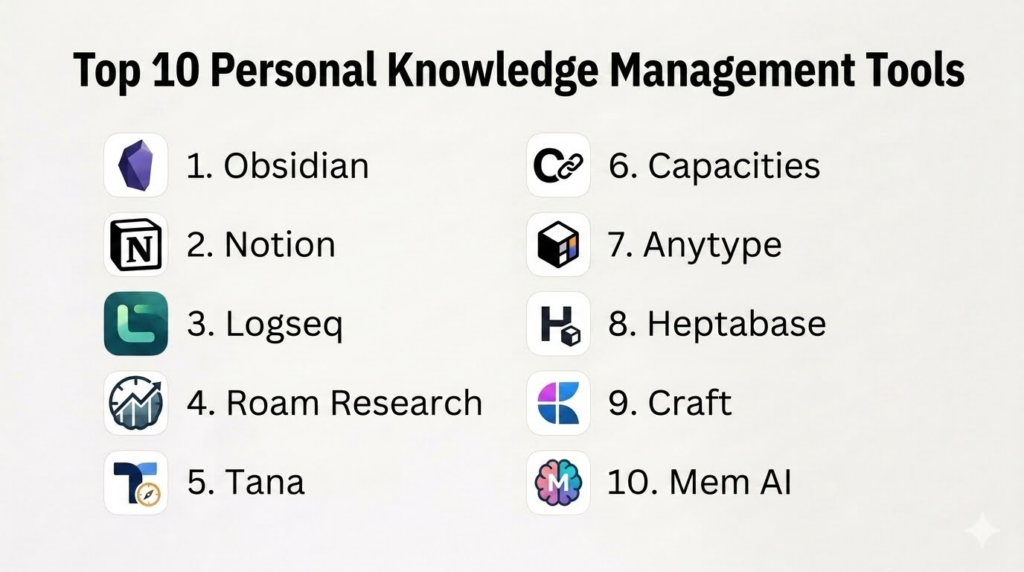
Introduction
Personal Knowledge Management Tools help users capture, organize, connect, retrieve, and reuse information from their daily work and learning. These tools are commonly used for notes, research, ideas, meeting summaries, reading highlights, project knowledge, personal systems, writing drafts, and long-term learning repositories.Personal knowledge management matters because most people collect information from many places: books, articles, meetings, courses, documents, PDFs, videos, chats, and personal thoughts. Without a proper system, valuable information becomes scattered and difficult to find later. A good PKM tool helps users build a “second brain” where ideas can be linked, structured, searched, and turned into useful output.
Real-world use cases include:
- Organizing personal notes, ideas, and research
- Building a second brain for long-term learning
- Managing meeting notes and project knowledge
- Creating linked notes for writing and content creation
- Storing reading highlights, references, and study material
Buyers evaluating Personal Knowledge Management Tools should consider:
- Note linking and backlink support
- Search and retrieval quality
- Local-first vs cloud-first storage
- Markdown and data portability
- Graph view and visual thinking support
- Task and project management features
- Collaboration and sharing options
- Offline access and sync reliability
- Privacy and encryption controls
- Ease of use and long-term maintainability
Best for: Students, researchers, writers, creators, consultants, founders, developers, product managers, knowledge workers, educators, and professionals who collect and reuse information regularly.
Not ideal for: Users who only need simple sticky notes, teams that require formal enterprise knowledge bases, or people who do not want to maintain a structured personal note system.
Key Trends in Personal Knowledge Management Tools
- Local-first and privacy-focused knowledge tools are becoming more attractive to users who want better control over their data.
- Bi-directional linking and backlinks are now standard expectations for modern PKM workflows.
- Graph views are popular for users who want to see relationships between ideas visually.
- AI-assisted search, summarization, and note generation are becoming more common in knowledge tools.
- Markdown support remains important for users who care about portability and long-term access.
- Object-based and database-style note systems are growing for users who want structure beyond flat pages.
- Visual whiteboards and canvas-based thinking are becoming important for research, planning, and synthesis.
- Cross-device sync is essential because users capture ideas from phones, tablets, desktops, and browsers.
- Users are becoming more cautious about vendor lock-in and export limitations.
- PKM tools are increasingly combining notes, tasks, projects, databases, writing, and collaboration in one workspace.
How We Selected These Tools
The tools in this list were selected based on practical PKM usefulness, note organization depth, linking features, platform support, privacy posture, ecosystem strength, and fit across different user types.
Selection criteria included:
- Strength of note-taking and knowledge organization
- Bi-directional linking, backlinks, tags, and graph support
- Search, retrieval, and knowledge reuse capabilities
- Local-first, cloud-first, or hybrid storage options
- Markdown support and export flexibility
- Visual thinking and canvas capabilities
- Suitability for personal, academic, and professional workflows
- Integration with tasks, databases, PDFs, and writing workflows
- Privacy, encryption, and access control expectations
- Long-term value for building a sustainable personal knowledge system
Top 10 Personal Knowledge Management Tools
1- Obsidian
Short description:
Obsidian is a powerful personal knowledge management tool built around local Markdown files, backlinks, graph views, and a large plugin ecosystem. It is popular among researchers, writers, developers, students, and knowledge workers who want control over their notes and long-term data portability. Obsidian works especially well for users who enjoy building custom systems such as Zettelkasten, second brain, research vaults, writing pipelines, and project knowledge bases. Its flexibility is one of its biggest strengths, but it also requires users to design their own structure.
Key Features
- Local Markdown-based notes
- Bi-directional linking and backlinks
- Graph view for connected notes
- Large plugin ecosystem
- Canvas for visual thinking
- Tags, folders, and search
- Sync and publishing options on selected plans
Pros
- Strong data ownership through local files
- Extremely flexible and customizable
- Excellent for linked thinking and long-term knowledge systems
Cons
- Can feel overwhelming for beginners
- Collaboration is limited compared to cloud-first tools
- Too many plugins can make systems complex
Platforms / Deployment
- Windows
- macOS
- Linux
- iOS
- Android
- Local-first / Cloud sync available
Security & Compliance
- Local file storage
- End-to-end encrypted sync available through Obsidian Sync
- Access controls depend on device and sync setup
- Enterprise compliance details are Not publicly stated
Integrations & Ecosystem
Obsidian has a strong plugin-driven ecosystem and works well for users who want to customize their PKM workflow deeply.
- Markdown files
- Community plugins
- Git workflows
- PDF and reading workflows through plugins
- Canvas-based thinking
- Publishing workflows
Support & Community
Obsidian has a very active user community, extensive forum discussions, templates, tutorials, plugin documentation, and strong adoption among PKM enthusiasts.
2- Notion
Short description:
Notion is an all-in-one workspace for notes, documents, databases, tasks, wikis, and lightweight project management. It is widely used by individuals, creators, startups, teams, and students who want structured pages and databases in one flexible system. Notion is especially useful for users who prefer visual organization, templates, dashboards, and collaborative workspaces. It works well for project knowledge, content calendars, study systems, personal dashboards, and team documentation.
Key Features
- Notes and documents
- Databases and linked views
- Templates and dashboards
- Task and project management
- Collaboration and sharing
- AI writing support on selected plans
- Web, desktop, and mobile access
Pros
- Very flexible for structured dashboards
- Strong collaboration and sharing features
- Good for combining notes, tasks, and databases
Cons
- Cloud-first model may not suit privacy-first users
- Offline support is limited compared to local-first tools
- Large workspaces can become slow or cluttered without structure
Platforms / Deployment
- Web
- Windows
- macOS
- iOS
- Android
- Cloud
Security & Compliance
- SSO/SAML on selected enterprise plans
- Admin controls on team plans
- Encryption
- Compliance varies by plan
Integrations & Ecosystem
Notion works well as a connected workspace for notes, databases, tasks, and collaboration.
- Slack
- Google Drive
- GitHub
- Figma
- Calendar workflows
- API-based automations
Support & Community
Notion has a large template ecosystem, strong creator community, extensive documentation, and many third-party tutorials.
3- Logseq
Short description:
Logseq is a privacy-friendly, open-source personal knowledge management tool built around outlines, blocks, backlinks, and graph-based thinking. It is popular with users who like daily notes, bullet-based capture, local files, and connected thinking. Logseq is especially useful for researchers, students, developers, and users who prefer an outliner workflow rather than long document-style pages. It works well for journaling, task capture, knowledge graphs, and research notes.
Key Features
- Outliner-based notes
- Bi-directional links and backlinks
- Local-first storage
- Graph view
- Daily notes workflow
- Markdown and Org mode support
- Task and query features
Pros
- Strong privacy-friendly local-first approach
- Great for daily notes and linked blocks
- Open-source and flexible for technical users
Cons
- Interface may feel unusual for non-outliner users
- Collaboration features are limited
- Advanced queries and workflows require learning
Platforms / Deployment
- Windows
- macOS
- Linux
- iOS
- Android
- Local-first / Sync options vary
Security & Compliance
- Local file storage
- Privacy depends on sync configuration
- Open-source transparency
- Enterprise compliance details are Not publicly stated
Integrations & Ecosystem
Logseq supports connected knowledge workflows and works well with plain-text files.
- Markdown
- Org mode
- Plugin ecosystem
- Local files
- Graph workflows
- Task queries
Support & Community
Logseq has an active open-source community, documentation, forums, and strong adoption among PKM and outliner users.
4- Roam Research
Short description:
Roam Research is a networked note-taking and knowledge management tool known for popularizing bi-directional linking and daily notes workflows. It helps users create linked notes, references, blocks, and connected knowledge structures. Roam is especially useful for users who like non-linear thinking, research note networks, writing ideas, and daily capture. It is best suited for users who value connected thought over traditional folders.
Key Features
- Bi-directional linking
- Daily notes
- Block references
- Graph view
- Outliner-style writing
- Page and block-level connections
- Knowledge graph workflows
Pros
- Strong linked-thinking experience
- Excellent for daily notes and research capture
- Useful for non-linear idea development
Cons
- Pricing may feel high for some users
- Cloud-first model may not suit privacy-first workflows
- Interface may feel less polished than newer tools
Platforms / Deployment
- Web
- Cloud
Security & Compliance
- Account-based controls
- Privacy settings
- Detailed compliance is Not publicly stated
Integrations & Ecosystem
Roam supports linked thinking and research workflows with a strong focus on block-level references.
- Daily notes
- Block references
- Graph workflows
- Outliner-based writing
- Community extensions
Support & Community
Roam has a dedicated community of networked thought users, researchers, writers, and PKM practitioners.
5- Tana
Short description:
Tana is a structured personal knowledge management tool built around outlines, supertags, fields, and connected information. It helps users capture notes quickly and turn them into structured knowledge objects. Tana is especially useful for users who want the speed of an outliner combined with database-like structure. It works well for meeting notes, CRM-style personal systems, research notes, task capture, and knowledge workflows that need flexible structure.
Key Features
- Outliner-based capture
- Supertags for structured notes
- Fields and object-style organization
- Daily notes
- Search and filtering
- Task support
- AI-assisted features on selected plans
Pros
- Powerful structure through supertags
- Fast capture and organization workflow
- Good for users who want database-like notes
Cons
- Learning curve can be steep
- Cloud-first workflow may not suit all users
- Feature depth may feel complex for beginners
Platforms / Deployment
- Web
- Desktop availability varies
- Cloud
Security & Compliance
- Account-based controls
- Privacy settings
- Detailed compliance is Not publicly stated
Integrations & Ecosystem
Tana supports structured knowledge workflows and object-based note organization.
- Supertags
- Daily notes
- AI workflows
- Task systems
- Structured data views
- Search and filters
Support & Community
Tana has a growing PKM community, learning resources, and strong interest among advanced knowledge workers.
6- Capacities
Short description:
Capacities is an object-based personal knowledge management tool designed around people, books, ideas, meetings, projects, and other structured knowledge types. Instead of treating everything as a simple page, Capacities helps users organize information as connected objects. It is especially useful for users who want visual structure, daily notes, backlinks, media-rich entries, and a more guided knowledge system than fully manual tools. It works well for creators, researchers, students, and reflective knowledge workers.
Key Features
- Object-based note organization
- Daily notes
- Backlinks and connected objects
- Media-rich notes
- Tags and collections
- Calendar-based capture
- AI features on selected plans
Pros
- Strong structured PKM model
- Good balance of flexibility and guidance
- Useful for visual and object-based thinkers
Cons
- Cloud-first approach may not suit local-first users
- Export and portability should be reviewed before heavy use
- Advanced workflows may require setup time
Platforms / Deployment
- Web
- Windows
- macOS
- iOS
- Android
- Cloud
Security & Compliance
- Account-based controls
- Privacy settings
- Detailed compliance is Not publicly stated
Integrations & Ecosystem
Capacities supports object-based personal knowledge workflows with connected note structures.
- Object collections
- Daily notes
- Media attachments
- Backlinks
- AI-assisted workflows
- Search and filtering
Support & Community
Capacities has growing user adoption, active learning resources, and a strong community among object-based PKM users.
7- Anytype
Short description:
Anytype is a local-first, privacy-focused personal knowledge management and productivity tool that helps users create notes, objects, databases, tasks, and connected spaces. It is designed for users who want more data ownership and a structured workspace without relying fully on traditional cloud-first models. Anytype is especially useful for privacy-conscious users, personal dashboards, life operating systems, research notes, and structured personal knowledge systems.
Key Features
- Local-first workspace
- Object-based knowledge management
- Notes, databases, and tasks
- Graph-based relationships
- Templates and sets
- Cross-device sync
- Privacy-focused architecture
Pros
- Strong privacy and ownership positioning
- Useful object-based structure
- Good for users wanting local-first PKM
Cons
- Learning curve for object-based workflows
- Collaboration features may be limited compared to cloud-first tools
- Ecosystem is smaller than Notion or Obsidian
Platforms / Deployment
- Windows
- macOS
- Linux
- iOS
- Android
- Local-first / Sync-supported
Security & Compliance
- Local-first storage
- End-to-end encrypted sync architecture
- Access controls depend on account and device setup
- Enterprise compliance details are Not publicly stated
Integrations & Ecosystem
Anytype supports privacy-focused personal knowledge workflows with structured objects and databases.
- Object spaces
- Sets and collections
- Graph relationships
- Templates
- Local data workflows
- Sync-supported workspaces
Support & Community
Anytype has an active community, documentation, and growing adoption among privacy-focused PKM users.
8- Heptabase
Short description:
Heptabase is a visual knowledge management tool designed for users who think through whiteboards, cards, maps, and connected ideas. It is especially useful for research, writing, learning, synthesis, and complex topic exploration. Heptabase helps users break down knowledge into cards and arrange them visually on whiteboards. It is best for users who want to understand relationships between ideas through spatial thinking rather than only folders or outlines.
Key Features
- Visual whiteboards
- Card-based notes
- Mind map-style organization
- Backlinks and tags
- PDF annotation support
- Knowledge synthesis workflows
- Research and writing support
Pros
- Excellent for visual thinking and research synthesis
- Strong for complex knowledge mapping
- Useful for writers, researchers, and students
Cons
- Not ideal for users who prefer simple notes
- Premium pricing may not suit casual users
- Visual workflows require maintenance
Platforms / Deployment
- Web
- Windows
- macOS
- iOS
- Android
- Cloud
Security & Compliance
- Account-based controls
- Privacy settings
- Detailed compliance is Not publicly stated
Integrations & Ecosystem
Heptabase supports visual thinking, research mapping, and knowledge synthesis.
- Whiteboards
- Cards
- PDF workflows
- Tags
- Backlinks
- Visual topic maps
Support & Community
Heptabase has a growing community among researchers, students, writers, and visual PKM users.
9- Craft
Short description:
Craft is a polished document and note-taking app designed for users who want beautiful writing, structured documents, pages, blocks, sharing, and collaboration. It is useful for personal notes, project documentation, writing drafts, meeting notes, and knowledge hubs. Craft is especially strong for users who care about design, readability, and presentation. It is not as graph-focused as Obsidian or Logseq, but it works well for organized document-based PKM.
Key Features
- Beautiful document editor
- Pages, blocks, and nested notes
- Sharing and publishing
- Templates
- Team collaboration
- Cross-device sync
- AI features on selected plans
Pros
- Very polished writing experience
- Strong for documents and presentation
- Good cross-device Apple experience
Cons
- Less powerful for graph-based PKM
- Advanced features may require paid plans
- Local-first users may prefer other tools
Platforms / Deployment
- macOS
- iOS
- Windows
- Web
- Cloud
Security & Compliance
- Account-based controls
- Team permissions on selected plans
- Encryption
- Detailed compliance varies by plan
Integrations & Ecosystem
Craft supports writing, documentation, and shareable knowledge workflows.
- Document sharing
- Team workspaces
- Templates
- Publishing workflows
- Media-rich notes
- AI writing support
Support & Community
Craft provides strong onboarding, polished documentation, and a dedicated user community focused on writing and documentation.
10- Mem
Short description:
Mem is an AI-assisted note-taking and knowledge management tool focused on fast capture, automatic organization, and intelligent retrieval. It is designed for users who want less manual filing and more AI-powered search and resurfacing. Mem is especially useful for meeting notes, personal knowledge capture, quick thoughts, and users who prefer search-first workflows. It works best for people who do not want to manually build complex folders, tags, or graphs.
Key Features
- Fast note capture
- AI-assisted search
- Automatic organization
- Meeting note workflows
- Linked knowledge suggestions
- Collaboration features
- Cloud-based access
Pros
- Strong search-first experience
- Useful for fast capture and retrieval
- Reduces manual organization effort
Cons
- Cloud-first approach may not suit privacy-first users
- AI organization may not match every user’s mental model
- Less customizable than Obsidian or Notion
Platforms / Deployment
- Web
- macOS
- iOS
- Cloud
Security & Compliance
- Account-based controls
- Privacy settings
- Detailed compliance is Not publicly stated
Integrations & Ecosystem
Mem supports AI-assisted capture, retrieval, and lightweight knowledge workflows.
- AI search
- Meeting notes
- Fast capture
- Collaboration
- Knowledge resurfacing
- Cloud notes
Support & Community
Mem provides product support and is used by users who prefer AI-assisted organization over manual PKM systems.
Comparison Table
| Tool Name | Best For | Platform Supported | Deployment | Standout Feature | Public Rating |
|---|---|---|---|---|---|
| Obsidian | Local-first linked notes | Windows, macOS, Linux, iOS, Android | Local-first / Sync optional | Markdown vault and plugin ecosystem | N/A |
| Notion | Structured dashboards and collaboration | Web, Windows, macOS, iOS, Android | Cloud | Notes plus databases | N/A |
| Logseq | Outliner-based linked knowledge | Windows, macOS, Linux, iOS, Android | Local-first / Sync varies | Block-based linked notes | N/A |
| Roam Research | Networked thought and daily notes | Web | Cloud | Block references and backlinks | N/A |
| Tana | Structured outliner workflows | Web | Cloud | Supertags and structured notes | N/A |
| Capacities | Object-based PKM | Web, Windows, macOS, iOS, Android | Cloud | Object-based knowledge organization | N/A |
| Anytype | Privacy-focused object workspace | Windows, macOS, Linux, iOS, Android | Local-first / Sync-supported | Local-first structured objects | N/A |
| Heptabase | Visual knowledge mapping | Web, Windows, macOS, iOS, Android | Cloud | Whiteboards and card-based thinking | N/A |
| Craft | Polished document-based notes | macOS, iOS, Windows, Web | Cloud | Beautiful writing and sharing | N/A |
| Mem | AI-assisted note retrieval | Web, macOS, iOS | Cloud | AI-powered search and resurfacing | N/A |
Evaluation & Scoring of Personal Knowledge Management Tools
| Tool Name | Core 25% | Ease 15% | Integrations 15% | Security 10% | Performance 10% | Support 10% | Value 15% | Weighted Total |
|---|---|---|---|---|---|---|---|---|
| Obsidian | 9 | 7 | 9 | 9 | 9 | 9 | 10 | 8.9 |
| Notion | 9 | 8 | 9 | 8 | 8 | 9 | 8 | 8.5 |
| Logseq | 8 | 7 | 7 | 9 | 8 | 8 | 10 | 8.1 |
| Roam Research | 8 | 7 | 6 | 6 | 7 | 7 | 6 | 7.0 |
| Tana | 8 | 7 | 7 | 6 | 8 | 7 | 7 | 7.3 |
| Capacities | 8 | 8 | 7 | 7 | 8 | 7 | 8 | 7.7 |
| Anytype | 8 | 7 | 7 | 9 | 8 | 7 | 8 | 7.8 |
| Heptabase | 8 | 8 | 7 | 7 | 8 | 7 | 7 | 7.6 |
| Craft | 8 | 9 | 7 | 7 | 8 | 8 | 8 | 7.9 |
| Mem | 7 | 8 | 7 | 6 | 8 | 7 | 7 | 7.1 |
These scores are comparative and should be interpreted based on how users think and work. Local-first users may value Obsidian, Logseq, or Anytype more highly. Collaboration-focused users may prefer Notion or Craft. Visual thinkers may prefer Heptabase, while users who want AI-assisted retrieval may prefer Mem. The best PKM tool is the one users can maintain consistently over time.
Which Personal Knowledge Management Tool Is Right for You?
Solo / Freelancer
Solo users and freelancers should choose based on how they capture and retrieve information. Obsidian is excellent for long-term linked notes and Markdown-based systems. Notion is better for dashboards, client trackers, and structured workspaces. Capacities and Anytype are strong for object-based thinking, while Mem works well for users who want fast capture and AI search.
SMB
Small teams may need shared documentation, project knowledge, client notes, and repeatable workflows. Notion and Craft are strong for collaborative workspaces and documentation. Obsidian can work for individuals inside SMBs, but team collaboration requires more setup. Tana and Capacities may be useful for smaller teams that want more structured knowledge capture.
Mid-Market
Mid-market organizations often need stronger collaboration, permissions, documentation workflows, and shared knowledge spaces. Notion and Craft are practical choices because they support team workspaces and document collaboration. For individual knowledge workers inside mid-market teams, Obsidian, Logseq, Heptabase, or Mem may support personal research and synthesis.
Enterprise
Enterprises usually need governance, access controls, compliance review, admin controls, and integration with existing identity systems. Notion may fit some enterprise workspace needs, while Craft may support polished documentation workflows. However, strict enterprise knowledge management may require dedicated enterprise wiki or knowledge base platforms rather than personal PKM tools.
Budget vs Premium
Budget-conscious users may prefer Obsidian, Logseq, or Anytype depending on storage, sync, and platform needs. Notion and Craft can offer strong value if users need collaboration and structured databases. Premium tools like Heptabase, Mem, and Roam may be worth it when their specific workflows match the user’s thinking style.
Feature Depth vs Ease of Use
Obsidian and Logseq offer deep customization but require learning. Notion is easier for structured dashboards but can become cluttered. Craft is polished and easy for document-style notes. Heptabase is powerful for visual thinkers, while Tana is strong but advanced. Users should avoid choosing the most complex tool unless they truly need that depth.
Integrations & Scalability
Users should evaluate whether they need calendars, tasks, PDFs, browser capture, AI search, publishing, team sharing, or automation. Notion has strong workspace integrations. Obsidian has a large plugin ecosystem. Heptabase supports visual research workflows. Mem supports AI-assisted retrieval. The right integration strategy depends on whether the PKM system is personal, academic, creative, or professional.
Security & Compliance Needs
PKM tools may store private thoughts, work notes, research, client information, meeting summaries, health notes, financial ideas, and sensitive plans. Users should review storage model, encryption, sync method, sharing permissions, export options, and account security. Privacy-first users may prefer local-first tools, while collaboration-heavy users should evaluate admin and access controls carefully.
Frequently Asked Questions
1. What are Personal Knowledge Management Tools?
Personal Knowledge Management Tools are apps that help users capture, organize, connect, retrieve, and reuse information. They are often used for notes, ideas, research, reading highlights, meeting notes, writing drafts, and long-term learning. Unlike simple note apps, PKM tools usually support linking, tags, search, databases, graphs, or structured knowledge systems. Their purpose is to help users turn scattered information into usable knowledge.
2. How are PKM tools different from normal note-taking apps?
Normal note-taking apps usually store information as separate notes or folders. PKM tools focus more on connecting ideas, building relationships between notes, and making knowledge easier to retrieve later. Features like backlinks, graph views, tags, daily notes, databases, and object-based structures help users create a more connected knowledge system. A PKM tool is not just for writing notes; it is for building reusable thinking infrastructure.
3. Which Personal Knowledge Management Tool is best for beginners?
Notion, Craft, Capacities, and Apple-style simple note systems are often easier for beginners because they provide more visual structure. Obsidian and Logseq are powerful but require users to understand linking, files, and note structure. Beginners should start with simple capture, basic tags, and weekly review before building complex graphs or dashboards. The best beginner tool is one that feels easy enough to use every day.
4. Which tool is best for privacy-focused users?
Obsidian, Logseq, and Anytype are strong choices for users who care about local-first or privacy-focused workflows. Obsidian stores notes as local Markdown files, Logseq supports local files, and Anytype emphasizes local-first object-based knowledge management. Users should still review sync settings, backups, device security, and encryption options. Privacy depends not only on the tool but also on how the user stores and syncs data.
5. Which tool is best for researchers and students?
Obsidian, Logseq, Heptabase, Zotero-style reference workflows, and Notion can all support research and study needs. Obsidian is strong for linked notes and writing synthesis, Logseq is useful for daily notes and outlines, and Heptabase is excellent for visual research mapping. Notion works well for structured study dashboards. Students should choose based on whether they prefer writing, outlining, visual mapping, or database organization.
6. Are graph views actually useful?
Graph views can be useful for understanding relationships between ideas, but they are not always necessary. Some users benefit from seeing how notes connect, especially in research, writing, and conceptual thinking. Others may find graph views visually interesting but not practical for daily work. A good PKM system should focus on retrieval and synthesis, not just creating a beautiful graph.
7. What are common mistakes users make with PKM tools?
A common mistake is spending too much time designing the system and not enough time using it. Users also often install too many plugins, create too many tags, or build complex dashboards before they understand their actual workflow. Another mistake is collecting information without reviewing or synthesizing it. A useful PKM system should support thinking and output, not become a digital storage dump.
8. Should users choose local-first or cloud-first PKM tools?
Local-first tools are better for users who value data ownership, offline access, and long-term portability. Cloud-first tools are better for users who prioritize collaboration, easy sync, and access from anywhere. There is no single best choice. Privacy-focused users may prefer Obsidian, Logseq, or Anytype, while collaboration-focused users may prefer Notion, Craft, or Mem.
9. Can AI improve personal knowledge management?
AI can help with summarization, search, idea generation, note cleanup, and resurfacing relevant information. However, AI does not replace thoughtful organization, review, and synthesis. Users should be careful when using AI with sensitive notes and should review privacy settings before enabling AI features. AI is most useful when it helps retrieve and connect existing knowledge rather than generating disconnected content.
10. How should users choose the right Personal Knowledge Management Tool?
Users should first identify their main workflow: research, writing, study, project notes, daily journaling, visual thinking, collaboration, or personal dashboards. Then they should choose a tool that matches their thinking style. Obsidian is strong for linked Markdown notes, Notion for structured dashboards, Logseq for outliners, Heptabase for visual mapping, Anytype for privacy-focused object systems, and Craft for polished documents. The right tool should make knowledge easier to capture, find, and use over time.
Conclusion
Personal Knowledge Management Tools help users build a reliable system for capturing ideas, organizing information, connecting concepts, and turning scattered notes into useful knowledge. The best tool depends on thinking style, privacy needs, collaboration requirements, and how much structure the user wants. Obsidian is excellent for local-first linked notes, Notion is strong for dashboards and team workspaces, Logseq works well for outliner-based linked thinking, and Roam Research remains useful for networked daily notes. Tana and Capacities offer structured object-based workflows, Anytype is a strong privacy-focused option, Heptabase is ideal for visual knowledge mapping, Craft provides a polished document experience, and Mem supports AI-assisted retrieval. Buyers should shortlist tools based on real workflows, test them with actual notes and projects, review privacy and export options, compare free and premium value, and choose the system they can maintain consistently for long-term learning and knowledge reuse.
