MOTOSHARE 🚗🏍️
Rent Bikes & Cars Directly from Owners
Motoshare connects vehicle owners with people who need bikes and cars on rent. Owners earn from idle vehicles, and renters get flexible ride options.
Visit Motoshare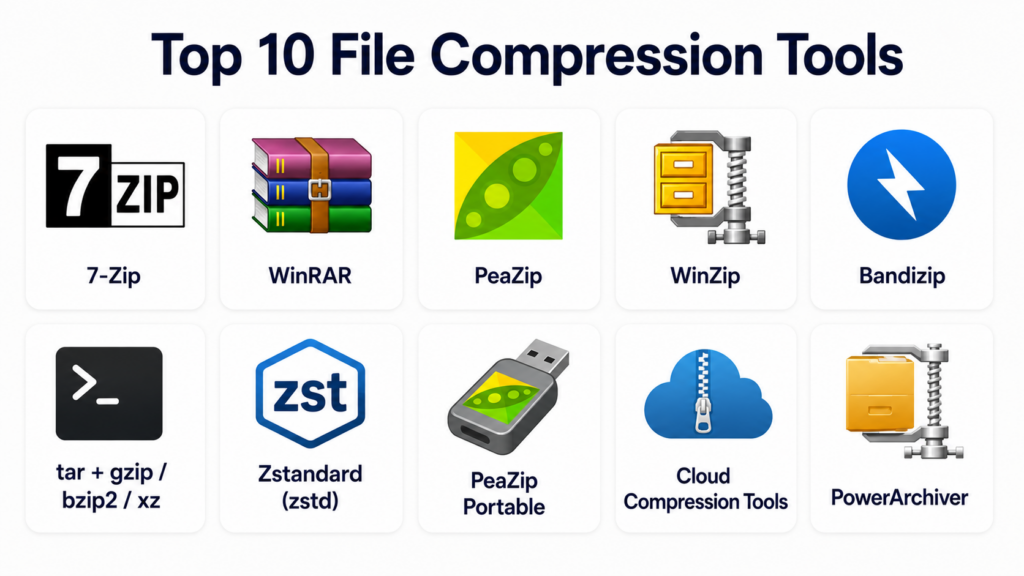
Introduction
File compression tools are software applications designed to reduce the size of files and folders by encoding data more efficiently. Compression helps save disk space, speeds up file transfers, enables secure archiving, and improves storage management. While compression has been around for decades, today’s tools are optimized for modern use cases including cloud workflows, large multimedia files, backup systems, containerized builds, and secure sharing. Whether you’re a casual user zipping up photos or an IT pro building automated data pipelines, file compression remains a fundamental utility.
In , compression tools extend beyond simple ZIP and RAR formats to include advanced algorithms optimized for speed, reliability, deduplication, multi‑platform support, and integrations with cloud storage. Users need tools that handle diverse file types, ensure data integrity, support encryption, and offer flexible workflows for both individual and enterprise usage.
Real‑world use cases:
- Sending large document archives via email with reduced size and password protection.
- Backing up system files and databases with compressed, versioned archives.
- Packaging software releases and assets for deployment.
- Compressing media assets to save cloud storage costs.
- Integrating compression into automated build or backup pipelines.
What buyers should evaluate:
- Supported formats (ZIP, 7z, RAR, TAR, GZ, etc.)
- Compression ratio and speed
- Cross‑platform availability
- Encryption and security features
- Cloud integration (Dropbox, Google Drive, S3)
- Command‑line/Scripting support
- Backup and archiving workflows
- Ease of use and UI quality
- Licensing and cost
- Reliability and error handling
Best for: General users, IT administrators, developers, content creators, and anyone needing storage optimization, secure archiving, or faster transfers.
Not ideal for: Application users who do not interact with files beyond basic saving/sharing or environments where compression is automatically managed by other tools.
Key Trends in File Compression Tools
- High‑efficiency compression algorithms: Better ratios with new compression methods optimized for modern data.
- Cloud‑first workflows: Direct compression/decompression to/from cloud storage endpoints.
- Cross‑platform support: Seamless tools across Windows, macOS, Linux, iOS, Android, and web UIs.
- Integrated security: Encryption, password protection, and secure sharing workflows.
- Command‑line and automation: Scripting and pipeline integration for CI/CD and batch processes.
- Support for large files: Tools designed to handle terabyte‑scale datasets effectively.
- Deduplication and smart slicing: Reducing redundancy for backups and archives.
- Multi‑format support: Compatibility with ZIP, 7z, RAR, TAR, ISO, and container formats.
- Mobile support: Compression and decompression on mobile devices with touch‑friendly UIs.
- Open‑source and lightweight tooling: Fast, efficient CLI tools popular in development workflows.
How We Selected These Tools (Methodology)
- Format support: Breadth of compression standards (ZIP, 7z, RAR, TAR, GZ, XZ).
- Performance: Compression ratio vs speed balance and resource use.
- Cross‑platform support: Desktop, mobile, and CLI coverage.
- Security features: Encryption, integrity, and secure sharing.
- Automation and scripting: APIs and command‑line support.
- Cloud integration: Connectors to cloud storage services.
- User experience: UI/UX clarity, usability, and accessibility.
- Reliability: Stability, data integrity validation, and error recovery.
- Pricing and licensing: Free/open‑source options vs premium tiers.
- Community and support: Documentation and community activity.
Top 10 File Compression Tools
#1 — 7‑Zip
Short description: 7‑Zip is an open‑source file compressor known for its high compression ratio, broad format support, and lightweight footprint.
Key Features
- 7z native support (high compression ratio)
- ZIP, TAR, GZ, XZ, and more supported
- Strong AES‑256 encryption
- Command‑line and GUI interfaces
- Integration with Windows shell
- Solid reliability and speed
Pros
- Free and open‑source
- Excellent compression ratios
- Lightweight and fast
Cons
- Interface feels dated
- Less cloud integration
- Windows focus (third‑party ports on other OS)
Platforms / Deployment
- Windows (native), third‑party ports for macOS/Linux
- Desktop/CLI
Security & Compliance
- AES‑256 encryption
- Integrity checks
Integrations & Ecosystem
- File explorer context menus
- Scripting via CLI
Support & Community
- Active open‑source community
- Documentation
#2 — WinRAR
Short description: WinRAR is a long‑standing compression tool known for RAR format support, efficient compression, and robust archiving features.
Key Features
- RAR and ZIP native support
- Solid compression algorithms
- Multi‑volume archives
- Password protection and encryption
- Repair damaged archives
- Scripting and CLI
Pros
- Reliable and fast
- RAR’s strong compression
- Archiving utilities (repair, split volumes)
Cons
- Paid with trial period
- Windows‑centric (macOS/Linux support via CLI)
Platforms / Deployment
- Windows, macOS, Linux (CLI)
- Desktop/CLI
Security & Compliance
- AES‑256 encryption
- Archive integrity tools
Integrations & Ecosystem
- Shell extensions
- Batch scripting
Support & Community
- Vendor support
- Active user forums
#3 — PeaZip
Short description: PeaZip is an open‑source compression utility that supports many archive formats with a modern interface and strong security features.
Key Features
- Over 180 format support
- 7z, ZIP, TAR, RAR extraction
- Strong encryption and passphrase tools
- Portable version
- Batch archive creation
- GUI and CLI
Pros
- Broad format support
- Strong encryption tools
- Free and open‑source
Cons
- Less polished than some commercial tools
- Windows focus with Linux versions different
Platforms / Deployment
- Windows, Linux
- Desktop/CLI
Security & Compliance
- AES, Twofish, Serpent
- Integrity checks
Integrations & Ecosystem
- Shell integration
- Scriptable
Support & Community
- Open‑source docs and forums
#4 — WinZip
Short description: WinZip is a popular commercial compression tool known for ease of use, cloud integration, and feature richness for business users.
Key Features
- ZIP, ZIPX native support
- Cloud connectors (Drive, Dropbox, OneDrive)
- PDF conversion and encryption
- Large file splitting
- Batch compression and scheduling
Pros
- Clean UI and user friendly
- Cloud storage integrations
- Features beyond basic compression
Cons
- Subscription or one‑time cost
- Not best for advanced scripting
- Windows‑centric UI
Platforms / Deployment
- Windows, macOS, iOS, Android
- Desktop/Mobile
Security & Compliance
- AES encryption
- Password‑protected archives
Integrations & Ecosystem
- Cloud storage connectors
- Email integration
Support & Community
- Commercial support
- Help docs
#5 — Bandizip
Short description: Bandizip is a lightweight, fast compression tool with support for most common formats and a clean interface.
Key Features
- ZIP, 7z, RAR, TAR, ISO support
- Ultra fast drag‑and‑drop
- Encryption options
- Multi‑core compression
- Context menu integration
Pros
- Extremely fast performance
- Easy to use
- Broad format support
Cons
- Fewer advanced features
- Limited mobile/cloud support
Platforms / Deployment
- Windows, macOS
- Desktop
Security & Compliance
- AES encryption
- Integrity checking
Integrations & Ecosystem
- Shell extensions
Support & Community
- User guides
- Support resources
#6 — tar + gzip/bzip2/xz (Linux CLI)
Short description: Standard Unix/Linux compression utilities combining tar with gzip, bzip2, or xz for robust CLI‑based archiving and compression.
Key Features
- tar archiving with multiple compression backends
- Strong support in scripts
- Minimal overhead
- Standard on Unix/Linux
- High flexibility
Pros
- Native to Unix/Linux
- Scriptable and automatable
- Great for servers and pipelines
Cons
- CLI only
- No GUI for casual users
- Manual configuration needed
Platforms / Deployment
- Linux, macOS (via BSD tar)
- CLI
Security & Compliance
- Integrates with GPG for encryption
- Reliant on underlying tools
Integrations & Ecosystem
- Cron jobs and automation
- Deployment pipelines
Support & Community
- Unix/Linux docs and communities
#7 — Zstandard (zstd)
Short description: Zstandard is a modern compression algorithm/tool designed for high compression ratios, fast speeds, and tunable performance — popular in modern data workflows.
Key Features
- High‑speed compression/decompression
- Tunable compression levels
- Dictionary support
- Designed for large data sets
- Strong CLI tooling
Pros
- Fast and efficient
- Great for backups and data pipelines
- Flexible compression levels
Cons
- Not a GUI
- Must combine with tar or other tools for archiving
Platforms / Deployment
- Windows, macOS, Linux
- CLI/Library
Security & Compliance
- Lacks built‑in encryption (use wrappers)
Integrations & Ecosystem
- Data pipelines
- Modern backups
Support & Community
- Open‑source docs and community
#8 — PeaZip Portable
Short description: A portable build of PeaZip enabling on‑the‑go compression without installation.
Key Features
- Portable execution
- Multiple format support
- Encryption tools
- Batch operations
Pros
- No installation required
- Great for USB/portable use
Cons
- Same core as PeaZip
- Portability trade‑offs
Platforms / Deployment
- Windows, Linux
- Portable
Security & Compliance
- Same as PeaZip
Integrations & Ecosystem
- Portable use cases
Support & Community
- PeaZip support
#9 — Cloud Compression Services (e.g., CloudConvert Links)
Short description: Browser/Cloud‑based compression tools that reduce and bundle files without local software.
Key Features
- Upload & compress via web
- Download compressed archives
- Format choices
- Integration with cloud drives
Pros
- No software install
- Cross‑platform via browser
Cons
- Upload size limits
- Dependent on Internet
- Not ideal for sensitive data
Platforms / Deployment
- Browser
- Cloud
Security & Compliance
- HTTPS encryption
- Varies by provider
Integrations & Ecosystem
- Cloud storage access
Support & Community
- Online resources
#10 — PowerArchiver
Short description: PowerArchiver is a commercial compression suite with advanced features, cloud connectors, encryption, and backup options.
Key Features
- Broad format support
- Cloud connections
- Encryption and secure sharing
- Backup tools
- Command‑line automation
Pros
- Feature‑rich
- Cloud and automation support
Cons
- Paid product
- UI feels dense
Platforms / Deployment
- Windows, macOS
- Desktop
Security & Compliance
- AES encryption
- Backup integrity tools
Integrations & Ecosystem
- Cloud storage
Support & Community
- Vendor support
Comparison Table (Top 10)
| Tool Name | Best For | Platforms Supported | Deployment | Standout Feature | Public Rating |
|---|---|---|---|---|---|
| 7‑Zip | Free, high compression | Windows, ports | Desktop/CLI | Excellent ratio (7z) | N/A |
| WinRAR | RAR support | Windows, CLI macOS/Linux | Desktop/CLI | RAR format + archive repair | N/A |
| PeaZip | Broad formats, open‑source | Windows, Linux | Desktop/CLI | Multi‑format support | N/A |
| WinZip | User‑friendly, cloud users | Win, mac, iOS, Android | Desktop/Mobile | Cloud integration and UI | N/A |
| Bandizip | Fast and clean interface | Win, mac | Desktop | Ultra‑fast performance | N/A |
| tar + gzip/bzip2/xz | Server automation | Linux, macOS | CLI | Standard Unix archiving | N/A |
| Zstandard (zstd) | Data pipelines and backups | Win, mac, Linux | CLI/Library | High speed + tunable levels | N/A |
| PeaZip Portable | Portable use | Win, Linux | Portable | Portability | N/A |
| Cloud Compression Tools | Browser/cloud workflows | Web | Cloud | No install needed | N/A |
| PowerArchiver | Enterprise and automation | Win, mac | Desktop | Cloud + backup + automation | N/A |
Evaluation & Scoring of File Compression Tools
| Tool Name | Core (25%) | Ease (15%) | Integrations (15%) | Security (10%) | Performance (10%) | Support (10%) | Value (15%) | Weighted Total (0–10) |
|---|---|---|---|---|---|---|---|---|
| 7‑Zip | 9 | 7 | 7 | 8 | 9 | 7 | 9 | 8.3 |
| WinRAR | 8 | 8 | 7 | 8 | 8 | 7 | 7 | 7.7 |
| PeaZip | 8 | 7 | 7 | 8 | 8 | 7 | 8 | 7.8 |
| WinZip | 7 | 8 | 9 | 8 | 7 | 8 | 7 | 7.8 |
| Bandizip | 8 | 8 | 6 | 8 | 8 | 7 | 7 | 7.5 |
| tar + gzip/bzip2/xz | 7 | 6 | 8 | 7 | 7 | 6 | 9 | 7.2 |
| Zstandard (zstd) | 8 | 6 | 7 | 6 | 9 | 6 | 8 | 7.4 |
| PeaZip Portable | 7 | 7 | 6 | 8 | 8 | 6 | 7 | 7.0 |
| Cloud Compression Tools | 6 | 9 | 8 | 6 | 6 | 7 | 7 | 7.1 |
| PowerArchiver | 8 | 7 | 8 | 8 | 7 | 7 | 7 | 7.6 |
Which File Compression Tool Is Right for You?
Everyday Users & Casual Compression
7‑Zip, WinZip, and Bandizip are excellent for everyday use — with 7‑Zip offering top‑tier ratios and free availability, WinZip delivering polished UI and cloud integration, and Bandizip prioritizing speed.
Power Users & Open‑Source Enthusiasts
PeaZip and Zstandard (zstd) are ideal for people wanting open‑source flexibility, broad format support, and high performance — especially in scripts and automation.
Server & DevOps Automation
tar + gzip/bzip2/xz and Zstandard shine in server environments, CI/CD pipelines, and automated backups where command‑line control is necessary.
Portable or On‑the‑go Compression
PeaZip Portable provides compression capabilities without installation — great for USB sticks and client systems.
Browser/Cloud Workflows
Cloud compression tools (browser‑based) are handy for quick tasks without installing software, though limited for sensitive or very large datasets.
Enterprise & Integrated Workflows
WinZip and PowerArchiver offer features suited for enterprise users needing cloud storage connectors, automation, and backup workflows.
Frequently Asked Questions (FAQs)
1. What’s the difference between ZIP, 7z, and RAR?
ZIP is the most universal format with broad platform support. 7z typically offers higher compression ratios, especially on large datasets. RAR balances compression and reliability with multi‑volume archives and recovery records.
2. Why choose open‑source tools?
Open‑source tools like 7‑Zip and PeaZip provide transparency, no licensing fees, and broad format support, making them ideal for many users and developers.
3. Can compression secure my files?
Yes — many tools support AES‑256 encryption and password protection, which help protect archives from unauthorized access.
4. How do I decompress large archives?
Most tools handle large files but ensure sufficient disk space and use multi‑threaded or fast algorithms (e.g., Bandizip, Zstandard).
5. Do mobile devices support compression?
Yes — tools like WinZip offer mobile apps, and cloud-based tools allow browser compression on phones and tablets.
6. What’s the best choice for backups?
Server‑oriented tools like tar + gzip/xz and Zstandard work well in automated backups and pipelines, balancing speed and size.
7. What about cross‑platform compatibility?
Formats like ZIP and 7z are supported nearly everywhere; tools like Bandizip and 7‑Zip ensure broad OS compatibility.
8. Can compression reduce data transfer time?
Yes — smaller file size means faster uploads/downloads, especially important with limited bandwidth or large file sets.
9. Are there cloud storage integrations?
Tools like WinZip and some cloud compression services integrate directly with cloud storage providers.
10. Should I automate compression in scripts?
If you’re handling regular backups or pipeline packaging, automation with CLI tools (tar/gzip, zstd) is efficient and reliable.
Conclusion
File compression tools bridge the gap between storage efficiency, secure archiving, and data portability across individuals and businesses. In choices range from free, open‑source powerhouses like 7‑Zip and PeaZip, to premium, cloud‑integrated tools like WinZip and PowerArchiver, and command‑line staples like tar/gzip and Zstandard for automated workflows. Evaluate your priorities — ease of use, performance, format support, automation, and security — and select tools that align with your workflows. With the right compression strategy, you’ll save space, accelerate transfers, improve backups, and keep your data organized and secure.

Integrating comprehensive custom storage space optimization archives creation package application software optimizes corporate digital asset organization mechanics, ensuring rapid decentralized folder volume minimization verification auditing and frictionless business data storage allocation adjustment methodologies.