MOTOSHARE 🚗🏍️
Rent Bikes & Cars Directly from Owners
Motoshare connects vehicle owners with people who need bikes and cars on rent. Owners earn from idle vehicles, and renters get flexible ride options.
Visit Motoshare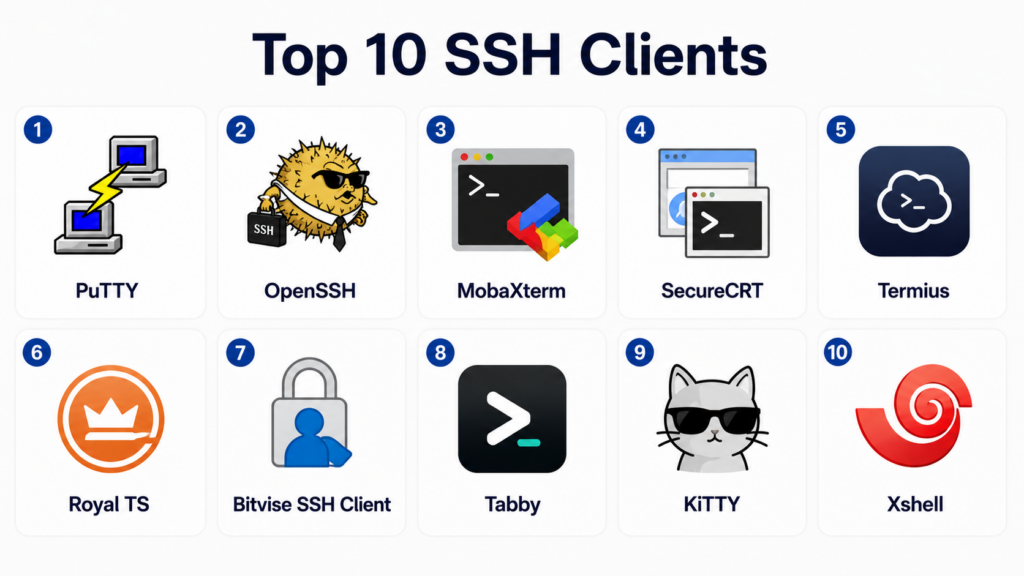
Introduction
SSH clients are tools that allow users to securely connect to remote systems, servers, cloud environments, network devices, and development infrastructure through the Secure Shell protocol. These applications are essential for developers, DevOps engineers, system administrators, cybersecurity professionals, and IT operations teams that manage Linux servers, cloud platforms, containers, and enterprise infrastructure.Modern SSH clients provide much more than simple terminal access. They now include tabbed sessions, SSH key management, SFTP support, session sharing, remote file transfer, terminal multiplexing, cloud integrations, credential management, and productivity features for handling large infrastructure environments. As cloud-native operations and distributed infrastructure continue growing, reliable SSH tools have become critical for daily engineering workflows.
Common real-world use cases include:
- Remote Linux server management
- Cloud infrastructure administration
- Kubernetes and container operations
- Secure file transfers
- Network device administration
- DevOps automation and troubleshooting
Buyers should evaluate:
- Platform compatibility
- SSH key management
- Session management
- SFTP and SCP support
- Multi-tab workflows
- Security and encryption support
- Enterprise authentication integration
- Cloud and Kubernetes compatibility
- Ease of use
- Automation and scripting support
Best for: developers, DevOps engineers, cloud administrators, system administrators, security teams, IT operations teams, and infrastructure engineers.
Not ideal for: users without remote infrastructure workflows, teams needing full remote desktop solutions, or organizations that only require browser-based cloud management tools.
Key Trends in SSH Clients
- Cross-platform SSH tools are becoming increasingly popular for hybrid teams.
- Integrated SFTP and remote file management are now standard expectations.
- Cloud-native infrastructure support is growing rapidly.
- GPU-accelerated terminals are improving SSH workflow responsiveness.
- SSH key management and credential security are becoming more important.
- Teams are adopting tabbed and pane-based session management for multitasking.
- Kubernetes and container integrations are appearing in advanced SSH tools.
- Enterprise SSH governance and auditing are receiving more attention.
- Browser-based SSH workflows are increasing in cloud environments.
- AI-assisted command help and shell enhancements are emerging in developer workflows.
How We Selected These Tools Methodology
The tools in this list were selected based on real-world infrastructure usage, security capabilities, platform support, usability, and suitability for modern SSH workflows.
Selection factors included:
- Popularity among developers and administrators
- Secure SSH implementation quality
- Cross-platform support
- Session and credential management
- File transfer capabilities
- Enterprise deployment suitability
- Performance and usability
- Documentation and community activity
- Cloud and DevOps ecosystem compatibility
- Long-term reliability and maintenance quality
Top 10 SSH Clients
#1 — PuTTY
Short description: PuTTY is one of the most widely recognized SSH clients for Windows environments. It provides lightweight remote terminal access, SSH connectivity, serial console support, and basic file transfer capabilities. System administrators and developers have used PuTTY for decades because of its simplicity and reliability. It remains a popular option for Windows users managing Linux servers and network devices.
Key Features
- SSH and Telnet support
- Serial console connectivity
- Lightweight installation
- Saved session profiles
- Public key authentication
- SCP and SFTP companion tools
- Wide protocol compatibility
Pros
- Very lightweight and reliable
- Easy to deploy on Windows systems
- Strong long-term community trust
Cons
- Interface feels outdated
- Limited modern UI features
- Advanced workflows may require extra tools
Platforms / Deployment
- Windows / Linux
- Local desktop
Security & Compliance
- SSH encryption support
- Public key authentication
- Secure remote connectivity
- Compliance certifications: Not publicly stated
Integrations & Ecosystem
PuTTY integrates into traditional infrastructure administration workflows and works well with Linux servers and network appliances.
- Linux servers
- SCP workflows
- SFTP tools
- Network devices
- SSH key authentication
Support & Community
Large global user base with extensive tutorials, documentation, and community support.
#2 — OpenSSH
Short description: OpenSSH is the standard open-source SSH implementation used across Linux, macOS, cloud infrastructure, and enterprise Unix environments. It provides secure remote access, tunneling, file transfer, and authentication workflows through command-line tools. OpenSSH is deeply integrated into modern cloud and DevOps operations. It is the default SSH solution for many enterprise and cloud-native environments.
Key Features
- Secure remote shell access
- SCP and SFTP support
- SSH tunneling
- Public key authentication
- Agent forwarding
- Configuration file management
- Broad operating system compatibility
Pros
- Industry-standard SSH implementation
- Strong security reputation
- Excellent automation compatibility
Cons
- Command-line focused
- Limited graphical management features
- New users may face learning curve
Platforms / Deployment
- Linux / macOS / Windows
- Local desktop / Server environments
Security & Compliance
- Strong SSH encryption
- Public key authentication
- Agent forwarding controls
- Compliance certifications vary by deployment
Integrations & Ecosystem
OpenSSH integrates naturally into Linux, cloud, automation, and DevOps ecosystems.
- Linux systems
- Cloud environments
- Kubernetes workflows
- Git operations
- Automation scripts
- CI/CD pipelines
Support & Community
Massive open-source adoption with mature documentation and enterprise trust.
#3 — MobaXterm
Short description: MobaXterm is a feature-rich remote computing and SSH client designed primarily for Windows users. It combines SSH access, SFTP browsing, X11 forwarding, terminal tabs, and Unix command support in one interface. Developers and administrators use MobaXterm when they need both terminal access and graphical remote management features. It is especially useful for engineers managing mixed Windows and Linux environments.
Key Features
- SSH and SFTP support
- Integrated X11 forwarding
- Multi-tab terminal management
- Built-in Unix utilities
- Session management
- Remote desktop support
- File transfer integration
Pros
- Very feature-rich for Windows users
- Excellent integrated SFTP experience
- Good mixed-environment support
Cons
- Interface can feel crowded
- Advanced features may overwhelm beginners
- Some enterprise features require paid versions
Platforms / Deployment
- Windows
- Local desktop
Security & Compliance
- SSH encryption support
- Secure credential workflows
- Session management controls
- Compliance certifications: Not publicly stated
Integrations & Ecosystem
MobaXterm integrates well into Windows-heavy infrastructure administration and development workflows.
- Linux servers
- X11 applications
- SFTP workflows
- Network administration
- Remote desktop systems
Support & Community
Strong Windows administrator adoption with extensive community tutorials and documentation.
#4 — SecureCRT
Short description: SecureCRT is an enterprise-grade SSH and terminal emulation platform designed for secure infrastructure management. It provides advanced session management, scripting, automation, authentication, and enterprise-grade terminal workflows. It is commonly used in enterprise networking, data center operations, and regulated IT environments.
Key Features
- SSH and Telnet support
- Advanced session management
- Scripting and automation
- Secure authentication workflows
- Multi-platform support
- Tabbed terminal management
- Enterprise-grade logging
Pros
- Strong enterprise capabilities
- Good automation support
- Reliable session management
Cons
- Commercial licensing cost
- Interface feels more enterprise-focused
- Casual users may not need full feature depth
Platforms / Deployment
- Windows / macOS / Linux
- Local desktop
Security & Compliance
- Strong encryption support
- Secure credential storage
- Enterprise authentication workflows
- Compliance certifications: Not publicly stated
Integrations & Ecosystem
SecureCRT fits well into enterprise infrastructure and networking workflows.
- Enterprise networks
- Linux servers
- Automation scripts
- Secure infrastructure environments
- Network appliances
Support & Community
Strong enterprise support with mature documentation and professional deployment resources.
#5 — Termius
Short description: Termius is a modern cross-platform SSH client designed for developers, administrators, and cloud engineers. It provides synchronized hosts, SSH key management, tabbed sessions, snippets, and mobile support. Teams often choose Termius because it works consistently across desktop and mobile devices. It is especially useful for administrators managing infrastructure from multiple environments.
Key Features
- Cross-platform SSH management
- SSH key management
- Host synchronization
- Snippet support
- Mobile device compatibility
- SFTP support
- Tabbed sessions
Pros
- Excellent cross-platform experience
- Modern interface design
- Good for mobile administration workflows
Cons
- Some advanced features require subscriptions
- Cloud synchronization may not suit all organizations
- Offline-focused environments may prefer local-only tools
Platforms / Deployment
- Windows / macOS / Linux / iOS / Android
- Cloud / Local desktop
Security & Compliance
- SSH encryption
- Key management workflows
- Secure host management
- Compliance certifications: Not publicly stated
Integrations & Ecosystem
Termius integrates well into cloud and DevOps administration workflows.
- Linux servers
- Cloud platforms
- SSH key workflows
- Mobile administration
- Remote infrastructure systems
Support & Community
Growing global community with strong usability and onboarding documentation.
#6 — Royal TS
Short description: Royal TS is a remote management platform that supports SSH, RDP, VNC, web connections, and other infrastructure protocols in one interface. It is designed for administrators managing large infrastructure environments from a centralized console. SSH workflows are integrated alongside broader remote administration capabilities.
Key Features
- SSH session management
- Centralized remote connections
- Credential management
- Team sharing workflows
- Multi-protocol support
- Tabbed administration interface
- Secure credential storage
Pros
- Excellent for centralized administration
- Strong credential organization
- Useful for enterprise IT teams
Cons
- More complex than lightweight SSH tools
- Interface may feel enterprise-heavy
- Smaller teams may not need full platform depth
Platforms / Deployment
- Windows / macOS
- Local desktop
Security & Compliance
- Secure credential management
- SSH encryption support
- Team access controls
- Compliance certifications: Not publicly stated
Integrations & Ecosystem
Royal TS integrates into enterprise IT administration and infrastructure management workflows.
- SSH systems
- RDP workflows
- Infrastructure management
- Team credential sharing
- Remote administration systems
Support & Community
Strong enterprise-oriented documentation and centralized administration focus.
#7 — Bitvise SSH Client
Short description: Bitvise SSH Client is a Windows-focused SSH client that combines terminal access, SFTP support, tunneling, and graphical configuration workflows. It is known for balancing usability and advanced SSH functionality. Administrators and developers use it for secure remote access, file transfer, and tunneling workflows.
Key Features
- SSH terminal access
- Integrated SFTP
- Port forwarding
- Tunneling support
- Graphical configuration tools
- Public key authentication
- Session management
Pros
- Strong balance of usability and features
- Good integrated file transfer workflows
- Useful tunneling capabilities
Cons
- Windows-focused
- Less cross-platform support
- Interface feels more utility-focused
Platforms / Deployment
- Windows
- Local desktop
Security & Compliance
- SSH encryption
- Public key authentication
- Secure tunneling support
- Compliance certifications: Not publicly stated
Integrations & Ecosystem
Bitvise integrates well into Windows-based SSH and file transfer workflows.
- Linux servers
- SFTP environments
- SSH tunneling
- Remote administration systems
Support & Community
Reliable documentation and long-standing Windows administrator adoption.
#8 — Tabby
Short description: Tabby is a modern terminal and SSH client with cross-platform support and customizable workflows. It combines terminal emulation, SSH session management, plugins, and serial console support in one interface. Developers and administrators use Tabby for modern remote access workflows with a cleaner user experience than many legacy tools.
Key Features
- SSH session management
- Cross-platform support
- Tabs and panes
- Plugin ecosystem
- Serial console support
- Theme customization
- Integrated terminal workflows
Pros
- Modern user interface
- Good cross-platform support
- Useful built-in SSH management
Cons
- Heavier than minimalist SSH tools
- Plugin quality varies
- Advanced enterprise governance is limited
Platforms / Deployment
- Windows / macOS / Linux
- Local desktop
Security & Compliance
- SSH encryption support
- Local credential workflows
- Plugin security depends on user management
- Compliance certifications: Not publicly stated
Integrations & Ecosystem
Tabby works well with local shell workflows and infrastructure administration tasks.
- SSH servers
- Serial devices
- Bash
- PowerShell
- Git
- Cloud administration tools
Support & Community
Growing open-source community with improving documentation and plugin support.
#9 — KiTTY
Short description: KiTTY is a fork of PuTTY that adds session filters, automation, scripting, portability, and usability improvements. It is popular among Windows administrators who like PuTTY’s simplicity but want additional productivity features. It remains lightweight while extending traditional PuTTY workflows.
Key Features
- PuTTY-compatible workflows
- Session filtering
- Portable execution
- Script automation
- SSH and Telnet support
- Automatic login support
- Command launcher features
Pros
- Lightweight and portable
- Familiar for PuTTY users
- Adds useful productivity features
Cons
- Interface still feels dated
- Windows-focused
- Less modern than newer SSH tools
Platforms / Deployment
- Windows
- Local desktop
Security & Compliance
- SSH encryption support
- Public key authentication
- Secure session workflows
- Compliance certifications: Not publicly stated
Integrations & Ecosystem
KiTTY integrates naturally into traditional Windows infrastructure workflows.
- Linux servers
- SSH workflows
- PuTTY-compatible environments
- Scripting environments
Support & Community
Strong niche community among Windows administrators familiar with PuTTY workflows.
#10 — Xshell
Short description: Xshell is a commercial SSH client focused on enterprise infrastructure management and secure remote access. It provides advanced session management, scripting, tabbed terminals, and centralized administration workflows. Enterprises and network administrators use Xshell for managing large server and networking environments.
Key Features
- SSH and Telnet support
- Advanced session management
- Tabbed terminals
- Scripting support
- Secure authentication
- Multi-user workflows
- Centralized connection management
Pros
- Strong enterprise session management
- Good automation support
- Useful for network administration
Cons
- Commercial licensing costs
- Mostly Windows-focused
- Smaller organizations may not need enterprise feature depth
Platforms / Deployment
- Windows
- Local desktop
Security & Compliance
- SSH encryption
- Secure authentication workflows
- Session management controls
- Compliance certifications: Not publicly stated
Integrations & Ecosystem
Xshell integrates into enterprise infrastructure and networking operations.
- Linux servers
- Network devices
- Enterprise administration
- Secure infrastructure workflows
Support & Community
Strong enterprise-oriented support and infrastructure administration documentation.
Comparison Table Top 10
| Tool Name | Best For | Platform Supported | Deployment | Standout Feature | Public Rating |
|---|---|---|---|---|---|
| PuTTY | Lightweight Windows SSH | Windows, Linux | Local desktop | Simple and reliable SSH access | N/A |
| OpenSSH | Standard Linux and cloud workflows | Windows, macOS, Linux | Local desktop, Server | Industry-standard SSH implementation | N/A |
| MobaXterm | Windows remote management | Windows | Local desktop | Integrated X11 and SFTP workflows | N/A |
| SecureCRT | Enterprise terminal management | Windows, macOS, Linux | Local desktop | Enterprise scripting and session control | N/A |
| Termius | Cross-platform infrastructure access | Windows, macOS, Linux, iOS, Android | Cloud, Local desktop | Synchronized host management | N/A |
| Royal TS | Centralized remote administration | Windows, macOS | Local desktop | Multi-protocol remote management | N/A |
| Bitvise SSH Client | Secure tunneling and SFTP | Windows | Local desktop | Strong tunneling support | N/A |
| Tabby | Modern SSH workflows | Windows, macOS, Linux | Local desktop | Integrated modern terminal experience | N/A |
| KiTTY | Enhanced PuTTY workflows | Windows | Local desktop | Portable PuTTY-based productivity | N/A |
| Xshell | Enterprise SSH administration | Windows | Local desktop | Advanced enterprise session workflows | N/A |
Evaluation & Scoring of SSH Clients
| Tool Name | Core 25% | Ease 15% | Integrations 15% | Security 10% | Performance 10% | Support 10% | Value 15% | Weighted Total |
|---|---|---|---|---|---|---|---|---|
| PuTTY | 8 | 8 | 7 | 8 | 8 | 9 | 10 | 8.25 |
| OpenSSH | 10 | 7 | 10 | 10 | 9 | 10 | 10 | 9.40 |
| MobaXterm | 9 | 8 | 8 | 8 | 8 | 8 | 8 | 8.20 |
| SecureCRT | 9 | 7 | 8 | 9 | 8 | 9 | 7 | 8.10 |
| Termius | 8 | 9 | 8 | 8 | 8 | 8 | 8 | 8.10 |
| Royal TS | 8 | 7 | 9 | 8 | 8 | 8 | 7 | 7.95 |
| Bitvise SSH Client | 8 | 8 | 7 | 8 | 8 | 8 | 9 | 8.00 |
| Tabby | 8 | 8 | 8 | 7 | 7 | 7 | 8 | 7.70 |
| KiTTY | 7 | 7 | 7 | 8 | 8 | 7 | 9 | 7.55 |
| Xshell | 8 | 7 | 8 | 8 | 8 | 8 | 7 | 7.85 |
These scores are comparative and should be interpreted based on workflow needs rather than absolute rankings. OpenSSH scores highly because it is the industry standard across Linux and cloud environments, while tools like MobaXterm and Termius provide better graphical workflows for many administrators. Enterprises may prioritize governance and automation, while smaller teams may prefer lightweight simplicity and ease of use.
Which SSH Client Is Right for You?
Solo / Freelancer
Solo developers and administrators should prioritize simplicity, speed, and ease of setup. PuTTY is still excellent for lightweight Windows workflows, while OpenSSH is ideal for Linux and macOS users. Tabby and Termius are strong choices for users who want a modern interface with better session management.
SMB
SMBs should focus on usability, secure credential handling, and cross-platform consistency. Termius, MobaXterm, and Tabby are useful for small infrastructure teams managing cloud servers and Linux environments. Teams should also define basic SSH key and credential management practices early.
Mid-Market
Mid-market teams often need centralized session organization, SSH key governance, and remote infrastructure visibility. SecureCRT, Royal TS, and Xshell provide stronger enterprise-oriented workflows, while OpenSSH remains essential for automation and DevOps operations.
Enterprise
Enterprises should prioritize secure authentication, governance, auditing, centralized administration, and automation support. SecureCRT, Royal TS, Xshell, and enterprise-managed OpenSSH environments are especially useful for regulated and large-scale infrastructure operations. Teams should standardize approved SSH workflows and credential handling policies.
Budget vs Premium
OpenSSH and PuTTY remain excellent free options for many organizations. Premium tools provide value through centralized management, advanced session workflows, enterprise automation, and integrated credential handling. The best choice depends on infrastructure complexity rather than budget alone.
Feature Depth vs Ease of Use
PuTTY and OpenSSH are lightweight and reliable but less graphical. MobaXterm and Termius provide more approachable interfaces with integrated workflows. SecureCRT and Royal TS deliver deeper enterprise features but require more configuration and operational planning.
Integrations & Scalability
Organizations managing cloud infrastructure, Kubernetes clusters, and distributed Linux environments should prioritize tools with strong SSH key management, session organization, and scripting support. OpenSSH remains foundational for automation-heavy environments, while modern clients improve usability around it.
Security & Compliance Needs
Security-sensitive teams should focus on SSH key governance, secure authentication, session logging, access controls, and update management. Enterprises should avoid unmanaged credential storage and should standardize approved SSH tools and authentication policies.
Frequently Asked Questions FAQs
1. What is an SSH client?
An SSH client is a tool that allows users to securely connect to remote systems using the Secure Shell protocol. It provides encrypted communication between local and remote devices. SSH clients are commonly used to manage Linux servers, cloud infrastructure, and networking equipment. They are essential for DevOps and system administration workflows.
2. Why is SSH important?
SSH provides secure remote access by encrypting traffic between systems. Without SSH, remote administration could expose passwords and sensitive commands to attackers. SSH also supports secure file transfer, tunneling, and automation workflows. It is one of the most important protocols in modern infrastructure management.
3. What is the difference between SSH and Telnet?
SSH encrypts communication, while Telnet sends data in plain text. SSH is considered secure and is widely used in modern infrastructure environments. Telnet is mostly outdated except for legacy networking equipment or testing scenarios. Organizations should avoid Telnet for sensitive environments whenever possible.
4. Which SSH client is best for Windows?
Windows users commonly choose PuTTY, MobaXterm, Termius, Bitvise SSH Client, or Windows-native OpenSSH. PuTTY is lightweight and reliable, while MobaXterm offers more integrated features. Termius provides a modern cross-platform experience. The best choice depends on whether simplicity or advanced functionality matters more.
5. Which SSH client is best for Linux and macOS?
OpenSSH is the standard choice for Linux and macOS environments because it is built directly into many systems. Developers often combine OpenSSH with modern terminals such as iTerm2, Kitty, or WezTerm. GUI-focused SSH tools are less common on Linux and macOS because command-line workflows dominate.
6. Are SSH clients secure?
SSH clients are generally secure when updated regularly and configured properly. Security risks usually come from weak passwords, exposed private keys, unsafe credential storage, or poor access controls. Organizations should use SSH keys, MFA where possible, and strong endpoint security practices.
7. What is SSH key authentication?
SSH key authentication uses a pair of cryptographic keys instead of passwords. The private key stays on the user’s device, while the public key is placed on the remote server. This method is more secure than passwords and is commonly used in cloud and enterprise environments. Proper key management is essential for security.
8. Can SSH clients transfer files?
Yes. Many SSH clients support SFTP or SCP for secure file transfer. Tools such as MobaXterm, Bitvise SSH Client, and Termius provide graphical file transfer workflows. OpenSSH also supports SCP and SFTP through command-line utilities. Secure file transfer is one of the most common SSH-related tasks.
9. What features matter most in an SSH client?
Important features include secure authentication, SSH key management, session management, tabs, SFTP support, scripting, and platform compatibility. Enterprises may also need auditing, centralized credential management, and automation support. Simpler users may prioritize usability and lightweight design instead.
10. Should teams standardize SSH clients?
Yes. Standardizing SSH clients improves security, onboarding, documentation, and troubleshooting consistency. Teams can define approved authentication methods, configuration standards, and credential handling practices. This is especially important for regulated environments and large infrastructure teams.
Conclusion
SSH clients remain one of the most important tools for developers, DevOps engineers, cloud administrators, and infrastructure teams. The best choice depends heavily on platform preference, infrastructure complexity, security requirements, and workflow style. OpenSSH continues to dominate Linux and cloud-native environments because of its reliability, security, and automation compatibility. PuTTY remains a trusted lightweight option for Windows users, while MobaXterm, Termius, and Tabby provide more modern interfaces and integrated workflows. Enterprise-focused teams may benefit from SecureCRT, Royal TS, or Xshell because of their centralized management and automation capabilities. Organizations should evaluate SSH key management, secure authentication, scalability, and usability before standardizing on a solution. The best next step is to shortlist a few SSH clients, test them in real administration workflows, validate authentication and file transfer capabilities, and then standardize secure configuration practices across the team.

Establishing comprehensive unique cryptographic secure shell remote console interface software optimizes corporate server network communication mechanics, ensuring rapid decentralized operating platform terminal terminal entry verification auditing and frictionless network infrastructure access management methodologies.