MOTOSHARE 🚗🏍️
Rent Bikes & Cars Directly from Owners
Motoshare connects vehicle owners with people who need bikes and cars on rent. Owners earn from idle vehicles, and renters get flexible ride options.
Visit Motoshare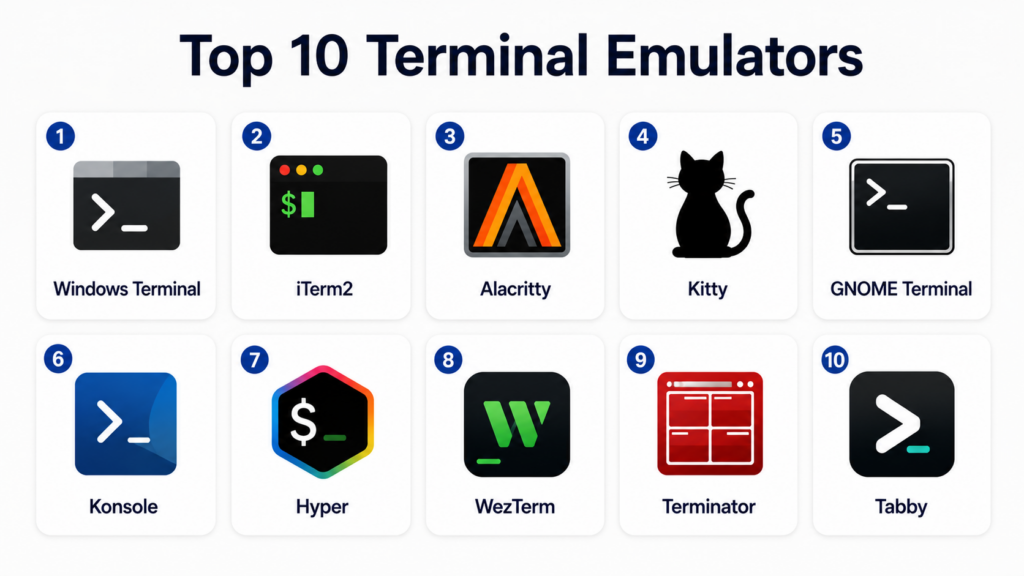
Introduction
Terminal emulators are software applications that provide command-line access to operating systems, remote servers, containers, cloud environments, and developer tools. They allow users to run shell commands, manage files, connect through SSH, execute scripts, monitor systems, and work with developer workflows more efficiently. A good terminal emulator improves productivity through tabs, panes, themes, shortcuts, profiles, GPU rendering, Unicode support, and shell integration.Terminal emulators matter because developers, DevOps engineers, system administrators, security teams, and cloud engineers spend a large part of their work inside command-line environments. Modern terminal tools are no longer basic black windows; they now support rich customization, performance improvements, remote development workflows, AI-assisted command help, and better usability across platforms.
Common real-world use cases include:
- Local command-line development
- SSH access to remote servers
- Cloud and Kubernetes operations
- DevOps automation and scripting
- Git workflows and package management
- Security testing and system troubleshooting
Buyers should evaluate:
- Platform compatibility
- Speed and rendering performance
- SSH and remote access support
- Tabs, panes, and session management
- Customization and themes
- Shell integration
- Keyboard shortcuts
- Unicode and font support
- Plugin ecosystem
- Security and update model
Best for: developers, DevOps engineers, system administrators, cloud engineers, cybersecurity professionals, data engineers, students, and technical teams working with command-line tools.
Not ideal for: users who only work with graphical applications, teams with no command-line workflows, or organizations that require full enterprise remote access platforms instead of lightweight terminal tools.
Key Trends in Terminal Emulators
- GPU-accelerated rendering is becoming common for smoother terminal performance.
- Cross-platform terminal tools are growing because teams work across Windows, macOS, and Linux.
- Built-in SSH and remote session management are becoming more important for DevOps teams.
- Custom themes, fonts, and prompt integrations are now standard expectations.
- Split panes and tabbed sessions are improving multitasking for developers.
- AI-assisted command explanation and shell suggestions are emerging in modern workflows.
- Unicode, emoji, ligature, and Nerd Font support are increasingly important for developer prompts.
- Terminal emulators are integrating better with Git, Kubernetes, containers, and cloud CLIs.
- Security teams are paying more attention to update reliability and safe remote access.
- Lightweight open-source terminals remain popular because they are fast, flexible, and transparent.
How We Selected These Tools Methodology
The tools in this list were selected based on practical usage, developer mindshare, platform support, performance, customization, and suitability for modern engineering workflows.
Selection factors included:
- Popularity among developers and system administrators
- Cross-platform availability
- Performance and rendering quality
- SSH and remote workflow support
- Tabs, panes, and session management
- Customization and theme support
- Community activity and documentation
- Ease of setup and daily usability
- Fit for DevOps and cloud-native workflows
- Long-term reliability and ecosystem maturity
Top 10 Terminal Emulators
#1 — Windows Terminal
Short description: Windows Terminal is a modern terminal emulator built for Windows users who need a better command-line experience than older console tools. It supports PowerShell, Command Prompt, WSL, Azure Cloud Shell, and custom profiles in one interface. Developers and administrators use it for local scripting, Linux workflows through WSL, and cloud operations. It is a strong choice for Windows-first teams that need tabs, panes, themes, and modern rendering.
Key Features
- Multiple tabs and panes
- PowerShell, Command Prompt, and WSL support
- Profile-based configuration
- GPU-accelerated text rendering
- Custom themes and color schemes
- Unicode and font support
- Keyboard shortcut customization
Pros
- Excellent choice for Windows users
- Strong WSL integration
- Clean modern interface
Cons
- Windows-focused only
- Advanced configuration requires JSON knowledge
- Not designed as a full SSH management platform
Platforms / Deployment
- Windows
- Local desktop
Security & Compliance
- Microsoft update ecosystem
- Local profile configuration
- Enterprise controls depend on Windows management policies
- Compliance certifications: Not publicly stated
Integrations & Ecosystem
Windows Terminal integrates naturally with Windows developer and administrator workflows. It is especially useful for teams using WSL, PowerShell, Azure tools, and local automation.
- PowerShell
- Command Prompt
- WSL
- Azure CLI
- Git
- SSH clients
Support & Community
Strong documentation, active community usage, and broad support from the Windows developer ecosystem.
#2 — iTerm2
Short description: iTerm2 is one of the most popular terminal emulators for macOS. It provides powerful productivity features such as split panes, profiles, hotkeys, search, session restoration, and advanced customization. Developers, DevOps engineers, and power users often choose iTerm2 because it improves the default macOS terminal experience significantly. It is especially useful for SSH-heavy workflows, local development, and advanced shell customization.
Key Features
- Split panes and tabs
- Searchable scrollback
- Hotkey window support
- Profile customization
- Session restoration
- Shell integration
- Advanced keyboard shortcuts
Pros
- Excellent macOS productivity features
- Strong customization options
- Popular among developers and DevOps teams
Cons
- macOS-only
- Many features can feel overwhelming for beginners
- Configuration may take time
Platforms / Deployment
- macOS
- Local desktop
Security & Compliance
- Local terminal execution
- SSH usage depends on system configuration
- Security depends on update and shell practices
- Compliance certifications: Not publicly stated
Integrations & Ecosystem
iTerm2 fits deeply into macOS development workflows and works well with popular shells, prompts, and command-line tools.
- Zsh
- Bash
- Fish
- Oh My Zsh
- SSH
- Git
Support & Community
Large user community, strong documentation, and extensive online learning resources.
#3 — Alacritty
Short description: Alacritty is a fast, GPU-accelerated terminal emulator focused on performance and simplicity. It avoids heavy built-in features and instead relies on external tools such as tmux for multiplexing. Developers choose Alacritty when they want a lightweight, fast, and cross-platform terminal with clean configuration. It is a strong option for users who value speed and minimalism over built-in session management.
Key Features
- GPU-accelerated rendering
- Cross-platform support
- Lightweight architecture
- YAML or TOML-based configuration
- Strong font and Unicode support
- Fast startup performance
- Minimal interface design
Pros
- Very fast and lightweight
- Works across major platforms
- Good for minimalist workflows
Cons
- No built-in tabs or panes
- Requires external tools for session management
- Configuration is less beginner-friendly
Platforms / Deployment
- Windows / macOS / Linux
- Local desktop
Security & Compliance
- Local terminal execution
- Security depends on operating system and shell setup
- Compliance certifications: Not publicly stated
Integrations & Ecosystem
Alacritty works best with command-line productivity tools and terminal multiplexers.
- tmux
- Zsh
- Bash
- Fish
- Git
- SSH
Support & Community
Strong open-source community with good documentation and active developer adoption.
#4 — Kitty
Short description: Kitty is a fast, feature-rich terminal emulator with GPU acceleration and advanced customization. It supports tabs, windows, layouts, images, ligatures, and powerful keyboard-driven workflows. Developers use Kitty when they want both high performance and built-in productivity features. It is a strong fit for Linux and macOS users who want a modern terminal with deeper customization.
Key Features
- GPU-accelerated rendering
- Tabs and split windows
- Image display support
- Advanced layouts
- Keyboard-driven workflows
- Ligature and font support
- Remote control capabilities
Pros
- Fast and highly customizable
- Rich feature set
- Strong for power users
Cons
- Configuration can be complex
- Interface may feel advanced for beginners
- Windows support is limited compared with other platforms
Platforms / Deployment
- Linux / macOS
- Local desktop
Security & Compliance
- Local terminal execution
- Remote control features require careful configuration
- Compliance certifications: Not publicly stated
Integrations & Ecosystem
Kitty works well with advanced shell setups and developer productivity tools.
- Zsh
- Fish
- Bash
- tmux alternatives
- Git
- SSH
Support & Community
Active open-source community with detailed documentation and strong power-user adoption.
#5 — GNOME Terminal
Short description: GNOME Terminal is a widely used terminal emulator for Linux desktop environments. It provides a reliable and familiar command-line interface for users of GNOME-based distributions. It supports profiles, tabs, color schemes, and basic customization. It is a practical choice for Linux users who want stability and simplicity rather than advanced terminal experimentation.
Key Features
- Linux desktop integration
- Tabs and profiles
- Custom color schemes
- Font customization
- Scrollback support
- Shell compatibility
- Stable user experience
Pros
- Reliable and easy to use
- Strong GNOME desktop integration
- Good default Linux terminal experience
Cons
- Less advanced than modern GPU terminals
- Limited built-in productivity features
- Mostly suited for Linux desktop users
Platforms / Deployment
- Linux
- Local desktop
Security & Compliance
- Local terminal execution
- Security depends on Linux system configuration
- Compliance certifications: Not publicly stated
Integrations & Ecosystem
GNOME Terminal works naturally with Linux tools and shell environments.
- Bash
- Zsh
- Fish
- SSH
- Git
- Linux package managers
Support & Community
Strong Linux ecosystem support with long-term community usage and documentation.
#6 — Konsole
Short description: Konsole is the default terminal emulator for KDE Plasma environments. It provides tabs, profiles, split views, bookmarks, and strong Linux desktop integration. Konsole is useful for Linux users who prefer KDE and want a stable yet feature-rich terminal. It balances usability, customization, and reliability for daily command-line workflows.
Key Features
- KDE desktop integration
- Tabs and split views
- Session profiles
- Bookmark support
- Custom themes
- Shell compatibility
- Strong Linux terminal support
Pros
- Good balance of features and usability
- Strong KDE integration
- Reliable for Linux users
Cons
- Mostly Linux-focused
- Best experience inside KDE Plasma
- Less cross-platform appeal
Platforms / Deployment
- Linux
- Local desktop
Security & Compliance
- Local terminal execution
- Security depends on Linux system configuration
- Compliance certifications: Not publicly stated
Integrations & Ecosystem
Konsole works well with Linux development and administration workflows.
- Bash
- Zsh
- Fish
- SSH
- Git
- KDE tools
Support & Community
Strong support from the KDE community and Linux desktop ecosystem.
#7 — Hyper
Short description: Hyper is a terminal emulator built with web technologies and designed around extensibility. It offers themes, plugins, and cross-platform support, making it attractive for users who want a customizable terminal experience. Hyper is especially useful for developers who like visual customization and plugin-based workflows. It is less performance-focused than lightweight GPU terminals but provides strong flexibility.
Key Features
- Cross-platform support
- Plugin architecture
- Theme customization
- JavaScript-based extensibility
- Tabs and panes
- Modern interface
- Developer-friendly configuration
Pros
- Highly customizable
- Strong plugin ecosystem
- Works across major platforms
Cons
- Can use more system resources
- Performance may lag behind native terminals
- Plugin quality can vary
Platforms / Deployment
- Windows / macOS / Linux
- Local desktop
Security & Compliance
- Plugin usage requires careful review
- Local terminal execution
- Compliance certifications: Not publicly stated
Integrations & Ecosystem
Hyper integrates well with JavaScript-based customization workflows and common developer tools.
- Node.js ecosystem
- Zsh
- Bash
- Git
- SSH
- Plugin extensions
Support & Community
Good open-source community with many themes and plugins available, though support quality varies by extension.
#8 — WezTerm
Short description: WezTerm is a modern cross-platform terminal emulator designed for performance, flexibility, and advanced configuration. It supports GPU rendering, tabs, panes, multiplexing, SSH workflows, and Lua-based configuration. Developers and power users choose WezTerm when they want a terminal that combines speed, modern features, and deep customization. It is a strong option for users working across multiple operating systems.
Key Features
- GPU-accelerated rendering
- Cross-platform support
- Tabs and panes
- Built-in multiplexing
- Lua-based configuration
- SSH domain support
- Rich font and Unicode support
Pros
- Powerful cross-platform feature set
- Strong customization options
- Good for advanced workflows
Cons
- Configuration may be complex for beginners
- Lua setup requires learning
- Some features may be more than casual users need
Platforms / Deployment
- Windows / macOS / Linux
- Local desktop
Security & Compliance
- Local terminal execution
- SSH configuration depends on user setup
- Compliance certifications: Not publicly stated
Integrations & Ecosystem
WezTerm works well with remote development and advanced shell workflows.
- SSH
- Zsh
- Bash
- Fish
- Git
- tmux-style workflows
Support & Community
Growing open-source community with strong documentation and increasing developer adoption.
#9 — Terminator
Short description: Terminator is a Linux terminal emulator focused on arranging multiple terminals in one window. It is popular among system administrators and developers who need to monitor several sessions at once. Terminator supports grids, tabs, layouts, profiles, and keyboard shortcuts. It is especially useful for multitasking-heavy Linux workflows.
Key Features
- Multiple terminal panes
- Grid-based layouts
- Tabs and profiles
- Keyboard shortcuts
- Session grouping
- Layout saving
- Linux desktop support
Pros
- Excellent for multitasking
- Simple pane management
- Useful for administrators
Cons
- Linux-focused
- Interface feels older than modern terminals
- Less GPU-focused performance optimization
Platforms / Deployment
- Linux
- Local desktop
Security & Compliance
- Local terminal execution
- Security depends on system and shell configuration
- Compliance certifications: Not publicly stated
Integrations & Ecosystem
Terminator works well for server administration and Linux command-line workflows.
- SSH
- Bash
- Zsh
- Git
- Linux package managers
- Monitoring commands
Support & Community
Long-standing Linux community usage with practical documentation and administrator-focused adoption.
#10 — Tabby
Short description: Tabby is a modern terminal emulator with SSH, serial, and local shell support. It is designed for users who want an attractive interface, profiles, session management, and cross-platform availability. Tabby is especially useful for developers and administrators who want built-in remote connection management. It is a good choice for teams that want a terminal and SSH client in one application.
Key Features
- Cross-platform support
- SSH client features
- Serial terminal support
- Tabs and panes
- Profile management
- Theme customization
- Plugin support
Pros
- Good built-in remote access features
- Modern user interface
- Works across major platforms
Cons
- Heavier than minimalist terminals
- Advanced users may prefer lower-level customization
- Plugin and feature depth varies
Platforms / Deployment
- Windows / macOS / Linux
- Local desktop
Security & Compliance
- SSH support
- Local profile management
- Security depends on credential and system configuration
- Compliance certifications: Not publicly stated
Integrations & Ecosystem
Tabby integrates well with local shells, remote servers, and infrastructure administration workflows.
- SSH
- Serial connections
- PowerShell
- Bash
- Zsh
- Git
Support & Community
Active open-source community with user-friendly documentation and growing adoption among cross-platform users.
Comparison Table Top 10
| Tool Name | Best For | Platform Supported | Deployment | Standout Feature | Public Rating |
|---|---|---|---|---|---|
| Windows Terminal | Windows command-line workflows | Windows | Local desktop | WSL and PowerShell integration | N/A |
| iTerm2 | macOS power users | macOS | Local desktop | Advanced panes and profiles | N/A |
| Alacritty | Fast minimalist workflows | Windows, macOS, Linux | Local desktop | GPU-accelerated speed | N/A |
| Kitty | Advanced Linux and macOS users | Linux, macOS | Local desktop | GPU rendering with rich features | N/A |
| GNOME Terminal | Linux desktop users | Linux | Local desktop | Stable GNOME integration | N/A |
| Konsole | KDE users | Linux | Local desktop | KDE-native terminal features | N/A |
| Hyper | Plugin-based customization | Windows, macOS, Linux | Local desktop | JavaScript extensibility | N/A |
| WezTerm | Cross-platform power users | Windows, macOS, Linux | Local desktop | Built-in multiplexing and Lua config | N/A |
| Terminator | Linux multitasking | Linux | Local desktop | Grid-based terminal panes | N/A |
| Tabby | Terminal plus SSH client | Windows, macOS, Linux | Local desktop | Built-in remote session management | N/A |
Evaluation & Scoring of Terminal Emulators
| Tool Name | Core 25% | Ease 15% | Integrations 15% | Security 10% | Performance 10% | Support 10% | Value 15% | Weighted Total |
|---|---|---|---|---|---|---|---|---|
| Windows Terminal | 8 | 9 | 9 | 8 | 8 | 9 | 9 | 8.60 |
| iTerm2 | 9 | 8 | 8 | 8 | 8 | 9 | 9 | 8.50 |
| Alacritty | 8 | 7 | 7 | 8 | 10 | 8 | 9 | 8.10 |
| Kitty | 9 | 7 | 8 | 8 | 9 | 8 | 9 | 8.35 |
| GNOME Terminal | 7 | 9 | 7 | 8 | 7 | 8 | 9 | 7.75 |
| Konsole | 8 | 8 | 7 | 8 | 7 | 8 | 9 | 7.85 |
| Hyper | 7 | 8 | 8 | 7 | 6 | 7 | 8 | 7.30 |
| WezTerm | 9 | 7 | 9 | 8 | 9 | 8 | 9 | 8.45 |
| Terminator | 7 | 8 | 7 | 8 | 7 | 7 | 9 | 7.50 |
| Tabby | 8 | 8 | 8 | 7 | 7 | 8 | 8 | 7.75 |
These scores are comparative and based on general usability, performance, feature depth, ecosystem fit, and practical workflow value. A higher score does not mean the tool is best for every user. For example, iTerm2 is excellent for macOS users, Windows Terminal is strongest for Windows users, and Alacritty is ideal for performance-focused minimalists. Teams should choose based on operating system, shell workflow, remote access needs, and customization preference.
Which Terminal Emulator Is Right for You?
Solo / Freelancer
Solo developers should choose a terminal emulator that feels fast, simple, and comfortable for daily use. Windows users should start with Windows Terminal, macOS users should consider iTerm2, and Linux users can use GNOME Terminal, Konsole, Kitty, or Alacritty. If you prefer minimalism and speed, Alacritty is a strong choice. If you want built-in remote sessions, Tabby may be more convenient.
SMB
Small teams should prioritize consistency, ease of onboarding, and cross-platform support. Tabby, WezTerm, Alacritty, and Hyper are useful when team members use different operating systems. Windows-first teams can standardize on Windows Terminal, while macOS-heavy teams may prefer iTerm2. SMBs should also consider how SSH profiles and shared documentation are managed.
Mid-Market
Mid-market engineering teams often need stable workflows across local development, remote servers, cloud CLIs, and Kubernetes tools. WezTerm, Tabby, Windows Terminal, and iTerm2 are strong choices depending on platform mix. Teams should prioritize profile management, documentation, secure SSH practices, and compatibility with internal tooling.
Enterprise
Enterprises should focus on security, update management, supportability, operating system standards, and compliance with endpoint policies. Windows Terminal is a natural fit for Windows-managed environments, while iTerm2 and WezTerm are common in developer-heavy teams. Enterprises should avoid unmanaged plugins and should define approved terminal configurations for production access.
Budget vs Premium
Most terminal emulators are free or open-source, so the main cost is not licensing but setup, support, documentation, and standardization. Teams should choose tools that reduce onboarding friction and improve productivity. Premium value may come from enterprise endpoint management, secure remote access platforms, or centralized credential management rather than the terminal emulator itself.
Feature Depth vs Ease of Use
GNOME Terminal, Konsole, and Windows Terminal are easier for general users. Kitty, WezTerm, and iTerm2 provide deeper customization for advanced users. Alacritty is ideal for people who want speed and simplicity without built-in complexity. Tabby is useful when SSH and remote profiles matter more than raw minimalism.
Integrations & Scalability
Teams working with cloud platforms, Git, Kubernetes, Docker, and remote servers should prioritize terminals that handle profiles, SSH, panes, and shell integrations well. WezTerm, Tabby, iTerm2, and Windows Terminal are strong choices for scalable workflows. For terminal multiplexing, pairing Alacritty or Kitty with tmux can be powerful.
Security & Compliance Needs
Security-sensitive teams should focus on safe SSH practices, regular updates, controlled plugin usage, credential management, and endpoint policy compatibility. Avoid installing unknown terminal plugins in enterprise environments. Teams should also document approved shell configurations and restrict production access through secure identity and access controls.
Frequently Asked Questions FAQs
1. What is a terminal emulator?
A terminal emulator is an application that lets users interact with a command-line shell through a graphical interface. It allows developers and administrators to run commands, manage files, connect to servers, and execute scripts. Modern terminal emulators also support tabs, panes, themes, fonts, and productivity features. They are essential for technical workflows across Windows, macOS, and Linux.
2. What is the difference between a terminal and a shell?
A terminal emulator is the application window where commands are typed, while a shell is the command interpreter running inside it. Examples of shells include Bash, Zsh, Fish, PowerShell, and Command Prompt. The terminal displays input and output, while the shell processes commands. A good terminal improves usability, but the shell determines command behavior.
3. Which terminal emulator is best for Windows?
Windows Terminal is usually the best default choice for Windows users because it supports PowerShell, Command Prompt, WSL, and custom profiles in one interface. It offers tabs, panes, themes, and modern rendering. Developers who use Linux tools on Windows benefit strongly from WSL integration. Tabby and Alacritty are also good cross-platform options.
4. Which terminal emulator is best for macOS?
iTerm2 is one of the most popular choices for macOS because it provides advanced panes, profiles, hotkeys, search, and session features. Many developers prefer it over the default macOS Terminal because of its productivity features. Kitty, Alacritty, and WezTerm are also strong alternatives for users who want speed or cross-platform consistency.
5. Which terminal emulator is best for Linux?
Linux users have many strong options depending on desktop environment and workflow. GNOME Terminal is reliable for GNOME users, while Konsole is excellent for KDE users. Kitty, Alacritty, WezTerm, and Terminator are strong choices for developers and administrators who want speed, panes, or advanced customization. The best choice depends on performance needs and personal workflow.
6. Do terminal emulators affect performance?
Yes, terminal emulators can affect performance, especially when handling large logs, fast command output, or complex Unicode rendering. GPU-accelerated tools like Alacritty, Kitty, and WezTerm are designed for speed and smooth rendering. However, for basic command-line use, most modern terminals perform well. Performance matters most for power users, developers, and administrators handling heavy output.
7. Are terminal emulators secure?
Terminal emulators are generally safe when installed from trusted sources and kept updated. Security risks usually come from unsafe shell commands, insecure SSH practices, untrusted plugins, or exposed credentials. Enterprises should control terminal configurations and avoid unknown extensions. Secure remote access policies are more important than the terminal interface alone.
8. Should developers use tmux with a terminal emulator?
tmux is useful when developers need persistent sessions, remote multiplexing, or advanced pane management. Minimal terminals like Alacritty pair especially well with tmux because they avoid duplicating built-in tab and pane features. However, users of iTerm2, WezTerm, Kitty, or Windows Terminal may already have enough local pane support. The decision depends on whether remote session persistence is required.
9. What features matter most when choosing a terminal emulator?
The most important features are platform support, speed, tabs, panes, SSH support, customization, font rendering, keyboard shortcuts, and shell compatibility. Developers should also consider integration with Git, cloud CLIs, Kubernetes, and package managers. Teams should prioritize consistency and supportability over visual customization alone.
10. Can terminal emulators replace SSH clients?
Some terminal emulators, such as Tabby and WezTerm, include useful SSH-related features, but not every terminal is a full SSH management platform. Many terminals simply run the system SSH client inside the shell. Teams with complex remote access needs may still require dedicated secure access tools. For basic SSH workflows, a good terminal emulator is usually enough.
Conclusion
Terminal emulators are a core productivity tool for developers, DevOps engineers, system administrators, cloud engineers, and technical teams. The best option depends heavily on operating system, workflow style, performance expectations, and remote access needs. Windows Terminal is a strong default for Windows users, iTerm2 remains a favorite among macOS power users, and Linux users have excellent choices such as GNOME Terminal, Konsole, Kitty, Alacritty, and Terminator. WezTerm and Tabby are especially useful for cross-platform teams that need modern features and remote workflow support. Lightweight tools like Alacritty are best for users who value speed and simplicity, while feature-rich tools like Kitty and iTerm2 suit advanced customization needs. Teams should shortlist tools based on platform requirements, test them with real development workflows, validate SSH and shell integration, and then standardize configurations for better productivity and security.

Operating comprehensive custom command line interface console window environment emulation software optimizes corporate terminal network communication mechanics, ensuring rapid decentralized operating platform layout configuration verification auditing and frictionless technical developer system navigation methodologies.