MOTOSHARE 🚗🏍️
Rent Bikes & Cars Directly from Owners
Motoshare connects vehicle owners with people who need bikes and cars on rent. Owners earn from idle vehicles, and renters get flexible ride options.
Visit Motoshare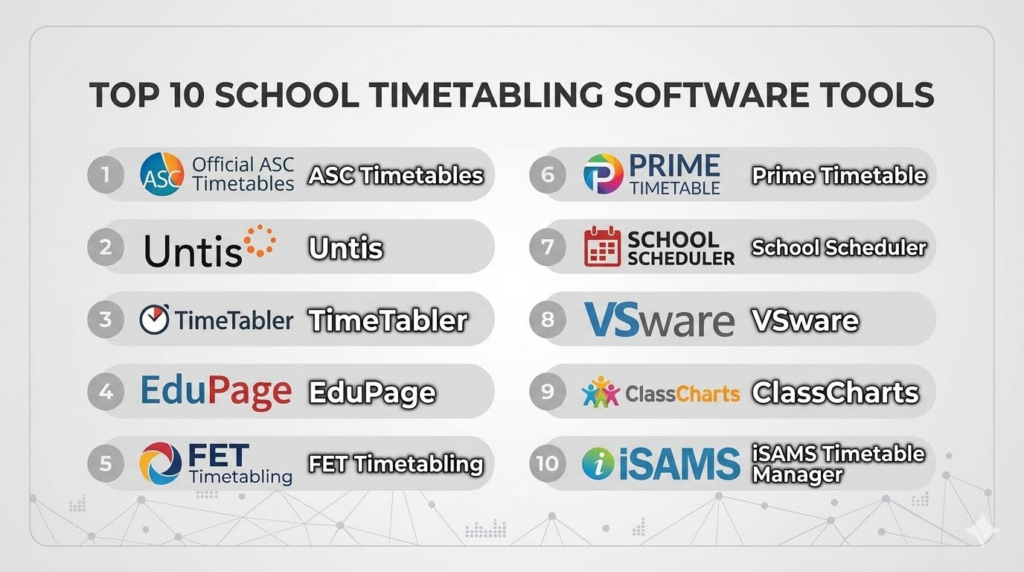
Introduction
School Timetabling Software helps schools, colleges, universities, and training institutions create, manage, and optimize class schedules. These platforms automate timetable creation by considering teacher availability, classroom capacity, subject requirements, holidays, and institutional rules. Instead of manually building schedules in spreadsheets, administrators can generate conflict-free timetables faster and with fewer errors.
Modern educational institutions face growing scheduling complexity due to hybrid learning, elective courses, teacher workload balancing, and multi-campus operations. Timetabling tools now include automation, AI-assisted scheduling, mobile access, analytics, and integrations with Student Information Systems and Learning Management Systems.
Real-world use cases include:
- Creating weekly class schedules
- Managing teacher workload and substitutions
- Scheduling labs and special rooms
- Supporting hybrid learning sessions
- Automating timetable changes during exams or holidays
Evaluation Criteria for Buyers
- Scheduling automation capabilities
- Conflict detection and resolution
- Ease of timetable editing
- Teacher and student self-service access
- Integration with SIS and LMS platforms
- Multi-campus scalability
- Reporting and analytics
- Mobile accessibility
- Security and role-based permissions
- Pricing flexibility
Best for: K-12 schools, universities, coaching institutes, and educational groups managing complex schedules.
Not ideal for: Very small schools with simple scheduling needs that can be managed through spreadsheets.
Key Trends in School Timetabling Software
- AI-assisted scheduling is reducing manual timetable creation effort
- Cloud-first deployment models are becoming standard
- Mobile timetable access is increasingly expected
- Integration with LMS platforms is improving automation
- Real-time schedule updates and notifications are becoming common
- Analytics dashboards are helping optimize classroom utilization
- Hybrid learning support is growing rapidly
- Drag-and-drop scheduling interfaces are replacing spreadsheets
- Role-based access control is becoming more important
- API-driven ecosystems are improving interoperability
How We Selected These Tools
The tools in this list were selected using practical evaluation criteria focused on educational scheduling requirements.
- Market adoption across schools and universities
- Breadth of scheduling capabilities
- Ease of use for administrators
- Timetable conflict management quality
- Integration capabilities with academic platforms
- Reliability and scalability
- Vendor ecosystem maturity
- Flexibility for different educational models
- Reporting and analytics functionality
- Overall value for educational institutions
Top 10 School Timetabling Software Tools
#1 — ASC Timetables
Short description: ASC Timetables is one of the most recognized school scheduling solutions for K-12 institutions and academic organizations. It helps schools automate timetable creation while handling teacher availability, classroom assignments, and subject constraints. The platform is widely used for its flexibility and timetable optimization capabilities. It is suitable for schools needing advanced scheduling without excessive technical complexity.
Key Features
- Automated timetable generation
- Teacher and classroom conflict detection
- Substitution scheduling
- Multi-school management support
- Timetable publishing for web and mobile
- Subject and workload balancing
- Reporting and export tools
Pros
- Strong automation capabilities
- Widely adopted in educational institutions
- Flexible scheduling configurations
Cons
- Interface may feel dated
- Advanced setup can require training
- Limited modern UI customization
Platforms / Deployment
- Web / Windows
- Cloud / Self-hosted
Security & Compliance
- RBAC support
- GDPR-focused operations
- Additional certifications not publicly stated
Integrations & Ecosystem
ASC Timetables supports integrations with student management systems and timetable publishing platforms.
- Student information systems
- Attendance platforms
- Calendar exports
- Timetable web portals
- Data import/export support
Support & Community
The platform has strong global adoption in education. Documentation and onboarding materials are mature.
#2 — Untis
Short description: Untis is a comprehensive scheduling and school management platform used by educational institutions worldwide. It combines timetable management with attendance tracking, substitution planning, and communication tools. The platform is highly configurable and supports large academic environments. It is particularly strong in European education systems.
Key Features
- Automated timetable creation
- Teacher substitution management
- Classroom planning
- Student scheduling access
- Mobile applications
- Reporting dashboards
- Multi-campus support
Pros
- Enterprise-grade scheduling depth
- Strong mobile capabilities
- Broad feature ecosystem
Cons
- Can be complex for smaller schools
- Initial configuration may take time
- Pricing varies significantly
Platforms / Deployment
- Web / Windows / iOS / Android
- Cloud / Hybrid
Security & Compliance
- RBAC support
- Encryption features
- GDPR-focused support
- Additional certifications not publicly stated
Integrations & Ecosystem
Untis integrates with academic systems and communication platforms to support broader school operations.
- Student management systems
- Authentication systems
- Mobile apps
- Attendance solutions
- API connectivity
Support & Community
Untis has an established customer base with extensive implementation experience.
#3 — TimeTabler
Short description: TimeTabler is designed specifically for schools requiring advanced scheduling flexibility. It supports complex timetable structures including rotating schedules and multiple campuses. The platform emphasizes timetable optimization and administrative control. It is commonly used in secondary education environments.
Key Features
- Automated scheduling engine
- Complex timetable support
- Teacher availability tracking
- Room allocation management
- Conflict resolution tools
- Reporting and exports
- Flexible scheduling rules
Pros
- Strong scheduling flexibility
- Good conflict management
- Suitable for complex institutions
Cons
- Limited modern cloud-native features
- User interface may appear traditional
- Mobile support is limited
Platforms / Deployment
- Windows
- Self-hosted
Security & Compliance
- Not publicly stated
Integrations & Ecosystem
The platform supports data import and export capabilities.
- CSV imports
- Student database compatibility
- Timetable exports
- Reporting integrations
Support & Community
Support is education-focused with onboarding assistance available.
#4 — EduPage
Short description: EduPage combines school administration and timetabling into a single education management platform. It provides timetable automation alongside communication, attendance, and grading modules. Schools benefit from integrated academic workflows. It is popular among institutions seeking all-in-one education management software.
Key Features
- Automated timetable generation
- Teacher substitution handling
- Student and parent portals
- Attendance tracking
- Mobile timetable access
- School communication tools
- Calendar management
Pros
- Unified education platform
- Strong communication features
- Good mobile accessibility
Cons
- Some advanced scheduling features are less specialized
- Interface can feel crowded
- Large deployments may require customization
Platforms / Deployment
- Web / iOS / Android
- Cloud
Security & Compliance
- RBAC support
- GDPR-focused operations
- Additional certifications not publicly stated
Integrations & Ecosystem
EduPage supports integrations across academic administration workflows.
- Attendance systems
- Grading systems
- Student portals
- Notification systems
- Calendar synchronization
Support & Community
The vendor offers onboarding support and educational deployment guidance.
#5 — FET Timetabling
Short description: FET Timetabling is an open-source scheduling application widely used by schools seeking flexible and cost-effective timetable generation. It uses advanced algorithms to manage scheduling constraints and conflicts. The platform is highly customizable and appeals to technically capable institutions. It is especially attractive for budget-conscious organizations.
Key Features
- Open-source scheduling engine
- Automatic timetable generation
- Constraint-based scheduling
- Multi-language support
- Detailed conflict analysis
- Custom scheduling rules
- Export capabilities
Pros
- Free and open-source
- Highly customizable
- Strong scheduling logic
Cons
- Requires technical expertise
- Limited enterprise support
- Interface is less modern
Platforms / Deployment
- Windows / Linux / macOS
- Self-hosted
Security & Compliance
- Not publicly stated
Integrations & Ecosystem
FET primarily focuses on timetable generation rather than a broad ecosystem.
- XML exports
- Data import support
- Custom integrations
- Community extensions
Support & Community
The open-source community is active, but enterprise-grade support varies.
#6 — Prime Timetable
Short description: Prime Timetable is designed for universities and institutions with advanced academic scheduling needs. It handles large datasets, faculty scheduling, and room optimization efficiently. The platform emphasizes automation and institutional scalability. It is often used by higher education environments.
Key Features
- University timetable automation
- Resource optimization
- Faculty workload balancing
- Scenario planning
- Analytics dashboards
- Conflict management
- Exam scheduling support
Pros
- Strong higher education focus
- Good scalability
- Advanced optimization capabilities
Cons
- More complex than K-12 solutions
- Pricing may not suit small schools
- Setup can be resource intensive
Platforms / Deployment
- Web
- Cloud / Hybrid
Security & Compliance
- RBAC support
- Audit controls
- Additional certifications not publicly stated
Integrations & Ecosystem
Prime Timetable integrates with academic enterprise systems for scheduling automation.
- SIS integrations
- University ERP systems
- Reporting platforms
- Authentication systems
- API connectivity
Support & Community
The platform provides enterprise implementation support and onboarding services.
#7 — School Scheduler
Short description: School Scheduler is a timetable management solution aimed at simplifying academic scheduling processes for schools. It provides automation for classes, teacher assignments, and room management. The platform focuses on usability and administrative efficiency. It is suitable for mid-sized educational institutions.
Key Features
- Automated timetable creation
- Classroom allocation
- Teacher scheduling
- Conflict resolution
- Reporting tools
- Student timetable access
- Resource planning
Pros
- Simple administrative workflows
- Easier learning curve
- Useful reporting features
Cons
- Limited enterprise customization
- Fewer advanced analytics
- Smaller ecosystem
Platforms / Deployment
- Web
- Cloud
Security & Compliance
- Not publicly stated
Integrations & Ecosystem
The solution supports integration with academic management workflows.
- Student databases
- Calendar exports
- Reporting tools
- Attendance systems
Support & Community
Support quality varies depending on deployment size.
#8 — VSware
Short description: VSware is an education management platform that includes timetabling, attendance, and communication tools. It is particularly strong in school administration workflows and parent engagement. The scheduling module supports teacher and room management efficiently. It is commonly used in K-12 education environments.
Key Features
- Timetable management
- Parent and student portals
- Attendance tracking
- Teacher scheduling
- Notifications and messaging
- Academic reporting
- Mobile accessibility
Pros
- Strong administrative integration
- User-friendly interface
- Good communication tools
Cons
- Advanced scheduling depth may be limited
- Enterprise analytics are lighter
- Customization options vary
Platforms / Deployment
- Web / iOS / Android
- Cloud
Security & Compliance
- RBAC support
- GDPR-focused operations
- Additional certifications not publicly stated
Integrations & Ecosystem
VSware integrates with educational administration systems.
- Student records systems
- Attendance tools
- Mobile notifications
- Academic portals
Support & Community
The vendor provides onboarding, training, and education-focused support.
#9 — ClassCharts
Short description: ClassCharts is known for classroom management and scheduling support in educational institutions. While not a pure enterprise timetabling engine, it helps schools manage schedules, student organization, and teacher coordination. Its usability and engagement features make it attractive for K-12 schools.
Key Features
- Class scheduling support
- Teacher management
- Student behavior tracking
- Parent communication
- Mobile accessibility
- Reporting dashboards
- Seating and organization tools
Pros
- Easy to use
- Strong engagement features
- Good parent communication
Cons
- Not a full enterprise scheduling suite
- Limited advanced timetable optimization
- Less suitable for universities
Platforms / Deployment
- Web / iOS / Android
- Cloud
Security & Compliance
- RBAC support
- GDPR-focused operations
- Additional certifications not publicly stated
Integrations & Ecosystem
The platform integrates with classroom management workflows.
- School MIS platforms
- Notification systems
- Parent portals
- Reporting exports
Support & Community
Documentation and onboarding are generally straightforward.
#10 — iSAMS Timetable Manager
Short description: iSAMS Timetable Manager is part of the broader iSAMS education platform designed for independent schools and academic institutions. It supports timetable creation, scheduling adjustments, and academic coordination. The platform integrates scheduling into larger school management operations. It is suitable for institutions seeking centralized administration.
Key Features
- Timetable scheduling
- Teacher and room management
- Academic administration tools
- Student timetable access
- Reporting capabilities
- School-wide workflow integration
- Mobile support
Pros
- Integrated school management ecosystem
- Good administrative workflows
- Suitable for independent schools
Cons
- Best suited for institutions already using iSAMS
- Advanced optimization may require customization
- Pricing may vary significantly
Platforms / Deployment
- Web / iOS / Android
- Cloud
Security & Compliance
- RBAC support
- Encryption capabilities
- Additional certifications not publicly stated
Integrations & Ecosystem
iSAMS integrates deeply with school management workflows.
- Student information systems
- Attendance modules
- Parent communication tools
- Reporting systems
- API integrations
Support & Community
The platform offers onboarding services and implementation guidance.
Comparison Table
| Tool Name | Best For | Platform(s) Supported | Deployment | Standout Feature | Public Rating |
|---|---|---|---|---|---|
| ASC Timetables | K-12 schools | Web, Windows | Cloud, Self-hosted | Automated timetable optimization | N/A |
| Untis | Large institutions | Web, Mobile | Cloud, Hybrid | Comprehensive scheduling ecosystem | N/A |
| TimeTabler | Complex school scheduling | Windows | Self-hosted | Flexible scheduling rules | N/A |
| EduPage | All-in-one school management | Web, Mobile | Cloud | Integrated administration tools | N/A |
| FET Timetabling | Budget-conscious schools | Windows, Linux, macOS | Self-hosted | Open-source flexibility | N/A |
| Prime Timetable | Universities | Web | Cloud, Hybrid | Advanced resource optimization | N/A |
| School Scheduler | Mid-sized schools | Web | Cloud | Simplicity and usability | N/A |
| VSware | K-12 administration | Web, Mobile | Cloud | Communication integration | N/A |
| ClassCharts | Classroom coordination | Web, Mobile | Cloud | Student engagement tools | N/A |
| iSAMS Timetable Manager | Independent schools | Web, Mobile | Cloud | Integrated academic workflows | N/A |
Evaluation & Scoring of School Timetabling Software
| Tool Name | Core 25% | Ease 15% | Integrations 15% | Security 10% | Performance 10% | Support 10% | Value 15% | Weighted Total |
|---|---|---|---|---|---|---|---|---|
| ASC Timetables | 9 | 8 | 7 | 7 | 8 | 8 | 9 | 8.2 |
| Untis | 9 | 7 | 8 | 8 | 9 | 8 | 7 | 8.1 |
| TimeTabler | 8 | 7 | 6 | 6 | 8 | 7 | 8 | 7.3 |
| EduPage | 8 | 8 | 8 | 7 | 8 | 8 | 8 | 8.0 |
| FET Timetabling | 8 | 6 | 5 | 5 | 7 | 6 | 10 | 7.1 |
| Prime Timetable | 9 | 7 | 8 | 8 | 9 | 8 | 7 | 8.1 |
| School Scheduler | 7 | 8 | 6 | 6 | 7 | 7 | 8 | 7.2 |
| VSware | 8 | 8 | 7 | 7 | 8 | 8 | 7 | 7.7 |
| ClassCharts | 7 | 9 | 6 | 7 | 7 | 8 | 8 | 7.5 |
| iSAMS Timetable Manager | 8 | 8 | 8 | 7 | 8 | 8 | 7 | 7.9 |
These scores are comparative rather than absolute measurements. Higher scores indicate stronger overall capability across scheduling depth, integrations, support, and operational reliability. Smaller schools may prioritize ease of use and value, while universities often focus on scalability and advanced automation. Buyers should evaluate tools based on institutional complexity and integration requirements.
Which School Timetabling Software Tool Is Right for You?
Solo / Freelancer
Independent tutors and coaching centers usually need lightweight scheduling capabilities. Simpler platforms such as School Scheduler or EduPage may provide sufficient functionality without enterprise complexity.
SMB
Small and mid-sized schools often benefit from solutions balancing automation with usability. ASC Timetables, EduPage, and VSware are strong options for institutions seeking manageable deployment complexity.
Mid-Market
Growing educational groups and multi-campus schools require better scalability and integrations. Untis and iSAMS Timetable Manager provide broader administrative ecosystems alongside timetable management capabilities.
Enterprise
Universities and large educational networks typically need advanced optimization, analytics, and resource management. Prime Timetable and Untis are better suited for highly complex scheduling environments.
Budget vs Premium
FET Timetabling is one of the strongest budget-friendly solutions due to its open-source model. Premium enterprise solutions generally provide stronger integrations and support.
Feature Depth vs Ease of Use
Untis and Prime Timetable provide deeper enterprise features, whereas EduPage and ClassCharts focus more on operational simplicity and accessibility.
Integrations & Scalability
Institutions already using SIS or LMS platforms should prioritize tools with stronger API support and ecosystem compatibility.
Security & Compliance Needs
Schools handling sensitive student and staff data should prioritize vendors offering RBAC, encryption, audit controls, and secure authentication support.
Frequently Asked Questions
1. What is School Timetabling Software?
School Timetabling Software automates the process of creating academic schedules for classes, teachers, rooms, and subjects. These tools help institutions avoid timetable conflicts and reduce manual administrative work. Modern platforms also include reporting, notifications, and mobile access features. They are widely used across K-12 schools, colleges, and universities.
2. How much does School Timetabling Software typically cost?
Pricing varies depending on institution size, deployment type, and feature requirements. Some open-source tools are free, while enterprise platforms may require annual licensing or subscription fees. Cloud deployment often uses per-user or per-student pricing models. Institutions should also account for onboarding and support costs.
3. Can these tools integrate with Student Information Systems?
Yes, many modern timetabling platforms integrate with Student Information Systems and Learning Management Systems. Integrations help synchronize student data, attendance records, teacher assignments, and calendars. API support is increasingly common among enterprise-grade solutions. Integration quality varies by vendor.
4. Are cloud-based scheduling tools better than self-hosted options?
Cloud-based tools generally provide easier updates, remote accessibility, and lower infrastructure maintenance. Self-hosted options offer greater customization and direct infrastructure control. The best choice depends on institutional IT resources, security policies, and budget priorities.
5. What are the biggest implementation challenges?
The most common challenges include inaccurate data, insufficient scheduling rules, and lack of stakeholder involvement during setup. Complex institutions may require extensive timetable configuration. Staff training is also important for successful adoption. Pilot testing can reduce rollout issues significantly.
6. How important is mobile access in timetable management?
Mobile access has become increasingly important for teachers, students, and parents. Real-time schedule changes, notifications, and substitution updates are easier to manage through mobile applications. Institutions supporting hybrid learning especially benefit from mobile accessibility.
7. Are AI features becoming common in timetabling platforms?
Yes, many vendors are adding AI-assisted scheduling and optimization capabilities. AI can help automate conflict resolution, workload balancing, and resource allocation. Some platforms also provide predictive analytics for classroom utilization. However, AI maturity varies significantly between products.
8. What security features should schools prioritize?
Educational institutions should prioritize RBAC, encryption, audit logging, secure authentication, and backup capabilities. SSO and MFA support are also important for larger organizations. Vendors should clearly explain their data handling practices.
9. Is open-source software a good option for schools?
Open-source tools can be highly cost-effective and flexible, especially for technically skilled institutions. However, they may require more internal IT expertise for deployment, maintenance, and integrations. Commercial platforms usually provide stronger support and easier onboarding.
10. How should schools evaluate vendors before purchasing?
Schools should test timetable automation quality, ease of editing, integration capabilities, and reporting functionality. Running a pilot project with real scheduling data is highly recommended. Institutions should also review support responsiveness, scalability, and future roadmap alignment.
Conclusion
School Timetabling Software has evolved from basic scheduling utilities into broader academic operations platforms that support automation, analytics, communication, and institutional efficiency. Modern schools and universities face increasing complexity in teacher allocation, hybrid learning, classroom optimization, and student scheduling, making manual timetable management far less practical than before. While some institutions may prioritize affordability and simplicity, others require advanced optimization, deep integrations, and enterprise scalability. Solutions like ASC Timetables and Untis provide strong scheduling depth, while platforms such as EduPage and VSware combine timetable management with broader school administration workflows. Open-source options like FET Timetabling remain attractive for budget-conscious institutions with technical expertise. Ultimately, the best choice depends on institution size, scheduling complexity, integration requirements, and administrative resources. Schools should shortlist a few suitable platforms, run pilot scheduling exercises, validate integration compatibility, and confirm security expectations before making a long-term decision.

Organizing comprehensive unique institutional course scheduling algorithmic optimization grid software optimizes corporate educational class planning logistics mechanics, ensuring rapid decentralized master calendar configuration verification auditing and frictionless academic resource conflict resolution management methodologies.