MOTOSHARE 🚗🏍️
Rent Bikes & Cars Directly from Owners
Motoshare connects vehicle owners with people who need bikes and cars on rent. Owners earn from idle vehicles, and renters get flexible ride options.
Visit Motoshare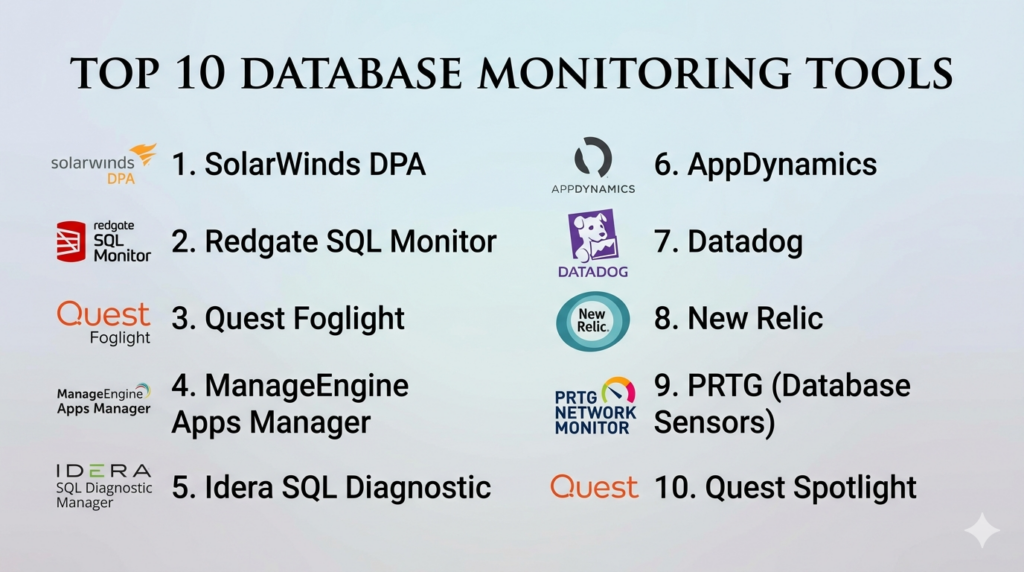
Introduction
Database Monitoring Tools are specialized solutions that provide real-time visibility into database performance, health, and availability. They help organizations proactively detect and resolve issues, optimize query performance, and ensure uptime across relational, NoSQL, and cloud-based databases. Effective monitoring reduces downtime, improves application performance, and supports compliance and security auditing.
Real-world use cases include tracking slow-running queries, monitoring replication and failover, identifying resource bottlenecks, alerting on anomalous activity, and providing performance insights for capacity planning. These tools also integrate with DevOps and IT operations workflows to automate troubleshooting and reporting.
Evaluation criteria for buyers include supported database types, real-time monitoring capabilities, alerting and reporting, analytics and visualization features, integration with ITSM or DevOps tools, scalability, ease of use, and cost-effectiveness.
Best for: IT operations teams, database administrators (DBAs), DevOps engineers, enterprises, and SMBs needing proactive database performance management.
Not ideal for: small teams with few databases or non-critical applications where manual monitoring is sufficient.
Key Trends in Database Monitoring Tools
- AI-driven anomaly detection and predictive analytics.
- Cloud-native monitoring for SaaS and multi-cloud databases.
- Integration with DevOps pipelines and CI/CD workflows.
- Automated alerts, remediation, and self-healing capabilities.
- End-to-end monitoring across on-prem, cloud, and hybrid deployments.
- Role-based access and security for monitoring dashboards.
- Support for both SQL and NoSQL databases.
- Subscription and pay-as-you-go models for SMB adoption.
- Advanced reporting for compliance, auditing, and capacity planning.
- Focus on minimal overhead to prevent monitoring-induced performance issues.
How We Selected These Tools (Methodology)
- Evaluated market adoption and recognition among enterprises and SMBs.
- Assessed feature completeness: query monitoring, resource utilization, alerting, and analytics.
- Reviewed reliability and scalability in high-volume environments.
- Examined integration capabilities with ITSM, DevOps, and cloud platforms.
- Considered security and compliance posture of each solution.
- Evaluated usability and ease of setup for different technical skill levels.
- Prioritized solutions supporting multi-cloud and hybrid deployments.
- Focused on solutions with automation, AI/ML insights, and proactive alerting.
Top 10 Database Monitoring Tools
#1 — SolarWinds Database Performance Analyzer
Short description: SolarWinds DPA provides real-time monitoring, alerting, and performance analysis for SQL, Oracle, MySQL, and cloud databases. It helps DBAs proactively identify bottlenecks and optimize database performance.
Key Features
- Real-time query and wait-time monitoring.
- Historical trend analysis and reporting.
- Alerts for performance thresholds and anomalies.
- Integration with SolarWinds IT infrastructure tools.
- Support for on-premises and cloud databases.
Pros
- Intuitive dashboards and visualization.
- Multi-database and hybrid environment support.
Cons
- Licensing cost can be high for smaller teams.
- Advanced features may require training.
Platforms / Deployment
- Windows / Linux / Cloud
- On-premises / Cloud / Hybrid
Security & Compliance
- Role-based access control
- Not publicly stated for SOC 2
Integrations & Ecosystem
- SolarWinds IT infrastructure suite
- Cloud platforms: AWS, Azure
- API access for automation
Support & Community
- Vendor support, documentation, and community forums.
#2 — Redgate SQL Monitor
Short description: SQL Monitor provides performance monitoring, alerting, and diagnostics for SQL Server environments. Ideal for enterprises and SMBs managing SQL Server workloads.
Key Features
- Real-time and historical performance metrics.
- Alerting on query performance, deadlocks, and resource usage.
- Customizable dashboards and reports.
- Integration with DevOps and ITSM workflows.
- Agent-based monitoring for hybrid environments.
Pros
- User-friendly and fast deployment.
- Detailed diagnostics for SQL Server optimization.
Cons
- Limited to SQL Server databases.
- Cloud deployment options may require additional configuration.
Platforms / Deployment
- Windows / Cloud
- On-premises / Hybrid
Security & Compliance
- Role-based access control
- Not publicly stated for SOC 2
Integrations & Ecosystem
- ITSM tools (ServiceNow)
- DevOps pipelines
- Cloud monitoring APIs
Support & Community
- Vendor support and knowledge base.
#3 — Quest Foglight for Databases
Short description: Foglight monitors SQL, Oracle, MySQL, and PostgreSQL databases with predictive analytics and performance diagnostics. It helps enterprises reduce downtime and optimize workloads.
Key Features
- Real-time monitoring and alerting.
- Query and wait-time analysis.
- Resource utilization tracking.
- Historical trend reporting.
- Integration with IT infrastructure and DevOps tools.
Pros
- Supports multiple database types.
- Advanced predictive analytics.
Cons
- Higher learning curve for setup.
- Enterprise-focused pricing.
Platforms / Deployment
- Windows / Linux / Cloud
- On-premises / Hybrid
Security & Compliance
- Role-based access
- Not publicly stated for SOC 2
Integrations & Ecosystem
- Cloud platforms: AWS, Azure
- DevOps and ITSM tools
- API integration
Support & Community
- Vendor support and professional services.
#4 — ManageEngine Applications Manager
Short description: ManageEngine Applications Manager offers monitoring for SQL, Oracle, MySQL, and cloud databases with performance metrics, alerting, and capacity planning.
Key Features
- Database availability and performance monitoring.
- Query execution and wait-time analysis.
- Alerting and reporting dashboards.
- Integration with cloud services.
- Capacity planning and trend analysis.
Pros
- Easy deployment and configuration.
- Affordable for SMBs.
Cons
- Limited advanced analytics compared to enterprise tools.
- UI may feel complex for beginners.
Platforms / Deployment
- Windows / Linux / Cloud
- Cloud / On-premises / Hybrid
Security & Compliance
- Role-based access
- Not publicly stated for SOC 2
Integrations & Ecosystem
- Cloud platforms: AWS, Azure
- ITSM tools
- API integration
Support & Community
- Vendor support and online documentation.
#5 — Idera SQL Diagnostic Manager
Short description: SQL Diagnostic Manager monitors SQL Server performance in real time, providing alerts, query analysis, and historical reporting for proactive database management.
Key Features
- Real-time query and server monitoring.
- Historical performance trend analysis.
- Alerts for threshold violations and errors.
- Performance dashboards and reports.
- Integration with DevOps and ITSM tools.
Pros
- Deep SQL Server diagnostics.
- Customizable alerts and dashboards.
Cons
- Limited to SQL Server environments.
- Advanced analytics may require configuration.
Platforms / Deployment
- Windows / Cloud
- On-premises / Hybrid
Security & Compliance
- Role-based access control
- Not publicly stated for SOC 2
Integrations & Ecosystem
- ITSM tools
- Cloud platforms
- API integration
Support & Community
- Vendor support and knowledge base.
#6 — AppDynamics Database Monitoring
Short description: AppDynamics provides real-time monitoring for SQL, NoSQL, and cloud databases, integrated with application performance monitoring for end-to-end visibility.
Key Features
- Database performance metrics and diagnostics.
- Query-level monitoring and wait-time analysis.
- End-to-end transaction tracing.
- Anomaly detection using AI/ML.
- Integration with cloud and on-prem apps.
Pros
- Comprehensive end-to-end visibility.
- AI-driven anomaly detection.
Cons
- Higher cost for SMBs.
- Requires training to leverage full analytics.
Platforms / Deployment
- Windows / Linux / Cloud
- Cloud / Hybrid
Security & Compliance
- Role-based access
- Not publicly stated for SOC 2
Integrations & Ecosystem
- ITSM and DevOps tools
- Cloud platforms (AWS, Azure, GCP)
- API integration
Support & Community
- Vendor support and professional services.
#7 — Datadog Database Monitoring
Short description: Datadog offers monitoring for SQL, NoSQL, and cloud databases with metrics, dashboards, alerting, and performance analytics for hybrid and cloud-native environments.
Key Features
- Real-time database metrics and performance dashboards.
- Alerts on query anomalies and resource thresholds.
- Cloud-native and hybrid monitoring.
- Integration with application and infrastructure monitoring.
- Analytics and historical trend reporting.
Pros
- SaaS-based and scalable.
- Easy integration with cloud services and DevOps workflows.
Cons
- Subscription-based pricing may add up for large environments.
- Advanced analytics require configuration.
Platforms / Deployment
- Windows / Linux / Cloud
- Cloud / Hybrid
Security & Compliance
- Role-based access
- Not publicly stated for SOC 2
Integrations & Ecosystem
- AWS, Azure, GCP
- ITSM and DevOps pipelines
- API access
Support & Community
- Vendor support, community forums, and documentation.
#8 — New Relic Database Monitoring
Short description: New Relic provides full-stack monitoring with database performance insights, query diagnostics, and real-time alerts for cloud and on-prem databases.
Key Features
- Query-level performance monitoring.
- Anomaly detection and alerting.
- Historical trend analysis and dashboards.
- Cloud-native and hybrid support.
- Integration with full-stack application monitoring.
Pros
- Easy-to-use dashboards.
- Cloud-native deployment for hybrid monitoring.
Cons
- May require additional configuration for custom metrics.
- Premium pricing for advanced features.
Platforms / Deployment
- Windows / Linux / Cloud
- Cloud / Hybrid
Security & Compliance
- Role-based access
- Not publicly stated for SOC 2
Integrations & Ecosystem
- Cloud platforms (AWS, Azure, GCP)
- DevOps pipelines
- API integration
Support & Community
- Vendor support, documentation, and forums.
#9 — Paessler PRTG Network Monitor (Database Sensors)
Short description: PRTG offers database sensors to monitor SQL, Oracle, MySQL, and PostgreSQL servers, providing real-time metrics, alerting, and reporting.
Key Features
- Query monitoring and performance metrics.
- Real-time alerting on thresholds and anomalies.
- Historical reporting and dashboards.
- Hybrid and multi-database support.
- Integration with network and application monitoring.
Pros
- Flexible sensor-based monitoring.
- Affordable for SMBs.
Cons
- Advanced analytics may be limited.
- Setup complexity grows with large environments.
Platforms / Deployment
- Windows / Linux / Cloud
- On-premises / Hybrid
Security & Compliance
- Role-based access
- Not publicly stated for SOC 2
Integrations & Ecosystem
- IT infrastructure monitoring
- Cloud databases
- APIs
Support & Community
- Vendor support, knowledge base, and community forums.
#10 — Quest Spotlight on SQL Server
Short description: Spotlight provides real-time SQL Server monitoring, diagnostics, and alerting to help DBAs optimize performance and prevent downtime.
Key Features
- Query-level monitoring and diagnostics.
- Real-time alerts on performance thresholds.
- Historical trend analysis.
- Integration with IT infrastructure tools.
- Dashboards and reporting.
Pros
- Deep SQL Server monitoring.
- Intuitive dashboards.
Cons
- Limited to SQL Server.
- Enterprise-focused pricing.
Platforms / Deployment
- Windows / Cloud
- On-premises / Hybrid
Security & Compliance
- Role-based access
- Not publicly stated for SOC 2
Integrations & Ecosystem
- ITSM tools
- Cloud SQL Server deployments
- API integration
Support & Community
- Vendor support and documentation.
Comparison Table (Top 10)
| Tool Name | Best For | Platform(s) Supported | Deployment | Standout Feature | Public Rating |
|---|---|---|---|---|---|
| SolarWinds DPA | Multi-database | Windows / Linux / Cloud | Cloud / On-prem / Hybrid | Real-time monitoring & analytics | N/A |
| Redgate SQL Monitor | SQL Server | Windows / Cloud | On-prem / Hybrid | Query diagnostics & alerts | N/A |
| Quest Foglight | Multi-database | Windows / Linux / Cloud | Cloud / On-prem / Hybrid | Predictive analytics | N/A |
| ManageEngine Apps Manager | Multi-database | Windows / Linux / Cloud | Cloud / On-prem / Hybrid | Capacity planning & trend analysis | N/A |
| Idera SQL Diagnostic | SQL Server | Windows / Cloud | On-prem / Hybrid | Deep SQL Server diagnostics | N/A |
| AppDynamics | Multi-database | Windows / Linux / Cloud | Cloud / Hybrid | End-to-end visibility | N/A |
| Datadog | Multi-database | Windows / Linux / Cloud | Cloud / Hybrid | Cloud-native SaaS monitoring | N/A |
| New Relic | Multi-database | Windows / Linux / Cloud | Cloud / Hybrid | Full-stack integration | N/A |
| PRTG (Database Sensors) | SMB / multi-database | Windows / Linux / Cloud | On-prem / Hybrid | Flexible sensor-based monitoring | N/A |
| Quest Spotlight | SQL Server | Windows / Cloud | On-prem / Hybrid | Real-time SQL Server monitoring | N/A |
Evaluation & Scoring of Database Monitoring Tools
| Tool Name | Core (25%) | Ease (15%) | Integrations (15%) | Security (10%) | Performance (10%) | Support (10%) | Value (15%) | Weighted Total |
|---|---|---|---|---|---|---|---|---|
| SolarWinds DPA | 9 | 8 | 8 | 8 | 8 | 8 | 7 | 8.2 |
| Redgate SQL Monitor | 8 | 9 | 7 | 8 | 8 | 8 | 7 | 8.0 |
| Quest Foglight | 9 | 7 | 8 | 8 | 8 | 7 | 7 | 7.9 |
| ManageEngine Apps Manager | 8 | 8 | 7 | 8 | 7 | 7 | 8 | 7.7 |
| Idera SQL Diagnostic | 8 | 8 | 7 | 8 | 8 | 7 | 7 | 7.8 |
| AppDynamics | 9 | 7 | 8 | 8 | 8 | 7 | 7 | 7.9 |
| Datadog | 8 | 8 | 8 | 8 | 8 | 7 | 7 | 7.8 |
| New Relic | 8 | 8 | 7 | 8 | 8 | 7 | 7 | 7.7 |
| PRTG Database Sensors | 7 | 8 | 7 | 8 | 7 | 7 | 8 | 7.5 |
| Quest Spotlight | 8 | 7 | 7 | 8 | 8 | 7 | 7 | 7.7 |
Which Database Monitoring Tool Is Right for You?
Solo / Freelancer
Redgate SQL Monitor or PRTG sensors are ideal for small teams or individual developers managing a few databases.
SMB
ManageEngine Applications Manager or Datadog provide affordable monitoring with cloud support and automated alerts.
Mid-Market
SolarWinds DPA, Idera SQL Diagnostic, or AppDynamics offer centralized monitoring, trend analysis, and anomaly detection for mid-size organizations.
Enterprise
Quest Foglight, AppDynamics, New Relic, or Quest Spotlight provide enterprise-scale monitoring, predictive analytics, and full-stack visibility across multi-database environments.
Budget vs Premium
Open-source or SMB-friendly tools are cost-effective. Premium enterprise solutions provide advanced analytics, cloud-native monitoring, and AI-powered insights at higher cost.
Feature Depth vs Ease of Use
Enterprise tools offer deep diagnostics but require technical expertise. SMB and cloud-native solutions prioritize ease of deployment and dashboards.
Integrations & Scalability
Enterprise monitoring tools integrate with DevOps pipelines, ITSM, and cloud services, scaling for multi-region and high-volume database deployments.
Security & Compliance Needs
Select tools that provide role-based access, audit trails, and encryption support to meet GDPR, HIPAA, SOC 2, and ISO 27001 requirements.
Frequently Asked Questions (FAQs)
1. What is database monitoring?
Database monitoring tracks performance, availability, and resource usage to proactively prevent downtime and optimize queries.
2. Can SMBs use these tools?
Yes, tools like Datadog, PRTG, and ManageEngine provide affordable, scalable solutions for small teams.
3. What databases are supported?
Most tools support SQL Server, Oracle, MySQL, PostgreSQL, and increasingly NoSQL databases like MongoDB and Cassandra.
4. How do alerts work?
Alerts notify administrators when performance thresholds, slow queries, or anomalies occur, enabling proactive remediation.
5. Can these tools integrate with DevOps?
Yes, many provide APIs or connectors to CI/CD pipelines, ITSM, and cloud platforms.
6. Do these tools support cloud and hybrid databases?
Yes, modern tools offer multi-cloud and hybrid monitoring for on-premises and cloud-based databases.
7. How scalable are they?
Enterprise tools can monitor thousands of databases with minimal performance impact.
8. Can AI/ML improve database monitoring?
Yes, predictive analytics and anomaly detection help identify potential performance issues before they affect users.
9. Is setup complex?
Cloud-native tools are easy to deploy, while enterprise solutions may require technical expertise for full configuration.
10. How do these tools support compliance?
They provide audit logs, alerting, and reporting to meet regulatory standards like GDPR, HIPAA, and SOC 2.
Conclusion
Database Monitoring Tools are essential for ensuring the performance, availability, and security of critical database systems. Choosing the right tool depends on the number and type of databases, organizational size, cloud adoption, and operational complexity. SMBs can leverage affordable, cloud-native solutions like Datadog, PRTG, or ManageEngine Applications Manager, while mid-market and enterprise organizations benefit from comprehensive solutions like SolarWinds DPA, Quest Foglight, AppDynamics, or Quest Spotlight. Advanced features such as AI-powered anomaly detection, real-time alerting, and multi-cloud monitoring enhance proactive management and reduce downtime. The recommended next steps are to shortlist tools that match your database environment, pilot monitoring to validate alerts and dashboards, and ensure integrations and compliance requirements are met before full deployment.

Concise and informative, just what I needed.
Mastering these monitoring insights teaches me how to keep future systems healthy.