MOTOSHARE 🚗🏍️
Rent Bikes & Cars Directly from Owners
Motoshare connects vehicle owners with people who need bikes and cars on rent. Owners earn from idle vehicles, and renters get flexible ride options.
Visit Motoshare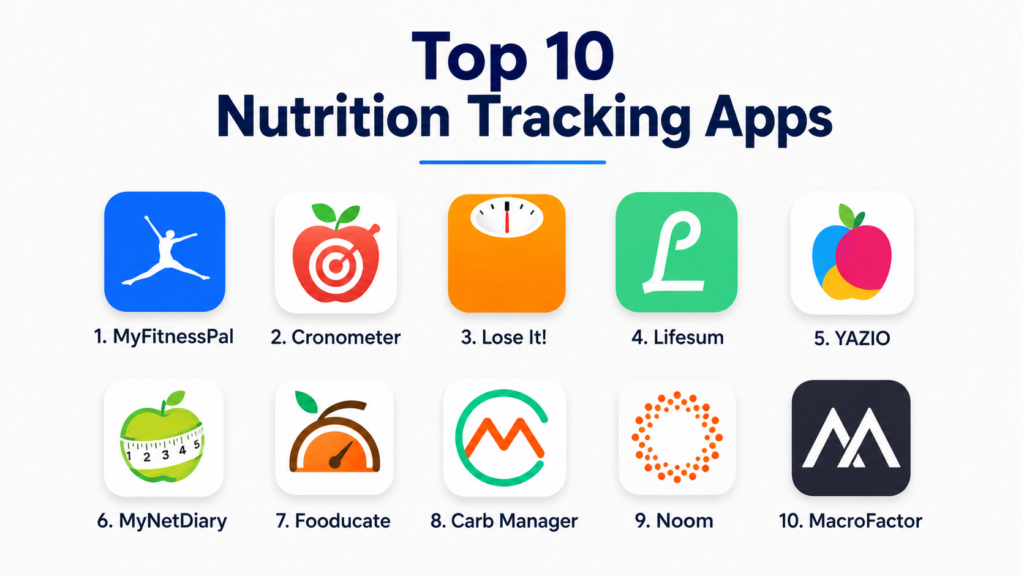
Introduction
Nutrition Tracking Apps help users monitor food intake, calories, macronutrients, micronutrients, hydration, meal timing, recipes, weight goals, and overall eating patterns. These apps make it easier to understand what users eat daily by providing food databases, barcode scanning, meal logging, calorie targets, progress charts, and personalized nutrition insights.Nutrition tracking matters because food choices affect energy, weight management, fitness performance, digestion, sleep, mood, and long-term wellness. Many users struggle with portion control, inconsistent eating habits, hidden calories, low protein intake, poor hydration, or lack of awareness about nutrients. A good nutrition tracking app helps users turn daily food habits into visible data so they can make smarter and more realistic decisions.
Real-world use cases include:
- Tracking calories and macros for weight goals
- Monitoring protein, carbs, fats, fiber, and micronutrients
- Planning meals for fitness, wellness, or medical nutrition support
- Building healthier eating habits through food awareness
- Connecting nutrition data with exercise and health tracking
Buyers evaluating Nutrition Tracking Apps should consider:
- Food database quality
- Barcode scanning accuracy
- Macro and micronutrient tracking
- Meal planning and recipe support
- Fitness and wearable integrations
- Ease of food logging
- Personalization and goal-setting features
- Privacy and health data handling
- Free vs premium value
- Support for specific diets and nutrition goals
Best for: Fitness users, weight management users, athletes, wellness-focused individuals, people improving eating habits, nutrition coaches, dietitians, students, busy professionals, and users who want better visibility into daily food intake.
Not ideal for: Users who may become overly anxious about food logging, people needing medical nutrition therapy without professional guidance, or anyone with a history of disordered eating unless guided by a qualified healthcare professional.
Key Trends in Nutrition Tracking Apps
- AI-assisted meal logging is making food tracking faster by using photos, natural language inputs, and smart suggestions.
- Macro tracking remains a major feature for fitness users focused on protein, carbs, fats, and performance goals.
- Micronutrient insights are becoming more important for users who want deeper wellness data beyond calories.
- Barcode scanning and packaged food databases are improving convenience for daily logging.
- Meal planning and recipe tools are helping users turn nutrition goals into practical routines.
- Integration with wearables and fitness apps is connecting food intake with activity, recovery, and energy balance.
- Personalized coaching features are becoming common for weight loss, muscle gain, and habit improvement.
- Diet-specific settings are expanding for vegetarian, vegan, low-carb, high-protein, Mediterranean, and other eating patterns.
- Privacy expectations are increasing because nutrition apps may store sensitive health, weight, and lifestyle data.
- Users are shifting from strict calorie counting toward balanced habit tracking, mindful eating, and long-term sustainability.
How We Selected These Tools
The apps in this list were selected based on practical nutrition tracking value, usability, food database strength, platform support, integrations, and suitability for different user goals.
Selection criteria included:
- Quality and size of food database
- Ease of daily food logging
- Calorie, macro, and micronutrient tracking depth
- Barcode scanner and restaurant food support
- Meal planning and recipe management
- Integration with fitness and wearable ecosystems
- User experience and onboarding simplicity
- Support for weight, fitness, and wellness goals
- Privacy and account control expectations
- Value for free and premium users
Top 10 Nutrition Tracking Apps
1- MyFitnessPal
Short description:
MyFitnessPal is one of the most widely used nutrition tracking apps for calorie counting, macro tracking, weight management, and general food awareness. It offers a large food database, barcode scanning, meal logging, exercise syncing, and goal tracking. The app is especially useful for beginners who want a familiar and structured way to track calories and nutrients. It also works well for fitness users who want to connect nutrition with activity data.
Key Features
- Calorie and macro tracking
- Large food database
- Barcode scanning
- Meal and recipe logging
- Weight goal tracking
- Exercise and fitness app integrations
- Progress charts and nutrition summaries
Pros
- Large and familiar food database
- Strong beginner-friendly tracking workflow
- Good integrations with fitness platforms
Cons
- Some advanced features require premium access
- Food database entries may need manual verification
- Ads and upsells may distract free users
Platforms / Deployment
- iOS
- Android
- Web
- Cloud
Security & Compliance
- Account-based access controls
- Privacy settings
- Encryption
- Detailed compliance varies by plan and region
Integrations & Ecosystem
MyFitnessPal connects well with fitness and wellness workflows, making it useful for users combining nutrition with exercise tracking.
- Fitbit
- Garmin
- Apple Health
- Google Fit
- Samsung Health
- Fitness apps and wearables
Support & Community
MyFitnessPal provides help resources, food logging guidance, community features, and broad user adoption across fitness and wellness audiences.
2- Cronometer
Short description:
Cronometer is a detailed nutrition tracking app known for strong micronutrient tracking, accurate food data, and deeper nutrient visibility. It is useful for users who care about vitamins, minerals, amino acids, fatty acids, and detailed nutrition analysis. Cronometer is especially valuable for athletes, nutrition-focused users, dietitians, and people who want more than basic calorie counting. It provides a more data-rich experience than many casual food tracking apps.
Key Features
- Calorie and macro tracking
- Detailed micronutrient tracking
- Verified food database focus
- Custom foods and recipes
- Biomarker and health metric tracking
- Wearable and fitness integrations
- Nutrition reports and trend analysis
Pros
- Excellent nutrient detail
- Strong for data-focused users
- Useful for dietitians and advanced wellness tracking
Cons
- Can feel detailed for casual beginners
- Some advanced reporting requires premium access
- Smaller general food database than some mass-market apps
Platforms / Deployment
- iOS
- Android
- Web
- Cloud
Security & Compliance
- Account-based controls
- Privacy settings
- Encryption
- Professional account controls vary by plan
Integrations & Ecosystem
Cronometer integrates nutrition data with fitness, health, and professional wellness workflows.
- Apple Health
- Google Fit
- Fitbit
- Garmin
- Oura
- Professional nutrition workflows
Support & Community
Cronometer provides strong documentation, user education, and support resources for detailed nutrition tracking.
3- Lose It
Short description:
Lose It is a calorie and weight management app focused on simple food logging, goal setting, barcode scanning, and progress tracking. It is designed for users who want a friendly and easy way to manage weight goals without overly complex nutrition dashboards. Lose It is especially useful for beginners and everyday users who want practical calorie awareness and habit tracking.
Key Features
- Calorie tracking
- Weight goal planning
- Barcode scanner
- Food database
- Meal and recipe logging
- Progress charts
- Fitness app syncing
Pros
- Simple and beginner-friendly
- Good weight management experience
- Easy daily logging workflow
Cons
- Advanced nutrition insights require premium access
- Less detailed micronutrient tracking than Cronometer
- Some database entries may need review
Platforms / Deployment
- iOS
- Android
- Web
- Cloud
Security & Compliance
- Account-based controls
- Privacy settings
- Encryption
- Detailed compliance varies by plan
Integrations & Ecosystem
Lose It supports practical weight management and everyday food logging workflows.
- Apple Health
- Google Fit
- Fitbit
- Fitness apps
- Smart scales on selected setups
Support & Community
Lose It provides user help resources, onboarding guidance, and community-style motivation features for weight management users.
4- Lifesum
Short description:
Lifesum is a nutrition and healthy eating app that combines calorie tracking, meal planning, diet plans, recipes, and habit guidance. It is designed for users who want a more lifestyle-oriented nutrition experience rather than only raw calorie counting. Lifesum supports different eating preferences and helps users build practical routines around meals, hydration, and healthy food choices.
Key Features
- Calorie and macro tracking
- Meal plans and recipes
- Diet preference support
- Food rating and nutrition feedback
- Water tracking
- Barcode scanner
- Health and fitness integrations
Pros
- Attractive and easy-to-use interface
- Strong meal planning and lifestyle focus
- Good for users building healthier habits
Cons
- Premium plan needed for deeper features
- Less detailed micronutrient tracking than advanced apps
- Diet recommendations may need personalization review
Platforms / Deployment
- iOS
- Android
- Web
- Cloud
Security & Compliance
- Account-based controls
- Privacy settings
- Encryption
- Compliance details vary by region and plan
Integrations & Ecosystem
Lifesum connects nutrition tracking with wellness and healthy lifestyle routines.
- Apple Health
- Google Fit
- Samsung Health
- Wearables
- Meal planning workflows
Support & Community
Lifesum offers onboarding support, nutrition guidance, and user-friendly resources for everyday healthy eating.
5- YAZIO
Short description:
YAZIO is a nutrition and fasting app that combines calorie tracking, macro tracking, meal planning, recipes, fasting timers, and progress monitoring. It is useful for users who want food tracking alongside intermittent fasting and structured weight goals. YAZIO is especially popular with users looking for a clean interface and practical daily nutrition planning.
Key Features
- Calorie and macro tracking
- Intermittent fasting timer
- Meal plans and recipes
- Barcode scanner
- Water tracking
- Weight progress charts
- Nutrition goal customization
Pros
- Good combination of nutrition and fasting support
- Clean and modern interface
- Useful for structured weight goals
Cons
- Many useful features are premium
- Fasting features may not suit every user
- Food data accuracy may require checking
Platforms / Deployment
- iOS
- Android
- Web
- Cloud
Security & Compliance
- Account-based controls
- Privacy settings
- Encryption
- Detailed compliance varies by region
Integrations & Ecosystem
YAZIO supports users combining nutrition tracking with fasting and habit-building workflows.
- Apple Health
- Google Fit
- Wearables
- Fasting routines
- Meal planning workflows
Support & Community
YAZIO provides user guidance, help resources, and structured nutrition content for weight and wellness goals.
6- MyNetDiary
Short description:
MyNetDiary is a calorie counter and nutrition tracking app designed for weight management, diabetes-friendly tracking, meal planning, and daily nutrition insights. It provides food logging, barcode scanning, macro tracking, recipe tools, and progress dashboards. MyNetDiary is useful for users who want a structured and practical nutrition app with clear reports and goal-based tracking.
Key Features
- Calorie and macro tracking
- Barcode scanner
- Weight tracking
- Meal planning
- Recipe analysis
- Diabetes-focused tracking options
- Progress dashboards
Pros
- Practical and structured tracking experience
- Good reporting and goal tools
- Useful for weight and wellness management
Cons
- Advanced features require premium access
- Interface may feel less modern than some competitors
- Medical nutrition use should involve professional guidance
Platforms / Deployment
- iOS
- Android
- Web
- Cloud
Security & Compliance
- Account-based controls
- Privacy settings
- Encryption
- Detailed compliance varies by plan
Integrations & Ecosystem
MyNetDiary integrates food tracking with wellness, weight, and selected health monitoring workflows.
- Apple Health
- Google Fit
- Fitbit
- Smart scales
- Health tracking workflows
Support & Community
MyNetDiary provides educational resources, app support, and practical guidance for nutrition and weight tracking users.
7- Fooducate
Short description:
Fooducate is a nutrition app focused on helping users understand food quality, ingredients, and healthier choices. It goes beyond calorie counting by grading foods, highlighting ingredients, and guiding users toward better eating habits. Fooducate is useful for users who want to improve food choices at the grocery store and understand packaged food quality more clearly.
Key Features
- Food grading system
- Barcode scanning
- Nutrition and ingredient insights
- Calorie tracking
- Healthier food suggestions
- Diet and goal tracking
- Community support features
Pros
- Strong focus on food quality
- Helpful for packaged food decisions
- Good for habit-based nutrition improvement
Cons
- Food grading may not match every nutrition philosophy
- Less advanced macro tracking than fitness-focused apps
- Premium access may be needed for deeper features
Platforms / Deployment
- iOS
- Android
- Cloud
Security & Compliance
- Account-based controls
- Privacy settings
- Compliance details are Not publicly stated
Integrations & Ecosystem
Fooducate supports grocery shopping, food awareness, and healthier choice workflows.
- Barcode scanner
- Packaged food insights
- Nutrition education
- Food quality tracking
- Community features
Support & Community
Fooducate offers app support, educational content, and a user community focused on healthier eating choices.
8- Carb Manager
Short description:
Carb Manager is a nutrition tracking app focused on low-carb, keto, and macro-based eating patterns. It helps users track net carbs, calories, macros, fasting, recipes, and meal plans. Carb Manager is especially useful for users following low-carb or keto-style diets who need more specific carb tracking than general nutrition apps provide.
Key Features
- Net carb tracking
- Macro and calorie tracking
- Keto and low-carb meal plans
- Recipes and shopping lists
- Fasting tracker
- Barcode scanner
- Weight and progress tracking
Pros
- Strong for low-carb and keto users
- Good recipe and meal planning support
- Useful net carb calculations
Cons
- Less ideal for users not following carb-focused diets
- Premium features may be needed for full value
- Diet-specific approach may feel restrictive
Platforms / Deployment
- iOS
- Android
- Web
- Cloud
Security & Compliance
- Account-based controls
- Privacy settings
- Encryption
- Detailed compliance varies by plan
Integrations & Ecosystem
Carb Manager supports low-carb, keto, fasting, and macro-focused nutrition workflows.
- Apple Health
- Google Fit
- Fitbit
- Fasting workflows
- Meal planning tools
Support & Community
Carb Manager offers educational content, recipes, support resources, and a community focused on low-carb nutrition goals.
9- Noom
Short description:
Noom is a behavior-focused weight management app that combines food logging, coaching, psychology-based lessons, and habit-building tools. Instead of focusing only on calories, Noom emphasizes behavior change, food awareness, and sustainable routines. It is useful for users who want structured guidance and coaching-style support rather than a simple calorie counter.
Key Features
- Food logging
- Behavior-based lessons
- Coaching support on selected plans
- Weight tracking
- Food color system
- Habit-building programs
- Progress monitoring
Pros
- Strong behavior change focus
- Useful for users needing structure and accountability
- Goes beyond simple calorie counting
Cons
- Subscription cost can be high
- Coaching experience may vary
- Not ideal for users who only want quick food logging
Platforms / Deployment
- iOS
- Android
- Cloud
Security & Compliance
- Account-based controls
- Privacy settings
- Encryption
- Detailed compliance varies by program and region
Integrations & Ecosystem
Noom supports structured weight management and behavior-based wellness workflows.
- Weight tracking
- Food logging
- Habit coaching
- Wellness lessons
- Progress dashboards
Support & Community
Noom provides structured onboarding, coaching-style programs, learning content, and support resources for behavior change.
10- MacroFactor
Short description:
MacroFactor is a macro tracking and nutrition coaching app designed for users who want adaptive calorie and macro recommendations based on logged intake and weight trends. It is especially useful for fitness-focused users, body recomposition goals, athletes, and people who want a data-driven approach to nutrition adjustments. The app focuses on adherence, trend analysis, and adaptive coaching rather than simple static targets.
Key Features
- Adaptive macro recommendations
- Calorie and macro tracking
- Weight trend analysis
- Food logging
- Expenditure estimation
- Goal-based nutrition coaching
- Progress dashboards
Pros
- Strong for fitness and macro-focused users
- Adaptive recommendations are practical
- Good for users who like data-driven nutrition
Cons
- Less beginner-friendly than casual apps
- Requires consistent logging for best results
- Premium subscription required
Platforms / Deployment
- iOS
- Android
- Cloud
Security & Compliance
- Account-based controls
- Privacy settings
- Encryption
- Detailed compliance is Not publicly stated
Integrations & Ecosystem
MacroFactor supports macro-focused nutrition coaching and progress tracking workflows.
- Food logging
- Weight trend analysis
- Nutrition coaching
- Fitness goal tracking
- Data-driven progress dashboards
Support & Community
MacroFactor provides educational resources, app guidance, and support for users focused on fitness, macros, and body composition goals.
Comparison Table
| Tool Name | Best For | Platform Supported | Deployment | Standout Feature | Public Rating |
|---|---|---|---|---|---|
| MyFitnessPal | General calorie and macro tracking | iOS, Android, Web | Cloud | Large food database | N/A |
| Cronometer | Detailed nutrient tracking | iOS, Android, Web | Cloud | Micronutrient depth | N/A |
| Lose It | Beginner weight management | iOS, Android, Web | Cloud | Simple calorie goal tracking | N/A |
| Lifesum | Healthy eating and meal planning | iOS, Android, Web | Cloud | Lifestyle-based nutrition guidance | N/A |
| YAZIO | Nutrition plus fasting | iOS, Android, Web | Cloud | Fasting and meal planning combo | N/A |
| MyNetDiary | Structured weight and health tracking | iOS, Android, Web | Cloud | Clear nutrition reports | N/A |
| Fooducate | Food quality awareness | iOS, Android | Cloud | Food grading and ingredient insights | N/A |
| Carb Manager | Low-carb and keto tracking | iOS, Android, Web | Cloud | Net carb tracking | N/A |
| Noom | Behavior-based weight management | iOS, Android | Cloud | Psychology-based habit coaching | N/A |
| MacroFactor | Adaptive macro coaching | iOS, Android | Cloud | Dynamic macro recommendations | N/A |
Evaluation & Scoring of Nutrition Tracking Apps
| Tool Name | Core 25% | Ease 15% | Integrations 15% | Security 10% | Performance 10% | Support 10% | Value 15% | Weighted Total |
|---|---|---|---|---|---|---|---|---|
| MyFitnessPal | 9 | 8 | 9 | 7 | 8 | 8 | 8 | 8.2 |
| Cronometer | 9 | 7 | 8 | 8 | 8 | 8 | 8 | 8.1 |
| Lose It | 8 | 9 | 7 | 7 | 8 | 8 | 8 | 8.0 |
| Lifesum | 8 | 9 | 7 | 7 | 8 | 7 | 8 | 7.8 |
| YAZIO | 8 | 8 | 7 | 7 | 8 | 7 | 8 | 7.7 |
| MyNetDiary | 8 | 8 | 7 | 7 | 8 | 8 | 8 | 7.8 |
| Fooducate | 7 | 8 | 6 | 6 | 7 | 7 | 8 | 7.0 |
| Carb Manager | 8 | 8 | 7 | 7 | 8 | 7 | 8 | 7.7 |
| Noom | 8 | 8 | 6 | 7 | 8 | 8 | 6 | 7.4 |
| MacroFactor | 9 | 7 | 6 | 7 | 8 | 8 | 7 | 7.6 |
These scores are comparative and should be interpreted based on user goals. A beginner may value simple logging and clear dashboards more than advanced micronutrient analysis. Fitness-focused users may prioritize macros and adaptive targets, while wellness-focused users may prefer meal planning and habit support. Users with medical needs should involve qualified professionals rather than relying only on app-generated insights.
Which Nutrition Tracking App Is Right for You?
Solo / Freelancer
Solo users should choose based on their main nutrition goal. MyFitnessPal and Lose It are strong for general calorie tracking and weight management. Cronometer is better for users who want detailed nutrient data. Lifesum works well for users who prefer meal planning and a lifestyle-oriented approach. MacroFactor is better for users who want adaptive macro coaching.
SMB
Small wellness teams, coaching businesses, and fitness studios may prefer apps that are easy for clients to adopt. MyFitnessPal, Lose It, Cronometer, and Carb Manager are practical choices depending on client goals. SMBs should prioritize apps that are simple to use, easy to explain, and flexible across different diets and user preferences.
Mid-Market
Mid-market wellness programs, gyms, and nutrition coaching teams may need apps with stronger reporting, client usability, and goal tracking. Cronometer, MyNetDiary, Noom, and MacroFactor may be useful depending on whether the focus is detailed nutrients, behavior change, weight management, or fitness performance. Teams should also consider privacy and data-sharing rules.
Enterprise
Enterprise wellness programs should be careful with nutrition tracking because food and weight data can be sensitive. If nutrition apps are offered as part of wellness benefits, participation should be voluntary and privacy-first. Enterprise buyers should evaluate vendor privacy policies, data access controls, user consent, and whether the app supports healthy behavior without encouraging harmful over-tracking.
Budget vs Premium
Budget-conscious users can start with free versions of MyFitnessPal, Lose It, Cronometer, or Fooducate. Premium plans may be worth it for barcode scanning, deeper reports, meal plans, macro insights, or coaching. Users should test whether premium features actually improve consistency before committing to a subscription.
Feature Depth vs Ease of Use
Cronometer and MacroFactor provide deeper nutrition data but may require more consistent logging and interpretation. Lose It and Lifesum are easier for beginners. MyFitnessPal offers a balance of database size, integrations, and general usability. Fooducate is useful for users who care more about food quality than detailed macro tracking.
Integrations & Scalability
Users should choose apps that fit their existing fitness and health ecosystem. Fitbit, Garmin, Apple Health, Google Fit, Samsung Health, smart scales, and wearables can make nutrition tracking more useful when combined with activity and weight trends. Strong integrations reduce manual work and improve long-term consistency.
Security & Compliance Needs
Nutrition data may include weight, health goals, eating patterns, medical conditions, and lifestyle information. Users should review privacy settings, account security, data-sharing controls, and whether the app syncs data with third-party platforms. Professionals working with clients should avoid sharing sensitive nutrition data without proper consent.
Frequently Asked Questions
1. What are Nutrition Tracking Apps?
Nutrition Tracking Apps are digital tools that help users record food intake, calories, macronutrients, micronutrients, water, weight goals, and eating patterns. They often include food databases, barcode scanners, meal logging, recipe tools, and progress charts. These apps help users understand what they eat and how food choices align with wellness or fitness goals. They are useful for awareness and habit-building, but they should not replace professional medical or nutrition advice when specialized care is needed.
2. Are Nutrition Tracking Apps accurate?
Nutrition Tracking Apps can be helpful, but accuracy depends on food database quality, user input, portion estimation, recipe entries, and barcode data. Packaged foods are often easier to track than homemade meals, but even packaged entries can contain errors. Users should treat app data as an estimate rather than a perfect measurement. Consistency and trend awareness are usually more important than exact numbers every day.
3. Which app is best for beginners?
Lose It, MyFitnessPal, and Lifesum are strong beginner-friendly options because they provide simple logging, clear dashboards, and practical goal-setting features. Beginners should avoid overcomplicating tracking with too many metrics at first. Starting with calories, protein, water, and meal consistency may be enough. Once the habit is stable, users can explore macros, micronutrients, recipes, or fitness integrations.
4. Which app is best for detailed nutrient tracking?
Cronometer is one of the strongest choices for detailed nutrient tracking because it focuses on micronutrients, vitamins, minerals, amino acids, and deeper nutrition reporting. It is useful for users who want more than basic calorie counting. Athletes, nutrition-focused users, and dietitians may appreciate its detailed dashboards. However, casual users may find it more data-heavy than simpler apps.
5. Which app is best for weight loss?
MyFitnessPal, Lose It, Noom, and MyNetDiary are practical options for weight management. MyFitnessPal and Lose It are strong for calorie and macro tracking, while Noom focuses more on behavior change and coaching-style support. MyNetDiary provides structured reports and progress tools. The best choice depends on whether the user needs simple tracking, habit coaching, or deeper nutrition insights.
6. Are Nutrition Tracking Apps good for athletes?
Yes, nutrition apps can be useful for athletes who need to manage protein intake, carbohydrates, hydration, calories, and recovery-related nutrition. Cronometer and MacroFactor are strong for data-focused users, while MyFitnessPal works well for general macro tracking. Athletes should focus on performance, recovery, and consistency rather than only calorie restriction. For competitive or medical nutrition needs, professional guidance is recommended.
7. Can nutrition apps help with meal planning?
Many nutrition apps support meal planning, recipes, shopping lists, and diet-specific guidance. Lifesum, YAZIO, Carb Manager, and MyNetDiary are especially useful for users who want structured meals rather than only food logs. Meal planning features help reduce decision fatigue and make nutrition goals easier to follow. Users should still adapt plans to personal preferences, budget, culture, and health needs.
8. What are common mistakes users make with nutrition apps?
A common mistake is becoming too focused on exact numbers and ignoring overall eating quality, hunger cues, and sustainability. Users also often underestimate portions, forget oils or snacks, or rely on inaccurate food database entries. Another mistake is setting overly aggressive calorie goals that are hard to maintain. Nutrition tracking works best when used as a learning tool, not as a source of pressure or guilt.
9. Are nutrition apps safe for privacy?
Nutrition apps may collect sensitive information such as weight, eating habits, health goals, activity data, and sometimes medical-related details. Users should review privacy settings, third-party integrations, data-sharing policies, and account security before using an app long term. If syncing with wearables or health platforms, users should understand what data is shared. Coaches and organizations should handle client nutrition data with consent and care.
10. How should users choose the right Nutrition Tracking App?
Users should first define their goal: weight management, muscle gain, detailed nutrient tracking, meal planning, low-carb eating, behavior change, or general awareness. Then they should test apps based on ease of logging, food database quality, integrations, pricing, and privacy settings. The right app is the one users can use consistently without feeling overwhelmed. A simple app used daily is often better than a complex app abandoned after a few days.
Conclusion
Nutrition Tracking Apps can help users build better food awareness, improve meal consistency, monitor calories and macros, understand nutrient intake, and connect eating habits with wellness or fitness goals. The best app depends on the user’s goal, experience level, diet style, device ecosystem, and comfort with tracking. MyFitnessPal is strong for general tracking, Cronometer is excellent for detailed nutrients, Lose It is beginner-friendly, Lifesum supports lifestyle-based eating, YAZIO combines nutrition and fasting, MyNetDiary offers structured reports, Fooducate helps with food quality awareness, Carb Manager supports low-carb users, Noom focuses on behavior change, and MacroFactor serves data-driven macro tracking. Users should shortlist apps based on real goals, test daily logging, review privacy settings, compare free and premium value, and use nutrition data as a guide for sustainable habits rather than a source of stress.
